A Console Built in Layers
On March 4, 2000, Japan received a machine that looked like a DVD player with ambitions and behaved like a small computer with trust issues. North America followed on October 26, and Europe on November 24. The PlayStation 2 became a global object of desire, but its most interesting secret was not a hidden game or an extra button. It was the difficulty of persuading the machine to run anything Sony had not approved.
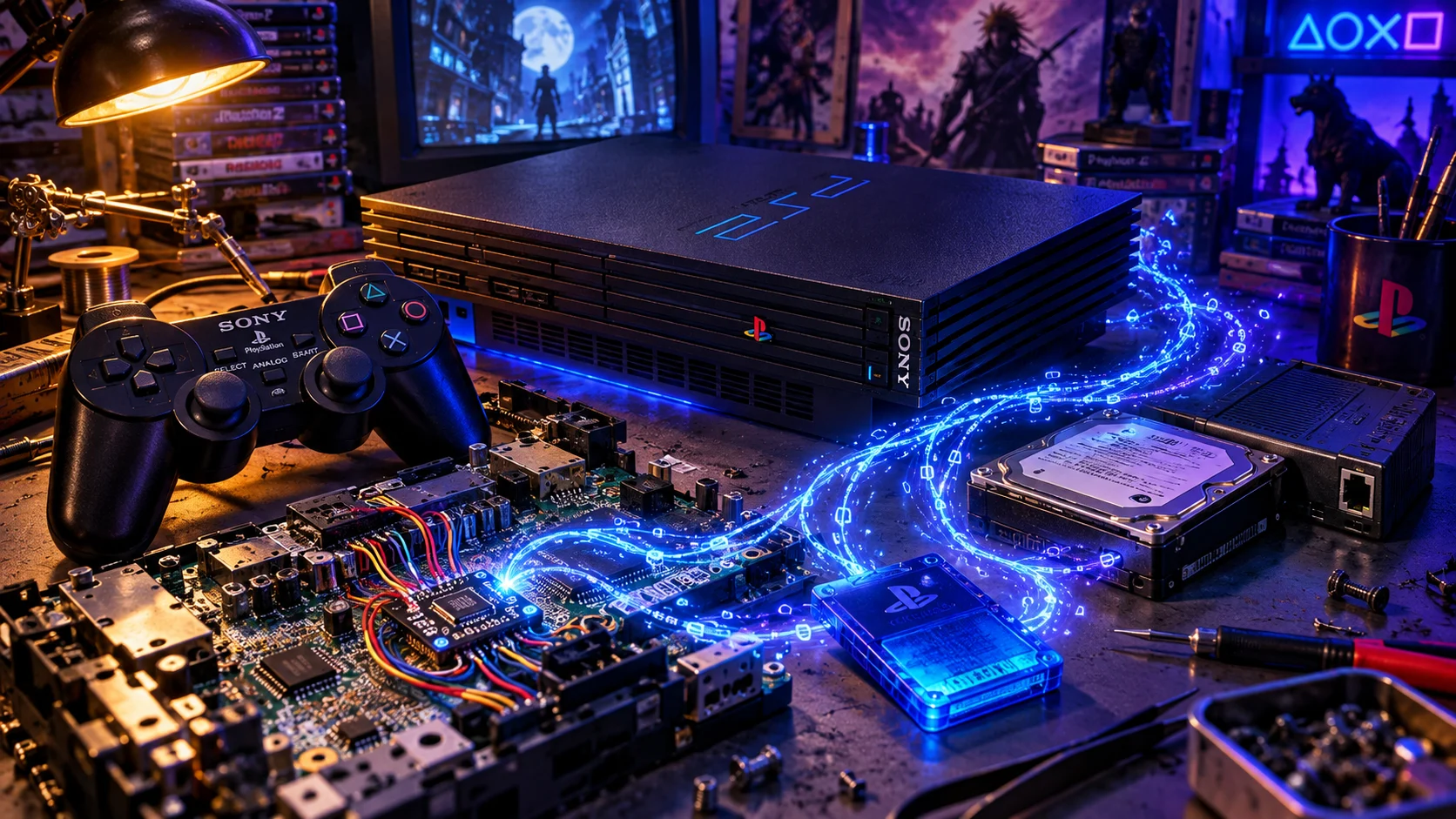
The PS2 did not have one convenient lock waiting to be picked. Its security was distributed across several cooperating systems. The Emotion Engine handled the main game world and much of the graphics workload. The I/O Processor, descended from the original PlayStation’s processor, managed peripherals, storage and important low-level services. The BIOS and its operating system decided what sort of media had arrived. The CD/DVD controller and optical assembly read the disc, while MechaCon—the drive-control microcontroller and firmware subsystem—participated in optical-drive operation and authentication-related exchanges. MechaCon was not the mechanical drive itself, and it was not the sole author of every security decision.
That division explains the odd variety of solutions that followed. A modification might interfere with signals between the BIOS and optical controller, manipulate reset or clock behavior, alter authentication-related responses, launch software from a memory card, or replace an I/O module after the official system had started. These were not interchangeable tricks. A modchip altered hardware behavior at a low level; an exploit corrupted a parser or driver; a loader redirected software requests; and a homebrew application ran only after one of those doors had opened.
The console also had several kinds of media to distinguish. PlayStation 2 software appeared on CDs and DVDs. PlayStation 1 discs used their own compatibility path. Audio CDs and DVD-Video discs followed different routines again. Region rules separated Japanese, North American and European software, while pressed media carried physical and logical characteristics that ordinary recordable discs could not simply duplicate. The console was effectively asking several questions: what kind of disc is this, where is it from, and may this machine boot it?
That is why “cracking the BIOS” became a useful but inaccurate campfire phrase. Most PS2 modifications did not replace the complete firmware or turn the machine into an Xbox with a substitute boot ROM. They leaned on particular points in a longer chain of trust. The history of PS2 modding is therefore a history of finding those points, then gradually moving the user’s role from swapping discs to launching an entirely different software life.
The First Years: When the User Was Part of the Boot Process
The first popular solutions were physical rituals. Neo 2 and Neo 2.2 belonged to a transitional generation in which an authentic disc, cheat device or other accepted boot medium got the machine moving. At a carefully chosen moment, the user manipulated the tray mechanism or its sensors and exchanged the authenticated disc for recordable media.
Action Replay and GameShark-era techniques made the procedure feel almost theatrical: black screen, loading pause, tray click, quick exchange, then the hope that the machine had already committed to the right portion of the boot sequence. Different devices used different assumptions. Console revision, tray assembly, disc category, trigger software and media quality could all alter the result. There was no single “swap method,” only a family of negotiated compromises.
The principle was straightforward. Let the PS2 authenticate enough of something genuine to open the door, then change what it read before higher-level software noticed. This was an exploit in timing and machinery rather than a clean replacement for the optical-security system. A method that worked with one class of PS2 software did not automatically work with PlayStation 1 discs, DVD movies or every model.
Cogswap and related utilities later turned the idea into a software-assisted routine. Swap Magic made the transitional approach easier to obtain without installing an internal chip, but it remained bounded by the optical reader, the tray or sensor arrangement and the exact trigger path. The owner was still part of the mechanism. The console had not really been convinced; it had been hurried.
Those early rituals also shaped the culture around the machine. A PlayStation 2 modification was not yet an invisible upgrade. It was a procedure remembered from forum posts and copied from blurry photographs: which disc went in first, when the screen went dark, how far the tray moved, whether the title was on CD or DVD, and whether a particular SCPH number belonged to the diagram. The console’s security was not only technical. It was social knowledge.
The Forty-Four-Wire Legend
Neo4 is remembered for a number that sounds like an engineering dare: 44. An often-cited period installation account documented a Neo4 configuration with forty-four wires. That figure should not be treated as a manufacturer-wide specification. Neo4 variants, later revisions, clip-assisted arrangements and motherboard-specific diagrams changed the count and the work involved.
Even with that qualification, forty-four wires tells the story better than a product slogan. The installer was threading a nervous system through the console: power and ground, reset-related connections, optical-control signals and points around the BIOS and controller circuitry. A misplaced strand could bridge neighboring contacts. A lifted via could disappear into the board. A wire routed badly could turn an apparently successful installation into an intermittent electronic haunting.
Neo4 was associated with an early no-swap design, but “no swap” needed an asterisk. Period evidence associates early Neo designs with limitations involving DVD authentication and swap-assisted booting. The phrase could mean no swap for one important category of software, not no swap for every imported game, recordable disc, PlayStation 1 title or DVD movie on every console revision.
The importance of Neo4 was less its exact wire count than the direction of travel. The user’s hand was moving out of the boot sequence and into the installation itself. Convenience was no longer paid for at the tray; it was paid for under a bright lamp, with solder fumes in the air and a motherboard whose model number mattered more than the console’s color.
Messiah Changes the Question
Scene chronology places the Messiah announcement in September 2001 and commercial availability in December, followed by a Sony legal victory recorded in January 2002. The commercial and legal details became tangled in the fast-moving chip market, but the historical point is firm: Messiah was widely recognized as the major transition from swap-assisted behavior to genuine direct boot.
Messiah’s significance was architectural. Instead of waiting for an approved disc and asking the owner to perform the final deception, the chip monitored and influenced parts of the boot and disc-authentication activity. Period descriptions place its intervention around BIOS-related signals, the CD/DVD controller, reset behavior, clocking and authentication exchanges. It did not simply erase every security feature or replace the whole BIOS. It found places where the chain could be leaned upon.
Messiah 2 made the direct-boot experience more practical, while its surviving installation documentation reveals how demanding the work remained. A Messiah 2 v4 diagram specifies twenty-four wires for that particular configuration, connecting power, ground, reset, SCEx, clock, BIOS points and CD/DVD-controller points. The count belongs to that diagram, not to every Messiah 2 board or every PS2 motherboard. Gap-BIOS and no-gap-BIOS packages required different layouts; later console revisions demanded different points again.
The manual recommends very fine signal wire around 31 or 32 AWG, heavier conductors for power and ground, flux, magnification and careful prevention of solder bridges. Some controller pins were separated by less than 0.2 millimeters. One overheated via could retreat into the motherboard, leaving the installer with a repair problem rather than a triumphant first boot.
The clock connection offered a particularly vivid lesson. The roughly 36 MHz line needed routing with attention to its ground plane. Poor routing could introduce noise into the audio path, producing odd or tinny sound on affected revisions. Recommended remedies included flat routing, a grounded twisted pair or thicker wire. The PS2 was sensitive enough to punish a sloppy wire even when every logical connection was correct.
Messiah 2’s direct-boot modes also varied. Reset-button combinations could determine how the machine treated PS2 CD media, PS2 DVD media, PlayStation 1 discs or DVD movies. Exact behavior depended on chip revision, firmware and console model. The crucial shift was that the owner no longer had to perform a disc swap during ordinary use.
The achievement did not make the optical drive immortal. A tired pickup remained tired. Poorly burned media could still fail. A spindle, laser or calibration problem was not something a chip could cure. The same caution applies to later repair folklore. Romeo became associated with reducing laser-burn risk on particular V9 and V10 consoles, especially with poor-quality media; it was not a universal requirement. Nor did “solderless,” when later products advertised it, mean risk-free. Clips could lose spring tension, contacts could oxidize or bend, and a weak ground could produce faults as mysterious as a bad solder joint.
A Crowded Market Learns New Tricks
Messiah did not stand alone. Magic-branded products, Ripper boards, Duo designs, Thunder boards, Origa and regional competitors filled a market hungry for direct boot. Their sales language converged around “no swap,” “stealth,” “DVD region free,” “direct boot” and “homebrew support,” but those labels did not always mean the same thing. Some features belonged to a particular firmware, some to a later board revision and some to a particular boot mode.
The workbench remained the great equalizer. A diagram designed for one motherboard could be disastrous on another. Gap and no-gap BIOS packages changed target points. Optical-controller layouts evolved. The same retail console family could contain electrically distinct revisions. The modchip scene was a contest not only between hackers and Sony’s security engineers, but also between the installer and tiny pads, weak lasers, bad diagrams and human eyesight.
DMS3 marked the next major change. The chip still altered disc-starting behavior, but its flashable firmware also offered DEV1 from a memory card and DEV2 from the internal hard disk. These names describe launch locations, not Sony-native boot modes. DEV1 could direct the machine to an ELF—usually a file named BOOT.ELF—on a memory card; DEV2 could do the same from a hard disk. The chip supplied privileged control during startup, while the ELF supplied the user-facing environment.
This distinction matters. Physical-disc authentication bypass happened while the console was deciding whether a disc deserved to start. DEV1 and DEV2 operated later, after the machine had reached a point where another program could be launched. A DMS board could support both, but they were different technical accomplishments.
DMS4 continued that platform approach. Documented Lite and Pro versions had 128 kilobytes and 2 megabytes of flash respectively, a meaningful difference when firmware, menus and applications had to share space. The larger Pro capacity allowed a more ambitious software environment and made room for features associated with ToxicBIOS and ToxicOS.
Those names must not be treated as interchangeable branding. DMS4 was hardware. Official DMS firmware was one software layer. ToxicBIOS and ToxicOS referred to separate firmware or operating-system environments with their own release histories. Documented factory-default firmware supported homebrew, while some import- and backup-related behavior depended on later third-party flash content. Features must therefore be tied to the specific DMS4 Lite or Pro, EZI variant, official firmware, ToxicBIOS or ToxicOS release. A DMS4 board did not automatically ship with every feature later demonstrated by ToxicOS.
DMS4 EZI made installation sound almost miraculous. Precision clips for BIOS and digital-signal-processor connections promised solderless fitting, with different arrangements for different motherboard families. Yet the physical world returned in the manual’s fine print. Clips could lose spring tension; contacts could oxidize or bend; eject-signal boards and cable arrangements differed across V5–V8, V9–V11 and V12–V15 systems. “Solderless” described the intended connection method, not a universal guarantee.
Matrix, Modbo and Crystal Turn a Chip into a Platform
Matrix Infinity represented a mature direct-boot package: firmware updating, configurable boot behavior, region handling, memory-card launching and DEV2 hard-disk execution gathered under a coherent interface. An Infinity Manager on the memory card could lead to an ELF, while the chip supplied low-level control during startup. The visible menu was software; the chip made the early handoff possible.
The name Modbo later covered several unrelated or evolving clone families. Modbo 2.0 must not inherit every feature later seen in Modbo 4 or Modbo 5. Period installation material supports model-specific wiring and a broad Matrix-like lineage, but it does not establish one complete feature list for every Modbo 2.0 board. Later menu shortcuts, USB-launch claims and compatibility behavior belong to later families unless a contemporary manual proves otherwise.
That uncertainty is part of the clone story. A cheap board bearing a familiar name might reproduce visible Matrix behavior while differing in firmware, wiring, console coverage and quality control. The package could look identical from the sofa while the soldering iron revealed a different family tree.
Crystal Chip pushed the platform idea further through BootManager. The chip’s firmware handled privileged early work, while BootManager supplied a software-heavy environment for discs, applications and storage. Archived documentation described media handling, video fixes, DVD-region functions, in-game reset, firmware management, access to USB, network and hard-drive resources, and PBAT scripting.
BootManager made the PS2 feel less like a modified disc player and more like a tiny desktop machine. Applications could be organized and launched from memory cards, USB devices, the internal hard disk, network-hosted storage or optical media. The important innovation was integration: a user could build a personal menu instead of repeating one secret boot ritual.
This also exposed the division of labor. The chip’s low-level firmware influenced startup and authentication; menus, scripts, file browsers and application management were software concerns running afterward. Crystal did not replace the PS2 with a wholly different BIOS. It made the original machine’s alternate life feel deliberate.
The First Software Door: Independence in 2003
A modchip attacked the PS2 while it was deciding whether a disc deserved to boot. Homebrew software usually had to wait until the console had already agreed to run something. The successful exploit therefore did not replace the BIOS or erase the security architecture. It found a legitimate doorway, slipped through it and launched an ELF program.
The first great doorway was hiding inside PlayStation 1 compatibility. The PS2’s I/O Processor descended from the original PlayStation hardware and retained PS1-oriented software, including PS1DRV. In 2003, Marcus Brown’s Independence exploit used a genuine PS1 disc as its passport. A specially prepared memory card contained a region-appropriate TITLE.DB entry and exploit payload. When PS1DRV processed the title database, a malformed entry could trigger a stack overflow and overwrite the return path. The console was redirected to code on the memory card instead of continuing into the ordinary game.
Released on August 15, 2003, Independence remained more involved than later memory-card environments. It needed a compatible PS1 trigger disc, the right regional arrangement and a prepared card. Yet the conceptual change was enormous. A console no longer had to be opened before it could run homebrew. A PS2, a PS1 disc, a memory card and a file could replace a motherboard modification.
Independence also established the vocabulary that shaped the following decade: TITLE.DB, PS1DRV, trigger media, BOOT.ELF and the memory card as launch device. It did not make an arbitrary burned PS2 disc boot directly. It reached execution through an accepted PS1 path, then handed control to software that could do more ambitious things.
The exploit’s influence was practical as well as symbolic. Developers could now distribute launchable software without asking every user to install a chip. A file manager could be placed on the memory card. An emulator could start from it. A hard-disk utility could prepare the console for the next stage. The memory card stopped being merely a place for saves and became a small, proprietary boot disk.
PS2DEV Gives the Scene a Workshop
By the time Independence appeared, a developer ecosystem was already forming around the PS2. PS2DEV, PS2SDK, PS2Link, ps2client and gsKit supplied the shared infrastructure that let programmers move beyond isolated demonstrations.
PS2SDK exposed libraries for controllers, memory cards, USB, networking, sound, the hard disk and optical media. PS2Toolchain automated the difficult work of constructing a cross-compilation environment. The PS2 was a two-processor system with unusual memory arrangements and specialized graphics hardware; a common toolchain meant developers could solve those problems once and reuse the solution.
PS2Link helped load software over a network connection, while ps2client supplied desktop commands for sending programs, interacting with the console and using host-side filesystem services. A developer could revise an application, transfer it and test it without burning another disc. That changed the rhythm of experimentation from “build, burn, pray” to “build, send, observe.”
gsKit provided a more approachable interface to the Graphics Synthesizer. The console’s architecture remained difficult, especially when Emotion Engine code needed to coordinate with IOP modules, but the scene gradually acquired reusable libraries instead of isolated acts of reverse engineering. The toolchain became a kind of unofficial development kit for a machine Sony had never intended to be an open platform.
Sony’s official Linux kit should not be confused with this community toolchain. The Linux kit was a commercial development and educational package with a network adapter, hard disk, keyboard, mouse, display hardware, boot media and Sony’s runtime environment. It offered an official but constrained route into programming the PS2. Net Yaroze was a separate PlayStation development platform, not an early name for PS2DEV. The open toolchain grew along its own path.
The distinction mattered to the culture. Linux on PS2 demonstrated that Sony’s hardware could support a serious operating environment. PS2DEV demonstrated that ordinary enthusiasts could build directly for the console without buying Sony’s official kit. One was sanctioned and bounded; the other was improvised, shared and increasingly powerful.
Swap Magic, Cogswap and ESR
Swap-assisted methods remained important during the transition. Action Replay and GameShark products, Neo-family chips, Swap Magic and cogswap all exploited the broad weakness of a boot ritual in which enough of an authentic disc could be accepted before the media changed or a new path was introduced.
These methods should not be collapsed into one standardized procedure. Tray sensors, console revisions, trigger discs and media type changed the result. Swap Magic supplied a convenient boot environment without an internal chip, but it still depended on optical media and a carefully arranged transition.
ESR, associated with ffgriever and released in 2008, represented a different software idea. It did not independently unlock a cold, untouched console. It ran after an environment such as Free McBoot, FreeHDBoot, Fortuna, OpenTuna or Swap Magic already existed and handled a specially prepared DVD image through modified software. A burned disc could then be launched by a console already running homebrew.
The distinctions are important. Independence reached code through PS1 compatibility. Swap Magic provided a transitional boot environment. ESR altered the optical path after homebrew execution existed. A modchip could intervene during authentication. The user experience might look similar—an application or game appeared—but the mechanisms occupied different points in the chain.
The Fat PS2 Finds a Second Drive
The route away from optical discs depended on the console’s physical shape. Early Japanese SCPH-10000, SCPH-15000 and SCPH-18000 systems used a PCMCIA or PC-Card arrangement with external hard-drive and network-adapter hardware. Later fat systems, beginning with the expansion-bay models, moved toward the familiar internal network adapter that combined Ethernet with an ATA/PATA connection for a hard disk. Sony sold 40GB drives for products including the Linux kit and Final Fantasy XI, giving the console a sanctioned relationship with substantial local storage.
The distinction matters. A regular fat PS2 with an expansion bay could accept the network adapter and internal drive as a coherent system. Slim machines lacked that bay, so later internal-IDE experiments involving some 700xx systems were revision-specific hardware projects, not a general Slim feature.
HD Loader, appearing in the 2004 era, made the hard disk the next great scene battleground. Its appeal was immediate: an optical disc could be installed to the internal drive, after which a menu could launch the stored installation. The console that had once needed elaborate intervention to accept a burned DVD was now being asked to treat a hard disk as its disc drive.
That was not merely file browsing. Games expected to communicate with CD/DVD services, request sectors and sometimes inspect timing or device behavior. HD Loader redirected those requests toward an APA-formatted hard disk and supplied or replaced IOP-side modules so that the game encountered a convincing enough substitute. Some titles worked immediately; others required compatibility modes because they used unusual streaming patterns, timing or media assumptions. DVD9 handling and disc-dependent behavior could still defeat the illusion.
HD Advance helped popularize the idea commercially, while PC-side tools grew around it. The first generation of users often relied on WinHIIP, a Windows utility that could initialize or inspect PS2 hard disks, install disc images, repair or manage partitions and maintain game lists. WinHIIP was not a loader: it was the desktop-side cabinet maker, arranging the APA partition structure that a loader expected. Its importance came from making the hard disk manageable without requiring every installation to happen inside the console.
HDL Dump took a more scriptable approach. It provided command-line tools for installing and managing HDLoader-format images, communicating with the console over network paths and handling the PS2’s partitioning conventions. HDL Dump Helper wrapped much of that process in a more approachable interface, giving users a way to select images, name games and send them to the internal disk without memorizing command syntax.
These tools formed an ecosystem rather than a single program. The loader ran on the PS2. WinHIIP, HDL Dump or a helper application prepared the storage. A compatibility-mode database told users which titles needed particular patches. A file manager launched the loader. In some setups, a modchip’s DEV2 path supplied the first boot. The hard-drive revolution was therefore a chain of utilities, not one magical executable.
Later, HDL Batch Installer became a maintained graphical front end around HDL Dump and related utilities. It brought batch operations, game-list management, image handling and modern convenience features to a workflow that had once depended on a cluttered desktop and a collection of old forum posts. It is best understood as a management layer, not the origin of internal-HDD loading.
HDLGameInstaller took another route: a PS2-side installer with a PC client for network transfers. Its documented TCP workflow supports larger games, but dual-layer DVD9 installation is supported through the PC client only. Its documentation also warns against APAEXT/ToxicOS-formatted disks because they are incompatible and risk data loss. Those distinctions matter when discussing DMS4 Pro and ToxicOS alongside ordinary HDLoader storage: superficially similar menus need not imply interchangeable disk formats.
That distinction is historically revealing. WinHIIP assumed the hard disk would be removed or directly attached to a PC. HDL Dump assumed a desktop client talking to a console-side service. HDLGameInstaller treated the PS2 as a networked storage appliance. HDL Batch Installer then made the desktop workflow easier again. The same physical drive acquired several different management cultures.
The hard disk also changed the role of a modchip. DMS, Matrix and Crystal had made DEV2 familiar. The network adapter supplied fast local storage. HD Loader showed that selected IOP services could replace much of the optical experience. The scene’s center of gravity was moving from soldered boards toward memory cards, hard drives and code.
Free McBoot Makes the Door Permanent
Free McBoot emerged in 2008 from work associated with Neme and jimmikaelkael, with later maintenance by contributors including SP193. Its breakthrough was not a wholly new vulnerability so much as convenience. The trigger disc receded. The memory card became the thing waiting in the console.
Free McBoot used the PS2’s system-update and OSDSYS environment rather than replacing the BIOS. Its installer placed files, configuration structures and KELF-style encrypted or console-bound system objects on the card, then arranged for the browser startup process to load the Free McBoot software. Installation was therefore not a matter of copying an ELF to a card through an ordinary computer filesystem. The PS2’s proprietary card filesystem, update structures and card-binding or security-manager behavior all mattered. MagicGate-related authentication belonged to the wider memory-card security picture, but it was not the sole explanation for why a normal PC copy failed.
An already available path was needed: a modchip, Independence, Swap Magic, a compatible exploited console or assistance from someone who had one. Once installed, Free McBoot offered the feeling of a different machine. The browser could present an application menu, and programs such as a file manager, media player, emulator or loader could start without repeating the PS1-disc ceremony.
Compatibility was broad but precise. Most earlier fat systems and many Slim models worked. Particular late SCPH-9000x consoles with newer BIOS and OSDSYS revisions did not support the original update behavior. “All Slims are incompatible” is wrong; model, ROM revision and browser behavior mattered. Later exploits expanded the usable range, but they did not make every late console a native old-style Free McBoot machine.
FreeHDBoot shifted the same idea from the memory card to the internal hard disk. On compatible fat consoles, the drive could hold the boot environment, applications and game-loading infrastructure. Free McBoot remained the memory-card route; FreeHDBoot was the hard-disk route. HDDOSD, meanwhile, belonged to Sony’s own hard-disk browser and application environment. These names describe different layers rather than interchangeable products.
A maintained FreeMcBoot package today may contain OPL, uLaunchELF, Simple Media System, GSM, emulators, exFAT-oriented modules and other utilities. Those bundled applications belong to the maintenance era, not automatically to the original 2008 release. The distinction is easy to lose because modern installers present a polished menu that looks like one product. Historically, it is a stack assembled over many years.
The APPS Convention and the Console as a Desktop
As memory cards, hard disks and network shares became normal launch points, the scene developed application conventions. One of the most recognizable was the APPS folder or APPS partition: a place where ELF programs could be stored with names, icons, configuration files and launch metadata.
APPS was not a new Sony operating system and not a single mandatory format. It was a practical convention used by environments such as HDDOSD-related menus, Free McBoot packages, file managers, BootManager descendants and modern bootloaders. A media player, emulator, diagnostic utility or loader could be treated as an application rather than a hidden file with a special boot name.
This mattered because a console full of anonymous ELFs was difficult to use. APPS-style arrangements gave the machine a visible software library. Instead of remembering that one file called SMS.ELF lived in a particular directory, a user could navigate a menu containing Media Player, Open PS2 Loader, emulators, GSM or a settings utility. The naming convention helped the PS2 resemble a personal computer without requiring a new BIOS.
The same shift changed preservation. A memory card could carry a bootloader, the internal hard disk could contain applications and game images, a network share could supply additional software, and a modern SD device could present per-game memory-card images. The console’s original browser remained present, but it no longer defined the whole user experience.
Fortuna, OpenTuna and Late Consoles
When the original memory-card route stopped working on some late systems, the scene found another weak seam in the browser. Fortuna used a vulnerability in the handling of compressed memory-card icon textures. The browser attempted to process what looked like save-data artwork, but malformed data could place executable material in memory and redirect the machine when the user backed out.
It was an elegant exploit because it hid in the console’s most ordinary routine: browsing save icons. It was also fussy. Language settings, browser versions, icon ordering and ROM families could affect the result. A card that worked in one machine was not automatically suitable for another.
OpenTuna continued the Fortuna approach in an open implementation. Current installer documentation describes payload and installer variants across ROM and model families, with support extending from early fat systems through many late Slim machines and PS2 TV hardware. The important warning is that the correct payload and installer are model- and ROM-specific; one should not casually load a fat variant on a Slim or assume that every listed model behaves identically.
FreeMcTuna later packaged OpenTuna with PS2BBL, decrypted Free McBoot builds, fallback launchers and modern storage components. PS2BBL is best understood as a flexible bootloader and integration layer, not a universal exploit that erases every model limitation. The modern stack can make several generations of entry point cooperate, but it does not turn late BIOS revisions into old native Free McBoot update support.
This is the wider pattern of PS2 software history: a project rarely erased the previous one. Independence targeted PS1DRV. Free McBoot used the browser and update system. Fortuna targeted icon decompression. OpenTuna and PS2BBL made those discoveries easier to deploy across a wider family of machines.
A DVD Player Becomes an Entry Point
FreeDVDBoot, published by CTurt in June 2020, found another route through software the unmodified console was designed to accept: the DVD-Video player. The exploit focused on DVD-Video IFO metadata and its variable-length arrays. The technical work described unchecked large reads into static buffers, eventually redirecting execution to controlled payload data. UDF and the broader DVD-Video parser were part of the investigated attack surface, but the demonstrated exploitable condition should be described specifically as an IFO-parser flaw.
The achievement was startling. A prepared DVD-Video disc could become a launch medium without a modchip, preinstalled memory-card exploit or old tray-sensor ritual. Yet FreeDVDBoot remained an entry point, not a universal burned-game solution. It launched an ELF loader; that loader could then install or run other software.
Current documentation provides an all-Slim image for PS2 Slim systems and Sony Bravia TV units when the console language is set to English. Fat-console support remains firmware-, model-, region- and language-specific. Listed configurations include DVD Player versions 2.10, 2.12 and 3.04, while many other revisions remain unsupported or difficult. The prepared image must match the player environment; a mismatched language or firmware will fail.
A weak laser and unsuitable media can still defeat the process. FreeDVDBoot demonstrated that the DVD player could be used as a software doorway; it could not make a tired optical pickup healthy. In that sense, it completed a circle begun by Independence. In 2003, the PS1 compatibility path became an entry point. In 2020, the DVD movie player became another. Neither replaced the BIOS.
The Homebrew Tool Belt
LaunchELF, uLaunchELF and wLaunchELF became the scene’s practical control panels. Their central idea was simple: show storage devices, let the user browse them and launch an ELF. Around that core grew memory-card management, USB and hard-disk access, network functions, configuration editing and maintenance utilities.
A file browser sounds humble until it is the program that installs exploits, starts emulators, copies saves and rescues a console from a broken menu. A modchip might provide DEV1 or DEV2; an exploit might provide the first execution path; a file manager made the resulting system usable.
The lineage is not perfectly linear. LaunchELF releases, uLaunchELF forks and wLaunchELF maintenance builds overlap, with compatibility versions preserved for different console environments. What remained constant was the role: the file manager became the scene’s shell. It was the application users trusted when another application failed.
Simple Media System, developed initially by Eugene Plotnikov and the PS2DEV community, demonstrated another ambition. The PS2 could play music and video through homebrew, including formats and arrangements beyond Sony’s normal interface. PS2 Reality Media Player belonged to the same early wave of software that treated the console as a small media computer.
Performance depended on codec complexity, resolution, audio format, storage speed and network throughput. A modest file might play smoothly while a more demanding encode stuttered or lost audio. Current SMS forks continue adding support for devices such as MX4SIO, MMCE, UDPFS, iLink and internal hard disks, but their modern features must not be confused with the original player’s capabilities.
Emulators, Ports and Actual Native Ambition
The PS2’s homebrew emulators revealed both its strength and its limits. PGEN, based on Generator source code with PS2-specific work by Nick Van Veen and later contributors, delivered convincing Sega Genesis and Mega Drive emulation, including sound, saves, save states, region handling and storage support. It was a good match for the PS2: the target system was simpler, while the console could use its graphics and vector hardware intelligently.
SNES Station, created by A. Lee under the name Hiryu, adapted Snes9x to the PS2. Later modified builds extended the original work, including versions associated with ffgriever and subsequent USB/HDD-oriented updates. The shared name can hide substantial differences between an early disc-oriented build and a later modification. A compatibility report needs the actual version, not just the words SNES Station.
Snes9xPS2 was another PS2 adaptation of Snes9x, separate from SNES Station. These projects belong to a wider history of developers revisiting the same target with different ports and implementation choices. Neither the shared upstream emulator nor a newer-looking version number proves identical performance on Sony hardware. The useful comparison is the particular build and game, including sound, input response and saving, rather than a promise that the whole Super Nintendo library behaves uniformly.
The FCEUmm-PS2 project preserves a historical note from ragnarok2040 about porting FCEUltra to the console. Its code depends on PS2SDK and gsKit, making the connection between the toolchain and living-room software concrete. NES emulation could sit beside a media player and a PS2 loader in the same launch menu, even though each program had its own controls, configuration and storage expectations.
PGEN, SNES Station, SNES9xPS2 and FCEU-family projects also taught users how much hardware specialization mattered. The PS2 was powerful in narrow, unusual ways. Developers learned to use the vector units for tasks that might have been ordinary CPU work elsewhere, while working around limited memory and the peculiar relationship between the Emotion Engine and Graphics Synthesizer.
RetroArch also reached the original PlayStation 2 as native homebrew. Libretro announced fjtrujy’s port with RetroArch 1.7.6 in February 2019. Its initial selection included 2048, FCEUmm, QuickNES and PicoDrive. This was a small, practical start: a familiar frontend and a selection of cores brought onto an old console, rather than every desktop core transplanted at once. The release notes even distinguished their VSync performance requirements, a reminder that the same frontend cannot erase differences between emulators.
That native port must be distinguished from LRPS2, the PCSX2-derived libretro core that emulates a PS2 on other hardware. With the native port, the physical PS2 executes homebrew ELF programs and emulates older systems. With LRPS2, another machine is doing the work of imitating the PS2. Libretro’s console-specific installation documentation describes the former, including separate core ELFs launched through a homebrew file manager. The two directions of emulation answer entirely different questions.
Native Doom and Quake ports offered a different kind of proof. PS2SDK and gsKit let developers address the hardware directly through controller input, sound, file formats, timing and graphics primitives. Current Doom projects can provide audio, music, saving and WAD support while keeping commercial game data separate from GPL source. Quake projects demonstrate accelerated geometry, menus and cinematics even when unfinished. ScummVM has a historical PS2 port, but should not be presented as a thriving current PS2 release stream without a PS2-specific build.
These projects exposed the machine’s character. The PS2 was powerful in narrow, specialized ways and awkward in others. Its homebrew history records developers learning where the vector units, Graphics Synthesizer, IOP, memory budget and storage interfaces could cooperate.
From HD Loader to Open PS2 Loader
Before OPL, USBExtreme offered a commercial route to external USB hard-drive loading, with USBAdvance circulating as an ELF-based loader in the same mid-2000s ecosystem. This especially mattered to Slim owners without the internal expansion bay. Desktop preparation utilities converted installations into the layout these loaders expected. The loader and its storage format are different parts of that story: later software could support USBAdvance/Extreme-formatted installations without being the old USBAdvance program. OPL retained that legacy option while also supporting other layouts. These early USB approaches established a useful escape from the optical drive, but could not remove the speed limit of the console’s USB controller.
Open USB Loader appeared in 2009 and developed into Open PS2 Loader, usually called OPL. Its importance was not simply that it loaded games from another device. OPL became a storage and compatibility framework supporting internal ATA hard disks, USB devices, SMB network shares, iLink or SBP2 storage and later SD-based hardware.
The internal hard disk remained the strongest traditional option on a fat console. It avoided the PS2’s slow USB interface and offered sustained throughput suitable for streaming-heavy games. Slim machines lacked the expansion bay, so their owners relied more heavily on Ethernet, USB, memory-card storage and later SD adapters. Early 700xx internal-IDE experiments existed, but they were revision-specific hardware projects.
The built-in ports are USB 1.1 full-speed interfaces, with a theoretical ceiling of 12 megabits per second before overhead. Real throughput is lower. That number explains why a game can launch from USB yet stutter during a movie, lose streaming audio or pause while a level loads. USB storage is convenient; it is not automatically the fastest game device.
SMB loading moves files to a computer or network-attached system and lets the PS2 read them through Ethernet. It can outperform USB on suitable hardware, but traditionally relies on SMBv1, an obsolete protocol that belongs on a controlled local network rather than an exposed or public one. Its survival is a compatibility compromise, not an endorsement of its security model.
OPL supports ISO files, compressed ZSO images, USB Extreme-style layouts, HDLoader-format installations and ordinary ELF applications. Virtual Memory Cards store card images as files, while In-Game Reset attempts to return to the loader without a full power cycle. GSM can force video modes, PS2RD can provide cheats and PADEMU can emulate selected modern controllers. These are post-boot services; none is the exploit that first launched OPL.
Compatibility remains title-specific. Some games need modes because of unusual streaming, timing or media assumptions. VMC, IGR, GSM and PADEMU can introduce their own edge cases. No OPL build guarantees every game on every device.
RAM Patches Are Their Own Category
The scene often describes every modification as a loader feature, but RAM patches deserve a separate place in the vocabulary. GSM changes the Graphics Synthesizer mode or related runtime values to force display resolutions and timings. PS2RD applies cheat codes or memory modifications. Region fixes, widescreen patches, compatibility patches and certain loader modes alter what is already running in memory.
These techniques are neither physical-disc authentication bypasses nor DEV1/DEV2 booting. They do not make an unmodified console accept an unauthorized disc. They do not provide the first execution path. They operate after an ELF, loader or game is already running.
Replacement IOP disc-reading modules occupy another category. A loader may replace or modify CDVDMAN-related services so that a game’s requests are redirected to a hard disk, USB device, network share or SD-backed block device. That is more invasive than a menu option but still does not amount to replacing the entire Sony BIOS. The scene’s vocabulary becomes clearer when authentication bypass, post-boot launch, RAM patching and IOP replacement are kept separate.
One Loader Became Several
As of September 15, 2026, the useful question was which loader project and which build a setup used. Upstream OPL distinguishes release and beta features; its documentation identifies exFAT support with beta-era development. Separate projects such as wOPL and RiptOPL maintain their own feature sets. A capability documented for one cannot automatically be assigned to an old OPL installation.
Mainline OPL’s documented device categories include USB, internal ATA/IDE hard disks, SMB, iLink, MX4SIO and ELF application launching. Its release variants bundle different combinations of GSM, VMC, IGR, PS2RD, PADEMU and other features. A release build, beta build or fork may expose a function absent from an older stable ELF. The name OPL identifies a family of development, not a frozen universal specification.
wOPL presents itself as a continuation of an unofficial branch with its own work on MMCE, modular PADEMU, coverflow, artwork and interface behavior. RiptOPL likewise maintains separate documentation, including pages for Neutrino, MMCE, UDPFS, HTTP, VMC, GSM, IGR, cheats, PADEMU and applications. These projects can be valuable without being treated as identical to upstream OPL.
Neutrino takes a more modular approach. It is a backend and device-emulation system without a conventional user interface, dividing work into Boot, Load and Emulation environments and loading configurable IOP modules. Its backing stores include USB, MX4SIO, MMCE, iLink, network protocols and internal ATA hard disks. It distinguishes original discs, ESR-prepared DVDs and ISO emulation.
NHDDL supplies the frontend and integration layer around Neutrino, with visual identification, per-title settings and modern memory-card-peripheral support. It should not be described as Neutrino itself, nor should Neutrino be treated as a universal OPL replacement.
Performance still matters. Neutrino documentation identifies roughly 2.2 megabytes per second as a useful minimum for convincing DVD-drive emulation in demanding cases. Slower devices can produce video stutter or stop a game from running, and fragmentation can matter even when capacity looks generous. Modern flash storage removes mechanical seek delays; it does not repeal the PS2’s timing assumptions.
This is the mature shape of the scene: not one ladder of successors but overlapping backends, menus, IOP environments and storage protocols.
SD in the Memory-Card Slot
MX4SIO, SD2PSX and MemCard PRO2 all bring SD storage into the PS2 era, but they do not perform the same job. MX4SIO uses the memory-card port’s serial lines as a storage interface for homebrew. It is an SD adapter driven by a dedicated software path, not necessarily an emulator of a genuine Sony memory card.
SD2PSX and MemCard PRO2 appear in modern MMCE documentation as devices that can provide memory-card behavior while also exposing storage for game loading. Their firmware and protocol requirements differ from MX4SIO. An application that supports one is not automatically supporting the other. Firmware can add game-ID switching, per-title card images, PlayStation 1 boot-card behavior and other conveniences, but those are capabilities of modern hardware and software combinations—not of the original Free McBoot card or early OPL.
A genuine Sony card is a proprietary memory device. An MMCE product attempts to behave like one while adding modern storage. An MX4SIO adapter uses the same physical socket for a different storage conversation. They may all present an SD card to the user, yet their drivers, boot behavior and compatibility contracts differ.
The result is a PS2 with storage options that would have sounded absurd in 2000: a hard disk in the expansion bay, a network share, a compressed image on an SD card, a game-specific virtual memory card or a modular device emulator selecting its backend at boot.
PS1 Compatibility Splits in Two
PS1 software on the PS2 developed several separate paths. POPStarter uses Sony’s proprietary POPS software emulator, so it is not the same as the PS2’s native PlayStation 1 backwards-compatibility route. Native compatibility relies on PS1-oriented hardware and driver behavior; POPStarter has its own image formats, configuration requirements and compatibility quirks.
DKWDRV takes a different approach by replacing the PS1 driver itself. Its current project combines reverse-engineered behavior from major driver families and adds configuration databases, video-mode changes, dithering and filtering controls, cheats and patches. Some newer work targets DECKARD consoles and experimental USB loading.
The limitations matter. DKWDRV remains beta, separates PGIF and DECKARD hardware and warns that certain logo or license checks may still defeat a game on PGIF systems. Its USB work has incomplete areas, including documented CDDA and XA behavior. A modern driver can improve the path without recreating every electrical and timing detail of original hardware.
Memory-card peripherals add another layer by responding to game IDs and selecting a dedicated card image. Native compatibility, POPS emulation and DKWDRV replacement are three different solutions to three different problems.
The Optical Drive Becomes One Option
By the middle of the 2000s, the scene had learned to fool the disc path. By 2008, it could install a startup environment on a memory card. By 2020, it could turn the DVD player itself into an entry point. By 2026, the interesting work was increasingly about arranging layers: an exploit, PS2BBL, a file manager, OPL or Neutrino, an IOP backend, an SD or network device, a virtual card and perhaps a modern controller or video patch.
That layered design explains the PS2’s durability as a preservation platform. A failing optical drive no longer dictates the whole machine’s usefulness. A fat console can use its internal ATA drive; a Slim can use Ethernet, USB, MX4SIO or a memory-card storage device; a developer can test over a network; a PlayStation 1 enthusiast can choose native driver replacement, POPS emulation or a modern card peripheral. None of these paths is universal, and each has compatibility edges, but together they preserve far more than a shelf of aging discs.
The community did not find one master key. It found many small doors and learned how to connect them: a PS1 parser, a browser icon, a DVD metadata table, a hard-disk filesystem, an IOP module and a memory-card protocol. The PlayStation 2 began as a disc console whose browser guarded its boundaries. It survives as a compact, reconfigurable computer—one whose most important upgrade was the discovery that booting was only the beginning.
More console histories and PS2 walkthroughs
Follow the parallel stories in our original Xbox modding history, GameCube homebrew history and Nintendo Switch security history. For the games themselves, explore our Shadow of the Colossus walkthrough, GTA: San Andreas guide, Silent Hill 2 walkthrough and PlayStation 2 console guide.