Touchscreen emulation is a magnificent modern miracle right up until a virtual D-pad sends a character wandering into a pit because a thumb drifted three millimetres south. PlayCase is built around the simple, perennial attempt to solve that problem: put real controls on the phone without permanently turning it into a dedicated handheld.
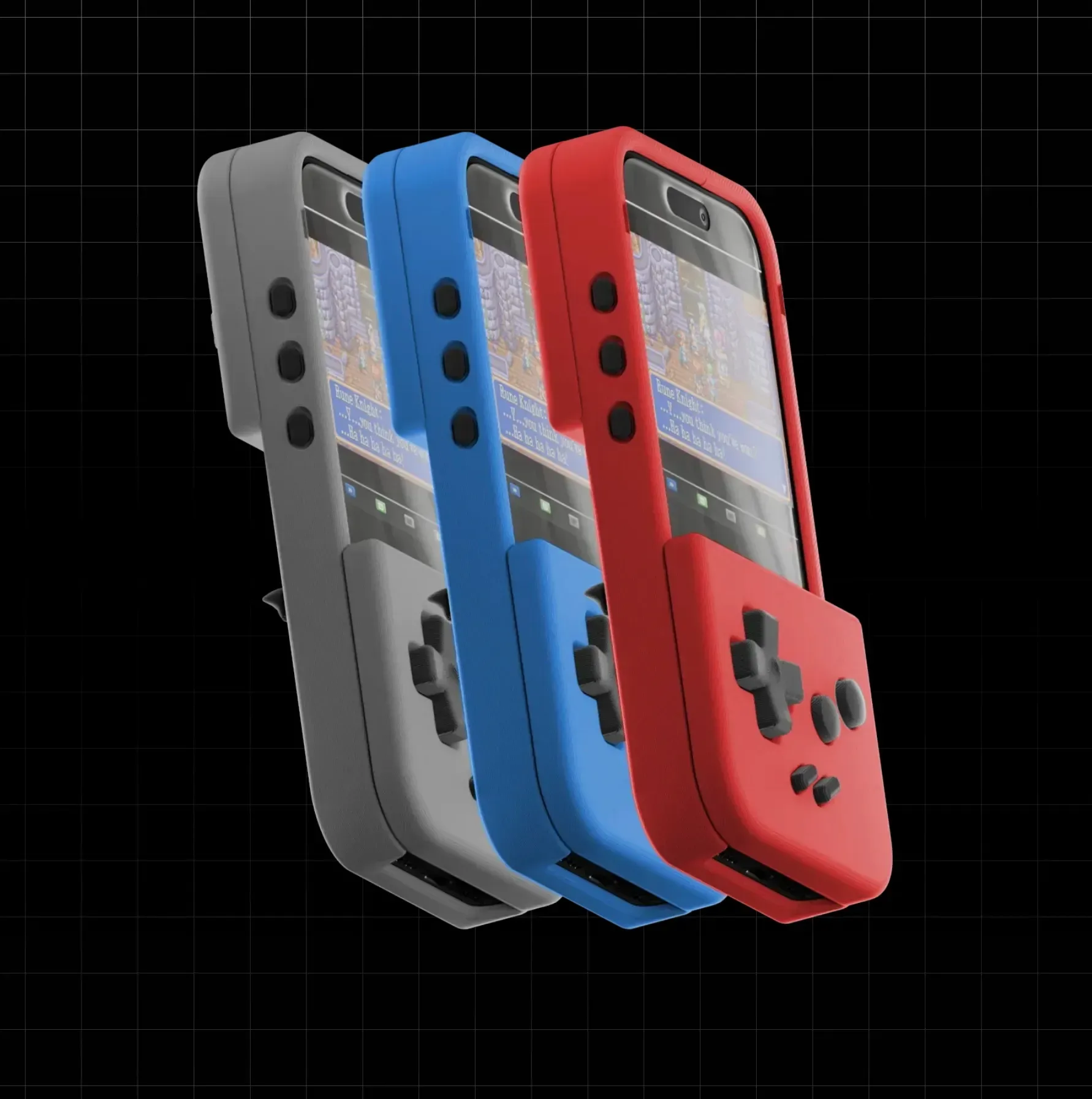
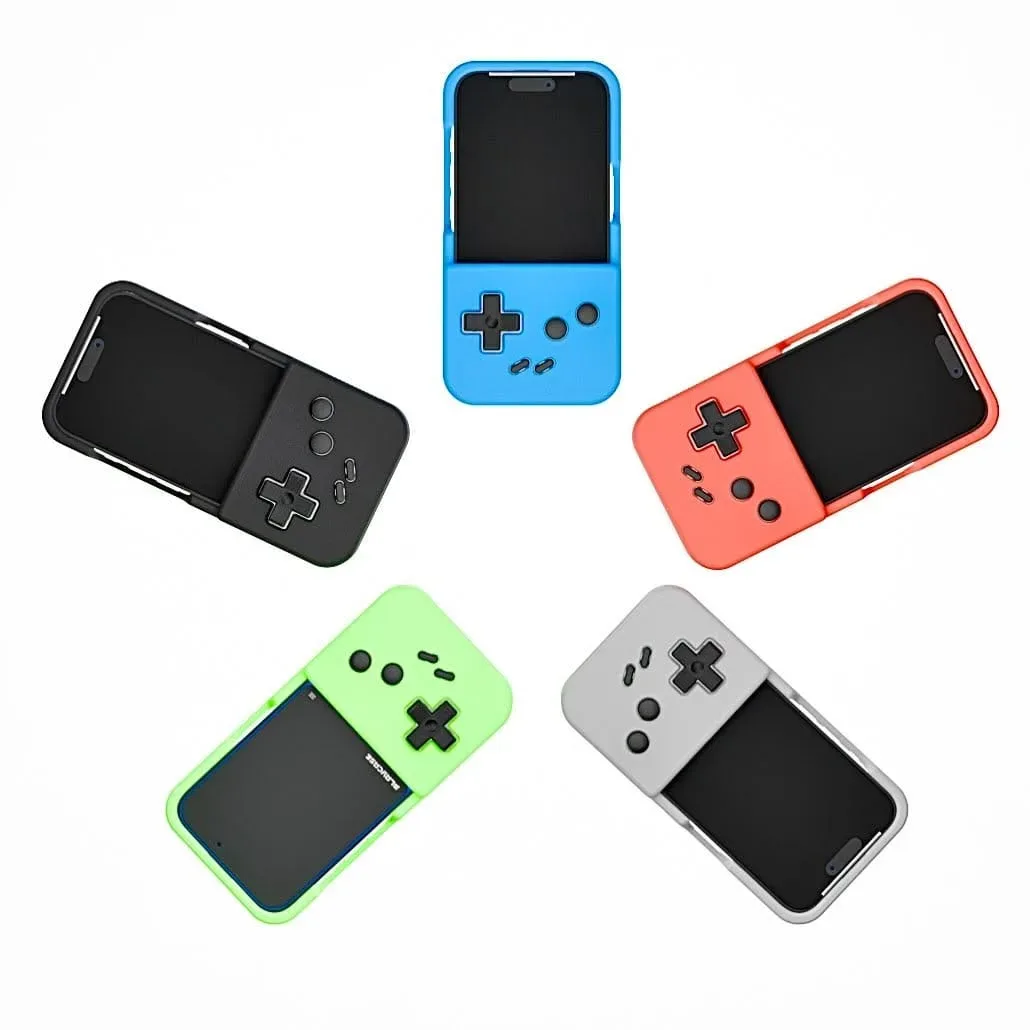
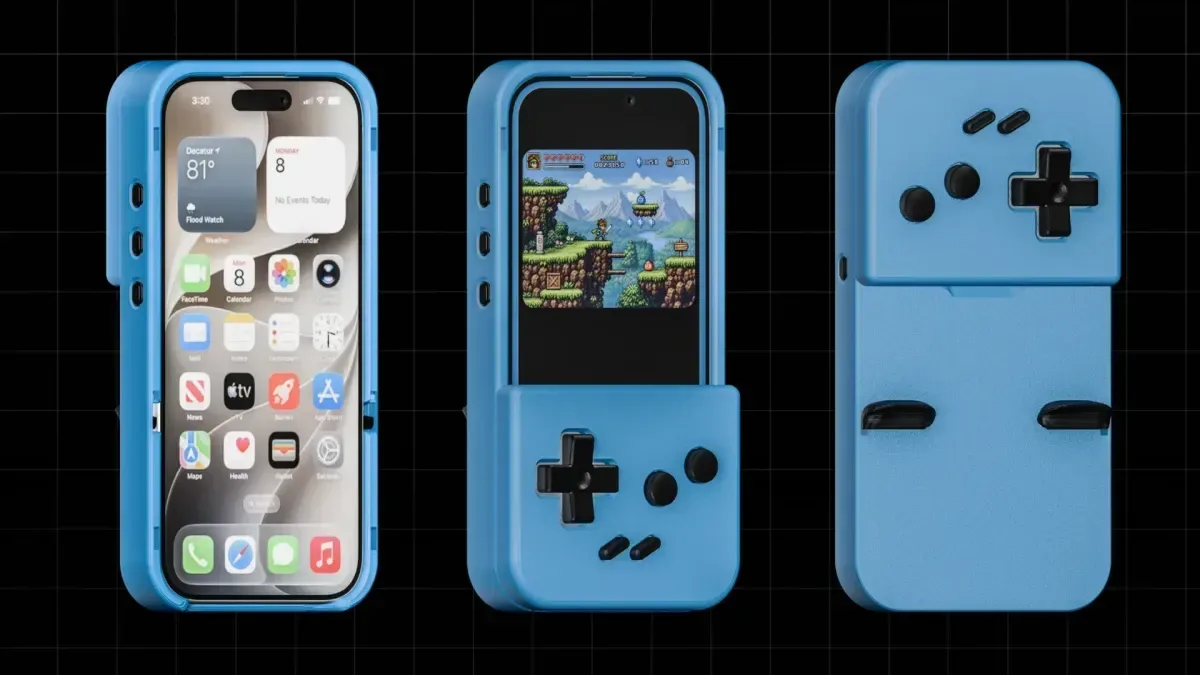
The newly available PlayCase is a modular controller case designed for iPhone, with Samsung Galaxy S26 compatibility also listed. It is intended to work with emulators including Delta and RetroArch, adding physical inputs over the display for games that were originally built around directional pads and face buttons. Its standout trick is storage: the detachable controller section rests on the rear of the case, covering the camera area when it is not being used, then snaps onto the front when it is time to play.
That makes the product less like a conventional telescopic mobile controller and more like a small collection of swappable retro-control parts that happens to live on a phone case. It is an inventive proposition, even if the details buyers will most want answered—especially durability and trigger operation—are the ones that call for a measured look before anybody mistakes a clever concept for a proven accessory.
A case that carries its own controller
The PlayCase system begins with the PlayCase Case, the shell that sits around the phone. A separate faceplate supplies the controls. When stored, the faceplate sits at the back; when installed for play, it covers part of the screen and places buttons in familiar physical positions. That front-and-back arrangement means the phone can return to being a normal phone without carrying a controller grip in a pocket or bag.
It is a particularly nostalgic design answer to a modern device problem. Phones have the processing power and screens to handle an enormous library of older games, yet their flat glass surfaces do not naturally offer the tactile landmarks that make quick inputs comfortable. A physical D-pad lets a player locate directions by feel. Raised action buttons similarly reduce the need to stare at one’s thumbs during a difficult platforming section or a frantic boss fight.
That tactile advantage is why phone-control accessories keep arriving in different shapes. PlayCase enters a competitive space that already includes the 8BitDo FlipPad, GamesirTaco, and GAMEBABY Case. The GAMEBABY approach is noted for mass-produced materials, but does not include rear buttons. PlayCase’s removable setup and claimed shoulder-control solution are its key attempts to distinguish it from that growing pile of ways to turn a phone into a tiny console.
Three faceplates, three layouts
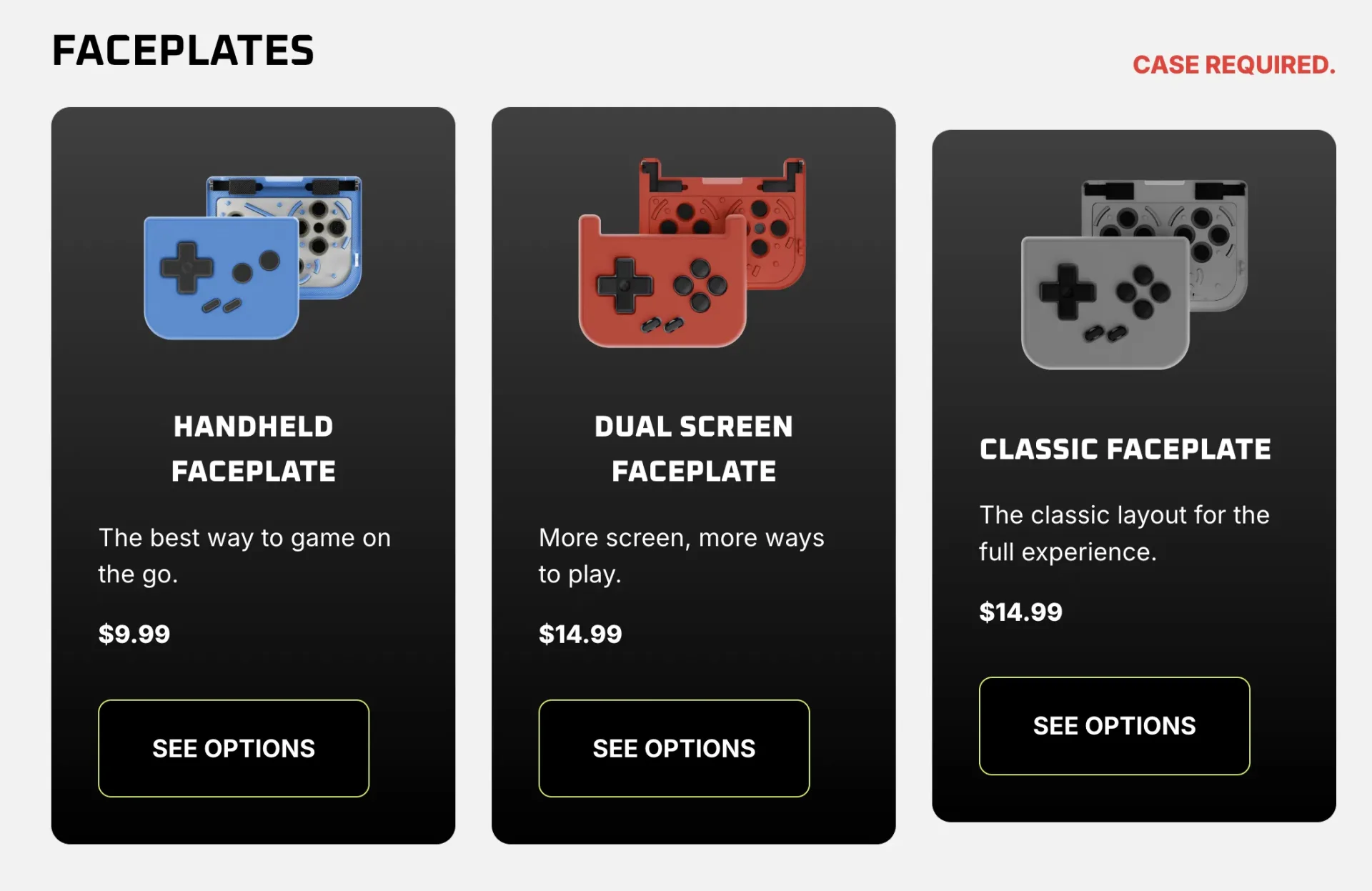
Rather than make every buyer take one universal arrangement, PlayCase offers three faceplate options. Each is priced separately from the base case, so the eventual cost depends on the layout chosen.
- PlayCase Case: $19.99.
- Handheld Faceplate: $9.99, with a D-pad and two action buttons.
- Dual Screen Faceplate: $14.99, with four action buttons and a layout intended to leave more room for Nintendo DS-style dual-screen play.
- Classic Faceplate: $14.99, with four action buttons.
That puts a base case and one faceplate at between $29.98 and $34.98. The Handheld Faceplate is the lower-cost, stripped-back choice for software that needs a modest number of controls. The Classic Faceplate adds two more face buttons for systems and games that expect them. Meanwhile, the Dual Screen Faceplate is the most specifically targeted option: DS emulation must preserve enough visible display space for two screens while still giving the player controls that are not painted on glass.
The selection is a welcome acknowledgement that there is no universally ideal controller layout for retro software. A compact Game Boy-style title, a four-button 16-bit game, and a dual-screen handheld game ask different things from the same phone. The broader point is worth keeping in mind when assembling any mobile retro setup: the best accessory is not necessarily the one with the most buttons, but the one whose compromises fit the games actually being played.
That extends beyond controls. Cables, displays, aspect ratios, and original hardware all bring their own practical limits. For players moving games between old systems and new screens, our guide to mapping the connection before buying a retro console HDMI adapter makes a similarly useful case for checking the specific setup rather than assuming one gadget solves every compatibility question.
The rear triggers are promising, but not fully explained
PlayCase also shows triggers at the rear of the case. If they function as intended, that is a meaningful addition. Shoulder inputs are essential or at least highly useful across many console libraries, and their absence can turn otherwise capable mobile cases into a poor fit for certain games.
However, the available product information does not clearly explain the trigger mechanism. The design appears to use rubber bands running internally around the case to produce on-screen presses, but that remains an inference rather than a confirmed technical description. A trigger-related “learn more” link was not functioning, leaving an important implementation question unresolved.
That uncertainty matters because rear inputs are where the design has to balance several competing jobs: reach, resistance, repeatability, fit around the phone, and long-term wear. Without independent use of the accessory, it is not possible to judge whether the triggers feel natural, register consistently, or suit every compatible handset. They should be treated as a feature to investigate, not a performance guarantee.
3D printing brings flexibility and an obvious question
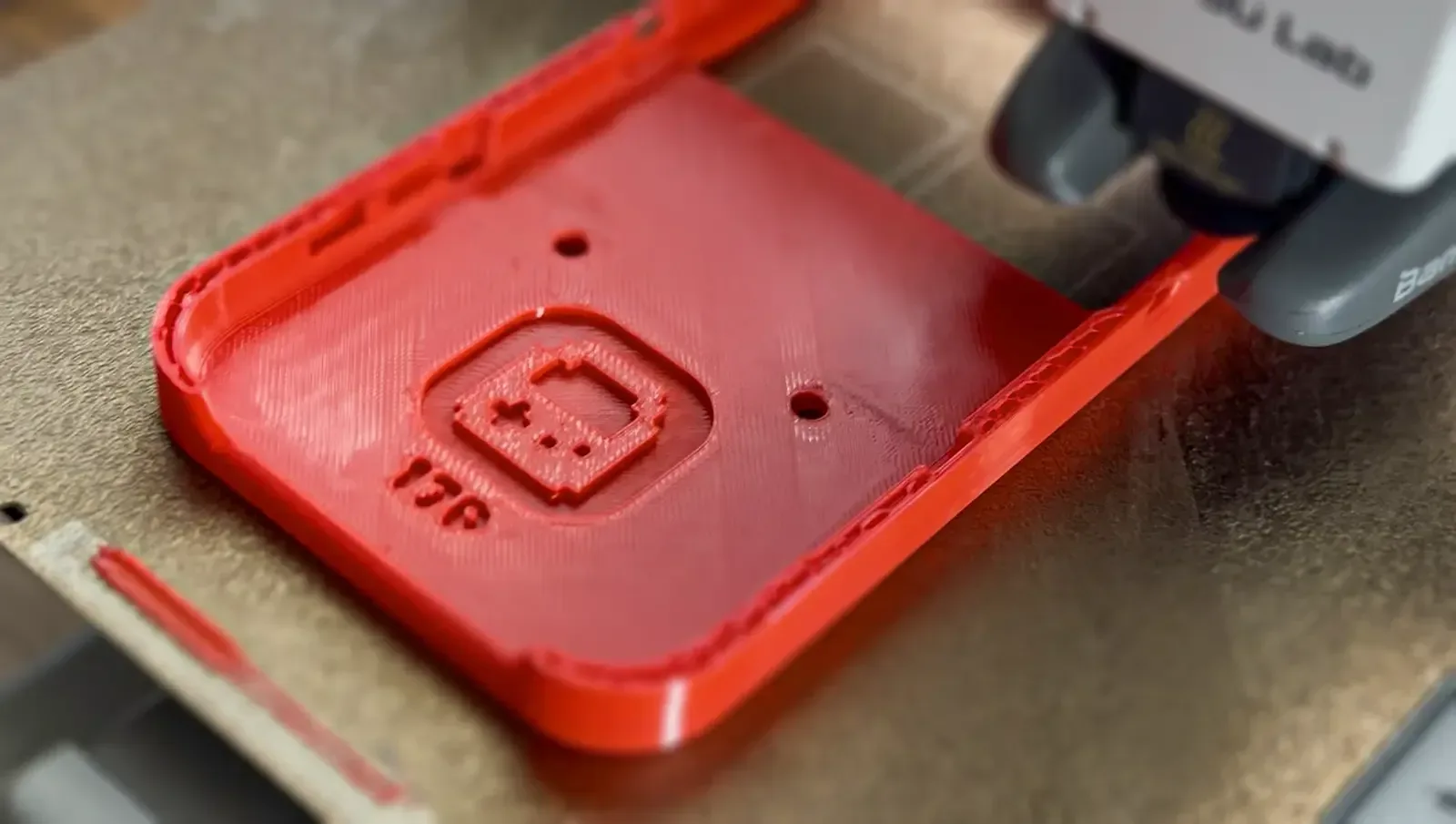
The product is 3D printed, which explains much of its modular personality. Small-run fabrication can make it easier to create unusual geometries, replacement components, and niche form factors that would be harder to justify in large-scale tooling. A detachable phone-mounted controller is exactly the kind of idea that benefits from that flexibility.
But 3D printing can also leave visible layer lines and may produce a different surface feel and structural character than a conventionally mass-produced plastic case. Since a case surrounds an expensive phone, buyers may reasonably want to know how the material holds up around thin sections, attachment points, buttons, and corners before treating it as their primary protective shell.
No hands-on assessment is available here, so it would be wrong to declare the PlayCase fragile—or to promise it is rugged. The fairer reading is that its manufacturing method makes build quality a central consideration. Anyone considering it should look closely at the maker’s current materials information, support terms, compatibility notes, and user feedback once that is available. A 3D-printed accessory can be an excellent fit for someone who values modularity and tinkering; it may be less appealing to somebody looking for the polished feel of a heavily mass-produced case.
Repairability is one of PlayCase’s best ideas
Where PlayCase makes a strong practical case for itself is repairability. Replacement small parts are offered separately, including buttons, rubber bands, and silicone pads. Those inexpensive components are precisely the parts likely to be lost, worn, or damaged through regular use, so making them obtainable could extend the life of the whole setup rather than forcing a complete replacement over one small failure.
That approach suits retro gaming’s broader culture of maintenance. The hobby has long depended on people cleaning contacts, replacing batteries, swapping membranes, and preserving hardware that manufacturers stopped supporting decades ago. A modern accessory designed with replaceable wear items feels unexpectedly aligned with that mindset. It is also a reminder that collecting and using gaming gear are rarely separate pursuits; a small purchase can quickly become an exercise in researching parts, storing extras, and resisting the urge to acquire every variation. The familiar spiral is captured rather well in the collector’s five stages of buying one small thing.
Who the PlayCase seems to suit
PlayCase looks most compelling for mobile emulator users who dislike touchscreen buttons, want a controller that stays attached to their daily device, and appreciate being able to replace individual components. The Dual Screen Faceplate may be especially interesting to players who want physical input without giving up too much usable display space for DS emulation.
On the other hand, prospective buyers who place maximum importance on conventional case strength, a smooth injection-molded finish, or fully documented trigger engineering may want more information before committing. The design also asks people to accept a faceplate that covers part of the screen during play—an unavoidable trade-off in this category, but still a personal preference.
One additional caveat is the use of some generative-AI material on the product website, which may put off users who expect clearer human-made product presentation. Ultimately, PlayCase’s appeal rests on a genuinely playful modular idea: controls parked on the back, then moved to the front when retro duty calls. Its price structure and repair parts make it more than a novelty, but the unanswered questions around trigger mechanics and 3D-printed durability remain important parts of the purchase decision.