The Razer Viper V3 HyperSpeed Wireless PC Gaming Mouse has been listed at $43, a reduction from its stated usual price of $70. That is a $27 difference, or 39% off. For PC players weighing up a wireless mouse, the headline price matters, but the more useful question is what the hardware is built to do—and where its particular trade-offs sit.
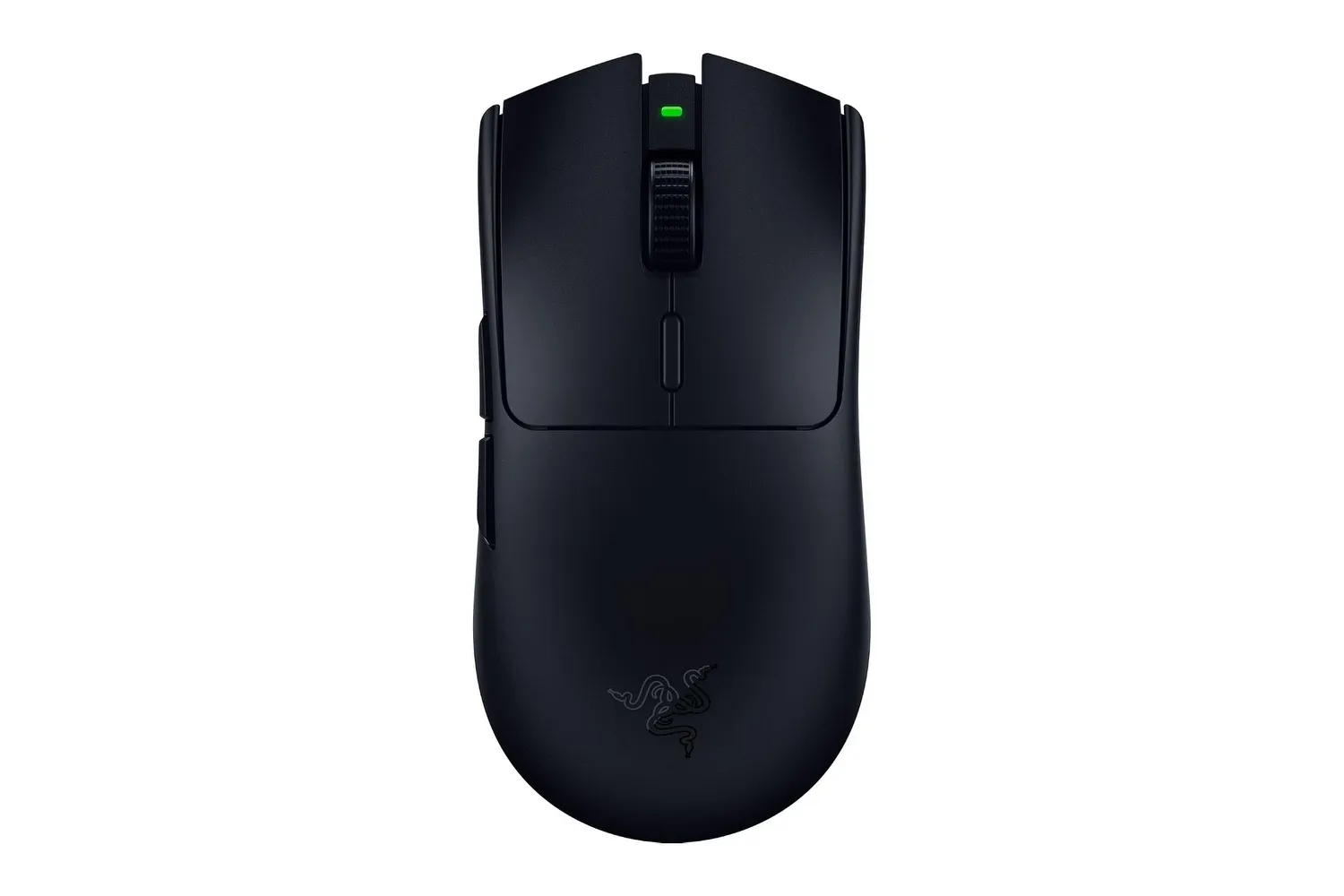
The Viper V3 HyperSpeed is a right-hand symmetrical mouse designed around competitive play. It weighs 82 grams with its AA battery installed, uses Razer’s Focus Pro 30K optical sensor, connects through a USB-A wireless dongle, and includes six programmable buttons. Its specification sheet is packed with numbers that can sound like a speedrun category of their own: 30,000 DPI, 750 IPS, 70G acceleration, 1,000Hz polling, and support for 4,000Hz with a separate accessory. Those figures are meaningful, but they are not all the same thing, and none independently guarantees a player will suddenly stop missing the easy shot.
At $43, the model is principally an option for someone who wants a relatively light wireless mouse with a replaceable-battery setup rather than an internal rechargeable cell. That approach has a practical appeal: a fresh compatible AA can get the mouse running immediately, while rechargeable NiMH AAs offer a reusable alternative. It also means that battery choice remains a consideration in the overall weight and routine of using it.
A lightweight wireless shape with an AA inside
At 82 grams including the battery, the Viper V3 HyperSpeed is positioned for rapid movement without becoming a battery-free ultralight shell. Weight is personal rather than universally better in a smaller number. A lower-mass mouse can make it easier to initiate a fast turn, lift the mouse to reposition it, or make quick corrections. Conversely, players accustomed to a heavier device may need time to adjust their control.
The mouse measures roughly 5 inches long, 2.5 inches wide, and 1.6 inches high. Its low-profile design and right-hand symmetrical body are described as suited to fingertip and claw grips. In a fingertip grip, the palm makes limited contact with the shell and the fingers direct much of the movement. A claw grip typically keeps the fingers arched, with the rear of the hand or palm providing more support. Neither is a prescription; hand size, desk height, sensitivity settings and habits all affect whether a shape feels comfortable.
“Right-hand symmetrical” is worth reading carefully. It describes a shell whose basic profile is symmetrical while the controls favor right-handed use. The two side buttons are on the left edge for thumb access. Left-handed players who rely on side buttons should account for that placement rather than assuming a symmetrical outline means equal ambidextrous functionality.
There are six programmable buttons, allowing shortcuts, macros, or in-game actions to be assigned through Razer Synapse. The settings can be saved to onboard memory, so a configured profile can travel with the mouse instead of being limited to one software installation. On-mouse DPI controls also let users change sensitivity without digging through a menu mid-session.
What 30,000 DPI, 750 IPS and 70G describe
The Focus Pro 30K optical sensor has a maximum resolution of 30,000 DPI. DPI, short for dots per inch, is commonly used as a mouse-sensitivity setting: increasing it generally makes the cursor travel farther on screen for a given physical mouse movement. The maximum number signals the range the sensor supports; it does not mean 30,000 DPI is automatically the best setting for every game or display. In practice, players usually benefit more from selecting a sensitivity they can control consistently than from pursuing the largest available figure.
Related coverage includes Razer Viper V3 HyperSpeed Drops to $43 With Lightweight Wireless Specs for PC Players.
IPS means inches per second. The stated 750 IPS rating refers to the maximum speed at which the sensor is intended to track movement. The 70G acceleration figure describes its ability to keep tracking during very abrupt changes in speed. Together, these ratings target situations where a player quickly moves the mouse across a pad, makes a sharp flick, or repeatedly repositions the mouse at lower sensitivity.
The practical interpretation is not that every player needs to move a mouse at extreme speeds. Instead, high tracking limits aim to leave headroom so fast movements do not outrun the sensor’s ability to report them accurately. The mouse also includes smart tracking technology intended to maintain tracking accuracy across multiple surfaces, including glass. Surface choice can still affect feel, glide and control, so a specification that includes glass support is not a substitute for deciding what works best at a particular desk.
The relevant advantage for many players is simply that the hardware is made for fast, consistent input rather than basic office use. Games with sudden aiming adjustments, frequent menu navigation, weapon switching, or shortcut-heavy control schemes can all make use of that foundation. Yet sensor metrics should be treated as capabilities, not as an instruction to change a practiced sensitivity or a reliable measure of competitive performance.
Wireless polling rate: the number behind the reports
The included HyperSpeed Wireless USB-A dongle supports a 1,000Hz polling rate. Polling rate is the frequency at which the mouse reports its position and button state to the computer. At 1,000Hz, it can report up to 1,000 times per second. It is one component in the chain between physical movement and what appears on screen; game performance, system responsiveness, display behavior and a player’s own settings remain part of that chain too.
Razer also supports its separately sold HyperPolling Wireless Dongle, which raises the mouse’s supported polling rate to as much as 4,000Hz. Higher polling means the computer can receive more frequent updates. That is technically distinct from DPI: DPI changes how much cursor movement results from physical travel, while polling determines how often the mouse sends an update.
For a buyer, the key distinction is straightforward: 1,000Hz is available with the included receiver, while 4,000Hz requires an extra purchase. It would be unwise to mentally add the optional dongle’s capability to the $43 deal without accounting for that separate hardware. It is also sensible to prioritize comfort, buttons, battery setup and stable wireless use before treating the higher figure as essential.
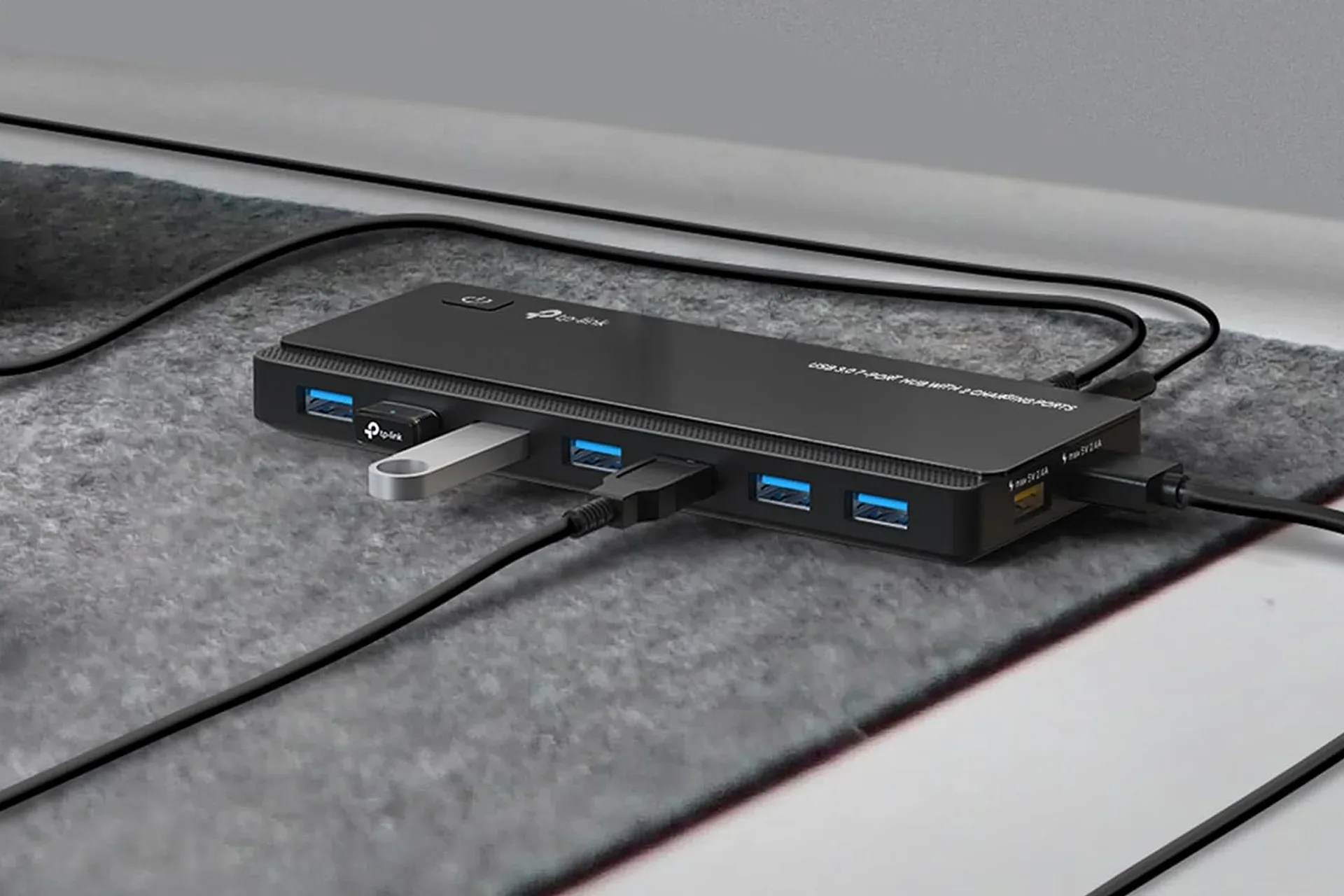
HyperSpeed Wireless is intended to provide a low-latency connection and reduce lag in congested wireless environments. Wireless congestion refers to an area with many competing wireless signals or devices. While the aim is a steady connection, individual desk setups vary. The USB-A requirement also matters: PCs lacking a convenient USB-A port may need to plan their connection arrangement. Players expanding a limited desktop setup may also find a USB hub useful for a PC gaming desk, though mouse-dongle placement and connection needs should be considered carefully.
AA power changes the maintenance equation
Rather than using a sealed rechargeable battery, the Viper V3 HyperSpeed uses one AA battery. Razer estimates approximately 280 hours of use from a single AA at a 1,000Hz polling rate. This is a manufacturer estimate, not a promise that every setup will achieve the same figure. Still, it frames the device as one designed for extended use between battery changes.
The mouse supports lithium and rechargeable NiMH AA batteries. NiMH stands for nickel-metal hydride, a rechargeable battery chemistry. The choice creates flexibility. A player can keep a spare battery nearby and swap it in instead of stopping to charge the mouse, or use rechargeable cells to reduce the need for disposable replacements. Since the stated 82-gram weight includes an installed AA, different compatible batteries may influence the feel somewhat, but the supplied information does not quantify those differences.
This design will suit people who value a quick swap and a long manufacturer-rated runtime. It may be less appealing to those who strongly prefer plugging a mouse in to recharge. That is not a quality verdict; it is a difference in ownership routine. The correct question is whether an AA-powered wireless device matches the player’s habits.
Switches, scroll feedback and programmable controls
Razer uses Gen-2 mechanical mouse switches rated for 60 million clicks, with gold-plated contact points. Mechanical switches are the components beneath primary mouse buttons that register presses. Their feel and sound are part of why mouse preference is highly individual, but the supplied rating provides a stated durability target for repeated clicking.
The physical scroll wheel is described as providing tactile feedback. Tactile feedback means users can feel distinct steps while scrolling rather than only a smooth, free-spinning motion. That can be useful when moving through menus or cycling weapons because the motion offers physical confirmation of each increment.
The six programmable buttons are likely the most immediately adaptable feature for players who use more than just the primary clicks and wheel. Assignments can include game actions, shortcuts and macros. A macro is a stored sequence of input commands assigned to a control. Whether using macros is appropriate depends on the game and its rules, so players should check the relevant policies rather than assuming a feature is permitted in every setting.
The ability to save settings to onboard memory is particularly practical for a mouse that may be moved between machines. It means DPI preferences and assigned functions need not rely exclusively on reconfiguring software each time. For a player who uses different sensitivities or layouts, the on-mouse DPI control provides a direct way to change sensitivity while playing.
Who the $43 Viper V3 HyperSpeed makes sense for
The reported $43 price makes the Viper V3 HyperSpeed most compelling for a PC player seeking a light-ish wireless mouse with a specified high-end sensor, 1,000Hz polling out of the box, accessible side buttons and replaceable AA power. Its design is especially aligned with fingertip or claw-grip users who prefer a low-profile right-handed layout and want quick repositioning.
It is important, however, to assess the complete configuration rather than just the discount. The included setup tops out at 1,000Hz; the 4,000Hz mode depends on an optional HyperPolling Wireless Dongle. The mouse uses USB-A for its included wireless receiver. Its side buttons favor a right-handed grip. And its battery system asks the owner to supply and replace or recharge AAs over time.
Those are not hidden flaws. They are the actual terms of the design. For the right player, they are features: extended estimated runtime, battery flexibility and a straightforward wireless setup. For another player, a built-in rechargeable battery, a different shape, or different button placement could matter more than the sensor’s ceiling.
At its stated sale price, the Viper V3 HyperSpeed is a hardware-focused deal with a clear set of priorities. The compelling part is not merely the 30,000-DPI label. It is the combination of an 82-gram wireless body, fast-tracking specifications, configurable controls, onboard profiles and an AA-powered design that is estimated to last about 280 hours at 1,000Hz. Buyers should verify the live price and make sure that particular blend of shape, receiver, battery routine and optional higher-polling accessory fits the way they actually play.
Shop the products
Check current price, model and availability at the retailer.