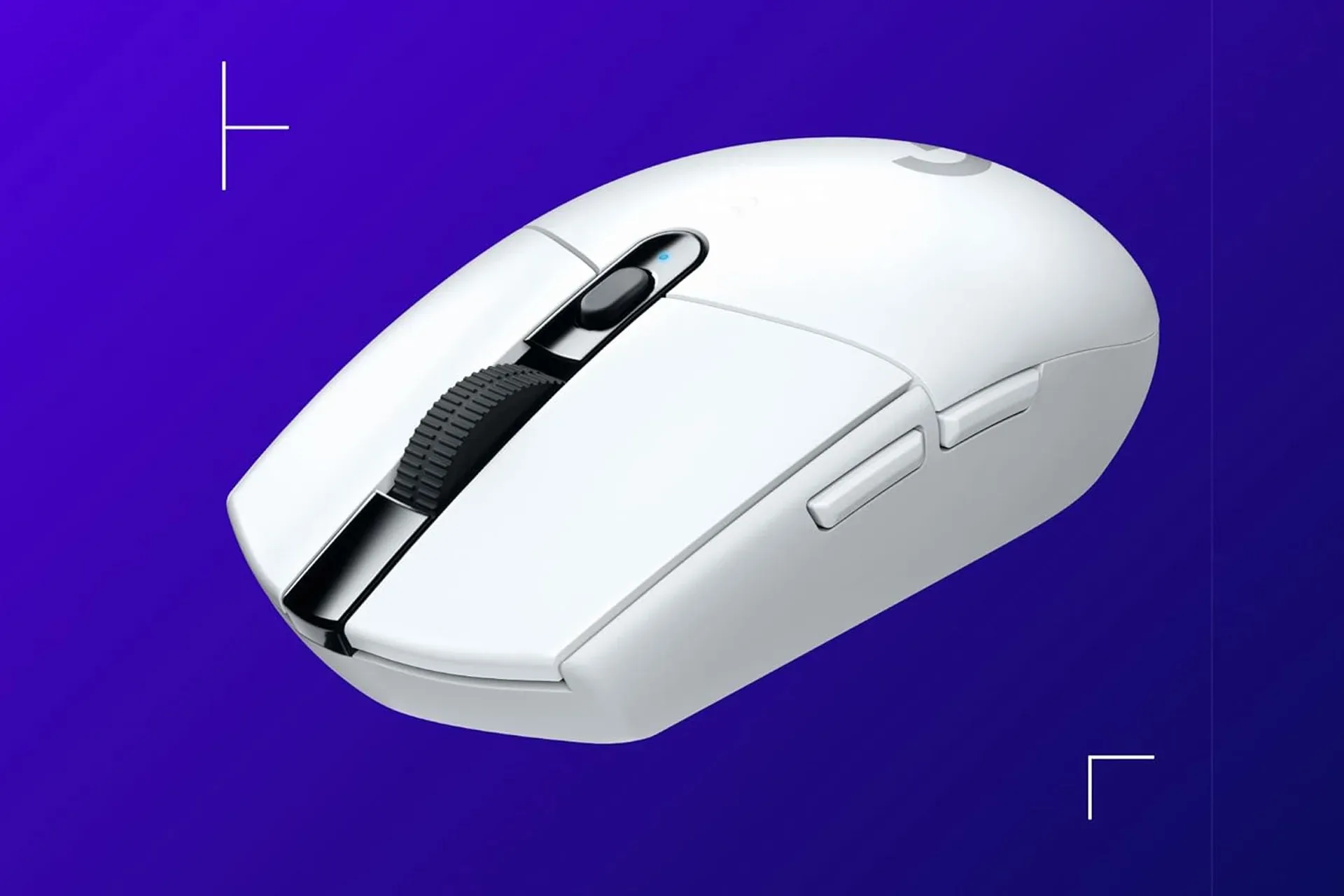
A gaming mouse does not need to cost as much as a graphics card to make a PC setup feel more deliberate. The Logitech G305 Lightspeed is a relatively straightforward example: a wireless mouse built around a 1ms response-time claim, Logitech’s 12,000 DPI HERO optical sensor, and software-based button and sensitivity customization. It was listed for as little as $30 in black, down from the product’s usual $50-to-$60 range.
That is the headline price, but it is also the important caveat. The deal varied by color at the time it was listed: white was $35, mint was $42, lilac was $45, and blue was $47. Shoppers choosing solely on value would therefore be looking at the black version, while those who care more about a particular desk setup than the smallest possible spend would need to decide whether the color premium is worthwhile. Retail pricing can move quickly, so these figures are best treated as a snapshot rather than a promise of a current checkout total.
What the G305’s core specifications actually tell players
The G305’s appeal is not an oversized feature list. It is a group of practical fundamentals that matter to people moving from an older office-oriented mouse: wireless operation, a gaming-focused optical sensor, a claimed 1ms response time, and a battery-life estimate of up to 250 hours at full charge.
Response time, often discussed in milliseconds, describes how rapidly an input can be communicated. One millisecond is one-thousandth of a second. Logitech rates the G305’s wireless connection at 1ms, a noteworthy point because wireless mice were once broadly assumed to be a compromise for players sensitive to input delay. A 1ms claim does not mean every action in a game is visible one millisecond later; the PC, display, game engine, settings and network connection can all contribute to the overall experience. It does mean the mouse is designed so its wireless link is not the obvious weak point in a typical gaming setup.
For players who have stuck with an aging basic mouse because “wireless” sounded inherently sluggish, that distinction is more useful than marketing jargon. The G305 is positioned as a wireless peripheral intended to react quickly to motion rather than simply as a cable-free desktop accessory.
The other central specification is the 12,000 DPI HERO optical sensor. DPI, short for dots per inch, is commonly used as a shorthand for mouse sensitivity. Increasing DPI means the pointer can travel farther on screen for the same physical movement of the mouse. It is not a universal quality score, nor does a very high setting automatically make someone more accurate. Sensitivity remains personal: a player may prefer a lower setting for controlled aiming or a higher setting for quick cursor travel across a large display.
What matters here is range and adjustability. The G305 allows sensitivity settings to be changed through Logitech G Hub, giving users a way to establish a setting that feels manageable for their display, game and physical play space. The sensor is also described as operating without acceleration or smoothing. In plain language, that refers to avoiding extra processing intended to alter or soften cursor movement. Players who want a more direct relationship between hand movement and pointer movement often seek that kind of behavior, particularly in games where repeatable aim is a priority.
Why sensor specs are only part of the purchase decision
It is easy to turn mouse shopping into a contest of ever-larger numbers. In practice, a 12,000 DPI ceiling does not obligate anyone to play at 12,000 DPI, and a sensor specification cannot tell a buyer whether the mouse’s shape will suit their hand. Nor can it settle preferences about button placement, weight, grip style or how much room is available on the desk.
Related coverage includes Logitech G305 Lightspeed Wireless Gaming Mouse Drops to $30 in Black.
That is not a knock on the G305. It is a useful way to read the listing realistically. The supplied details support the mouse as a feature-conscious, lower-cost wireless option; they do not establish that it is the ideal fit for every player or every genre. Someone replacing a decade-old general-purpose mouse may find the step to a dedicated gaming model more meaningful than someone who already owns a recent, well-configured peripheral. The sensible comparison is the buyer’s current equipment and needs, not an abstract race toward the highest headline specification.
Its stated battery rating is another example. Logitech quotes up to 250 hours from a full battery. “Up to” is important language: it identifies a maximum estimate rather than a guarantee that every user will get precisely that runtime. Still, the figure speaks to the product’s intended convenience. A wireless mouse that can run for long stretches reduces how often the owner needs to interrupt a session for battery attention, which is one of the more tangible benefits of choosing wireless in the first place.
G Hub is where the mouse becomes more personal
Logitech G Hub is the accompanying software used to personalize the G305. The cited options include adjusting DPI and configuring buttons with pre-programmed actions through custom macros. A macro is a saved sequence or assigned action triggered from a chosen button. That can be useful for repetitive tasks, commonly used in-game functions, or a workflow where a player wants a particular command within easier reach.
The practical benefit is flexibility rather than a magic competitive advantage. A buyer can keep the mouse close to its defaults, set a preferred sensitivity, or explore button assignments that make sense for the games and applications they use. Macros and customized controls can be especially valuable when they remove a repeated, awkward input, but they also need to be appropriate for the rules of the game or service being used. The relevant point is that the mouse offers software tools for configuration, not that every player must build an elaborate profile.
This is also where less technical shoppers can avoid a common trap: do not confuse a complex settings page with a requirement to tweak everything. A comfortable sensitivity and a couple of useful button assignments may be all that is needed. The G305’s value proposition at the listed price is accessibility to those options, together with the low-latency wireless claim, rather than an obligation to become a peripheral expert.
How the color pricing changes the deal
The price spread between finishes is unusually relevant because the hardware described is the same G305 family while the listed costs differ substantially. At $30, the black model was the clear budget selection. White added $5. Mint, lilac and blue moved progressively closer to the mouse’s typical price range.
- Black: $30
- White: $35
- Mint: $42
- Lilac: $45
- Blue: $47
That makes the decision unusually simple. If the goal is to get a dedicated wireless gaming mouse for the lowest listed amount, black is the version to target. If a color-coordinated setup is part of the appeal, the higher-priced finishes are available, but their premium should be viewed as an aesthetic decision rather than a performance upgrade based on the information available.
A modest PC upgrade with understandable priorities
PC-gaming upgrades are often framed around expensive components, but peripherals are the part of the system a player physically uses every session. A mouse can influence comfort, how readily controls are reached and whether a user feels confident in the consistency of the pointer. That does not mean a new mouse will transform every game or substitute for better settings, practice or a stable PC. It does mean that replacing a very old, bargain-basement device can be a sensible place to focus when a full hardware overhaul is out of reach.
The G305 listing is most compelling for buyers who prioritize a wireless connection with a 1ms claim, configurable sensitivity and buttons, and an advertised long battery life without paying its more typical $50-to-$60 price. Players looking for specific ergonomic features or other hardware details should verify those needs before buying, because the available information does not answer every comfort or compatibility question.
For PC players weighing where to put a limited upgrade budget, the G305’s temporary $30 black-model price provides a concrete alternative to assuming meaningful improvements always begin with big-ticket hardware. And for readers keeping an eye on the wider PC and handheld space, our coverage of Emufii’s online ambitions for Android handhelds is another reminder that control and connection technology can shape the way games are played as much as raw specifications.
Shop the products
Check current price, model and availability at the retailer.