Ray tracing is one of those graphics settings that can make a game’s screenshot look dramatically more convincing—then make the frame-rate counter look deeply unhappy. It is now a meaningful feature on current consoles, including PlayStation 5 and Xbox Series X, but PC hardware remains where the most demanding implementations and highest-fidelity results live. That difference matters when deciding whether the setting belongs in your own graphics menu.
The short answer is uncomplicated: ray tracing is optional visual luxury, not a universal upgrade. A powerful, modern GPU can make its more realistic illumination and reflections worthwhile. On a modest or aging PC, however, disabling it is often the sensible route to smoother play at a monitor’s native resolution. The best setting is not the most technically impressive one in a still image; it is the one that lets the game feel consistently good while it is moving.
What ray tracing actually does
Most games have traditionally rendered graphics through rasterization. In broad terms, rasterization turns the game world’s geometry into the pixels displayed on-screen. It is highly effective and remains central to game rendering, but developers have historically needed shortcuts for effects such as shadows, reflections, and indirect lighting.
Ray tracing adds a more physically informed approach to those effects. The system tracks simulated rays of light and calculates how they interact with surfaces in the scene. That can produce more accurate shadows, more believable reflections, and lighting that better reflects where illumination would naturally travel.
Reflections are an especially easy place to understand the distinction. Older approaches commonly use screen-space reflections, which draw from information already visible in the current camera view. They can look good, but they are inherently limited: an object outside the screen cannot be reflected accurately because the game has no on-screen image data to use. Ray tracing can account for off-screen objects, letting a reflective surface show details that are not presently in the player’s view.
That does not mean every ray-traced scene will instantly look transformative. The payoff depends on the game, the particular effects enabled, the surrounding materials, the lighting design, screen size, viewing distance, resolution, and how fast the player is moving. A dark corridor with wet surfaces, glass, metal and moving lights may make ray tracing conspicuous. A brightly lit action sequence may make its refinements much harder to notice.
The real trade-off is frames per second
FPS, or frames per second, measures how many complete images a game renders each second. Higher and more stable FPS generally makes motion look smoother and can make controls feel more responsive. Ray tracing requires extensive additional calculation, so turning it on may take a large bite out of that performance.
A broad 36-game analysis found that enabling ray tracing reduced average performance by roughly 20% to 40%. The penalty was considerably larger in some titles: Hogwarts Legacy was reported at a 45% drop, Alan Wake 2 around 52%, and Hitman 3 as high as 65%.
Related coverage includes Ray Tracing in Gaming: What It Does and When to Turn It Off.
Those figures are not a universal promise for every PC or every graphics preset. They do, though, show why the answer cannot be “always enable ray tracing.” A 20% loss might be tolerable if a game starts with substantial performance headroom and its ray-traced effects are central to the visual experience. A 65% loss is a much tougher proposition, especially in fast games where consistent responsiveness matters more than a more accurate reflection on a polished surface.
It is useful to treat the graphics menu as a performance budget. Resolution, ray tracing, image-quality presets and frame rate all compete for that budget. If a system cannot comfortably sustain the desired frame rate, lowering or disabling ray tracing may offer a more meaningful improvement than reducing several other details one at a time.
Who should enable it?
Ray tracing makes the most sense for PC players with relatively high-end hardware, particularly if they already have enough performance to spare at their preferred resolution. Current enthusiast-class GPUs can handle far more demanding RT options than previous generations, and the NVIDIA GeForce RTX 5070 has the highest usage share in the Steam Hardware Survey at the time considered here. That indicates a significant portion of dedicated PC players now have hardware capable of running the feature credibly.
That hardware trend should not be mistaken for a reason to force the setting on. A GPU that is a couple of generations old may support ray tracing but still make a poor experience out of it in newer, demanding games. Support is not the same as suitability.
The practical guidance is firmer for systems based around an RTX 3060 or AMD Radeon RX 6600 XT: prioritize a stable frame rate and native display resolution rather than spending a large portion of performance on RT. For GPUs more than five years old, ray-traced games that do run are likely to run poorly enough that the visual gain is difficult to justify.
This is not an argument that ray tracing is pointless. It is an argument for matching an ambitious setting to the hardware and game in front of you. A stable experience has value every second of play. A subtle lighting improvement may only be obvious when a player pauses to inspect a particular scene.
A quick decision process for the settings menu
- Start with ray tracing disabled and establish a frame rate that feels stable at your monitor’s native resolution.
- Enable RT only if the game has enough remaining performance headroom.
- Compare a representative demanding area, not just an opening menu scene or a still image.
- If the frame-rate loss undermines responsiveness or consistency, turn RT back off before sacrificing the baseline experience.
- Use upscaling or frame-generation options only if their trade-offs suit the type of game you are playing.
This process keeps the question grounded in practical results rather than in the appeal of a feature label. It also avoids treating a game’s “Ultra” preset as a requirement. Settings menus exist because different systems and player priorities demand different compromises.
DLSS, frame generation, and the input-lag caveat
Ray tracing’s performance cost can be offset with technologies such as NVIDIA DLSS and frame generation. DLSS is an AI-assisted image-rendering approach intended to improve performance, while frame generation creates additional frames to increase the displayed frame rate. NVIDIA’s DLSS 4.5 Multi Frame Generation is one such option.
These tools can make demanding RT modes more viable on sufficiently capable systems. But they do not erase every compromise. Frame generation can increase input lag: the delay between a player’s control input and the result appearing on screen. That trade-off may be acceptable in a slower-paced game focused on atmosphere and visual detail. It may be less welcome where precise, immediate input is a priority.
That distinction is why no single recommendation can cover every genre. The same combination of ray tracing and generated frames may be a satisfying compromise in one game and a poor fit in another. Players should be wary of evaluating generated-frame numbers in isolation; how the game responds in motion remains part of the experience.
Ray tracing versus path tracing
Path tracing is a more ambitious version of ray tracing, sometimes called full ray tracing. In many games with conventional RT options, rasterization still does much of the rendering work while ray tracing is assigned to particular elements, such as shadows or reflections. Path tracing can instead calculate substantially more lighting across the scene, yielding a more unified lighting result.
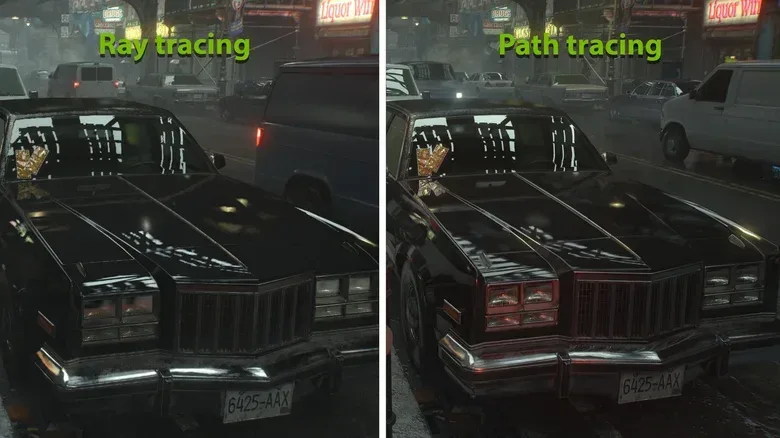
The technical phrase multi-bounce global illumination describes part of why it can look so impressive. Light does not simply strike a surface once; it can bounce and carry colour and illumination into surrounding areas. In Resident Evil Requiem, the difference has been illustrated through a vehicle scene: the path-traced version can show a slight red cast from neon lighting outside the camera’s view on the car’s left headlight, while the standard high ray-tracing option has more limited bounce lighting. Path tracing can also improve the windshield’s specular reflections, reducing visible aliasing.
Specular reflections are the sharper reflections seen on smooth surfaces such as glass, polished metal or a car windshield. Aliasing is the unwanted jagged or unstable appearance that can occur along edges and fine visual detail. These details are often clearer in a high-quality uncompressed 4K image than on a phone display, and may be less apparent during ordinary gameplay.
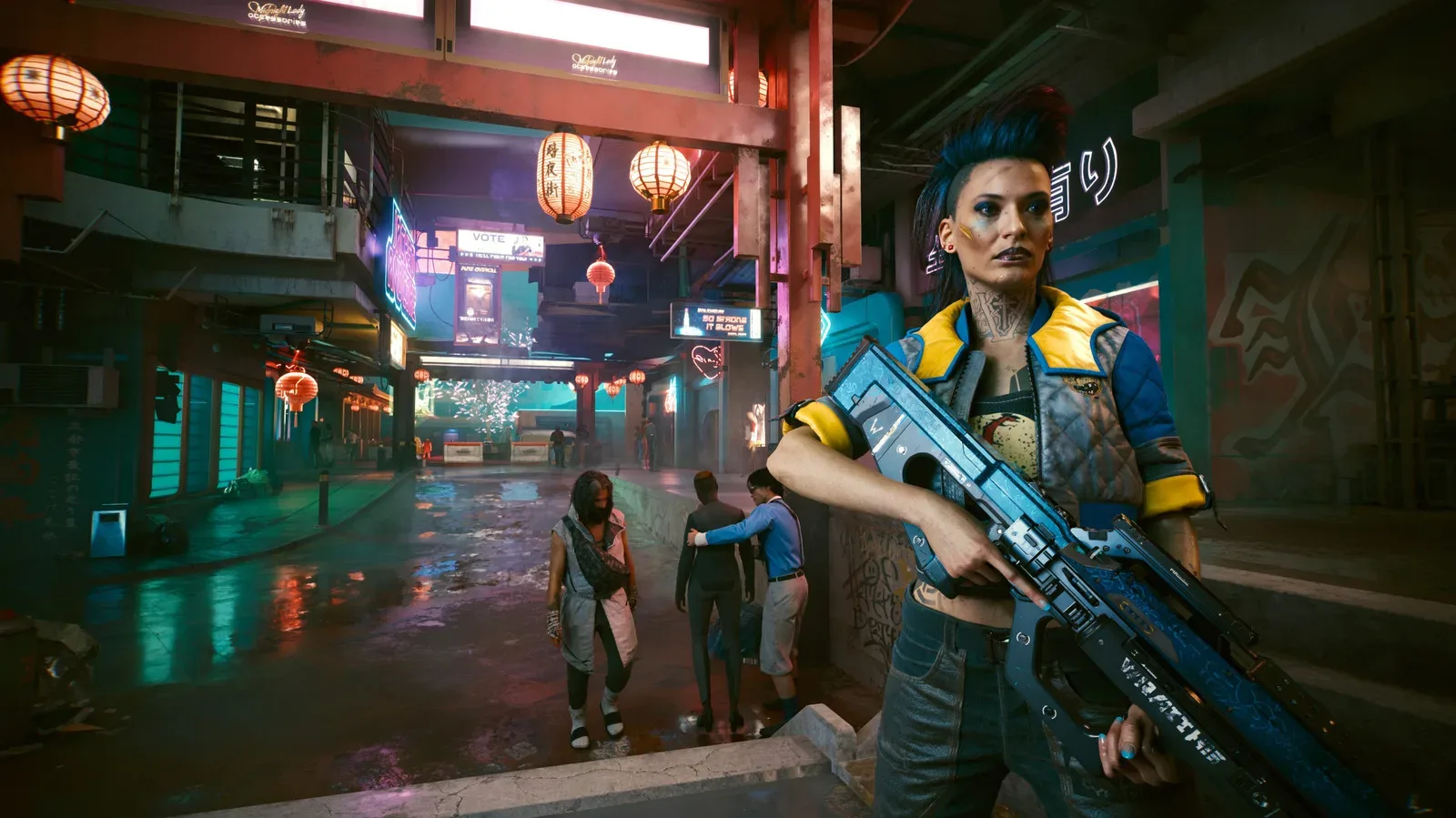
That is the central path-tracing paradox: it may be among the most beautiful rendering techniques available in games, yet its advantages can be subtle in motion while its hardware demands are anything but subtle. In Cyberpunk 2077, enabling path tracing can be as much as 50% more demanding than conventional RT depending on the scene. It is also used in games including 007: First Light.
For most players, path tracing should be treated as an enthusiast option. RTX 5090 and RTX 5080 owners are the clearest audience for it among the GPUs discussed here. Everyone else is likely better served by standard ray tracing at carefully chosen settings—or rasterized rendering with the frame rate protected.
Why console support does not settle the PC question
PlayStation 5 and Xbox Series X have made moderate ray-traced experiences possible on consoles, which is a significant change from earlier console generations. But PC does not have one fixed hardware target. It spans powerful new GPUs, mainstream cards, older components and countless display configurations. A ray-tracing setting that makes sense on one machine can be an expensive mistake on another.
That flexibility is both PC gaming’s advantage and its complication. Players can decide whether they want a cleaner image, higher resolution, more consistent FPS, or advanced lighting. By comparison, a device designed around a very different goal, such as the HDMI-only FPGA concept discussed in the SuperStation One Lite prototype, illustrates just how separate retro hardware priorities are from modern real-time lighting workloads.
The sensible verdict
Ray tracing makes a real visual difference. It is not merely a marketing term: it can improve the accuracy of lighting, shadows and reflections in ways traditional screen-space methods cannot fully reproduce. Path tracing pushes that idea further, producing more comprehensive and consistent lighting at an even steeper computational cost.
But visual capability and practical value are different questions. Players with powerful modern PCs, spare performance headroom, and an appreciation for lighting detail may find RT thoroughly worthwhile. Players on an RTX 3060, Radeon RX 6600 XT, older cards, or any system already struggling for consistent FPS should not feel they are missing the essential game by disabling it. A stable frame rate at native resolution is usually the better upgrade to the experience.