There was a time when a CPU overclock was one of the clearest ways to make a PC feel meaningfully faster without replacing its processor. Raise the clock speed beyond the manufacturer’s rated settings, find a stable configuration, and a mid-range chip could sometimes edge closer to a more expensive model. That logic has not vanished, but the balance has changed substantially.
Modern processors are much more aggressive about chasing performance on their own. They can raise their operating speeds when a workload needs it and when power and temperature conditions allow it. Motherboards also offer automated settings that take much of the old trial-and-error process out of users’ hands. The result is not that overclocking has become impossible; it is that manual tuning is no longer the obvious default for people seeking a faster system.
For PC gamers and builders, that distinction matters. The question is less often “How do I unlock the performance my processor is hiding?” and more often “Does my cooling and motherboard setup let the processor use the boost behavior it already has?” In many cases, the remaining gains are real but modest, while the trade-offs in heat, power use and setup time are much easier to notice.
What overclocking actually changes
A CPU’s clock speed is commonly expressed as a frequency. Traditional manual overclocking means pushing that frequency past the manufacturer’s standard specification, often by changing a core-frequency multiplier and then determining whether the system remains stable. The aim is straightforward: higher clock speeds can produce more performance.
The caveat is that frequency is only one part of the equation. A faster setting can demand more power, create more heat and require careful tuning. An unstable configuration is not useful simply because its number looks impressive in a BIOS menu. The classic overclocking exercise therefore involved finding a setting that delivered an improvement without creating crashes or other instability.
That process was particularly appealing when CPUs left significant unused room between their factory configuration and what better examples of the same silicon could achieve. In earlier eras, manufacturers were more conservative with clock-speed targets, partly because maximum speeds had to account for less predictable production batches. A single specification needed to work broadly rather than reflect only the strongest chips.
Manufacturing improvements have changed that practical reality. More predictable, stable chips can now be produced at scale, and current processors are generally configured much nearer to their practical operating limits from the start. There is less spare performance sitting untouched for a patient user to discover manually.
Base and boost clocks are no longer the whole story
CPU product pages still commonly list a base frequency and a maximum boost frequency. Those figures are useful reference points, but they do not tell the entire performance story on a modern platform.
Related coverage includes Why Manual CPU Overclocking Is No Longer the Default.
Older processors were more likely to behave around a relatively simple pair of factory speed values: a base clock and a peak boost clock. Current designs use more dynamic behavior. They can respond to demand, available power and temperatures rather than treating the printed figures as rigid, all-purpose limits. In plain English, a chip may try to run faster when conditions permit, then pull back when they do not.
This makes cooling more consequential than it might first appear. Thermal headroom is the margin available before heat becomes a limiting factor. More thermal headroom can give a processor room to sustain higher clocks across more cores. Conversely, a cooler that is merely adequate at stock behavior may leave little room for additional boosting, even when the CPU itself is capable of it.
That is why the old image of overclocking as a simple no-cost multiplier adjustment is increasingly outdated. The processor may already be using much of its available opportunity automatically. Asking it to do more usually means providing conditions that support it, especially better cooling and, in some configurations, more permissive power limits.
Automation has absorbed much of the old hobby
Modern motherboards and processor platforms have not eliminated enthusiast tuning. They have shifted much of it into more automated controls.
Many motherboard BIOS interfaces include settings called Multi-Core Enhancement or Enhanced Turbo. These options can algorithmically push clock speeds past normal out-of-the-box behavior. They still need to be enabled by the user, but they replace a large portion of the manual process of changing a frequency multiplier and testing settings individually.
That is a major practical reason manual overclocking has become less prominent. An automated setting can be appealing to someone who wants extra performance but has no interest in treating stability tuning as a separate project. It also changes what “overclocking” means in everyday discussion. A PC may be running more aggressively than baseline settings without its owner ever entering the traditional multiplier-and-voltage workflow.
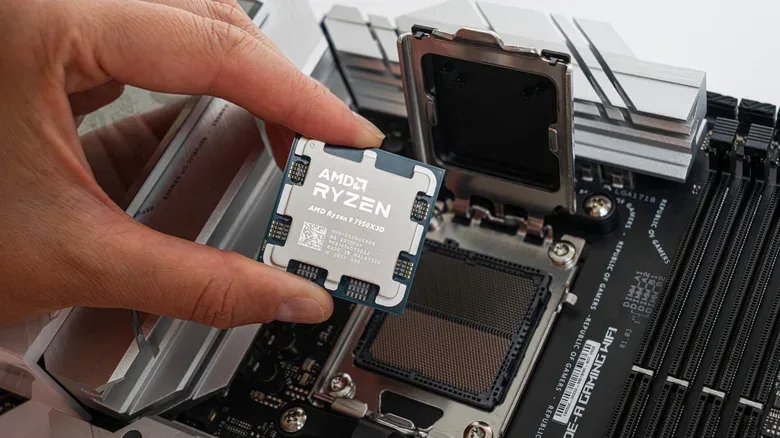
AMD’s Ryzen family offers another prominent example in Precision Boost Overdrive, or PBO. Rather than relying on a conventional fixed manual overclock, PBO uses an algorithm that can increase the CPU’s power and current limits when it detects sufficient thermal headroom. Its purpose is to help the chip maintain higher frequencies on more cores when the surrounding conditions permit it.
PBO2 adds an adjustable Curve Optimizer in AMD’s Ryzen Master utility. This gives users a way to refine the relationship between voltage and frequency in pursuit of higher boost clocks. It is still tuning, and it still depends on the particular processor, but it is not the same approach as simply setting one higher all-core frequency and hoping it holds.
Intel does not have an identical equivalent in the information available here, but modern Intel processors also automatically make use of available temperature overhead. Higher-end motherboards can additionally support more aggressive power limits and boost-clock behavior. The common theme across platforms is that modern performance tuning is often dynamic: the system evaluates the conditions and acts within its configuration instead of holding one manually selected speed at all times.
Why individual results can differ
Not every CPU behaves identically, even when two processors carry the same model name. Differences in silicon quality and manufacturing precision mean some examples can sustain stronger settings than others. This is known as binning.
Bin quality is important because it explains why a setting that works well for one owner should not be treated as a universal answer. The possibility of variation is also a reason automated boosting is attractive: it can react to what a given chip and system can accommodate instead of assuming every unit has identical capacity.
For anyone considering PBO2 or more hands-on tuning, the practical implication is simple: the process is specific to the CPU in the system. A successful configuration involves finding appropriate voltage and frequency settings for that particular part, not copying a headline number from elsewhere. Automation reduces guesswork, but it does not erase the physical differences among chips.
Cooling is the price of the remaining performance
Overclocking remains generally safe, but it is no longer free in the practical sense. The expected performance uplift is smaller than it once was, while the demands on cooling and power remain tangible.
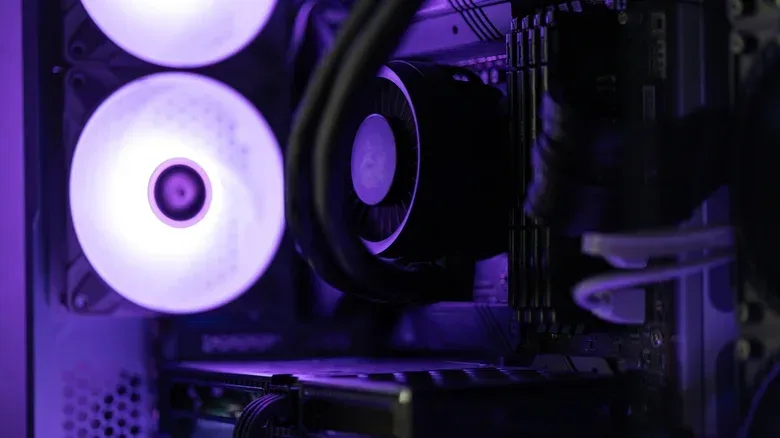
A bundled air cooler may be enough for standard operation but not for a more ambitious boost configuration. Even first-party boosting features such as PBO can benefit from an improved cooler because higher temperatures reduce the thermal margin available to the processor.
A Ryzen 7600 paired with AMD’s stock Wraith Stealth cooler illustrates the constraint. Under load, temperatures in the 85 to 90 degrees Celsius range were sufficient for stock use but did not leave enough thermal headroom to move beyond factory frequencies. That does not mean every system needs premium liquid cooling. A tower-style Peerless Assassin 120 is identified as a popular enthusiast alternative that costs under $50 and performs considerably better than many stock coolers.
The broader lesson is not that one cooler is mandatory. It is that cooling is part of the performance configuration. If the goal is a quieter or cooler-running machine, pushing boost behavior harder may work against that objective. If the goal is squeezing more speed from the existing CPU, a more capable cooler can be a more meaningful purchase than spending hours looking for a small manual frequency gain.
What this means for a gaming-PC upgrade plan
Manual CPU overclocking now makes the most sense as an enthusiast exercise, not as an assumed step after building a PC. It can still be worthwhile for people who enjoy tuning, understand the cooling and power trade-offs, and want to explore what their individual hardware can do. But it should not be mistaken for an automatic route to a dramatic upgrade.
For a more straightforward setup, the sensible first step is to understand which automatic controls the platform offers. On AMD systems, PBO2 is not enabled by default, so there may be accessible room to tune without starting from a traditional manual overclock. On compatible motherboard configurations, Multi-Core Enhancement or Enhanced Turbo may serve a similar convenience-focused role. Enabling either is still a deliberate configuration decision, not a guarantee of a worthwhile result in every build.
It is also worth viewing CPU tuning as only one part of a larger PC ownership decision. Cooling capability, motherboard behavior, system longevity and software support can all matter before chasing a small performance increment. For users weighing broader hardware changes, our guide to support dates worth checking before an upgrade offers a useful reminder that an upgrade’s value is not determined by raw performance alone.
The old overclocking culture was built around extracting surprisingly large gains from conservative factory settings. Today’s CPUs have absorbed much of that opportunity into their ordinary boost logic. The remaining appeal is real, but it is more specialized: careful optimization, better cooling and an acceptance that the reward may be a modest gain rather than a transformation.