The GMKtec G11 mini PC is listed at $310, a reduction from a stated regular price of $460. That is a $150 difference, or roughly 33% off the reference price. The compact system’s headline specifications are an AMD Ryzen Embedded R2514 processor, integrated Radeon graphics clocked at 1.2GHz, 16GB of dual-channel memory and a 256GB SSD.
For a gaming-adjacent PC purchase, the important part is not merely that this is a small computer, but what its component mix is designed to do. The G11’s configuration points toward a machine for everyday desktop work, streaming, multi-monitor setups and network-focused projects. It may also suit some light gaming, but the supplied specifications do not establish it as a substitute for a dedicated gaming desktop with a discrete graphics card.
A compact PC with unusually flexible display and network connections
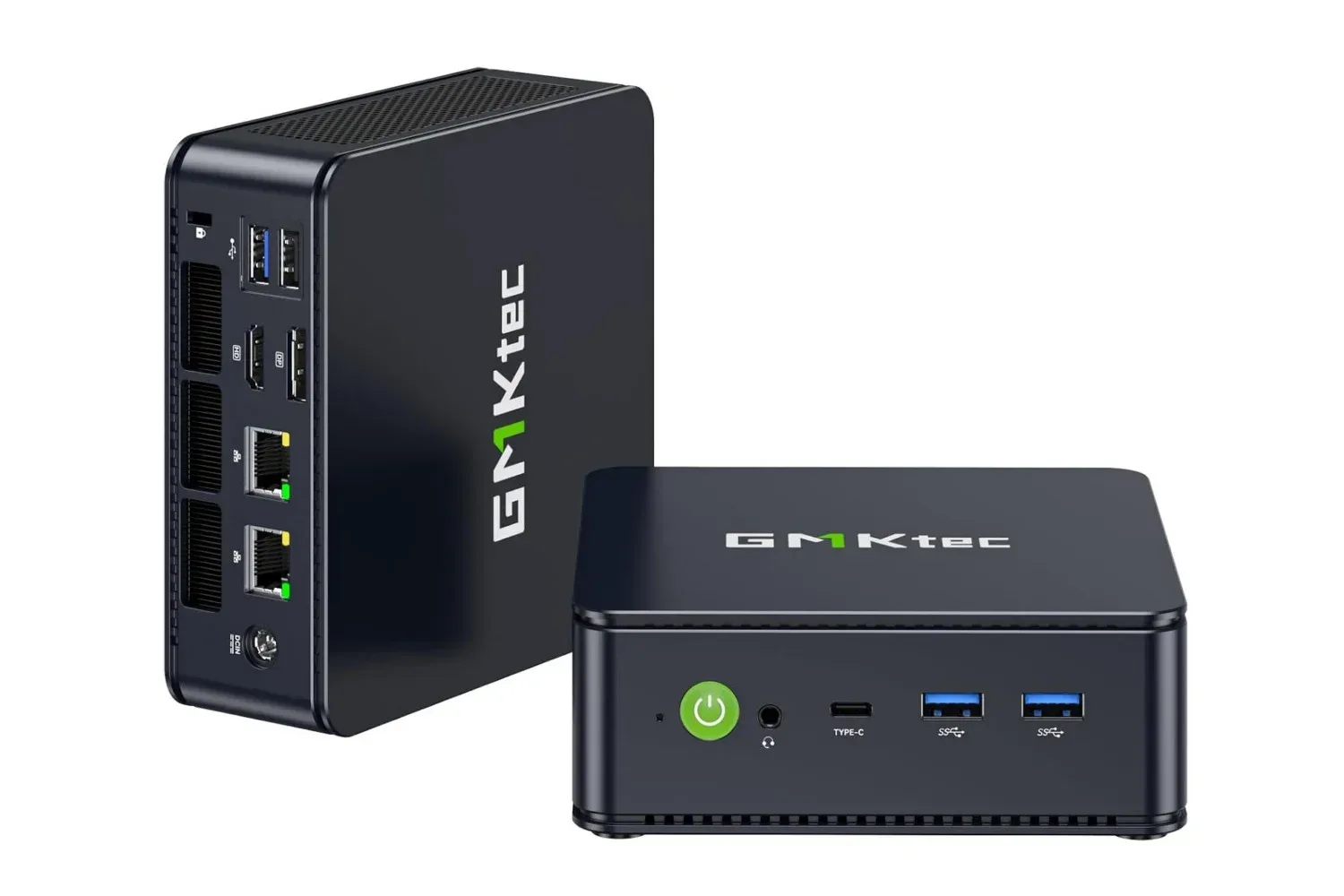
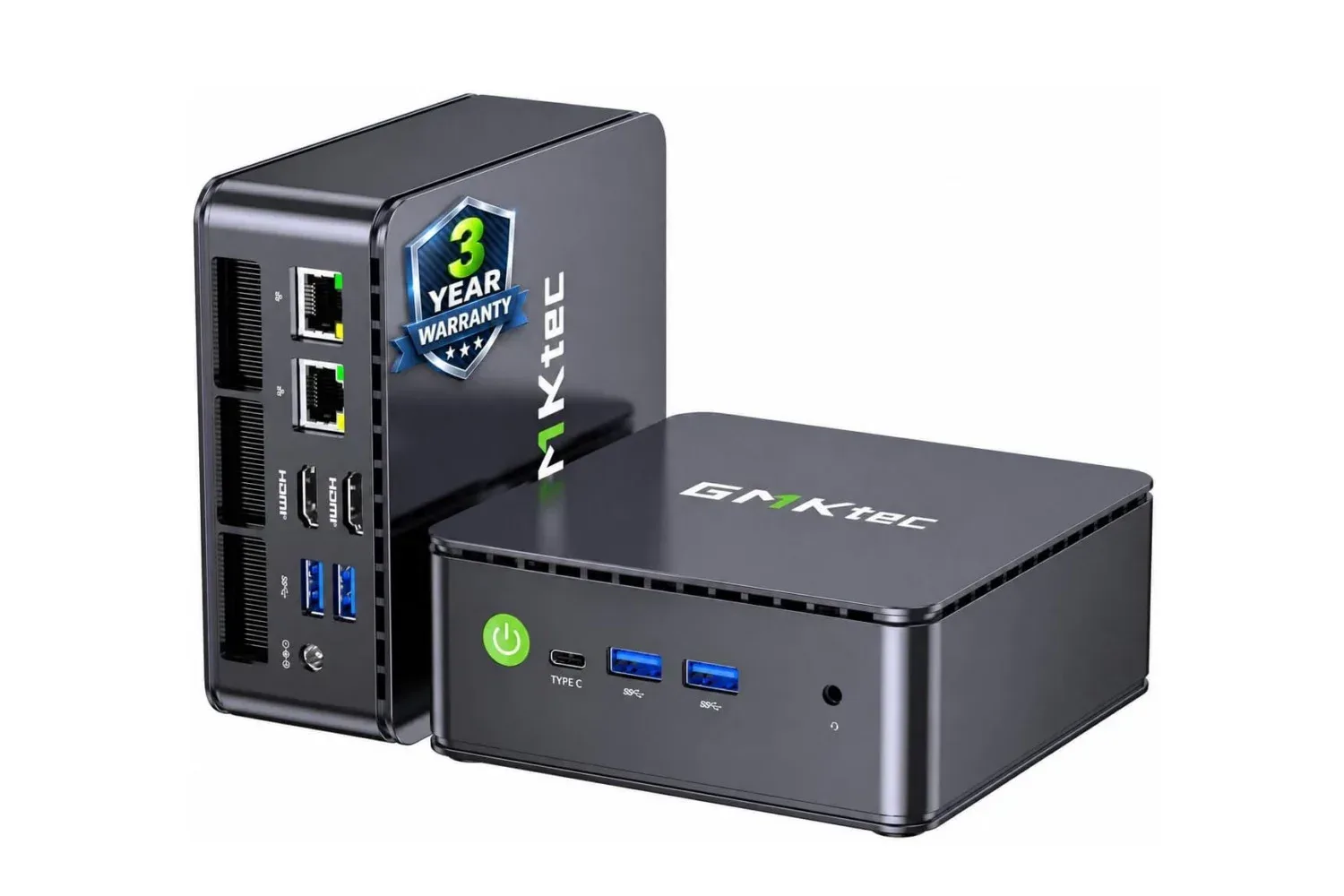
The G11 has two HDMI 2.0 ports plus a USB-C connection that supports DisplayPort Alt Mode. Together, those outputs are specified to drive as many as three independent 4K displays at 60Hz without adapters. “Independent” matters here: it means each connected display can operate as its own screen rather than simply mirroring the same image.
That capability could be useful in several practical scenarios:
- A desk setup with a main monitor, a secondary display for chat or documentation, and a third screen for monitoring tools or media.
- A compact office machine where screen space matters more than a large tower chassis.
- A living-room or media setup that benefits from 4K streaming support and a small footprint.
- A light server or networking project that needs a display for setup, but does not need it to remain permanently attached.
There is a distinction worth keeping in mind between 4K display output and gaming performance at 4K. Being able to send a 4K, 60Hz signal to a monitor is a connectivity specification. It does not, by itself, mean that graphically demanding games will run well at 4K. Those are separate questions: the first is about the ports and display pipeline, while the second depends heavily on graphics horsepower, game settings and the software being run.
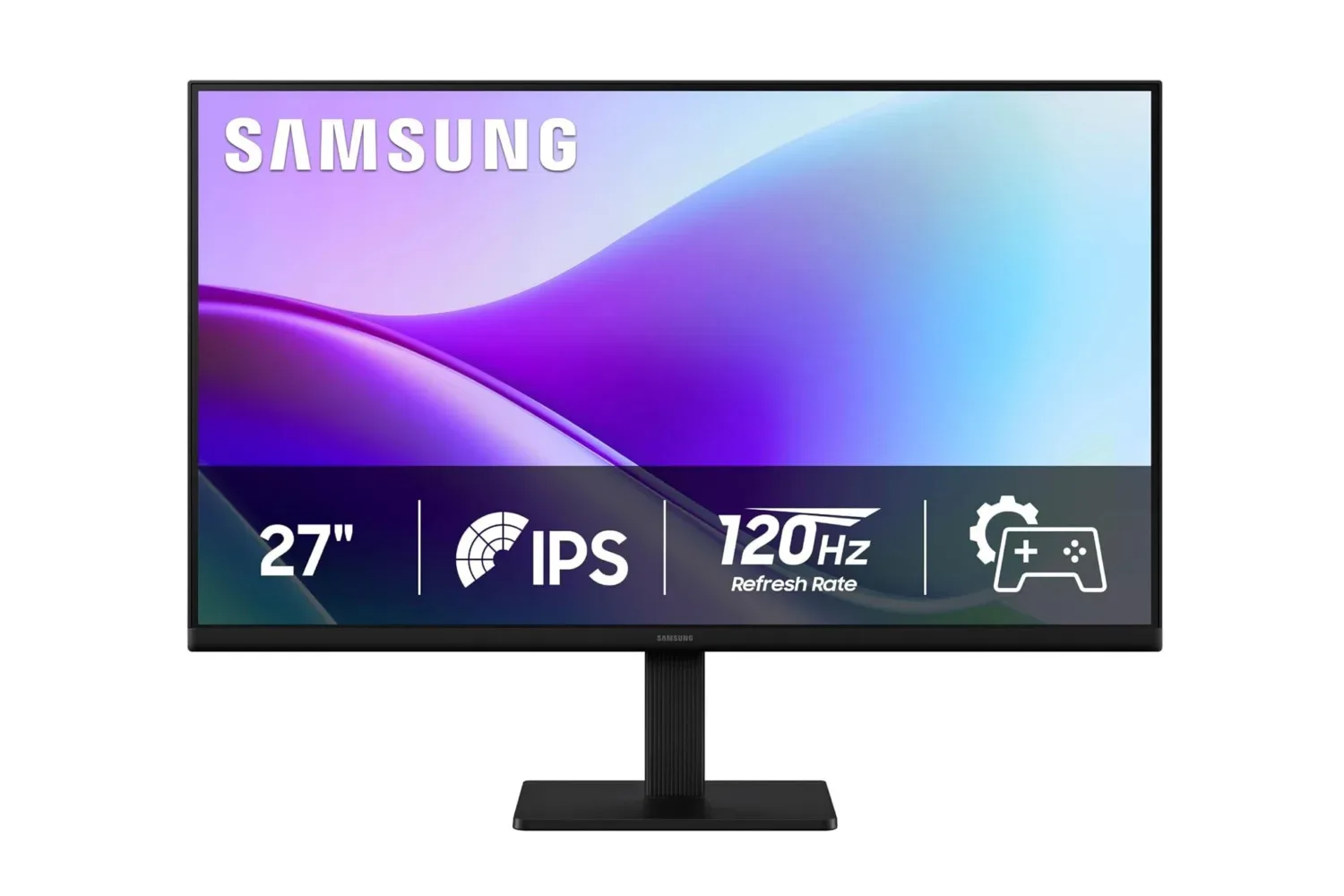
Anyone assembling a multi-display desk may also want to consider the monitor side of the equation. A budget 120Hz full-HD monitor, for example, addresses a different need than a 4K panel: smoother motion and an affordable secondary screen rather than maximum desktop resolution.
What the Ryzen Embedded R2514 and Radeon graphics suggest
The G11 uses AMD’s Ryzen Embedded R2514, paired with Radeon integrated graphics. An embedded processor is a chip category commonly intended for systems that may serve more specialized or continuously running roles than a conventional desktop, though a processor’s label alone does not dictate how a particular mini PC must be used. In this case, the rest of the hardware—especially the dual 2.5GbE ports and compact enclosure—makes the G11’s appeal for networking and small-server tasks easier to understand.
The listing positions the processor at about 30% better performance than Intel’s N150 and AMD’s 4300U, while also claiming that its 1.2GHz Radeon GPU outperforms the N150’s UHD graphics. Those are comparative claims, not universal guarantees of how every program or game will behave. Performance can vary substantially with workload, memory configuration, cooling, operating system setup and whether a task is CPU-limited or GPU-limited.
Related coverage includes GMKtec G11 Mini PC Drops to $310 With Ryzen Embedded R2514 and Triple 4K Display Support.
For prospective players, “light gaming” is the useful phrase to focus on. Integrated graphics share system resources rather than using a separate, dedicated graphics card with its own memory. That arrangement can be perfectly reasonable for less demanding games, older titles, modest settings or situations where resolution can be lowered. It is less reassuring for people who expect high image-quality settings in demanding modern games, especially at 4K.
The system may therefore make more sense as a compact companion PC than as a primary enthusiast gaming rig. It could be a tidy machine for game libraries with modest requirements, general browsing and streaming, or a utility box that sits near a television or monitor. Buyers whose main objective is consistently high-end PC gaming should assess graphics requirements game by game rather than treating the three 4K outputs as a performance promise.
Why 16GB of dual-channel memory is significant
The listed model includes 16GB of RAM in a dual-channel arrangement. RAM is the short-term working memory a PC uses for active programs, browser tabs and background tasks. Dual-channel means the processor can communicate with memory through two channels instead of one, which can improve memory bandwidth.
That detail is especially relevant on a system using integrated Radeon graphics. Because the graphics processor does not have its own separate video memory in the way a typical dedicated GPU does, it draws upon system memory. More available bandwidth can help integrated graphics as well as day-to-day multitasking. It does not transform the machine into a discrete-GPU gaming system, but it is a more favorable configuration than single-channel memory for the sort of hardware described here.
In practical terms, 16GB should give this configuration room for common concurrent tasks: a browser with multiple tabs, office software, media playback and communication applications. It also provides a steadier starting point for a small server role than a lower-memory configuration might. The supplied information does not state whether the memory is user-upgradeable, so anyone who knows they need more capacity should confirm that detail before treating an upgrade as part of the purchase plan.
256GB storage is serviceable, but capacity deserves scrutiny
The G11 is specified with a 256GB SSD. An SSD, or solid-state drive, is the storage used for the operating system, applications, files and installed games. It is a substantial improvement in responsiveness over older spinning hard drives, but capacity is a separate consideration from speed.
For a basic desktop, streaming device, development box or home-server experiment, 256GB can be a workable starting point. For a game library, it can become restrictive quickly, particularly if a buyer expects to retain several large installations simultaneously. Operating-system files, updates, applications and personal files all use part of the advertised capacity before games enter the picture.
That does not make the G11’s storage specification inherently unsuitable; it simply makes workload planning important. A buyer prioritizing a clean, compact desktop or network appliance may be fine with 256GB. A buyer building a general-purpose gaming library machine should pay close attention to storage needs and verify expansion options rather than assuming the internal drive will cover them long-term.
Dual 2.5GbE is the standout feature for home-network projects
Beyond the screen outputs, the G11 includes two 2.5GbE Ethernet ports. Ethernet is the wired networking standard used to connect devices to routers, switches and other network equipment. The “2.5GbE” designation refers to 2.5-gigabit Ethernet, while the presence of two ports means the mini PC can be physically connected to two wired networks at once.
This is the specification that most clearly broadens the machine beyond ordinary desk duty. Two network interfaces can be useful in home-server projects or VPN-server setups, as the system can separate or bridge connections in ways a typical one-port PC cannot. The exact setup, security and software requirements depend on the project, and the existence of two ports does not make such a system plug-and-play. Still, it provides hardware flexibility that many compact consumer PCs lack.
For users who simply need a web browser, a single monitor and ordinary home networking, the second 2.5GbE connection may not justify the purchase by itself. For someone deliberately seeking a small server, network gateway or multi-network utility machine, it is one of the G11’s most meaningful features.
Who the $310 listing fits—and what to verify first
At the stated $310 price, the GMKtec G11 appears best aligned with buyers who value a small physical footprint but want more connectivity than a bare-bones office mini PC. The triple-display support, 16GB dual-channel RAM and dual 2.5GbE networking create a useful mix for compact workstations, media and streaming duties, multi-screen productivity and home-lab-style projects.
It is also an option for modest gaming expectations, provided those expectations account for integrated graphics. The supplied information supports light gaming as a possibility; it does not establish performance targets for particular games, resolutions or quality settings.
Before purchase, the most useful checks are practical ones rather than speculative benchmarks:
- Confirm the live price and the configuration on the retailer’s product page, since listings and promotions can change.
- Check the monitor inputs and cable requirements for the intended two- or three-screen arrangement.
- Assess whether 256GB is enough for the intended software and game library.
- Verify memory and storage upgrade options if future expansion is part of the plan.
- For gaming, compare the requirements of the specific games being considered with an integrated-Radeon system rather than relying on a broad “light gaming” label.
- For server use, plan the network topology and the security work required before exposing services such as a VPN to the internet.
The current listing frames the G11 as a $150 saving against its stated $460 regular price. Its strongest case is not raw gaming ambition, but the way a palm-sized PC combines three-display output, dual-channel memory and two 2.5GbE ports in one small system.
Shop the products
Check current price, model and availability at the retailer.