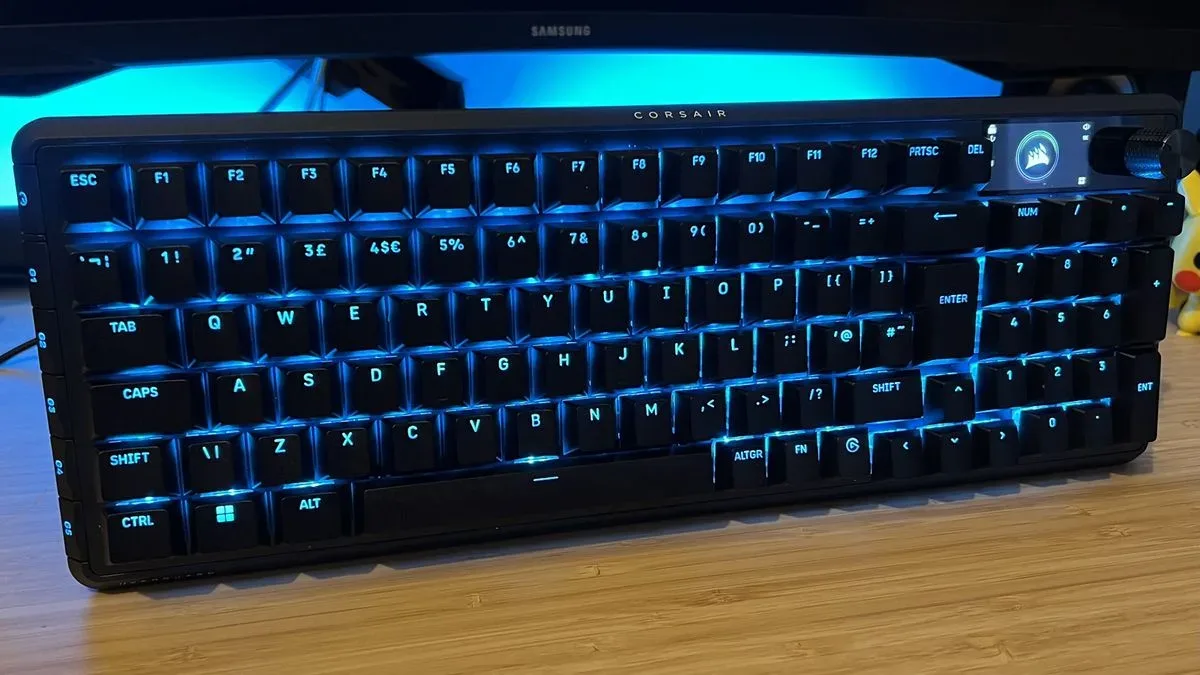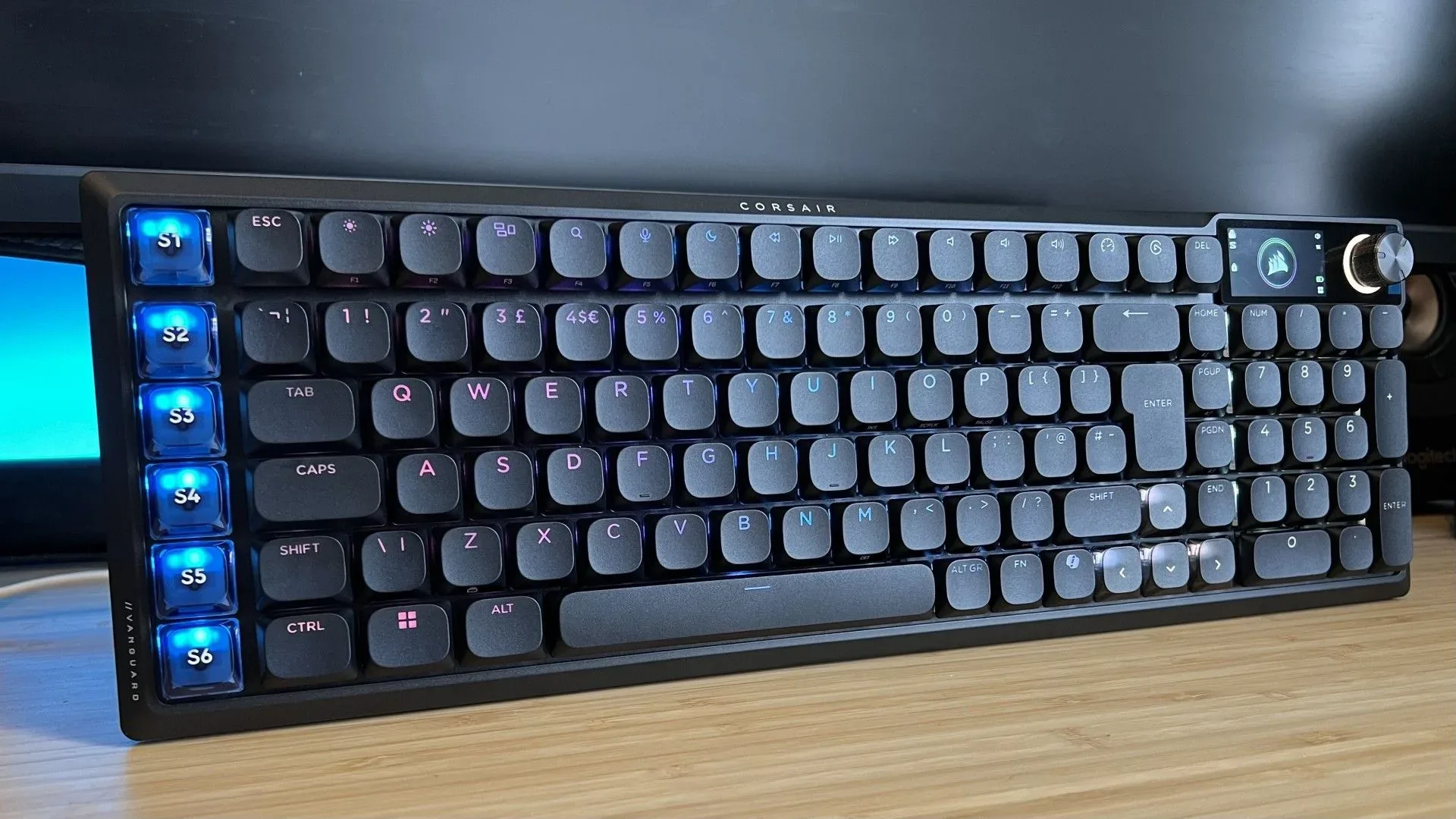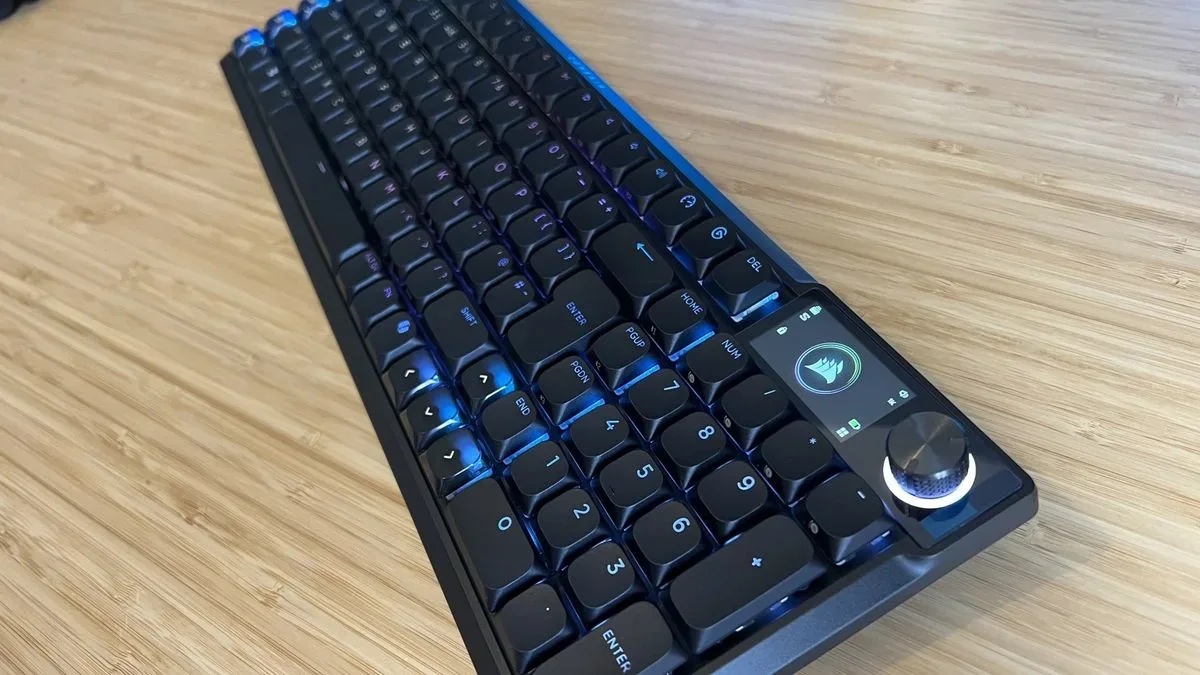
Corsair’s Vanguard Air 99 is trying to make the low-profile gaming keyboard feel less like a compromise. It retains a number pad in a compact 99% arrangement, uses low-profile optical-mechanical switches, supports 2.4GHz wireless, Bluetooth and wired connections, and includes seven dedicated macro keys beside the main key cluster. On paper, it is a remarkably complete specification for players who want a quieter desk without abandoning productivity controls.
The awkward part is the price: $259.99 / £239.99. At that level, the keyboard’s more ambitious features need to work consistently. A reported failure to make the board appear in Stream Deck software—even after connection changes, updates and a replacement retail unit—puts a serious asterisk beside those macro keys. An early unit also registered duplicate inputs from single presses, known as keyboard chatter, although a firmware update on a newer unit addressed that specific problem.
That leaves a product with a persuasive physical foundation and a much tougher value argument. If silence, short stature and an integrated numpad are the entire mission, the Vanguard Air 99 has meaningful strengths. If its Stream Deck flexibility is central to the purchase, the evidence raises a far more practical reason to wait.
What the Vanguard Air 99 brings to the desk
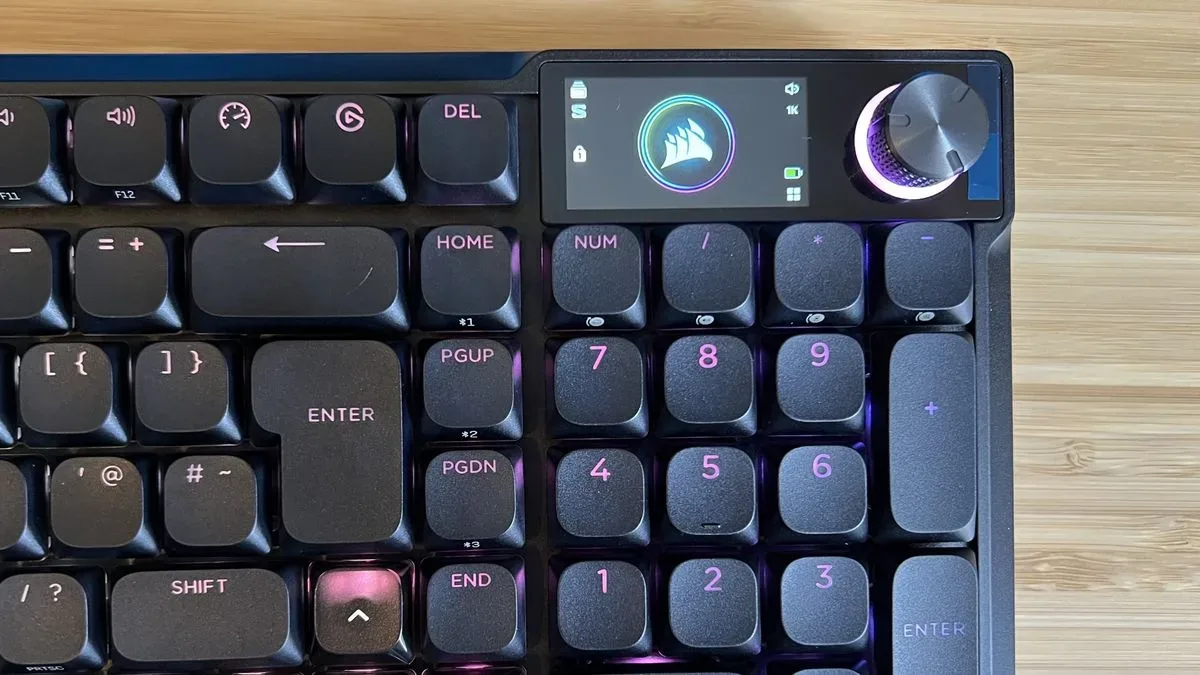
The Vanguard Air 99 is a 99% keyboard. That label describes a layout that trims unused space and rearranges some keys while keeping the number pad. It is therefore larger than a compact 96% design, but substantially less sprawling than a conventional full-size board. For people who enter numbers regularly, that distinction matters: reducing desk footprint does not mean moving to a separate keypad or losing it entirely.
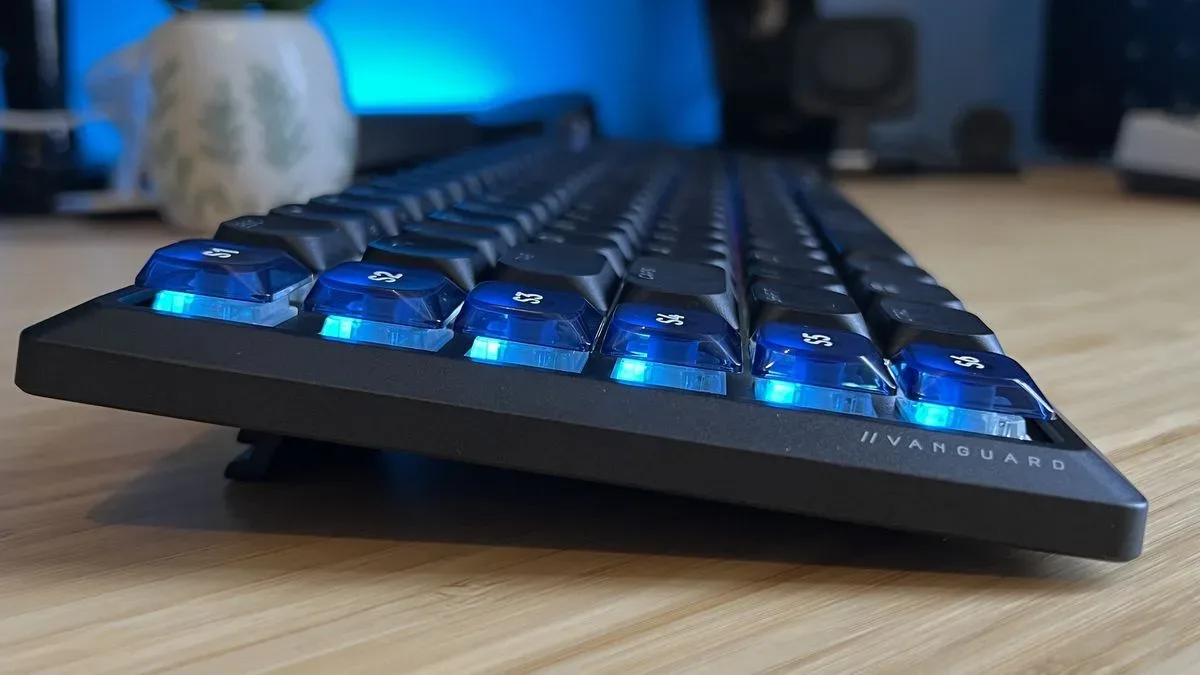
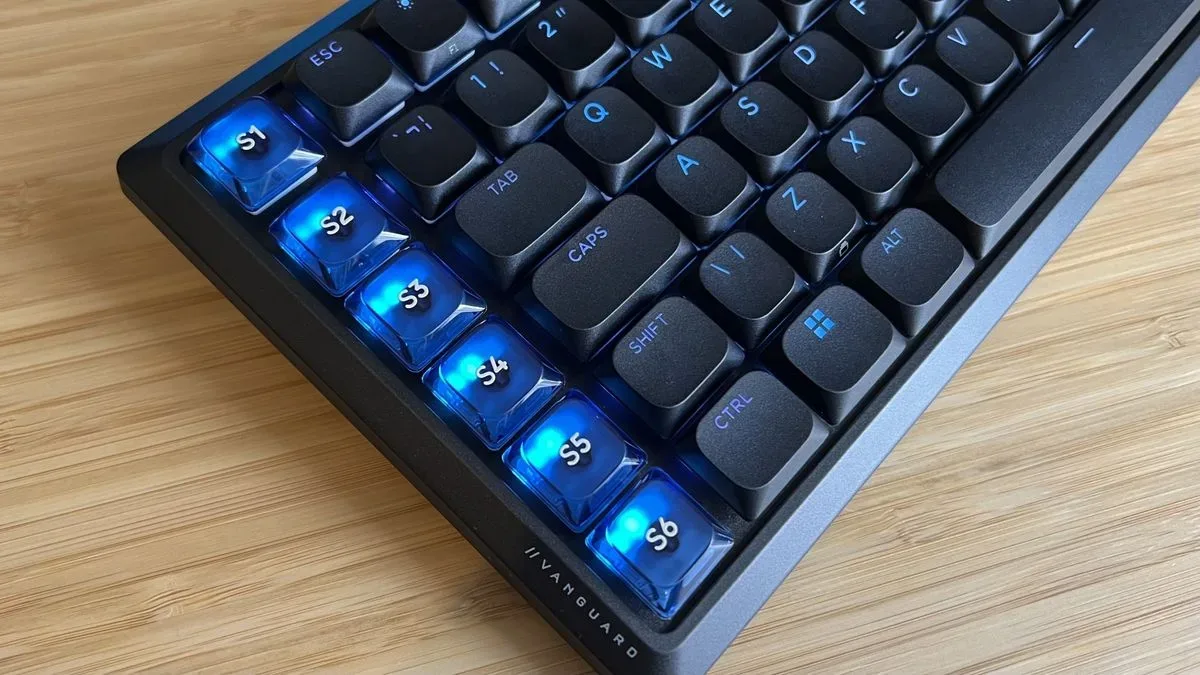
Corsair also places a vertical line of seven macro keys on the right side. Macro keys are extra, programmable buttons intended to put recurring commands within reach. Their usefulness can extend from game actions to media commands and desktop shortcuts, depending on software support. The Air 99 additionally has a dedicated media dial, while a small upper-right display can show media information, frame-rate data, weather, calendar details or personal images.
Its core specifications are as follows:
- Switch type: Corsair OPX Low-Profile optical-mechanical switches
- Connections: 2.4GHz wireless, Bluetooth and wired
- Layout: 99%
- Keycaps: PBT
- Controls: dedicated media dial and seven macro keys
- Not included: wrist rest and USB passthrough
Optical-mechanical switches use light-based actuation detection rather than relying solely on traditional physical electrical contacts. That technical distinction is not automatically a promise of a particular feel; switch design, key travel and damping all shape that. In this case, the defining reported character is a light, low-profile stroke that nevertheless has more satisfying travel and tactility than many slim keyboards manage.
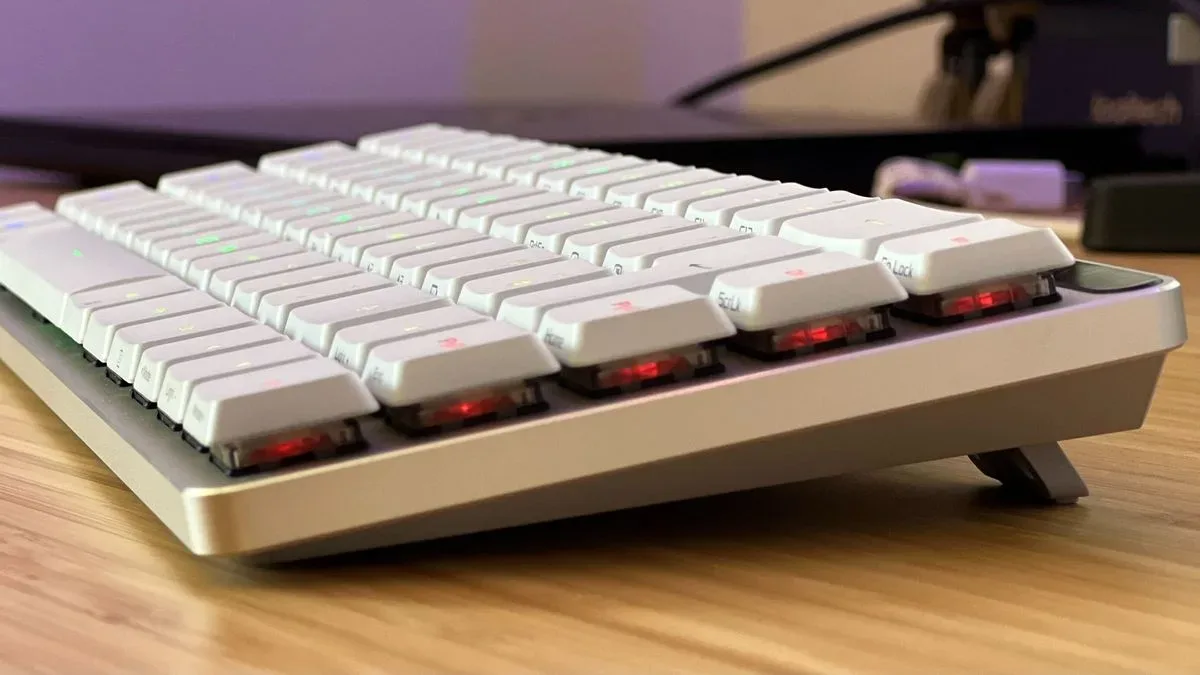
Low-profile boards generally reduce the height of the switch and keycap assembly. The goal is a flatter, lighter-touch design, often with a shorter key movement. That can be attractive for players and typists who prefer a slimmer setup, but it can leave others missing the depth and feedback of a taller mechanical keyboard. The Vanguard Air 99’s reported typing feel lands on the better side of that trade-off: cushioned keystrokes and noticeable travel, rather than an especially shallow or lifeless response.
Related coverage includes Corsair Vanguard Air 99 Review: Quiet Low-Profile Typing Meets Costly Compromises.
Quietness is its clearest selling point
The strongest case for the Vanguard Air 99 is not a benchmark figure or a flashy RGB effect. It is the effort to keep the typing sound restrained. The board is described as notably quiet, with damping that reduces the echoes, pings and heavier clacks commonly associated with larger mechanical designs. Instead, presses produce a lighter, softer sound.
That is meaningful in a shared room, a home office, or any setup where the keyboard is likely to be heard as much as used. “Silent” in keyboard marketing should always be read cautiously—keyboards still make noise when keycaps bottom out—but the reported sound profile is a real contrast with louder mechanical boards. Corsair’s approach seems to preserve a sense of physical cushioning instead of merely making the keys thin and muted.
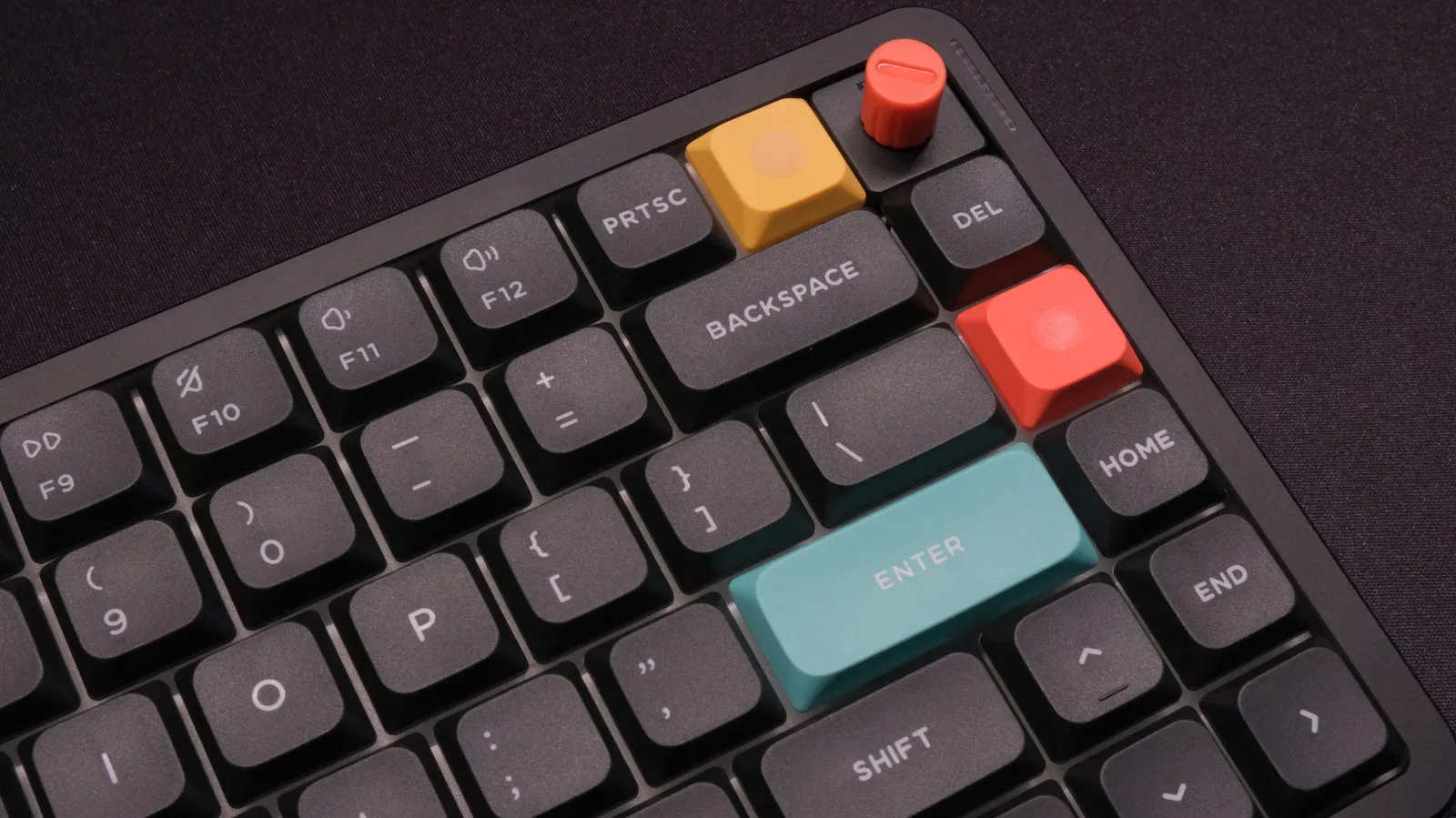
The visual execution appears more restrained than the feature list might suggest. Semi-transparent accent keys, subtle RGB lighting and slightly rounded keycaps give the board a clean appearance while also providing comfortable finger placement. PBT keycaps are another welcome specification. PBT is a type of plastic frequently chosen for keycaps because it is associated with a more textured feel than smoother alternatives; here, it complements the board’s emphasis on tactile comfort.
The small display is also more than a decorative photo frame this time. Support for media status, FPS, weather and calendar information makes it a compact at-a-glance panel. FPS means frames per second, a measure commonly used to indicate how many visual frames a game renders each second. It is not necessary information for every player, but it can be convenient for someone monitoring their system while gaming. The important change is range: users are not limited to simply displaying a picture.
For readers planning a broader premium desk refresh, display choices matter alongside the input device. A high-refresh gaming panel can be part of the same equation, as with this look at a 144Hz screen designed to double as framed art. The Air 99’s quieter character makes the most sense in that kind of multi-use space, where the setup serves work, games and media rather than just competitive play.
The reliability concerns are not minor at this price
The first concern, chatter, is especially disruptive because it changes basic typing behavior. Keyboard chatter occurs when one physical press is interpreted as two or more inputs. In a document, it produces repeated letters; in a game, it can result in duplicate movement or commands. The problem was reported as frequent on an original Vanguard Air 99 unit and appeared almost immediately.
There is an important qualification: after a replacement unit arrived, a later firmware update resolved the duplicate-input behavior. Firmware is low-level software stored on the device itself that governs hardware functions. Updates can fix a defect without changing the keyboard’s physical parts, and this outcome suggests the chatter issue was at least addressable in the tested case. It does not, however, erase the fact that the first unit showed substantial trouble from the outset.
The larger unresolved concern is Stream Deck software recognition. Corsair’s seven right-side macro keys are intended to work with Stream Deck software for flexible additional controls. In the reported testing, the application did not recognize the keyboard through any connection method. Updating the keyboard and software did not solve it, and neither did trying a fresh replacement retail device.
This distinction is crucial for prospective buyers. A macro key that functions only as a basic extra key still has some potential use. But a macro strip advertised around flexible Stream Deck integration carries a different expectation: users may want quick access to actions, commands or workflows that depend on the software ecosystem. If the device cannot be recognized, that advertised path is unavailable in the tested configuration.
At a premium price, an unresolved software feature is not a minor inconvenience; it changes which buyers can sensibly consider the product.
There is no evidence here that every Vanguard Air 99 will have the same software outcome, and it would be wrong to turn one test result into a universal claim. But the issue persisted across two units and several sensible troubleshooting steps, including connection changes and updates. That makes it a material compatibility risk rather than a fleeting setup annoyance.
Who should consider it—and who should not
The best-fit buyer is narrow but understandable: someone who specifically wants a quiet, low-profile wireless keyboard with a compact layout that keeps the numpad, and who values the board’s design, feel and display more than its programmable macro ecosystem. The three connection options increase its flexibility across a desktop, laptop or other compatible setup, while the physical experience is its strongest point.
Even for that buyer, the $259.99 / £239.99 cost deserves scrutiny. The keyboard does not include a wrist rest or USB passthrough. Neither omission necessarily ruins the product—many people will not need either feature—but omissions become easier to notice when a device is priced alongside high-end alternatives.
Anyone buying chiefly for Stream Deck integration should avoid treating the macro keys as a settled benefit until the recognition issue is clearly resolved for their intended software setup. The uncertainty is too central to the keyboard’s differentiation. Similarly, buyers who have little interest in a numpad, macro row or display may find they are paying for a very specific package when their actual priority is simply a strong low-profile typing experience.
Alternatives point to a difficult market position
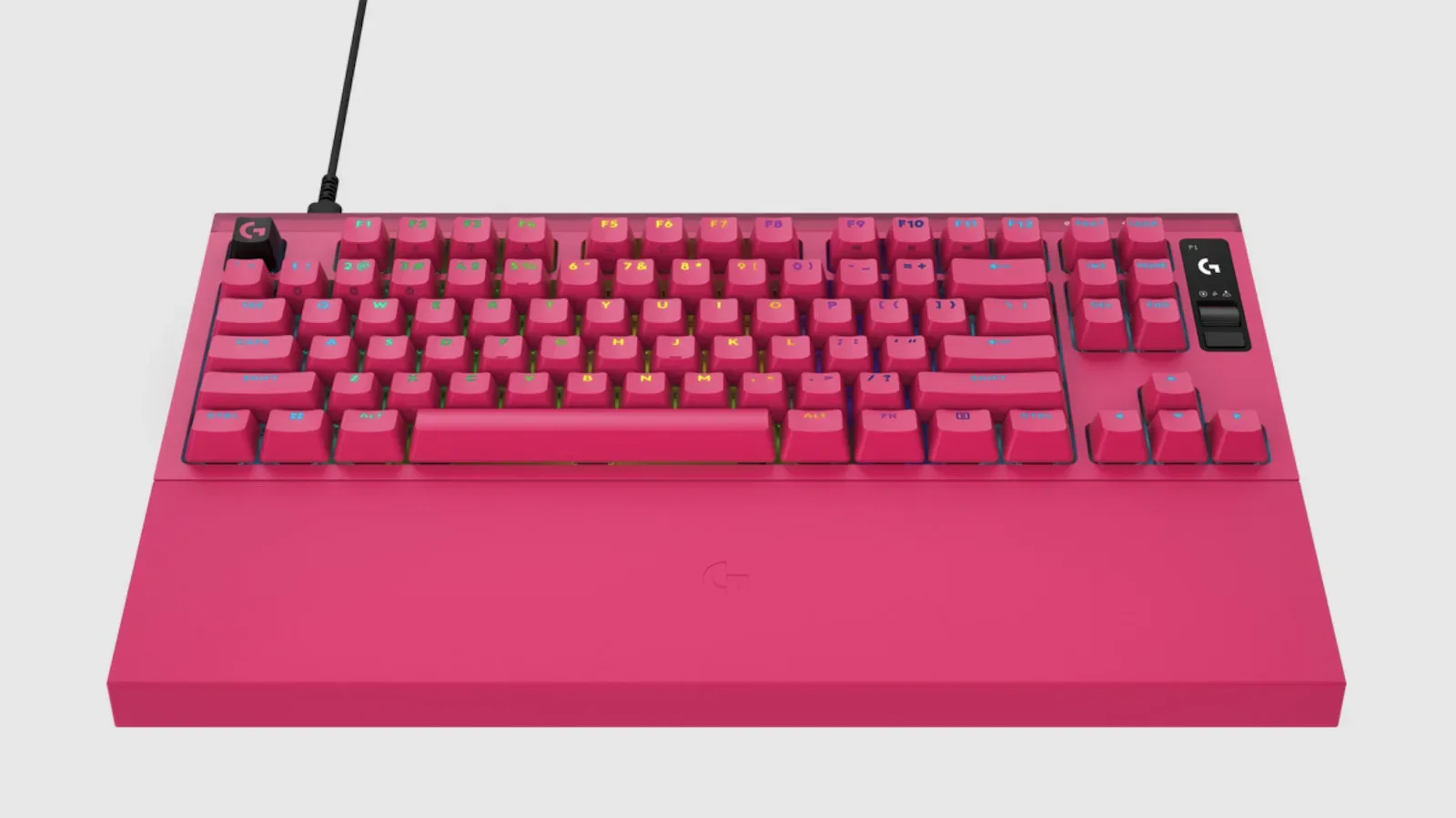
Two alternatives frame the Air 99’s dilemma. The Asus ROG Falchion RX Low Profile is smaller and gives up a significant portion of the Air 99’s control options, but is presented as offering an excellent low-profile typing experience while retaining sensible volume and media controls. It is the more focused proposition for someone willing to give up the number pad and macro strip.
Within Corsair’s own lineup, the Vanguard Pro 96 costs less and uses magnetic switches, though it is not the choice for someone set on a wireless low-profile board. Magnetic switches are generally associated with keyboards that can use magnetic sensing to detect key movement; the key point in this comparison is not a blanket superiority claim, but that the lower-priced model offers a different premium switch technology.
Those choices reveal why the Vanguard Air 99 cannot lean solely on having many features. Its compact numpad layout, muted sound, comfortable low-profile travel and expanded display functions are appealing. Yet the higher the price climbs, the less forgiving buyers should be about unsettled functionality. The board makes the most sense when evaluated as a quiet, handsome physical keyboard first—and only cautiously as a software-rich control hub.
Practical buying checklist
- Prioritize the layout: confirm that a retained numpad and a 99% footprint are more useful to you than a smaller board.
- Value quietness realistically: this is a strong option for a subdued mechanical-style sound, not a guarantee of no audible keystrokes.
- Do not budget around Stream Deck macros: treat the software integration as uncertain given the reported recognition failure across two units.
- Check firmware promptly: the reported chatter behavior was fixed by a later firmware update on the replacement device.
- Account for the omissions: there is no included wrist rest and no USB passthrough.
- Compare the entire package, not just the switch type: connection methods, macro requirements, screen usefulness, layout and typing preference are all doing work in this price tier.
The Vanguard Air 99 demonstrates that low-profile gaming keyboards do not have to feel flimsy, shallow or loud. Its quiet, damped action and unusually complete compact layout are genuine attractions. But a $259.99 keyboard needs dependable fundamentals and dependable headline features. The firmware fix offers some reassurance on duplicate inputs; the unresolved Stream Deck recognition problem does not. Until that gap is closed, Corsair’s latest low-profile design is easiest to recommend only to buyers whose priorities stop before its most ambitious software promise.