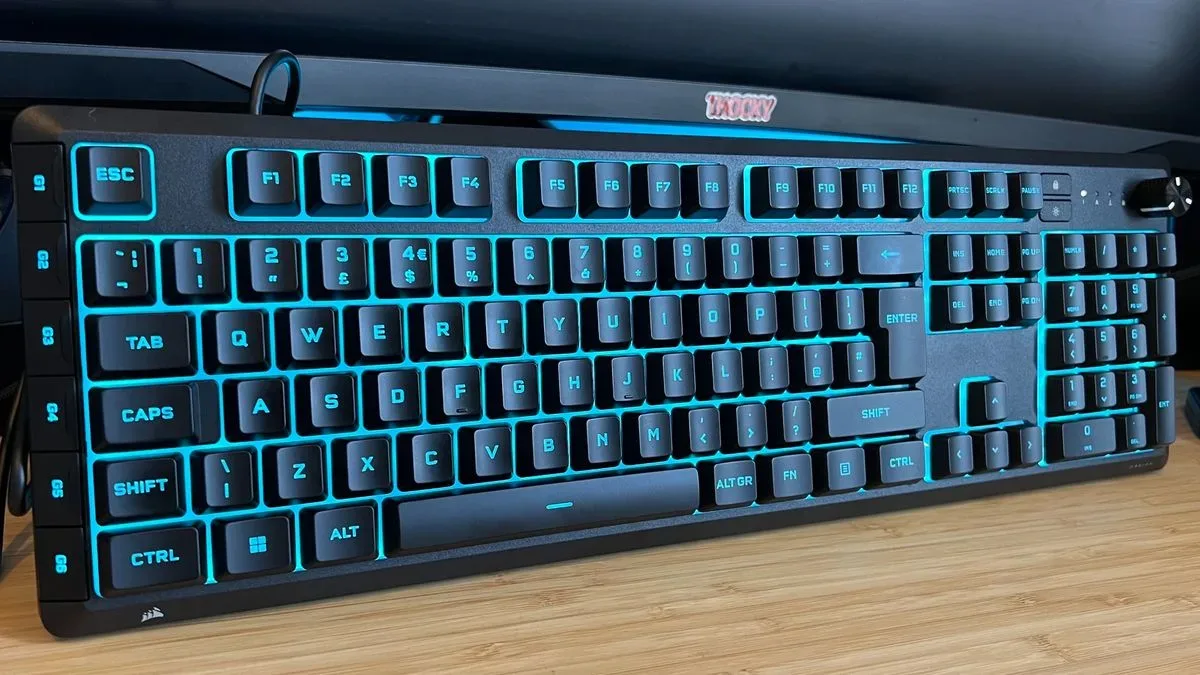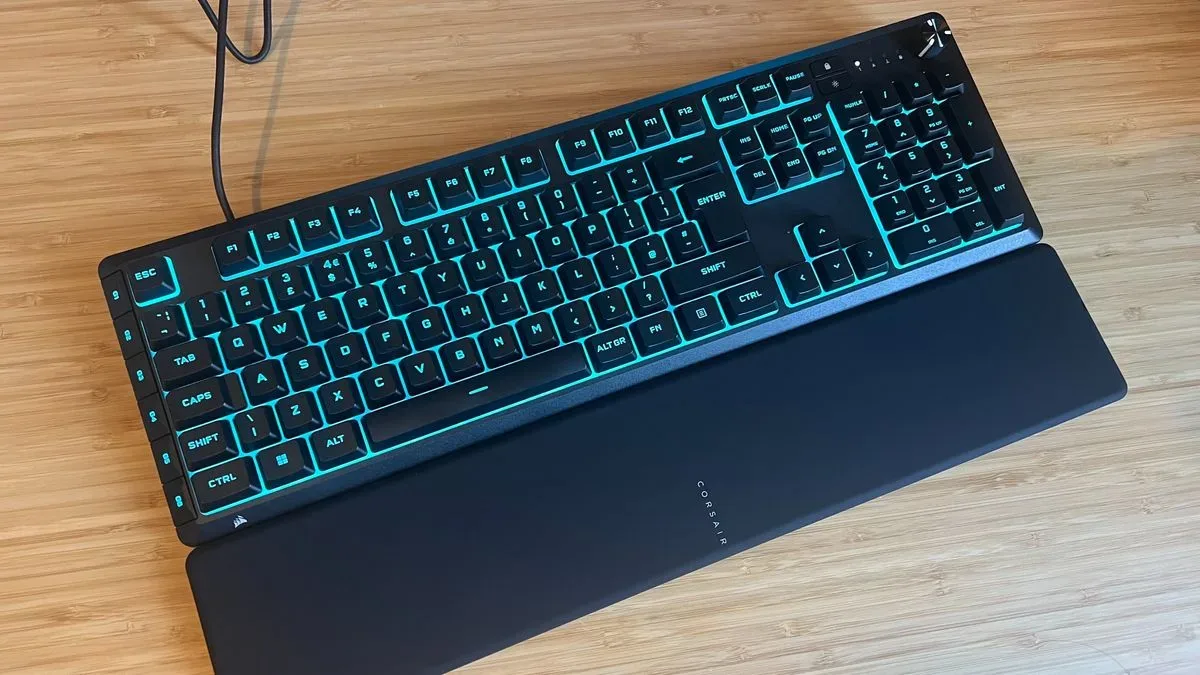
Membrane gaming keyboards have spent years living in the shadow of mechanical models, where every clack arrives with the confidence of a tiny plastic judge’s gavel. Corsair’s Skiff 100 Plus makes a more practical argument: not everyone wants noise, ultra-light switches, or a keyboard that turns a late-night match into a household event.
The full-size, wired Skiff 100 Plus uses rubber-dome switches and carries a listed price of $59.99 / £59.99. It is also positioned in a market where discounts reportedly bring it closer to $49.99 / £39.99. That distinction matters. At its full price, the keyboard is competing with inexpensive mechanical options that can offer a crisper response and, in some cases, easier long-term customization. At a lower price, Corsair’s package of six macro keys, a volume dial, RGB lighting and an included wrist rest becomes more persuasive.
The important caveat is equally clear: this is not a mechanical keyboard disguised in a membrane trench coat. It is for players who specifically value quiet operation and a relatively smooth, less punishing rubber-dome feel over the faster repeat inputs and greater component flexibility available elsewhere.
What the Skiff 100 Plus is trying to solve
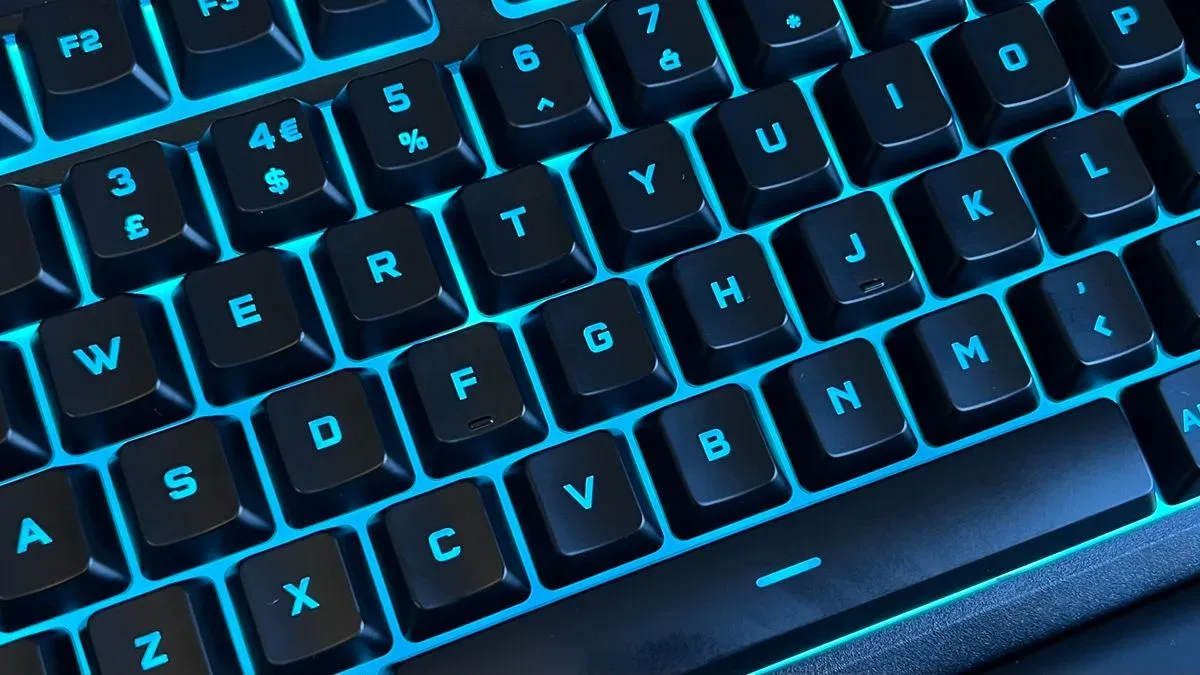
A membrane keyboard registers a press through pressure applied to a flexible membrane layer, while the Skiff 100 Plus uses rubber domes beneath its ABS keycaps. By contrast, a mechanical keyboard generally has an individual physical switch mechanism for each key. The difference is often felt as much as heard: membrane boards are commonly quieter, while mechanical boards often provide a more distinct and immediate response.
Rubber domes have a reputation for requiring more force and producing a vague or mushy bottom-out. The Skiff 100 Plus does not entirely erase that category distinction, but its reported key feel is unusually smooth for the format. It still demands more actuation force than a mechanical alternative, yet the presses are described as relatively easygoing rather than stiff. There is also tactile feedback at the bottom of travel, giving the user a clearer sense that a press has completed.
That could be especially relevant for someone whose main problem with conventional membrane boards is fatigue. A keyboard need not be the fastest option on the shelf to be useful; a less strenuous feel can be a meaningful quality-of-life advantage for extended everyday gaming and general computer use. The Skiff’s pitch is essentially that quiet need not automatically mean unpleasant.
There are variations across the layout. The main letter keys are said to feel somewhat heavier, while larger keys including Backspace, Space and Enter have more give. Anyone seeking perfectly uniform key resistance may notice that difference, but it also reflects the board’s focus on comfort rather than competitive precision.
A full-size board with more controls than the budget norm
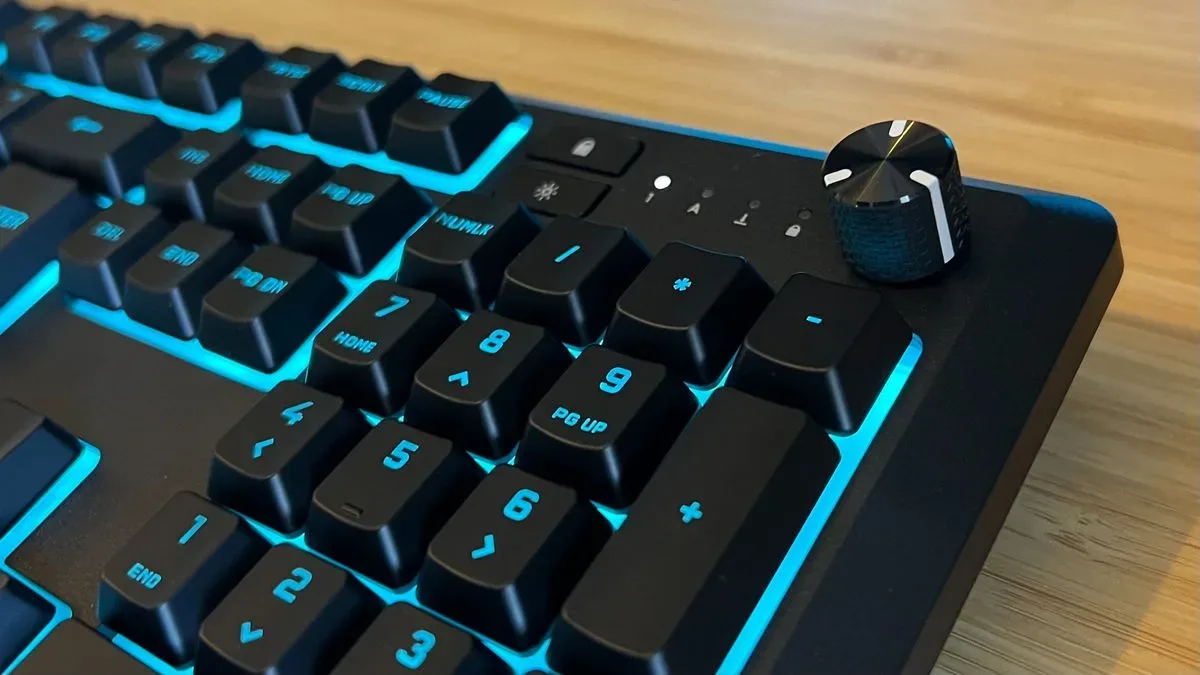
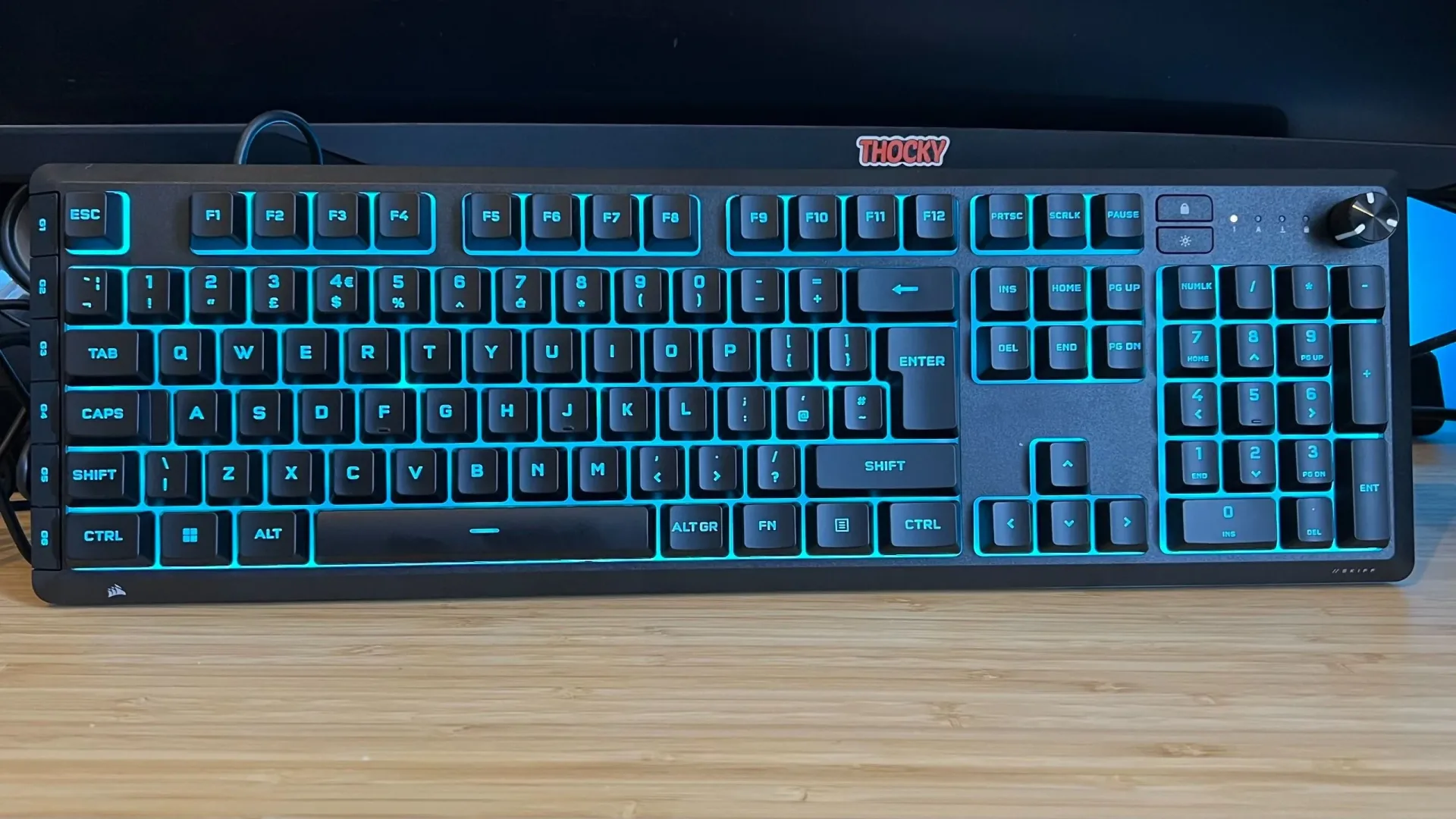
The Skiff 100 Plus is a full-size keyboard, meaning it includes the complete main key area alongside a number pad. Its layout leaves comfortable separation around the primary keys and makes room at the upper right for a dedicated volume dial. That dial is more useful than a decorative wheel when a game, voice chat or video suddenly decides it has been mixed for a stadium.
Related coverage includes Corsair Skiff 100 Plus Review: A Quiet Membrane Keyboard That Makes a Strong Case for Rubber Domes.
Playback commands are available through the Function key rather than through their own dedicated buttons. This keeps the top deck less crowded, though it creates a trade-off: users who frequently skip tracks or pause media may prefer direct controls that do not require a two-key combination.
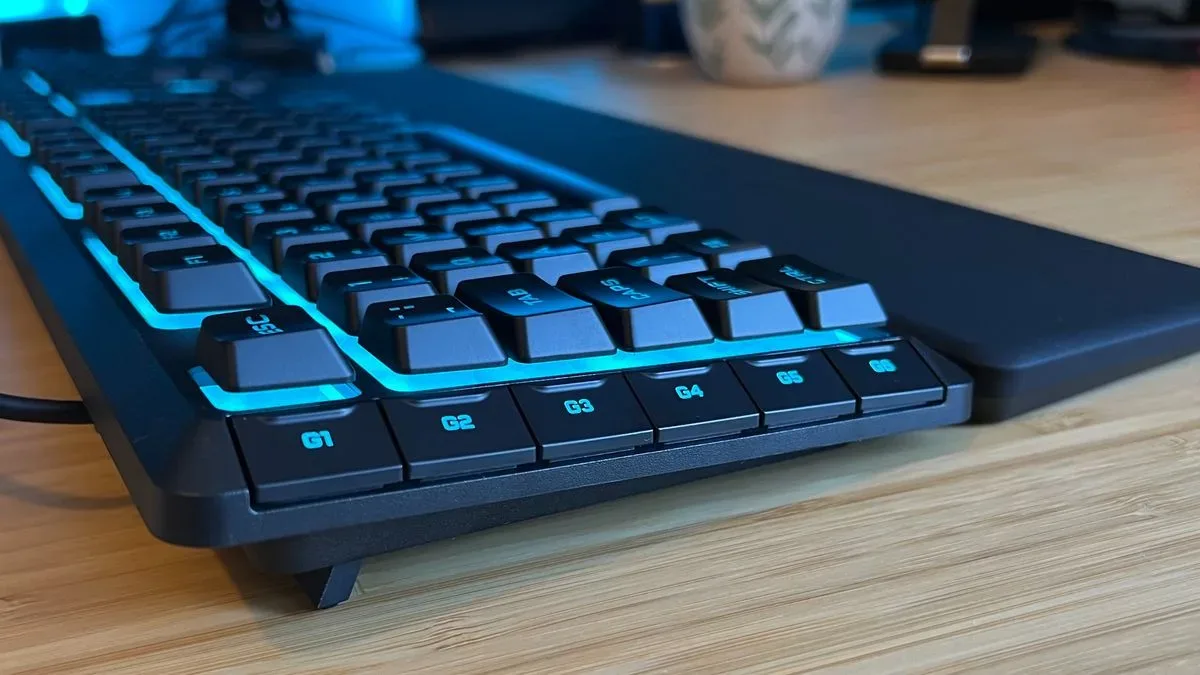
Along the left side sit six additional macro buttons. A macro is a recorded sequence of keystrokes that can be assigned to one key, potentially reducing a repeated string of commands to a single press. On this model, the extra buttons are limited to recorded macros rather than broader system functions. That limitation is worth knowing, but six dedicated macro keys are still a substantial feature at this level of the market, especially for games or applications with repeated inputs.
Corsair supports basic RGB effects and macro settings through Corsair Web Hub. More detailed configuration—including control of the keyboard’s 10 lighting zones and Win-Lock settings—requires iCue. RGB refers to red, green and blue lighting, which can be combined to create a range of colors and effects. Win-Lock, meanwhile, disables the Windows key to help prevent an accidental trip out of a game in the middle of a frantic input sequence.
The keyboard also has a PS5 and PS4 compatibility mode, activated by holding Fn and the Windows key for five seconds. That is a welcome option for players whose setups move between PC and console, although the supplied information does not establish the exact behavior or game-by-game scope of that mode.
For readers primarily thinking about PC play, the broader conversation around games and their technical ecosystems continues to evolve, from individual peripherals to projects such as a Bloodborne-inspired PC project facing questions around AI and multiplayer claims. The Skiff is a much simpler proposition: give a player familiar desktop controls without demanding that every keystroke announce itself to the neighborhood.
Where the cost savings show
Physically, the Skiff 100 Plus is an all-black plastic keyboard with bright LED illumination and a brushed-looking treatment around the dial area. The chassis has some flex if pushed hard at the top plate, but the structure beneath is reported to feel sturdy. Key presses did not produce bounce during use, an encouraging detail for a board designed for repeated gaming inputs.
The keycaps are ABS, short for acrylonitrile butadiene styrene, a common plastic used on keyboards. ABS caps can feel somewhat sticky and can develop a shinier surface through use. More significantly here, they are not replaceable. Once wear becomes noticeable, the user cannot simply swap in a fresh set of keycaps. That is one of the Skiff’s clearest disadvantages against models built around interchangeable caps.
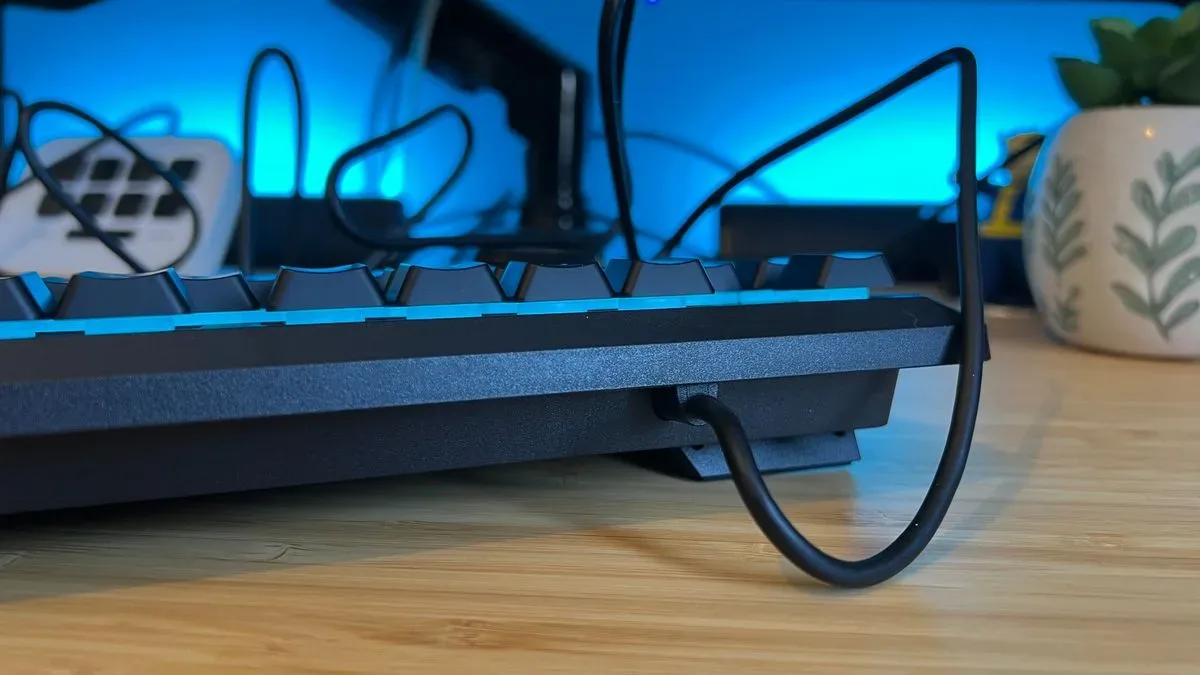
Its cable is another compromise. It is permanently attached to the board and made from a rubber material that is prone to retaining kinks. A fixed cable can make the keyboard less convenient to pack or transport, while a cable that refuses to lie flat can undermine an otherwise clean desk setup until it is routed or tucked away. These are not catastrophic flaws, but they are the kind that become visible every day.
Corsair includes a wrist rest, which improves the overall value proposition. It is not presented as especially plush, but it is correctly raised to support a more comfortable hand angle and uses a soft-touch finish. It also reportedly stays cool during longer sessions, a small but real benefit when a desk accessory is continuously in contact with the user.
Gaming performance: comfortable, not competition-first
The Skiff 100 Plus appears to perform capably for casual play. Its presses register promptly enough for typical gaming needs, and its smoothness helps it avoid the heavy, sticky sensation that can turn budget membranes into finger workouts. In fast-action use, however, repeated inputs feel slower than on a mechanical keyboard.
That distinction should guide buying decisions. A player whose priority is a quiet board for a broad Steam library, single-player games, strategy titles, or general daily use can reasonably prioritize comfort, macros and included accessories. A player focused on highly competitive games, where rapid repeated presses and a sharp, consistent response are central, may find a mechanical option more suitable.
The Skiff also uses 12-key selective rollover rather than full N-key rollover. Rollover describes how many simultaneous key presses a keyboard can reliably register. Full N-key rollover means, in principle, every key can be recognized at once. Twelve-key rollover means the keyboard supports a defined limit of 12 simultaneous presses. For most players, that ceiling should not be an obstacle. It becomes more relevant for unusual multi-key combinations or users who simply want the maximum possible input headroom.
It is also worth separating two often-confused ideas. A keyboard can be responsive enough for most games without being the optimal tool for the most demanding competitive use. The Skiff’s reported behavior suggests exactly that middle ground: reliable casual input, but with a slower-feeling rhythm on rapid repeats than a mechanical deck.
Who should consider it—and who should pass
The Corsair Skiff 100 Plus makes its strongest case for someone who actively wants a quiet gaming keyboard and does not consider the sound and feel of mechanical switches a requirement. Its standout qualities are a notably comfortable membrane feel, full-size layout, six macro keys, volume dial, configurable lighting and bundled wrist rest. Those features help distinguish it from stripped-back budget models.
Its weaker points are just as practical: no USB passthrough, non-replaceable ABS keycaps, a permanently attached kink-prone cable, 12-key selective rollover and a less agile feel for rapid repeat inputs. None of those drawbacks disqualifies the keyboard for ordinary gaming, but together they explain why it is not positioned as a threat to higher-end mechanical or Hall effect boards. Hall effect keyboards use magnetic sensing and can provide additional control over actuation behavior; the Skiff does not offer those capabilities.
At $59.99 / £59.99, buyers should compare its feature set closely with lower-cost mechanical alternatives. If the decision is mostly about maximum speed, keycap replacement or a lighter, more mechanical response, the Skiff’s strengths may not outweigh its limits. If silent operation, macro access and a wrist rest matter more, it has a clearer identity. Closer to the reported $49.99 / £39.99 discounted range, that identity gets stronger still.
In short, this is a membrane board that does not pretend the membrane category has no compromises. Instead, it makes the best argument that the category can make: a quieter keyboard with a gentler-than-expected feel, enough useful controls for everyday play, and fewer reasons for tired hands to file a formal complaint.