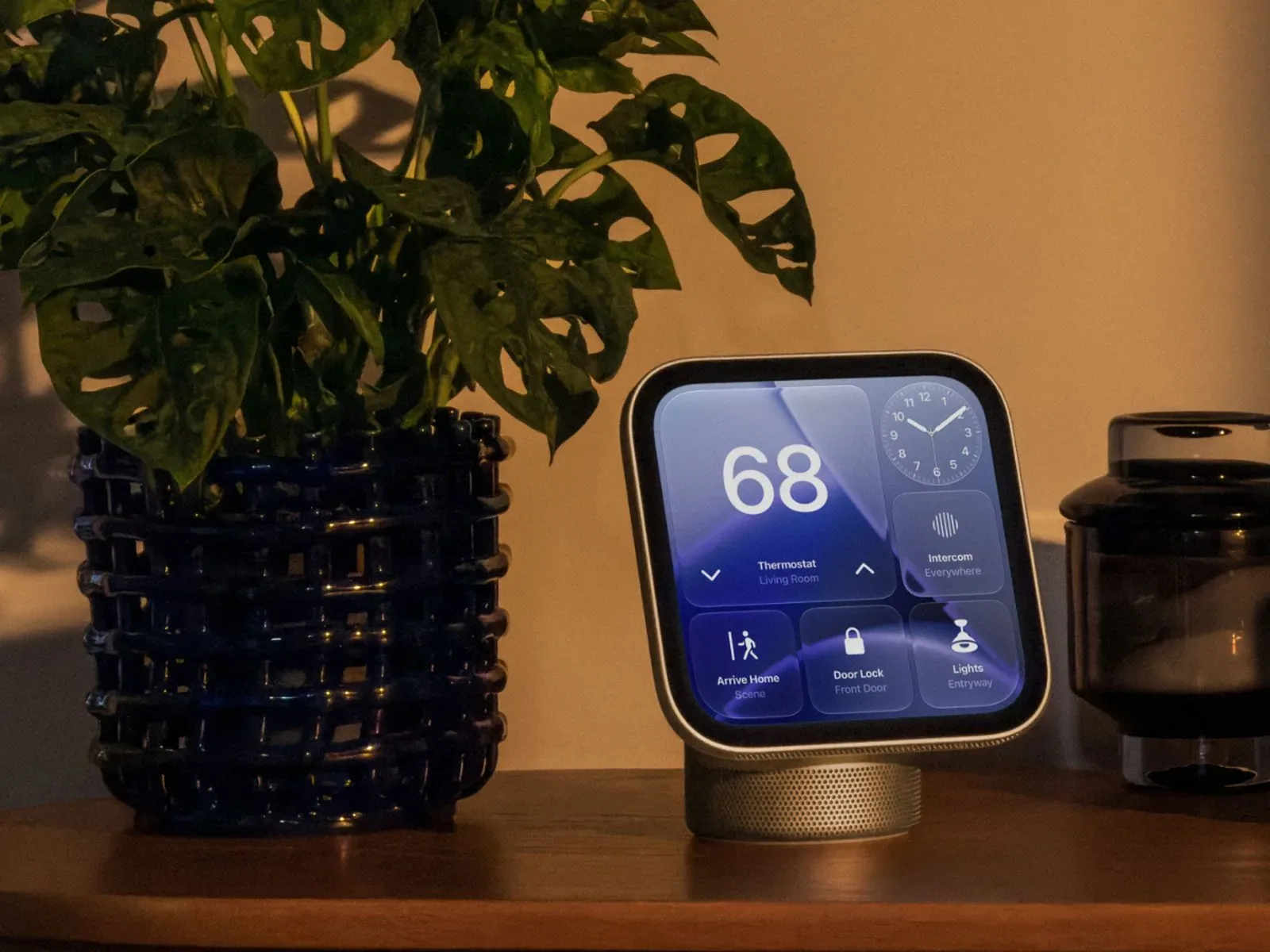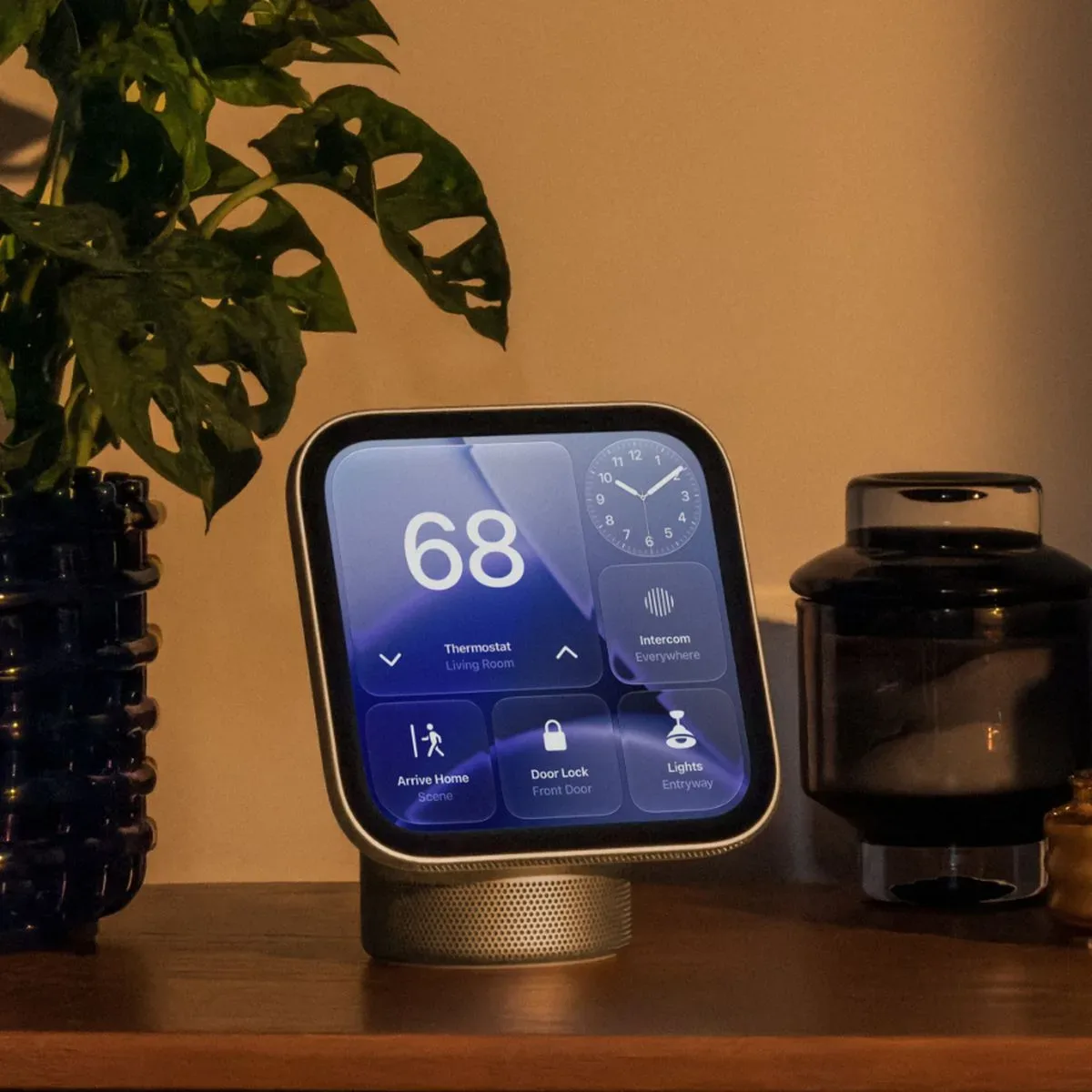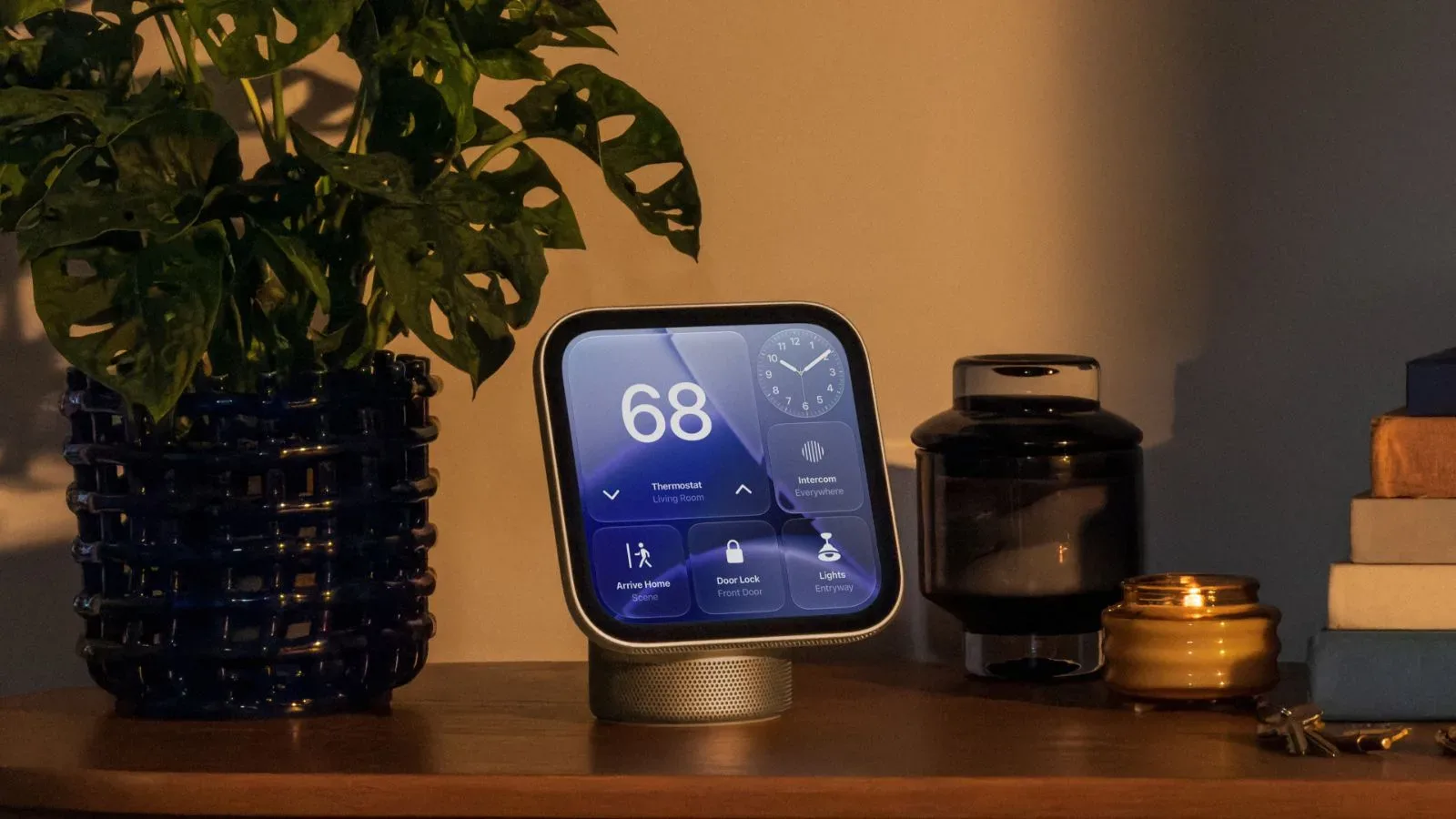
Apple’s upcoming HomeView has one specification that sounds tiny because it is: a minimum display brightness of 0.3 nits. For a 7-inch tabletop screen intended for rooms people actually live and sleep in, that number may be more meaningful than a conventional maximum-brightness headline.
HomeView’s Liquid Retina display is said to adjust automatically with changing room light, reaching up to 500 nits in bright conditions and dropping to 0.3 nits in darkness. Apple describes the latter as its lowest-ever display brightness. The practical pitch is straightforward: a screen on a nightstand should remain readable without behaving like a miniature floodlight when everything else is dark.
That does not turn low brightness into a glamorous feature. Nobody is likely to gather around the table chanting “three-tenths of a nit.” But it is a notably deliberate choice for a stationary household display, where a device may remain on view for long stretches rather than spend most of its time in a pocket, bag, or dock.
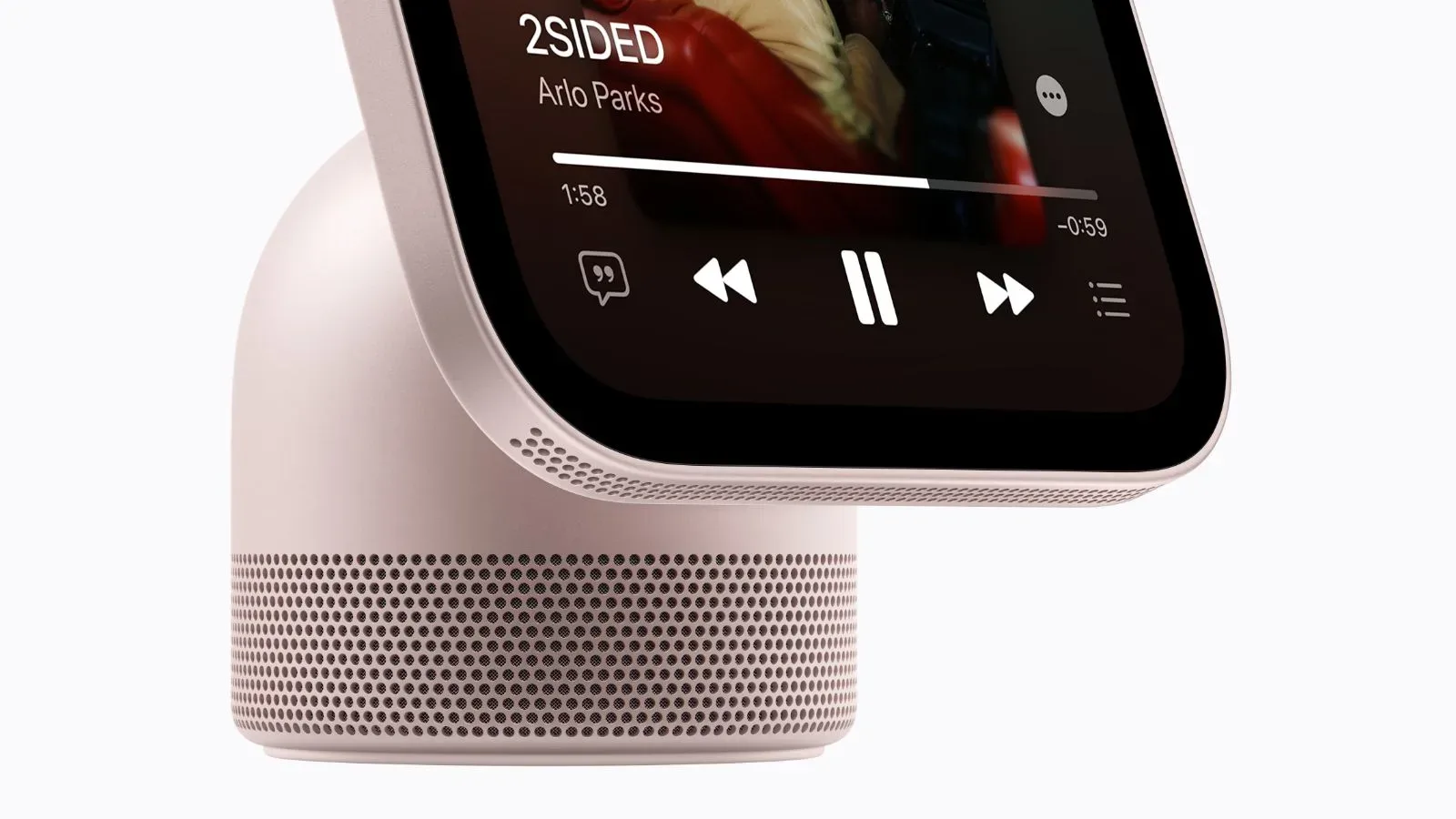
HomeView models are due to launch November 13 in the United States at $299. The device also has a stainless-steel hinge for adjusting its display angle, an interface that changes the amount of information shown based on a person’s distance from it, and customizable faces for weather, photos, and animated designs. Some faces change their appearance over the course of a day, shifting for morning and evening.
What 0.3 nits actually means
A nit is a unit used to measure luminance: the light emitted or reflected by a display in a particular area. In consumer-product language, it is the measure behind the brightness number on a device spec sheet. Higher numbers are useful when a display must compete with sunlight or strong indoor illumination. Lower numbers matter when the surrounding environment is very dark.
HomeView’s stated range is 0.3 nits to 500 nits. The maximum tells prospective buyers that the display is intended to remain usable in a bright room. The minimum tells them that Apple has targeted the opposite extreme as well: subdued nighttime operation.
It is worth separating that claim from broader assumptions about picture quality. A low minimum brightness, by itself, does not establish every characteristic people may care about in a screen. It does not tell us how every face, photo, animation, or app-like experience will look in every room. What it does indicate is how far the display can reduce emitted light when the automatic system judges that darkness calls for it.
Apple had previously reached a 1-nit floor with display technology first used in Apple Watch Series 9 and Apple Watch Ultra 2, with the capability later coming to iPhone. At 0.3 nits, HomeView’s minimum is less than one-third of that previous threshold. The change is not about making text punchier in a sunlit kitchen; it is about making a constantly present screen less intrusive at night.
A household display has a different brightness problem
Phones and watches frequently disappear when their owners are done using them. A tabletop household display is different. It can stay in a bedroom, kitchen, or common area, visible even when nobody is actively interacting with it. That makes its idle behavior part of the product experience.
In that context, the brightness range is not merely a component specification. It supports the basic idea of HomeView as an ambient screen: one that supplies useful glanceable information while attempting not to dominate the room.
That goal connects directly to the device’s customizable faces. HomeView can show weather, photographs, and animations, while selected face designs adapt throughout the day. A bright, information-rich screen may make more sense in the morning or a well-lit room. At night, the same concept needs restraint. Dropping to 0.3 nits gives the system more room to lower its visual presence as the environment changes.
There is an important distinction between being visible and demanding attention. The first is useful for a clock or weather display. The second can be unwelcome when someone is trying to rest. Apple’s minimum-brightness claim appears designed around that distinction.
HomeView’s display strategy is not simply “bright when needed.” Its more interesting promise is “quiet when wanted.”
Automatic adjustment, plus True Tone
Apple says HomeView automatically adjusts display brightness as lighting conditions change. This is the functional layer that makes the 0.3-nit minimum relevant beyond a line in the settings menu: rather than requiring a person to constantly raise and lower brightness, the device is intended to respond to the conditions around it.
HomeView also includes True Tone. In Apple’s terminology, True Tone adapts the display to ambient light. Alongside automatic brightness, it is part of the company’s effort to make the screen sit more naturally within its surroundings rather than look fixed and disconnected from them.
These are complementary ideas, though they are not identical. Automatic brightness concerns how much light the screen produces. True Tone concerns how the display adapts to ambient lighting. Together, they frame HomeView less as a screen optimized for one fixed viewing condition and more as one expected to live through morning light, overhead lamps, darker evenings, and whatever lighting a household uses.
The supplied details do not establish exactly how quickly HomeView changes brightness, how much manual control users will have, or how every face behaves at the lowest setting. Those are meaningful practical questions, but they remain unanswered here. What is clear is the intended direction: a display that scales its output aggressively across dramatically different room conditions.
The hinge and distance-aware interface complete the idea
HomeView’s hardware and interface design reinforce the same room-first approach. Its stainless-steel hinge lets users tilt the 7-inch display as needed. That matters because a tabletop screen will be seen from different heights and angles: on a nightstand, counter, shelf, desk, or other surface. A fixed-angle screen can be readable in one placement and awkward in another; the hinge is meant to give the owner some control over that geometry.
The interface also responds to distance. From farther away, HomeView shows simpler information; as a user moves closer, it reveals more detail. This is a form of progressive disclosure: showing only the amount of information appropriate to the viewer’s current position, then exposing more when they approach.
For a household display, that makes intuitive sense. From across a room, a person may only need a large, uncomplicated visual such as the time, weather, or a photo. At close range, there is room for more detailed information. Reducing clutter at a distance may also work especially well with low-light operation, where a calmer screen is likely preferable to a dense one.
None of this means HomeView is being positioned as a conventional gaming display, a portable screen, or a replacement for a phone. Its 7-inch format, hinge, faces, distance-responsive interface, and highly dim nighttime setting point to a narrower identity: a screen intended to occupy a place in the home.
Why the previous 1-nit milestone still matters
The 0.3-nit figure gains context from Apple’s earlier 1-nit milestone. Apple Watch Series 9 and Apple Watch Ultra 2 introduced the company’s prior lowest display-brightness technology, and it later arrived on iPhone. HomeView pushes the minimum still lower.
That lineage suggests Apple is extending a display behavior already used on personal devices into a product with a different job. On a watch or phone, extremely low brightness can help when a person looks down at a screen in a dark setting. On HomeView, the concern is broader: the display may be nearby and awake even when no one is holding it.
The distinction is subtle but useful. Personal-device dimming protects the viewing moment. Household-display dimming also helps manage the device’s ongoing presence in a room. A feature that first sounds like a spec-sheet win therefore has a clear environmental purpose.
For readers tracking Apple’s household platform plans, HomeView’s screen behavior is also one piece of a larger picture. Its software naming has already been a point of interest; Apple appears to be using the name “HomeView Software” for its household platform. The display’s adaptable faces and distance-aware layout give that platform a visible front door, even as the screen’s 0.3-nit floor aims to make that door less conspicuous after dark.
What buyers can reasonably take from the specification
At $299, HomeView’s ultra-low minimum brightness will not be the only consideration. The available facts support a specific set of expectations, rather than a promise that every use case has been solved.
- For bedside placement: The 0.3-nit minimum is directly relevant. It is designed for dark environments and should make HomeView a more plausible always-visible nightstand screen than one that could dim only to a brighter floor.
- For brighter rooms: The stated 500-nit maximum and automatic brightness adjustment indicate that the display is intended to move in the other direction when room lighting increases.
- For shared spaces: The combination of faces, weather, photos, animated designs, adjustable angle, and distance-aware information suggests a device built to be glanced at from different positions rather than used only at arm’s length.
- For people sensitive to nighttime light: The low minimum is a meaningful design consideration, but individual comfort will still depend on the placement, selected face, and the surrounding room. A specification is not a guarantee that every person will find every display state unobtrusive.
The strongest case for HomeView’s 0.3-nit achievement is therefore not that it wins an abstract brightness contest. It is that Apple is treating darkness as a core operating condition rather than an edge case. A tabletop screen that can look at home in daylight but pull back at night fits the product’s stated role far better than one tuned chiefly to advertise its peak output.
HomeView’s November 13 arrival will bring the 7-inch screen, adjustable stainless-steel hinge, adaptive interface, and changing faces together in a single $299 package. Of those details, the headline number may remain 0.3. Yet the bigger idea is modesty: a household display trying to provide information when it is wanted, and to stop shouting when the room has gone quiet.