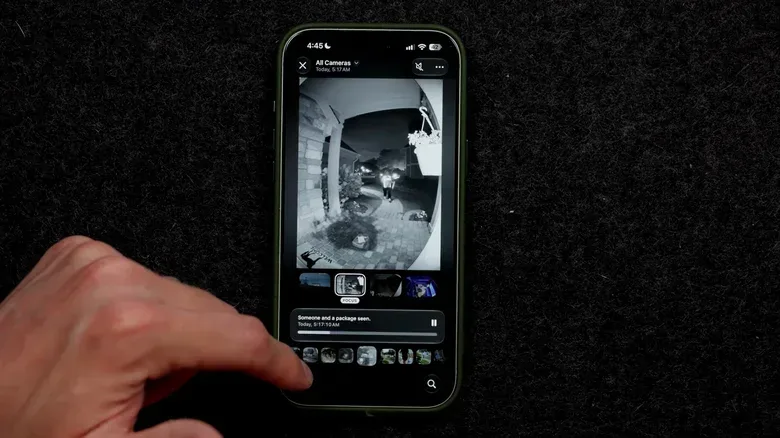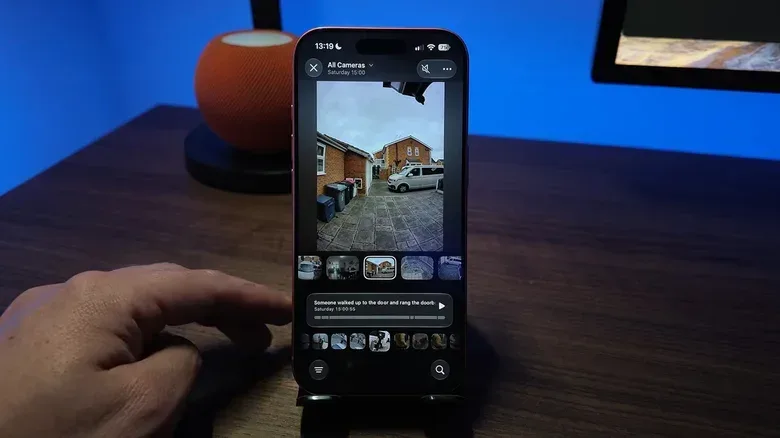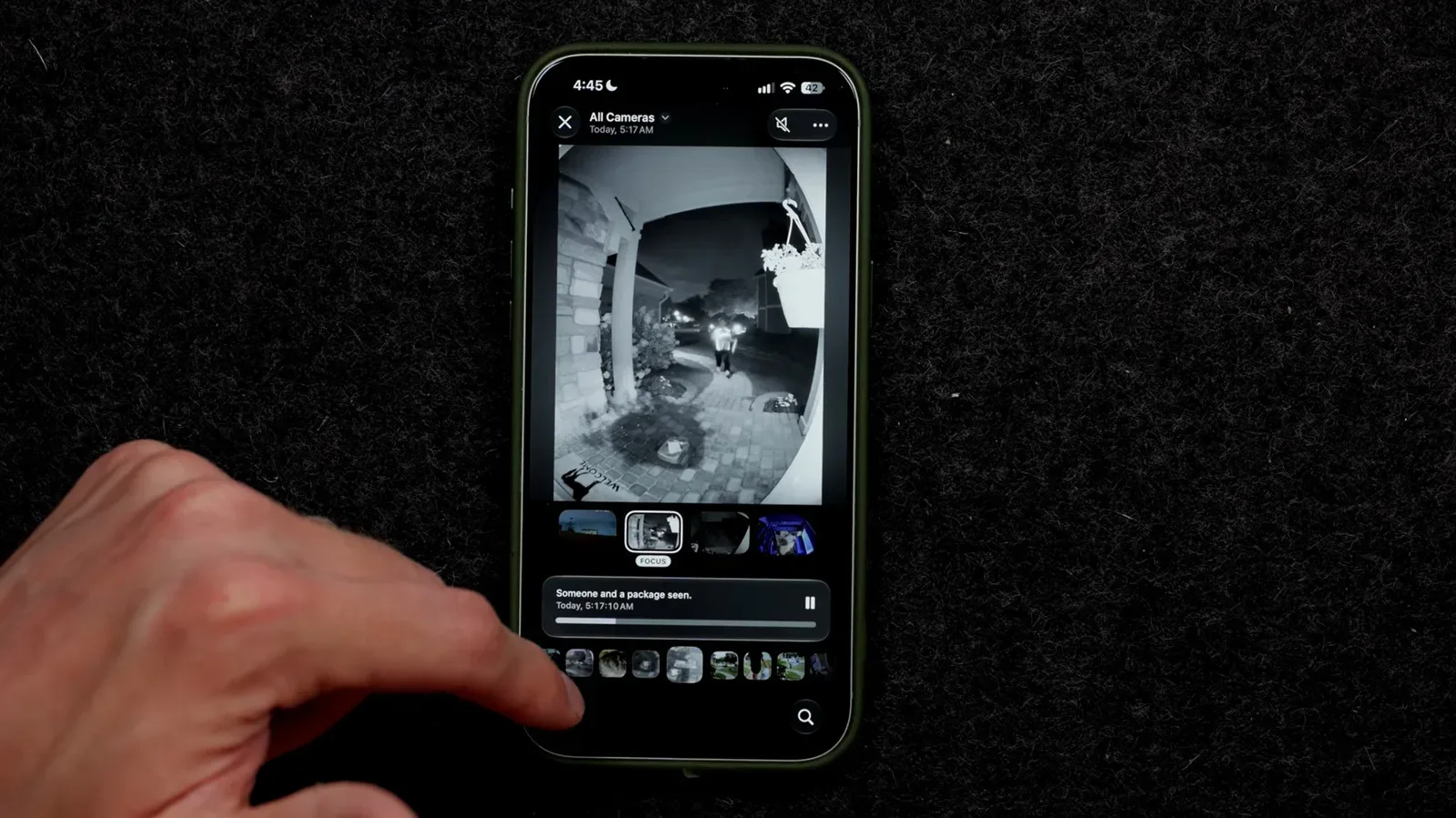
Apple’s new Home camera intelligence has a very understandable sales pitch: instead of scrolling through a parade of motion clips to learn why your phone buzzed, ask what happened and get a concise description. The catch is that turning a smart-home camera into a tiny neighborhood detective can carry a distinctly non-tiny iCloud+ bill.
With iOS 27, Apple is bringing Apple Intelligence features to HomeKit Secure Video cameras. The new tools can create descriptions of captured video, combine related clips from more than one camera into a broader account of an event, support natural-language searches through recordings, and group similar videos to cut down on notifications.
That could be genuinely useful. A person approaching a front door, a package delivery, or activity moving from a driveway camera to a porch camera are all cases where a connected account is more helpful than a stack of isolated clips. Apple’s example describes a person arriving at a home carrying a fruit bowl, with Face Recognition helping identify the visitor. In other words, this is not merely a motion alert that says something moved; it is intended to provide a readable account of who or what the system believes it saw.
But the useful part comes with a sharp eligibility and storage threshold. For AI-enabled camera descriptions, one camera requires a 2TB iCloud+ plan at $9.99 per month. A second enabled camera requires the 6TB tier at $29.99 monthly. Enabling between three and the five-camera maximum requires 12TB at $59.99 per month.
At that upper level, the storage requirement amounts to $719.88 over a year before tax. The iCloud+ storage is also described as separate from a household’s family iCloud storage plan. That turns the decision from a simple software toggle into a budget question: is having a camera summarize this event worth moving into a significantly larger cloud-storage tier?
What the feature is actually meant to do
“Video descriptions” are written summaries generated from Home camera footage. Rather than manually opening each recording and watching it, users can review a text account of an event. Apple’s system can also bring together related footage across cameras, which matters in a multi-camera setup where one moment may unfold in several places.
Natural-language search is the other major convenience feature. That phrase means searches written like ordinary requests instead of strict filters and file names. The intended benefit is quicker retrieval of a particular event from a recording library without needing to sift through every motion-triggered clip.
Face Recognition is a separate but related capability. Once enabled and configured, it lets the Home setup recognize familiar people using entries from the user’s camera roll and recent camera detections. A person initially listed as unidentified can be assigned a name, and the user can choose whether to receive notifications when that person appears in camera view.
Related coverage includes Apple Home AI Camera Summaries Bring Steep iCloud+ Storage Requirements.
The combination is what makes the summaries more specific: a description can potentially identify a familiar visitor and what they were doing. It also raises the usual practical point for household cameras: face-identification settings deserve the same care as the camera placement itself. Users should decide which people they want recognized and which alerts they actually need, rather than treating every available switch as a must-enable upgrade.
The storage ladder is the real gatekeeper
HomeKit Secure Video already used iCloud+ storage plans before these AI additions, with 50GB, 200GB and 2TB options available for camera networks. The new Apple Intelligence camera features are different because their requirements begin at the 2TB tier and escalate quickly with each additional enabled camera.
- One AI-enabled camera: 2TB iCloud+ at $9.99 per month.
- Two AI-enabled cameras: 6TB iCloud+ at $29.99 per month.
- Three to five AI-enabled cameras: 12TB iCloud+ at $59.99 per month.
The important wording here is AI-enabled. The feature does not have to be activated on every camera. A household could reserve video descriptions for a front-door camera, where deliveries and visitors are likely to make summaries valuable, while leaving a backyard or side-yard camera out of the AI feature set. That choice may avoid paying for capacity tied to a wider deployment.
This makes selective use the most sensible first step for anyone interested in the technology. The front entrance may yield frequent, actionable events. A camera that mainly catches nocturnal wildlife, passing shadows, or a pet’s repeated patrol route may offer far less return for an AI-generated description. A system that can say “delivery arrived” is handy; a recurring bulletin about a raccoon’s latest commute may be less compelling at premium cloud-storage prices.
Apple says supported cameras and iCloud+ features may change over time. That means buyers should treat the current support and pricing structure as a snapshot, not a permanent guarantee. It is especially important to check current camera compatibility before changing an iCloud+ subscription or buying hardware around the feature.
Hardware requirements narrow the audience
The storage plan is not the only requirement. The Home setup needs a second-generation HomePod, a HomePod mini, or an Apple TV 4K running the latest operating system. Users also need an Apple Intelligence-capable iPhone, identified here as an iPhone 15 Pro or later.
Those requirements matter because a smart-home feature can look like a camera upgrade while actually depending on several devices in the broader Apple ecosystem. Someone with compatible cameras but an older phone—or without the required HomePod or Apple TV 4K hub—will not be able to simply subscribe and proceed.
The Apple TV 4K requirement also fits its role in a connected home rather than its more familiar identity as a streaming box. Anyone already considering the device for the household setup may want to follow developments around the reported Apple TV 4K move to A19 and a finder-friendly Siri Remote, while remembering that product reports and feature eligibility are separate matters.
Compatibility should be checked at three levels: the camera itself, the home hub, and the iPhone used to enable Apple Intelligence. Skipping that check could lead to an expensive storage-plan change without a working path to camera descriptions.
How to enable the camera AI options
For users with qualifying hardware and storage, Apple’s setup path starts by confirming that Home is enabled in iCloud.
Confirm Home is enabled in iCloud
- On iPhone or iPad: Open Settings, tap your name, choose iCloud, then Show All and Home.
- On Mac: Open the Apple menu, go to System Settings, choose your name at the top of the sidebar, then select iCloud. From there, use See All, Show All, or Show More Apps, depending on the interface, and choose Home.
Turn on video descriptions for selected cameras
- Open the Home app on an iPhone.
- Select the Home tab.
- Tap the three-dot icon and choose Home Settings.
- Turn on Apple Intelligence.
- Select the cameras on which video descriptions should be enabled or disabled.
The last step is the one that has the most financial relevance. Start with only the camera or cameras that handle the events you most want summarized. The ability to select cameras individually means the feature need not become an all-or-nothing surveillance upgrade.
Set up Face Recognition only if it suits the household
After adding a camera to the Home app’s main screen, open Recognize Familiar Faces, turn on Face Recognition and continue through the prompts. To name a recently detected visitor, open the Home tab, select the camera, tap the settings gear, choose Face Recognition, select an unidentified person from the Recent list, and use Add Name. The settings can also be used to choose whether an appearance triggers a notification.
That notification choice is worth separating from recognition itself. A household might want the camera to recognize familiar faces for descriptions but not send a ping every time a frequent visitor crosses the frame. Reducing alerts without giving up a useful record is precisely the kind of tuning these systems need.
Use notification reduction to make the camera less noisy
Apple also includes a Reduce Notifications option under Home, the three-dot menu, Home Settings and Apple Intelligence. This is designed to help prevent repetitive alerts from taking over the day. It does not turn the camera into a human security operator; it is an attempt to make the notification stream more manageable by grouping similar video activity.
A premium convenience feature, not a compulsory upgrade
The strongest case for Apple Home camera summaries is not that every camera needs them. It is that one strategically chosen camera may benefit from them. A front entrance with deliveries and regular visitors is an obvious candidate. The value declines if the footage is predictable, unimportant, or already easy to review through existing alerts.
That distinction matters because the monthly jump is steep. Going from one to two enabled cameras adds $20 per month, while moving to the three-through-five-camera tier raises the monthly bill by another $30. The maximum tier is six times the cost of the one-camera 2TB plan. The number of enabled cameras therefore matters far more than simply owning several cameras.
The feature remains optional, so existing users are not forced into the higher tiers simply because Apple Intelligence has arrived in Home. That leaves room for a measured approach: verify compatibility, enable it on the camera with the clearest purpose, live with the resulting summaries and alerts, and only then decide whether broader coverage justifies a more expensive iCloud+ plan.
Apple’s smart-home AI pitch is a familiar one—less searching, fewer notifications, more immediate context. The unusual part is how plainly the cloud-storage ladder puts a price on that convenience. For some homes, a single camera that can summarize doorstep activity will be enough. For a five-camera installation, the software may be clever, but the subscription deserves at least as much scrutiny as the footage.