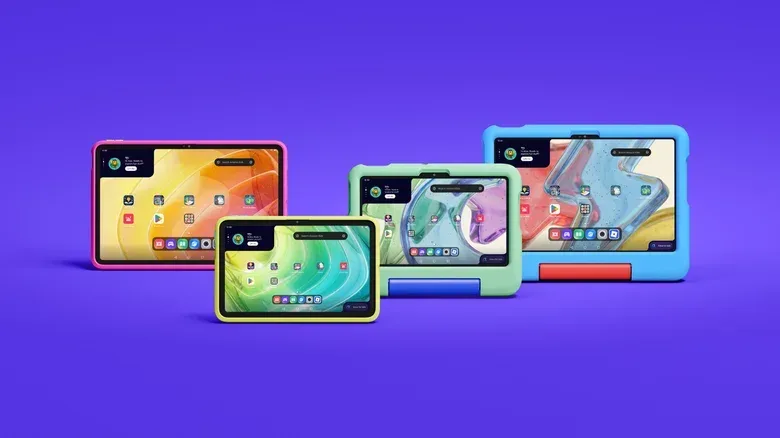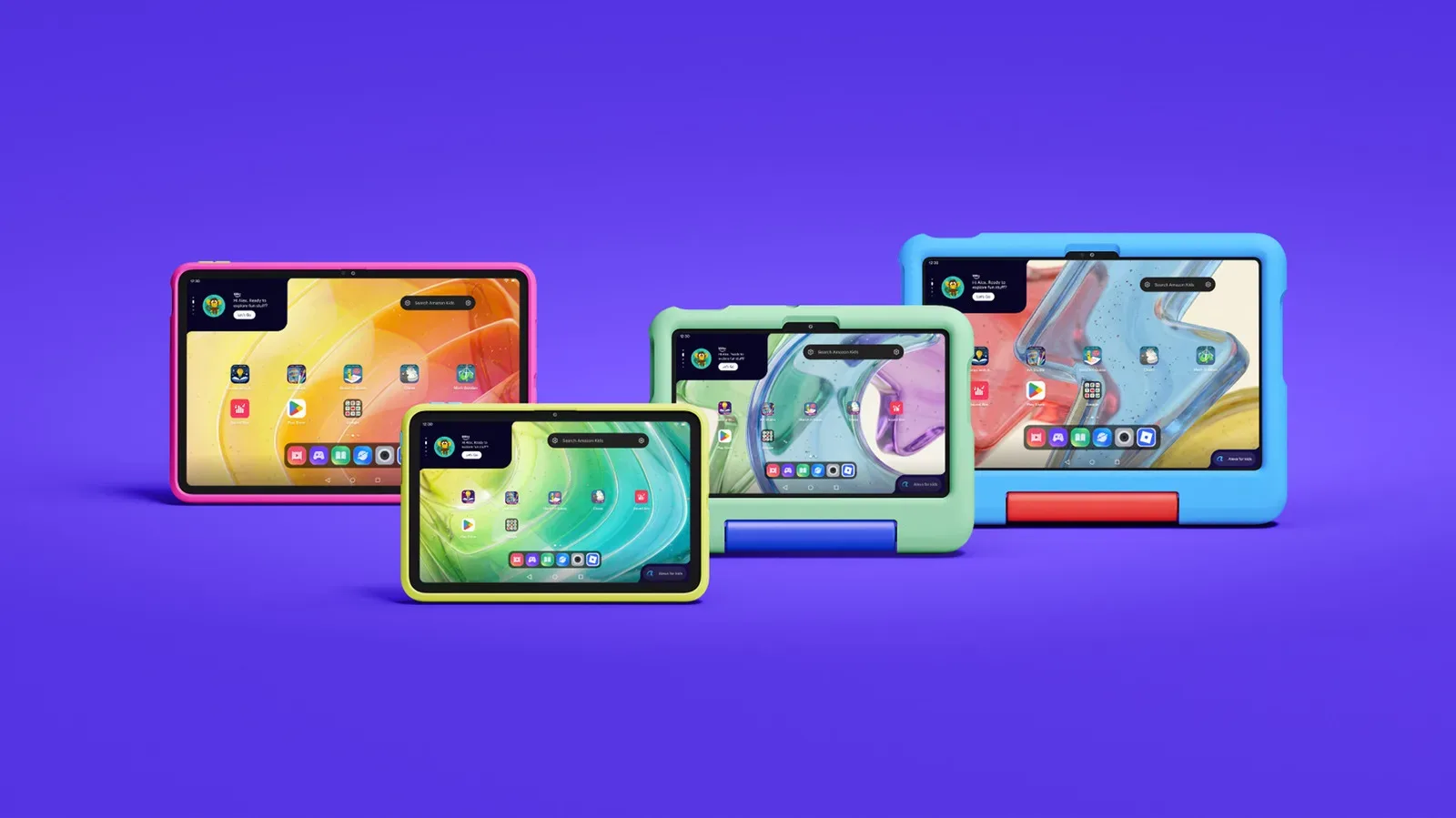
Amazon is extending its new Android-based Alexa Tablet range to younger users with two child-focused models: the Amazon Kids Tablet 8 and Amazon Kids Tablet 11. The formula is familiar—durable-looking colorful cases, child-oriented software and a bundled year of Amazon Kids+—but the underlying hardware is part of the company’s newer tablet generation rather than a continuation of its old Fire tablet approach.
The two models are scheduled to go on sale October 14 for $230 and $330, respectively. That places the entry point substantially above earlier Fire Kids tablets, which regularly began at $100. The higher prices come alongside an all-aluminum chassis, an unnamed eight-core processor and access to Android apps through the Play Store, though families weighing the purchase will want to distinguish between a tablet’s raw platform potential and the child-friendly experience Amazon actually bundles.
Two screen sizes, matching the broader Alexa Tablet family
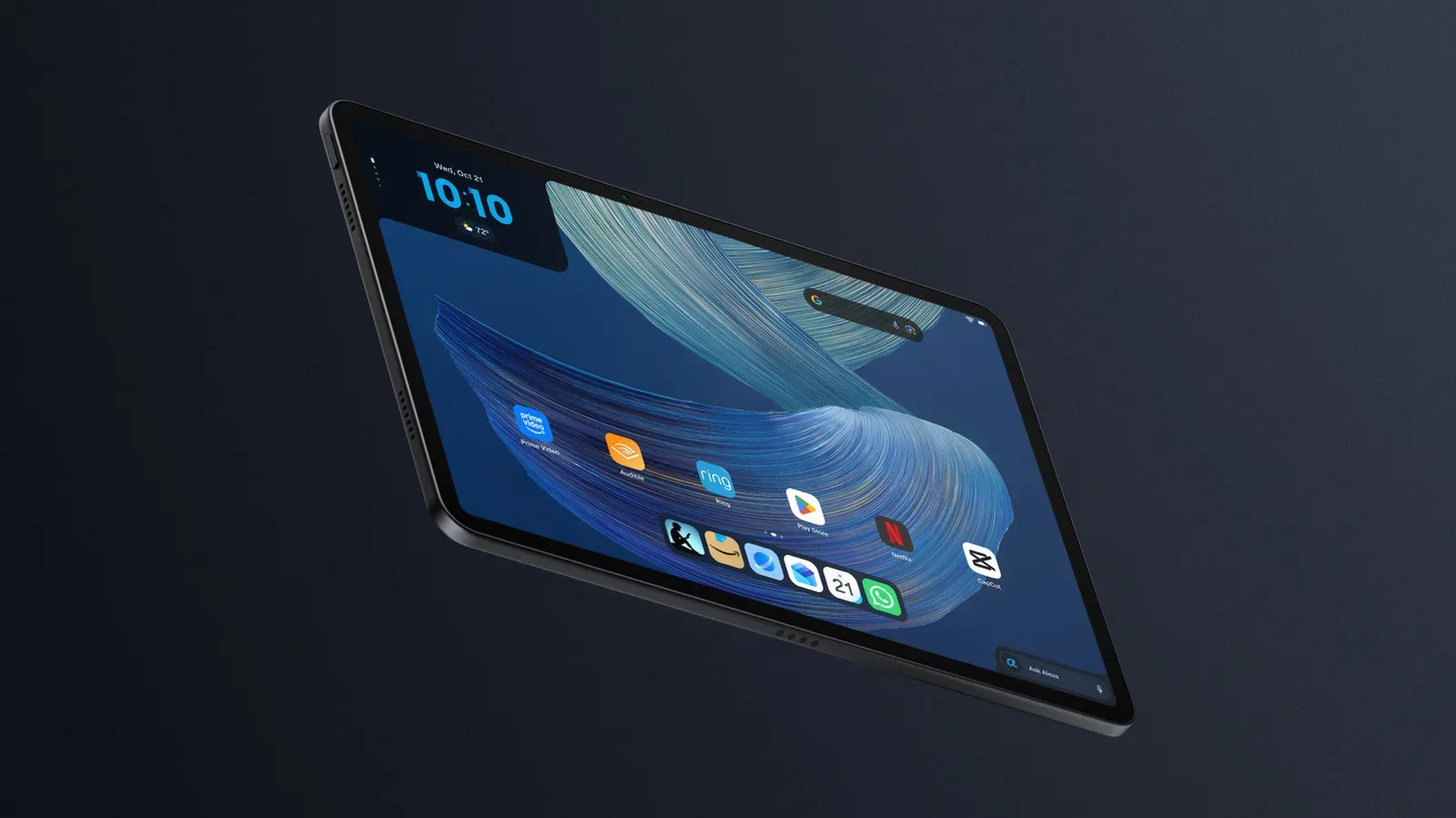
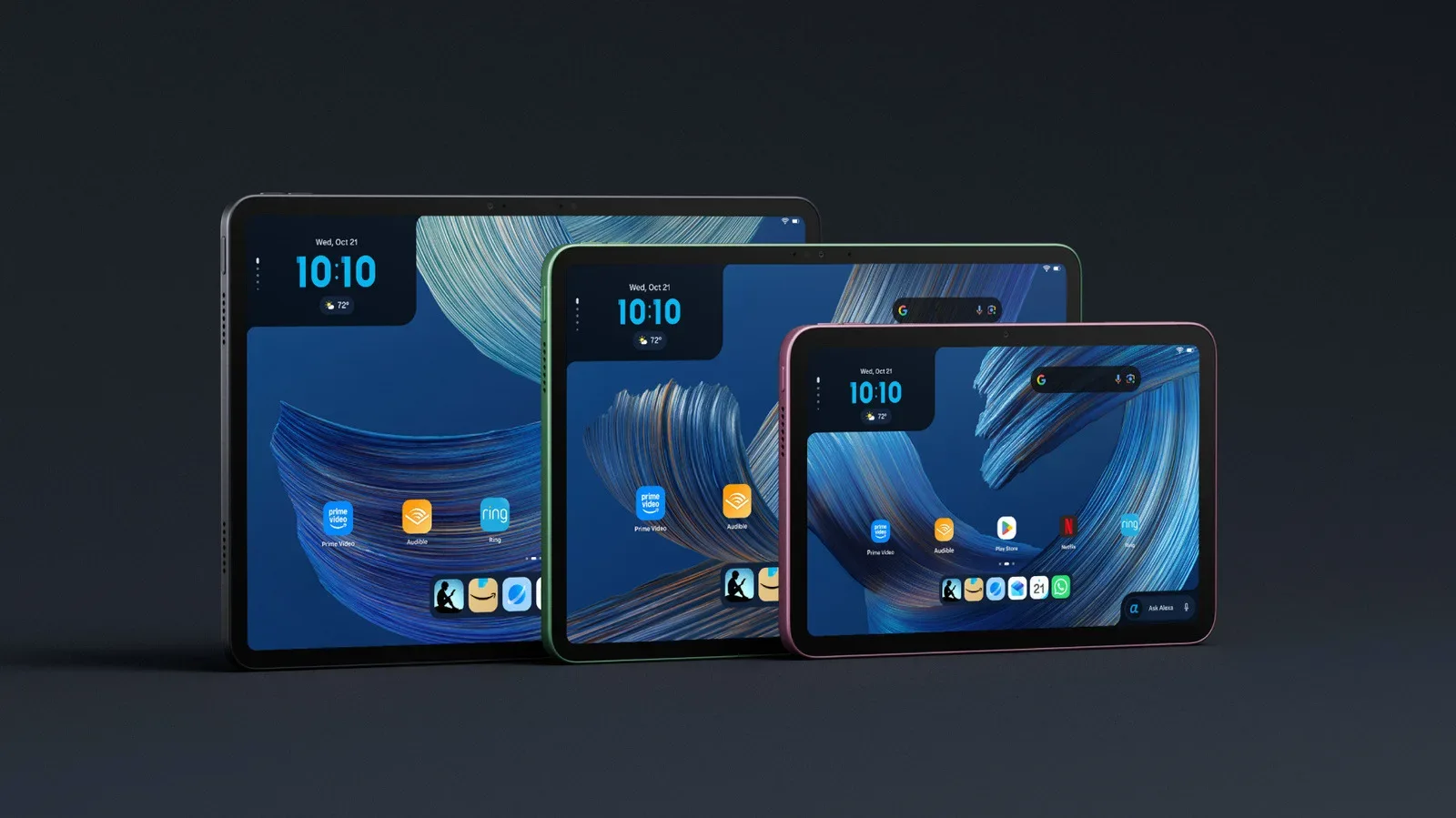
The smaller Amazon Kids Tablet 8 has an 8.7-inch display and corresponds to the Alexa Tablet 8. The Amazon Kids Tablet 11 uses an 11-inch display and lines up with the Alexa Tablet 11. Amazon says both use the aluminum design being introduced across this tablet generation and run an eight-core processor, although it has not identified the processor model.
Screen size is the clearest practical difference described so far. An 8.7-inch device should be the more compact option for reading, streaming and carrying around, while an 11-inch display gives shows, books and games more room on screen. Neither description establishes differences in storage, cameras, memory, display resolution or charging, so those are details prospective buyers should avoid assuming from the size distinction alone.
Amazon rates the Kids Tablet 8 for up to 14 hours of video playback and the Kids Tablet 11 for up to 15 hours. Video-playback claims are a specific battery measurement, not a universal prediction for every family’s routine. Games, downloaded apps, voice features and varying screen use can make real-world usage look different. Still, the stated figures provide a useful like-for-like indicator: Amazon’s own estimate gives the larger model a one-hour edge in video playback.
The move to an Android-based Alexa Tablet platform is especially notable for families who may want software beyond a tightly controlled preloaded catalog. Amazon says kid-friendly Play Store apps are theoretically available. “Theoretically” matters here: availability can depend on whether a particular app is offered through the Play Store, works with the hardware and fits the account or parental setup in use. A familiar Android app ecosystem is a meaningful capability, but it is not the same thing as a promise that every app a child asks for will be appropriate or accessible.
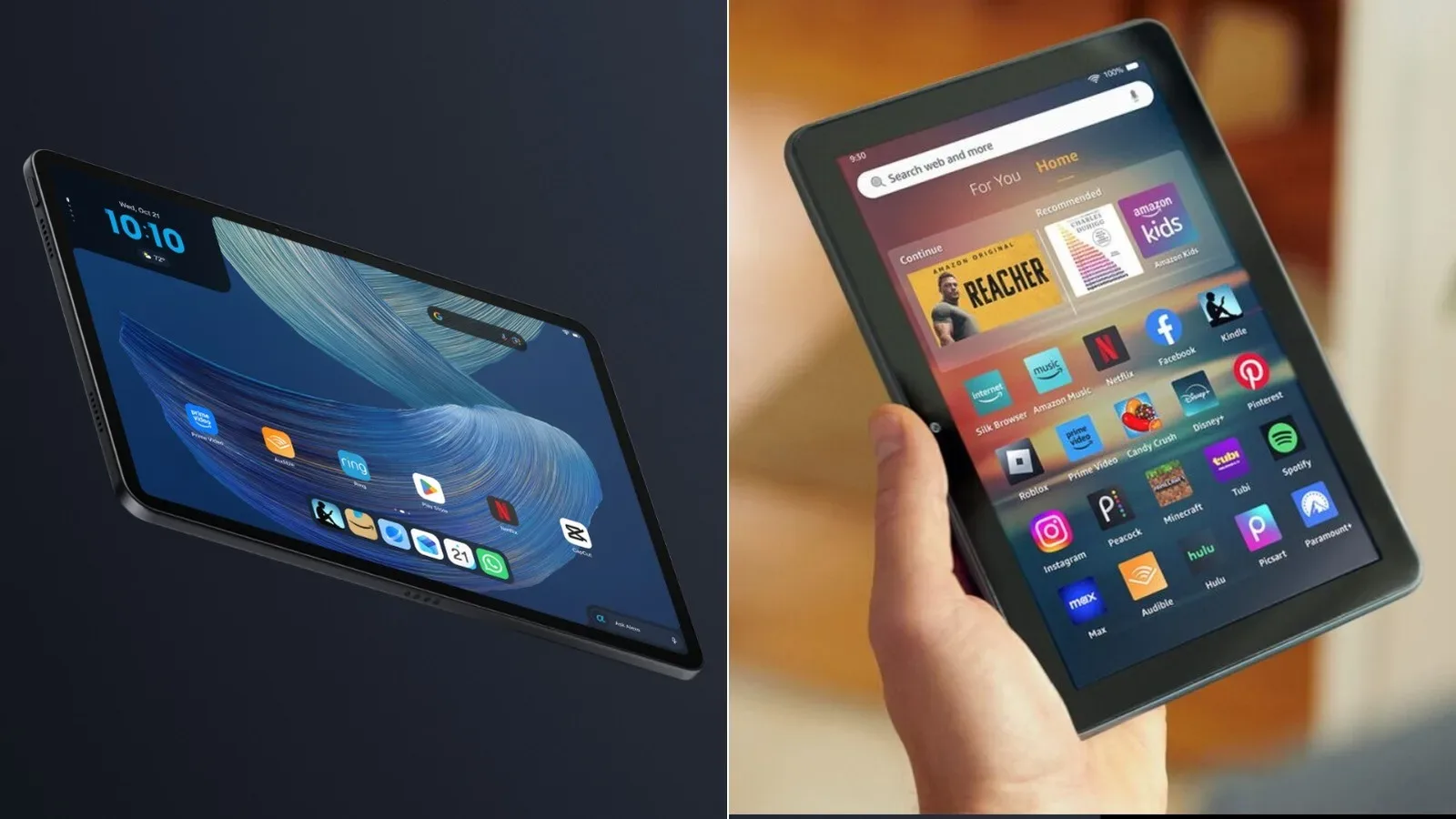
For more context on how Amazon’s newer Alexa hardware differs from its Fire-era positioning, see this comparison of the Alexa Tablet 12 Pro and Fire HD 10.
The cases are part of the product, not an afterthought
Amazon is offering two case styles designed around different age ranges. Children ages three and up can get a soft bumper case with a handle. For ages six and up, there is a slimmer hard case with a folding kickstand. Both use bright colors, while the younger children’s cases can include themes based on franchises including Paw Patrol and Barbie.
That split reflects two different jobs a tablet case can do. A soft bumper and handle prioritize easier carrying and impact protection, which is likely more useful when a device is frequently moved around by a younger child. A hard case with a kickstand instead emphasizes propping the screen up for watching video, reading or using touch controls at a table. Neither design alone makes a tablet “kid-safe” in every sense; physical protection and content supervision are separate considerations. But choosing the case by how the device will be used may be as important as choosing between the two screen sizes.
The themed versions may also matter to a child deciding whether the tablet feels like their own device rather than a household hand-me-down. At the same time, buyers should treat franchise artwork as a design option, not as a difference in the underlying tablet specification. The supplied details describe the same fundamental child-focused tablet concept with a choice of form factor, case style and visual presentation.
Alexa for Kids, Dynamic Tab and a year of Kids+
On the software side, Amazon is providing easy access to Alexa for Kids. This is the child-oriented version of the company’s voice assistant experience. Voice access is central to the pitch because it can simplify searches and requests for children who may not navigate a conventional tablet interface as independently as older users.
The new Dynamic Tab is another key component. Amazon says it recommends content based on a child’s age range. In plain terms, it is a discovery feature: rather than expecting children to search through a full catalog, it attempts to surface suitable books, shows and games. Recommendation systems can make a large library feel more manageable, but they are also not a substitute for a parent or guardian checking profiles, settings and what a particular child is actually engaging with.
Each device includes one year of Amazon Kids+. The service supplies ad-free books, shows and games. “Ad-free” is a useful qualifier for a children’s media bundle because it means the included content is presented without advertising interruptions. It does not, by itself, describe every app a child could access elsewhere on Android, and it should not be read as a blanket statement about all content available on the device.
Amazon is also introducing Storybuilder, a feature intended to let children use their voices to create illustrated stories. The concept sits naturally alongside voice access and children’s reading content: a child can contribute an idea verbally and receive a visual story output. The information currently available describes the broad function, rather than the limits of prompts, the level of adult controls or the exact creative tools involved. Those unanswered details could be important for households deciding how actively they want to supervise voice-based features.
What an eight-core processor does—and what it does not tell buyers
Amazon describes both tablets as using an eight-core processor. A processor is the component that carries out the device’s calculations and helps run the operating system, apps and games. “Eight-core” means that the processor contains eight processing cores, which are units able to handle computing tasks. It is a general description of the chip’s structure, not a direct performance score.
Without the processor’s name, speed, graphics details or memory specifications, it is not possible to make a reliable claim about how these tablets will compare with another Android tablet or older Fire Kids hardware. The available information does support a more modest conclusion: Amazon is presenting the Kids Tablet 8 and Kids Tablet 11 as sharing the new generation’s general hardware direction, rather than being reduced-function products built entirely apart from the main Alexa Tablet line.
That shared foundation could be important for families hoping a children’s tablet can handle a mix of streaming, reading, age-appropriate games and Android applications. But buyers focused on a particular game or app should check that application’s requirements once the tablets are available. The inclusion of Play Store access creates more possibilities; it does not establish performance for every demanding title.
The price change is the main trade-off
At $230 for the Kids Tablet 8 and $330 for the Kids Tablet 11, Amazon’s new models are still positioned as comparatively accessible tablets rather than premium luxury hardware. Yet “affordable” depends heavily on the buyer’s baseline. They are no longer near the especially low $100 starting point associated with older Fire Kids tablets.
The result is a different purchasing question than before. The appeal is not simply the cheapest possible kid-ready screen. Instead, Amazon is combining newer Alexa Tablet hardware, aluminum construction, Android app access, protective case choices and a one-year Kids+ subscription. Families can decide whether that bundle is worth the higher initial spend based on the importance they place on the updated platform and included services.
- Choose the Kids Tablet 8 if a smaller 8.7-inch screen, a lower $230 price and Amazon’s stated 14-hour video-playback estimate fit the household better.
- Choose the Kids Tablet 11 if the larger 11-inch display and stated 15-hour video-playback estimate justify its $330 price.
- Consider the bumper case route for children three and older who would benefit from a handle and softer protective design.
- Consider the hard kickstand case route for children six and older who are more likely to use the tablet propped up on a surface.
- Review the software setup if Play Store access, voice features and age-range-based recommendations are major reasons for buying the device.
Amazon’s new Kids Tablets therefore appear to be a more fully equipped, and more expensive, evolution of its child-tablet proposition. The October 14 launch will bring a choice between two sizes, two age-targeted case styles and a package built around Alexa for Kids, Kids+ content and Android’s broader application ecosystem. The most meaningful unknowns remain the unnamed chip’s detailed capabilities and the finer points of how the new Storybuilder and child-oriented app access work in practice.