RAM and ROM are often introduced as a tidy two-part answer: one is temporary, one is permanent. That basic distinction still helps, especially when a game stutters after too many browser tabs have joined the party. But modern devices have complicated the old labels enough that “ROM” can now mean several different things depending on whether the conversation is about a PC motherboard, a smartphone specification sheet, or a retro cartridge.
The clearest way to think about them is this: RAM is the device’s active workspace, while ROM traditionally held instructions that persist without power. RAM is where the processor keeps material it needs to work with right now. Traditional ROM retained fixed data, including the essential code a machine needs when it starts. The twist is that most components still described as ROM today are not literally impossible to rewrite.
RAM is the fast workspace behind the game
RAM means random access memory. “Random access” does not mean chaotic; it means the processor can reach a needed piece of data directly and quickly rather than having to read through everything that came before it. That speed is the point. When a device opens an application or browser tab, relevant data is brought from longer-term storage into RAM so the processor can get to it on the order of nanoseconds.
For gaming, RAM is the working desk, not the filing cabinet. The game, operating system, background applications, and other currently needed data all compete for that desk space. More capacity gives the system room to keep more apps and tabs active, and to handle more demanding games, before it has to move data back and forth with slower storage.
That fallback is commonly called swapping: when available RAM is insufficient, the system leans on storage instead. Storage is built to retain data, not to stand in for high-speed active memory. The practical result is why adding capacity can matter even when a machine technically still launches a game: fewer resources have to be shuffled out of the fast workspace.
Why RAM forgets when power goes away
The dominant mainstream RAM type is DRAM, or dynamic random access memory. A DRAM bit is stored as electrical charge in a tiny capacitor. That charge has to be refreshed thousands of times each second. Remove the power and there is no refresh cycle; the stored information vanishes.
This property is called volatility. Volatile memory needs power to keep its contents. It is not a flaw in the everyday sense. It is part of the design trade-off that makes DRAM suitable for the processor’s rapid, temporary work. It also explains why unsaved progress and open documents do not survive a full loss of power merely because they were sitting in memory.
Different devices package RAM for different jobs:
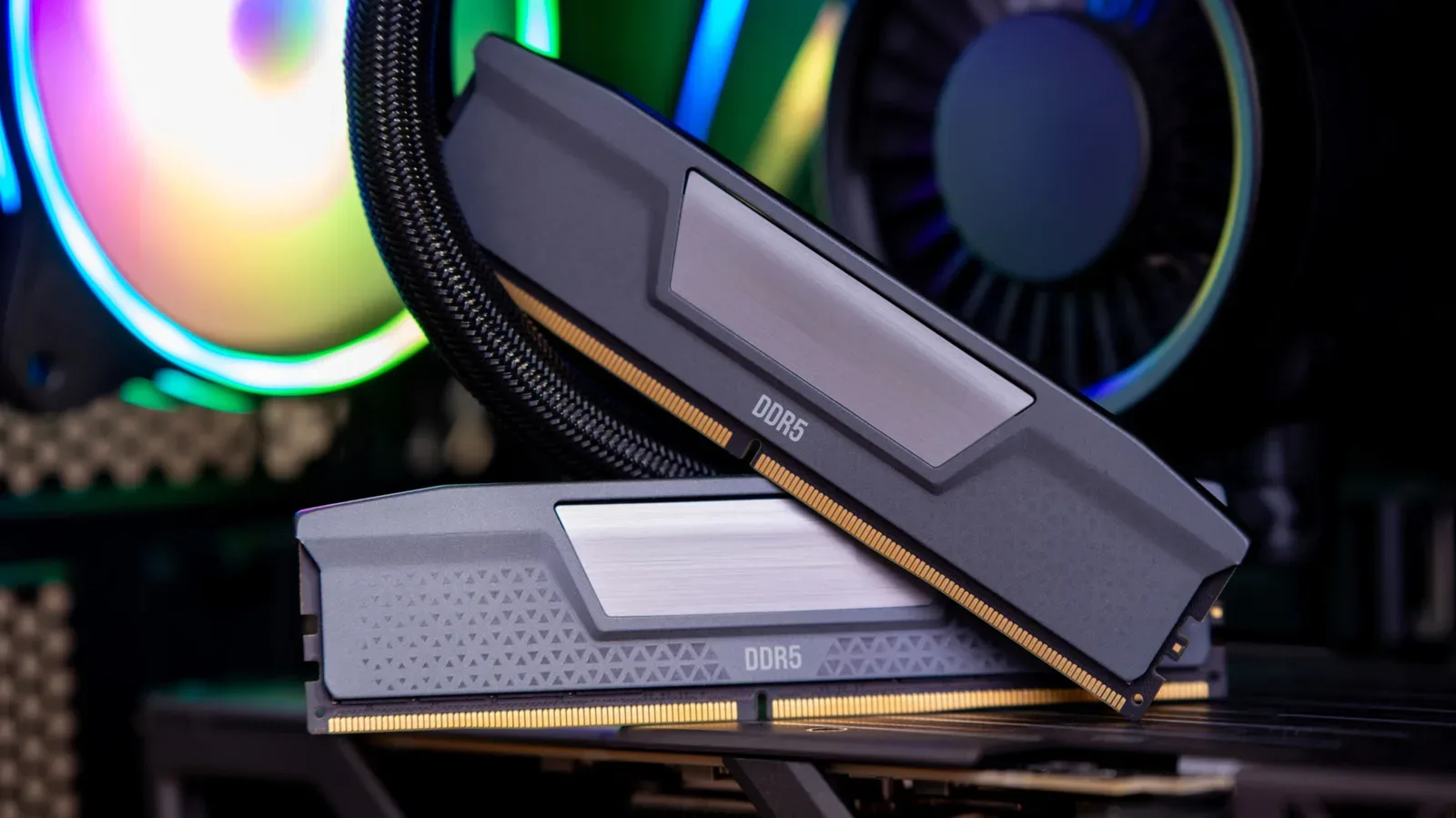
- DDR5 is familiar to many desktop PC builders as the memory installed in sticks.
- LPDDR is used in phones and thin laptops and is soldered to the board.
- GDDR is positioned around a graphics processor in graphics cards.
Those names describe RAM used in distinct device contexts, but they share the core role: holding active information for quick access. It is important not to confuse these labels with a universal performance ranking. A part belongs in a system designed around its purpose; desktop modules, soldered mobile memory, and graphics memory are not interchangeable shopping-list entries.
Why RAM capacity has practical consequences
A larger RAM number does not magically make every operation faster. Its most straightforward benefit is capacity: it allows more active work to remain available at once. That can mean more browser tabs, more simultaneously running applications, or more headroom before the system begins relying on slower storage.
For a player, that makes RAM less glamorous than a graphics card but no less fundamental. The GPU draws the attention, while RAM helps keep the broader system from turning every open launcher, chat window, browser guide, and game process into a cramped inventory-management minigame.
Memory capacity and memory supply are also not abstract issues. Conventional DRAM contract prices reportedly rose 90 to 95 percent quarter-over-quarter at the beginning of the year, amid strong demand from AI data centers. Companies are building data-center capacity at scale, and the supply pressure has consequences beyond enterprise hardware.
One example of that demand is NVIDIA’s stated plan to invest up to $100 billion in OpenAI to build 10 gigawatts of AI data centers, although that particular arrangement is stalled. The larger point does not rely on that one proposal: AI infrastructure is consuming memory supply while companies race to expand data-center resources. Micron also announced that it would end its Crucial consumer brand to focus more on higher-margin AI data-center demand, with operations ceasing in February.
For people planning a PC upgrade, the useful lesson is modest rather than apocalyptic: RAM is a real component with a supply chain, and its pricing can move sharply. Capacity still needs to match the workload. Buying around a real need—more simultaneous tasks or a game that pushes the current system into swapping—is more meaningful than treating every capacity number as an automatic upgrade.
ROM began as genuinely permanent memory
ROM means read-only memory. The original meaning was literal. In early ROM chips, information was built into the circuitry at manufacture. Changing it required new silicon from the factory. This was durable, persistent information in the strictest sense: turn the device off and it remained, but users could not revise it.
That permanence was useful for code or data that was not expected to change. It also exposed the drawback immediately: a mistake could not be patched with a download, a quick update, or even a second attempt at writing the chip.
Programmable ROM, or PROM, offered an early variation. In 1956, Wen Tsing Chow of American Bosch Arma designed PROM so the US Air Force could load targeting data into missile-guidance computers by blowing microscopic fuses in a chip. It was programmable, but only once. Blown fuses could not be restored, so errors became permanent alongside the intended data.
That is the key historical distinction: the “read-only” family gradually became less read-only because engineers kept finding ways to make memory programmable, erasable, and programmable again.
EPROM, EEPROM and flash memory
In 1971, Intel engineer Dov Frohman developed EPROM, or erasable programmable read-only memory, after investigating a reliability issue in another Intel product. EPROM chips included a small quartz window. Exposing the chip to ultraviolet light for several minutes could erase it for reuse.
That small window is a reminder that “erasable” once involved a much more physical process than an update screen. EPROM was a step beyond one-time PROM because a mistake did not require throwing away the chip, but it was still far from the convenient rewriting people now expect.
EEPROM, electrically erasable programmable read-only memory, replaced ultraviolet erasure with electrical erasure. Then flash memory broadened the idea into technology that became everyday hardware. Fujio Masuoka of Toshiba introduced NOR flash in 1984, followed by NAND flash in 1987.
NAND flash is now found in SSDs, smartphones, memory cards, and USB drives. In other words, the persistent storage inside modern devices is usually not frozen factory ROM. It is rewriteable flash memory designed to retain information without power.
Why motherboard “ROM” and phone “ROM” can be misleading
A PC motherboard may still be described as having a BIOS ROM. In practical modern terms, that component is a small flash chip that can be rewritten when firmware is updated. Firmware is software stored on hardware that provides low-level instructions needed for the device to start and operate. It is persistent, but it is not necessarily immutable.
That distinction matters because the label “ROM” can imply that an update is impossible. In reality, the flash chip used for motherboard firmware is updateable. The name has stuck because it describes the historical role—holding startup instructions—even though the underlying technology has moved on.
Phone specification sheets create a similar terminology trap. When Xiaomi lists “ROM” for the Redmi 13, it is referring to regular UFS or eMMC flash storage, with system partitions locked as read-only. UFS and eMMC are types of flash-based storage. The relevant point is that this is persistent storage, not traditional factory-set ROM.
A locked system partition means users are not meant to alter that portion in normal use. It does not transform all of the underlying flash into old-fashioned, physically unchangeable ROM. The label is about intended access and device role as much as chip physics.
Why old game cartridges and emulator files are called ROMs
Gaming preserves the older meaning especially clearly. Older plastic game cartridges can contain proper ROM chips. Their game data was fixed on the cartridge, which is why files extracted from them for use with emulators are commonly called ROMs.
In that usage, “ROM” refers to a copy of the data from a read-only cartridge chip. It does not mean that every file with a .rom-style label is a special kind of modern computer memory, nor does it mean a console’s cartridge behaves like desktop RAM. It is a historical name that still accurately points back to the cartridge format.
This is also why the same three letters can produce confusion across gaming conversations. A retro player may mean a dumped cartridge image; a phone shopper may mean internal storage capacity; a PC owner may mean firmware on a motherboard. The terms overlap in everyday language, but the hardware and purpose can be very different.
The short version to remember
RAM remains the easy half of the equation: it is fast, active, volatile memory. More of it lets a device juggle more work before it resorts to slower storage. ROM is the messy half because its traditional definition has been overtaken by erasable and rewriteable technologies.
- RAM: temporary working memory; loses contents when power is cut.
- Traditional ROM: persistent, factory-set data that cannot be altered.
- Modern “ROM” in many devices: usually flash memory or protected storage/firmware whose name reflects a legacy role, not a literal inability to be rewritten.
So if a game is struggling while your system is packed with other active tasks, RAM is the term to investigate. If a retro discussion mentions a cartridge dump, ROM is probably being used in its classic sense. And if a phone spec advertises ROM, read it as persistent flash storage rather than a promise of a tiny, unchangeable chip from computing’s earliest eras.
That same habit of translating technical labels into their real-world job is useful elsewhere in a setup, from storage decisions to networking settings such as router QoS and online-match performance.