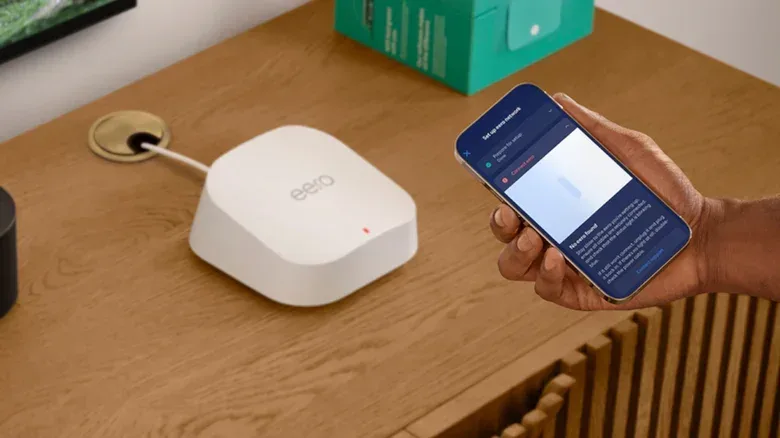
A router’s Quality of Service setting sounds like a button that ought to make everything better. The name certainly does it no favors: who would knowingly choose less quality of service? In practice, QoS is a traffic-management tool, not a free internet upgrade. It can be valuable when a crowded home network is fighting over limited bandwidth, particularly if an online game, a video call or a stream needs to remain responsive while somebody else starts a massive download.
It can also be unnecessary—or counterproductive—when a connection already has plenty of headroom, the router lacks the processing power to manage traffic efficiently, or its priorities do not fit what the household is doing. The useful question is not simply whether QoS exists in a router app. It is whether the network has a real congestion problem for it to solve.
QoS means traffic prioritization, not faster internet
QoS is short for Quality of Service. Internet data is sent in small units called packets. A home router has to receive, inspect and forward enormous numbers of those packets as devices request them: a game client exchanges information with a server, a TV buffers video, a phone syncs applications, and smart-home gear checks in online.
When there is enough available capacity, this is mostly invisible. But a connection can become crowded. Without a prioritization system, comparatively time-sensitive data may be treated much like less urgent traffic. An email can arrive a moment later without a meaningful consequence; an online multiplayer game may feel the impact immediately.
QoS attempts to identify traffic and decide what should proceed first. Streaming media, voice and video calling, and online games are common candidates for higher priority. Some routers also allow a household to set its own preference. A person handling large client-project downloads, for instance, might decide those transfers matter more than other activity during a certain period.
This distinction matters because bandwidth and responsiveness are not the same thing. A connection can be capable of moving plenty of data overall while still responding poorly when the queue gets busy. For gaming, that responsiveness is often described as lag: a delay between an action, the game’s network communication and the response seen on screen. Even an additional 20 milliseconds can matter in a competitive moment where landing a shot and getting eliminated are separated by a very small window.
That does not mean QoS makes a game server better, repairs a weak Wi-Fi signal or raises the speed supplied by an internet plan. It is a local traffic-control mechanism. Think of it as deciding which vehicles get through a bottleneck first, not as building extra lanes from the house to the internet.
Why a modern home can run into a traffic jam
Router settings can feel like a technical side quest, especially when most router control has moved into simplified phone apps. But the setting is worth understanding because a single home connection may now be serving phones, PCs, consoles, TVs, watches, smart lights and other connected devices at once. A network that seems fine during a quiet afternoon can behave very differently when a high-resolution stream, a console update, a game download and a video meeting all begin competing for capacity.
The pressure is especially understandable on lower-speed service. QoS may be important on plans under 500 megabits per second when the household has numerous demanding devices or users. As a point of scale, 4K HDR video is typically recommended to have 15 to 25 Mbps available, while PC game downloads can reach dozens or even hundreds of gigabytes. Routine operating-system and app updates add more background demand.
Games are a useful example of why raw download size is not the whole story. Downloading a game may take a long time and consume substantial capacity, but an active online match tends to need consistency and low delay rather than a gigantic transfer all at once. QoS can favor the relatively urgent game traffic while allowing a large download to make slower, steadier progress. That is less glamorous than a speed-test screenshot, but it can be more noticeable in use.
In short, QoS is most relevant when several things are asking the network for service at precisely the same time. It is a tool for arbitration. It does not make every task finish first; it selects which task is least allowed to wait.
QoS, SQM and bufferbloat: the terms behind the menu
Router makers do not always use the same labels. A setting might be called QoS, device prioritization, gaming priority or something similar. Another term worth looking for is SQM, meaning Smart Queue Management.
SQM is an evolution of the basic QoS idea. It is designed to address bufferbloat, a form of delay caused when too many packets are held waiting in a queue to be processed. The word “buffer” refers to that temporary waiting area; “bloat” describes the problem when the queue becomes excessively large. The result can be a connection that feels sluggish at exactly the moment somebody is saturating it with a download or upload.
Rather than merely promoting certain traffic toward the front, SQM uses advanced scheduling and traffic shaping. Traffic shaping is the controlled management of data flow so the connection does not simply fill its own queues and force time-sensitive packets to sit behind a pile of less urgent work. That makes SQM particularly relevant to the problem where the network looks busy enough on paper but feels delayed in practice.
The caveat is hardware. Detecting, sorting, scheduling and shaping traffic quickly demands router processor capacity. Not every router is built for it. SQM may be more likely to appear in Eero mesh systems and in gaming-focused routers, which are positioned as high-performance products with traffic prioritization in mind. Anyone shopping specifically for QoS or SQM should check the official product specifications rather than assuming a gaming-themed design guarantees either feature.
It is also worth separating router capability from Wi-Fi coverage. QoS manages traffic decisions; it does not inherently extend signal range or eliminate every wireless obstacle. If the core issue is poor coverage, QoS is addressing the wrong problem. Likewise, it is not a substitute for a stable route from the device to the router. It is a queue-management answer to a queue-management problem.
When turning QoS on makes sense
QoS is a sensible experiment when all of the following sound familiar:
- Your internet plan is limited, especially below 500 Mbps.
- Several people or devices regularly demand bandwidth at once.
- Gaming, calls or streaming become noticeably worse when downloads and updates begin.
- Your router offers a QoS option, and it is not already enabled.
For a player, the practical aim is not to declare every game packet more important than everything else forever. It is to avoid a situation where an update or giant download crowds out the small, frequent exchanges that keep an online match responsive. The same reasoning applies to voice and video calls, where delayed data can make conversations awkward even if the connection’s headline speed looks respectable.
Use the controls with a specific problem in mind. If the router permits priority assignments, choose the activity or device that genuinely needs prompt delivery. Then observe whether the original symptom changes during the conditions that previously triggered it. If the network trouble only occurs while multiple devices are active, that is the scenario in which prioritization is meant to earn its place.
This is a better approach than wandering through every networking menu in pursuit of an abstract “optimized” setting. Router administration can become as needlessly convoluted as turning a straightforward location share into a navigation quest; there is a reason practical explainers such as this guide to dropping a Google Maps pin focus on the small action needed to solve the actual problem. With QoS, identify the congestion issue first, then change only the setting relevant to it.
Why QoS should often stay off
A gigabit plan has enough bandwidth that device starvation is less likely in ordinary household use. In that situation, QoS and SQM can be redundant. Turning them on does not automatically make games smoother, streams sharper or downloads faster. If everything already operates reliably, there may be no bottleneck for the router to manage.
There are potential downsides. QoS can prioritize the wrong traffic at the wrong time, particularly if its classifications or user-assigned rules do not match the activity that matters. It can also place additional work on the router’s processor. A router without sufficient horsepower may not benefit from being asked to inspect and manage every flow in a more sophisticated way.
Basic QoS also should not be confused with a complete bufferbloat solution. Ordinary prioritization may move selected packets ahead in the line, but it does not necessarily provide the more advanced queue management associated with SQM. For a household with fast service and no evident contention, adding that complexity may offer no practical return.
A useful decision rule for players and households
Leave QoS alone when the connection is already smooth. Enable or test it when slow service and competing demands create repeatable problems. Look for SQM when bufferbloat is the concern and the router supports the processing workload. And keep expectations grounded: the feature can help decide whose packets get served first when the network is congested; it cannot turn an ordinary connection into an entirely different internet plan.
That modest role is still valuable. In a busy home, a router is not just passing data along—it is making countless tiny scheduling decisions. QoS gives it a way to treat a live match, a call or a stream as more urgent than work that can safely wait a little longer. For the right network, that can be the difference between a download happening in the background and a download taking the whole lobby down with it.