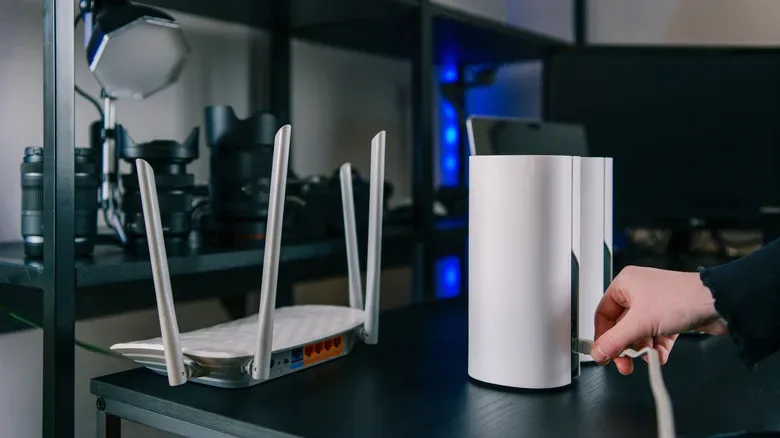
When a game starts rubber-banding in the back bedroom, it is tempting to declare war on Wi-Fi with the spare router in a drawer. Plug it in at the other end of the home, give it a catchy new network name, and enjoy the apparent victory. But a second router left in its standard router configuration often does more than widen wireless coverage. It can build a second network inside the first one, which is rarely the kind of bonus level a household needs.
For a typical gaming home, one device should be responsible for routing: assigning local addresses, directing traffic among devices, applying firewall rules and translating that local activity for the internet connection. Extra hardware can still be extremely useful. The key is choosing a role for it that extends the existing network rather than accidentally setting up a separate one.
That distinction matters most when the connection is asked to do more than browse, stream video, or download an update overnight. Multiplayer games, voice chat systems, remote access, port forwarding, UPnP and devices that need to see one another on the local network can expose a messy configuration quickly. Before buying more gear—or turning on an older router—identify whether the real problem is coverage, a shortage of wired ports, or a need to place your preferred router in control.
Why two routers can become a double NAT problem
A router is not merely a Wi-Fi broadcaster. It establishes the local network and commonly uses Network Address Translation, or NAT, to let its connected phones, consoles, PCs, handhelds and smart-home devices share a single public internet connection. NAT keeps track of which device requested which information so return traffic reaches the right destination.
Connect a second router behind the first while both remain in normal router mode, and the second device usually performs that same routing and NAT work again. Devices connected to it live on another private network behind the first. This arrangement is generally called double NAT.
Double NAT is not automatically a speed disaster. Everyday browsing, streaming and many downloads may feel entirely normal. The trouble is less about raw throughput and more about how incoming or peer-to-peer connections are handled. Online games can report stricter NAT states, matchmaking or party connectivity can become less dependable, and port-forwarding rules may need to be accounted for at two layers instead of one. UPnP, which can automatically request certain port mappings, may also become less straightforward.
There is a practical local-network cost, too. A PC on the first router and a printer on the second may not discover each other as easily as devices on one shared LAN. The same can apply to media servers, casting devices, network storage and other household hardware. None of these failures is guaranteed, but they are needless points of friction if the aim was simply to make a formerly weak room usable.
If the second box exists to improve signal rather than intentionally separate devices, it usually should not be acting as a second independent router.
For weak Wi-Fi, extend one network instead
A mesh Wi-Fi system is designed around this exact coverage problem. Its units work together to distribute a single network across a wider area instead of treating each room as a separate routed island. That can make moving between rooms more seamless, while keeping the home’s networking decisions in one place.
Mesh is not the only sensible route. An unused router may have an access point, or AP, mode. In that mode, the old hardware serves chiefly as a Wi-Fi access point while the primary router stays responsible for routing, NAT and address assignment. It is a useful way to give existing hardware a focused second life rather than assuming it has to be discarded or run as a fully independent network.
AP mode is especially appealing when Ethernet already reaches the trouble spot. A wired connection from the main network to the access point provides a direct path back to the router, while the extra unit supplies Wi-Fi where the signal needs help. It can be a solid alternative to a dedicated wireless extender, particularly in layouts where wireless relay hardware would otherwise have to communicate through several walls.
There is a trade-off: access point mode commonly disables features that belong to routing rather than wireless coverage. Depending on the hardware, firewall functions, IP sharing and other advanced controls may no longer be available on that secondary device. TP-Link notes that AP mode can turn off capabilities including NAT forwarding, VPN tools, quality-of-service settings and some parental-control features. That is not a defect; it follows from the main router remaining the network’s manager.
For players trying to stabilize a PC, console or handheld setup, it is worth separating the performance question from the topology question. Better coverage can improve the quality of the wireless link, but it does not automatically fix every online-game issue. Keeping the basic network arrangement simple makes later troubleshooting far less painful—whether the game in question is a current competitive release or an older title revisited through services and hardware such as the dual-screen emulation and streaming setup discussed in ANBERNIC’s RG DS Plus coverage.
More Ethernet ports? Buy the device for that job
Not every networking complaint is about Wi-Fi. A console, desktop PC, television, dock, streaming box and access point can consume the few LAN ports on a basic router surprisingly quickly. If the wireless signal is already acceptable and the only issue is a lack of physical connections, adding another router is overkill.
An Ethernet switch is the more direct answer. It adds wired ports to the existing local network without introducing another routing layer or another NAT boundary. That means the devices connected through the switch remain part of the same network as the devices attached directly to the main router.
It is a small distinction with a large payoff in clarity. A switch expands connections; an access point expands Wi-Fi coverage; a mesh system expands coordinated Wi-Fi coverage across an area; a router manages a network. Matching the hardware to the job avoids treating every cable problem as an invitation to redesign the whole home.
When the ISP gateway is already a router
Internet providers frequently supply a gateway that combines connection hardware—such as a modem or fiber termination—with routing and Wi-Fi. Adding a personal router to that gateway without changing any settings can recreate the same double NAT arrangement: the provider’s equipment routes traffic, then the personal router routes it once more.
There are two cleaner paths, and the right one depends on which device you want to be in charge. If the new router or mesh kit was purchased for its own routing features, check whether the provider gateway offers bridge mode. Bridging stops the gateway from doing router duty, leaving the personal router as the sole device handling the home network. In principle, that removes the double NAT layer.
Bridge mode is not a universal checkbox to activate casually. Exact menus, conditions and side effects differ by provider and model. Provider-supplied features may be affected, so the relevant documentation should be checked before making changes. The goal is straightforward, but the implementation is specific to the equipment.
The alternative is to retain the ISP gateway as the router and operate the added router or mesh equipment in access point mode. This is often the less complicated choice when the gateway is satisfactory and the goal is merely stronger Wi-Fi. The cost is that the added hardware may surrender the routing features that made it attractive in the first place.
When two active routers are actually sensible
Two routers running as routers are not inherently wrong. They make sense when two networks are the intended outcome. A home lab is a good example: someone experimenting with services, custom configurations or unfamiliar devices may want that work separated from the network used by everyone else. The second router can create that boundary deliberately.
Testing is another valid use. Trying different router hardware, VPN arrangements or networking settings without disturbing the connection used for work, games and household devices can be valuable. In those cases, the complications of a separate network are part of the point, not an accidental consequence of trying to fill a Wi-Fi dead zone.
For nearly everyone else, start with a simpler question: what is missing? Choose mesh or an access point for coverage. Choose a switch for additional Ethernet. Use bridge mode when a personal router should control the network instead of an ISP gateway. Reserve a second active router for a genuine need to isolate a lab, test environment or separate set of devices. The spare router may still earn a place in the setup—just not necessarily the leading role.