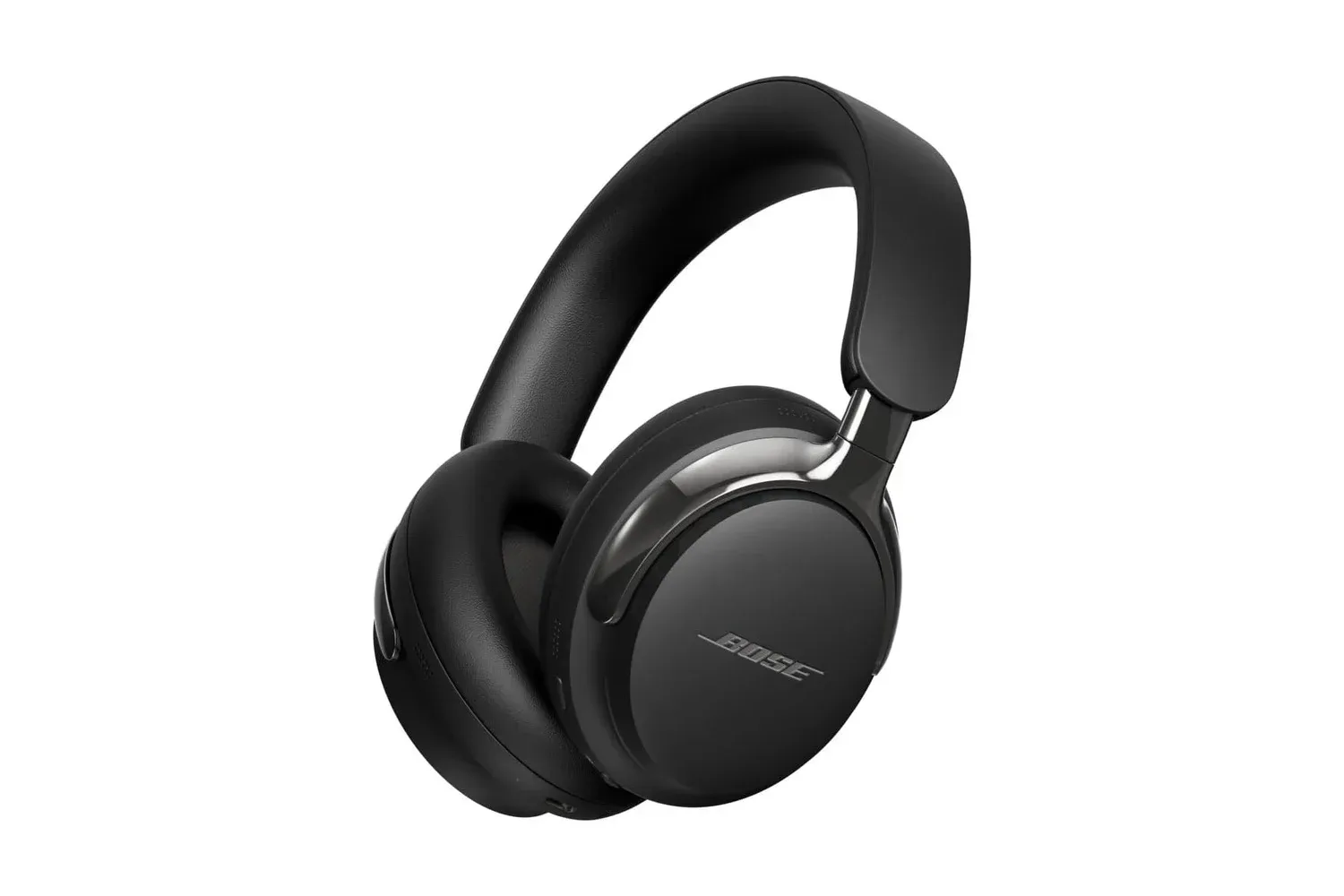
Bose’s second-generation QuietComfort Ultra Bluetooth Headphones are listed at $369, a reduction of $80 from the stated $449 price. That is an 18% discount, and it puts a flagship over-ear wireless model within reach of shoppers who were waiting for a more meaningful reduction rather than a token coupon.
The price matters, but the better question for players and home-entertainment users is what the QuietComfort Ultra’s feature list changes in daily use. These headphones combine active noise cancellation, an ambient-awareness setting, spatial processing, wired USB-C audio and Bluetooth multipoint connectivity. That is a broad package, although several features depend on the connected device and on choosing the right listening mode for the job.
For someone building out a console-and-TV setup, headphones are only one part of the signal chain. A display’s ports and surrounding audio options can matter just as much, as covered in our look at a console-focused TV setup with four HDMI ports. The QuietComfort Ultra is instead aimed at the personal side of that setup: flights, workspaces, music, movies and individual listening sessions.
The headline price and what is included
At $369, the headphones are listed below their stated $449 price. The available information does not establish how long that price will remain available, whether every color is included, or whether it will be matched elsewhere. It is therefore best treated as a current listing rather than a permanent new baseline.
Bose positions the QuietComfort Ultra as its top-tier over-ear wireless option. The design includes polished metal armatures, while the practical feature list includes Quiet, Aware, Immersive Audio and Cinema modes; CustomTune personalization; USB-C lossless audio; a 2.5mm analog connection; Bluetooth 5.4; and smart standby behavior.
That range makes the model more than a straightforward Bluetooth headset. But it also means prospective buyers should separate the basics they will use every day—fit, noise control, charging routine and switching devices—from the more specialized features such as lossless USB-C playback and spatial processing.
Noise cancellation and Aware Mode explained
Active noise cancellation, often shortened to ANC, uses microphones and processing to reduce outside sound reaching the listener. Bose says it has updated the algorithms used by the QuietComfort Ultra so the system adapts more effectively. The company also says its approach reduces the amount of noise produced by the cancellation circuitry itself in quieter places, allowing more low-level detail from the audio to come through.
That is significant because noise cancellation is not only about suppressing the loudest environmental sound. In a quiet room, users can become more aware of the headphone system’s own background behavior. Bose’s claim is that its revised processing makes this less intrusive when the world outside is already relatively calm.
Aware Mode takes the opposite approach: it lets outside sound in rather than attempting maximum isolation. Bose pairs it with ActiveSense, which is intended to soften sudden, large bursts of environmental noise. In practical terms, this mode is designed for situations where a listener wants to remain conscious of their surroundings but does not want a sharp external sound to arrive at full intensity.
Neither setting is universally “better.” Quiet Mode is the logical choice when isolation is the priority; Aware Mode has a different purpose. The useful detail is that Bose offers both without requiring the listener to abandon the other features of the headphones.
Immersive Audio and Cinema Mode are processing modes, not a replacement for the original mix
Immersive Audio is Bose’s spatial-audio treatment. It attempts to make sound seem as if it comes from around the listener rather than solely from the left and right earcups. Bose provides two options within that system: Still and Motion. The distinction concerns how the perceived position of the sound responds as the wearer moves their head.
Spatial processing can be appealing for music and video, but it is a presentation choice. It is not the same thing as a guarantee that every track, game or film will benefit in the same way. Listeners who prefer a more conventional stereo presentation may simply choose another mode. That flexibility is more valuable than treating one effect as the automatic setting for everything.
Cinema Mode is more specifically framed around video. Bose says it expands the apparent soundstage for movie audio and improves vocal clarity for podcasts and audiobooks. The latter is an important distinction: its benefit is not limited to dramatic surround-style effects. People using headphones for spoken-word listening may find dialogue and narration prioritization more relevant than the sense of extra space.
USB-C lossless audio: the important compatibility caveat
One of the more substantive additions in this generation is lossless audio over USB-C. With a compatible device, Bose says the headphones can receive 16-bit audio at either 44.1kHz or 48kHz directly through USB-C.
“Lossless” means the digital audio is transmitted without the lossy compression associated with many wireless audio paths. The supported bit depth and sample rates describe the format the headphones can accept in this wired configuration. This does not mean every device, app or file automatically delivers that format, which is why Bose’s compatible-device condition matters.
For gaming, the more immediately practical line is support for low-latency audio. Latency is the delay between an action or on-screen event and the corresponding sound. Minimizing it is particularly important for games, where timing cues can affect comfort and play. The supplied details do not specify latency figures, platform support or connection method for every device, so buyers should avoid assuming identical behavior across phones, PCs and consoles.
The USB-C connection can also be used while the headphones charge, allowing music playback during charging. A separate analog option is available through a 2.5mm connector. These alternatives give the model a wider set of connection possibilities than Bluetooth alone, though the specific cable and device requirements should be checked before treating either wired option as a solution for a particular setup.
Battery estimates depend heavily on the selected mode
Bose rates the QuietComfort Ultra for up to 30 hours with noise cancellation enabled. Turning on Immersive Audio reduces the stated maximum to up to 23 hours. With both Immersive Audio and noise cancellation disabled, the claim rises to up to 45 hours.
Those three figures are not competing promises; they describe different operating conditions. The most relevant one is the mode a buyer expects to use most often. A person who wants maximum isolation on a commute should look at the 30-hour estimate, while someone who plans to keep Immersive Audio active needs to account for the shorter 23-hour estimate.
Bose also says a 15-minute charge can provide about three hours of playback. That fast-charge figure may be more meaningful than the maximum rating for people who regularly discover their headphones need power just before leaving home.
Battery preservation is assisted by smart standby. The headphones detect when they have been removed and enter a low-power state. Laying them flat or placing them in their storage case takes them into a deeper sleep mode. Bose says this behavior generally avoids the need to manually press a power button to wake the headphones again.
Multipoint connectivity and app controls
Bluetooth 5.4 provides the wireless foundation, and the headphones support multipoint connectivity. In plain language, multipoint allows the headphones to maintain connections with more than one device, which can make moving between a computer and phone less cumbersome. The exact experience will still depend on the devices involved and their software behavior.
Compatible Snapdragon Sound devices can use aptX Adaptive, a Bluetooth codec designed to adjust its behavior to connection conditions. Codec support is relevant only when both sides of a wireless connection support it, so it should not be treated as a universal feature of every pairing.
Google Fast Pair and Spotify Tap are also supported for compatible use cases. Fast Pair is intended to simplify Bluetooth pairing, while Spotify Tap is designed to make it easier to resume playback. The Bose app adds seven customizable modes and adjustable EQ, or equalization. EQ controls let a listener alter the relative emphasis of frequency ranges, such as bass, midrange and treble, rather than accepting a single fixed sound balance.
Who should consider the $369 listing
The QuietComfort Ultra’s strongest case is for buyers who want premium over-ear headphones with several distinct use modes rather than a minimal wireless design. Noise cancellation, ambient listening, video-oriented processing, USB-C playback, analog connectivity and multipoint pairing all address different situations.
The feature set also requires realistic expectations. Lossless USB-C audio requires a compatible device. aptX Adaptive is relevant only with compatible Snapdragon Sound hardware. Battery longevity varies considerably depending on whether cancellation and Immersive Audio are active. And spatial processing is a subjective listening preference, not a mandatory upgrade over ordinary stereo.
At the listed $369 price, the $80 reduction is substantial relative to the stated $449 price. Buyers who value Bose’s noise-control approach and expect to use wired USB-C playback, low-latency gaming audio or device switching have more to weigh here than the discount alone. Those who only need basic Bluetooth listening should first decide whether this broader feature set is actually worth paying for.
Shop the products
Check current price, model and availability at the retailer.