Most RetroArch versus standalone emulator arguments get stuck on feature bragging. That is not the problem most readers are actually trying to solve. The real problem arrives later, when a controller changes, a save folder moves, a game needs one exception, or you return after a long break and can no longer remember why your setup behaves the way it does.
RetroArch can turn many systems into one routine. It gives you one frontend vocabulary for hotkeys, shaders, achievements, save states, and many in-game adjustments through its Quick Menu. Standalone emulators usually do the opposite. They keep each system's own tools closer to the surface, which often makes game-specific fixes easier to locate and easier to explain.
If you care about maintainability more than novelty, do not optimize for the most impressive day-one setup. Optimize for a setup that still makes sense when you have forgotten half your own decisions. That is where the RetroArch versus standalone choice becomes practical instead of ideological.
The real decision is whether you want one shared rulebook or several smaller ones
RetroArch is a frontend, not a single emulator with one universal internal design. It runs libretro cores, and that matters because the frontend's greatest strength is not raw compatibility for every machine. Its strength is that it can make very different systems feel as if they live under one roof. Once you learn its menus, hotkeys, remap logic, shader workflow, and file layering, many platforms start following the same household rules.
Standalone emulators offer a different kind of sanity. PCSX2, Dolphin, and Flycast each expose the habits of one family of hardware more directly. That means their menus, save handling, graphics settings, and troubleshooting steps tend to be framed in the language of that one system instead of being filtered through a general-purpose frontend. You lose some consistency across a wide library, but you often gain a cleaner answer to the question of where a problem belongs.
That is the trade six months from now. RetroArch asks you to remember one broad system with several layers. Standalone emulators ask you to remember more than one interface, but each interface is usually narrower and more literal. If repeated setup work irritates you more than abstraction, RetroArch is attractive. If you want each emulator to explain itself in system-specific terms, standalone tools often age better.
- Choose shared logic if you value one routine across many systems.
- Choose separate rulebooks if you prefer each emulator to describe problems in its own terms.
- Do not confuse a unified interface with universally simpler troubleshooting.
What RetroArch centralizes better than almost anything else
RetroArch saves the most time when your library spans many systems and you want them to share a common feel. Libretro documents a unified settings model and shared features that can include shaders, rewind, cheats, netplay, multiple menu interfaces, and achievement support. The practical benefit is not that every core behaves identically. It is that you can build one general habit for the actions you repeat all the time.
The Quick Menu is the most obvious example. While content is running, RetroArch collects many adjustments in one place, including save states, shaders, controller remaps, cheats, and core-specific options. When you bounce between several platforms in one week, that consistency cuts down on relearning. You are not asking where one emulator hid save-state controls and where another put its per-game options. You are asking the same question inside a familiar structure.
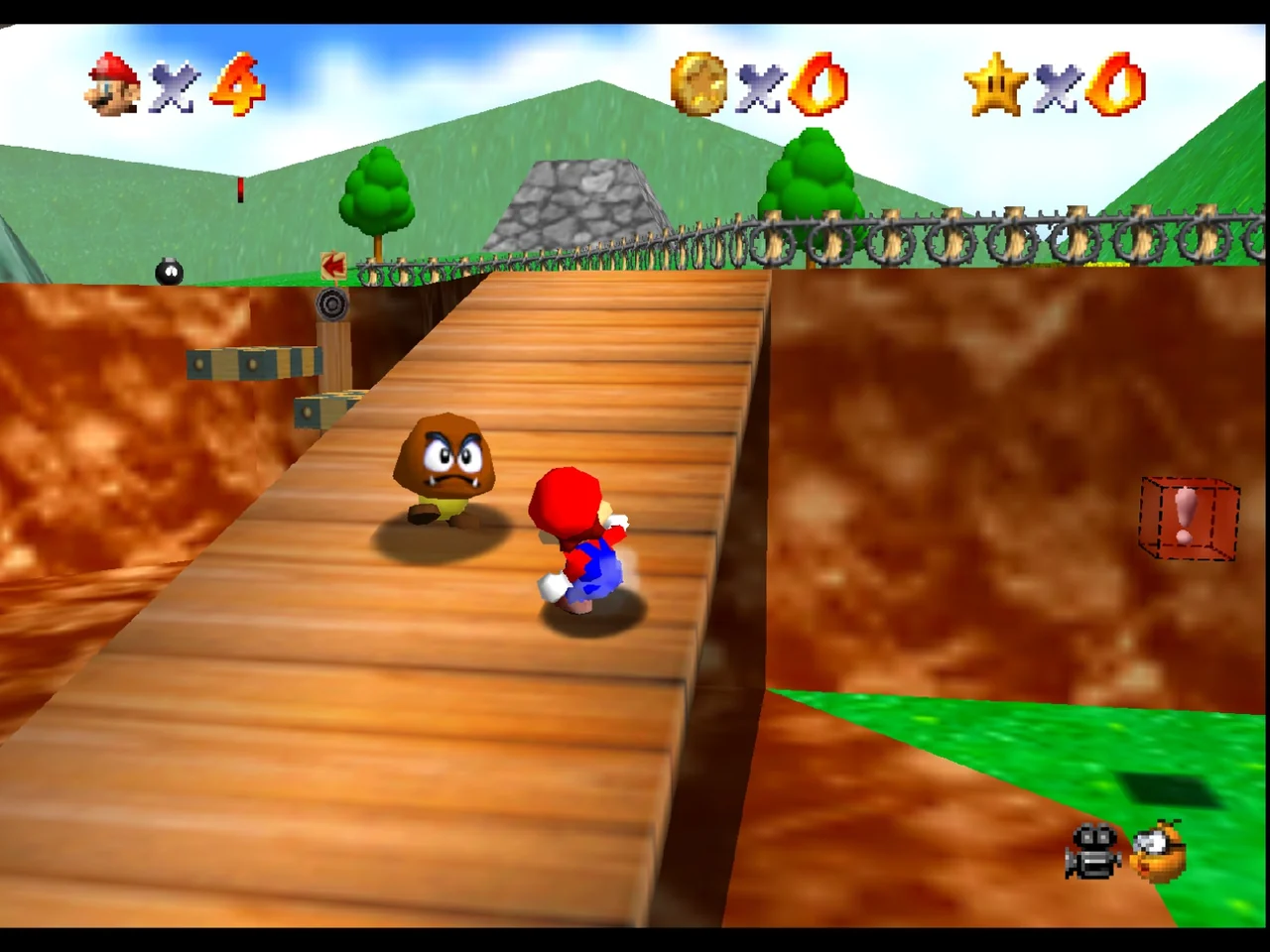
That is why a game like Super Mario 64 works as a good example platform here. It is not because Nintendo 64 suddenly becomes maintenance-free. It is because a cartridge-era system like N64 often fits neatly into a wider RetroArch pattern. If your N64 games share the same hotkey vocabulary, the same general shader habits, and the same approach to remaps as the rest of your older library, your mental overhead stays low.
The warning is that RetroArch only feels simple when you respect the difference between its layers. General settings, overrides, remaps, core options, and shader presets are related but separate. When you understand which tool changes what, RetroArch is efficient. When you solve every annoyance by saving another exception, it becomes hard to remember what is global, what is per core, and what belongs to one game.
- RetroArch is strongest when you play across many systems, not just one or two.
- The Quick Menu is a maintenance advantage because it keeps recurring tasks in one familiar place.
- Shared convenience disappears quickly if you pile up too many special cases.
RetroArch stays maintainable only if you respect its layers
Libretro's override documentation is unusually important because it explains why some RetroArch setups stay clean and others become impossible to trace. The loading hierarchy is game settings first, then content-directory settings, then core settings, then the global defaults in retroarch.cfg. That is powerful, but it also means two users can both say they use RetroArch and still be living with very different amounts of configuration sprawl.
Input remaps are separate from those general overrides. Core options are also stored separately, with global core options living in retroarch-core-options.cfg and per-game options able to replace them when needed. Shader presets form yet another lane, and RetroArch can save them globally, per core, per content directory, or per game. The most specific automatic preset wins. All of that flexibility is useful only if you can still remember why an exception exists.
The cleanest RetroArch pattern is conservative. Keep global defaults boring. Use core-level changes when a whole platform genuinely wants a different behavior. Save game-level remaps, overrides, or shader presets only when one title truly earns them. If you use a game-level exception to solve every small irritation, you are not building a maintainable library. You are creating archaeology for your future self.
This matters even for small things like keyboard input. Libretro documents Game Focus for cases where a core wants direct keyboard access rather than the frontend intercepting keys. That is a perfect example of RetroArch at its best: one documented switch for a recurring class of problems. It is also a reminder that the frontend has its own logic layered on top of the core, and that logic needs to stay understandable.
- Learn the difference between overrides, remaps, core options, and shader presets before you rely on RetroArch heavily.
- Use core-wide changes for broad platform behavior and game-level changes for genuine outliers.
- If you cannot explain where a setting was saved, your setup is already harder to maintain than it should be.
Why standalone emulators often feel clearer when one game misbehaves
Standalone emulators usually win on directness. Instead of funneling many systems into one abstraction, they present one platform's tools in that platform's own context. That makes a difference on heavier disc-based systems, where problems are more likely to involve image integrity, per-game compatibility settings, controller profiles, or system-specific save behavior rather than a shared frontend routine.
PCSX2 is a strong example of this clarity. Its documentation is straightforward about conservative choices, such as leaving the Graphics API on Automatic if you are unsure, and it documents Game Properties as a per-game configuration system you can reach from the game list or while a game is already running. That keeps PlayStation 2 troubleshooting inside a PS2-focused tool instead of asking you to interpret several frontend layers first.
Dolphin follows the same maintenance philosophy in a different ecosystem. The current desktop interface uses each game's Properties window for game-specific settings, including Game Config and graphics pages that can override the general configuration for that one title. That is a cleaner mental model than wondering whether a change came from a frontend override, a core option, a shader preset, or a separate remap file.
Shadow of the Colossus is a useful platform example because PlayStation 2 emulation often rewards that more literal approach. When a PS2 title needs special handling, many readers would rather see the choice in a PS2-oriented interface, with PS2-oriented terms, and with PS2-oriented documentation. That does not make RetroArch wrong. It makes maintainability a question of where you want the complexity to live.
- Standalone emulators often provide a shorter path from symptom to the right tool.
- Disc-based systems tend to benefit more from system-native diagnostics and per-game properties.
- Use the emulator whose terminology best matches the kind of problem you expect to solve.

Controls are where unified comfort and literal clarity split apart
Controller setup is often the first place a good-looking library becomes irritating to live with. RetroArch has a real advantage if you want one broad control language across many machines. Libretro documents remaps at core and game scope, and it keeps those remaps separate from general overrides. That lets you standardize a pad across much of your library, then save a platform-specific or game-specific exception only when necessary.
That kind of consistency is easy to appreciate when you rotate between systems with different original pad layouts. A shared hotkey for menu access, save states, or fast-forward removes friction that would otherwise repeat system after system. For readers who mainly want their emulation shelf to feel coherent, RetroArch can make the input side of the hobby much calmer than a stack of unrelated controller menus.
The downside is traceability. If a button layout feels wrong, the cause could be the pad mapping, a core remap, a game remap, a hotkey conflict, or a core that wants more direct keyboard input. RetroArch is maintainable when you use its control layers deliberately. It is much less maintainable when every awkward game gets its own quick fix without any written rule behind it.
Dolphin shows the standalone alternative well. Its controller setup supports named profiles with clear Save and Load controls, which is exactly the kind of concrete tool that helps when you swap devices or keep separate layouts for GameCube and Wii use. You lose some cross-library sameness, but you gain a smaller and more literal explanation of why a mapping behaves the way it does.
- RetroArch is better for one house-style control vocabulary across many systems.
- Standalone tools often make it easier to trace where a specific mapping came from.
- Treat every control exception as a future troubleshooting cost, not a free convenience.
Shaders and visual consistency are the most persuasive case for RetroArch
If your priority is one repeatable visual workflow across a large retro library, RetroArch has a major structural advantage. Libretro documents shader handling as a system that can be saved and auto-loaded at several scopes. That means you can create a basic house style once, apply it broadly, and only carve out exceptions for systems or games that truly need them.
For many readers, that is more valuable than chasing a perfect custom look in every separate emulator. A maintainable setup is often less about maximum image tinkering and more about repeatable choices. If you know that most of your older systems use one simple preset family, and only a few cores or games diverge, your whole library becomes easier to update, back up, and understand.
There is still an important technical limit. Libretro's shader documentation notes that shader-language support depends on the active video driver and platform, and it recommends Slang where available. In plain terms, the preset workflow that makes sense on one machine may not be the safest assumption on another. A sustainable visual setup starts with simple presets that your environment handles reliably, not with an elaborate chain you barely remember.
Standalone emulators can absolutely offer powerful graphics controls, but those controls are usually framed around one system at a time. Dolphin's current desktop interface, for example, now exposes game-specific graphics choices within each game's Properties window. That is excellent for one title that needs a special adjustment. It is not the same thing as keeping one shared shader language and one shared preset habit across a broad shelf of systems.
- Choose RetroArch if broad visual consistency matters more than per-emulator individuality.
- Start with simple shader presets that you can explain and reproduce.
- Use per-game graphics exceptions sparingly so your visual setup does not become fragmented.
Save organization is not glamorous, but it decides whether your setup stays pleasant
Save handling is one of the least exciting subjects in emulation and one of the most important for long-term maintenance. A collection feels calm when you know what kind of save data each platform creates, where it is stored, and which parts of that structure are shared by design rather than accumulated by accident. If you do not decide that early, the library decides for you.
PCSX2 is a very useful example because its memory-card documentation is explicit about the tradeoffs. File memory cards are the standard and most compatible option, and 8MB is the most compatible size. Folder memory cards work differently by storing save data as host files inside a folder, which can make copy, delete, and inspection tasks easier. But PCSX2 also warns that folder cards have caveats and that saves on them do not show up for normal management through the PS2 BIOS in the same way.
That is exactly the sort of storage choice that affects maintainability more than people expect. If you want simple compatibility and an arrangement that matches the most common assumptions, standard file cards are easier to recommend. If you specifically value host-side access to individual saves and understand the caveats, folder cards can make sense. The important part is choosing knowingly instead of stumbling into one method and forgetting why.
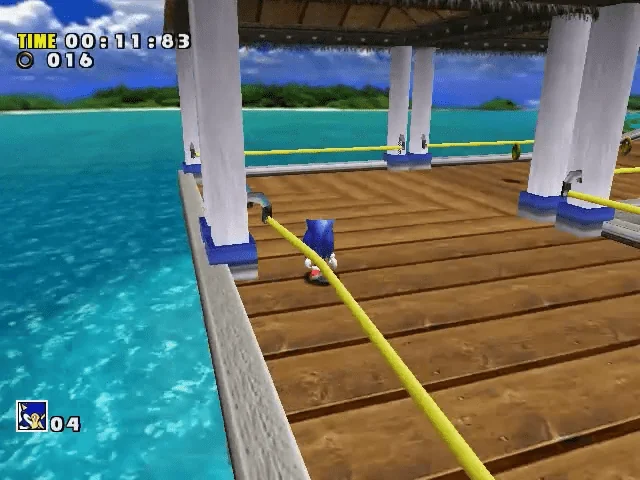
Dreamcast sits in the middle of the wider RetroArch versus standalone debate. Sonic Adventure is a good example platform because Dreamcast already has enough system personality that some readers want VMU behavior and BIOS habits to stay visible in a Dreamcast-specific emulator. Others would still rather keep the platform inside RetroArch because shared hotkeys, shared save-state habits, and one frontend routine matter more than preserving that separate identity. Neither choice is universal. The maintenance question is which structure you will still understand later.
- Treat save organization as a first-class setup decision, not an afterthought.
- On PCSX2, standard file cards are the safest default for compatibility.
- Dreamcast often becomes the point where readers discover whether they prefer shared routine or system-specific identity.
Troubleshooting exposes the true cost of your configuration philosophy
This is where the debate stops being theoretical. RetroArch troubleshooting can be wonderfully efficient when you have a disciplined setup. If a broad rule is wrong, you can fix it once and improve many systems at once. If a game needs a small, well-documented exception, the hierarchy can contain it neatly. But that only works when you already know whether you are dealing with a global setting, a core override, a remap, a core option, or a shader preset.
A messy RetroArch installation fails in the opposite way. The problem is not that the software lacks power. The problem is that too many saved exceptions turn ordinary debugging into guesswork. You start asking whether a behavior came from the core, the frontend, the active preset, a game-specific remap, or a forgotten directory-level override. That uncertainty is the maintenance tax of an undisciplined unified setup.
Standalone emulators often give you shorter diagnostic paths. PCSX2's troubleshooting documentation points out that black screens or bad boots usually suggest a corrupted or incomplete dump, and it directs users to the Verify function inside game properties. Dolphin's desktop interface likewise gives each game a Properties window and a Verify tab that can calculate checksums, check disc integrity, and optionally compare against Redump data. Those are practical tools because they separate file-quality questions from graphics or control questions quickly.
That difference matters most when one game goes sideways while everything else still works. If you expect to do a lot of title-specific troubleshooting, standalone emulators often reduce ambiguity. If your main goal is to avoid repeated setup across many simpler systems, RetroArch may still save more total time. The maintainable choice depends on whether your future problems are likely to be broad and repetitive or narrow and game-specific.
- RetroArch is easiest to troubleshoot when its exception layers stay minimal and intentional.
- Standalone emulators usually surface game-specific verification and properties more directly.
- Pick the setup whose likely future problems are easiest for you to diagnose.
Updates and file locations matter more than feature lists
Many emulation problems that feel mysterious are really file-management problems. If you do not know where your settings, saves, profiles, and exceptions live, then updates, backups, migrations, and clean reinstalls become harder than they need to be. The setup that feels easiest to maintain is usually the one whose file layout you can describe without hunting through old forum threads.
RetroArch's flexibility depends heavily on separate plain-text files and distinct configuration buckets. That is not a flaw. It is the reason the frontend can do so much. But it does mean that folder habits matter. Naming, organization, and restraint all become part of the maintenance story. If your override, remap, option, and preset files all exist for good reasons and follow a simple policy, RetroArch ages well. If they accumulate without a plan, they become clutter with consequences.
PCSX2 provides a useful contrast because it documents a portable mode. On Windows, the portable version can keep its data beside the executable when you create the portable marker file, while the default arrangement uses its normal data location. That is a maintenance-relevant choice, not a minor install detail. Portable mode can simplify migration and backup, but only if you remember that this install keeps its settings and saves differently from a default one.
There is also a broader update rule that applies to every mixed setup. Never assume that a feature exposed in a standalone emulator is automatically available in the libretro core for the same system, or that the menus and option names will match even when the underlying capability is similar. RetroArch and standalone emulators are related ecosystems with different release cadence, different interfaces, and different priorities. A maintainable library begins with accepting that difference instead of expecting one-to-one parity.
- Know where your settings and saves live before you need to back them up.
- Portable versus default installs can change your maintenance routine significantly.
- Do not assume standalone and libretro-core feature exposure are identical.
What the three example games actually illustrate
Super Mario 64 shows the friendliest case for a mostly RetroArch mindset. Older cartridge-era libraries often benefit the most from shared controls, shared save-state habits, and one visual workflow. The win is not some mythical universal best setting for one Nintendo 64 game. The win is that the whole band of similar-era systems starts feeling related, which reduces repeated setup work and lowers the chance that you forget how one corner of the library was configured.
Sonic Adventure sits closer to the boundary line. Dreamcast is modern enough that system-specific details such as BIOS preference, VMU habits, and emulator-specific options start to matter more. But it is still a platform that many readers are perfectly happy to keep inside a shared frontend. That makes Dreamcast useful for decision-making because it reveals your real preference. Do you value a common routine more, or do you want the platform's own identity and tools to stay visible?
Shadow of the Colossus leans in the other direction. PlayStation 2 is one of the systems that most often persuades otherwise frontend-friendly users to embrace a dedicated emulator for the sake of clearer per-game handling. When the platform itself regularly invites game properties, memory-card policy choices, verification steps, and more specific documentation, the case for a standalone PS2 workflow becomes much easier to understand.
Taken together, these games do not prove that one side wins. They show that maintainability is platform-shaped. Some systems benefit enormously from being pulled into a shared RetroArch house style. Others benefit from living in tools that speak directly in the language of that hardware. The smartest setup usually recognizes both truths.
- Cartridge-era systems are often the cleanest case for RetroArch convenience.
- Dreamcast is where many readers discover what kind of maintenance style they actually prefer.
- PS2-era libraries often justify a standalone-first approach even for otherwise frontend-friendly users.
A hybrid setup is often the most realistic and the most stable
For many readers, the most maintainable answer is not all RetroArch and not all standalone. It is a hybrid with a written rule. Put the systems that benefit from shared hotkeys, shared shaders, and repeated low-friction setup into RetroArch. Put the systems that regularly demand per-game properties, direct verification tools, or more system-native storage management into dedicated emulators.
That split removes the worst pressure from both extremes. You do not force every platform into one abstraction just because a frontend can launch it. But you also do not create a separate universe for every modest retro system when a shared environment already handles them well. The result is less ideological purity and more day-to-day sanity.
The crucial part is documentation. Hybrid only stays maintainable if the boundary is explicit. Write down where each platform lives, where its saves live, whether it uses standard memory-card files or some other save model, and what your policy is for per-game exceptions. If the rule is stable, hybrid is practical. If the rule changes every weekend, hybrid becomes extra complexity with no payoff.
- Hybrid works best when the split follows a simple written rule.
- Use RetroArch where repetition is the main problem.
- Use standalone emulators where system-specific diagnosis is the main problem.
Three setup profiles you can actually live with
Mostly RetroArch is the right profile for readers who want one launcher feel, one hotkey vocabulary, one broad shader workflow, and as little repeated setup as possible across many platforms. The key to making it age well is restraint. Keep global defaults conservative, use only a small number of core-level adjustments, and reserve game-level changes for true outliers. This profile suits a reader who values consistency more than seeing every platform through its own native-style interface.
Mostly standalone is the better profile for readers who would rather each system explain itself in its own terms. Let PCSX2 handle PlayStation 2 through its own game properties, memory-card tools, and troubleshooting guidance. Let Dolphin handle GameCube and Wii through its Properties window, named controller profiles, and built-in verification workflow. Use a dedicated Dreamcast emulator if you want Dreamcast-specific storage and setup behavior to stay obvious. This profile fits the reader who debugs methodically and prefers shorter, more literal diagnostic paths.
Hybrid and documented is the most balanced profile for many mixed libraries. A sensible version is RetroArch for many older cartridge and lighter systems, with standalone PCSX2 and Dolphin for heavier disc-era platforms where per-game properties and direct verification matter more. Dreamcast can live on either side depending on whether you value the shared frontend routine or a more Dreamcast-specific workflow. The secret is not the split itself. The secret is keeping a short written note describing the split, the save locations, and any deliberate exceptions.
- Mostly RetroArch fits readers who hate repeated setup more than layered logic.
- Mostly standalone fits readers who want per-system clarity above all else.
- Hybrid fits readers who can define and document a stable platform split.
The better emulation setup is not the one that wins the loudest argument online. It is the one that produces the fewest unanswered questions in your own library. RetroArch reduces repetition and can make a shelf full of different systems feel coherent. Standalone emulators reduce ambiguity and often make system-specific repair work easier when one title or one disc image refuses to cooperate.
If you want a setup you can still maintain six months from now, minimize exceptions, keep save and settings locations easy to explain, and choose tools whose troubleshooting style matches your own patience. The most reliable arrangement is usually the one whose rules you can still remember without reopening a dozen tabs.