Original Game Boy hardware has reached the age where a console that appears to work can still have problems hiding beneath a successful boot screen. A game may load, yet an intermittent button, an unreliable link port, a weak connection or another component-level issue can remain difficult to isolate. GB Test Lab is designed to make that detective work more systematic.
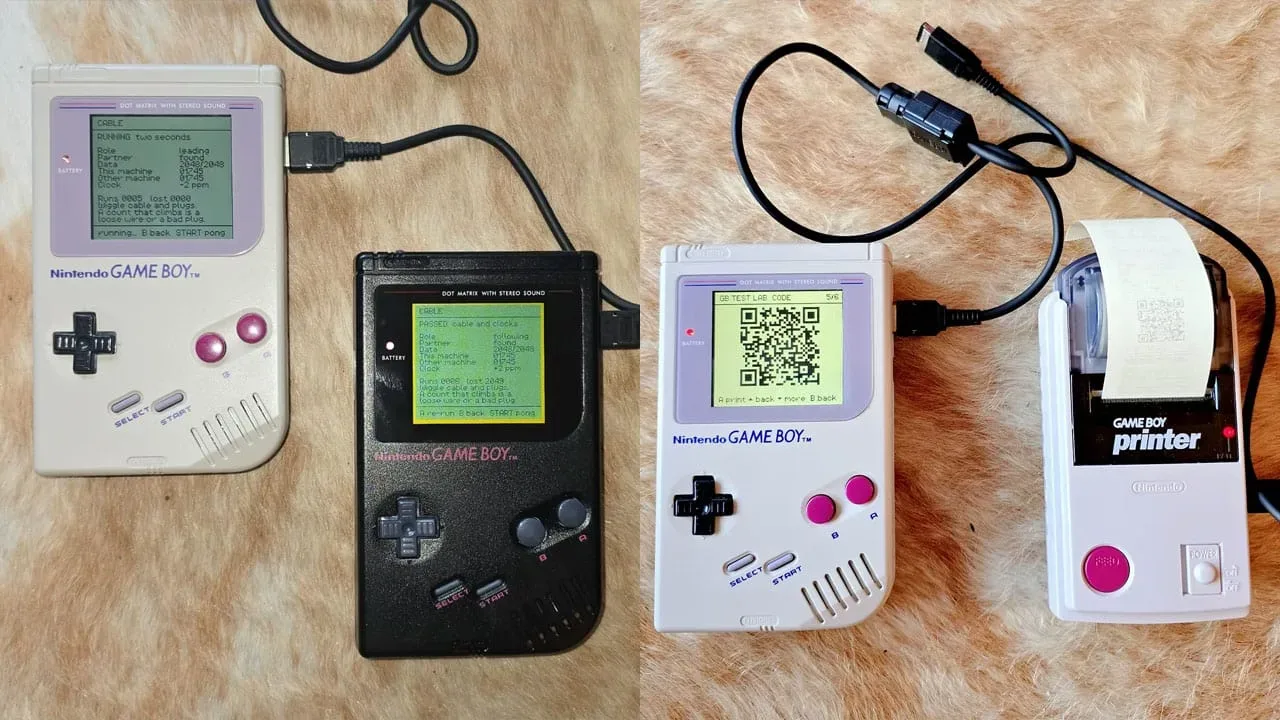
Created by Marcel Pflug, the ROM-based utility is built specifically for Nintendo’s original DMG-01 Game Boy. Loaded onto a suitable flash cartridge, it runs diagnostic checks intended to provide readouts for major parts of the handheld rather than simply answering whether a game starts. Its coverage includes the CPU, RAM, controls and their key-bounce timing, link-cable functions, and communication with the Game Boy Printer.
That makes GB Test Lab particularly relevant to repair and restoration work. It cannot, by itself, replace inspection or repair, but a structured test can help narrow an elusive fault into a smaller set of possibilities. For an aging machine with several interconnected parts, knowing whether a symptom appears around buttons, memory, the link connection or peripheral communication is more useful than treating every failure as a cartridge-reading problem.
A diagnostic cartridge for the DMG-01
The most important limitation is also the easiest one to miss: GB Test Lab is made for the classic DMG-01. Its baseline measurements are DMG-01 measurements, and it is not intended for the Game Boy Pocket, Game Boy Color, Game Boy Advance or later Game Boy models.
That distinction matters because a diagnostic program needs a reference point. A baseline is the expected behaviour or measurement range used to judge the device being tested. GB Test Lab’s reference figures are tied to the original model, so using it as though it were a universal Game Boy test suite would produce the wrong expectation. Owners should first identify the hardware they have before deciding whether the ROM is appropriate.
The focus on original hardware places the tool in a particularly practical part of retro gaming. Preservation is not only about keeping cartridges on a shelf; it also involves maintaining the systems that run them and identifying which part of a setup is responsible when something goes wrong. The same broad concern sits behind projects that revisit older PlayStation games, including a reworking project focused on Final Fantasy VII’s PS1-era endgame and world access, though GB Test Lab’s work is firmly at the hardware-diagnostic level.
What GB Test Lab is checking
GB Test Lab goes beyond a simple cartridge boot check. The stated test coverage reaches the Game Boy’s CPU and RAM, two central pieces of the system. The CPU, or central processing unit, executes the console’s instructions. RAM, or random-access memory, is working memory used while the system is running. A readout from a dedicated diagnostic environment can be useful when a console’s behaviour points to a deeper issue than a particular commercial game failing to load.
The program also tests key-bounce timing. In plain language, button contacts do not always create one perfectly clean electrical transition when pressed. They can briefly register repeated signals as the contact settles; this is known as bounce. Testing that timing can help characterize how the controls are responding, which is valuable when inputs feel inconsistent or when a button seems to trigger more than expected.
Related coverage includes GB Test Lab Offers Deep Diagnostics for Original Game Boy Hardware.
Link functionality is another meaningful part of the suite. The original Game Boy’s link cable was made for communication between two handhelds, so a complete cable test naturally requires more than one console. GB Test Lab’s cable screen calls for a second Game Boy, a link cable and a second copy of the test cartridge. That requirement is a reminder that a single console cannot fully verify a connection whose operation depends on equipment at both ends.
Communication with the Game Boy Printer is also included. This is useful for collectors and restorers working with the wider original Game Boy ecosystem, not only the handheld itself. A Game Boy Printer and thermal paper are required if the aim is to produce a printed report, while the communication check itself is part of the program’s broader peripheral coverage.
Flash-cartridge compatibility is not optional
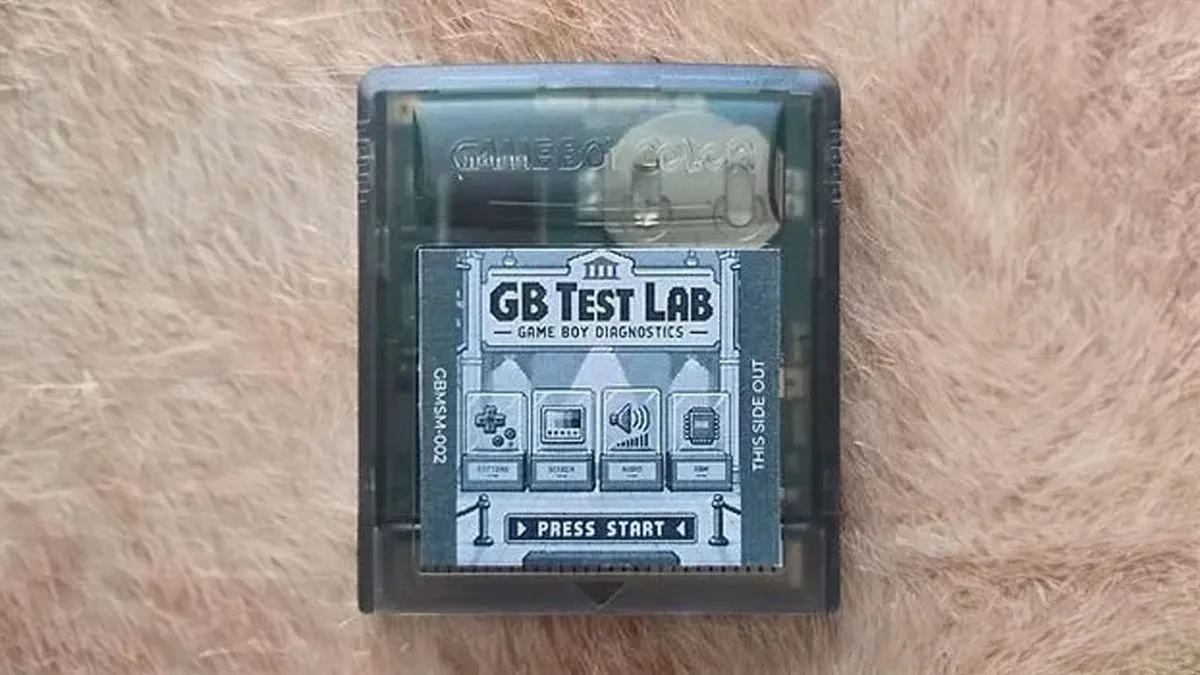
GB Test Lab is distributed as a ROM file, which means it needs to be placed on a compatible flash cartridge before it can be run on an original Game Boy. The requirements are specific: the cartridge must support MBC5 and 256 kilobytes. EverDrive hardware is identified as compatible.
MBC stands for Memory Bank Controller. In this context, it refers to the cartridge hardware method used to manage memory beyond the simplest cartridge arrangements. The compatibility point is not a minor recommendation. Flash cartridges limited to MBC1 or MBC3 emulation, or those capped at 32 kilobytes, will not run the program correctly; the stated outcome is a black screen.
That failure mode has a practical implication for anyone using the tool to diagnose a Game Boy: do not mistake an incompatible flash cartridge for evidence that the handheld itself is broken. A blank display can be caused by the test setup failing to meet the ROM’s requirements. Before drawing conclusions about the console, verify the cartridge’s MBC5 support and its 256-kilobyte capacity.
A battery in the flash cartridge is also needed if records must remain after the system is switched off. Without that battery-backed storage, the utility may still be usable for checks performed during a session, but retained records will not survive power-down. Whether that matters depends on the task. A quick investigation of one symptom may not need saved records; a restoration project involving repeat tests and comparisons is more likely to benefit from them.
Fresh batteries are part of an honest test
One of the most useful cautions around GB Test Lab is the advice to use fresh alkaline cells. A flash cartridge draws considerably more power than a standard game cartridge. Tired batteries can therefore cause a Game Boy to act in ways that resemble a hardware fault, even when the underlying issue is the power available to the console.
This is the core principle of controlling the test conditions. A diagnostic result is only as dependable as the environment in which it is produced. If weak cells are added to a setup that already includes a higher-draw flash cartridge, instability can be wrongly attributed to wiring, RAM, controls or some other internal issue. Starting with fresh alkaline batteries reduces one significant variable before any repair decision is made.
There is a sensible order to follow from the published requirements:
- Confirm that the console is an original DMG-01, not a later Game Boy model.
- Use a flash cartridge with MBC5 support and 256 kilobytes of capacity.
- Install fresh alkaline batteries before interpreting any abnormal behaviour.
- Use a flash cartridge with a battery if retained records are required.
- Prepare a second Game Boy, link cable and second test copy for link-cable checks.
- Connect a Game Boy Printer and supply thermal paper only if a physical report is wanted.
Following that order does not diagnose a fault by itself, but it helps separate setup errors from console behaviour. It also avoids a potentially frustrating loop: testing a machine because it seems faulty, then getting misleading results because the cartridge or batteries do not meet the tool’s own needs.
How it relates to Nintendo’s aging test cartridge
The project has a clear historical counterpart in Nintendo’s DMG-AGING-01 cartridge. The word “aging” here refers to testing hardware under load over a period of time, not simply observing that a DMG-01 is old. It is a useful distinction because diagnostic terminology can sound more mysterious than it is. An aging test is concerned with how a system behaves while working, rather than being a label for the age of the device.
GB Test Lab brings that diagnostic mindset to a ROM that can be used through compatible flash-cartridge hardware. For people maintaining original Game Boys, its value lies in the combination of targeted checks and explicit requirements. It is not framed as a fix-all cartridge, and it should not be treated as one. Instead, it is a tool for gathering evidence about the handheld’s behaviour.
Who is likely to benefit
The suite is most directly suited to people repairing, restoring or closely maintaining an original DMG-01. It may also be useful to owners trying to establish whether a suspected issue is broader than one troublesome game or one dirty cartridge connection. Because it reaches link and printer functions as well as internal operation and controls, it can support a more complete examination of a Game Boy setup.
It is less relevant to owners of later Game Boy designs, because those systems are outside its intended model range. It also demands a little preparation: the right flash cartridge, fresh cells and, for certain tests, additional original hardware. Those limits are not drawbacks hidden in the fine print; they are central to obtaining meaningful results.
GB Test Lab is available as a downloadable ROM through the Game Boy Museum project. For original DMG-01 owners, its practical promise is straightforward: replace guesswork with a set of checks that can point a restoration or repair effort in a more informed direction.