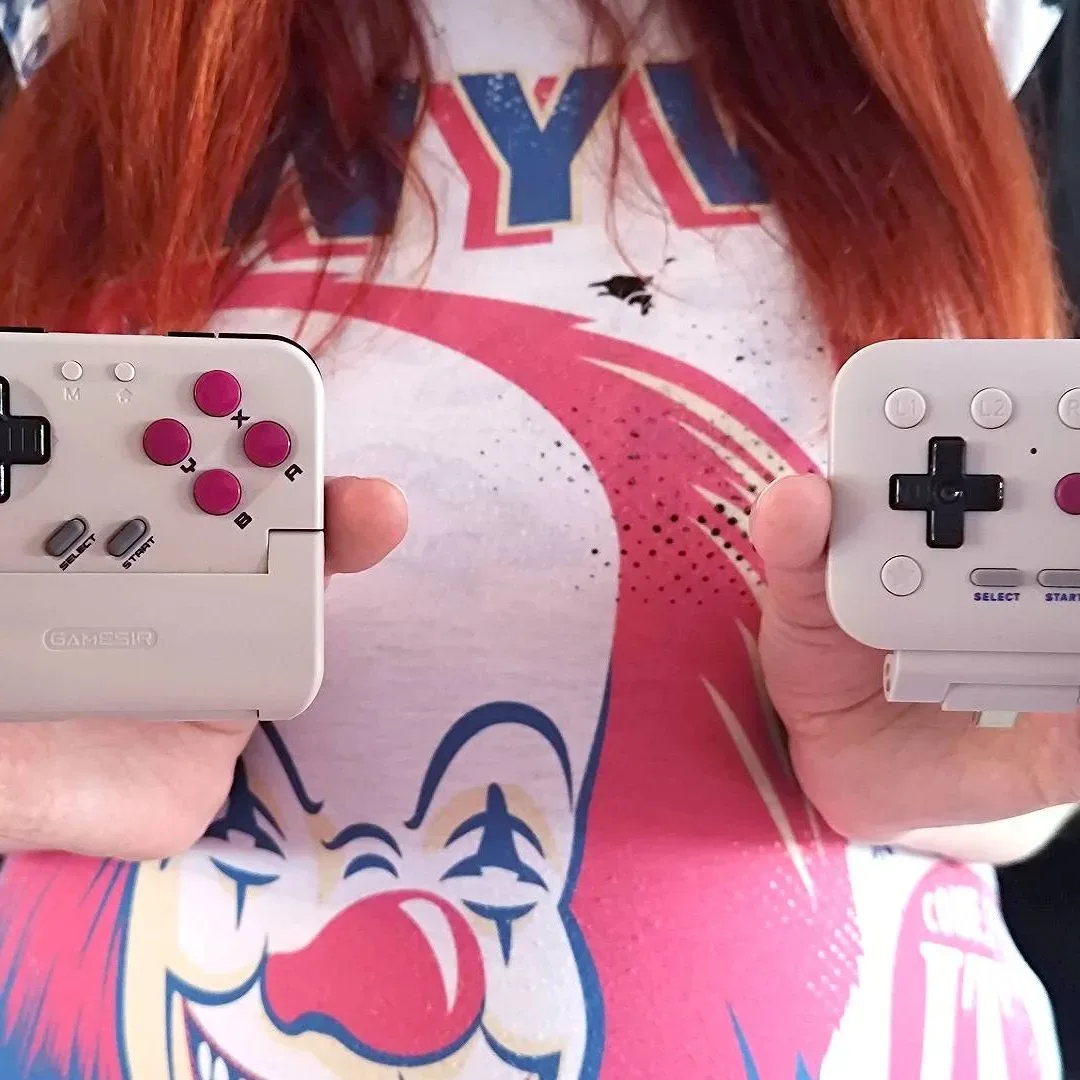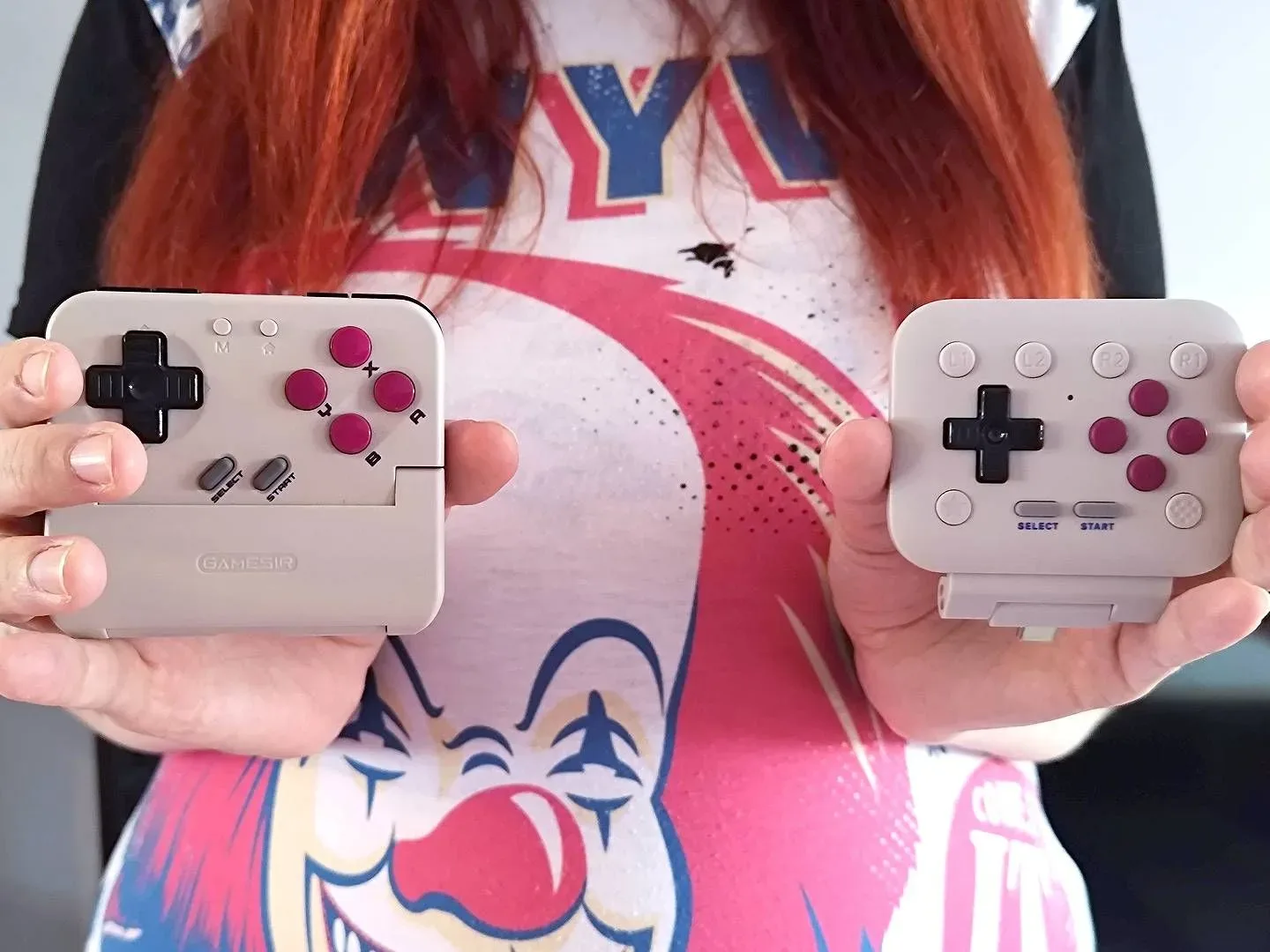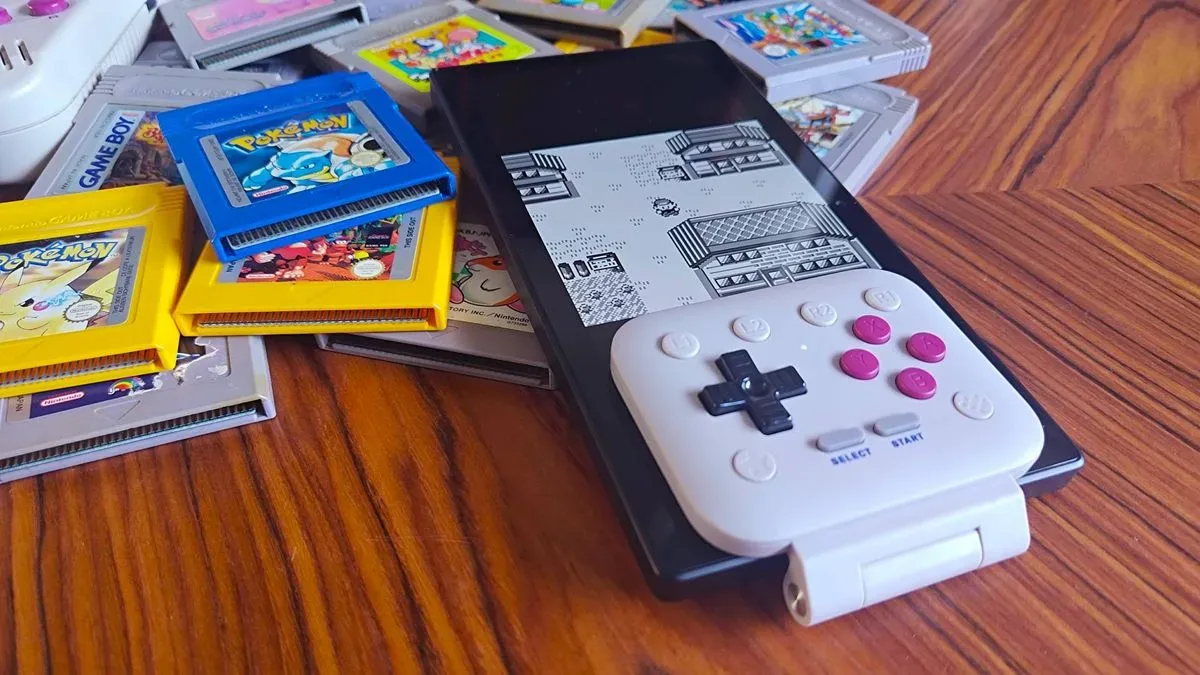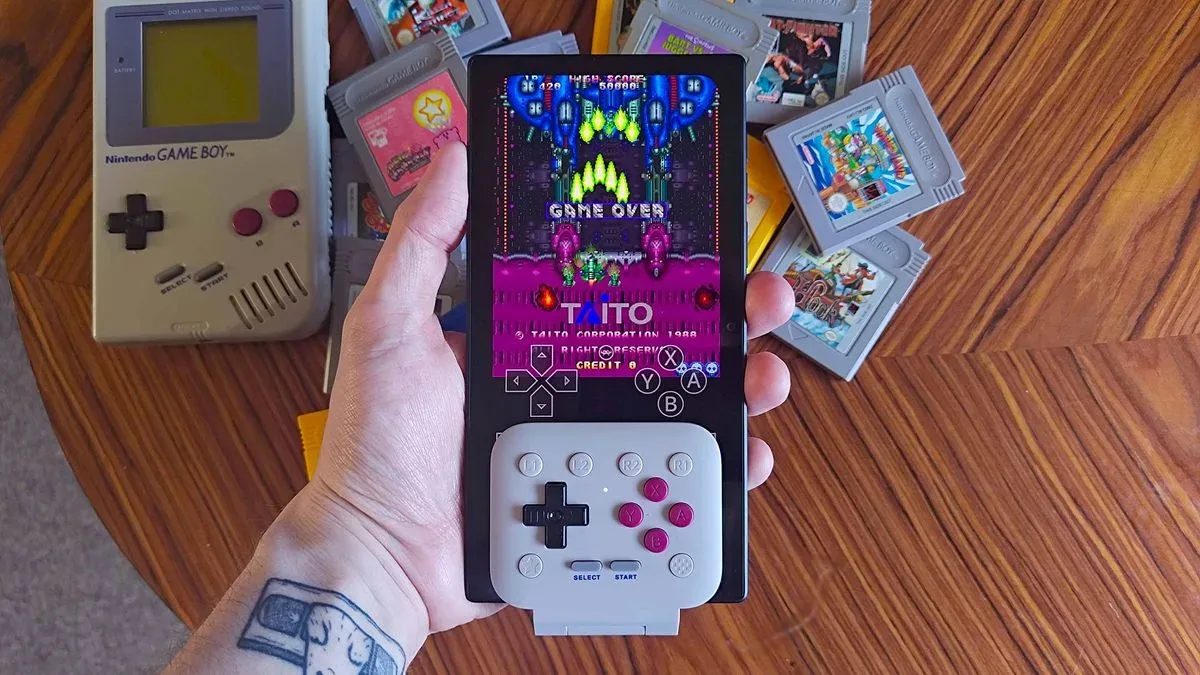
The quest to turn a phone into a tiny, suspiciously powerful Game Boy has produced two notably different controller ideas: the 8Bitdo FlipPad and the GameSir Pocket Taco. They both put a D-pad and classic face buttons around a phone screen for retro-focused play, but their approaches could hardly be more different. One prioritizes a thin, direct USB-C attachment; the other wraps the phone in a more substantial controller shell and relies on Bluetooth or a wired connection.
A side-by-side assessment involving a casual retro-game player, rather than someone accustomed to evaluating handheld accessories, landed on a qualified preference for the 8Bitdo FlipPad. Its slim build and crisp controls made the stronger initial impression during play in The Legend of Zelda: Link’s Awakening. Yet an important practical issue followed it around the whole time: the controller’s USB-C connection can shift from side to side when a phone case leaves even a small amount of space around the plug.
That makes this less a straightforward “which controller wins?” contest and more a question of what players value most. If compactness and clicky inputs matter most, the FlipPad may be the more appealing little slab of Game Boy-inspired engineering. If a steadier physical hold, shoulder buttons, and broader retro use matter more, the Pocket Taco has meaningful advantages—even if it is the chunkier choice.
Two Game Boy-style approaches, two very different compromises
The stated prices place the two units relatively close together. The 8Bitdo FlipPad is listed at $29.99, while the GameSir Pocket Taco is listed at $34.99. Their feature sets explain why neither is merely a cosmetic alternative to the other.
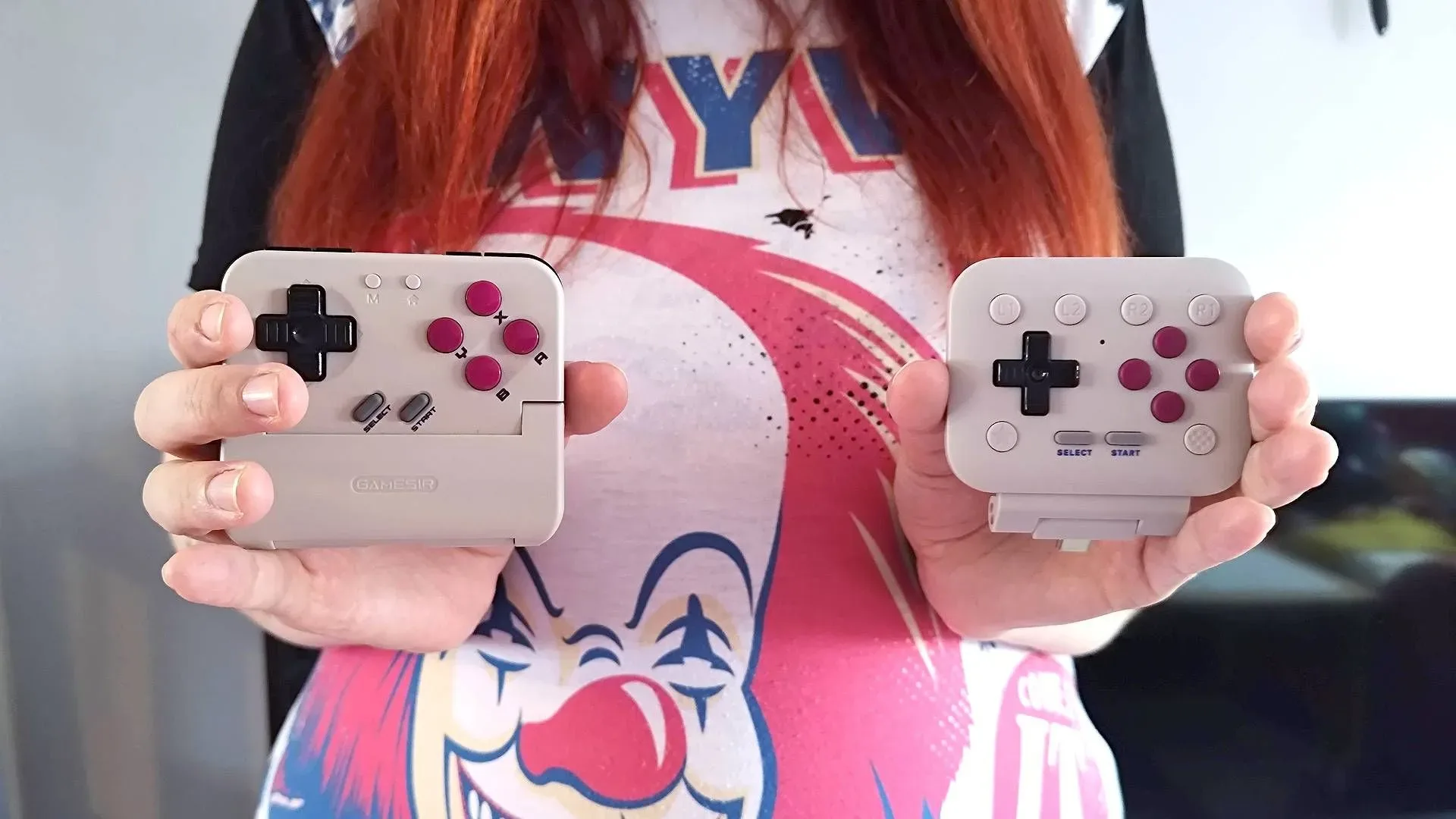
- 8Bitdo FlipPad: direct USB-C input, a slim hinged format, dome-contact buttons, software-based remapping, face-mounted L and R buttons, and no rear shoulder buttons.
- GameSir Pocket Taco: Bluetooth and wired connectivity, a thicker double-sided shell, membrane controls, rear shoulder buttons, and app-based remapping.
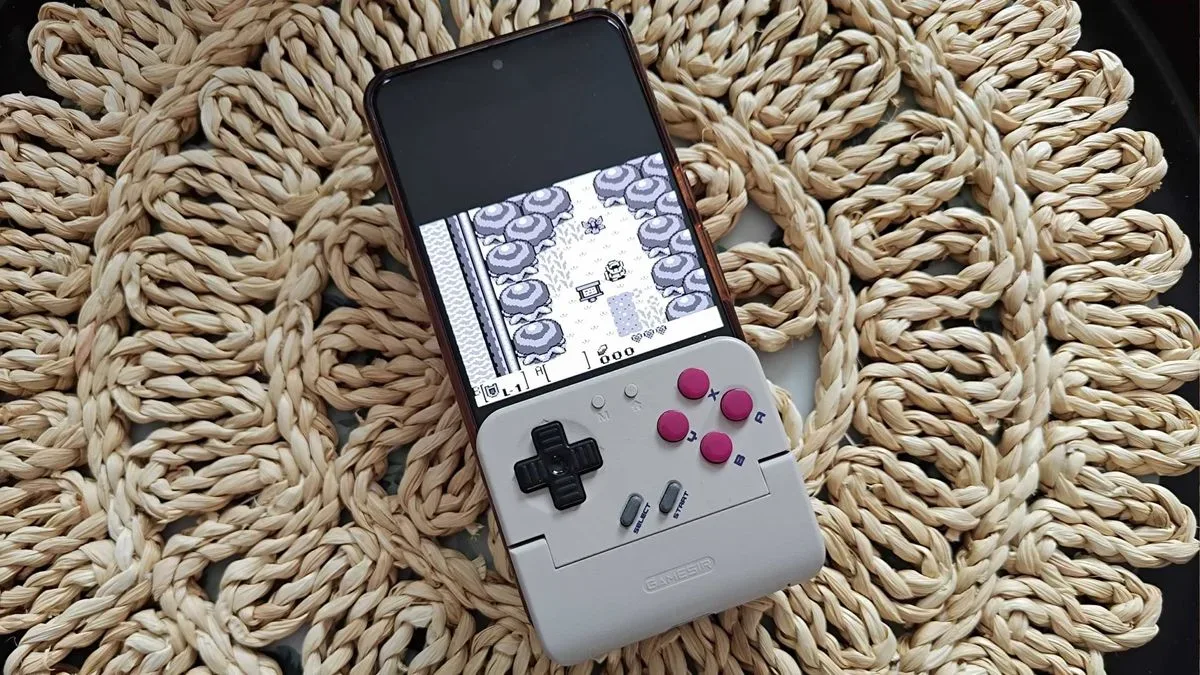
The FlipPad’s design is built around the fantasy of making a phone look and feel less like a phone. It stays close to the display and avoids adding a lot of plastic around the device. In a world where every accessory seems determined to become a small aircraft carrier, that restraint has real appeal. The Pocket Taco instead embraces the idea that stable handling needs more body to hold onto. It sandwiches the device more fully, creating a controller arrangement that is less minimal but potentially more secure.
That distinction affects more than aesthetics. It determines how fingers rest, where the extra buttons sit, how the device connects, and whether the whole assembly feels reliable when a game asks for quick direction changes rather than a leisurely stroll through tall grass.
Why the FlipPad’s buttons made the stronger casual impression
The casual player involved in the comparison ultimately selected the FlipPad after an extended session on Koholint Island in Link’s Awakening, including the timeless mistake of taking out frustrations on Cuccos. The deciding qualities were its overall feel and the tactility of its controls.
8Bitdo uses dome-contact buttons on the FlipPad, giving its face controls and D-pad a more pronounced, clicky response. That feedback was preferred over the Pocket Taco’s membrane-based controls. This is a notable result because a membrane D-pad might seem like the more historically faithful option for someone who owns original Game Boy hardware. Authenticity on paper, however, does not automatically translate to preference in the hands. The Pocket Taco’s directional control was described as feeling mushy, while the FlipPad’s sharper click was found more satisfying.
Related coverage includes 8BitDo FlipPad vs. GameSir Pocket Taco: A Casual Player's Game Boy Controller Pick Comes With a Catch.
That is an especially useful reminder for retro players shopping by nostalgia alone. A controller can mimic an older device’s construction and still lose out on comfort or confidence. Meanwhile, a slightly less literal recreation can feel more precise in play. For slower-paced Pokémon sessions, either direction may be perfectly serviceable. But a D-pad’s response becomes far more noticeable when navigating enemies, moving quickly through an action game, or firing through a more demanding shoot-’em-up such as Truxton.
The FlipPad also benefits from its low-profile form. It does not bulk up the phone as dramatically as the Pocket Taco, which helped it read as a more elegant add-on. Its design is perhaps the closest of the two to the simple promise of: “What if the bottom of your phone had suddenly remembered 1989?”
The USB-C wobble changes the conversation
The major qualification is physical fit. The FlipPad attaches through USB-C, with its connection and stability depending heavily on how a specific phone and phone case line up with that connector. In the comparison, a Google Pixel 7 with a conventional shell case could accommodate the controller, but a gap remained. That extra tolerance allowed noticeable movement during use.
The problem cuts in both directions. A thick case can prevent the FlipPad from fitting at all, while a thinner case or bare phone may leave enough room for the attached controller to wobble. There was no confirmed list of compatible case models in the available information, so buyers should not assume a favorite case will produce a snug fit. Checking connector clearance and case thickness before committing would be sensible.
For a relaxed RPG session, some motion may be tolerable. For faster games, it can be distracting. A controller that shifts under a hand can interrupt the illusion that the phone has transformed into a unified handheld system. It may also create understandable anxiety about the device’s USB-C port, even where no damage has been established. The casual player said that this fit issue would discourage using the FlipPad for much beyond something as low-pressure as Pokémon.
There is a bit of cruel comedy in the contrast: the FlipPad’s clean USB-C setup is a key part of its appeal, but the same single-point attachment is the source of its biggest weakness. The controller is slim because it does not need to carry a larger grip structure; it is less stable because it does not carry a larger grip structure. Physics remains the undefeated final boss.
Pocket Taco trades sleekness for support
The GameSir Pocket Taco avoids that particular problem with its more encompassing, double-sided design. The larger shell provides a steadier grip around the phone, and its Bluetooth approach means it is not dependent on a USB-C plug alone to hold the entire arrangement together. The result is bulkier on both the front and back, but it feels more planted.
It also includes rear shoulder buttons, where the FlipPad keeps L and R on its face. That matters for games designed around more than the classic Game Boy button layout, and it could be an important reason to favor the Pocket Taco for use across other retro console libraries. The Pocket Taco is also described as compatible with other retro consoles, which broadens its case beyond Game Boy-style play.
Interestingly, the extra structure did not necessarily transform hand posture. During the observed comparison, the player’s index fingers still tended to settle along the upper sides of the phone even with the Pocket Taco attached. That does not erase the value of the controller’s rear buttons or its stability, but it does demonstrate that theoretical ergonomics and personal habits are not always the same thing. A more elaborate shell cannot force every player’s hands into its preferred seating plan.
Which one should retro players consider?
The casual preference for the FlipPad is real, but it is conditional. Players who want the smallest possible Game Boy-like phone setup and favor distinct, tactile button presses may find its design more compelling. Its software remapping is another useful option for tailoring controls. However, the buying decision should be approached with an unusually large asterisk shaped like a USB-C port. Case thickness and connector fit can determine whether the FlipPad feels neat and secure or oddly loose.
The Pocket Taco is the more practical counterargument. It costs $5 more at the stated prices, adds Bluetooth and wired operation, provides rear shoulder buttons, and offers a sturdier sandwich-style hold. Its membrane buttons were less favored in this comparison, and its bulk compromises the clean handheld illusion, but its broader features may outweigh those drawbacks for players who want to explore more systems or play games that need shoulder inputs.
There is no universal champion here. The FlipPad takes the crown for this casual player on input feel and slimness, while the Pocket Taco remains the safer all-rounder for stability and expanded controls. Retro fans hunting for a dedicated device rather than another attachment to negotiate with a phone case may also want to keep an eye on the wider handheld scene. And for more adventures involving Hyrule’s long-running hero, Joking Joystick has also covered how The Legend of Zelda movie is set to tell a new story informed by the series’ history.
For this controller face-off, the verdict is pleasingly retro in spirit: pick the one that feels right in your hands, then prepare for a tiny technical annoyance to appear from a bush and demand a trade-off.
Shop the products
Check current price, model and availability at the retailer.