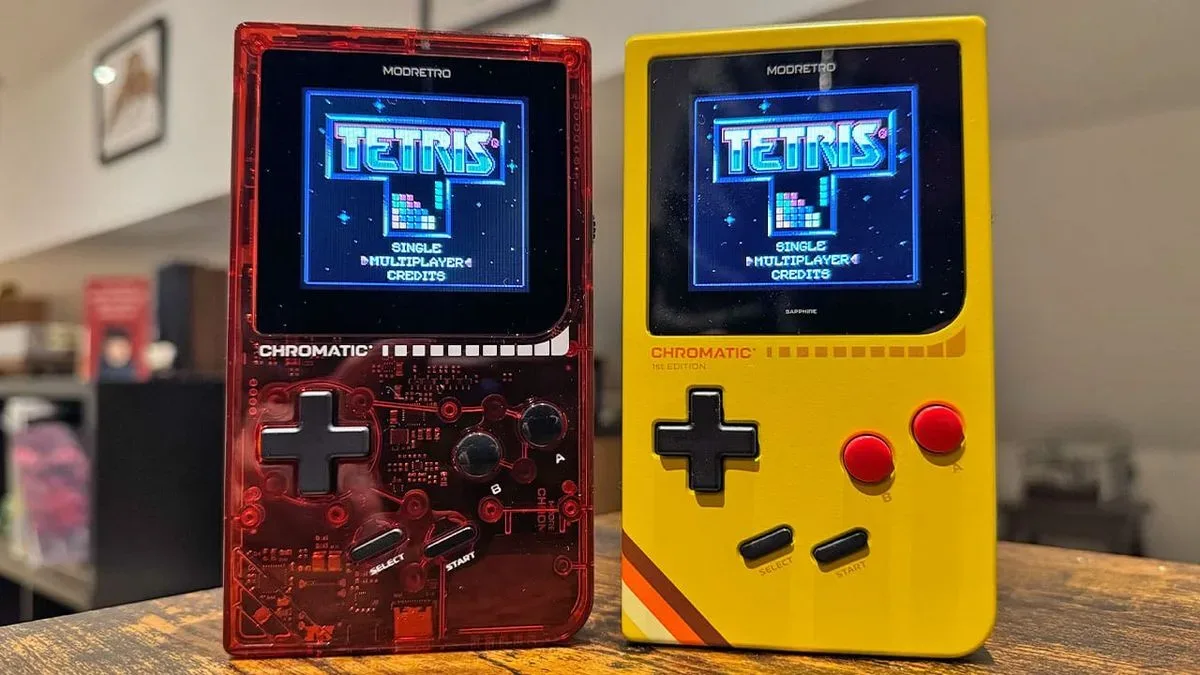
One of the most charming constraints of Game Boy-era multiplayer was also one of its most fragile: the physical link cable. It was a wonderfully direct way to trade Pokémon or challenge a friend, right up until a worn connector, unreliable cable, or inconvenient distance turned a quick session into an exercise in troubleshooting. Shiny Relay, a new custom firmware add-on for the ModRetro Chromatic, aims to remove that particular hurdle by carrying link-cable functionality over Wi-Fi.
The project uses the Chromatic’s existing Wi-Fi hardware to make two handhelds communicate in a way compatible games interpret as a connected cable. That makes the practical promise easy to understand: players can potentially trade Pokémon and play compatible multiplayer titles without physically joining their consoles together. A free Shiny Gen account is required for Wi-Fi play.
Shiny Relay also has a second major feature. It provides a browser-based route to write supported Shiny Gen games, apps, a Tetris patch, or a user-supplied .gb or .gbc game file to the Tetris cartridge bundled with the Chromatic. That is particularly meaningful for owners who do not use a flash cart, a cartridge designed to store and run game files.
What Shiny Relay changes for Chromatic owners
The Chromatic has been open-source since its release, and Shiny Relay is an example of what that can mean after a hardware platform reaches enthusiasts and developers. Open-source, in this context, means the device’s underlying platform is accessible enough for outside creators to build new software and functionality around it. The result here is not simply another game launcher; it is an attempt to extend how the handheld communicates and how its included cartridge can be used.
The wireless feature focuses on a very specific legacy behavior: the Game Boy Link Cable. In compatible games, the cable was the physical data connection that enabled functions such as player-versus-player modes and Pokémon trades. Shiny Relay creates a network connection between Chromatics while presenting that connection to the game as though a link cable were attached.
That distinction matters. The goal is not to redesign the games or replace their original multiplayer systems with a wholly separate service. It is to translate an expected cable connection into a wireless one. For players with compatible original cartridges, that could make a classic trading or multiplayer setup less dependent on having a working cable at hand.
The project runs on the Chromatic’s FPGA and ESP32 Wi-Fi chip. An FPGA, or field-programmable gate array, is a chip that can be configured for specialized hardware behavior. The ESP32 is the hardware component being used for Wi-Fi connectivity here. Together, those elements enable Shiny Relay to handle the bridge between the handheld’s expected link behavior and a wireless connection.
Reported real-hardware testing has included Pokémon trading and multiplayer games without problems. That is encouraging, but it should not be read as a blanket guarantee for every cartridge, game revision, network situation, or future firmware combination. The sensible expectation is narrower: Shiny Relay is built to address link-cable behavior, and compatibility should be assessed game by game as the project develops.
Related coverage includes Shiny Relay Adds Wi-Fi Link Cable Play to ModRetro Chromatic.
Custom firmware is powerful, but backup discipline still matters
Shiny Relay is installed through a browser and is custom firmware rather than the Chromatic’s default software. In plain terms, firmware is the low-level software that helps hardware perform its functions. Replacing or supplementing it can unlock capabilities the standard setup does not expose, but it also means users should follow the project’s installation steps carefully rather than treating the process like a routine game download.
There is a recovery path for anyone who wants to return to the original Chromatic firmware: ModRetro provides a free updater for restoring the system software. That option makes experimentation less final, though it does not eliminate the need to pay attention during installation, keep a reliable cable connected when instructed, and preserve backups before modifying a cartridge.
The cartridge workflow is especially dependent on that last point. Before installing something new, users can back up both the game file and save file currently on the Tetris cartridge. Those two files should be stored together. They are the route back to the original Tetris configuration through the same page. Skipping the backup does not prevent a new install, but it means the currently installed game cannot later be restored from that page.
That is a practical limitation worth stating plainly. The Tetris cartridge can be repurposed, but repurposing it is not the same as preserving its original contents automatically. Anyone who considers the included Tetris setup important should make the backup before proceeding. The process supports putting Tetris back on the cartridge from that backup afterward.
How the browser-based cartridge process works
The Shiny Relay workflow has several stages. It is designed around a browser connection to the Chromatic, and Chrome is referenced in the connection instructions. The handheld appears as two devices during setup, which is why the browser prompts for access more than once.
- Choose the cartridge content. Select a free Shiny Gen game or app, the PARTY BATTLE patch for Tetris, or the “+ cartridge” option for a personal .gbc or .gb file.
- Connect to the Chromatic. Select “Chromatic - Player 01,” then connect again and choose “GWU2X.” The dual prompts reflect the Chromatic appearing as two devices.
- Prepare the handheld. Selecting “Prepare my Chromatic” takes roughly one to two minutes. The device restarts twice as it loads temporary cartridge access. This stage does not permanently install anything.
- Back up the cartridge. Save both the game and save files, and keep them together if restoring the existing Tetris installation later is important.
- Install the selected content. The workflow asks users to type “INSTALL” before starting. The cable should remain attached and the Chromatic powered on until the process is complete.
- Restart the Chromatic. Once the page reports completion, turn the handheld off, wait two seconds, and turn it back on.
Writing new content to the cartridge is said to take roughly two to eight minutes. That range is a useful reminder that this is closer to a device-maintenance task than switching between digital games on a modern menu. A stable connection and patience are part of the process.
Games, utilities and the appeal of a multi-use Tetris cartridge
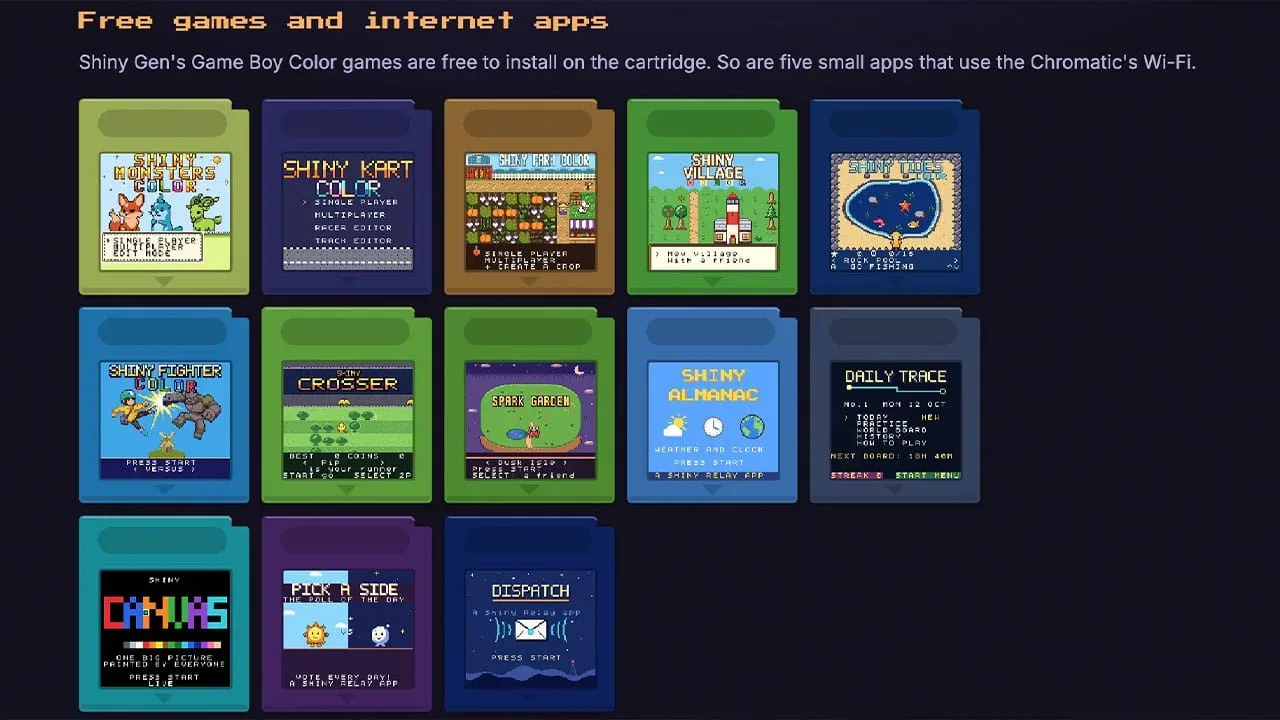
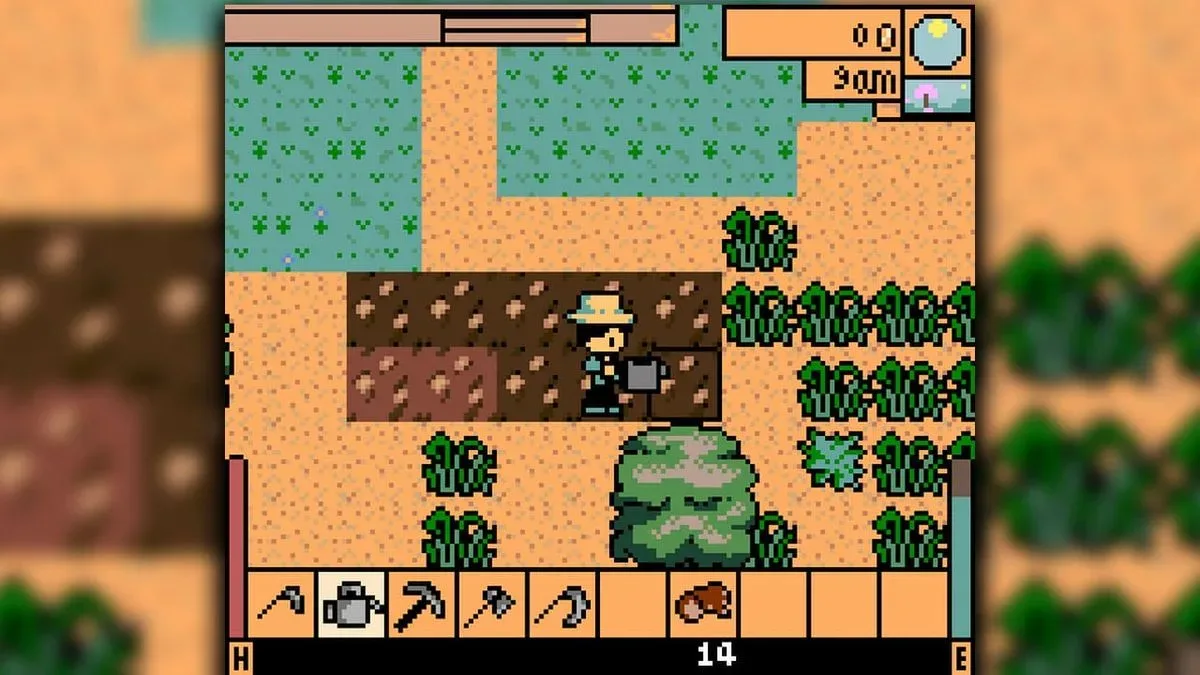
The currently listed game selection includes Shiny Monsters Color, Shiny Kart Color, Shiny Farm Color, Shiny Village, Shiny Rides, Shiny Fighter Color, Shiny Crosser, and Spark Garden. Their names clearly signal familiar genre inspirations, but the more significant point is that Shiny Relay turns the included cartridge into a configurable space for projects and apps.
The available internet-connected apps broaden that idea further:
- Shiny Almanac: weather, clock, calendar and world-map functions.
- Daily Trace: a daily worldwide puzzle.
- Shiny Canvas: a shared global canvas for drawing.
- Pick A Side: a poll of the day.
- Dispatch: posts from ModRetro.
These are modest applications by contemporary device standards, but they are interesting precisely because they sit on a Game Boy-inspired handheld rather than a phone or browser tab. They suggest an alternate use for retro-styled hardware: not merely replaying an older technical era, but letting a community experiment with new connections and shared spaces inside that form factor.
It is also a useful illustration of why an open platform can have a longer, less predictable life than its launch feature list suggests. Community tools rarely arrive all at once, and their value rests on whether they solve a real annoyance or enable something people actually want to do. Wireless substitutes for finicky cable setups and a cartridge-writing option for people without flash carts both clear that bar more readily than novelty features would.
That creator-led dimension remains relevant across gaming hardware and software, even as other developers wrestle with the pressure of following major successes; a recent discussion of the expectations surrounding a follow-up project shows how difficult it can be to move forward when an earlier hit sets the reference point. In the Chromatic’s case, the community is not trying to replace the system’s retro identity. It is adding options that make that identity easier to use in the present.
The practical takeaway
Shiny Relay’s headline feature is simple: it can make a Chromatic’s link-cable multiplayer behavior available over Wi-Fi. For compatible games, that could mean Pokémon trades and multiplayer sessions without depending on a physical cable. Its cartridge tools are just as consequential for a different group of users, offering an avenue to load supported content onto the included Tetris cartridge while retaining a backup-based way to restore Tetris.
Prospective users should approach it as a custom-firmware project, not an official plug-and-play toggle: read each prompt, preserve the game and save backups, do not disconnect during an install, and understand that restoration relies on files saved beforehand. Within those boundaries, Shiny Relay presents a focused use of the Chromatic’s existing FPGA and Wi-Fi hardware—one that makes an old-school multiplayer ritual considerably less tethered.