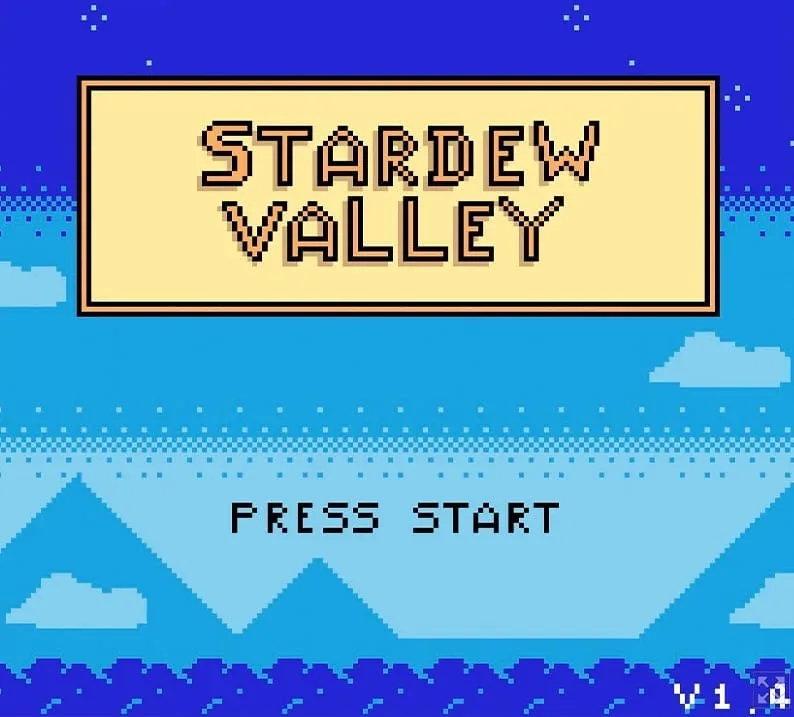
A small browser-based Stardew Valley demake from AEProjects is putting ConcernedApe’s much-loved farming routine through an 8-bit filter. It is not presented as a replacement for the full game, nor does it attempt to contain all of its scope. Instead, it narrows the idea to the activities that immediately communicate what Stardew Valley is about: tending crops, fishing, foraging and interacting with characters.
That restraint is a large part of the appeal. A demake is a project that reimagines a newer or more technically ambitious game as though it had been made for older hardware. In this case, the visual and control language evokes the Game Boy Color era, while the game itself runs in a web browser. The result is a compact, accessible take on the farming sim that leans into the retro character already present in Stardew Valley’s pixel art.
Players can open it in a browser and start working the virtual soil with a keyboard or a supported controller. There is no claim here that the project reproduces the original game feature for feature. Its appeal is the opposite: it condenses familiar actions into an intentionally smaller 8-bit format.
A modern farming phenomenon through an older lens
Stardew Valley launched in 2016 and has sold 50 million copies worldwide. Its mix of farming, gathering, fishing and social interaction has helped make it one of gaming’s most recognisable cosy experiences. The original also uses pixel art, which makes the transition to a Game Boy Color-style presentation feel more natural than it might for a game built around realistic visuals or complex 3D spaces.
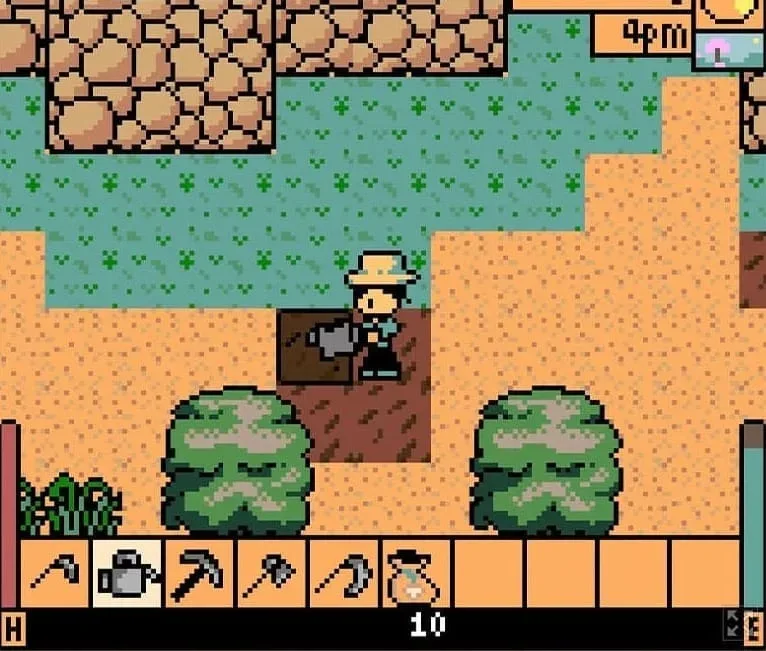
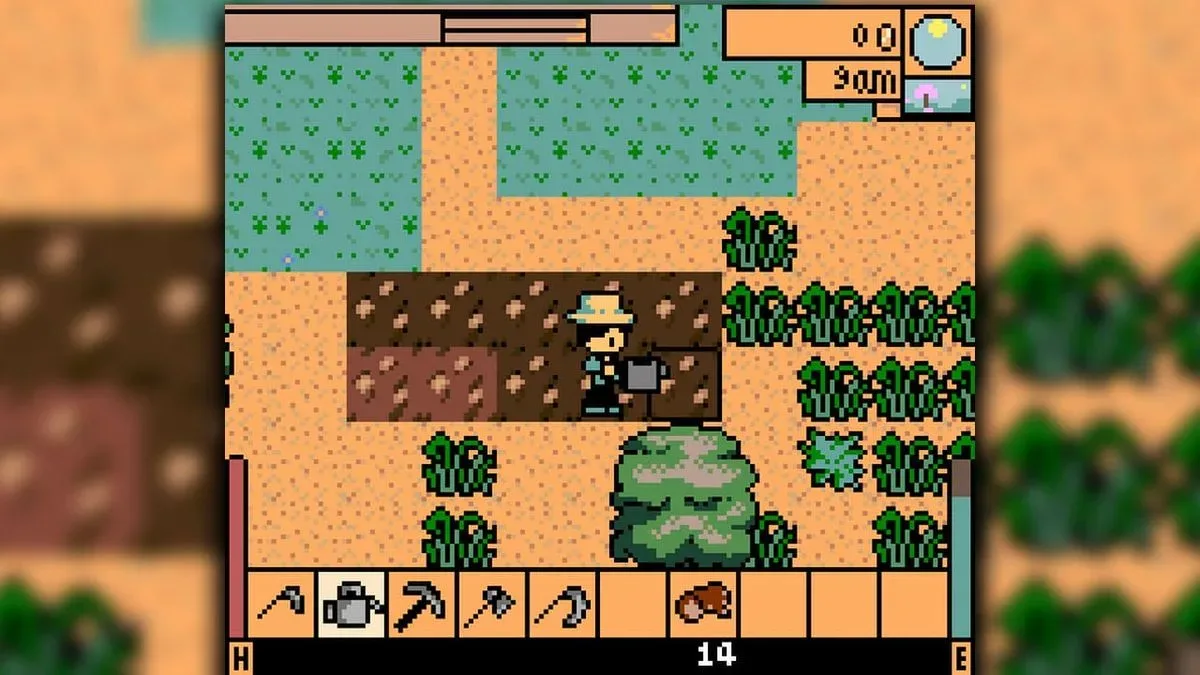
Pixel art alone does not make something feel like a Game Boy Color game, of course. The crucial shift is how much information the player sees and how directly they act upon it. The demake uses a square in front of the character to show the tile being targeted. That is a practical visual shorthand: rather than asking players to guess where a tool will land, it makes the next action legible before they press a button.
In farming games, that clarity matters. Tilling, watering, planting and harvesting are simple verbs, but they are repeated constantly. An unclear target system can make those actions frustrating. A visible selection square turns the farm into a readable grid, letting the player understand exactly which patch of ground will be changed.
The project supports tilling earth, watering, planting seeds and cutting crops, alongside its broader fishing, foraging and character-interaction elements. Those are the core loops that make a farming sim work. A gameplay loop is the recurring sequence of actions that gives a game its rhythm; here, it is the familiar pattern of preparing land, caring for it, collecting what it produces and choosing the next task.
Why the Game Boy Color framing fits
The Game Boy Color-style approach does more than add a nostalgic colour palette. It encourages a more compact interpretation of the original’s world. A smaller project can focus on immediately understandable actions rather than trying to replicate every system, area or long-term goal from a larger game.
Related coverage includes Stardew Valley Gets a Game Boy Color-Style Browser Demake.
That makes sense for a browser demake. Browser games benefit from being quick to start and easy to grasp, especially when they are controlled with a handful of keys. The format suits a brief session of watering crops or checking in on a small digital routine, without requiring the setup or commitment associated with a sprawling simulation.
There is also a useful distinction between a game made for Game Boy Color hardware and a game that adopts its style. This AEProjects project is playable in a browser, so players should not assume it is a cartridge release, an official Game Boy Color port, or a full recreation of the original. “GBC-style” describes the demake’s retro aesthetic and design inspiration. The browser delivery is what makes it immediately playable on a contemporary computer.
That combination is particularly effective with Stardew Valley. The game’s established pixel-art identity provides a natural visual bridge to the 8-bit approach, while its individual activities are easy to communicate at a small scale. Fishing reads as a discrete pastime; foraging gives players a reason to explore; farming remains tactile because each tool use changes a visible tile. Character interaction rounds out the concept by preserving a social element rather than reducing the demake to crop maintenance alone.
Controls: keyboard and controller options
The browser version offers straightforward keyboard inputs:
- WASD: Move the character.
- Z: Interact and use tools.
- Esc or I: Pause the game.
- X: Move left through the hotbar.
- C: Move right through the hotbar.
A hotbar is the quick-selection row used to swap between items or tools without opening a larger inventory screen. In a farming game, it is the practical bridge between tasks: one moment the player may need a tool for the ground, and the next they may need seeds or another item. Cycling left and right through that selection keeps the control scheme compact.
Controller support is also included:
- D-pad: Move the character.
- B: Use the equipped tool.
- Start: Pause the game.
- Left and right triggers: Cycle through hotbar selections.
The mapping is appropriately economical. Movement sits on the directional control, the primary action is assigned to one face button, pausing gets its conventional button, and item changes move to the triggers. For a deliberately small-scale demake, that economy is important: more elaborate inputs could work against the immediate, pick-up-and-play feeling that the Game Boy Color inspiration suggests.
Small scope is the point, not a shortcoming
It is tempting to evaluate fan-made reinterpretations by counting what is absent from the game that inspired them. That would miss what this one appears to be trying to accomplish. The AEProjects demake is described as not being huge, and that limitation helps define its identity. It takes several of Stardew Valley’s most recognisable systems and asks a focused question: what would their essence look like in a compact 8-bit game?
The answer appears to be a cleaner, narrower routine. Plant something. Water it. Harvest it. Search around. Fish. Speak to a character. Switch tools when the job changes. Each action is readily understood, and the square targeting indicator helps establish the relationship between player input and the game world.
For people who already know Stardew Valley, the appeal is likely recognition: seeing the familiar farming rhythm expressed in a deliberately reduced visual and mechanical language. For newcomers, it may serve as a low-pressure introduction to the genre’s basic vocabulary. Either way, it is best approached as a tribute-sized project rather than a substitute for the 2016 original.
It also demonstrates why demakes remain such a pleasant corner of game culture. They are acts of interpretation. Technical constraints—whether real or adopted for the concept—force developers to decide which parts of a game are indispensable. Here, AEProjects has centred the activities that make the farming fantasy readable at a glance and playable with a minimal input set.
How to approach it
The simplest way to engage with the demake is to treat the opening minutes as a controls tutorial. Walk with WASD or the D-pad, use Z or B to interact, then test the hotbar controls before settling into any particular task. Since tools and items are cycled through the hotbar, knowing where the relevant control sits will make the farming actions feel more fluid.
From there, the tile indicator is the key piece of visual feedback to watch. Before tilling, watering, planting or cutting crops, check the square in front of the character. It explains the action’s range and makes precise positioning easier. This is a modest interface detail, but it carries much of the work of translating a farming game into a small-screen-inspired structure.
The project is available through Itch.io in a browser. That means its strongest use case is immediacy: no claim of a lengthy installation process, no need to interpret it as a full port, and no need to reserve an entire evening to see what it is doing. It is a small, retro-styled slice of a much bigger farming sim, built around the activities that have made that sim endure.
For another example of a game designed around accessible modern devices rather than a traditional console release, The House of Tesla: Definitive Edition’s mobile release shows how control schemes and format can shape the way a puzzle experience reaches players. AEProjects’ approach follows a different route: it looks backward in visual language while using the browser as its point of access.
The end result is a neat fit for anyone who enjoys Stardew Valley’s calm routines and the look of Game Boy Color-era games. It does not need to be enormous to make its case. A few well-chosen systems, clear controls and a convincingly retro presentation are enough to make the familiar act of watering a crop feel like it has stepped out of another handheld timeline.