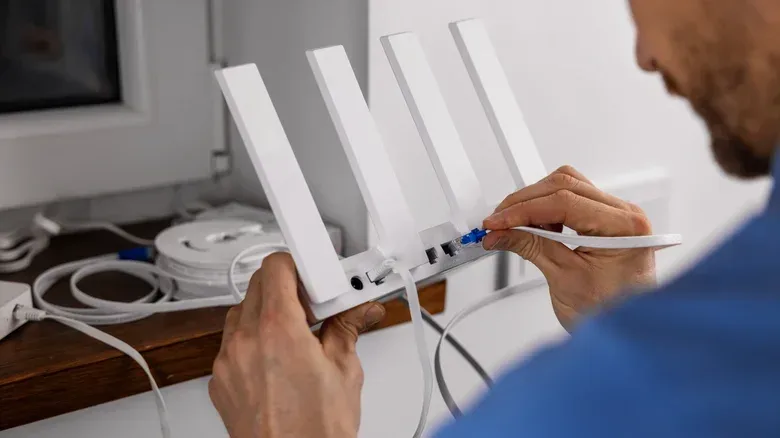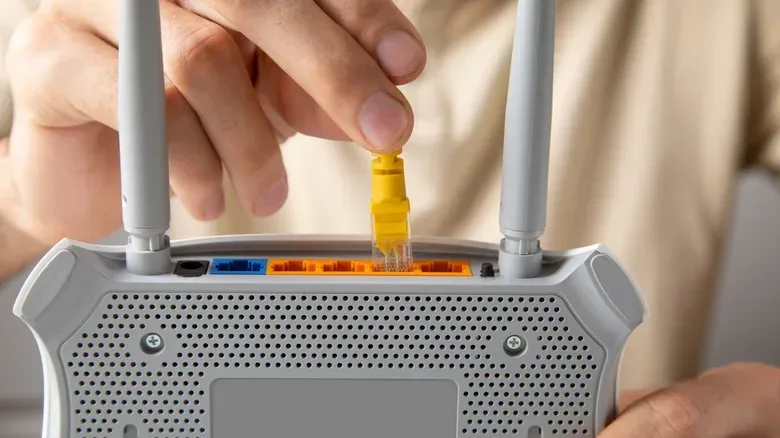
A home internet plan is not much use to a PC, console, streaming box or phone until the connection reaches the rooms where people actually use them. That is the job of the gateway: the equipment an internet provider often offers at checkout, usually combining a modem and router in one unit. It is also where an apparently tiny monthly decision can turn into a meaningful long-term cost.
Providers have commonly presented the gateway as a rental, often adding roughly $10 to $20 per month to the bill. The pitch is straightforward: accept the box, let the provider support it, and avoid researching hardware. In some places, the gateway is now included in the plan price instead. That changes the calculation dramatically. But where there is a real equipment charge, consumers have a practical choice between renting, buying the provider's unit outright, or—where permitted—supplying their own modem and router.
There is no universally correct answer. The useful question is not simply whether rental fees are bad. It is whether the convenience, support and lower initial cost of rental are worth more to a household than ownership, broader control and eventual savings.
First, separate the modem from the router
The terminology matters because it determines what can be replaced. A modem connects a home to the provider's service. A router distributes that connection through the home, generally over Wi-Fi and wired Ethernet. A gateway is a single device that combines both jobs.
That all-in-one gateway is compact and uncomplicated, which can be especially useful in a small space. But a customer who is allowed to bring their own equipment may instead buy a compatible modem and a separate router. Separating them can create more choice: the modem needs to work with the service, while the router can be chosen around Wi-Fi coverage, device-management tools, parental controls and newer wireless specifications.
Compatibility is the important catch. Some providers publish lists of supported third-party modems, while other arrangements may restrict the choice to provider hardware. Buying before confirming compatibility can turn a cost-saving plan into an avoidable headache. A router is not automatically a substitute for a modem, and a good router cannot solve the problem of an incompatible connection device.
Why renting remains a reasonable choice
Renting is the low-friction option. It avoids the upfront spend and folds equipment into the same recurring payment as service. For roommates splitting bills or anyone trying to limit immediate expenses, that may be more valuable than minimizing the total over several years.
It also keeps responsibility more clearly with the provider. If a technician is needed to establish service, they will generally connect the provider gateway and verify that the network works before leaving. A rented gateway may also be refreshed when the provider upgrades its hardware lineup, without requiring the customer to learn the difference between models or shop again.
Related coverage includes Should You Rent Your ISP Router or Buy Your Own?.
For a household whose requirements are basic—one compact living space, ordinary web use, streaming and no desire to tweak networking settings—an ISP device may do exactly what is needed. The fact that a unit is provider-issued does not inherently make it unusable. The limitation is that it is designed as a broad, standardized solution rather than a tailored one.
That distinction can be important for people who just want a dependable connection for a console download, multiplayer session or PC game update without taking on a second technology project. The simplest setup is sometimes the sensible setup.
The recurring-fee problem
The downside is that a rental charge does not end while the subscription continues. A $10 to $20 monthly fee can remain on the account indefinitely and could rise. It also produces no portable asset: switch providers and the rented box stays behind.
Buying the provider's own gateway can be compelling when the arithmetic is simple. A $200 gateway compared with a $20 monthly rental reaches break-even in 10 months. In that situation, a household that expects to remain with the service through a typical year-long promotional period would generally spend less by purchasing, provided it can absorb the upfront cost.
Bringing separate equipment raises the initial outlay and therefore extends that timeline. Current examples place entry-level modems around $55, though those models may support download speeds only up to 400 Mbps. A modem suited to up to 1 Gbps is commonly around $100 to $150, while hardware for 2.5 Gbps or higher can fall around $175 to $300. A very low-cost router might be about $50, but it is likely to be a weak fit beyond basic needs. New Wi-Fi 7 routers begin around $100, while whole-home mesh systems cost more.
Take a middle-ground example: $125 for a modem and $150 for a router, or $275 total. Against a $15 monthly rental, the break-even point is about 18 months. That is not an instant win. It is a decision based on how long the household expects to stay, whether the equipment will remain compatible if it moves to a new provider, and how much value it places on control.
A quick way to do the math
- Add the cost of every device required to use personal equipment.
- Identify the provider's monthly equipment charge, rather than the whole internet bill.
- Divide the purchase total by the monthly charge.
- Compare the result with the expected length of service and the useful life of the hardware.
This is a break-even estimate, not a promise. It does not account for a provider changing fees, a future move, a service upgrade that needs different hardware, or a new plan that includes a gateway at no additional cost.
What ownership changes beyond price
Owning the router gives a household latitude that an ISP gateway may not. A buyer can select a basic unit if that is sufficient, or prioritize current Wi-Fi standards, stronger range, more capable management controls, or a mesh setup.
A mesh network uses multiple coordinated Wi-Fi points to extend coverage through a larger home. It is not automatically necessary, but it is an option for properties where one router cannot adequately cover the entire space. That can matter when a gaming PC is far from the connection point, or when a media device sits in a room with poor Wi-Fi reach. The goal is not to chase a specification for its own sake; it is to match the network to the layout and connected devices.
Ownership also lets the customer replace or upgrade equipment on their own schedule. A provider may periodically issue a newer gateway, but the provider decides when that happens. Someone with their own compatible devices can change the router or modem when their needs change instead.
For technically inclined users, the bigger difference is access to settings. Provider gateways may not offer the latest Wi-Fi standards, the best range, or advanced features. Their software is usually fixed to what the provider supplies. Personal routers can offer fuller control over security and performance configuration and, on some hardware, allow custom router firmware beyond the stock software. That level of customization generally is not available on an ISP-supplied unit.
For entertainment devices, local Wi-Fi is part of the experience even though it is separate from the speed tier purchased from the ISP. The internet plan supplies the connection into the house; the router determines how that connection is shared around it. The same consideration applies to a streaming setup such as the one discussed in Apple TV 4K and four-HomePod surround sound: the home network is the plumbing behind the visible hardware.
Privacy and provider control deserve attention
An ISP-owned gateway is configured so provider technicians can remotely access it, modify settings and identify devices connected to the network. That arrangement can be useful for troubleshooting, but it is also a meaningful trade-off. People who want to decide exactly how their home network is configured may prefer hardware they own.
Some provider gateways also restrict particular choices. Depending on the model, it may not be possible to change DNS away from the provider's servers or to use a VPN at the router level. DNS, or the Domain Name System, is the service that translates site names into the numerical addresses devices use to reach them. A VPN, or virtual private network, routes traffic through a separate encrypted connection; using one at the router level can apply it across devices on the home network. These features are not requirements for every household, but restrictions are worth knowing about before accepting a box as a permanent part of the setup.
There can also be features that feel unexpected. Xfinity, for example, broadcasts a network named xfinitywifi from its equipment that eligible customers can use after signing in. The company states that this is secure and does not use the subscriber's bandwidth. Even so, some people may be uncomfortable with hardware in their home participating in a network accessible to other customers. Owning the network equipment eliminates that particular provider-controlled arrangement.
When “included” means stop doing the rental math
The most important check comes before shopping for a modem or router: is the provider gateway actually a separately charged rental? More providers are including hardware in a plan's price. In one Verizon Fios checkout example, the router was shown as included through an $18 monthly discount not described as a limited-time offer. The unit must be returned when service ends, and damage can incur a charge, but there is no normal equipment payment to eliminate. In that case, purchasing Verizon's listed $400 Wi-Fi 6E router makes little financial sense solely to avoid a rental fee that is effectively zero.
Xfinity similarly includes its gateway even with a 300 Mbps plan, while still allowing customers to decline it and use personal equipment. Where the gateway is free, personal gear can still be appealing for coverage, privacy, configuration or feature reasons. It simply should not be framed as a guaranteed money-saving move.
A practical decision checklist
- Confirm the fee: distinguish an actual monthly equipment charge from a gateway already included in the plan.
- Check what is permitted: find out whether the provider supports personal modems, personal routers, or only its own equipment.
- Match hardware to service speed: a cheaper modem may not support the speed tier being purchased.
- Assess the home: a single router may be enough, while a larger property may justify mesh coverage.
- Estimate the stay: compare the break-even month with how long the service is likely to remain in use.
- Decide how much control matters: settings, DNS choices, VPN use, security options and firmware flexibility all favor ownership where supported.
- Remember portability: personally owned equipment may move to another provider, but only if it remains compatible.
The rental gateway is best understood as a convenience product, not a trap and not a universal bargain. It is often ideal for people who value immediate setup, provider support and no upfront hardware cost. But a paid rental becomes less attractive the longer it remains on the bill, especially for households that want better coverage, current Wi-Fi capabilities, detailed configuration or a network they can take with them. The sensible choice comes from verifying the actual plan terms, doing the short break-even calculation and buying only the degree of network complexity the home really needs.