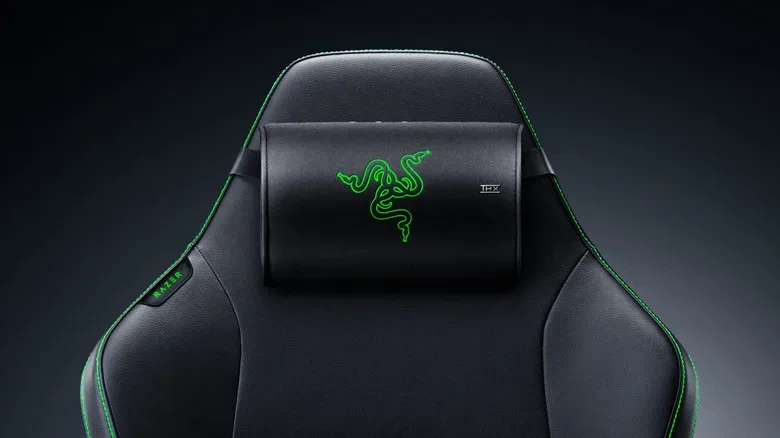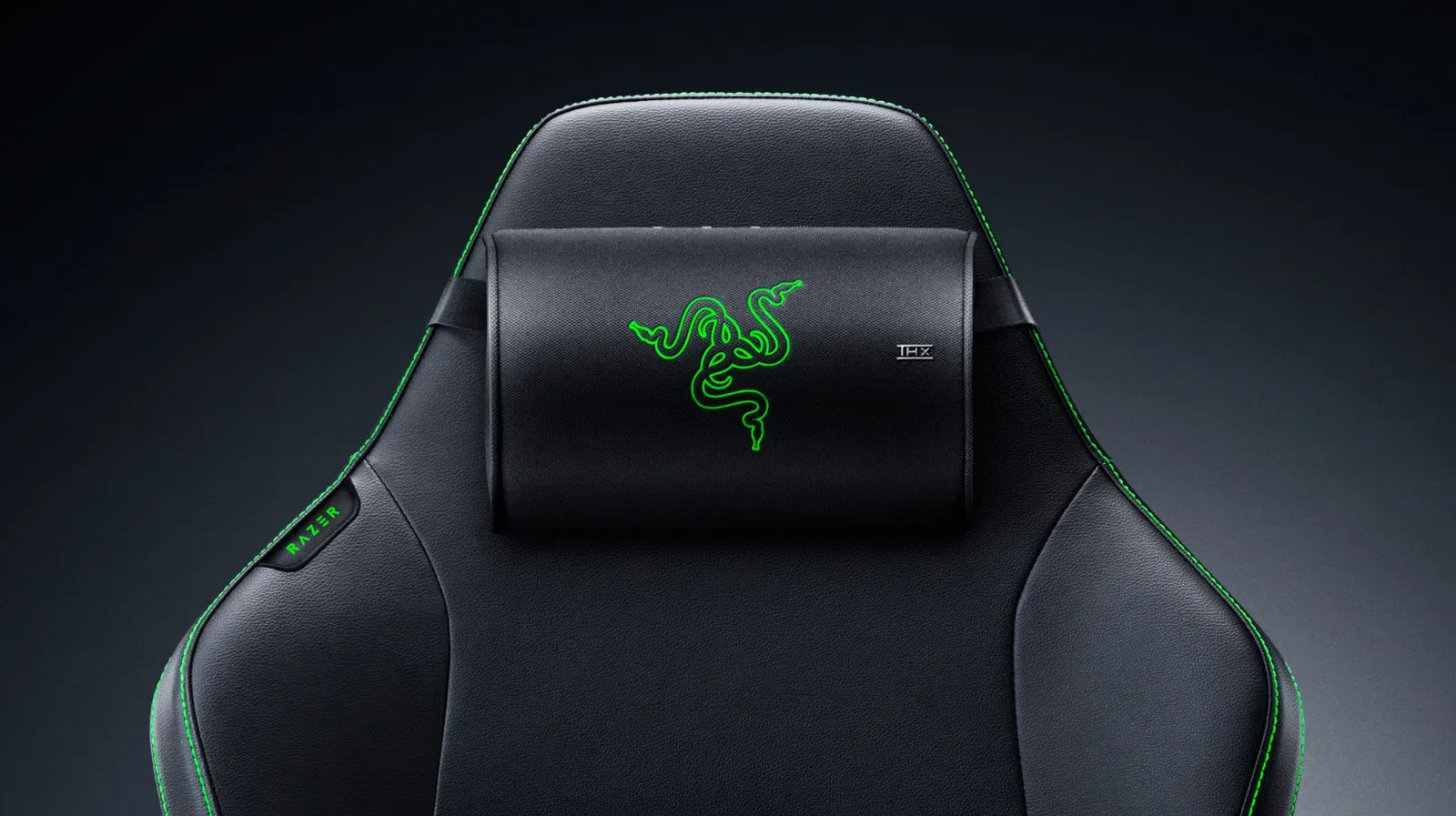
Gaming-chair audio has always occupied a strange, wonderfully specific corner of the desk setup: the place where a player decides ordinary speakers are simply too far away and a headset is one hour too many on the ears. Razer’s Clio X is built for that exact argument. Introduced at PAX West 2026, the new speaker-equipped head cushion is a less expensive counterpart to the original Razer Clio, bringing the concept to a listed price of $110.
That is a substantial shift from the original Clio, which launched last year for $230. The Clio X is therefore less than half the price of the flagship model, though it is not merely a renamed cushion with a dramatically smaller number beside it. Razer positions the difference around its acoustic design: the original uses 43mm full-range drivers with aluminum cones, while the Clio X uses a more compact arrangement of two 38mm loudspeakers and two 55mm passive radiators.
The result is a product aimed at players who want personal, near-field audio integrated into the chair rather than mounted on the desk, squeezed over their head, or fired across the room. It is a distinct proposition, and one with a few important compatibility and power caveats to understand before anyone starts reorganizing their battle station around it.
A speaker cushion designed for Razer gaming chairs
The Clio X is made to work with all Razer gaming chairs. Installation is described as straightforward: the cushion attaches to a chair’s headrest using an adjustable nylon strap. There is no indication that it is meant to be a universal accessory for office chairs from every manufacturer, so the stated compatibility should be read exactly as Razer frames it: it is for the company’s own gaming-chair lineup.
Its placement is the essential part of the idea. Rather than recreating a conventional desktop speaker setup, the Clio X places sound immediately behind the listener’s head. That can make practical sense for a compact room, a shared living space, or any desk where monitor arms, microphones, chargers, controller stands and one suspiciously heavy collectible have already claimed every available square inch.
It also offers a possible alternative for players who do not always want the isolation or physical pressure of headphones. A cushion speaker is not the same thing as private headphone listening, and prospective buyers should not assume it will prevent nearby people from hearing audio. But it is designed to keep playback close to the user, rather than depending on a pair of speakers located across the desk.
What changed from the original Clio
The headline difference is price, but the hardware distinction matters. Razer’s flagship Clio has 43mm full-range aluminum-cone drivers. The Clio X instead contains two 38mm loudspeakers and two 55mm passive radiators. Passive radiators are components used to support low-frequency response without acting as independently powered speakers, and their inclusion signals that the compact cushion is intended to retain a fuller sense of impact despite its reduced physical scale.
None of that automatically makes the Clio X a direct one-for-one replacement for the higher-priced original. Razer explicitly identifies the acoustic architecture as the main difference between the models, which means shoppers comparing them should look beyond the bargain math. The $110 Clio X is the budget-oriented option; the $230 Clio remains the flagship model with its own driver configuration.
Still, the new model’s specification has a certain clean logic. The Clio X is not pretending to be a living-room surround package stuffed into a headrest. It is a compact chair attachment that pairs two active loudspeakers with two passive radiators, trying to make a very niche setup more attainable. For the right person, affordability may matter more than owning the top configuration in a product category that most people have never considered at all.
THX Spatial Audio and a 2.4 GHz computer connection
On the software side, the Clio X supports THX Spatial Audio, which Razer says transforms standard stereo surround sound into 360-degree audio. Spatial processing is meant to give compatible audio a broader, more positional presentation than ordinary left-right stereo alone. Its appeal is obvious for games where sound cues help establish movement, environments or on-screen action, although the specific effect will naturally depend on the game, audio mix and user preferences.
The Clio X connects to a computer through Razer’s proprietary HyperSpeed 2.4 GHz wireless technology. Razer says this connection was designed with competitive gaming in mind and is intended to provide low-latency audio. The important practical point is that the stated computer link is 2.4 GHz wireless, not a general promise of compatibility with every Bluetooth-equipped device someone happens to own.
For PC players who continually refine their desk layouts, peripherals remain part of the larger setup equation. Software, cables and maintenance choices can matter as much as the shiny new hardware; our guide to choosing a PC emulation setup you can maintain over time explores that broader principle from the software side. The Clio X is another example of a setup-specific decision: it is most compelling when its chair-first design solves a real problem that normal speakers or headphones do not.
Razer also says the Clio X can be connected to a soundbar if the cushion by itself is not enough. That creates an option for users who want the close-range effect of the chair speaker while retaining a larger audio component in their setup. Exact behavior will depend on the equipment and configuration involved, so it should not be mistaken for a claim that every soundbar will behave identically with the cushion.
Power is not an optional footnote
The Clio X needs power from a 15W USB-C source, such as a power bank. This is perhaps the product’s most consequential everyday requirement. The cushion does not ship with that power source, meaning buyers need to provide one separately.
Razer recommends using a PD 2.0 power source. A non-PD source can restrict the Clio X’s power draw and lower its maximum volume. In plain setup terms: a random USB-C battery pack may physically connect, but it may not let the cushion reach the same volume ceiling as an appropriately rated USB Power Delivery unit. That distinction is worth checking before purchase, especially for anyone trying to avoid the timeless ritual of unboxing a new accessory and discovering that one more purchase is required to use it as intended.
Battery life is not presented as one fixed figure because the Clio X relies on the capacity of the connected power bank. Razer advises a power bank with at least 10,000mAh capacity. A larger bank should logically offer more stored capacity than a smaller one, but actual runtime will vary with the bank and how the Clio X is used. The supplied information does not establish a universal number of hours, so shoppers should be wary of treating any assumed runtime as official.
Who the Clio X makes sense for
The Clio X is most clearly targeted at existing Razer gaming-chair owners who want an audio upgrade that does not occupy desk space and who are comfortable adding a power bank to the chair. At $110, it substantially lowers the financial barrier compared with the original Clio while retaining Razer’s 2.4 GHz wireless connection, THX Spatial Audio support and an audio design built specifically for a headrest position.
It may be less straightforward for someone who has no Razer chair, expects an included battery, or wants an uncomplicated all-in-one speaker purchase. Its appeal depends on accepting its ecosystem: a compatible chair, a computer connection, USB-C power, and preferably a PD 2.0 power bank of 10,000mAh or more.
That makes the Clio X a specialized accessory rather than a universal audio recommendation—and that is not a criticism. Gaming spaces are personal collections of compromises. One player wants open desk speakers. Another lives in a headset. Another wants sound closer than the monitors but does not want anything touching their head. For that latter crowd, the Clio X is Razer’s newly cheaper answer, now available through Razer’s website and retail stores.