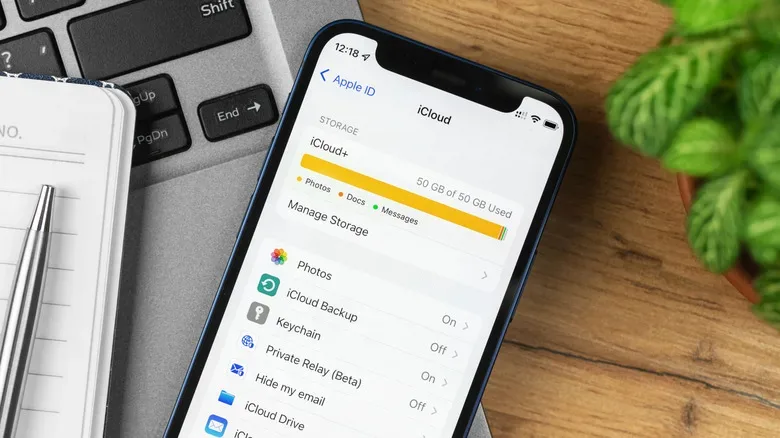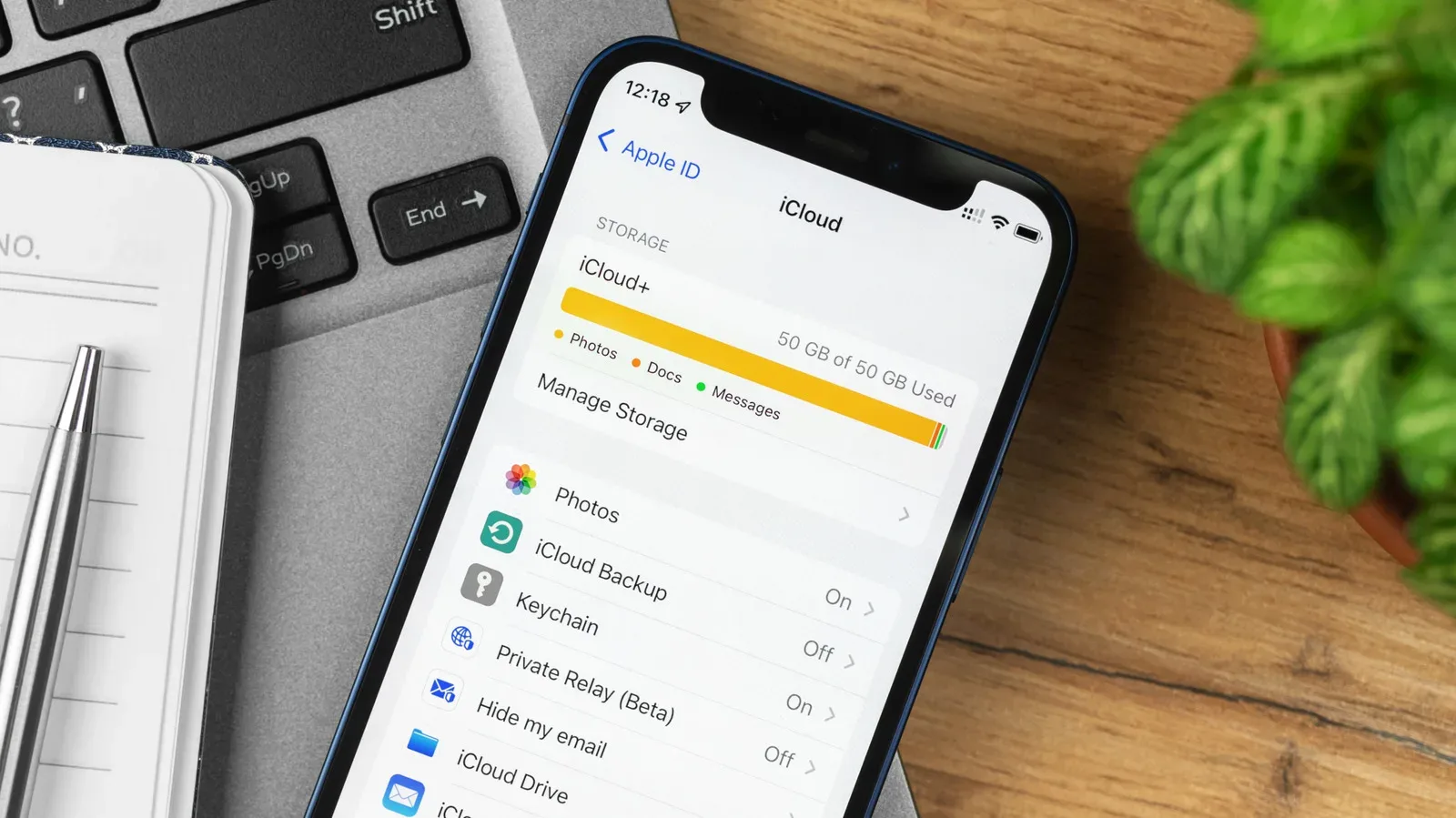
Digital storage has a strange way of turning into a boss battle without warning. One day, an iPhone is happily syncing photos, messages and settings; the next, a backup cannot finish, a photo library is out of room, and a notification is asking for a monthly subscription to restore order. For Apple-device owners, that moment usually leads to the same question: is paying for iCloud+ actually worthwhile?
The short answer is that it can be, but the sensible plan depends less on owning an Apple device and more on what is being saved, synced and backed up. Apple has offered iCloud since 2011, yet its free allowance remains 5GB. That capacity is modest in an era when a single personal photo library, device backup, message history or file collection can grow quickly. Even devices that offer far more local capacity—many current Apple products start at 256GB—do not receive a matching bump in free cloud storage.
That mismatch matters because iCloud is not simply a spare drawer for pictures. It can hold device backups and keep contacts, passwords, notes, messages, documents, app settings and email-related data available across an Apple setup. It is most useful when it quietly does its job: moving information between an iPhone, iPad and Mac, and making the switch to a new iPhone less of a manual migration quest.
For people who want that convenience, the free 5GB tier is better understood as a starting point than a realistic long-term setup. The decision then becomes one of scale: buy enough room for the things that matter now, while avoiding the recurring cost of capacity that will sit unused.
Why 5GB gets crowded so fast
The free plan can work for a very light user, particularly somebody who does not take many photos or videos and does not rely heavily on cloud backups. But it leaves little margin. A photo library alone can exceed 5GB with surprising speed, and the available space may also need to accommodate backups, messages, notes, documents and other sync data.
This is where local storage and cloud storage need to be treated as separate meters. Having 256GB free on an iPhone does not mean iCloud has 256GB available. The phone’s built-in capacity determines how much can live on the device; the iCloud allowance is the separate online space used for the services and content connected to the account.
That distinction is important for gamers and collectors who use a Mac, iPad or iPhone alongside other hardware. A device can have plenty of remaining onboard room for screenshots, clips, documents or a growing media library while the account’s online storage is already full. If a new device is part of the plan, keeping settings and data synchronized can be a meaningful convenience. For a related reminder that local capacity deserves its own attention, see our guide to checking MacBook storage health before files face a game-over screen.
The 50GB iCloud+ plan: the low-cost save slot
Apple’s 50GB iCloud+ tier costs $0.99 per month. It is the logical first paid step for someone who wants the practical benefits of iCloud without immediately committing to a much larger pool of storage.
At this size, the plan is well suited to keeping everyday information synchronized among Apple devices: contacts, documents, messages, application settings and similar account data. It can also provide breathing room for backups and a modest cloud-based photo library. Think of it as the plan for an Apple owner who wants the ecosystem to function smoothly but does not generate a large volume of photos, videos or Mac files.
The key limitation is that 50GB is not an endlessly expandable inventory chest. Users who regularly capture images and video, maintain thousands of photos, or add several devices to their account may eventually reach the limit. That does not make the smaller tier a bad value. Starting there can be the most sensible move for someone unsure whether cloud storage will become central to their routine. The plan can reveal actual usage patterns without paying for far more capacity than is needed.
Who should consider 50GB?
- Owners with one or a small number of Apple devices.
- People mainly interested in syncing core data such as contacts, notes, settings, messages and documents.
- Users with limited photo and video libraries.
- Anyone who wants to move beyond 5GB while keeping the monthly cost as low as possible.
For this group, $0.99 a month buys more than raw gigabytes. It buys less routine storage management and a smoother path when changing to a new iPhone.
The 200GB tier: room for a growing library
Apple’s 200GB iCloud+ plan costs $2.99 per month and is positioned as the more common choice. The additional capacity is useful once photos and videos become an important part of the account rather than an occasional extra.
A person who syncs thousands of photos and videos may find that 50GB becomes restrictive over time. The 200GB plan gives that library substantially more space, while retaining the same core benefit of keeping an Apple ecosystem aligned across devices. It is a middle ground: considerably more accommodating than the entry paid tier but not yet designed around huge professional-style archives or large Mac backups.
The $2 monthly difference between 50GB and 200GB is small in isolation, but it should still follow a need rather than anxiety. If the account only contains light backups and a small media library, 50GB remains the efficient pick. If storage warnings are already recurring because photos, videos and several Apple devices are all drawing from the same cloud allocation, 200GB is likely the less frustrating option.
The best storage plan is not necessarily the largest one. It is the one that leaves enough headroom for regular backups and sync activity without turning a simple monthly service into wasted capacity.
When 2TB, 6TB and 12TB make sense
Apple also offers 2TB, 6TB and 12TB iCloud+ plans. These are aimed at heavy users, not merely people who dislike deleting a few screenshots. The jump becomes easier to justify for those shooting RAW photography, recording 4K video or backing up large Mac files to the cloud. Those kinds of files can consume 200GB far more rapidly than ordinary documents and basic device syncing.
A larger plan can also make sense for someone moving among three or more Apple devices. Each device may contribute backups, settings and media needs, while a shared cloud workflow makes keeping information consistent more valuable. Still, device count by itself is not the whole calculation. Three lightly used devices will not necessarily need multiple terabytes; large media files and extensive backups are the real capacity drivers described here.
Signs that the larger plans may be relevant
- RAW photo work is part of the library.
- 4K video recording is a regular habit.
- Large Mac files are being backed up to iCloud.
- Three or more Apple devices are in frequent use.
- A 200GB allocation is no longer enough for the material that needs to remain online.
For everybody else, large-number storage can be tempting in the same way a giant hard drive is tempting: it promises the end of inventory management. But capacity should match the files and workflow, not just the desire to never see another warning.
iCloud+ is also about privacy and HomeKit
The paid service is not solely a capacity upgrade. An iCloud+ subscription includes Private Relay, designed to stop websites from tracking a person’s browsing, and Hide My Email, which can create random email addresses instead of exposing a primary address. These features give the subscription value beyond backups and media syncing, especially for users who prefer an extra layer of separation while browsing and signing up for online services.
iCloud+ is also required for HomeKit Secure Video. That detail is particularly important for households using HomeKit-compatible security cameras. Storage level affects how many cameras can be connected to the account, so the right plan must account for both file storage and camera coverage. In that scenario, paying for iCloud+ is not merely a convenience upgrade; it is a foundational requirement for using the secure-video setup.
What about Apple One?
There is one final route for people who already spend time with Apple’s entertainment services. Apple One bundles can combine Apple Music, Apple TV, Apple Arcade, iCloud+ storage and other subscriptions into one monthly plan. Whether that is better than purchasing iCloud+ on its own depends on which services are already part of a person’s day-to-day spending and how much they are comfortable paying each month.
Apple Arcade makes this especially worth considering for players already invested in Apple’s gaming subscription, while Apple Music and Apple TV can change the bundle calculation for entertainment-focused households. The relevant comparison is not simply “bundle versus storage.” It is whether the included services replace subscriptions that would otherwise be purchased separately.
For most people, the decision tree is straightforward. Stay at 5GB only if cloud use is genuinely minimal. Choose 50GB for affordable, everyday syncing and lighter backups. Move to 200GB when photos, video and multiple devices make the smaller plan feel cramped. Reserve 2TB, 6TB and 12TB for sizeable media creation, large Mac backups or a demanding multi-device setup. Add HomeKit Secure Video and iCloud+ privacy features to the equation, then compare Apple One only if its other services already fit the household.
Cloud storage may not be glamorous, but it can be the difference between an Apple setup that quietly stays in sync and one that regularly interrupts the session with an out-of-space screen.