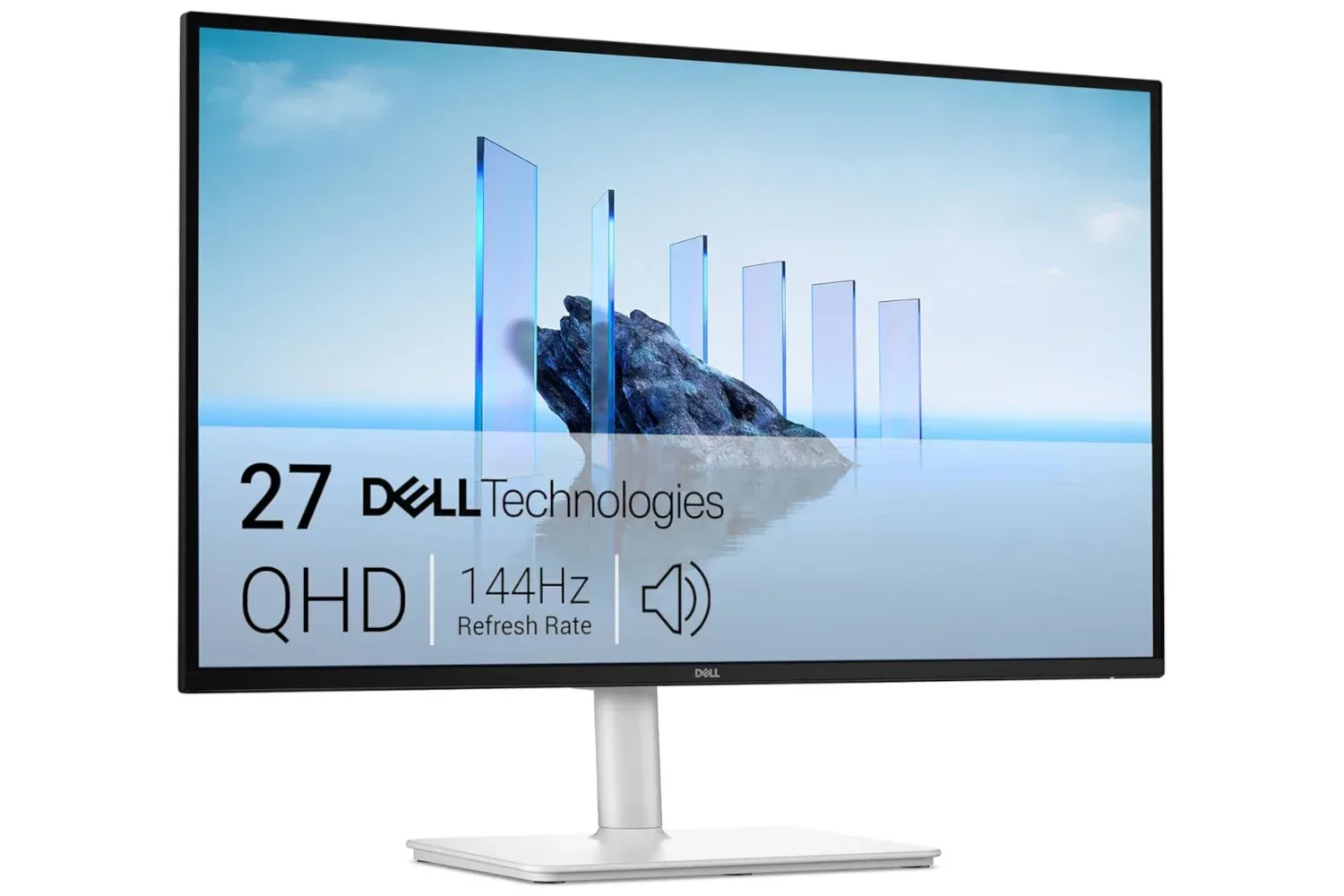
Dell’s 27 Plus QHD Monitor is listed at $170, a reduction from its stated regular price of $220. That is a $50 saving, or roughly 23%, on a display whose headline specifications make it a potentially useful all-round PC upgrade: a 27-inch QHD screen, 144Hz refresh rate and 1ms response time.
The important caveat with any retailer price is that it can change without warning. The $170 figure should be treated as a current listing rather than a permanent new baseline, so prospective buyers should confirm the price and exact configuration before ordering.
The deal in brief
- Product: Dell 27 Plus QHD Monitor
- Listed price: $170
- Stated usual price: $220
- Difference: $50, approximately 23%
- Display size: 27 inches
- Resolution: QHD, or 1440p
- Refresh rate: 144Hz
- Response time: 1ms
- Convenience features named: tilt, pivot and swivel adjustments; built-in speakers; reduced blue-light emissions designed to preserve image quality
Why 1440p on a 27-inch screen is a notable combination
QHD is commonly used to describe a 2560-by-1440-pixel resolution, also called 1440p. It sits between Full HD 1080p and 4K in pixel count. In straightforward terms, it gives a desktop more room than 1080p for applications, browser windows and game interfaces while avoiding the jump to 4K.
Screen size matters to how that resolution is experienced. At 27 inches, a 1440p panel offers a larger physical canvas than a smaller display while retaining considerably more pixels than a 1080p monitor. For someone moving from a basic Full HD screen, the practical gains may include fitting more information side by side and having more space for a game alongside chat, guides or system tools. It can also be a sensible middle ground for a PC that is expected to handle work and play rather than being bought for one narrow purpose.
Resolution is only one side of the equation, however. More pixels mean the graphics hardware has more work to do in games. A PC that runs a title comfortably at 1080p will not necessarily maintain the same frame rate at 1440p. The display’s 144Hz maximum refresh rate is therefore best viewed as headroom: it can show up to 144 refreshed images each second when the computer and game can provide them. It does not itself create additional performance.
144Hz explained: smoother motion needs the PC to keep up
Refresh rate, measured in hertz (Hz), is the number of times a monitor can redraw the image in one second. A 144Hz monitor refreshes up to 144 times per second. Compared with a conventional 60Hz display, that higher ceiling can make motion appear more fluid, particularly in fast camera movement and quick-scrolling content.
For gaming, the benefit depends on several factors: the game’s own settings, the capability of the PC, and the frame rate the system is actually producing. Frame rate is the number of complete images generated by the game every second. When a game runs below 144 frames per second, the monitor can still operate at 144Hz, but it cannot magically fill in performance the PC has not rendered.
That does not make the higher refresh specification irrelevant for games that do not reach that maximum. A 144Hz monitor remains capable of displaying the output available to it up to its limit. The key buying question is whether a buyer values the possibility of smoother high-frame-rate play and a responsive-feeling desktop enough to make 144Hz a priority alongside image resolution.
Related coverage includes Dell 27 Plus QHD Monitor Drops to $170 in Limited-Time Deal.
Anyone weighing a wider PC setup upgrade may also want to follow developments around future handheld hardware, including ongoing Steam Deck 2 speculation tied to a possible AMD APU benchmark. A monitor purchase and a handheld are very different decisions, but both underline the same basic point: display capability and the hardware producing the image need to be considered together.
What a 1ms response-time claim is intended to address
Response time is different from refresh rate. It refers to how quickly a pixel transitions from one state to another. A lower figure is generally associated with less visible trailing or smearing behind moving objects, a consideration in fast-paced games and video.
The Dell listing gives the monitor a 1ms response time. That makes the display’s stated specification suited to buyers who care about motion handling, but it should not be treated as a complete description of the viewing experience. Refresh rate and response time describe related but separate parts of a monitor’s behaviour: the former is the redraw ceiling, while the latter concerns pixel changes. Neither stat tells a shopper everything about a panel by itself.
Practically, the combination of a stated 144Hz refresh rate and 1ms response time positions this monitor as more than a basic office screen on paper. It is also relevant to PC gamers seeking a display with specifications aimed at fast-moving gameplay, while the 27-inch QHD format leaves it useful for general desktop use.
Stand adjustment can matter as much as a headline display spec
The monitor is described as offering tilt, pivot and swivel adjustment. These are mundane features until a fixed stand places a screen too low, angled poorly, or awkwardly relative to the desk. The ability to tilt changes the vertical viewing angle; swivel turns the display left or right; and pivot permits rotation of the panel.
Those adjustments make a difference for people who share a workstation, regularly change their seating position, or alternate between tasks. Pivot can be especially relevant to users who prefer a taller orientation for long documents or certain productivity layouts, while swivel can reduce the need to shift the entire stand to show content to someone beside the desk.
There is no substitute for measuring a desk and considering normal seating position before purchase. The evidence here establishes that these adjustments are present, not the full range of movement, dimensions or the ideal arrangement for every user. Still, their inclusion makes the display more flexible than a screen that can only tilt or cannot be repositioned at all.
Built-in speakers and eye-comfort claims: useful, but define the role they play
Built-in speakers mean the monitor can provide audio without requiring a separate speaker set for every use case. That is convenient for everyday clips, music and general computer tasks, or for desks where simplifying the setup is the priority. It should not be assumed, however, that integrated monitor audio is intended to replace a preferred dedicated audio setup; the listing establishes that speakers are included, not their output characteristics.
The display also includes eye-comfort features said to reduce blue-light emissions without compromising image quality. Blue light is part of visible light, and this type of feature is designed to make extended screen use more comfortable for some users. The useful purchasing takeaway is modest: it is an included comfort-oriented feature, not a reason to skip sensible breaks or overlook the fundamentals of screen placement and viewing habits.
Buyers should distinguish such comfort features from gaming performance specifications. The 1440p resolution, 144Hz refresh rate and 1ms response time concern the picture and motion capabilities described for the panel. The reduced-blue-light feature is about viewing comfort. Both can be valuable, but they answer different needs.
Who this price is most relevant to
At the listed $170 price, the Dell 27 Plus QHD Monitor looks most relevant to PC users who want one display to cover a number of jobs rather than a highly specialized panel. Its cited feature list supports that reading: QHD provides more desktop space than Full HD, 144Hz and 1ms speak to gaming-oriented motion performance, and the adjustable stand plus speakers aim at day-to-day convenience.
It may be particularly worth considering for someone stepping up from an older or entry-level monitor and looking for a 27-inch 1440p screen with a higher refresh ceiling. It is also a deal that should be approached with a short checklist rather than impulse alone. Confirm the price is still $170, check the exact product listing, and make sure the PC and intended games align with a 1440p, high-refresh target.
The listing does not establish every specification a shopper might care about, such as particular ports, panel technology, brightness behaviour or other advanced features. Those omissions are not negatives in themselves; they are simply details to verify on the retailer page if they matter to a planned setup. What is clear is the core proposition: a 27-inch QHD Dell monitor with a 144Hz refresh rate, 1ms response time, ergonomic adjustments and built-in speakers at $170 rather than the stated $220 regular price.
Shop the products
Check current price, model and availability at the retailer.