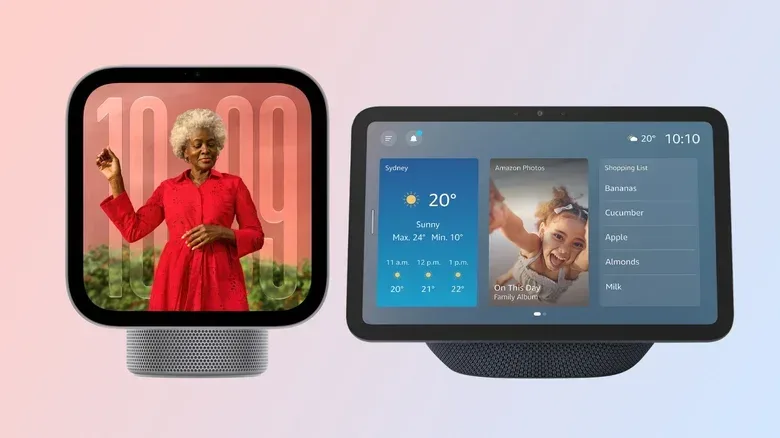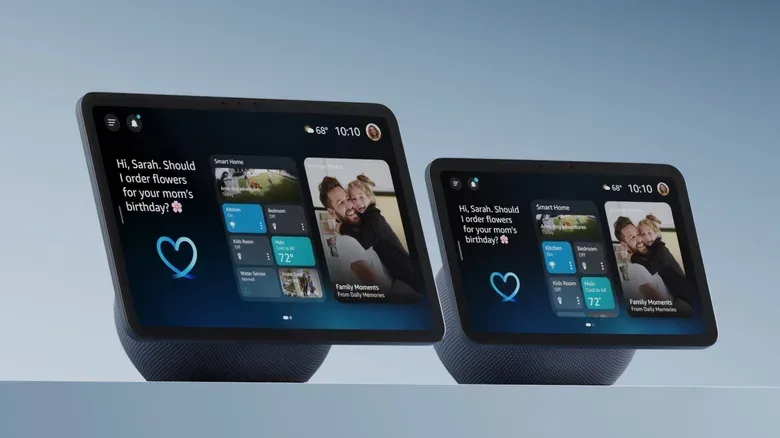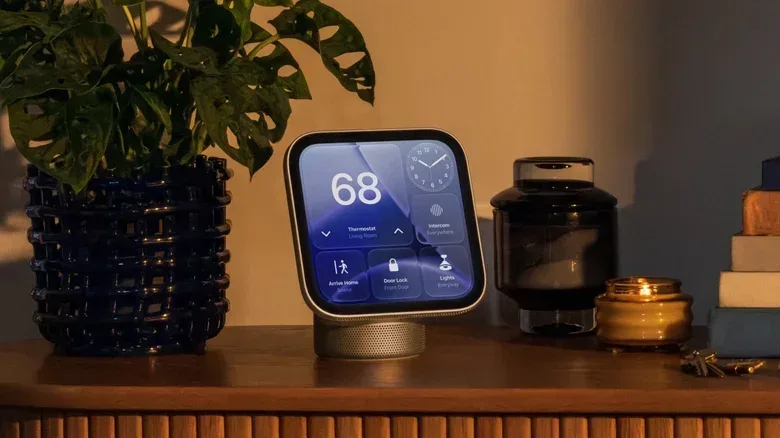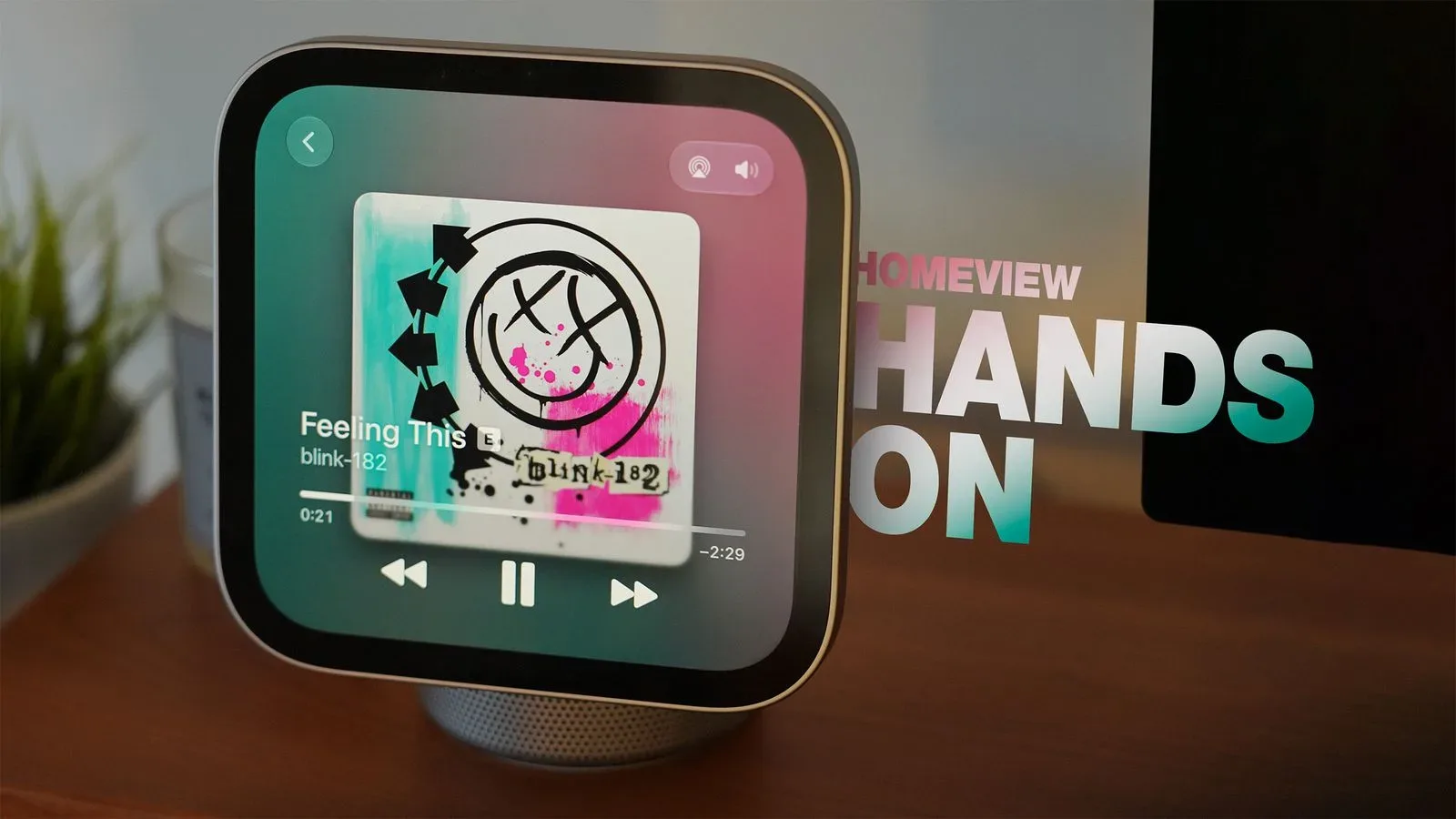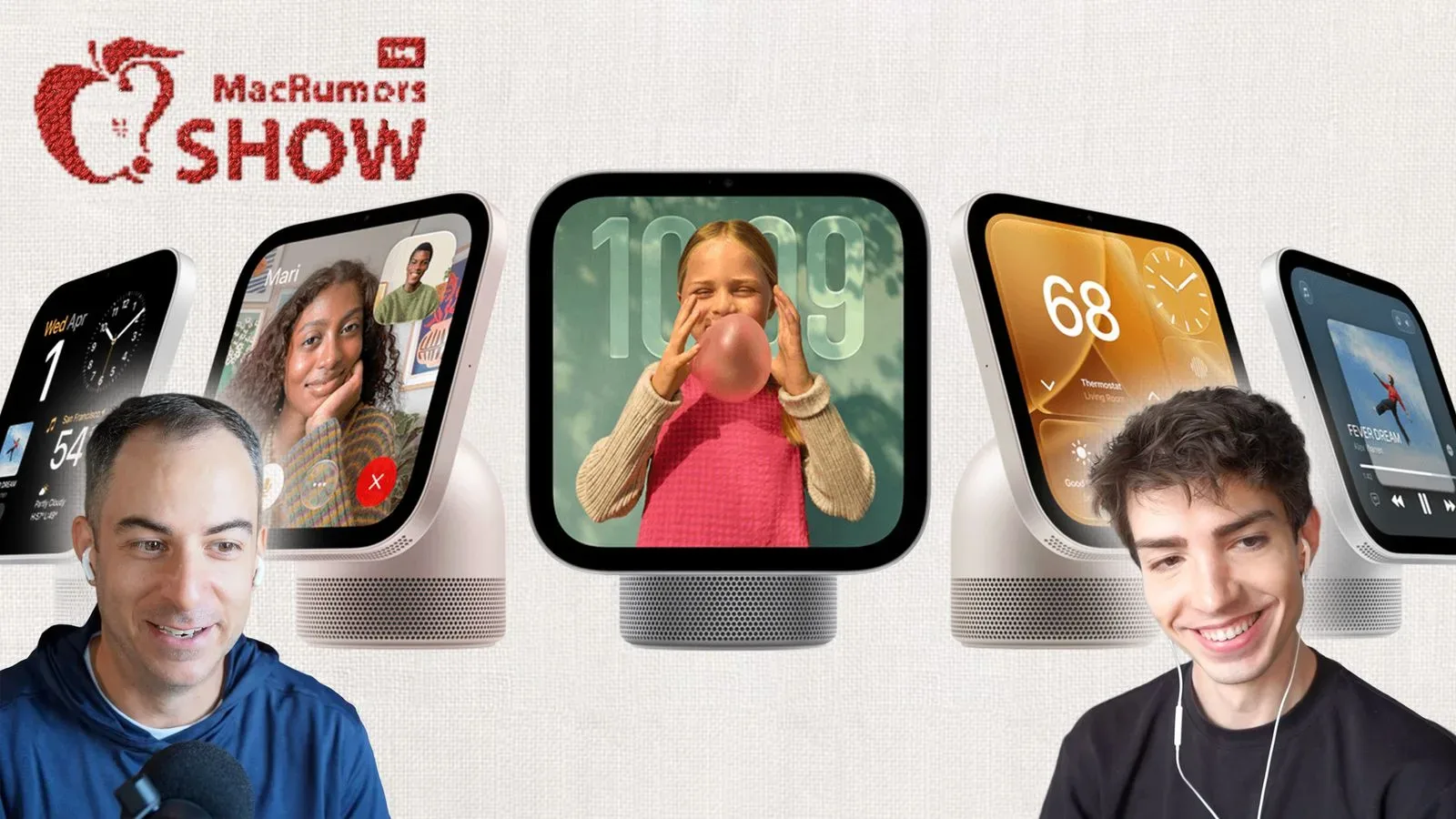
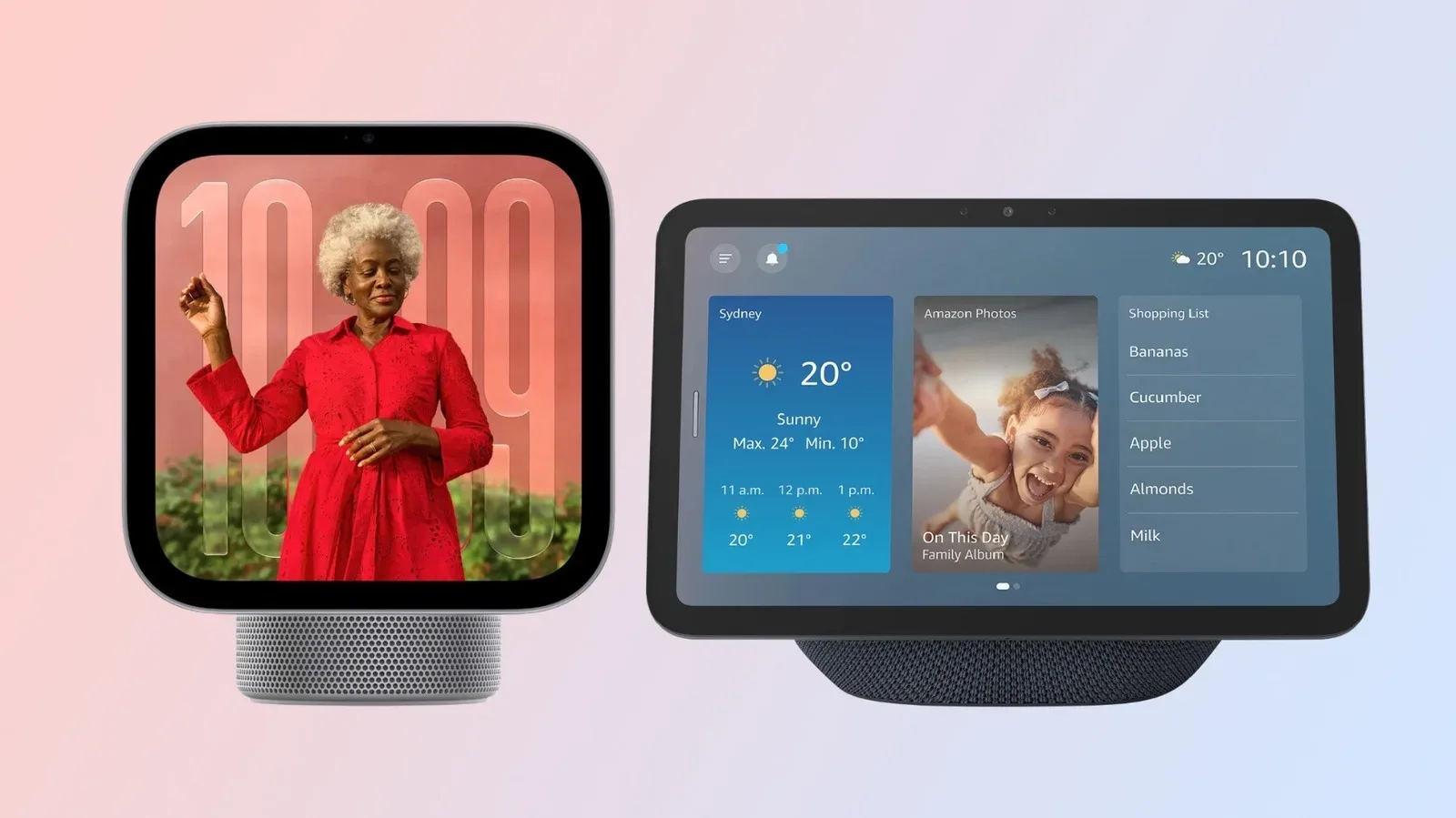
Apple’s HomeView and Amazon’s Echo Show line both put a touchscreen, speakers, cameras and an AI assistant in a shared room. At a glance, that makes them seem like direct rivals: devices for the kitchen counter, desk or living space that can surface information, handle voice requests and play media without reaching for a phone.
The more useful comparison is not simply Apple versus Amazon. It is companion device versus standalone hub. HomeView is a $299 display built around Apple’s own services and home platform, with Messages, Apple Music and HomeKit among its central features. Echo Show devices are tied to an Amazon account but are designed to operate directly on a home network, with Alexa+ handling tasks such as calendars, reminders and shopping through Prime membership.
That divide affects setup, which features are available, how profiles work and even what “apps” means. Buyers deciding between these screens should start with their existing phones, accounts and connected-home setup rather than a bare specification list.
At a glance: the key HomeView and Echo Show differences
- HomeView: one 7-inch square model at $299; requires an iPhone or iPad for setup.
- Echo Show: a broader family, from a $99 5.5-inch model up to a $499 21-inch version.
- Closest size comparison: Echo Show 8 has an 8.7-inch widescreen display, while HomeView uses a 7-inch square panel.
- Personal AI requests: HomeView needs a recently unlocked, nearby iPhone 15 Pro or later for Siri AI personal requests; Alexa+ can work on Echo Show without a phone.
- Software approach: Echo Show expands through Alexa Skills. HomeView has no App Store and instead mirrors compatible CarPlay apps installed on an iPhone.
- Cameras: HomeView’s 12-megapixel camera is for FaceTime, Mirror and facial recognition. Echo Show 8’s 13-megapixel camera can take selfies and serve as a live-view home camera.
Screen size is not just a numbers game
Apple offers HomeView in a single form: a 7-inch square display. Amazon offers more physical choice, starting with a 5.5-inch Echo Show for $99 and extending to a 21-inch Echo Show for $499. There is also a newly added 16-inch option. The larger 16-inch and 21-inch Echo Show models can run Fire TV apps, which gives those versions a distinct role as bigger entertainment displays.
The Echo Show 8 is the most natural hardware comparison to HomeView. Its 8.7-inch screen is close enough in scale to put the two in the same small-display conversation, but their shapes point to different priorities. Echo Show uses a widescreen display, better suited to 16:9 video. That is the common widescreen format used by much video content. HomeView’s square screen will leave a different impression for video-first buyers; a square panel has less natural room for widescreen footage than a widescreen one.
That does not automatically make the Apple display worse. Square layouts can make sense for glanceable information, messages, controls and faces in a call. The point is that a display’s diagonal measurement does not reveal its entire use case. Someone who wants a compact panel mostly for HomeKit controls, Messages and short interactions may value a different layout from someone who expects a counter display to regularly play video.
Amazon’s range also makes the Echo Show family easier to match to a room and budget. HomeView’s single configuration is more prescriptive: Apple has chosen the size, shape and price tier. Amazon gives a buyer a smaller low-cost entry route, a closer Echo Show 8 alternative, and substantially larger screens at the top of the range.
Performance is a potential Apple advantage, but purpose matters
HomeView runs on the A18 chip also used in iPhone 16. That puts a notably phone-class processor inside a smart display and suggests considerable headroom compared with the custom chips Amazon uses for Echo devices. Amazon’s chips are not presented as performance showpieces; they are designed around Echo hardware’s particular assistant and display needs.
There is an important practical distinction here. Raw processing power is not the same as a longer app list or a more independent device. A powerful chip can help a responsive interface and support demanding on-device work, but the supplied software model determines what users can actually install and run. HomeView’s platform remains deliberately tied to iPhone and CarPlay compatibility. Echo Show’s broader standalone behavior is not negated simply because its silicon is less focused on headline performance.
In other words, HomeView’s A18 is a meaningful specification, but it should not be treated as a shortcut to declaring a winner. The right question is whether a buyer needs Apple’s tightly paired experience or Amazon’s device-first flexibility.
Two cameras, two very different jobs
On paper, the cameras are close. HomeView has a 12-megapixel camera, and Echo Show 8 has a 13-megapixel camera. The megapixel numbers alone do not tell the story because their described software roles are substantially different.
HomeView’s camera supports FaceTime, a Mirror feature and facial recognition. This makes it primarily a communications, personal-view and identification component. FaceTime is Apple’s calling service, while the Mirror function implies using the display as a personal visual aid. Facial recognition is also part of HomeView’s profile experience.
Echo Show 8 can take selfies and be used as a live-view camera for monitoring the home. A live view is a camera feed that lets the owner check what the camera is seeing. That turns the Echo Show 8 into something that can serve a room-monitoring role in addition to calls and assistant duties.
Neither approach is universally better. A household primarily interested in Apple video calling and automatic recognition may prefer the HomeView arrangement. Someone who wants the display’s camera to double as an at-home viewing tool will find Echo Show 8’s stated capabilities more aligned with that goal. It is a case where the camera’s permitted uses matter more than the one-megapixel difference.
Audio specs are closer than the platforms around them
The two similarly sized devices are closer on sound hardware than their software philosophies might suggest. HomeView and Echo Show 8 each use two full-range drivers and a woofer. A full-range driver is built to cover a broad span of audible sound, while a woofer handles lower-frequency output. HomeView additionally has two passive radiators in its base, components that can reinforce low-end sound without being powered speakers themselves.
That extra low-end hardware gives HomeView a stated route to more bass presence, but there is no supplied listening comparison that establishes which product sounds better. Prospective buyers should resist turning a component list into a verdict. What can be said is that both products are designed with more than a single basic speaker in mind, while HomeView has additional passive radiators intended to help its lower frequencies.
The crucial split: HomeView depends on Apple hardware
HomeView cannot be set up without an iPhone or iPad. That is a firm boundary, not a small convenience feature. A household that does not already use one of those devices is effectively outside its intended setup path.
The dependency extends to Siri AI personal requests. Although Siri AI is built into HomeView, personal requests require an iPhone 15 Pro or later that has been recently unlocked, paired and kept nearby. “Recently unlocked” matters because the phone acts as part of the trust model for sensitive information. Pairing connects the devices, and proximity means the experience is not framed as fully self-sufficient when a user wants personal assistance.
This requirement has a straightforward implication: HomeView is best understood as an extension of a compatible iPhone rather than a complete replacement for one. That may be perfectly sensible for an Apple household already centered on Apple Music, Messages, FaceTime and HomeKit. It is a serious limitation for anyone expecting a smart display to operate independently for personal tasks.
Echo Show takes the other route. It is a standalone device linked to an Amazon account and able to run on the home network. Alexa+ through Prime membership can manage calendars, reminders and shopping without the phone being involved. That does not mean every service behaves identically across the two ecosystems, but it does mean the Echo Show model places fewer phone-proximity conditions on its core assistant role.
For readers already following Apple’s mobile platform changes, this broader reliance on a paired handset is relevant context alongside the ongoing changes around iPhone face-unlock options. HomeView’s design makes the iPhone’s availability and authentication state part of the smart-display experience.
Apps: Alexa Skills versus mirrored CarPlay software
The word “apps” can be misleading in this comparison. Echo Show uses Alexa Skills: extensions that add services and functions to Alexa. An Apple Music subscriber, for example, can connect an Apple Account to Amazon’s assistant and ask for songs. This approach positions Echo Show as an Amazon-centered product that can reach into services from other companies.
HomeView does support apps, but it has no App Store. Instead, it runs CarPlay apps by mirroring apps installed on the user’s iPhone. CarPlay is Apple’s software interface for compatible vehicle displays. Using it as HomeView’s app path means the display inherits a more limited pool of compatible software, because there are not many CarPlay apps.
This is perhaps the clearest example of why hardware similarities should not dominate the comparison. HomeView may have the more powerful chip, yet its software catalog is constrained by a specific compatibility layer. Echo Show’s Alexa Skills model is different: users add extensions to an assistant rather than install conventional mobile-style apps onto the display.
Buyers should check the particular services they use rather than assume a familiar phone app will appear on either screen. On HomeView especially, having an app on an iPhone is not enough by itself; CarPlay support is the relevant condition.
Profiles and recognition are convenient until they are not
Both platforms support multiple profiles verified through voice and facial recognition. This is useful in a shared home, where calendars, messages and preferences can differ between people.
Amazon lets users request a manual profile switch by asking Alexa. That option offers a clear fallback if recognition chooses the wrong person. HomeView handles profile switching automatically. Automatic recognition may feel seamless when it succeeds, but early reviews indicate that it does not always work. In a device designed around personal content, that uncertainty is worth considering rather than treating automatic switching as an unqualified upgrade.
The difference illustrates two design instincts. Amazon gives the user a spoken correction mechanism. Apple seeks to make the transition invisible. The better fit depends on whether a household values hands-off simplicity or wants an explicit way to take control when identification is wrong.
Which smart display fits which household?
Choose HomeView’s approach if: the household already has an iPhone or iPad, relies on Apple’s core services, uses HomeKit, and sees the display as an accessory to a compatible iPhone. Its square 7-inch panel, Apple integrations, FaceTime use and A18 hardware make the case strongest inside that ecosystem. Buyers should be comfortable with the iPhone 15 Pro-or-later and nearby-unlocked-phone requirement for Siri AI personal requests.
Choose Echo Show’s approach if: independent operation is the priority, screen-size choice matters, or the household wants Alexa+ to handle calendar, reminder and shopping tasks without a phone. It is also the more flexible option for someone who wants a wider display for 16:9 video, Fire TV apps on the 16-inch and 21-inch models, or Echo Show 8’s selfie and live-view camera capabilities.
The headline result is less a battle over which screen is technically superior than a decision about ownership of the experience. Amazon’s Echo Show is built to stand on its own and scale across sizes. Apple’s HomeView is built to deepen an existing Apple setup. Anyone crossing ecosystems should weigh that dependence carefully: a smart display is most useful when its accounts, assistant, phone requirements and connected-home controls fit the devices already in the room.