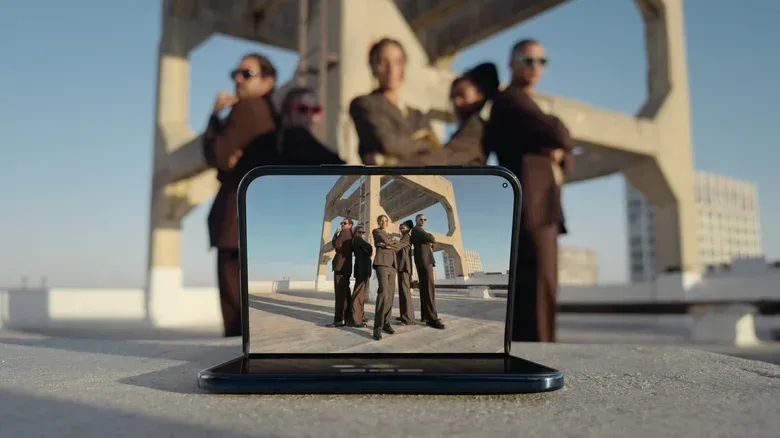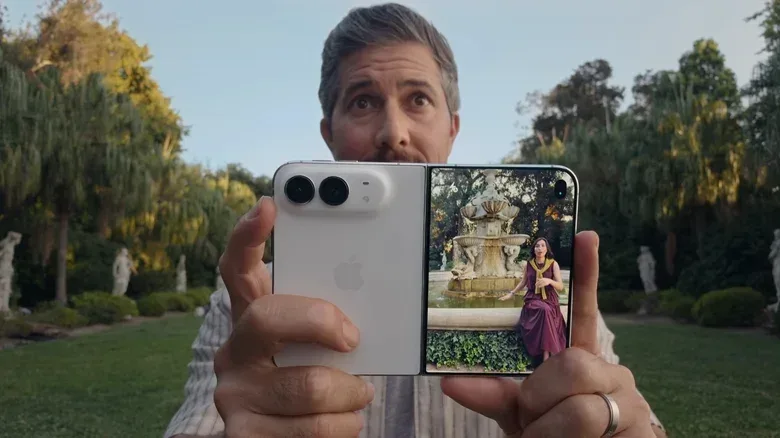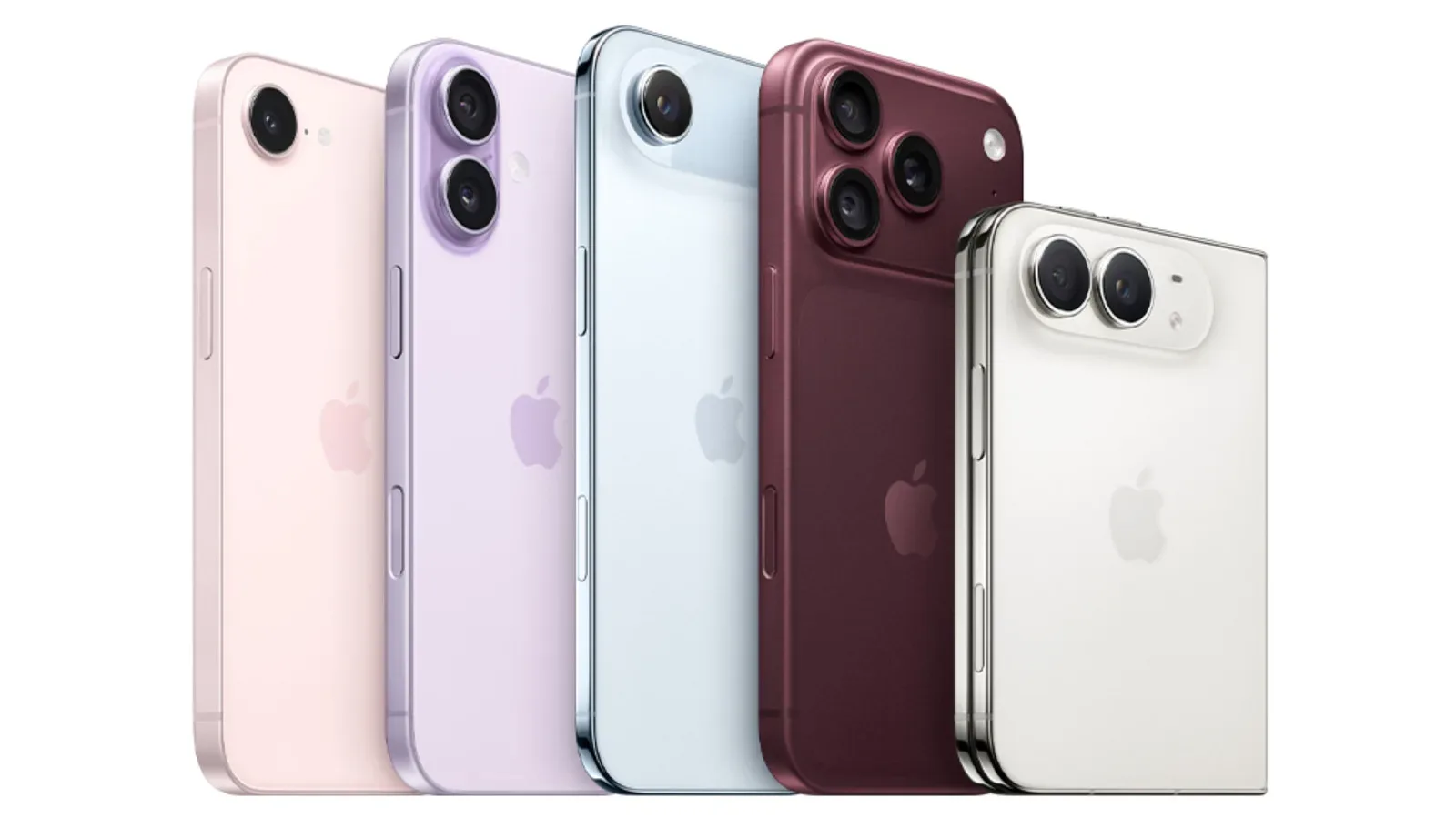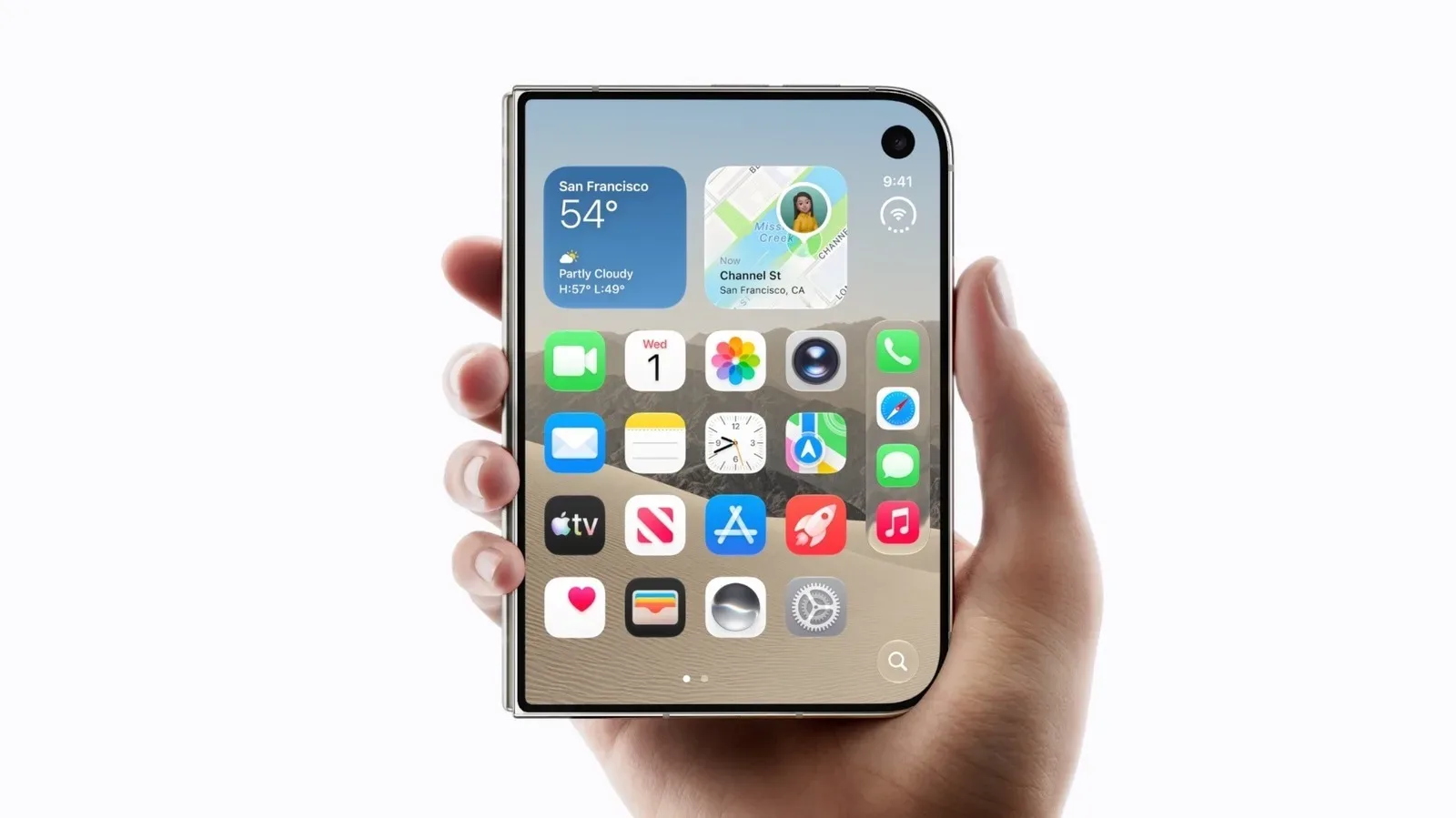
Group selfies have long been a tiny social ritual built around compromises: someone sacrifices their place in the picture to hold the phone, the group crowds toward a front camera, or everybody waits while a timer counts down and the photographer races back into frame. Apple’s iPhone Duo is positioned to change that routine with a folding body, access to its rear cameras while the phone is standing, and two iOS 27 camera features called Smart Take and Duo Preview.
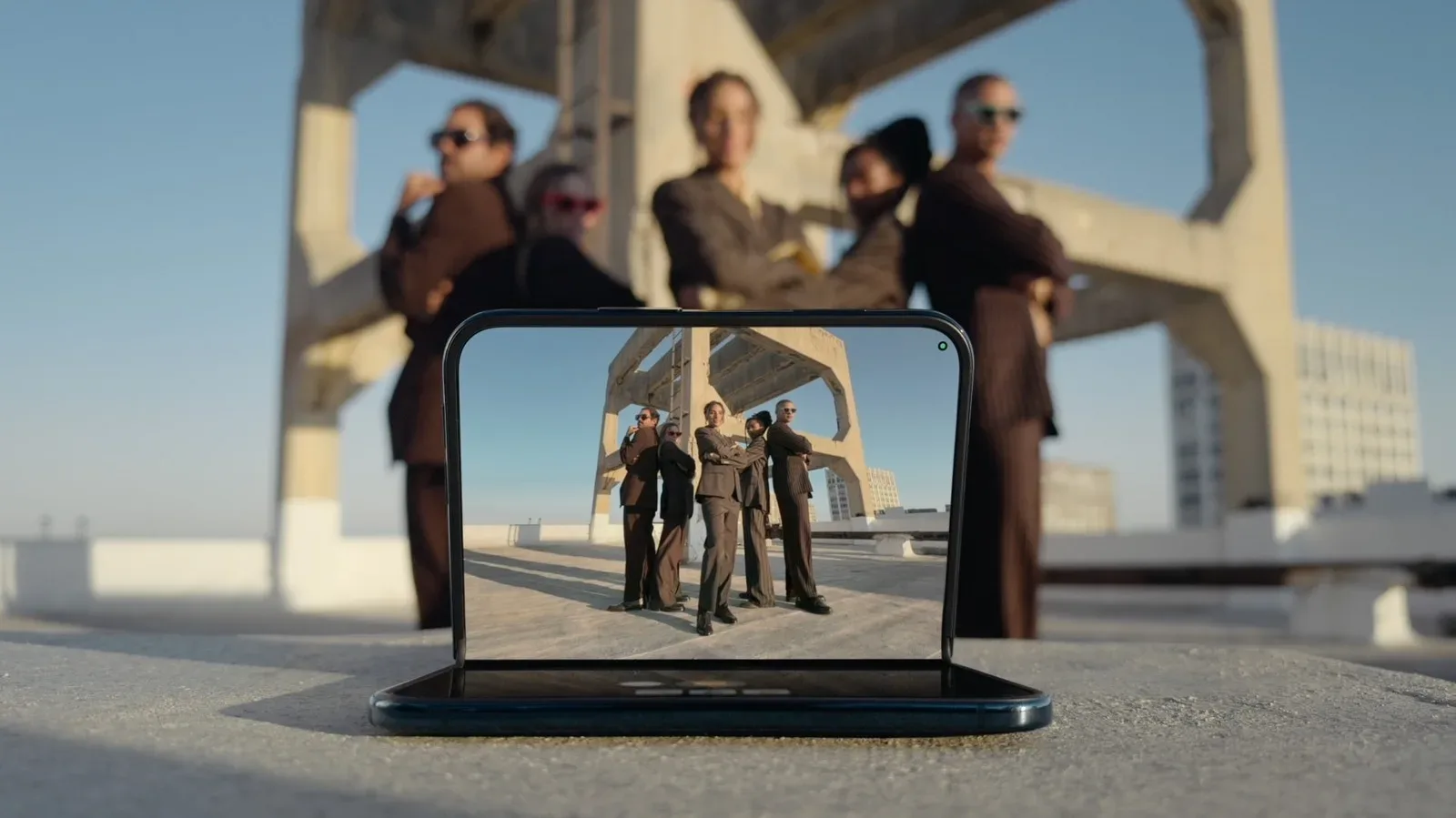
The premise is straightforward. Instead of treating the front-facing camera as the only practical tool for a self-portrait, the Duo can be folded into a tent-like position and use its 48-megapixel rear cameras. The outside display can show the people being photographed what the camera sees. Smart Take, meanwhile, is meant to recognize a brief pause in movement and capture an image without a conventional timer.
That combination could be useful at dinners, family gatherings, parties, trips, and any occasion where there is no spare photographer. It also highlights why foldables remain interesting beyond simply offering a larger screen. A hinge can turn a phone into its own rudimentary stand, while a secondary display helps solve the old rear-camera problem: the subjects usually cannot see the framing.
The iPhone Duo is set to ship on October 23 with a $2,000 entry price. That price alone means these conveniences will not become an everyday option for most iPhone users overnight. Still, the photography approach offers a clear example of what a foldable can contribute when its hardware and camera software are designed around a real situation rather than a spec-sheet stunt.
Why using the rear cameras matters
On the iPhone 18 Pro, the front-facing Center Stage camera reaches 18 megapixels. The Duo’s internal Center Stage camera is listed at 12 megapixels. Those resolutions can produce plenty of detail for many uses, and megapixel count by itself does not determine whether a photo looks good. A megapixel is one million pixels, or individual points of image information. More of them can preserve extra detail and provide more room to crop, but lighting, lens quality, focusing and image processing are equally consequential.
For group shots, the larger advantage of the Duo’s rear-camera setup is that Apple puts its strongest camera technology there, including its low-light and focus-tracking capabilities. A rear camera is ordinarily awkward for a selfie because the photographer cannot easily monitor composition and may not know when the group is ready. A foldable layout attempts to remove both problems: prop the phone up, point the rear cameras at the group, and use the external screen as the monitor.
This can matter more than the raw jump to 48 megapixels. Indoor celebrations, evening outings and dimly lit rooms are exactly the places where group pictures are commonly taken and where a more capable sensor can be valuable. A sharper file is also more forgiving if the group needs to be cropped closer afterward. That is particularly relevant when a phone has to sit farther away to fit everyone in frame.
There is an important limit, however. The Duo does not have a telephoto lens. A telephoto lens has a narrower angle of view that makes distant subjects appear larger without moving physically closer. Most group pictures will lean on a wide or ultra-wide view to include several people, but a telephoto option can help when the phone cannot be placed near enough to fill the frame. Without it, photographers may need to accept more surroundings in the shot and crop later, which makes the 48-megapixel output more useful but does not fully replace a different lens.
Related coverage includes iPhone Duo Group Selfies: How Smart Take and Duo Preview Work.
For more on the broader compromises attached to Apple’s first foldable design, see our look at the iPhone Duo’s screen, camera, Face ID and multitasking trade-offs.
Smart Take is trying to replace the timer ritual
The most unusual new camera feature is Smart Take. Rather than asking the person setting up the shot to pick a three- or 10-second countdown, it scans for motion and automatically takes a photo when it detects that everyone has become still for a moment. The assumption is that the pause means the group has settled into a pose.
In theory, it removes the most chaotic part of a timer photo. Nobody has to launch themselves back into position. Nobody needs to keep estimating whether the countdown has reached the final second. And no one has to be assigned the eternal role of “person who pushes the button and then has a terrible expression after sprinting into frame.”
Smart Take also changes the interaction from a fixed countdown to a less explicit cue. The group can arrange itself first, look toward the phone, settle, then let the camera decide that the motion has stopped. It could be helpful for solo self-portraits as well, but the bigger potential benefit is coordinating several people who may each be doing something different at the moment the camera is set.
Its potential weakness is just as obvious: stillness is not the same thing as readiness. A group can briefly freeze while somebody blinks, looks away, speaks, adjusts their hair or waits for another person’s instruction. Smart Take could create a batch of unusable frames as readily as a good one, especially when there are children, pets or simply too many people trying to interpret when to pose.
That does not make the feature pointless. It simply means it should be regarded as an alternative capture method, not a guarantee of the perfect picture. The practical value is reducing repetitive setup. Users can leave it running through a few attempts and choose the best result afterward, instead of repeating the full timer sequence every time a single person is not ready.
Where to find the control
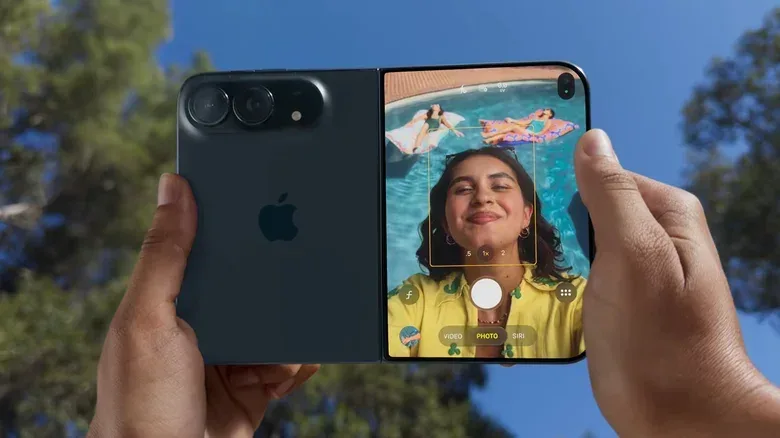
Smart Take lives in the Camera app’s extended settings. iOS 27 also allows Camera app controls to be customized: users can tap the circles button at the lower right, then select Edit. That means Smart Take can be placed among the readily available controls for people who expect to use it frequently.
This is a small but welcome detail. A camera option that requires digging through menus is far less useful during an active gathering, when people may be ready for only a few seconds before their attention drifts. Quick access does not make automatic capture smarter, but it makes the feature easier to test in the moments where it is supposed to help.
Duo Preview gives the subjects the viewfinder
Duo Preview is the other half of the group-shot strategy. When it is activated, the phone’s front screen shows a live image for the people being photographed. This turns the subjects into participants in framing rather than passive recipients of whatever the photographer has managed to capture.
That is especially useful when the Duo is placed at a distance. With a normal rear-camera phone photo, the group often has no way to tell whether everyone is visible, whether the camera is level, or whether the shot is too wide until after it has been taken. A live preview allows people to shift inward, straighten up, and see whether somebody at either edge has been cut out.
Of course, a preview can introduce a different kind of disorder. People may play to the screen, overcorrect their position, or decide the group composition should be negotiated in real time. The feature cannot enforce a good photo. It simply lets everyone see the same framing information that normally belongs only to the person holding the device.
In that sense, Duo Preview is a more durable idea than automatic capture. Smart Take depends on software correctly inferring a useful moment. Preview is a direct solution to a physical limitation of rear-camera self-portraits. If the phone is set up in tent mode, the people in front of it can monitor the result without another person acting as photographer.
Focus tracking is useful, but it is not magic
The Duo also offers “smart” focus tracking. After the photographer taps on a subject, the phone’s AI systems are intended to follow that subject and continuously adjust focus, including when the subject temporarily leaves the frame.
Focus refers to the process of making the intended subject appear sharp. If a camera focuses on the background instead of the faces in front of it, the photo can look wrong even at a high resolution. Tracking keeps attention on a selected person while the scene changes, which can be beneficial for a group with someone moving around before the shot is captured.
The underlying idea resembles focus lock on standalone cameras: select the thing that matters and keep it prioritized. The Duo’s version adds automated following. For a posed photo, that may be most useful during setup, when the selected person is arranging the phone or moving into their place. It will not correct every issue a group image can have. It cannot make all faces equally flattering, prevent blinking, or compensate for a group that has spread too far apart.
It does, however, reinforce the Duo’s larger photography pitch. Apple is not only proposing that the phone can stand on its own; it is presenting software designed to handle the messiness that follows once it does.
The physical caveats are real
Using a foldable phone as a stand is convenient, but it introduces a basic question: how secure is the phone where it has been left? At 8.96 ounces, the Duo could be knocked over by a bump or wind. Its unattended position also creates a theft concern in public places. A conventional tripod or another person holding the phone may still be the safer choice in crowded, exposed or uneven environments.
Apple also suggests a configuration where the front display touches the ground for some shots. That will be uncomfortable for many owners. Ceramic Shield 2 glass may offer scratch resistance, but scratch-resistant does not mean scratchproof. Dirt, grit and rough surfaces remain a poor match for any display. A case that creates a raised protective edge may alleviate some concern, but it also becomes another consideration before treating the phone like an on-the-go camera stand.
Handheld use brings its own awkwardness. To use the rear cameras for a selfie, the Duo can be opened fully and flipped around. Thin bezels on the front display may make a confident grip difficult, and fingers can potentially touch the screen unintentionally. The positive counterpoint is that the Camera app’s controls automatically appear on the front in this mode, so users are not trying to shoot blindly.
What the Duo actually changes
The iPhone Duo cannot promise a flawless group photo, and its cost makes it a luxury route to solving a familiar annoyance. No telephoto lens, uncertain standing stability, exposed-screen concerns and potentially imperfect automatic captures are substantial qualifications.
But the device does present a more practical model for the group selfie: use the better rear cameras, let the group see the composition, and avoid treating a countdown timer as the only way to include the person who set up the phone. Smart Take may need patience, and Duo Preview may invite a little performance. Together with the folding form factor, though, they give the camera a more credible chance of recording the people who actually showed up for the photo.