Updating to iOS 27 does not automatically put Apple’s new Siri AI on an iPhone. The revised assistant, along with its dedicated Siri app, is being introduced through a separate beta waitlist. That distinction matters: iOS 27 itself has finished beta testing and is broadly released, while Siri AI remains an in-progress feature with controlled access, variable approval times and undisclosed daily use limits.
For people expecting to see a new icon immediately after installing the update, the missing app is not necessarily a setup mistake. Access has to be requested in Settings, and the Siri app is set to appear only after an iPhone receives approval. Some requests have reportedly cleared within minutes, while others have taken hours or days.
The rollout is also narrower than iOS 27 compatibility. The operating system supports iPhone 11 models and newer, but Siri AI requires an Apple Intelligence-compatible handset. In practice, that means an iPhone 15 Pro, iPhone 15 Pro Max, or a newer supported model.
How to join the Siri AI beta waitlist
The enrollment process is short, provided the device is eligible and the feature is available in the user’s region:
- Open Settings on the iPhone.
- Choose the Siri menu.
- Select Try Siri AI (Beta).
- Complete the prompts shown on screen.
Once the request is accepted, the iPhone should send a notification. The dedicated Siri app then appears automatically, rather than needing to be downloaded separately.
A waitlist is not quite the same thing as an immediate opt-in. It lets Apple pace access to a beta service rather than making it available to every compatible device at once. The available information does not explain how individual requests are prioritized, so there is no reliable timetable to promise after submitting the form. The sensible expectation is simply that approval may arrive quickly, or it may not.
Which iPhones can use Siri AI?
Apple Intelligence compatibility is the gatekeeper. iOS 27 can be installed on substantially older phones than Siri AI can run on, but the new assistant is limited to the following iPhone models:
- iPhone 15 Pro
- iPhone 15 Pro Max
- iPhone 16e
- iPhone 16
- iPhone 16 Plus
- iPhone 16 Pro
- iPhone 16 Pro Max
- iPhone Air
- iPhone 17e
- iPhone 17
- iPhone 17 Pro
- iPhone 17 Pro Max
- iPhone Duo
- iPhone 18 Pro
- iPhone 18 Pro Max
This is an important practical split for anyone troubleshooting the absent “Try Siri AI (Beta)” option. An iPhone may be entirely up to date with iOS 27 and still be ineligible for the new assistant. The relevant test is not whether it can run iOS 27; it is whether it is on the supported Siri AI list.
How to open Siri AI after access arrives
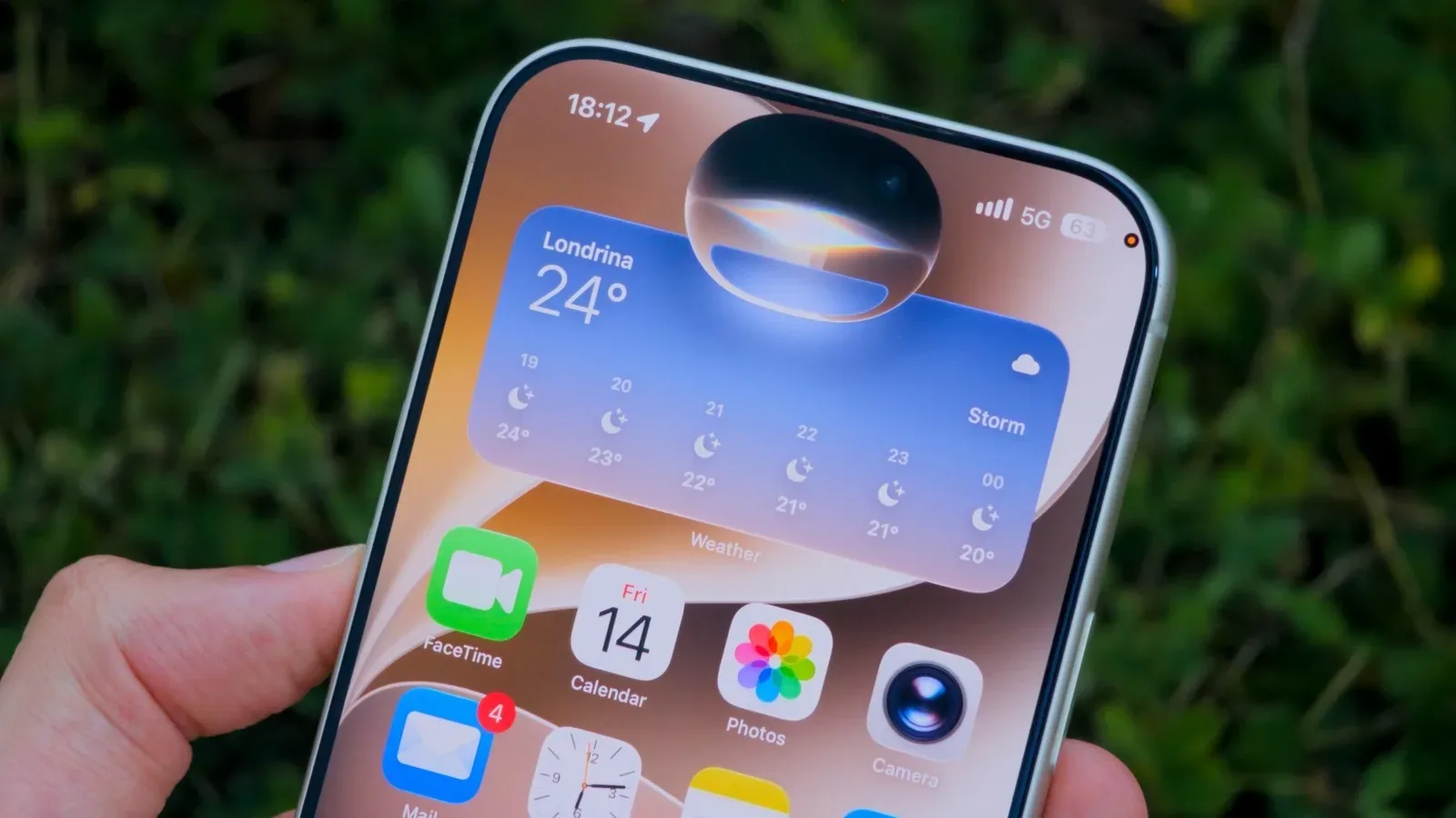
After approval, Siri AI can be invoked in three ways. Users can swipe down on the Dynamic Island, press and hold the iPhone’s side button, or open the new Siri app. The multiple entry points are useful because they make the assistant available both as a quick system-level command and as a dedicated place to begin a typed or spoken exchange.
Typing is notable here. Traditional voice assistants are often treated primarily as something to speak to, whether the task is setting a timer or asking for weather conditions. Siri AI is positioned more like a conversational assistant that can accept either spoken or written requests. That makes its dedicated app less of a cosmetic addition and more of a visible sign that the assistant is intended for longer, question-based interaction as well as quick commands.
What is new about Siri AI?
Classic Siri remains useful for straightforward device and information tasks, but it has had a reputation for difficulty with more complicated requests. Siri AI is designed to expand that role into a more capable, ChatGPT-like assistant able to respond to a broader range of questions.
The key terms attached to the launch are personal information, on-screen awareness and the ability to perform actions in more supporting apps. In plain language, those capabilities point toward an assistant that can use relevant information stored on the iPhone, understand what is currently displayed, and act beyond a relatively fixed set of commands where an app supports the feature.
Those descriptions should not be confused with a guarantee that every question or app task will work flawlessly. Siri AI is still marked beta. A beta label means the feature is available for people to use but is not being presented as finished. In this case, it also comes with a queue for entry and daily usage limits that Apple has not quantified.
That combination sets reasonable expectations. Siri AI may be more useful than classic Siri for open-ended questions or requests informed by the user’s on-device context, but early adopters should expect evolving behavior and limits. A task’s success can also depend on whether the app in question supports the new action capability.
Personal context and on-screen awareness: why the details matter
An assistant that can draw on personal information and recognize on-screen context is potentially more helpful because the user may not need to restate details that are already relevant on the device or display. It also makes privacy more consequential. The assistant’s usefulness is connected to the sensitivity of the context it can access.
The supplied launch details do not specify the underlying handling rules, specific permission controls or the exact scope of personal data available to Siri AI. Users should therefore avoid assuming capabilities beyond those described, and should review the prompts and settings presented during enrollment and normal use. That is especially prudent before asking a context-aware assistant to work with information a person would not want surfaced in the wrong situation.
This is part of a wider technology question rather than an issue unique to Apple: as assistants gain more real-world context, the trade-off between convenience and control becomes more immediate. Similar concerns around privacy and public technology are also central to the practical challenges facing delivery robots as they scale.
Language, regional and plan restrictions at launch
Siri AI launches in English only. French, Japanese, Korean, Portuguese and Spanish support is planned for October, likely alongside iOS 27.1. Until that update arrives, language availability is a hard boundary rather than a minor preference setting for the new experience.
There is also a regional limitation: Siri AI is unavailable in the European Union at the launch of iOS 27, iPadOS 27 and watchOS 27. The absence is tied to Apple’s regulatory dispute with the European Commission. Consequently, an otherwise compatible iPhone is not sufficient by itself; region is part of launch eligibility.
Apple has also said there are daily usage limits, without stating the allowance. Expanded access is expected with select iCloud+ plans. That wording establishes two things without settling their full implications: usage will not be unlimited at launch, and some paid cloud plans are expected to receive broader access. It does not establish which plans qualify, what expanded access entails, or exactly how much use standard beta participants receive.
Voice pace and expressivity controls are limited to select models
A smaller group of handsets gets controls for Siri AI’s pace and expressivity. Pace refers to how quickly the assistant speaks; expressivity refers to variation or character in its delivery. These are presentation controls, not an indication that the core Siri AI feature works only on those devices.
The models with those adjustments are:
- iPhone Air
- iPhone 17 Pro
- iPhone 17 Pro Max
- iPhone Duo
- iPhone 18 Pro
- iPhone 18 Pro Max
Every phone on the wider compatibility list can potentially join the Siri AI beta, subject to waitlist access and regional availability. Only this six-model subset is listed for pace and expressivity adjustment. Owners of other eligible models should not read the absence of those controls as evidence that their device cannot use the new assistant.
A quick troubleshooting checklist
If the new Siri option or app is missing, start with the launch conditions rather than reinstalling the operating system or searching the App Store.
- Confirm iOS 27 is installed. Siri AI is part of the new software generation, but it is not automatically enabled with the update.
- Check the phone model. Siri AI starts at iPhone 15 Pro and iPhone 15 Pro Max; iPhone 11 through standard iPhone 15 models may run iOS 27 without gaining Siri AI.
- Look in Settings under Siri. The entry to seek is “Try Siri AI (Beta).”
- Submit the request and wait for the notification. Approval timing varies, and the app appears only after access is granted.
- Check location and language conditions. The service begins in English and is not available in the EU at launch.
- Remember that this is a beta. The service has unspecified daily limits, and certain functions may develop as the rollout continues.
For eligible users outside the EU who are comfortable using a beta assistant, the route is clear: request access through Settings, wait for the notification, then use the Dynamic Island gesture, side button or Siri app to begin. For everyone else, the important takeaway is that iOS 27 availability, Siri AI eligibility and actual Siri AI access are three different things.