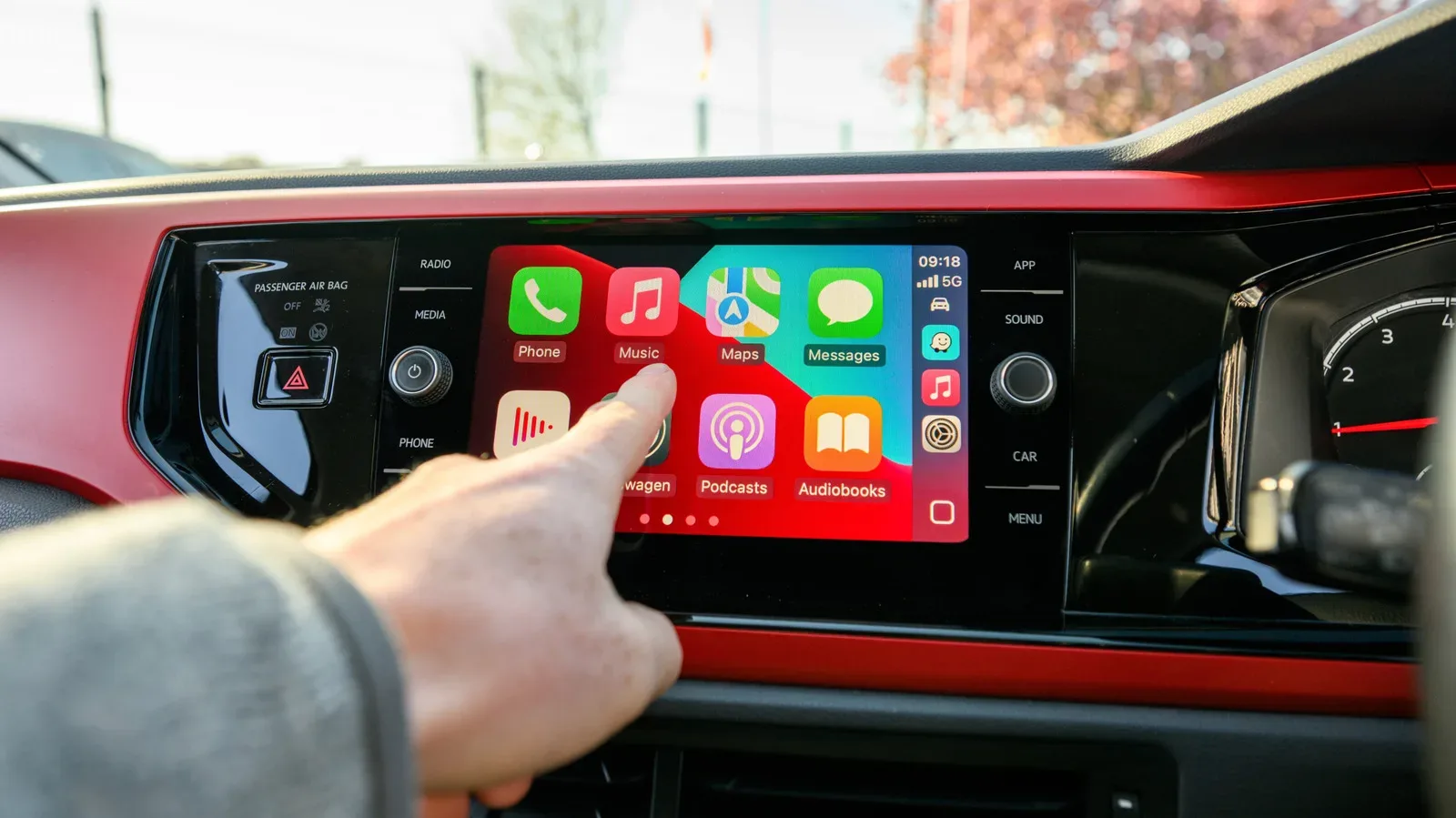
CarPlay’s iOS 27 update is shaped around a sensible idea: the car screen should make common driving tasks easier without pretending it is a second living-room television. That means a cleaner way to control audio, more information shared between navigation software and the vehicle, and an expansion into video that is deliberately fenced in behind a parked-car requirement.
The awkward part is compatibility. The broader update is available to iPhone 11 models and later, but not every iOS 27 CarPlay addition lands equally on every supported phone. The new Siri AI experience requires an iPhone 15 Pro, or any iPhone 16 model or later. It is also unavailable in the European Union because of local regulations. In other words, an iPhone can be modern enough for iOS 27 and still be left without the update’s most ambitious voice features.
The useful upgrades are mostly the unglamorous ones
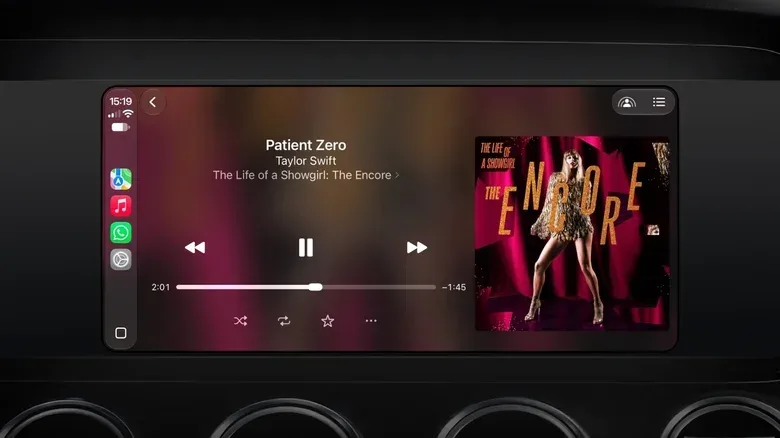
The less flashy changes may be the ones drivers notice most often. CarPlay’s Now Playing screen gains both a persistent mini-player and a progress bar. The mini-player keeps album artwork and playback controls available while a person is doing something else in the interface, while the progress bar makes it possible to move through a song or podcast by swiping rather than handling the phone.
That sounds minor, but it addresses a practical limitation of vehicle interfaces: people regularly switch between maps and media. A persistent control strip reduces the number of screen changes required to pause, resume or skip audio. The progress bar is particularly relevant for long podcasts and audiobooks, where moving back to a missed passage or forward past a segment is an ordinary part of listening.
For more context, explore Law Firm Seeks Exit From Sean Combs Case, Alleging More Than Seven Months of Unpaid Fees.
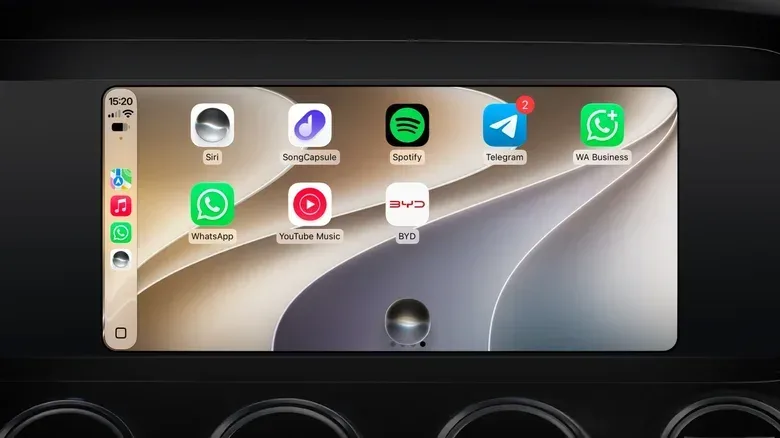
iOS 27 also introduces new wallpapers. This is chiefly a personalization change, not a functional one, but it gives owners another way to make the system feel less like a fixed extension of a handset and more like part of the car’s cabin.
Apple also says CarPlay has improved its wireless reliability and GPS location reporting. Wireless reliability matters because CarPlay’s appeal depends heavily on its low-friction setup: the interface is useful only if it connects consistently when a trip begins. More accurate GPS reporting, meanwhile, can improve the foundation on which navigation apps make routing decisions. These are performance claims rather than a promise that every car and phone combination will behave identically, but they target pain points that are far more meaningful than another coat of dashboard paint.
Video arrives, but the car has to be parked
The highest-profile new capability is support for video applications on the vehicle display. Previously, CarPlay entertainment was centered on audio services such as music and podcast apps. iOS 27 opens a path for video, but it is not a license to turn a commute into a mobile cinema.
Related coverage includes iOS 27 CarPlay Adds Video, Smarter Navigation and Siri AI Limits.
Playback is available only when the vehicle is parked. If the car begins moving while video is playing, the system switches to audio-only playback until it stops again. The distinction is important: the feature is intended for waiting periods, breaks and other stationary moments, not for a driver to watch a film or clip in traffic.
There is another limitation worth separating from phone compatibility. Vehicle manufacturers must implement support for this capability. So an iPhone running iOS 27 does not, by itself, guarantee that a particular video service will appear on a particular car screen. The available information does not establish which vehicles or apps support it at launch. Anyone expecting a specific service should treat support as something to verify in their own vehicle rather than an automatic consequence of updating the phone.
That split is a recurring reality of CarPlay. The iPhone supplies the software experience, but the vehicle supplies the display, controls and parts of the integration. A feature can be technically present in iOS while still depending on car-maker adoption before it becomes visible to the driver.
Navigation can share more with the vehicle
iOS 27 lets apps share route data with the vehicle, including information around EV charging stops. In plain terms, route-sharing means a navigation app can provide trip details to the car rather than keeping that information isolated inside the map interface. The car can then cross-check estimated arrival information with Google Maps and Apple Maps and suggest charging locations along a route.
For electric-vehicle owners, charging stops are not merely another point of interest. They can shape the route itself and affect when the driver expects to arrive. Bringing that information into the vehicle’s own awareness could make the system feel less fragmented: navigation, arrival estimates and charging needs become parts of the same journey instead of separate bits of information a driver has to reconcile mentally.
The key word is can. The update provides the ability for apps to share that data, but the experience still relies on support from the relevant apps and vehicle systems. It should be viewed as an integration layer, not a guarantee that every charging workflow will suddenly work the same way across all cars.
Siri AI is the real dividing line
Siri AI is the most consequential feature in this set because it aims to make voice interaction more conversational and more aware of a person’s information. In CarPlay, it can answer general-knowledge questions and use personal context from emails, messages and calendars. The practical example is asking for directions to a restaurant that somebody recommended in a conversation, rather than needing to remember and manually enter the restaurant’s name.
It also supports more natural requests in Apple Maps, such as asking to avoid tolls. That is less about adding an entirely new map setting and more about changing how the driver reaches it. Instead of tapping through route preferences, the request can be expressed aloud in ordinary language.
Personal context here means information associated with the user across supported personal data, such as messages, email and calendar entries. It is what enables a request based on a vague recollection—someone recommended a restaurant—to potentially become a usable navigation destination. The potential convenience is clear, but it also explains why this capability is materially different from a basic voice command to open a map or play an album.
CarPlay runs entirely on the iPhone, which is why hardware eligibility follows the phone rather than the vehicle. An iPhone 14 can receive iOS 27’s CarPlay improvements such as the mini-player, progress bar and wallpapers, but it does not have the hardware required for Siri AI. The supported Siri AI list is specific:
- iPhone 15 Pro
- iPhone 16 models and later
That leaves an unusual but important middle ground. iPhone 11 through iPhone 14 owners can be eligible for iOS 27 and receive the conventional CarPlay improvements, while only the listed newer devices get the updated assistant. Owners of iPhones older than the iPhone 11 cannot install iOS 27; their existing CarPlay setup continues operating with the features it already has.
EU availability is a separate restriction
Hardware eligibility is not the only gate. Siri AI is not available in the European Union because of local regulations. A compatible iPhone in the EU can still receive the rest of iOS 27’s CarPlay changes, including the redesigned audio controls, wallpapers, route-data capabilities and the parked-video framework where the vehicle supports it. But the new Siri AI functions are excluded.
It is worth keeping these limitations distinct when deciding whether the update changes anything for a particular setup:
- Operating-system eligibility: iOS 27 is available for iPhone 11 and later.
- Assistant hardware eligibility: Siri AI requires iPhone 15 Pro or iPhone 16 and later.
- Regional availability: Siri AI is unavailable in the European Union.
- Vehicle implementation: video support depends on the manufacturer implementing it.
None of those conditions necessarily answers the others. A driver might have a compatible iPhone but live in the EU. Another might have an eligible phone in a supported region but a vehicle that does not implement video. And an iPhone 14 owner can still get several worthwhile improvements without getting the AI assistant.
What this means before updating
For most CarPlay users with an iPhone 11 or newer, iOS 27 appears to be a quality-of-life update first. The audio interface is more capable, navigation has a stronger route-data connection to the car, and Apple is promising better wireless and location performance. These are features that do not demand a new vocabulary or an all-new driving routine.
The bigger expectation check concerns Siri AI and video. Siri AI is not an across-the-board CarPlay upgrade; it is constrained by phone model and region. Video is not a driving feature, and whether it appears at all depends partly on the vehicle manufacturer. Neither limitation cancels the value of the update, but both make it important to assess the exact phone-car-region combination rather than reading “new CarPlay” as a single universal package.
In the end, iOS 27 makes CarPlay more polished where many people spend their time: listening, navigating and issuing quick spoken requests. The progress bar may not be glamorous, but anyone who has tried to find a particular moment in a two-hour podcast from a car dashboard knows that small interface upgrades can earn their keep. Siri AI is the smarter passenger—just one that checks the iPhone model, the region and perhaps the rulebook before getting in.