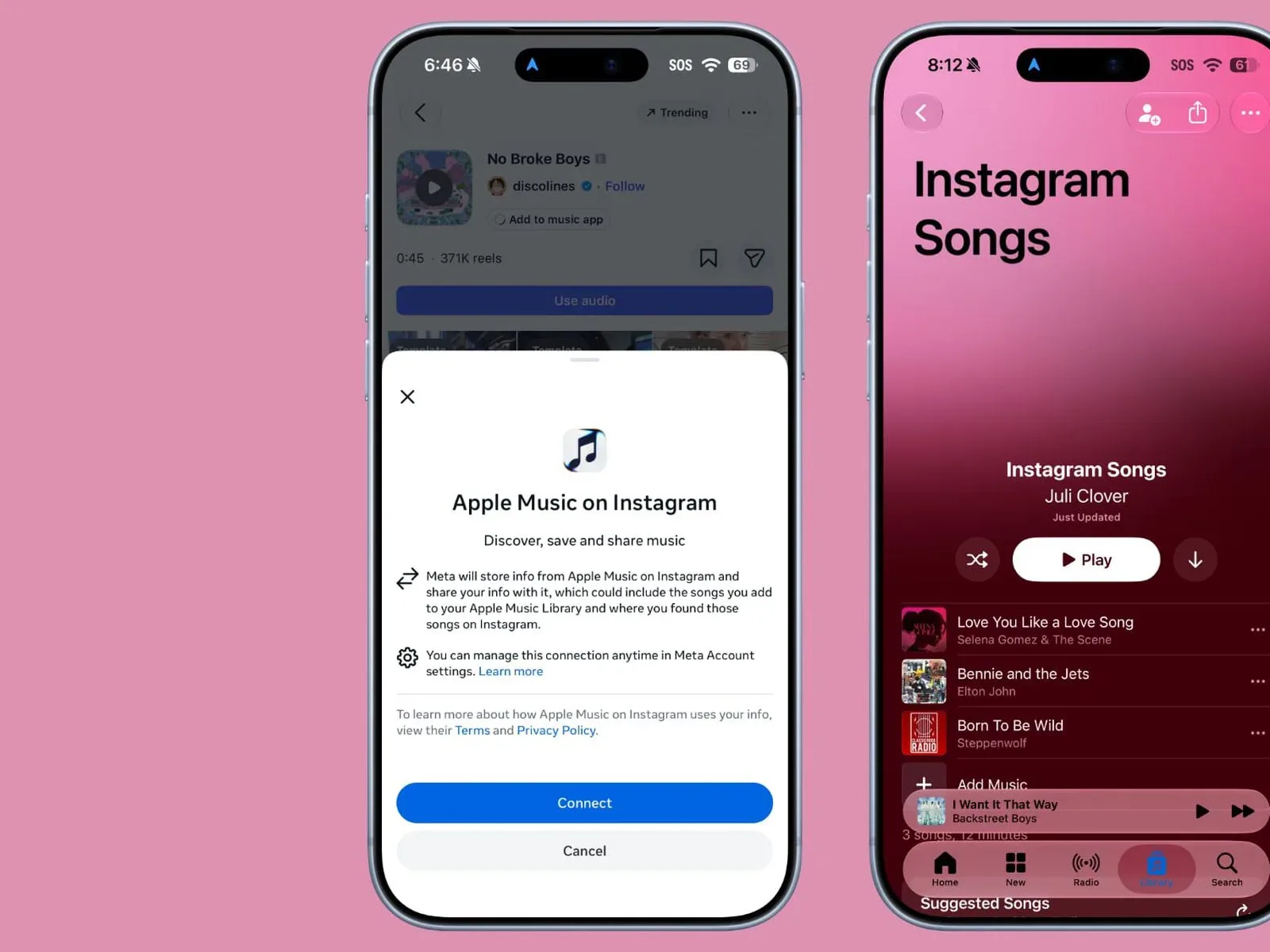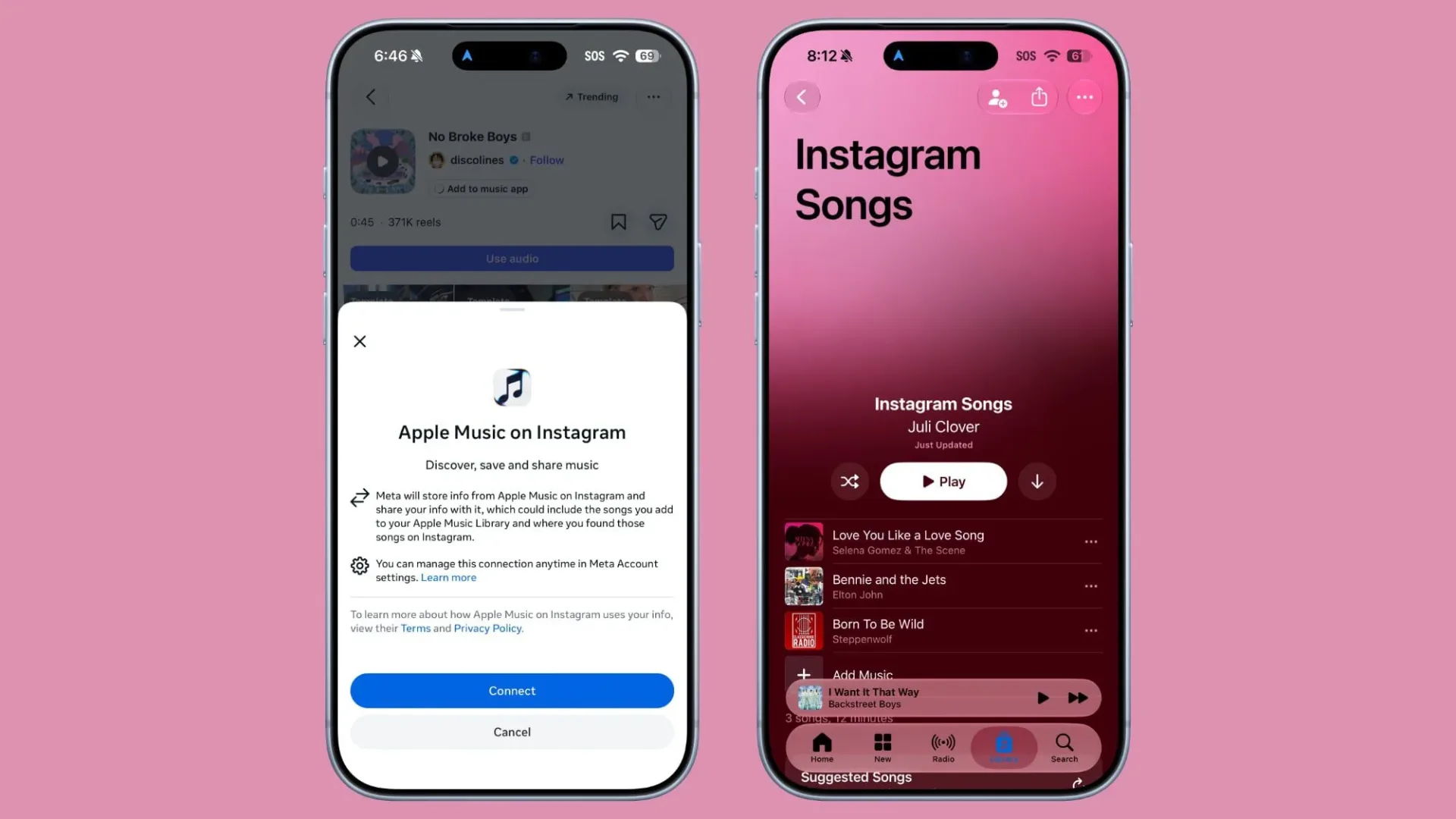
Instagram has added a more direct route from “what is that song?” to “saved for later” for Apple Music listeners. Users can now connect an Apple Music account to Instagram and save tracks encountered on the social platform to a dedicated playlist in Apple’s Music app.
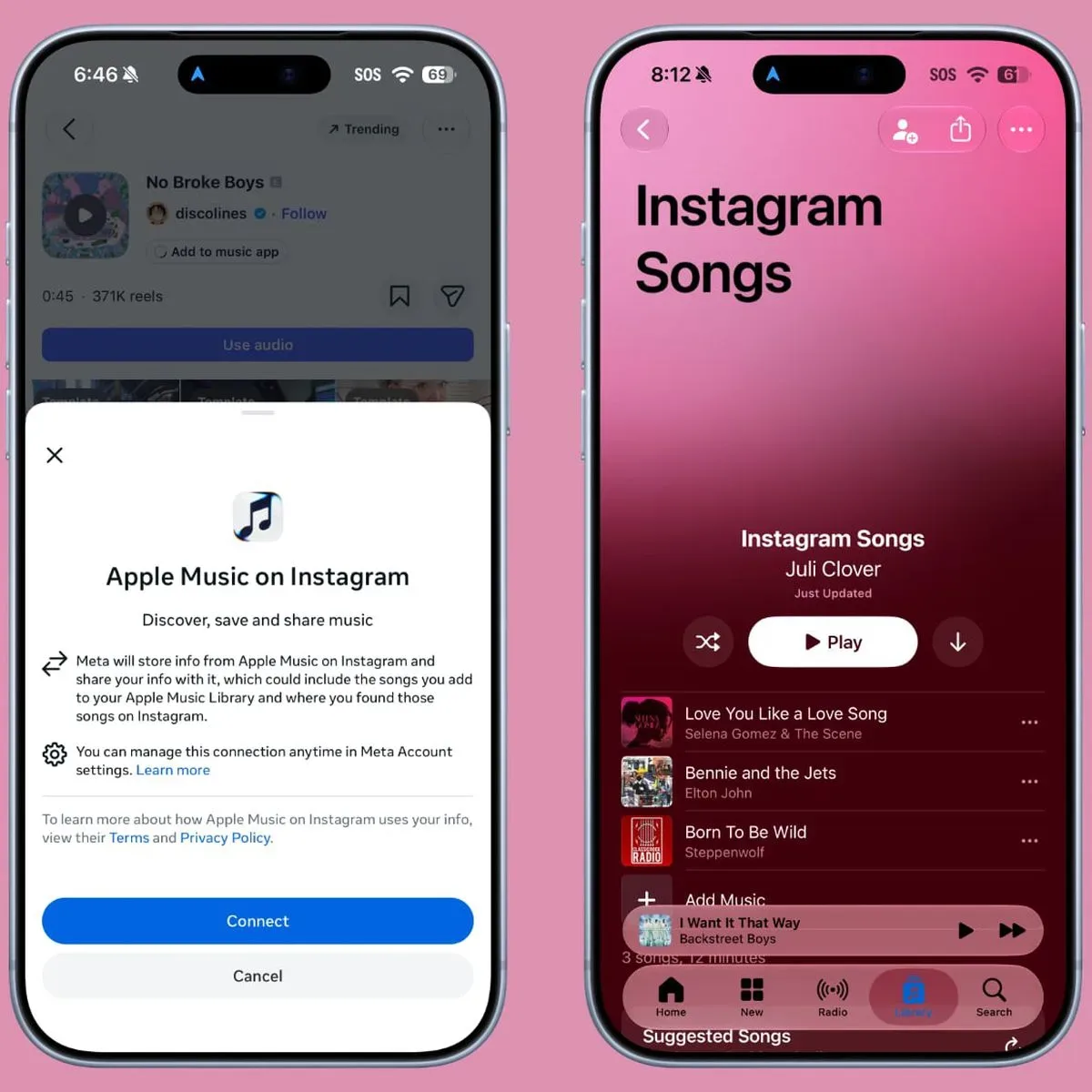
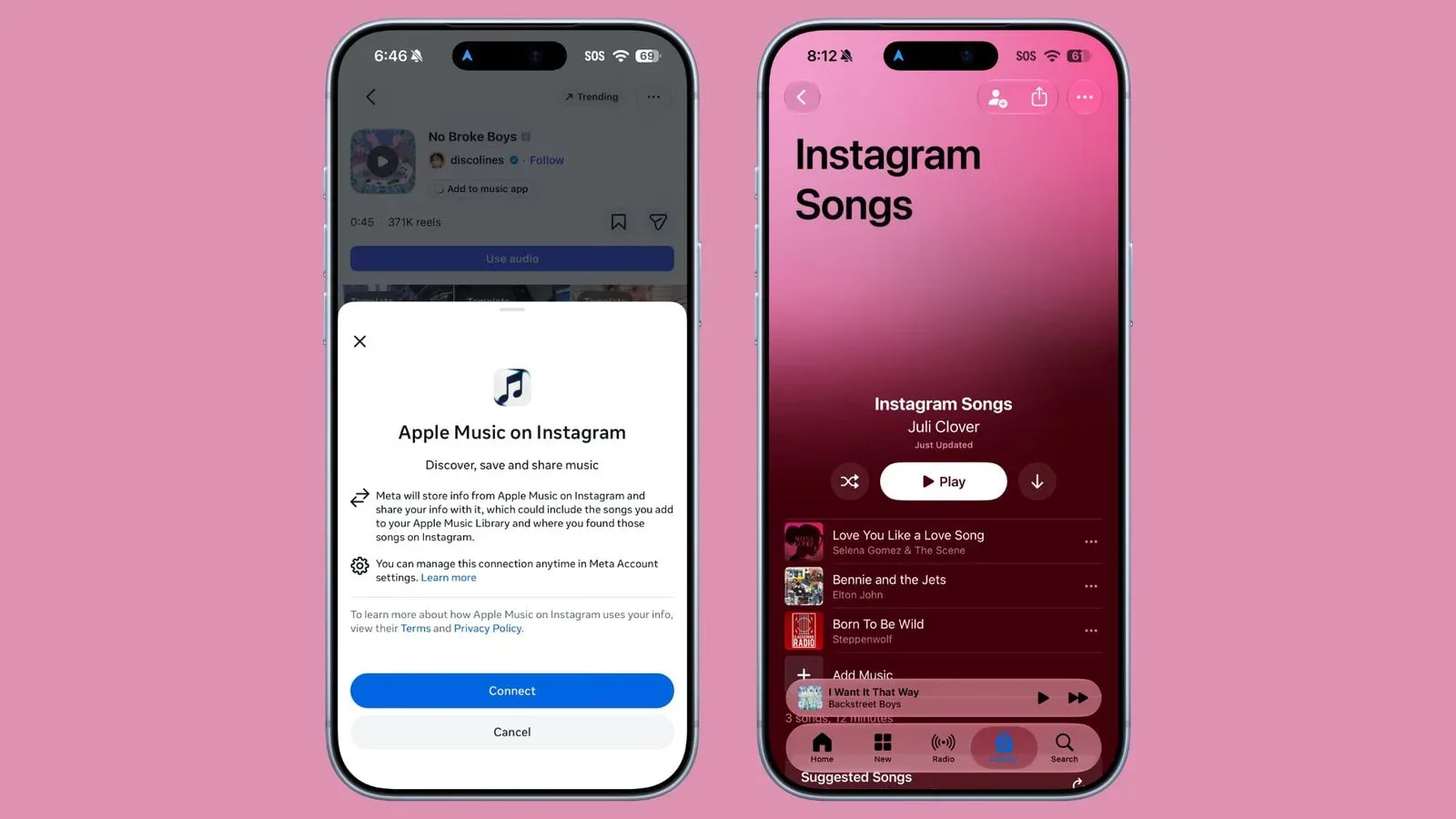
The feature is built around music links attached to Instagram posts and Stories. Tapping a song link can prompt the user to connect Instagram with Apple Music. Once that connection is in place, tapping a song name in a post presents an Add to Apple Music control. The saved selection goes to a playlist called Instagram Songs, located in the Library area of the Music app.
It is a small change, but it addresses a familiar bit of friction in music discovery. A listener hears a track behind a clip, sees it attached to a post, then needs a reliable way to keep it without interrupting the scroll to search manually in a separate app. Instagram’s new Apple Music connection turns that sequence into a save action tied to a persistent playlist.
How the Instagram-to-Apple Music save flow works
The process described by the feature is straightforward:
For more context, explore GTA 6 Personal Vehicles Guide: Register Cars, Use Garages and Recover Impounded Rides.
- Open an Instagram post or Story with a song link.
- Tap the linked song.
- Connect an Apple Music account if Instagram requests it.
- Use the Add to Apple Music button after the accounts are connected.
- Find the track in the Instagram Songs playlist in the Apple Music Library.
The important distinction is that this is not merely a sharing tool. Instagram already supported sharing Apple Music songs through Stories and direct messages. That made it possible to send music outward from Apple Music into Instagram. The new option works in the other direction: it lets a person retain music discovered while using Instagram by placing it into their Apple Music library structure.
What an account connection means here
An account connection, sometimes called an integration, is the permission-based link between two services that allows one app to perform a defined action in another. In this case, Instagram needs a connection to Apple Music so it can add a selected song to the listener’s Apple Music collection.
That does not mean every sound or piece of audio on Instagram becomes a transferable music-library item. The described workflow begins with a song link in a post or Story and then uses the song name and the Add to Apple Music button. In practical terms, users looking for the feature should start with the attached music information rather than assuming any audio in any video will provide a save control.
After a track is added, the destination matters. Instead of scattering selections across an unspecified part of the library, Apple Music puts them in a named playlist: Instagram Songs. A playlist is a user-accessible sequence of tracks, and a dedicated one makes the origin of these discoveries clear. Someone can treat it as an inbox for songs found while browsing, then later listen through it, reorganize it, or decide which tracks deserve a place in other playlists.
A discovery tool rather than a replacement for listening
The integration is best understood as a handoff between discovery and library management. Instagram is where the user sees the music attached to a post or Story; Apple Music is where the selection is retained. It does not turn Instagram into Apple Music, nor does it change the purpose of a saved playlist. The benefit is continuity: a song can move from a social post into the listener’s established music service with fewer steps.
That distinction is especially useful because social discovery is often incidental. A person may be watching a clip for its creator, a joke, a game moment, or a recommendation from a friend when a song catches their attention. The ability to save the track immediately limits the chances that its title is forgotten before a later search.
It also creates a clear place to revisit music found over time. Rather than remembering which Story featured a track or hunting through messages and posts, the listener has a single playlist in the Music app associated with Instagram discoveries. The playlist name itself helps preserve that context without requiring the listener to maintain a separate note or manually build a new playlist after every find.
Apple Music joins an existing Instagram music-saving pattern
Spotify already has an Instagram saving option that sends discovered songs to its Liked Songs section. Apple Music’s path differs in where it stores the music: saved tracks go to the separate Instagram Songs playlist rather than a general all-liked collection.
Neither approach is inherently the same kind of organization. A Liked Songs area acts as a broad personal grouping for tracks a listener has marked positively. A dedicated Instagram Songs playlist is organized around where the music was discovered. For Apple Music listeners, that makes the feature useful not just for retaining a particular track, but for keeping a running record of songs surfaced by Instagram.
There is also a practical difference between sending a song to someone and saving it for oneself. Direct messages and Stories remain social actions: they are ways to put a song in front of another Instagram user or audience. The new Apple Music save route is personal library management. It lets the person who encounters the post act on that moment of discovery without first converting it into a share, a screenshot, or a manual search.
What users should look for
Availability is tied to the appearance of a song link on an Instagram post or Story, followed by the account-linking prompt or the Add to Apple Music button. The initial account connection is central to the experience: until Apple Music is connected to Instagram, there is no established route for Instagram to place a selected track into the Apple Music playlist.
Once connected, the destination is not ambiguous. Look in the Library section of the Music app for Instagram Songs. That is where tracks saved through this particular integration are collected.
The feature’s value is simple, but its effect can be meaningful for people who find music through short-form social posts. It converts a fleeting encounter into something that remains available in the music library. Instead of the familiar “I heard it somewhere on Instagram” dead end, the saved song has a defined home and a name that explains how it got there.