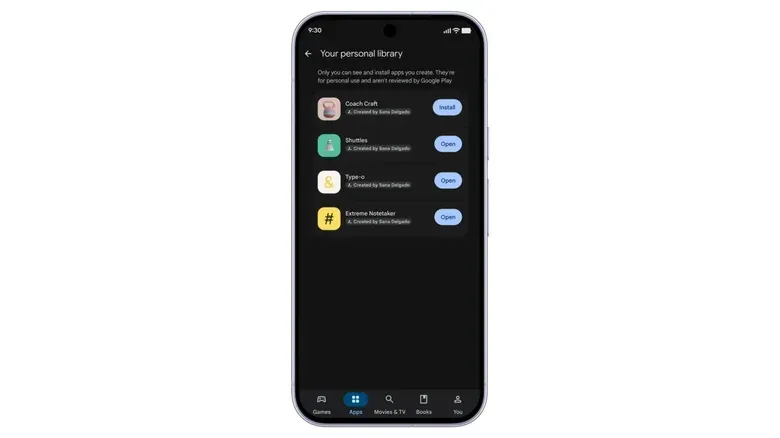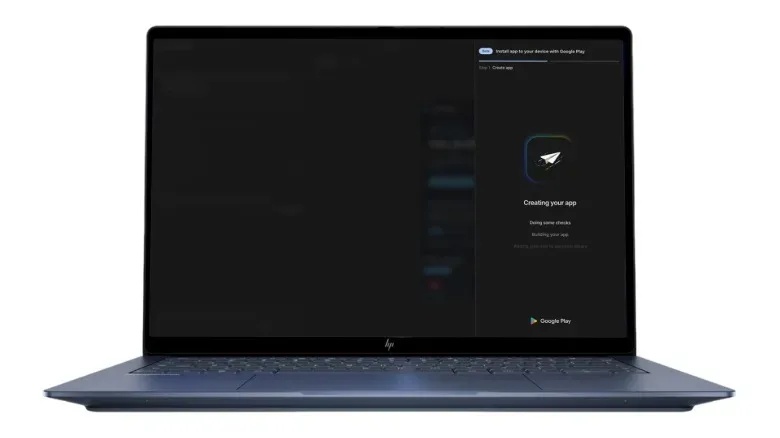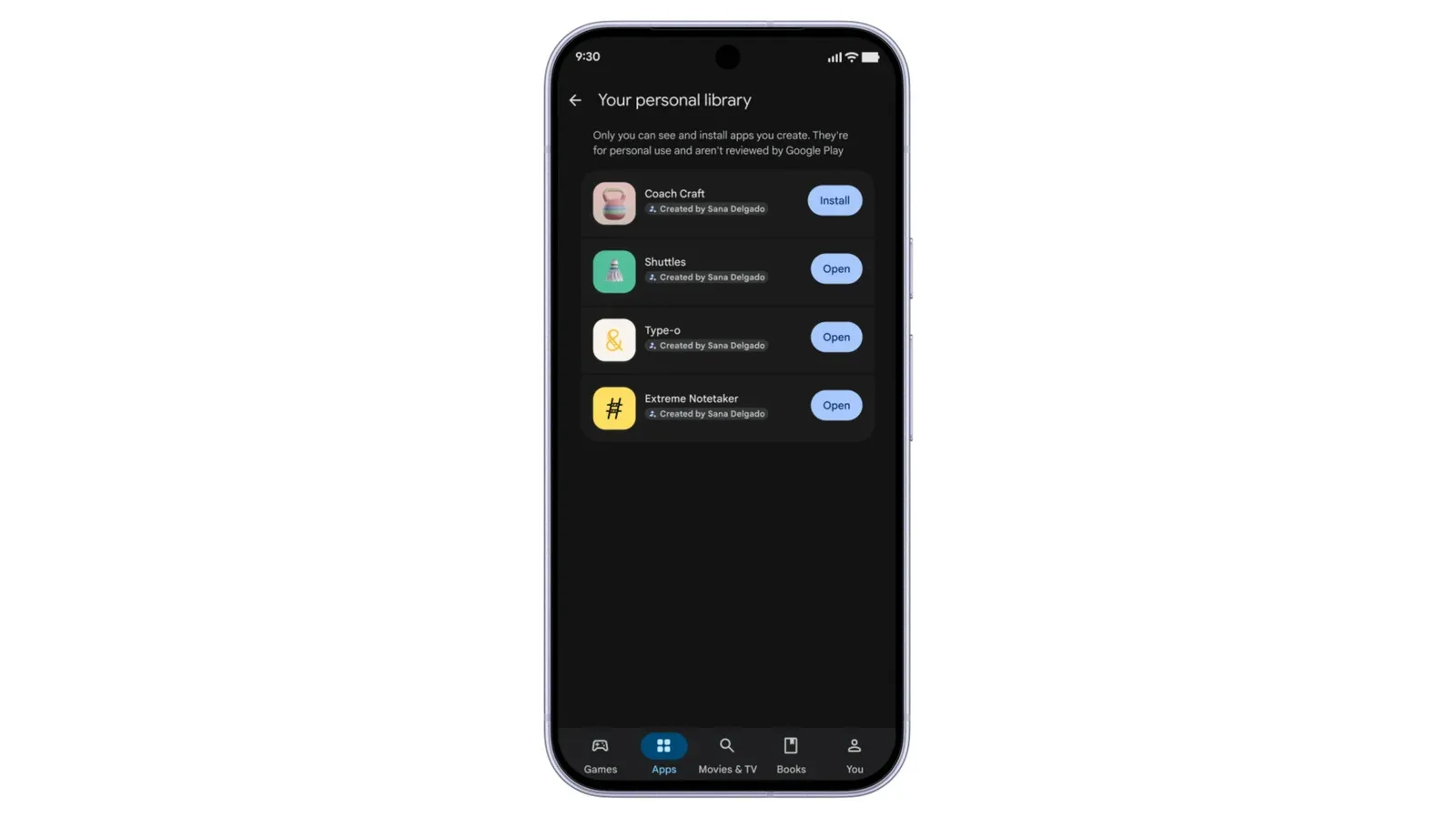
Google is preparing a notably lower-friction route for getting an AI-made Android app onto devices through the Play Store. Eligible users in the US and other selected markets will be able to upload an app created in Google AI Studio using only a Google account rather than a paid professional developer account. At first, the app is not headed for the public storefront. It will live in a new personal library and be available only to the creator’s own devices that can access the Play Store, including compatible tablets and computers.
That limited opening is important. This is not a declaration that anyone can type a prompt and immediately put an unreviewed app in front of the entire Play Store audience. It is a new personal distribution layer: a way to move an app from an AI-assisted creation environment onto one’s own Android-connected hardware without relying on the usual developer-account route or manual APK sideloading.
Google says it ultimately intends to enable secure sharing of those apps with friends and family. Creators who want worldwide distribution will still need to move up to a professional developer account and put their apps through the Play Store’s normal safety-review process. Alongside that publishing change, Google is expanding AI-driven app discovery, revising Play Store interfaces across additional device types, and introducing a cluster of new game recommendation and engagement features.
What “vibe coding” means in this context
Vibe coding is a loose term for building software by describing what you want in natural language to an AI system, then refining the result through follow-up prompts and, potentially, direct code edits. In this case, Google AI Studio can generate Android apps from written prompts sent to Gemini. A creator can then continue adjusting the generated app by prompting again or by editing its code manually.
The appeal is obvious: people with an idea for a narrowly useful tool may be able to make something functional without first learning every part of Android development. A personal tracker, a small utility, or a simple game prototype could be easier to turn into an installable app. But lower barriers to generation do not automatically mean lower stakes for the resulting software. An app can still handle data, behave unpredictably, or simply fail to do what its creator intended. The public route therefore remains tied to a professional account and the established safety-review process.
For now, the proposed personal library model seems designed around a more contained use case. Instead of asking a user to package an app and sideload its APK, the app can be delivered via Play Store access to that person’s own devices. An APK is the package format used to install an Android app. Android has long permitted users to install apps from outside the Play Store, a practice called sideloading, although the process has become more complicated over the last year.
That distinction matters because personal deployment is not the same as public distribution. The former solves a practical problem for people who want their own creation on their own phone, tablet, or computer. The latter brings discoverability, trust, moderation and safety concerns at much greater scale. Google’s outlined progression keeps those two situations separate, at least initially.
A potential bridge between an idea and a real device
The new flow could make experimentation more immediate. A person can begin with a written request in AI Studio, adjust what Gemini produces, and then use Play Store distribution for their own hardware. That may be especially relevant to hobbyists and people making personal-use tools that would never justify the administrative effort of a professional app release.
It also changes the practical role of the Play Store. Rather than operating solely as a public marketplace, it is being positioned as a private delivery mechanism for eligible users’ AI-generated creations. The personal library section is the key boundary: the early version is for access across the creator’s devices, not a new public catalogue of prompt-generated software.
There are clear unanswered details that users should keep in mind. The rollout is described for people aged 18 and over in the US and other unspecified selected markets, rather than all Android users everywhere. Secure friend-and-family sharing is described as a future plan, not an available feature in the initial model. And the provided details do not establish what standards, permissions guidance, or technical limits will apply to every kind of personal app. Anyone considering the feature should treat the stated availability and scope as the current boundaries, not assume global access or open-ended sharing.
Gemini and Play Store discovery move closer together
Google is also extending its AI discovery ambitions beyond app creation. Gemini will be able to show direct links to Play Store apps in chats. That puts an assistant conversation closer to the point where a user might actually install something, rather than leaving them to conduct a separate storefront search.
The approach builds on Ask Play, a Play Store change introduced at I/O 2026. Together, these moves suggest that Google is treating recommendations as a conversational problem as well as a search-and-browse problem. Someone can ask for help or ideas in Gemini, then potentially receive a direct route to an app; within the store, Play can also offer new means of finding relevant software.
Whether this proves useful will hinge on recommendation quality. An AI assistant that reliably identifies an appropriate app and sends a user to the right Play Store page could reduce friction. One that gives vague, repetitive, or poorly matched suggestions simply moves the burden from search boxes to prompt-writing. The information available so far establishes the linking capability, but it does not demonstrate how accurate those app recommendations will be in everyday use.
Google is also broadening sports-oriented topic pages that appear in the Play Store during live matches. Coverage will expand to soccer games from the Premier League, Major League Soccer and more. Meanwhile, Play Store layouts are being adapted for cars with Google built-in and Android XR, with the aim of better fitting physical and virtual screen sizes.
Those interface changes reflect a broadening definition of where a Play Store session happens. The same storefront has to work across a handset, tablet, computer, vehicle display, and XR environment. Better screen-specific layouts do not change what an app is, but they can change how readily a person can assess and locate one.
Game Finder wants recommendations to feel personal
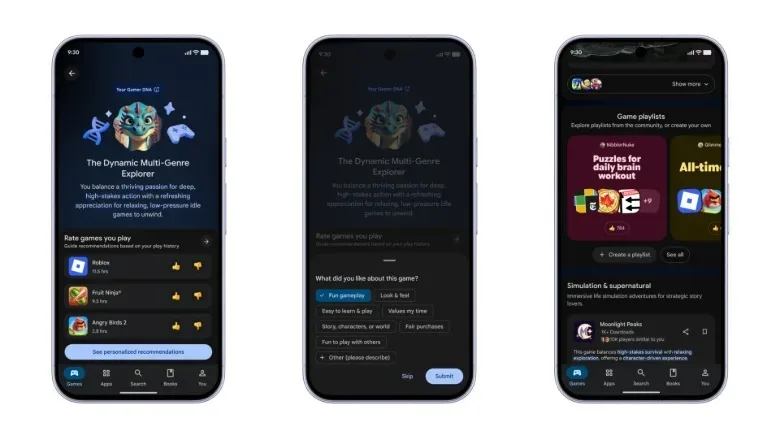
The gaming portion of the update is built around the challenge of finding a game worth starting. Google’s new Game Finder is intended to recommend games based on individual taste, using a profile called Gamer DNA. The profile can be fine-tuned with a player’s preferences and favorite genres.
“Gamer DNA” here is a label for a configurable taste profile, not a claim that play habits are fixed or innate. Its practical purpose is to give the recommendation system more to work with than a single broad genre tag. Google has indicated that filters and genre categories could become increasingly granular. One example offered was allowing people to narrow searches to games with controller support.
That is a small example with meaningful implications. “Action game” or “strategy game” can be too broad to make a useful choice. Controller compatibility, input preference, genre, and other increasingly specific descriptors can help a player eliminate games that do not fit how they want to play. The value depends on the accuracy and breadth of the tags, as well as on whether users actually want to adjust a taste profile instead of accepting default recommendations.
Game Finder is also joined by game playlists, which let people recommend collections of mobile games to other users. That introduces a human-curated route alongside algorithmic matching. A playlist can express a theme, a preferred style, or a set of suggestions aimed at someone else, whereas Gamer DNA is framed around a user’s individually tuned profile. Neither is inherently better: curated lists can have a point of view, while a personal profile may reduce the effort of sorting through a large catalogue.
For readers following how AI is changing game platforms, the relevant question is not merely whether recommendations have an AI label. It is whether the tools make a crowded storefront easier to navigate without turning discovery into a narrow loop of similar suggestions. Granular filters and explicit preferences could give players more control; useful playlists could give them another path beyond automated ranking. Google’s plans point toward both approaches, though their effectiveness will only become clear when the tools are in use.
More ways for games to keep players involved
Google is adding and expanding several game-facing features intended to increase engagement. The Sidekick overlay will gain the ability to record 30-second gameplay clips. Sidekick is an overlay, meaning a layer of controls or information that appears over a game rather than requiring the player to leave it. A short clip tool may make it easier to preserve and share a moment without a separate recording workflow, though the announcement does not specify sharing destinations or further clip options.
Developers, meanwhile, are getting Sprints, Community Posts and an expanded Quests feature.
- Sprints are 48-hour in-game challenges. They match players with others of similar skill level and ask them to compete for the highest score.
- Quests previously let developers offer Play Points rewards. The feature is expanding so developers can provide in-game rewards as well.
- Community Posts add a Q&A area to a game’s Play Store page, allowing players to ask and answer questions about the game.
Each tool addresses a different stage of a game relationship. Community Posts may help before installation, when a prospective player has a question about a title. Sprints are structured around active competition over a short time window. Quests can provide incentives connected to game activity, with rewards now able to exist inside the game as well as through Play Points.
These are engagement systems, not guarantees of a better game. A 48-hour high-score event can create a reason to return, but it also gives developers another lever to compete for attention. Q&A on a store page could surface useful player knowledge, but its usefulness will depend on participation and the quality of answers. In-game Quest rewards may be meaningful or minimal depending on the developer’s design. The update supplies platform capabilities; individual games will determine how thoughtfully they are used.
Why this Play Store update matters
Google’s changes join two related ideas: more people may be able to create and install personal Android apps, while more people may rely on AI and personalized systems to locate apps and games. The first makes making software more approachable. The second seeks to make choosing software less overwhelming. Both shift more of the Play Store experience toward AI-assisted creation or decision-making.
There is also a competitive context. Third-party app stores can now be installed through the Play Store, and Google is continuing to evolve its own offering amid pressure to open the ecosystem to competitors. The personal app library, assistant-linked app discovery, and gaming-specific features collectively give Google more ways to make the Play Store useful beyond its conventional role as a download catalogue.
For Android players, Game Finder, finer filtering, playlists, gameplay clips, Sprints, expanded Quests and store-page Q&A are the immediately game-relevant pieces. For aspiring creators, the personal-library route could be the more consequential experiment: an attempt to make a prompt-built app feel less like a code sample and more like software that can live on the devices it was made for. For a related look at how platform owners are thinking about apps beyond a traditional storefront, see Apple HomeView’s approach to bringing iPhone and iPad apps to a household screen.