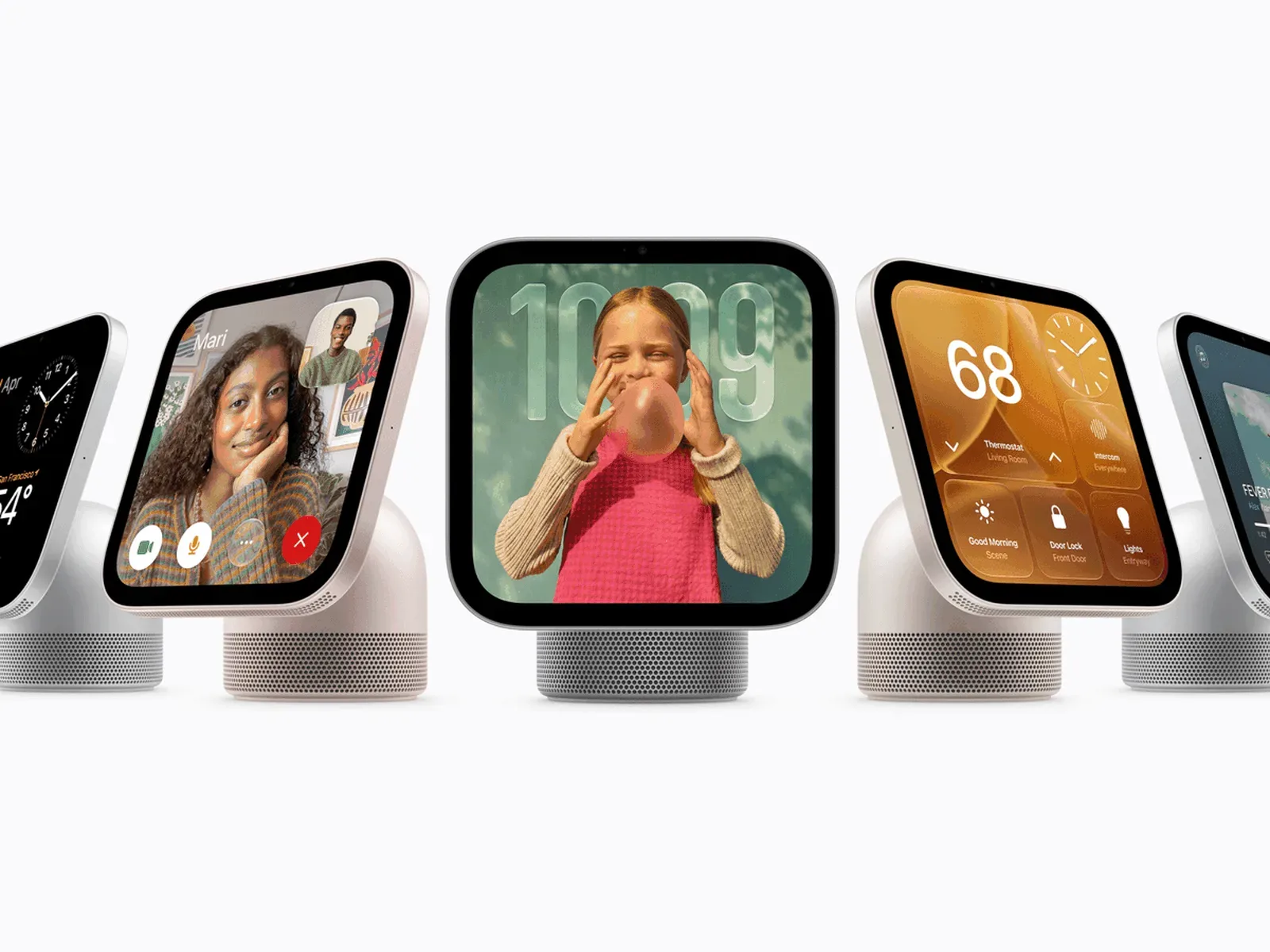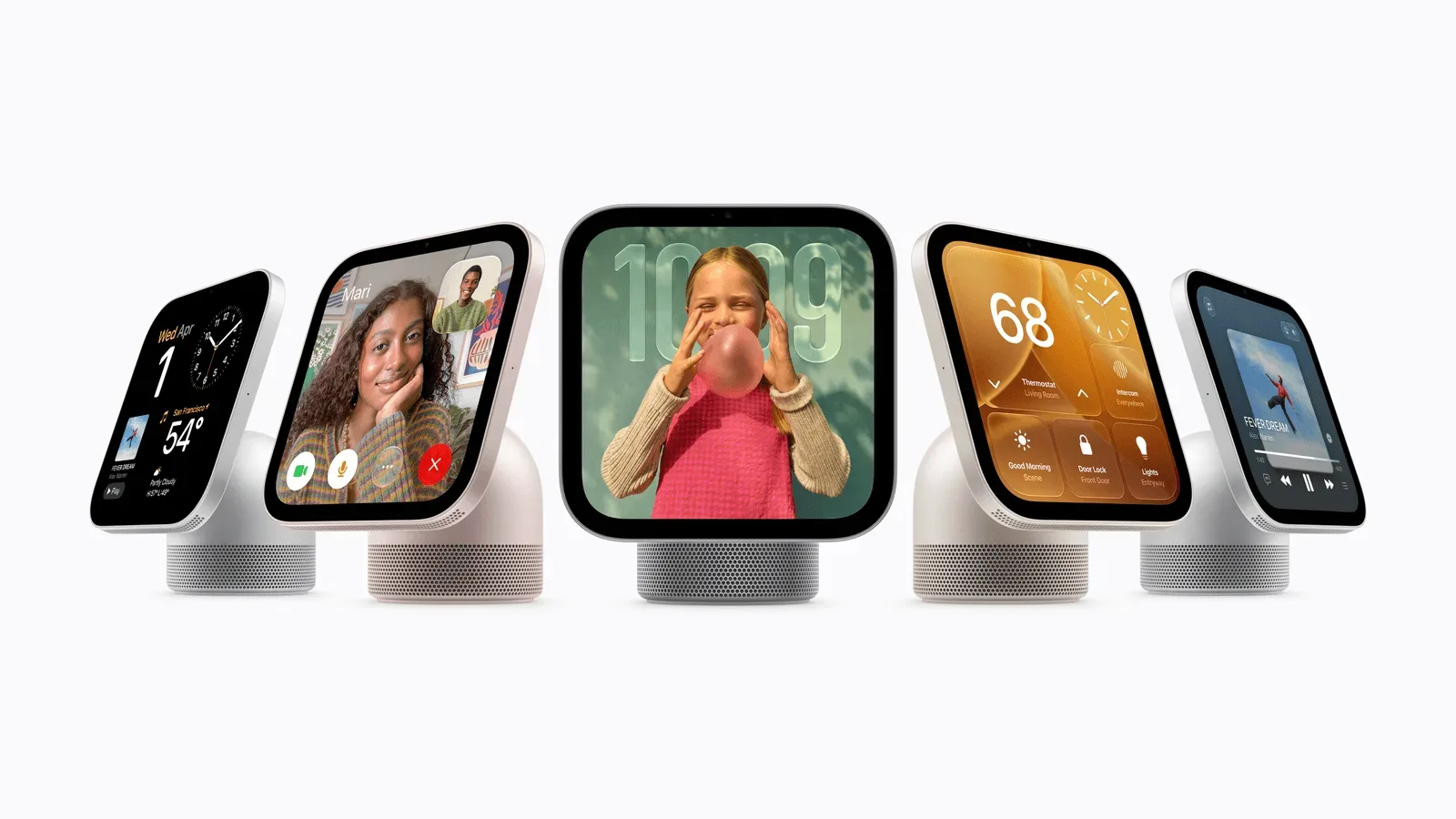
Apple has introduced HomeView, a new smart-home hub intended to work as a shared household screen without treating every person in the house as the same user. The $299 device combines a 7-inch Liquid Retina display, a speaker base, smart-home controls, FaceTime, Intercom and Apple’s Siri AI experience in a compact tabletop or wall-mounted form factor.
Pre-orders begin today, and HomeView is set to launch on November 13. Apple says it will not be available in the EU at launch. That regional absence is a meaningful part of the launch picture, particularly because the device’s more ambitious personal-assistant functions depend on Apple Intelligence capabilities and a compatible paired iPhone or iPad. For more on that limitation, see Apple HomeView’s EU launch situation and Siri AI availability.
A shared screen designed to know who is looking at it
The central HomeView pitch is not simply that it places a display in a room. It is that the screen changes its presentation based on both distance and identity.
From farther away, the interface is designed to show large, simple information. As someone gets closer, it can reveal more detailed content. Apple says HomeView can recognize as many as six people, switching each to a personalized experience with an individual Home Screen, apps and widgets.
That distinction matters in a home, where a display frequently sits in a common space but may surface information that is not actually communal. Apple says personal content remains private, while shared photo albums and music can be made available to everyone, including guests. In other words, HomeView is trying to divide the device into two overlapping layers: a household-facing display for collective tasks and a personal interface for the recognized person standing in front of it.
The company framed the objective as a device that belongs to the whole home while remaining personal to each resident. Whether that balance feels convenient rather than intrusive will depend on how households approach face recognition and what they choose to put on a shared screen. The announced feature set does, however, make the intended scenarios clear: glanceable household information from across the room, then personal apps and widgets at closer range.
What “distance-aware” interface design means
Distance-aware design refers to the way HomeView adapts the amount and scale of information shown depending on how close a person is. A clock, camera overview or large smart-home control may be useful from a kitchen counter away. Detailed controls, messages or app widgets make more sense when someone is standing directly in front of the display. Apple’s approach is aimed at making one seven-inch screen workable in both situations rather than forcing users to interact with it as though it were always held at arm’s length.
The concept also explains why the device has multiple display faces rather than relying exclusively on a conventional app grid.
Faces put photos, cameras and home controls at the surface
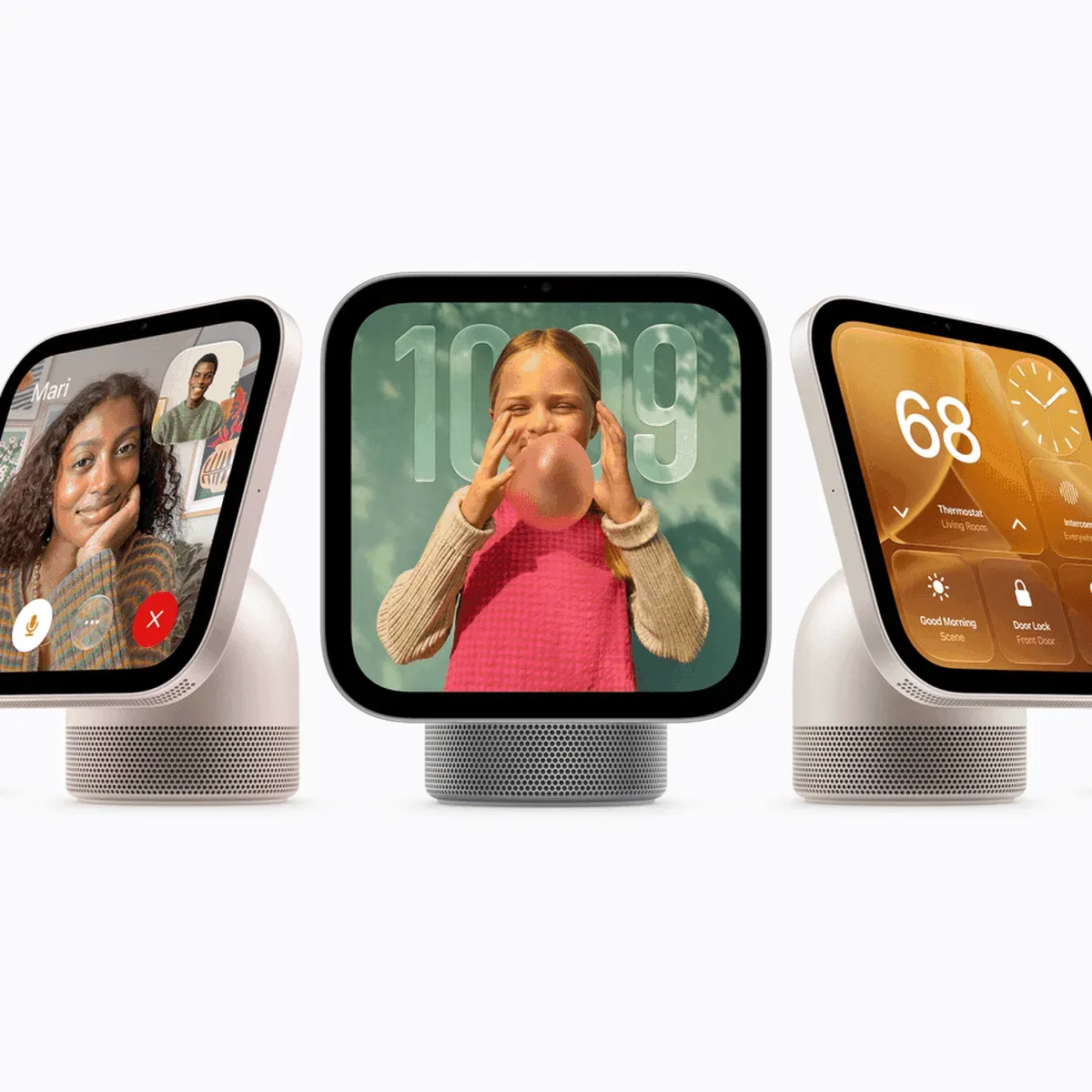
HomeView will offer a selection of faces designed for information at a glance. The Photos face focuses on images, while a Flow face changes dynamically in response to movement. A Snoopy face reflects contextual information such as time of day and weather.
More practically, the Home Modular face provides immediate access to smart-home accessories. The Home Camera face can livestream as many as nine video feeds at once. That is potentially one of the clearest use cases for a fixed household display: presenting an overview of compatible cameras in a place where people naturally pass through rather than requiring a phone to be unlocked each time.
Apple has not presented the camera view merely as another app. Including it as a dedicated face suggests that rapid visual monitoring is meant to be a core HomeView role. For a household that already uses cameras and connected accessories, the difference is about friction: a single screen can act as an ambient dashboard rather than a device that must be actively picked up and navigated.
The word modular generally describes an interface made from separate, rearrangeable elements. In this context, the Home Modular face is intended to provide direct access to smart-home accessories instead of burying basic controls behind several steps. Apple has not detailed the precise customization options in the announcement, so buyers should avoid assuming capabilities beyond the stated instant-access function.
Hardware: a tilting display anchored to a speaker base
HomeView has an aluminum body with its display connected to a domed speaker base using a stainless-steel tilting hinge. Apple positions the tabletop version for places such as a kitchen counter, bedside table or side table—locations where it can function as a screen, speaker and connected-home control point without needing a permanent installation.
The seven-inch Liquid Retina display includes True Tone and automatic brightness ranging from 0.3 nits to 500 nits. True Tone is Apple’s display adjustment system, designed to adapt the screen’s color and intensity to surrounding light. The 0.3-nit low end is especially relevant for a device positioned near a bed or in another dim room: it indicates a display designed to avoid remaining excessively bright in low-light conditions. The 500-nit high end provides the other half of the range for brighter surroundings.
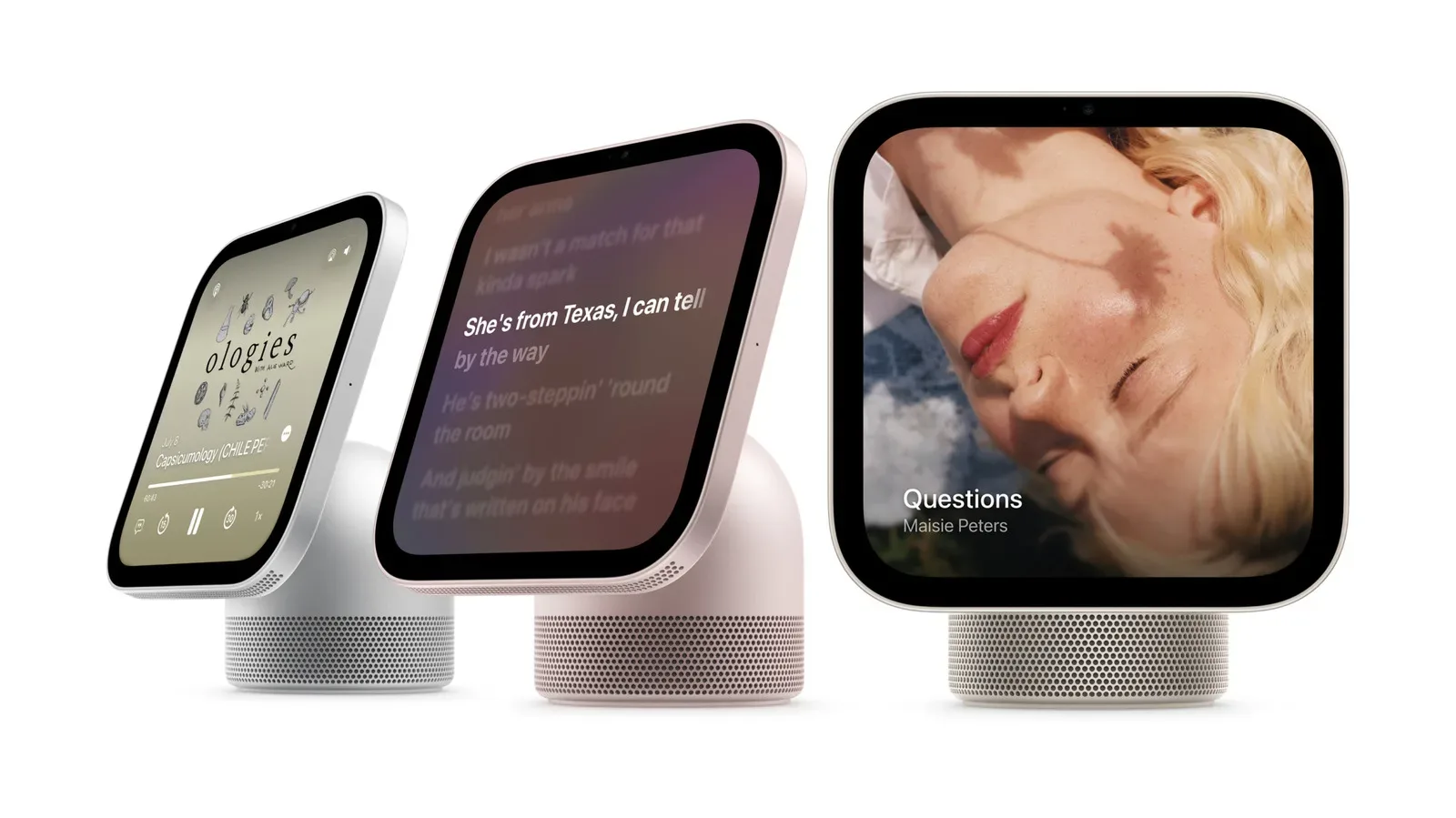
Sound is not an afterthought in the physical design. The tabletop HomeView uses two full-range drivers, a down-firing woofer and two force-cancelling passive radiators built into its base. Full-range drivers are built to cover a broad portion of audible sound, while a woofer handles lower frequencies. Passive radiators do not use their own powered amplification; they move in response to air pressure produced by the active drivers, assisting bass output in a compact enclosure. Apple says the arrangement delivers room-filling Spatial Audio.
The term Spatial Audio refers to an audio presentation intended to create a more dimensional sense of where sound is coming from. The announcement makes the claim for HomeView’s speaker system but does not spell out the listening modes, services or specific formats involved, so those details remain unconfirmed here.
HomeView also supports multiroom audio, allowing it to participate in playback across rooms. Handoff is included as well: users can continue iPhone audio by placing the phone in front of HomeView. This makes the hub more than a stationary smart-home panel; Apple is positioning it as a point where phone listening can become room listening without manually rebuilding playback.
Siri AI is the differentiator—and it has a device requirement
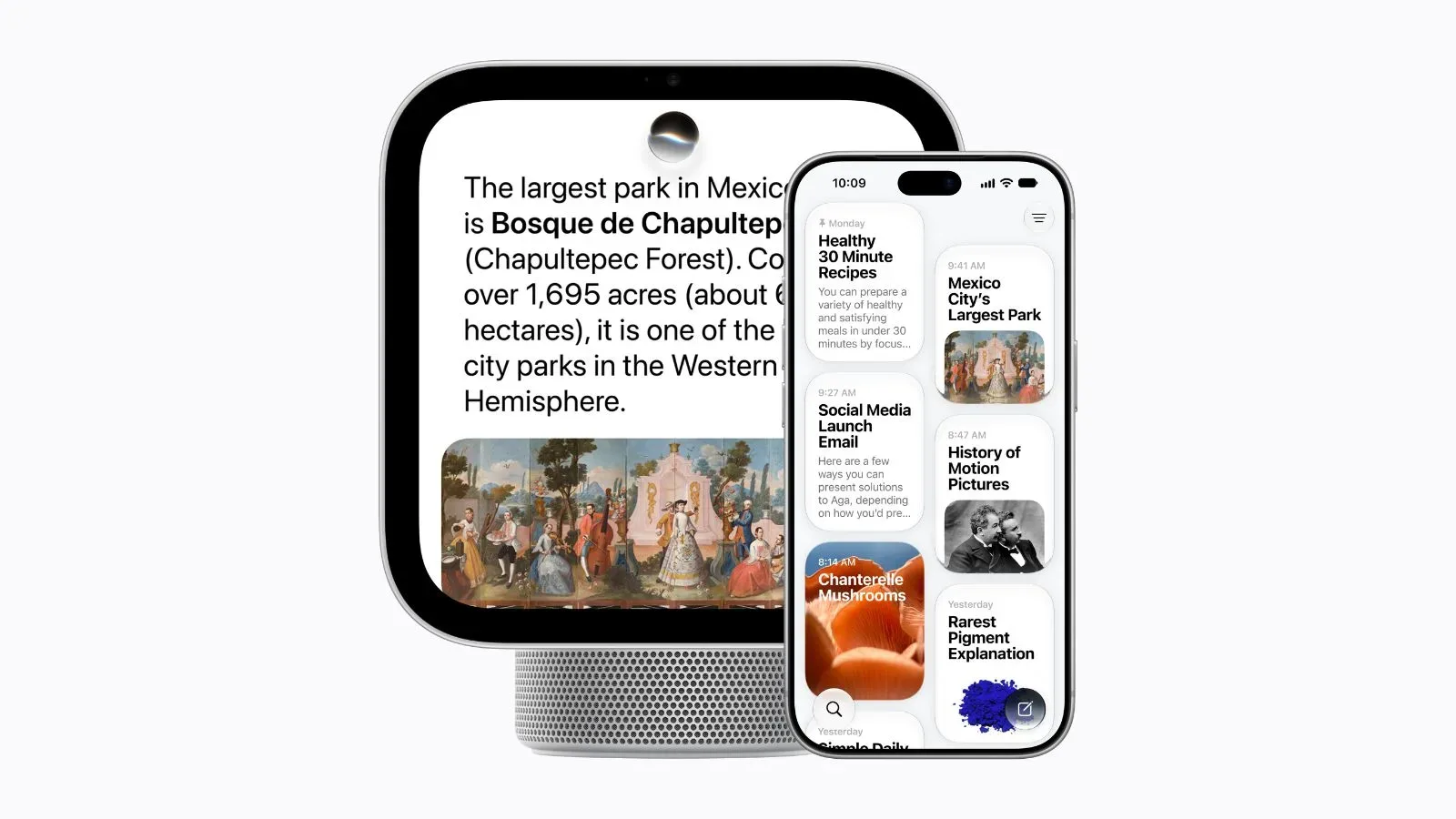
HomeView includes Siri AI, but its broader Apple Intelligence actions require use with an Apple Intelligence-compatible iPhone or iPad. With such a paired device, Apple says Siri AI can act across apps and bring forward relevant information from Messages, Calendar and Apple Music playlists, among other material.
That pairing condition is essential to understand. HomeView is being presented as a household hub, yet the announced AI functions draw on the personal context held on a compatible iPhone or iPad. It is therefore not simply a stand-alone countertop computer with every AI capability operating independently. Its value for personal organization is tied to the ecosystem device associated with the user.
Apple says Siri AI conversations sync across devices, and users can adjust the expressiveness and pace of Siri’s voice on a compatible paired device. The practical intent is continuity: a request or conversation should not be trapped on the room display. At the same time, the company’s stated privacy model separates personal material from shared experiences, which will be especially important when several recognized residents use the same HomeView.
For prospective buyers, the key question is less “does HomeView have AI?” than “which tasks need the paired compatible iPhone or iPad?” The announcement identifies cross-app actions and contextual retrieval as paired-device capabilities. Anyone considering the device principally for Siri AI should check that their existing hardware meets the necessary Apple Intelligence compatibility requirement.
A kitchen helper, video-call screen and house intercom
Apple also pitches HomeView as a cooking companion. It can turn recipes from the web into step-by-step instructions, with hands-free timer controls and ingredient tracking. The idea is straightforward: a recipe viewed on the web becomes a guided sequence on a screen that can stay visible while someone is handling food or moving around a kitchen.
Ingredient tracking is positioned as part of the same flow, though Apple has not provided further detail on how it is presented or managed. The confirmed takeaway is that HomeView is meant to organize a recipe into individual steps rather than only display a conventional webpage.
Communication is another major component. HomeView supports FaceTime with Center Stage and includes Intercom for quick household messages. Center Stage is Apple’s framing feature for video calls, intended to keep people in view as they move. On a fixed device, that makes a difference: the screen need not be physically repositioned every time someone shifts around a room.
Intercom, meanwhile, is a lower-friction option for short messages around the home. Alongside multiroom audio, camera monitoring and smart-home controls, it reinforces the broader strategy: HomeView is intended to remain useful even when nobody is actively sitting down to use it.
Tabletop and wall-mounted versions have different roles
The tabletop HomeView will be sold in silver, starlight, rose pink and space gray, with matching cables. A wall-mounted edition will be offered only in silver and space gray. It supports three mounting options from Schneider Home.
The wall model uses two custom drivers and computational audio specifically tuned for on-wall placement. Computational audio means software-based tuning is used alongside physical speaker components to tailor output for its setting. In this case, Apple says the tuning accounts for the acoustics of being attached to a wall rather than placed freely on furniture.
The split makes sense within the announced placement options. The tabletop model is built for flexibility, including its tilting hinge and portable placement around a room. The wall-mounted version instead suits a more permanent control station. Neither version should be viewed as automatically better: the choice is about whether a household needs a movable screen near a counter or bedside surface, or a fixed panel in a consistent location.
Price, date and availability
- Price: $299
- Pre-orders: Start today
- Launch: November 13
- EU availability: Not available at launch
- Tabletop colors: Silver, starlight, rose pink and space gray
- Wall-mounted colors: Silver and space gray
HomeView’s strongest argument is the attempt to make a single common-room device work at several scales: a distant clock or camera screen, a nearby smart-home panel, a personal assistant display, a speaker and a communications endpoint. The features Apple has announced point to an ecosystem-oriented hub rather than a generic display. Its personalized experience and AI actions are closely connected to recognized users and compatible Apple mobile devices, while its shared faces and home controls are designed for the household at large.