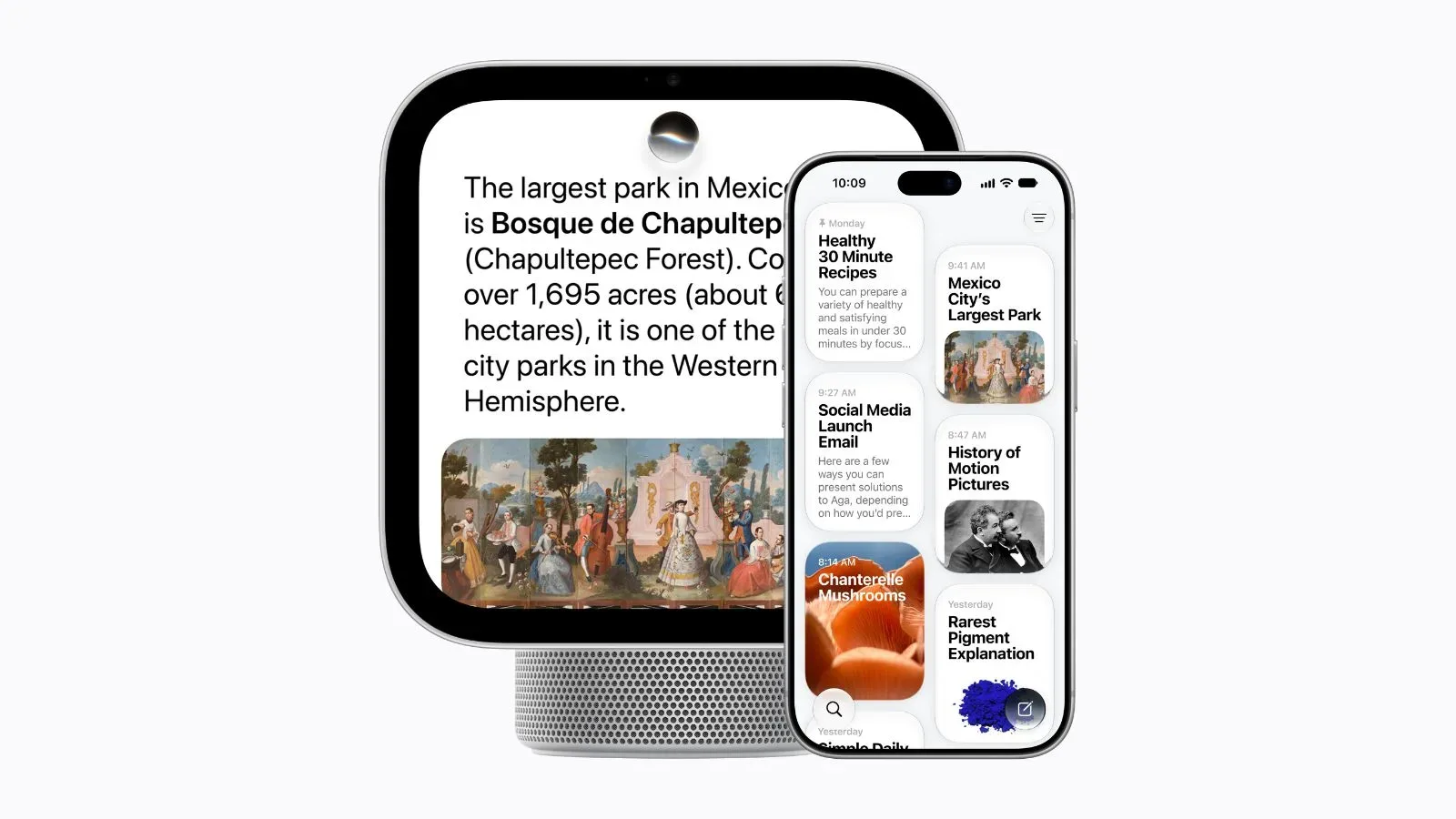
Apple has introduced HomeView, a 7-inch smart display designed as a shared household screen for Siri AI, connected-home controls, media, video calls and glanceable information. Two versions are planned: a tabletop model with an integrated speaker base and a wall-mounted model without one. Both cost $299, are available to preorder now and are scheduled to reach general availability on November 13.
On paper, HomeView is Apple’s bid to make its smart-home experience more visible, more personal and more useful in a room where people are already moving around. Its basic role is familiar: it is a touchscreen hub that can control supported devices, display information, play audio and handle communication. Apple’s distinctive approach is its close relationship with the iPhone and iPad. HomeView is meant to recognize household members by face and voice, then change the interface and information it presents for the person in front of it.
That means the device is not simply a screen for issuing commands. Apple is positioning it as a personal control center that happens to live in a communal space—a distinction that makes its privacy behavior, device dependence and app model especially important.
A square 7-inch screen built for the counter or the wall
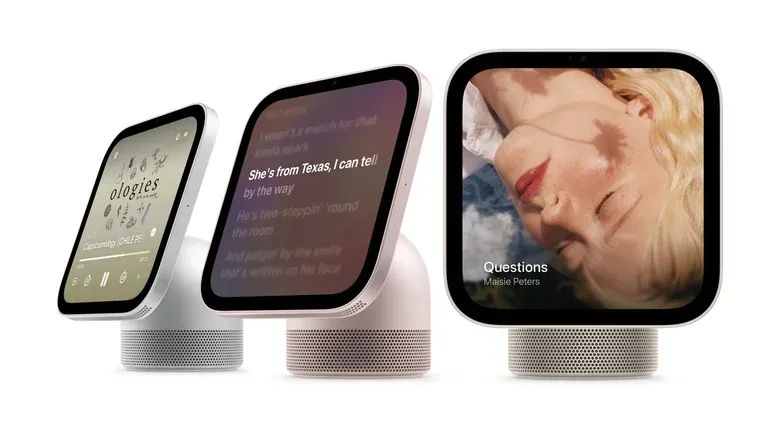
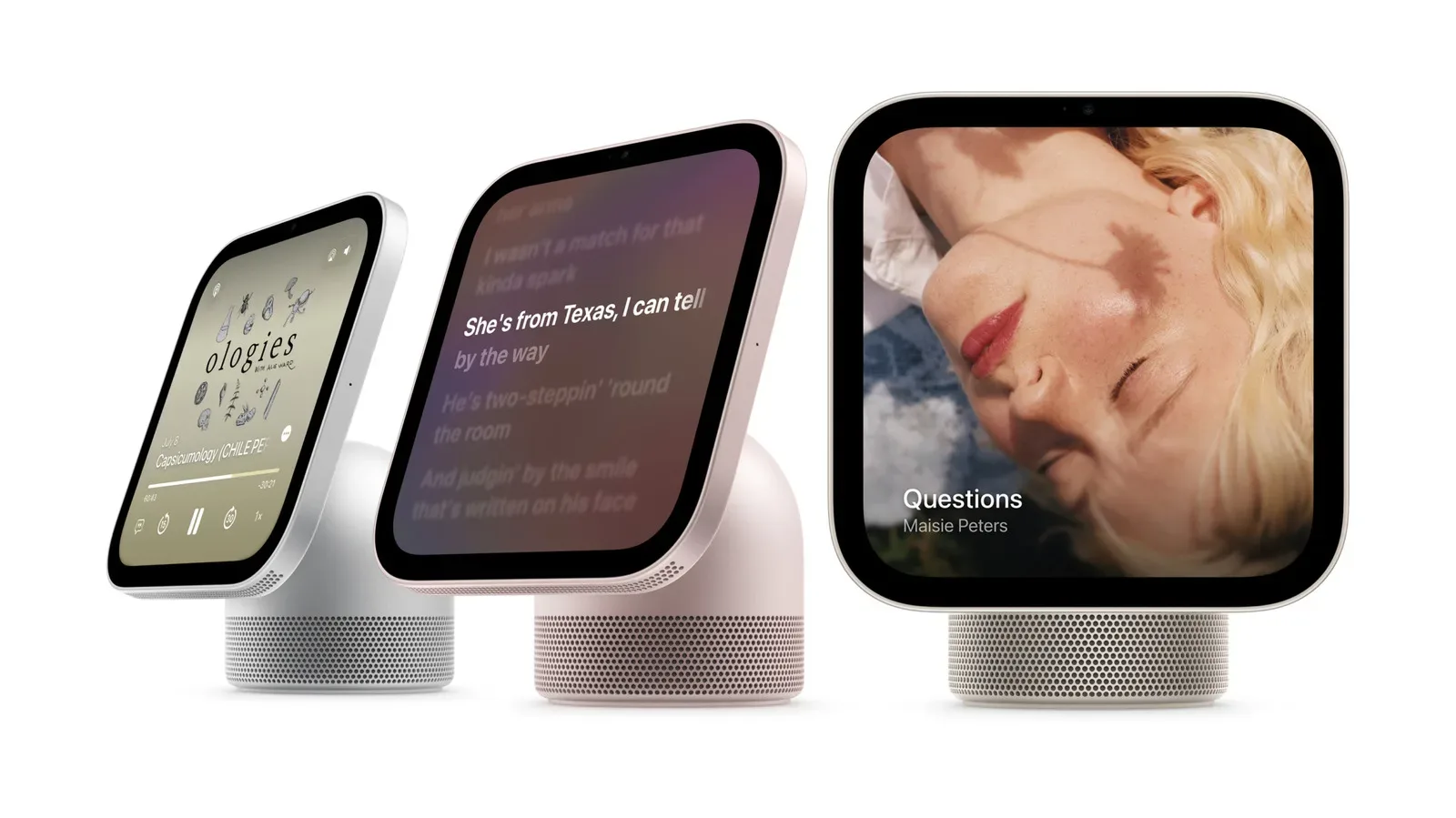
Every HomeView centers on a square 7-inch Liquid Retina display. The tabletop version will be available in Silver, Starlight, Rose Pink and Space Gray. Its display is attached to the base through a stainless-steel hinge, allowing owners to adjust the viewing angle. That is a practical detail for a device likely to sit on a kitchen counter, desk or bedside table, where a fixed upright screen may not always be comfortable to see.
The tabletop base is doing more than holding up the display. It includes a down-firing woofer, two force-canceling passive radiators and two full-range drivers located in the display. In plain terms, a woofer handles lower-frequency sound, while full-range drivers cover a broader portion of what people hear. Passive radiators are speaker components that move in response to air pressure within the enclosure; they can support bass output without being powered drivers themselves. Apple’s use of force-canceling radiators is intended to manage unwanted vibration.
There is also a wall-mounted HomeView that ships without the base. Apple says the overall functionality is unchanged, so the choice appears to be primarily about placement and the tabletop model’s built-in audio hardware rather than access to different software features.
Notably, HomeView has no physical buttons. Interaction happens through the touchscreen or voice. That creates a clean, appliance-like design, but it also makes the responsiveness and reliability of those two input methods central to the experience. A shared display needs to be easy to use while hands are busy, whether someone is cooking, arriving home or stepping through a routine.
Brightness matters more in a home than it may sound
HomeView is rated for up to 500 nits of brightness and can dim to 0.3 nits. A nit is a measurement of display luminance, or how much light a screen emits. The 500-nit maximum should help the display remain readable in brighter rooms, while the unusually low 0.3-nit setting is the more revealing number for a device intended to stay visible around the clock.
Related coverage includes Apple HomeView Brings Siri AI to a 7-Inch Smart Home Display.
Apple says this is the lowest brightness it has offered on any of its devices. For a screen placed near a bed or in a dim room, that can matter as much as peak brightness. A display that cannot get sufficiently dark can be distracting at night, even if its content is useful. The low-end setting therefore aligns with HomeView’s potential role as a bedside clock, photo display or overnight home-control screen.
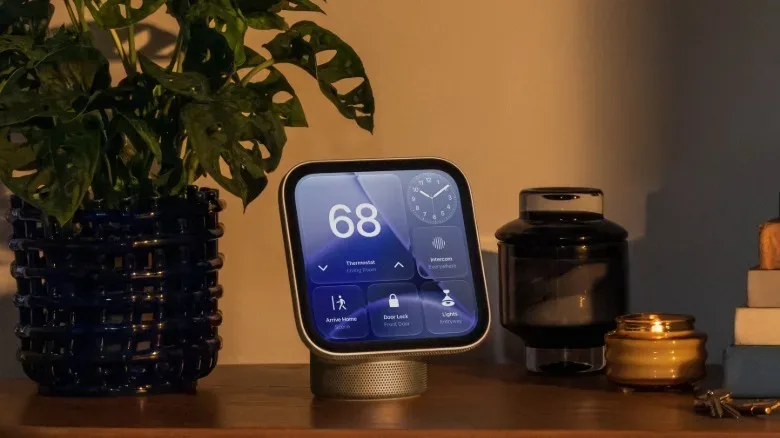
When HomeView is idle, it shows customizable passive screens called Faces. These can include art, photographs and clock designs. Once unlocked, the Home screen offers four areas for widgets, an approach comparable to customizing an Apple Watch face. Widgets are compact panels that surface selected information or controls without requiring a person to open a full app. On a household display, that could make the difference between a device that shows useful information at a glance and one that asks users to navigate through menus each time.
Siri AI and personal profiles are the main bet
HomeView uses an A18 chip to power Siri AI and the security requirements of a device handling personal household information. It also uses facial and voice recognition to identify users, then displays a personalized interface and a list of apps based on the person standing in front of it.
The practical idea is straightforward. A single screen can serve more than one person without treating every interaction as fully public. Different people may have different calendars, recently used apps, media preferences and other information associated with their iPhone or iPad. HomeView is designed to pull from those devices and adapt accordingly.
Apple has also described several guardrails for that shared-space problem. If a recognized user leaves, HomeView switches to a lock screen for anyone attempting to view what that person was using. It will periodically require an iPhone or iPad to be unlocked before HomeView can be used. There is a special overnight setting so users do not need to unlock a phone before interacting with HomeView in the morning.
This design has a clear tradeoff. Requiring periodic device unlocks introduces friction, but it also makes the display less like an unattended portal into a resident’s private data. That is particularly relevant for a device that may sit in a kitchen, hallway or living area where guests, family members and passersby can see it. The overnight exception recognizes that a privacy control can become counterproductive if it blocks a quick morning timer, weather check or voice request.
Facial and voice recognition are not merely decorative features here; they are the mechanism that allows a communal screen to attempt individualized results. The real value of that proposition will depend on how consistently the device recognizes people, how much information is actually tailored and whether the security prompts feel appropriately timed. Those are open practical questions rather than capabilities that can be judged solely from the specification list.
FaceTime, iPhone handoff and an app model that avoids downloads
A 12-megapixel FaceTime camera sits at the top of the display and supports Center Stage for video calls. Center Stage is Apple’s framing feature that adjusts the camera view to keep people in the shot during a call. In a room-based device, that makes sense: participants are more likely to move around or sit at varying distances than they are when holding a phone.
HomeView also supports voice and video apps, plus native iOS apps including Calendar and Weather. But it does not operate like an iPhone or iPad where users download a separate library of apps directly to the device. Apple compares its model to CarPlay: HomeView can show recently used apps in its menu for quick access, but it is tied to the user’s existing Apple-device ecosystem rather than serving as a standalone app-installation platform.
That distinction is important for prospective buyers. A no-download model may make HomeView simpler to maintain and prevent a shared household screen from becoming a cluttered collection of individual installations. At the same time, it implies that the device’s usefulness is closely linked to the apps and content already in use on an iPhone or iPad. HomeView is designed as an extension of those devices, not as their replacement.
Apple is also bringing its familiar proximity-based handoff behavior to HomeView. By holding an iPhone close to the display, users can hand off items including audio and recipes. That lets the phone remain the starting point for discovery or browsing, while the larger stationary screen becomes the place for continuing the task. It is a sensible division of labor: a handset is personal and portable; the display is easier to consult across a room.
A kitchen-friendly recipe mode, with one notable requirement
Safari gains a recipe mode for HomeView. When a recipe page meets Google’s formatting standards, HomeView can present it in a simplified, step-by-step format. Siri AI can then assist with actions such as setting a timer or adding ingredients.
The reference to formatting standards is significant. Recipe sites often publish structured information in a machine-readable form so search engines and other services can identify ingredients, instructions and cooking details. HomeView’s streamlined presentation depends on a page being prepared in that standardized way. In other words, the feature is not a promise that every recipe page will automatically become a clean cooking interface.
Still, the feature speaks to where a fixed smart display can make a stronger case than a phone. Recipes are commonly checked repeatedly while people are dealing with food, cookware and time-sensitive steps. A larger screen, visible from a short distance and paired with voice-controlled timers, is an obvious fit—provided the source page is compatible and the handoff flow is convenient.
Smart-home control extends to cameras, locks and thermostats
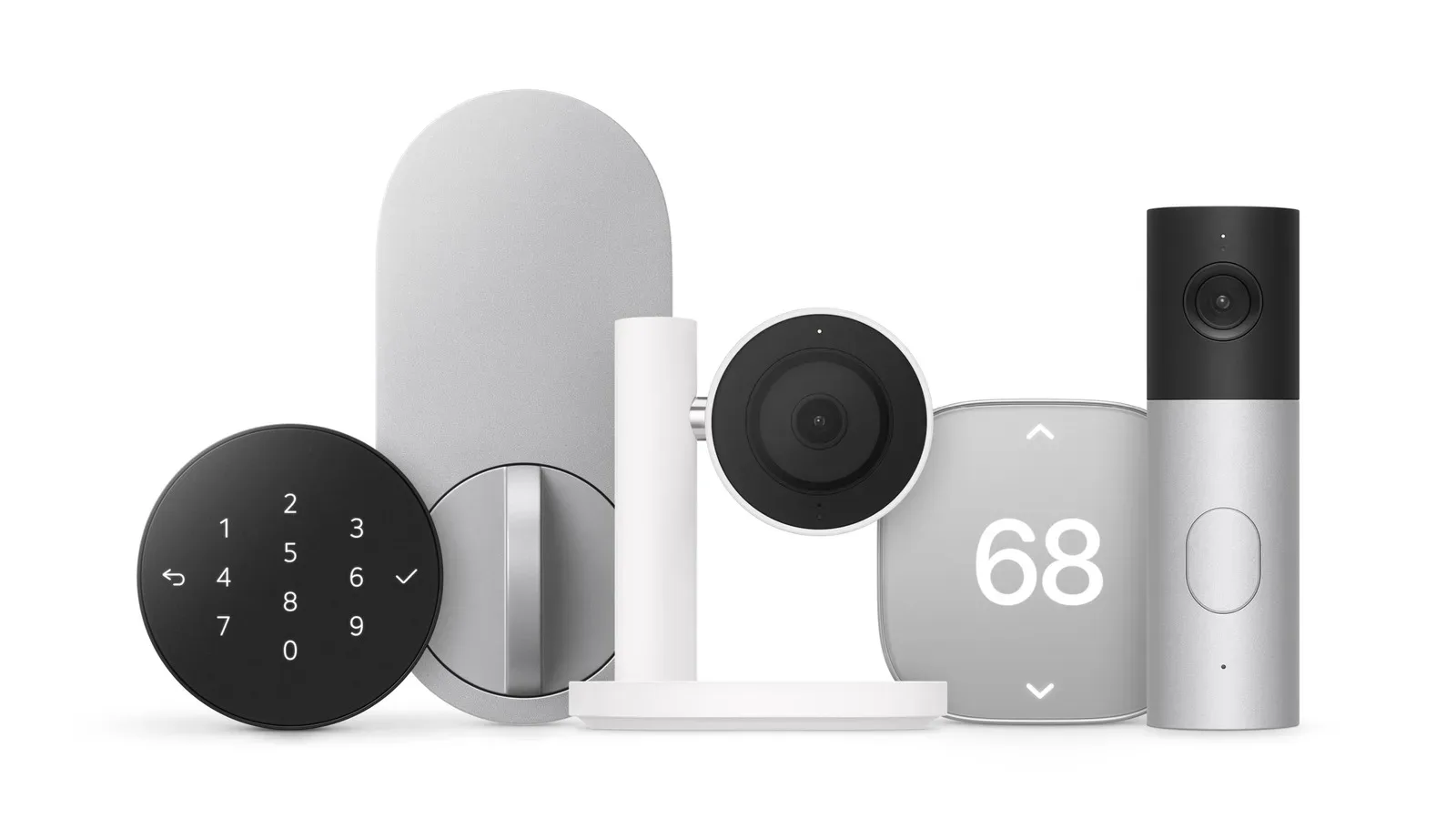
HomeView is also the visual front end for Apple’s broader connected-home plans. The company’s Apple Home Collection, developed with LG and Schneider Electric, includes indoor and outdoor cameras, a video doorbell, a door lock and thermostat options. LG worked with Apple on the cameras, doorbell, lock and one thermostat, while Schneider Electric collaborated on another thermostat option.
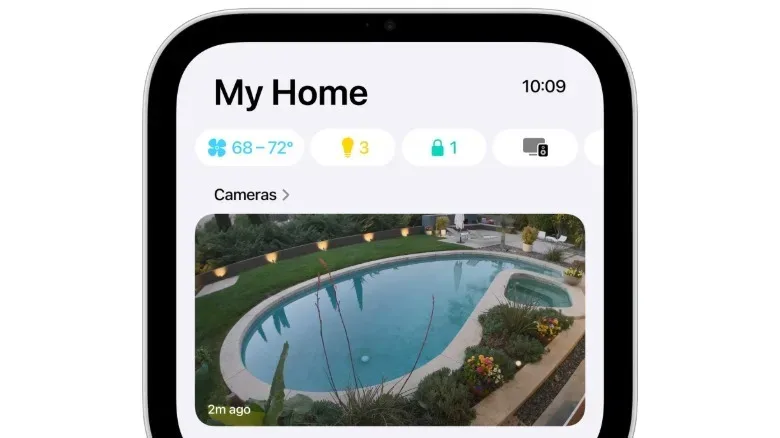
Apple has not provided an availability date for the Home Collection. It has disclosed prices ranging from $199 to $349 for those products. The devices are designed to be discovered by an iPhone when brought nearby, using a setup-card approach similar to setting up AirPods. Once connected, they can be controlled through HomeView, while live video feeds can appear on the display.
That makes the HomeView proposition broader than a screen for Siri requests. It is intended to become the visible dashboard for a connected entryway, indoor or outdoor cameras and climate controls. For a household that wants video feeds without pulling out a phone, the ability to place those feeds on a permanent screen is one of the most concrete benefits in the announcement.
It is worth separating what is arriving now from what remains pending. HomeView itself has a November 13 general-availability date and a $299 price for either version. The companion Home Collection hardware has pricing but no announced launch timing. Buyers interested chiefly in Apple-branded cameras, doorbells, locks or thermostats therefore do not yet have a complete release schedule for the larger system.
For more on the associated hardware lineup, see Apple’s Home Collection smart-home push.
What HomeView is—and what it is not
HomeView’s strongest appeal will likely be to households already using iPhone or iPad devices and wanting a central screen that can be shared without being wholly impersonal. Its combination of personalized profiles, lock-screen behavior, FaceTime, handoff, low-light display settings and smart-home video control shows Apple treating the home display as a different category from a tablet.
It is not presented as a fully independent iOS device. There are no downloaded apps, and Apple explicitly builds personalization and periodic authentication around a person’s iPhone or iPad. Nor is it only a speaker with a screen added on. The 7-inch display, widget areas, Faces and camera are all core parts of the pitch, while the tabletop model’s dedicated audio hardware gives the device an additional media role.
At $299, Apple is offering the same price for the tabletop and wall-mounted versions. The decision therefore comes down to the intended location, whether the adjustable base and speaker system are desirable, and how a buyer expects to use the screen most often. HomeView’s full case rests on a simple premise: the smart home may be easier to manage when the household has a screen that knows who is looking at it—while still knowing when not to show too much.