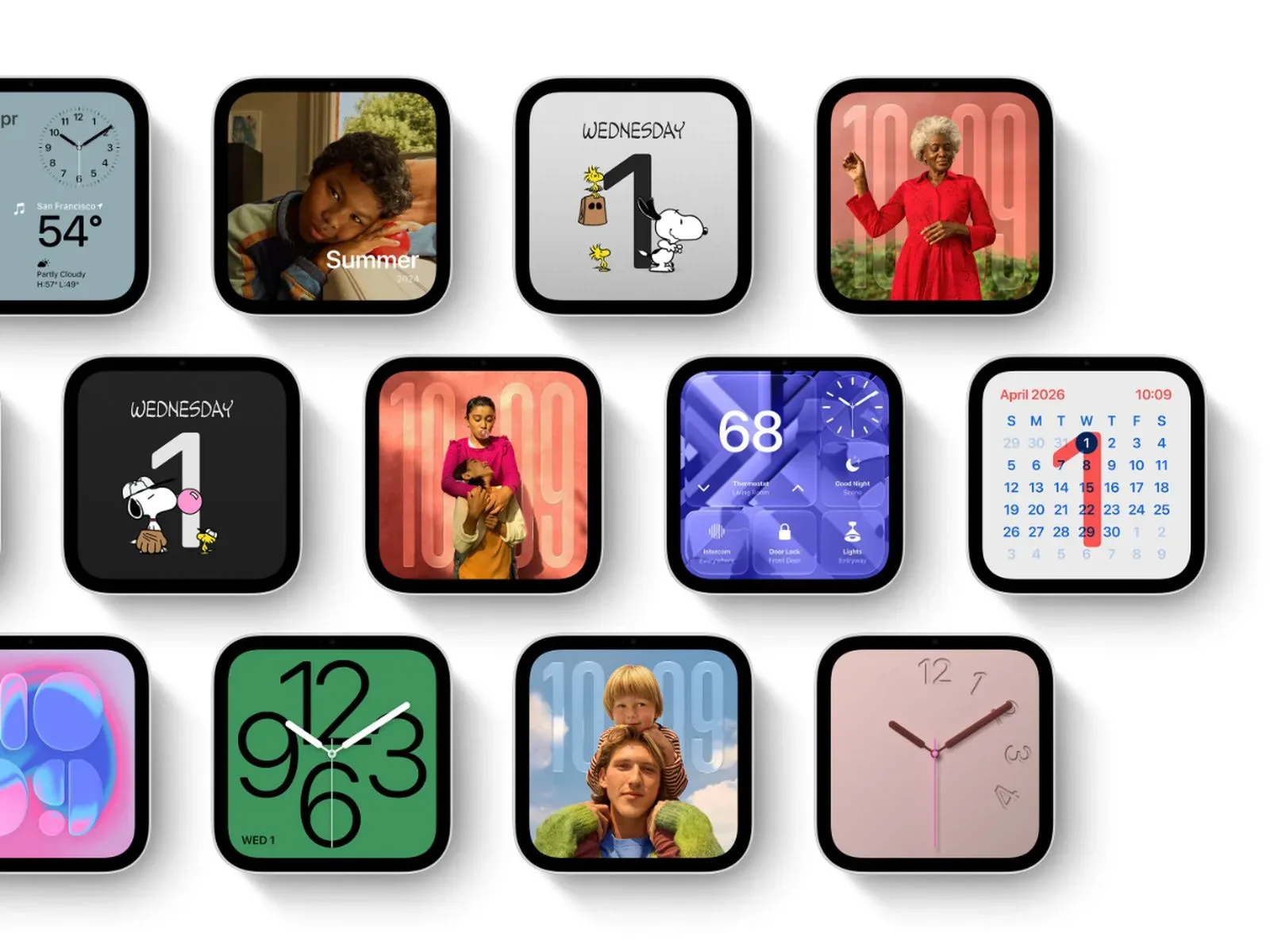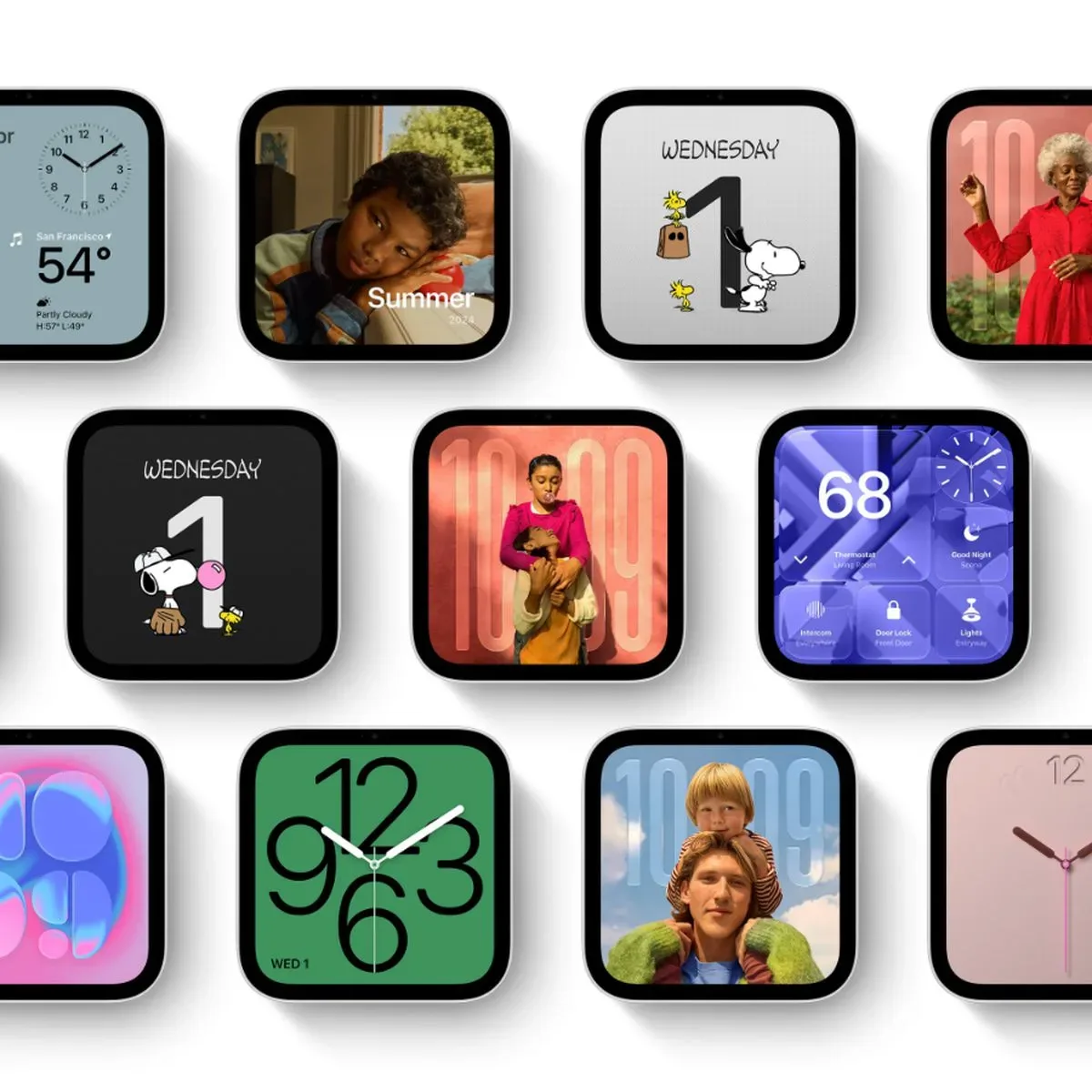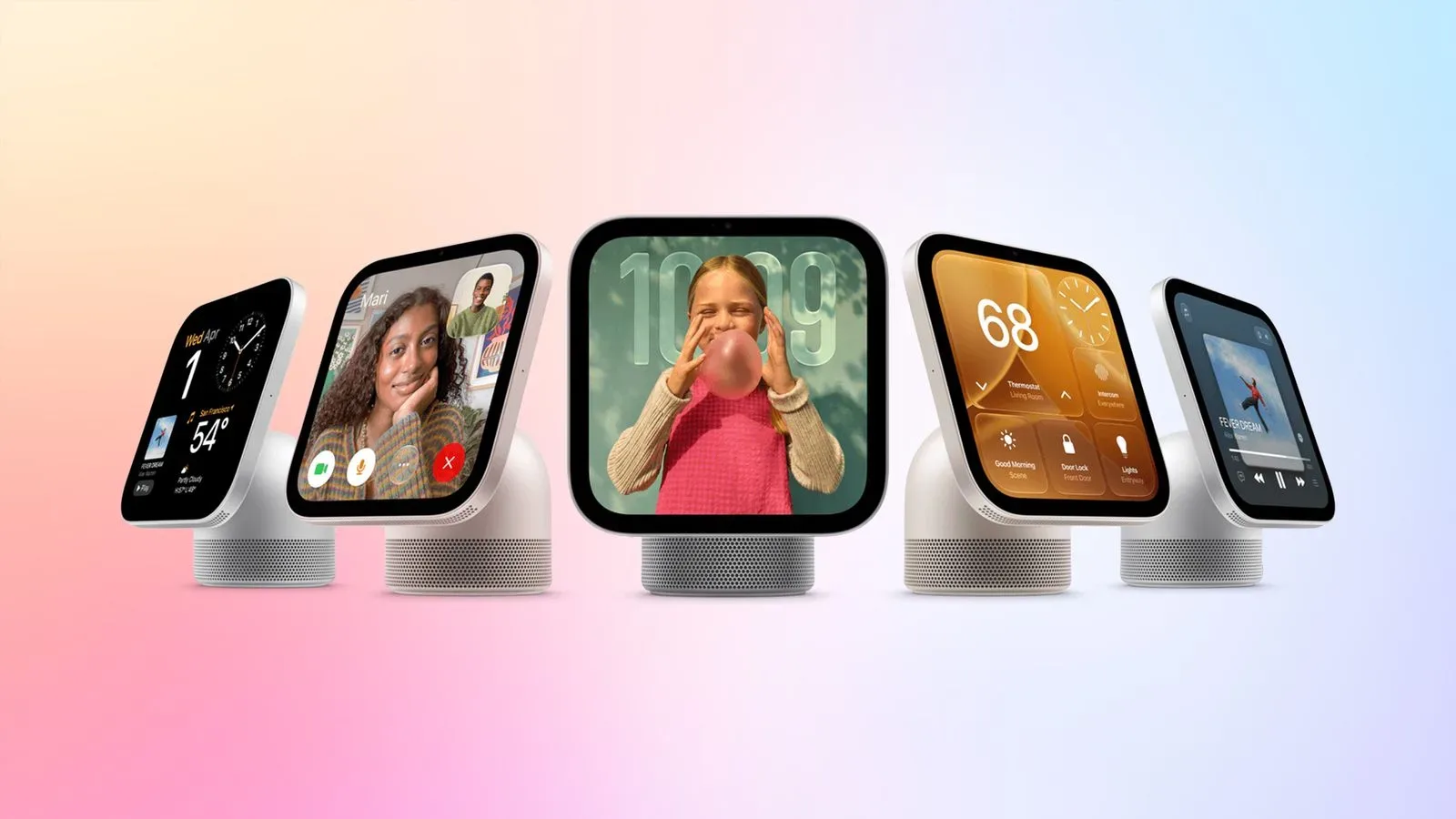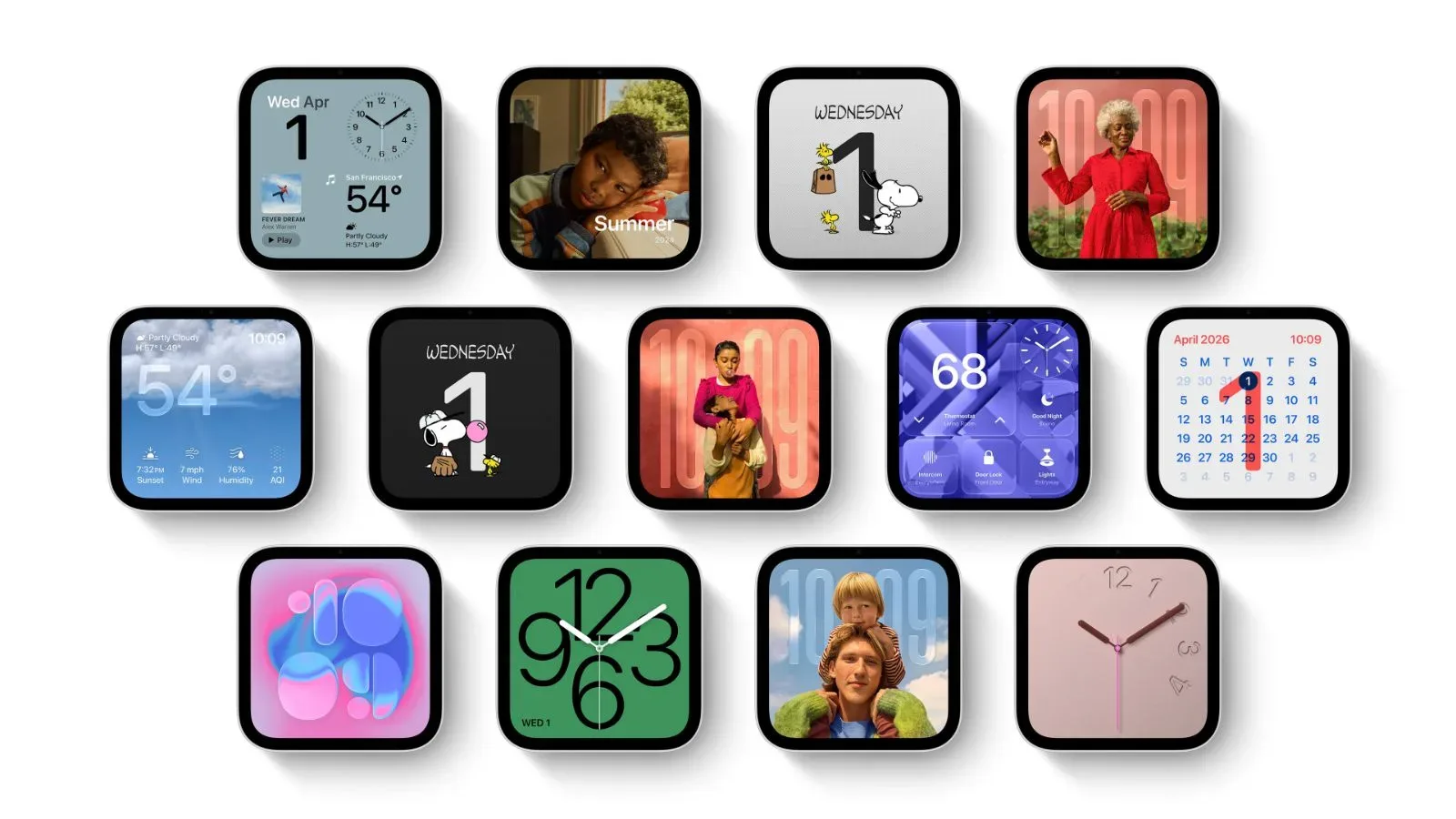
Apple’s HomeView is being positioned as more than a small smart-home control panel. Its 7-inch display will support a selection of customizable “faces” that can turn the device into a family photo frame, a playful animated display, an at-a-glance calendar and weather screen, or a hub for accessories and security cameras.
The named faces are Photos, Flow, Snoopy, Calendar, Weather, Home Modular, and Home Camera. Promotional material also shows additional clock and widget arrangements, though Apple has not named those layouts yet. Some of the available faces are designed to alter their appearance over the course of a day, with distinct morning and evening presentations.
That range matters because a screen meant to live on a wall or tabletop has a different job from a phone display. It needs to be useful when someone intentionally approaches it, but also visually appropriate when it is merely sitting in the room. HomeView’s face options are the part of the product that determines which of those roles takes priority at a given moment.
Photos: a picture-frame mode with remote contributions
The Photos face gives HomeView its most familiar ambient role: a digital picture frame. It can show one selected image or cycle through a collection. Apple says it uses Portrait-style depth effects, keeping the image’s subject sharp while blurring foreground and background elements.
In practical terms, that effect is intended to add separation around a person or other primary subject in a photograph rather than presenting every part of the image at identical visual emphasis. On a device designed to be visible across a room, that can help a photo retain a clear focal point.
Shared albums are a more consequential feature than the display effect. Friends and family can contribute pictures remotely, allowing the HomeView to become a changing household gallery rather than a frame managed by only one person. It could be useful for families spread across different places, provided they want a shared stream of images appearing in a common space.
There is also an important distinction between a face that displays photos and one that acts as a personal device screen. A photo frame is often encountered casually: while passing through a room, eating breakfast, or sitting nearby. The Photos face appears designed for that passive, glancing interaction rather than for browsing a photo library in detail.
Flow and Snoopy give the screen an ambient identity
HomeView’s animated options are Flow and Snoopy, but they use different kinds of context. Flow responds to physical presence and movement nearby, changing its colors and light as people move around it. The supplied information does not specify exactly how it detects activity or what every possible visual reaction looks like, so those details remain unclear. What is confirmed is the central idea: the display artwork is reactive rather than fixed.
That makes Flow an ambient face in the literal sense. It is not primarily delivering a static set of controls or a precise piece of information. Instead, its behavior changes with activity in the nearby space. For a device placed in a kitchen, hallway, or shared living area, that may make the display feel less like an inactive black rectangle between direct uses.
The Snoopy face uses a recognizable character animation and reflects several conditions: time of day, weather, sporting events, and holidays. The result is a face that can shift with the household’s day and with outside context without requiring the user to select a different layout every time.
Apple has not laid out how comprehensive the sporting-event behavior will be, which sports or events are included, or how the Snoopy animations will vary for each condition. Those questions should not be answered with assumptions. Still, the listed triggers show that Snoopy is more than a looping cartoon display: it is intended to be a context-aware face whose presentation can change with current circumstances.
Calendar, Weather and the value of glanceable information
Calendar and Weather are among the named faces, signaling simpler information-first options alongside the more decorative photo and animation modes. Apple has not provided a detailed rundown of their individual layouts or widgets. The important confirmed point is that HomeView will offer dedicated faces for schedule and weather information rather than limiting those items to secondary controls.
These types of faces are suited to a communal display because their purpose is usually immediate. A calendar screen can serve as a quick prompt for the day ahead, while weather information can answer a common before-leaving-the-house question. The utility depends not only on the data being available, but on legibility at a distance.
HomeView addresses that latter problem with an interface that adapts to how far away a person is. When viewed from across a room, it presents simpler information that can be read at a distance. As someone moves closer, it provides more detail. This approach is a form of distance-aware interface design: the amount of information changes with proximity rather than forcing the same dense screen to work equally well from every location.
That is particularly relevant for Calendar, Weather, and smart-home status. From farther away, a person generally needs a quick answer. Up close, they may need enough information to take an action or understand a specific item. Apple’s description establishes the principle, but does not yet identify exactly which elements appear at each distance for each face.
Home Modular puts accessories within reach
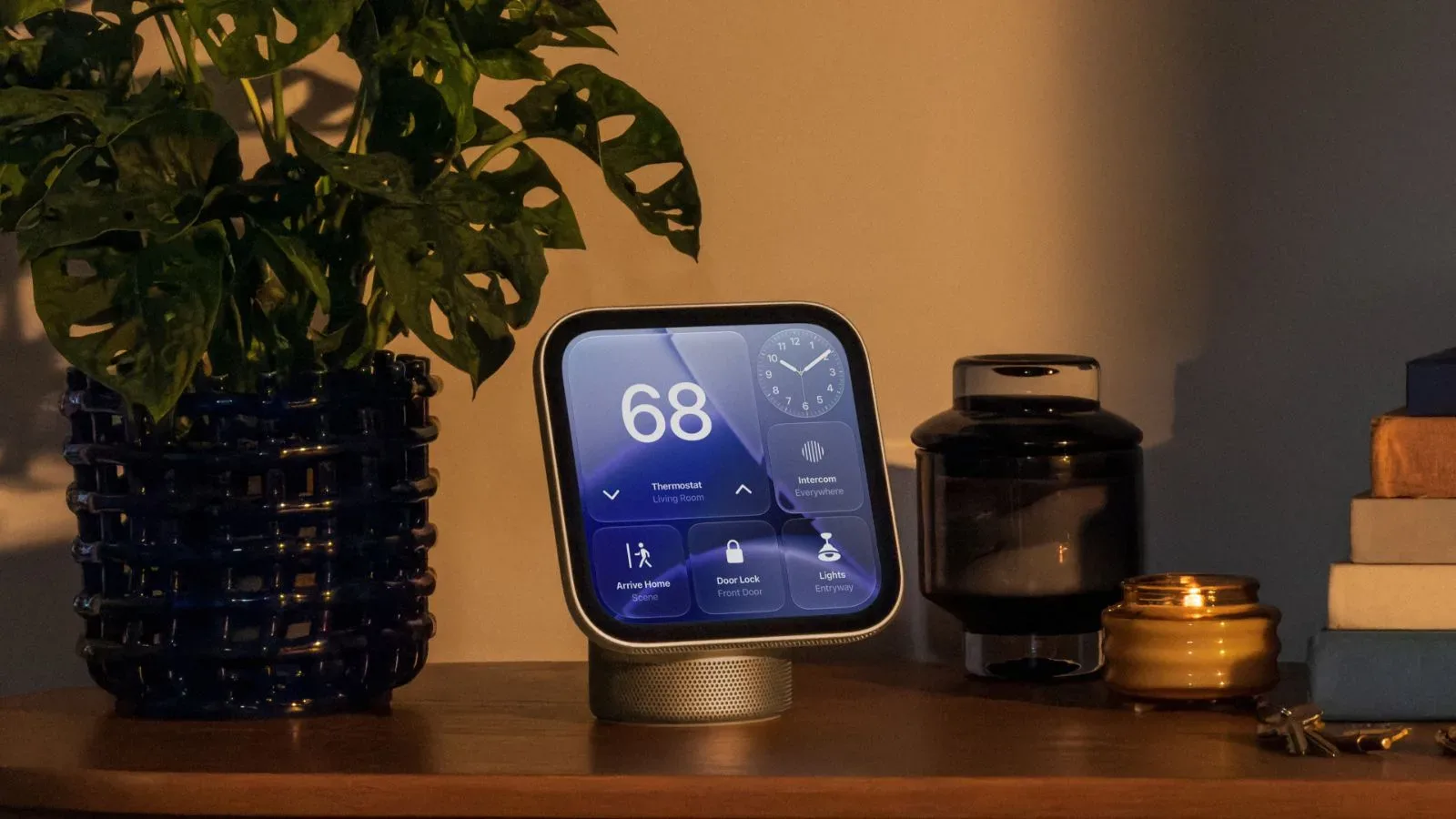
Home Modular is the face focused on favorite smart-home accessories. Apple says it provides quick access to those favorites, making it the clearest control-oriented face in the initial group.
“Accessories” here means connected smart-home devices and controls selected as favorites. The available information does not enumerate supported device types, set out configuration steps, or say how many favorites can be shown. It is best understood as a shortcut surface: a dedicated layout for regularly used home controls instead of a photo or informational display.
Its value will depend on which actions a household repeats most often. A display in a central room is different from an app icon in a pocket: its controls can be useful to several people in the same space, and it can remain visible as part of the room’s routine. That said, HomeView is not described as replacing all detailed device management. The stated benefit is quick access, not a full account of every smart-home setting.
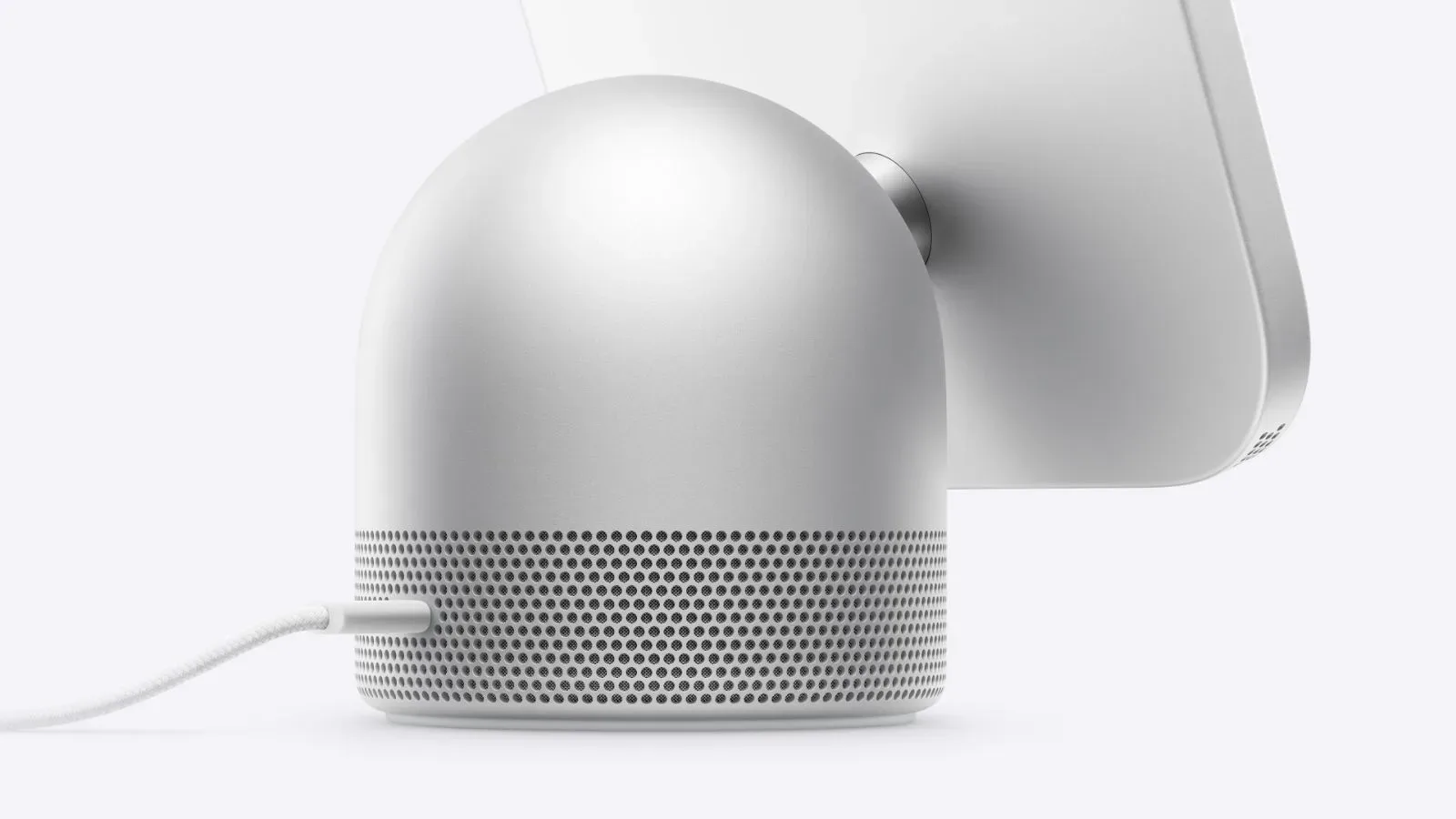
Apple is also expanding HomeView’s role in home monitoring and control with onboard environmental hardware. HomeView includes temperature and humidity sensors for room-by-room thermostat control, giving the screen’s smart-home purpose a practical dimension beyond its face layouts.
Home Camera can show nine feeds at once
Home Camera is the security-focused option. It can livestream as many as nine camera feeds simultaneously. On a 7-inch display, a nine-feed view means prioritizing a broad overview: it lets someone monitor multiple locations at once, rather than presenting one feed as the sole focus.
The nine-feed limit is a concrete capability, but it should not be read as a description of every camera-related feature. Apple has not specified video resolution in the grid, recording controls, supported camera systems, feed-selection behavior, or whether all nine feeds are always visible. What is known is that Home Camera offers a simultaneous multi-camera live view, up to nine feeds.
For households with several cameras, that changes the HomeView’s role from simple accessory control to a potential visibility point for security video. In contrast to a notification that calls attention to one event, a multi-feed grid is designed for monitoring several spaces in parallel. Whether that is preferable to a simpler single-camera screen will depend on the household and the number of cameras in use.
A screen designed for day, night and changing attention
The device’s display behavior supports the face system. HomeView has a 7-inch Liquid Retina display with automatic brightness adjustment from 500 nits down to 0.3 nits for nighttime use. A nit is a measure of display brightness. At the high end, 500 nits describes a brighter presentation; at the low end, 0.3 nits is intended to reduce brightness for dark environments.
The brightness range is relevant because HomeView is meant to remain visible in a room throughout the day rather than be used only in short, deliberate sessions. A photo, weather panel, camera grid, or character animation needs to avoid becoming either too dim in daytime or unnecessarily bright at night. Apple’s automatic adjustment is meant to handle that transition.
Combined with the distance-aware interface, the faces suggest a product designed around levels of attention. From a distance, the screen can deliver a simpler visual or a concise status. Nearby, it can reveal greater detail. In the evening, it can dim substantially. During the day, a selected face can shift in appearance. These are not separate headline features so much as parts of one design approach: a display that is always present but does not have to demand constant interaction.
What is confirmed, and what remains unnamed
Apple has explicitly named seven HomeView faces: Photos, Flow, Snoopy, Calendar, Weather, Home Modular, and Home Camera. It has also shown other clock and widget configurations without attaching names to them. That means it would be premature to treat every layout visible in promotional imagery as a fully detailed, independently confirmed feature.
Similarly, Apple’s description confirms day-and-night changes for selected faces, but does not say which face receives which visual variation beyond the specific behavioral details already given for Flow and Snoopy. The Photos face supports a single image or rotating collection and accepts remote contributions through shared albums. Home Modular offers favorite-accessory access. Home Camera supports up to nine simultaneous live feeds. Those are the clearest defined roles so far.
Both the tabletop and wall-mounted versions of HomeView are scheduled to launch on November 13 in the United States at $299. The identical stated price and launch date put the choice between versions on placement rather than a stated difference in the face experience. Apple’s available details present the faces as the core way owners will decide what their HomeView is for at any given time: personal photos, responsive art, character animation, household information, controls, or a live security overview.