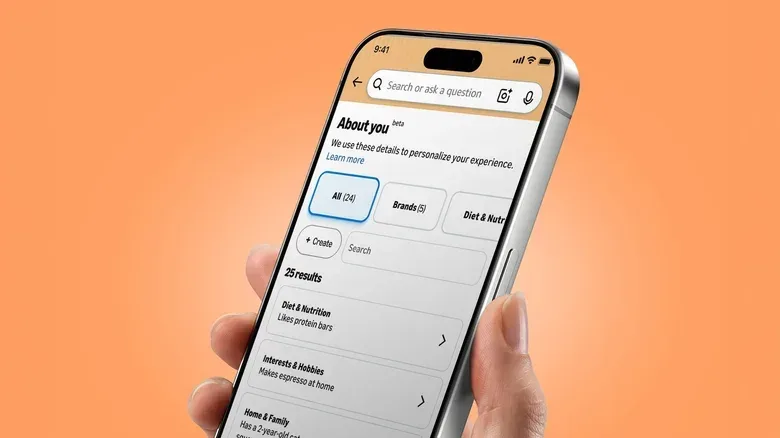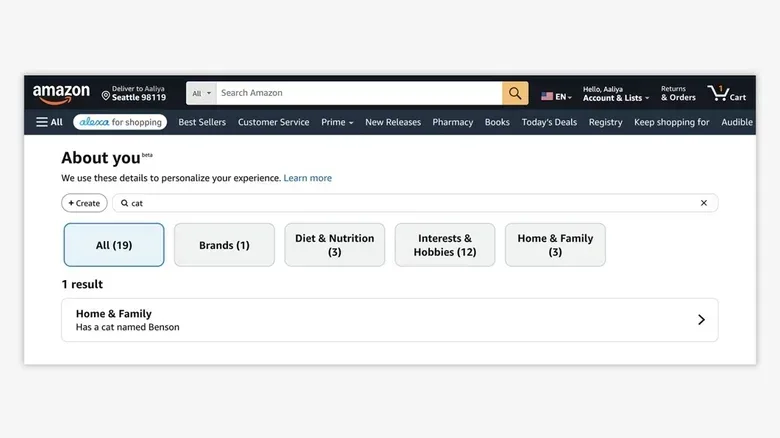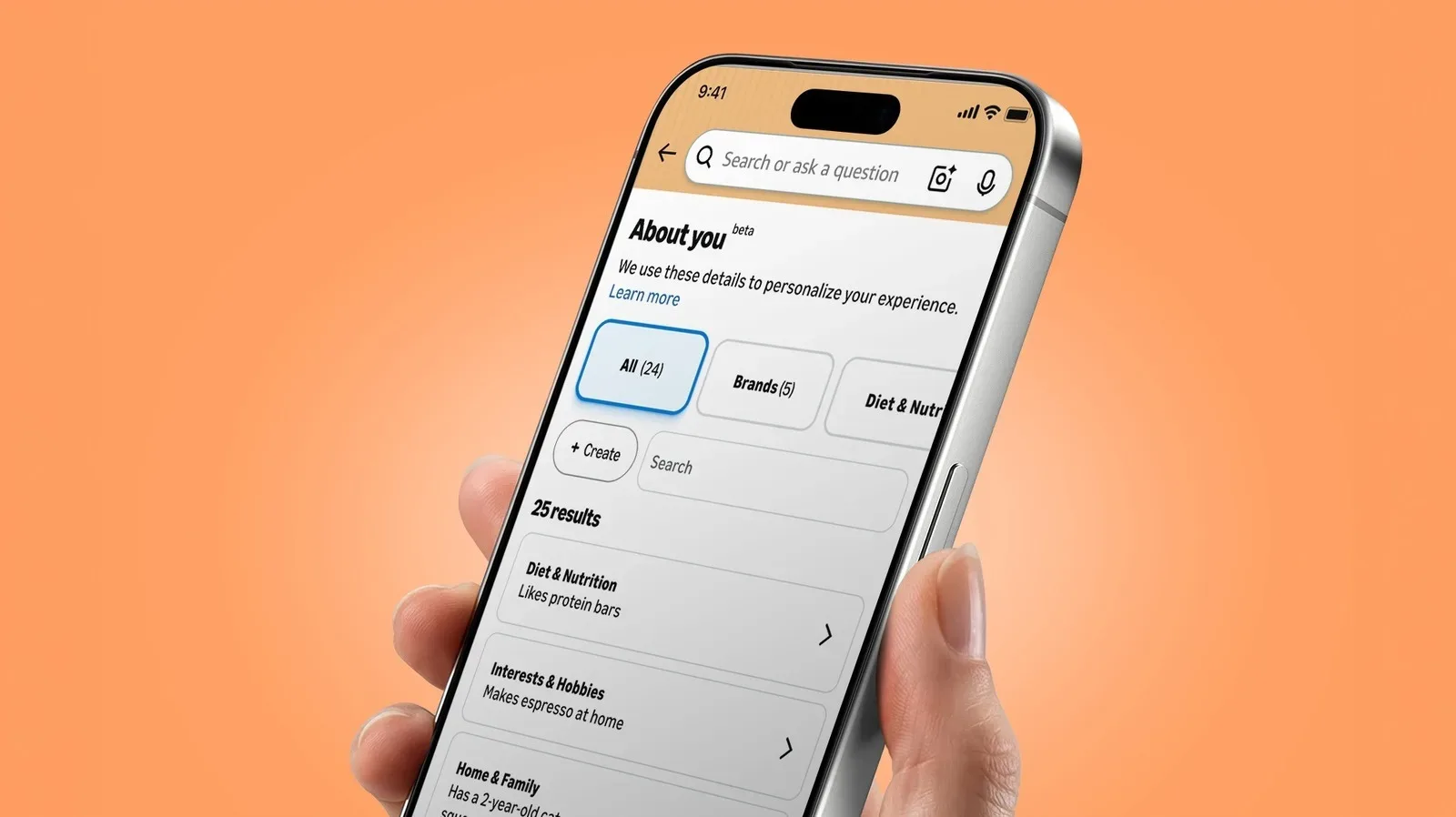
Amazon has a page called About You that puts part of its shopping-personalization profile in front of the customer. It is effectively a dossier of observations Amazon may use to tailor shopping experiences: preferences, interests, style details and information about the people or pets someone shops for.
The feature itself arrived in May, although the broader practice of using customer activity to personalize shopping is much older. What has brought fresh attention to the page is the unusual level of specificity some people have reported seeing in their profiles. Shared examples have included “has flat buttocks,” “mismatched trash bins,” “has a mother,” “owns a tiny funnel” and “receives boxes from Amazon.” Some observations are funny because they are obvious; others can feel bizarre, overly intimate or simply wrong.
That makes the page worth checking—not because it offers a complete ledger of everything connected to an Amazon account, but because it exposes a set of conclusions Amazon has attached to a shopper for personalization. And, importantly, individual entries can be updated or removed.
What Amazon’s About You page is showing
It helps to distinguish an observation from the activity that may have led to it. An observation is a concise statement or label that summarizes something Amazon believes about a customer. A purchase, product review, search query or conversation is a separate underlying interaction. The About You page shows the former: the inferred or recorded detail Amazon can use when personalizing shopping.
This distinction is important because the controls have a specific scope. Removing an About You item tells Amazon not to use that particular detail for personalization. It does not mean a customer has opted out of personalized shopping as a whole. Nor should customers treat it as confirmation that a previous purchase, review, search or conversation has been deleted.
In other words, the page is an editing surface for elements of a personalization profile, not a universal delete button for an account’s past activity. That is still useful. If a listed detail is inaccurate, unwelcome or inexplicably specific, a shopper can correct the immediate label rather than leave it in place.
For anyone following the wider debate around behavioral data and targeted services, that limitation is also a useful reminder: visibility and control over one output of a profiling system are not identical to erasing all of its inputs. The distinction has mattered in other data-use disputes, including the allegations outlined in a case involving alleged data misuse tied to advertising technology.
How to find the About You page in the Amazon mobile app
On Amazon’s mobile app, the route begins in the account area:
- Open the Me tab, represented by the person icon along the bottom of the app.
- Tap your name.
- Choose About You.
Once there, look through the displayed observations rather than assuming they all mean the same thing. A broad interest or shopping-for relationship is different from a strange, narrow assertion. The value of reviewing the page is precisely that Amazon’s short-form descriptions can turn a pattern of activity into a statement a person may not recognize or agree with.
How to find it on the web
On Amazon’s website, open Account & Lists, then select Account. The About You option appears in the Ordering and shopping preferences section.
The web route is useful for customers who do most account management in a browser, while the app path puts the option closer to the profile controls many mobile shoppers already use. The destination is the same: the page where Amazon presents these individual personalization notes.
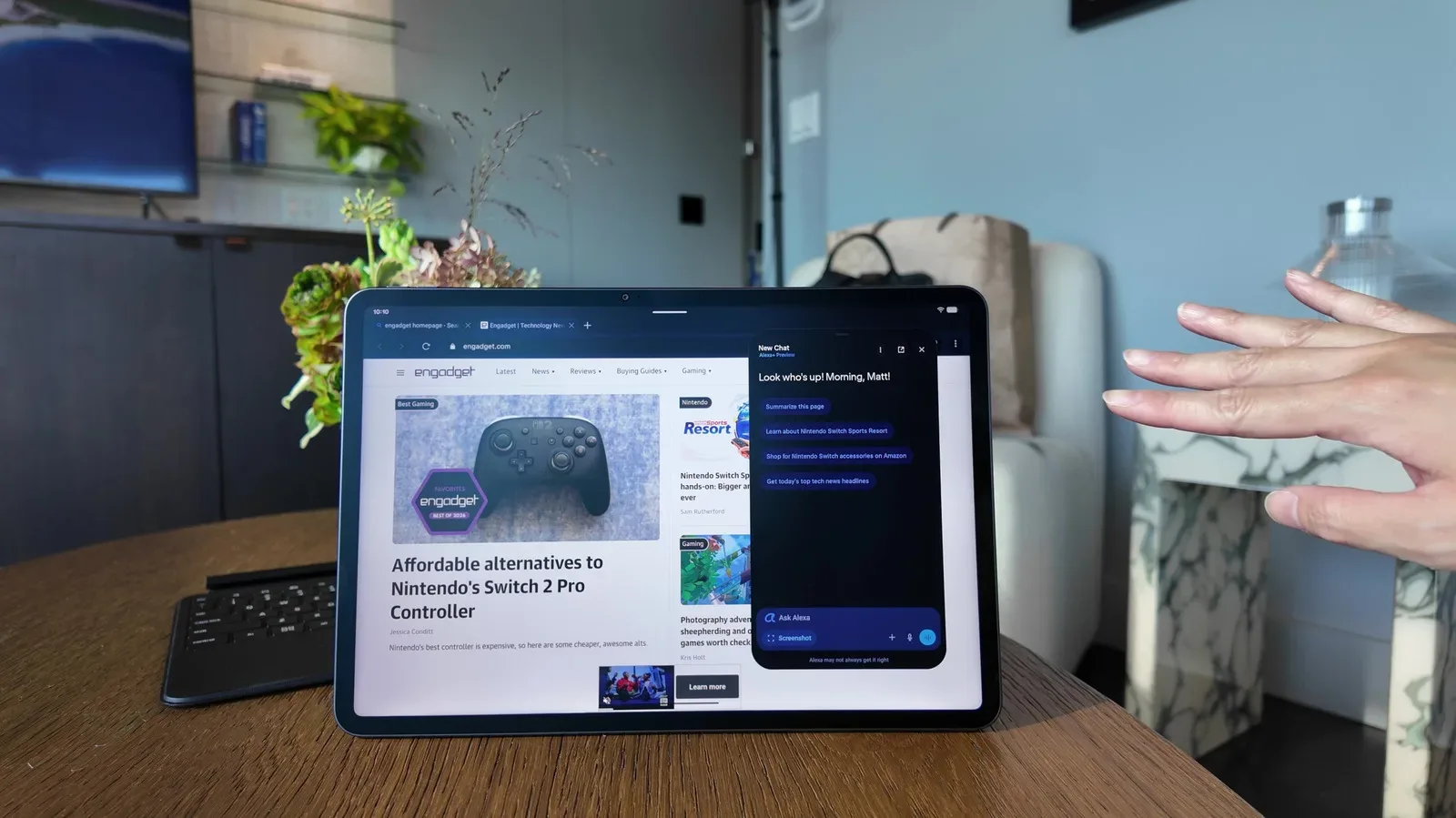
You can also ask Alexa for Shopping
Amazon offers a voice route as well. Ask Alexa for Shopping, “What do you know about me?” Alexa should provide several preferences and a link to the complete About You page.
That interaction is a quick way to surface the category of information involved, but the linked page is the better place to inspect and manage the actual entries. A short spoken response cannot provide the same opportunity to compare entries one by one, decide whether they are useful, or remove a detail that does not belong.
How to update or remove an individual observation
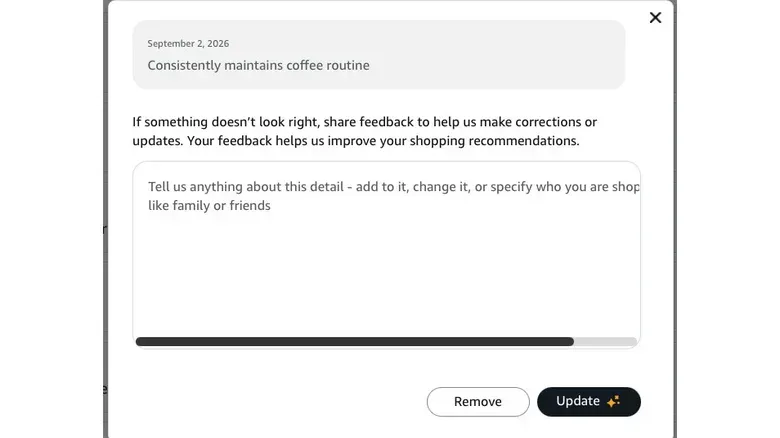
Each observation on the About You page can be selected. Doing so opens a pop-up with options to remove or update that detail. The pop-up also includes a text field for feedback or extra information.
That creates three practical responses when an entry catches your eye:
- Remove it if you do not want Amazon to use that stated detail for shopping personalization.
- Update it if the basic category is relevant but the observation needs correction.
- Provide feedback or additional information if the available edit choices do not fully explain what is wrong or what should be reflected instead.
The sensible first pass is to prioritize plainly inaccurate entries and details you do not want represented in a shopping profile. There is no need to turn the review into a forensic investigation of why each note appeared; the supplied controls are directed at the note itself. An odd entry may be based on a pattern that seems unremarkable from the customer’s point of view, and the page does not promise to explain its origin.
It is also worth avoiding an overly broad assumption that a humorous entry is harmless just because it is funny. A statement can be amusing and still be a poor fit for someone’s profile. The practical question is whether you want that specific assertion used in personalization.
Adding information is optional
About You is not only a cleanup tool. Amazon also allows customers to add details by using the + Create button at the upper left of the page. Amazon says shoppers can share information about style, hobbies, interests, and the people or pets they buy for.
There is also an option to bring in information from other AI assistants. This is not described as a direct connection between services. Instead, it works through copying and pasting information.
That difference is meaningful. A copy-and-paste process gives the customer an opportunity to see the material they are transferring and decide what, if anything, should be added. But it remains an intentional choice to provide more information for Amazon’s personalization system. Customers looking to reduce the profile should not confuse the ability to add context with a need to complete it.
What changing an entry does—and does not—do
The key caveat bears repeating because it defines the practical limits of the page. Editing or deleting an individual About You observation does not end personalized shopping on Amazon. It directs Amazon not to use that individual detail for personalization.
It also should not be understood as deleting the possible source material behind that observation. If a note was connected to a past purchase, a review, a search query or a conversation, changing the note does not by itself establish that the related activity has been removed. The profile entry and the historical interaction are different things.
This is why About You is best treated as a targeted profile-management feature. It gives customers a clear way to inspect selected conclusions and push back on individual ones. It does not, on its own, answer every question about what data exists in an account or how all personalization operates.
A quick, low-drama way to review the page
For shoppers who want the useful part without turning the process into a project, a short review works well:
- Open About You through the app, website or Alexa link.
- Read each observation as a claim Amazon may use for personalization, not as a complete activity history.
- Remove entries that feel wrong, too personal or unhelpful.
- Update details only where a correction is genuinely worthwhile.
- Use the feedback field when a simple remove or update does not capture the issue.
- Add new information only if you actively want more tailored shopping based on it.
Amazon’s profile can be oddly revealing, occasionally ridiculous and sometimes unsettling. The important part is that shoppers do not have to accept every visible inference unchanged. About You provides a direct way to inspect the labels Amazon has placed on them and decide, one note at a time, which of those labels should continue shaping personalized shopping.