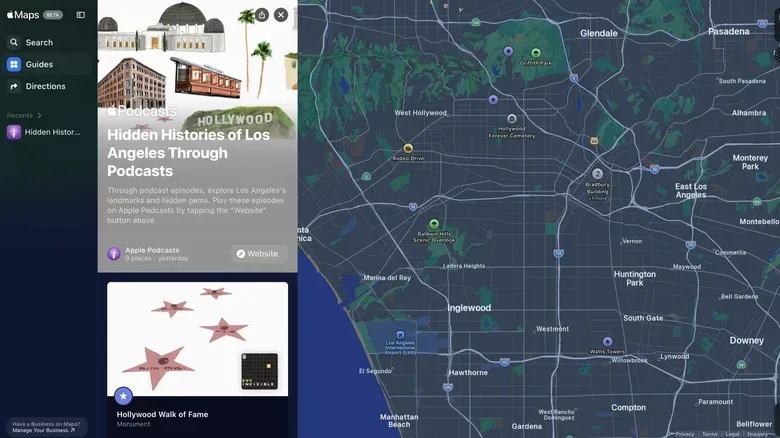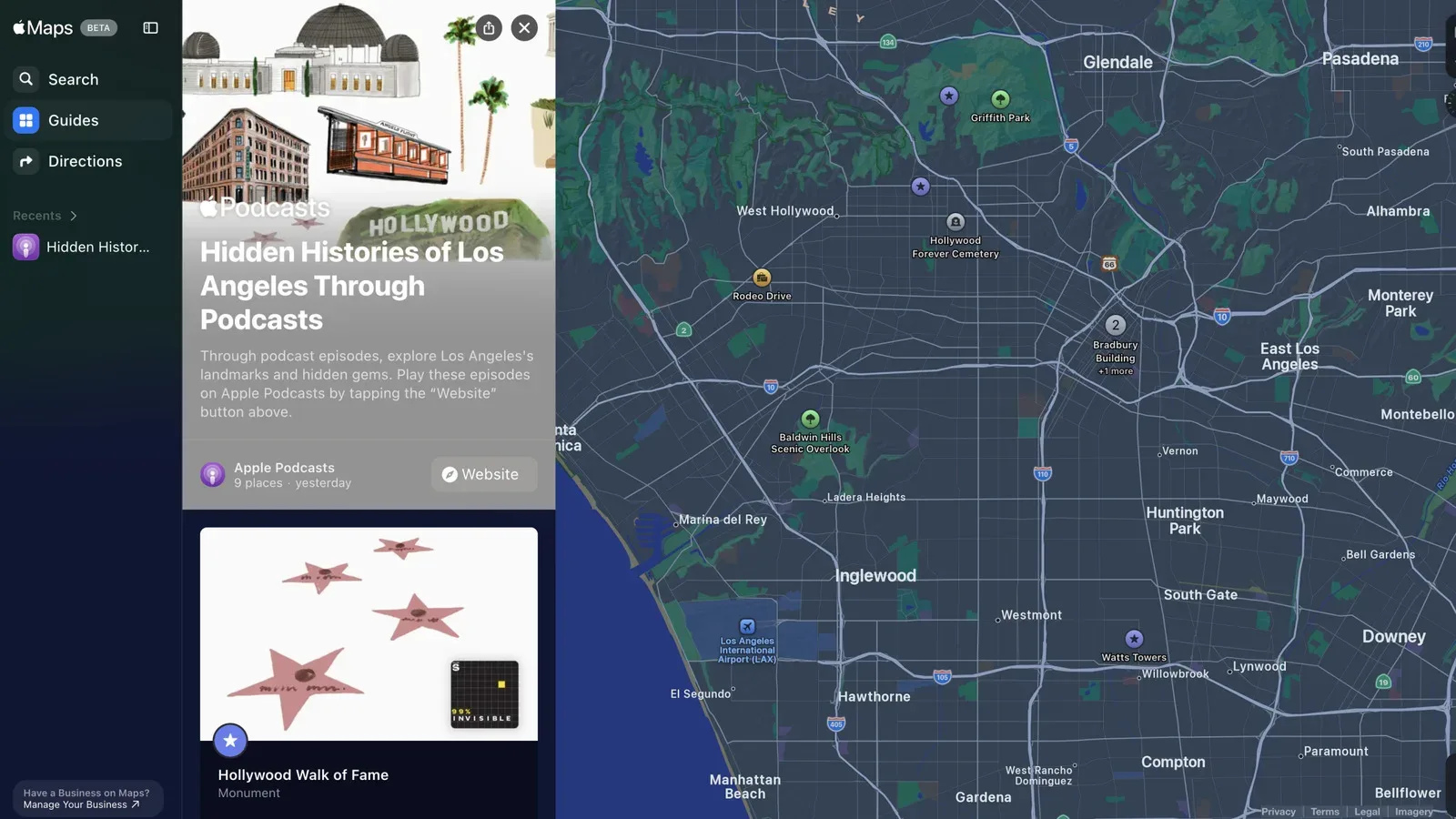
Apple Maps is giving selected landmark pages a little more narrative XP. The app now links certain locations in San Francisco, Los Angeles, New York City, Chicago and Washington, DC to episodes from the Hidden Histories podcast collection, letting users move from a map pin to an audio guide about the place behind it.
The feature sits inside Maps’ existing Guides area. When a supported landmark’s information card is opened, users can find a panel that leads to its associated podcast episode. Opening that panel also brings up the other landmark guides available in that city, so the experience is designed as more than a single curiosity click: it can become a city-specific listening list.
It is a modest change in interface terms, but it changes the role of a landmark card. Maps is usually most useful at the practical end of a journey: where a place is, how to get there and what sits nearby. An embedded history episode adds a second layer, turning the destination into something to explore while planning, travelling or simply browsing from a sofa far away from any particularly confusing tourist roundabout.
Five cities, selected landmarks
The Hidden Histories guides are available for select landmarks rather than every notable point on the map, and the supplied details identify five participating US cities: San Francisco, Los Angeles, New York City, Chicago and Washington, DC.
New York’s currently highlighted selection illustrates the range Apple is aiming for. The map-linked episodes include:
- Times Square
- The Statue of Liberty
- Central Park
- The Museum of Broadway
- Grand Central Terminal
- The Charging Bull
- Studio 54
- Tin Pan Alley
That is not just a checklist of monuments. It mixes public spaces, transport architecture, a museum, a work of public art and locations connected to music and nightlife. In practical terms, that variety matters. A visitor deciding between nearby stops can use the guides as a prompt to look beyond the most obvious postcard landmark, while a local can browse familiar streets through a more specific historical lens.
Los Angeles includes episodes on the Hollywood Sign and the Hollywood Walk of Fame. San Francisco’s selection includes Alcatraz and the Farallon Islands. The present information confirms Chicago and Washington, DC as participating cities, but does not identify individual linked landmarks in those cities. That distinction is worth keeping clear: the feature has reached five cities, but the available landmark catalogue is selective and may differ substantially from one place to another.
How the Maps integration works
Guides is Maps’ built-in area for curated sets of places. It already accommodates lists from publishers and other curated recommendations; Hidden Histories uses that same framework for audio-led landmark discovery.
The basic path is straightforward:
- Open a supported landmark in Apple Maps.
- Find the panel that points to its history podcast guide.
- Tap the panel to open the city’s available landmark podcast guides.
- Use the + control to save a guide.
- Return to saved entries later from the panel at the bottom of Maps, under Your Guides.
“Save” is the important word here. The plus icon adds a podcast guide to a user’s Guides collection; it is not presented as a download control, and there is no supplied indication that an episode is automatically saved for offline listening. Users should treat it as a bookmark inside Maps: a way to keep a route-adjacent audio item handy for a later visit.
That also means the feature is useful even when a trip is not happening immediately. Someone mapping out a future weekend can gather several city guides first, then revisit them when they are ready to plan a walking route or choose what to hear on the way. It is a small organizational benefit, but a sensible one. A long list of saved podcast episodes in a separate app can lose the context of why a particular episode mattered; a saved guide in Maps keeps the associated location close at hand.
Why location-linked audio makes sense
Audio and maps solve different parts of the same curiosity problem. A map gives geographic context: distance, neighbourhood, nearby stops and the practical question of whether the place belongs on today’s route. A history podcast offers interpretive context: why the location matters in the first place. Linking them reduces the gap between “What is that?” and “Tell me more.”
For landmark browsing, that connection can be especially useful because context is often the difference between a quick photo stop and a meaningful visit. The New York selection makes that clear. Central Park, Grand Central Terminal and the Statue of Liberty are readily recognizable names, but the presence of Studio 54 and Tin Pan Alley indicates an interest in cultural history as well as tourism’s biggest hits. In Los Angeles, the Hollywood Sign and Walk of Fame have an obvious relationship to the city’s entertainment identity. San Francisco’s inclusion of Alcatraz and the Farallon Islands gives the set a notably different geographical feel.
None of this replaces conventional navigation. The Maps guide is not described as a walking tour, a turn-by-turn itinerary or a guarantee that every stop fits into a single outing. It is better understood as an optional companion layer attached to a landmark. The app can help establish where something is; the linked episode can provide background when the user wants more than coordinates.
For people who enjoy media tied to real places, this is also a useful reminder that the best companion content does not always have to be a screen demanding attention. Podcast listening is naturally compatible with transit, a long walk, or the awkward period spent looking for the entrance that was apparently hiding behind the very large building everyone came to see.
A curation feature, not a complete history atlas
The limits of the rollout are as important as its premise. Apple Maps is offering linked episodes for select landmarks in five cities. There is no basis here to assume every result, every historic district or every city has an accompanying episode. The feature should therefore be approached as curated discovery, not an exhaustive historical reference service.
That curation can be a strength. A tightly chosen group of locations is easier to browse than an enormous unstructured archive, and grouping the selections by city makes the material more approachable for a trip or a focused afternoon of armchair exploration. But users looking for coverage of a particular less-famous building, neighbourhood or local subject may not find it simply because they can find the location in Maps.
It is also distinct from a formal in-app collection of every landmark a person has visited. Maps’ “Your Guides” area holds guides a user chooses to save, which is useful for planning and revisiting. It is not described as a travel log, achievement system or proof that the user has reached a location. No one needs a digital badge to verify they stood near the Charging Bull, especially since the surrounding crowd may already have supplied enough witnesses.
Practical ways to use the new guides
The most obvious use is trip planning. Before heading to one of the supported cities, search for a landmark that interests you, open its guide panel, then add it with the plus icon. Repeat for other stops in the city and retrieve the list later through Your Guides. This provides a location-aware shortlist rather than a disconnected queue of audio titles.
There are other sensible uses:
- Build a themed day: Browse a city’s available guides and choose a few sites connected by a shared interest, such as performance, architecture, public spaces or local lore.
- Add context to a familiar commute: A well-known station, park or square can become more interesting when a history episode is queued for a future walk.
- Plan from afar: Explore guides before committing to an itinerary. The saved list can help separate “interesting in theory” from places worth prioritizing.
- Keep the place and episode together: Saving inside Maps gives the audio a geographic anchor, which can be easier to revisit than searching a broad podcast library later.
There is a broader media lesson in the design, too. Video podcasts are expanding in other corners of the entertainment world—see how a street-focused podcast format is moving into weekly video—but a location-linked audio guide has a different advantage: it can leave the screen out of the way while the place itself does the visual heavy lifting.
What to watch for
For now, the key things to check are whether a particular landmark has a podcast panel and which other guides appear once it is opened. The disclosed rollout establishes the five cities and names a portion of the available landmark set, but it does not establish a timetable for further cities, a total episode count, or a complete catalogue for each location.
Users should also expect the normal constraints of a digital guide system: an entry must be supported in the app to appear, and saving it is meant for later access through Your Guides rather than necessarily making it available without connectivity. Those are not flaws; they are simply useful expectations to set before treating the feature like an all-purpose tour guide that has somehow absorbed every local historian into a map pin.
Apple’s new integration is ultimately a tidy piece of contextual design. A landmark is already a natural point at which curiosity appears. By placing historical podcast guides beside selected location details, Maps gives users a direct route from “I know where that is” to “Now I know why it is here.”