A lot of buying advice treats the GameCube and Wii as if the choice is mostly about game libraries or nostalgia. That misses the real multiplayer problem. If you host people on a couch, the better system is the one that can actually support the way your group plays: four people at once, two people who want to cooperate, or a mixed room where some guests would rather pass a controller than learn a complicated control scheme.
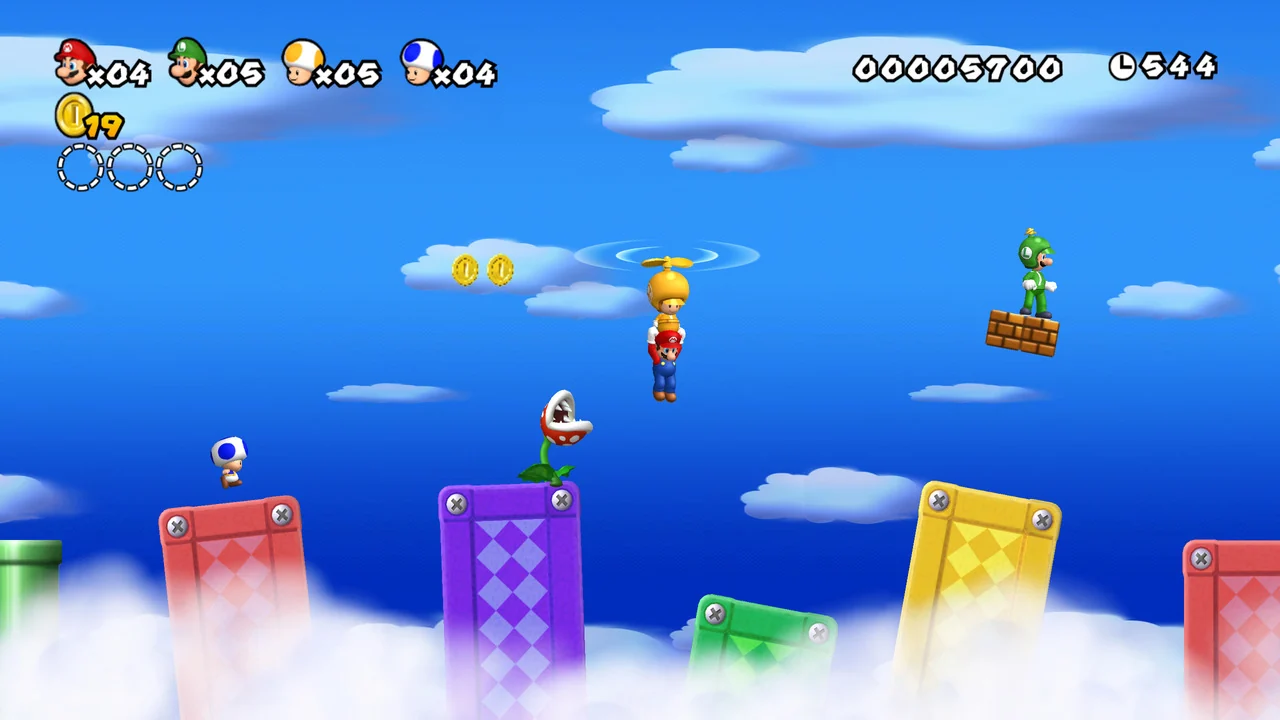
These three games expose the difference better than a generic hardware checklist. Mario Kart: Double Dash!! is a GameCube game built around traditional controllers, but its two-riders-per-kart design changes what two-player and four-human sessions can look like. Wii Sports is one of the easiest games to put in front of newcomers, yet it is not one single controller plan because tennis, boxing, bowling, golf, and baseball do not all work the same way. New Super Mario Bros. Wii is the most straightforward true four-player setup here because it is designed around Wii Remotes held sideways, without requiring each player to attach a Nunchuk.
Before any of that matters, there is one gate you have to clear: not every Wii can stand in for a GameCube. Nintendo’s support and manual pages separate the original RVL-001 Wii, the later RVL-101 Family Edition, and the RVL-201 Wii mini for a reason. If you buy the wrong Wii model, backward compatibility disappears, and with it the entire idea of running GameCube discs and plugging in GameCube controllers for this comparison.
Start with the hardware gate, not the game list
If you remember the Wii as one unified platform, it is easy to assume any Wii can cover both Wii and GameCube duties. That is the fastest way to buy the wrong multiplayer box. Nintendo’s current support says only Wii consoles with model number RVL-001 are compatible with Nintendo GameCube accessories, and Nintendo’s model-differences page says the later RVL-101 removes the GameCube controller ports and memory card slots and is not compatible with GameCube game discs or accessories. The Wii mini goes even further by dropping GameCube compatibility as well.
That means this article is not really comparing just two machines. It is comparing a native GameCube setup, an original RVL-001 Wii with backward compatibility, and later Wii hardware that is Wii-only in practical terms. A GameCube is the simplest way to play GameCube discs because it was built for them. Nintendo’s GameCube documentation also makes clear that it is a GameCube disc system, not a general DVD or CD player, so its role is narrow but honest. An original RVL-001 Wii is broader because it can host Wii software and compatible GameCube sessions on one console. A Family Edition Wii or Wii mini can still be a good local multiplayer machine, but only if your plans stop at Wii software.
The other trap is thinking controller ownership carries across both libraries. It does not. Nintendo’s Wii support material says GameCube controllers generally only work when playing GameCube games on Wii, and the Wii operations manual says the Classic Controller does not work with GameCube games. So a household with four GameCube pads and one Wii Remote is ready for GameCube multiplayer, but not for a four-player New Super Mario Bros. Wii night. An RVL-001 Wii can host both kinds of sessions, but it still needs two separate controller pools.
- Choose a GameCube if you want the cleanest native setup for GameCube discs and controllers.
- Choose an original Wii with model number RVL-001 if you want one console that can cover Wii games and compatible GameCube discs.
- Do not treat RVL-101 Wii hardware as backward-compatible. It is Wii-only for this article’s purposes.
- Do not treat a Wii mini as a substitute for a GameCube-capable Wii.
- Count GameCube controllers and Wii Remotes as separate inventories, not one shared pile.
For a four-person game night, the Wii wins if you want everybody active at once
If four people are coming over and they all expect to participate at the same time, New Super Mario Bros. Wii is the cleanest answer in this comparison. The manual for the game says players will mostly hold the Wii Remote sideways, which matters because it keeps the setup simple. You are not planning around Nunchuks, pointer-heavy menus, or specialty add-ons for the core multiplayer session. The practical target is one Wii and four Wii Remotes.
That simplicity becomes a real advantage the moment you imagine guests arriving at different skill levels. Sideways Wii Remote play is easier to explain than many motion-heavy setups, and everybody shares the same control expectation. There is less gear to mismatch and less chance that one person ends up with a different attachment or a more complicated job. If your ideal night is truly simultaneous local multiplayer rather than rotation, this is the least fussy setup of the three featured games.
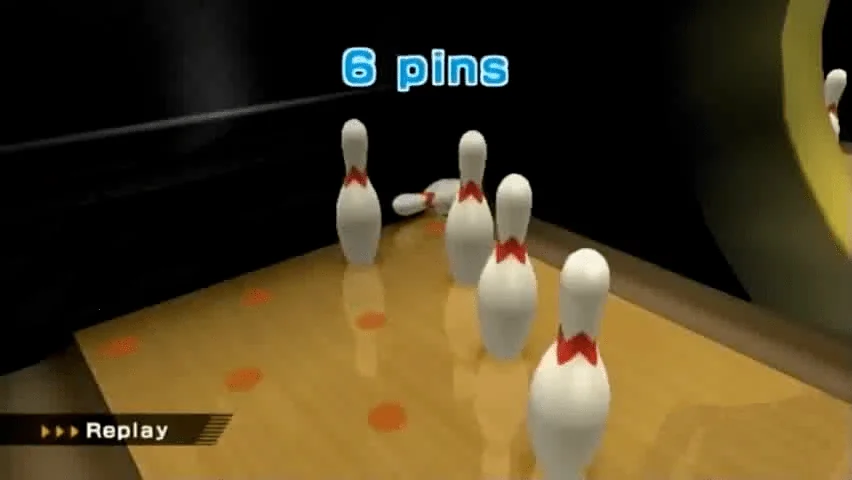
Wii Sports can also accommodate four people, but not in one identical way across its events. The official Wii Sports manual lists Tennis, Bowling, and Golf as one-to-four-player sports, Baseball and Boxing as one-to-two-player sports, Training as one to four players, and Fitness Test as single-player. For controller planning, that means Wii Sports is only a four-person all-purpose party choice if you accept that some events are simultaneous while others are built around taking turns. New Super Mario Bros. Wii is easier because the expectation stays consistent: if four people are playing, you want four working Wii Remotes ready from the start.
The cost of that Wii advantage is maintenance. Four Wii Remotes means batteries, wrist straps, and enough room for motion-based play when Wii Sports is in the rotation. A GameCube setup uses wired controllers and avoids battery checks entirely. Even so, if your top priority is a predictable four-person night with everybody involved together, the Wii side has the stronger case.
- For four-player New Super Mario Bros. Wii, plan on one Wii console and four Wii Remotes.
- You do not need Nunchuks for New Super Mario Bros. Wii’s usual multiplayer setup.
- For a Wii Sports night that might include any event, the safest pool is four Wii Remotes plus two Nunchuks if Boxing may come out.
- Pick Wii hardware first when your regular group expects four active players, not a tournament rotation.
- Check batteries and wrist straps before guests arrive; four remotes only help if all four are ready.
Wii Sports is the best icebreaker, but it is not one controller plan
Wii Sports has an enormous social advantage: people understand the concept before they understand the rules. Swinging a racket, rolling a ball, or throwing a punch is easier to pitch to non-players than explaining drifting lines in a kart racer or the chaos of four characters sharing one platforming screen. That makes Wii Sports the most useful newcomer magnet in this group.
The important catch is that you should not shop for Wii Sports as if it had one universal accessory formula. The official manual breaks the sports apart. Tennis supports one to four players and says each player needs a Wii Remote. Boxing supports one to two players and uses the Wii Remote plus Nunchuk combination for each active boxer. Baseball supports one to two players. Bowling supports one to four players. Golf supports one to four players. In other words, a household that only owns four Wii Remotes can host Tennis, Bowling, and Golf nights for a larger group, but it is not fully equipped for Boxing until it also has enough Nunchuks for the active players.
The other practical difference is simultaneous play versus turn-taking. Tennis and Boxing are easy to think of as active matches between present players. Bowling and Golf are still multiplayer, but much of the social rhythm is waiting, watching, and taking the next turn. Baseball sits in between as a one-to-two-player event rather than a four-person free-for-all. That does not weaken Wii Sports as a party game. It just means it is a better fit for a living room that enjoys rotating participation than for a group that wants the same four-person format all evening.
So if your household often hosts grandparents, younger kids, non-gamers, or visitors who may only play one or two rounds before handing off the remote, Wii Sports is hard to beat. If your household gets annoyed by variable setup or wants one fixed all-night equipment plan, Wii Sports is not the cleanest anchor. It is the best warm-up game here, not the most standardized one.
- For Tennis, plan on one Wii Remote per player, up to four players.
- For Boxing, plan on one Wii Remote and one Nunchuk per active player, up to two players.
- For Bowling and Golf, plan on Wii Remotes and expect turn-taking even with larger groups.
- For Baseball, plan on up to two players rather than a four-player couch session.
- Use Wii Sports when social variety matters more than one rigid, repeatable loadout.
Mario Kart: Double Dash!! is the strongest two-player answer and the most pad-friendly four-human choice
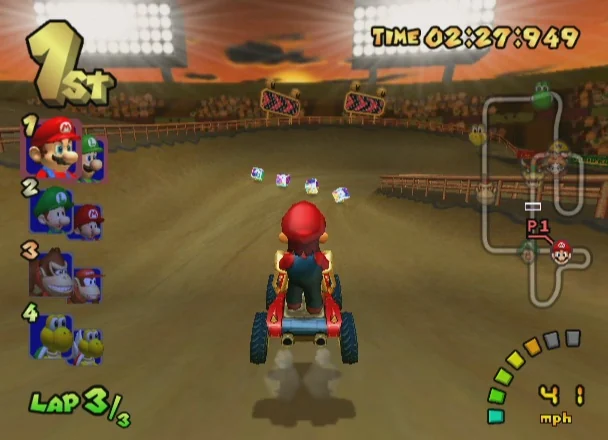
Mario Kart: Double Dash!! asks a different question from the Wii games. It is not built around lowering the barrier for newcomers through motion controls. It is built around familiar buttons, analog steering, and the unusual idea that one kart carries two characters. That matters because the game can serve two-player households in a way the others do not. Nintendo’s support note for the game’s LAN mode says two players can compete together in one team and one kart on each console. The local takeaway is practical: Double Dash is not only about racing against each other. It can also be about sharing duties in the same vehicle.
That shared-duty setup makes Double Dash especially good for siblings, couples, parents and kids, or any pair where one person is more experienced than the other. One player can steer while the other handles items and timing. Instead of turning every session into direct competition, the game can make two people collaborators. None of the other games here solve that social problem in quite the same way. New Super Mario Bros. Wii offers co-op, but platforming mistakes directly affect the shared screen and can become chaotic fast. Wii Sports is approachable, but its structure is event-based and lighter-weight rather than the sustained shared-role design that makes Double Dash distinct.
For four humans, Double Dash is more flexible than people often remember. If every person wants their own kart, plan on four GameCube controllers. If two pairs are happy to team up and share karts, a four-human session can work with only two controllers, one per kart, or three controllers if one kart is shared and the other is not. That range is exactly why this game belongs in a controller-count article. A collector with only two good pads is under-equipped for a standard four-driver race, but not automatically locked out of hosting four humans if the room likes cooperative teams.
This also explains why Double Dash remains attractive for pad-first households. If you already own working GameCube controllers, the game can be easier to complete as a multiplayer setup than buying into several more Wii Remotes and attachments. Its downside is not accessibility of equipment so much as accessibility of play. Even in its friendlier team form, it still expects steering, item use, and track awareness. It is more game-like from the first minute than Wii Sports.
- For Mario Kart: Double Dash!! on a GameCube, plan on the console, the game disc, and two to four GameCube controllers depending on whether any players share karts.
- For Mario Kart: Double Dash!! on a Wii, the console must be model RVL-001.
- If you want to save GameCube progress on Wii, you still need a GameCube Memory Card.
- Choose Double Dash first for two-player households that want cooperation instead of always racing head-to-head.
- Choose Double Dash for four humans when your group already owns GameCube pads and is happy with traditional controls.
If newcomers will be sharing controllers, the Wii is easier to host and the GameCube is easier to standardize
There are two different kinds of easy multiplayer, and the distinction matters. The Wii is easier when your guests are not confident players and may need intuitive physical actions or short turns before they feel comfortable. The GameCube is easier when your guests are already willing to play traditional video games and you want the hardware to disappear into the background.
Wii Sports is the clear winner for first-timers because people can spectate, laugh, trade turns, and jump in without learning a full ruleset. New Super Mario Bros. Wii is the better Wii choice when you want those same guests to stay engaged continuously instead of waiting for their turn. Both benefit from the fact that later Wii models still handle them just fine. If your real nights are built around Wii-only party play, a Family Edition Wii is not a mistake. It is simply a narrower machine.
The GameCube, by contrast, is less successful as an icebreaker for absolute newcomers but better if your house already runs on wired controllers and straightforward seating. There is no battery anxiety, no sensor bar positioning, and no need to explain which sports require a Nunchuk and which do not. Once everyone knows how to use a GameCube pad, the night becomes easier to repeat. That is why the GameCube remains a satisfying specialist choice even though the Wii is the broader host.
So the question is not whether motion controls are better than buttons. The real question is whether your guests need invitation or consistency. The Wii invites more people in. The GameCube asks a little more from the room, then rewards you with a more fixed routine.
- Pick Wii hardware for mixed-age or mixed-experience groups that may prefer intuitive motion or quick turns.
- Pick a GameCube for repeat groups that already like standard controllers and want less accessory variation.
- A later Wii model is fine if your multiplayer plans are limited to Wii Sports and New Super Mario Bros. Wii.
- An original RVL-001 Wii is better if your guest list changes and you want access to both Wii and GameCube nights.
- Do not let nostalgia decide this; let your least confident regular guest decide it.
The small details that decide whether setup feels smooth
Collectors often remember the console and forget the parts that actually make a game night work. Save media is a good example. Nintendo’s support material says GameCube Memory Cards on Wii are only for saving information for GameCube game discs. They do not become replaceable by SD storage just because you are using a Wii. So if Mario Kart: Double Dash!! is part of the plan on an RVL-001 Wii, the practical accessory list still includes a GameCube Memory Card if you care about saving.
Console placement also matters more on an RVL-001 Wii than on a GameCube. Nintendo’s instructions say that if you use GameCube controllers with the Wii in a vertical position, you should use the stand plate so controller-cable tugging is less likely to tip the console. The same instructions say that if the Wii is horizontal, the controller socket cover can be removed so the console can lie flat while GameCube controllers are connected. If GameCube Memory Cards are in use during horizontal placement, the memory slot cover also has to come off. A dedicated GameCube is more honest about being a wired-controller machine from the start.
The Wii side has its own physical considerations. Motion-based games ask for batteries, straps, and sensible play space. Nintendo’s operations manual gives a recommended distance from the sensor bar and warns against blocked signals, bright light interference, and objects within range of motion. You do not need a giant room for Wii Sports, but you do need a more deliberate room setup than you do for a seated GameCube kart session.
These are not dramatic differences, yet they shape how often a console actually gets used. A system that technically supports your game night can still be annoying if every session begins with dead batteries, the wrong attachments, missing covers, or a memory card hunt.
- For GameCube games on Wii, keep a GameCube Memory Card with the disc instead of assuming SD storage will cover saves.
- If an RVL-001 Wii stands vertically while GameCube controllers are connected, use the stand plate.
- If an RVL-001 Wii lies horizontally with GameCube gear attached, remove the controller socket cover as needed.
- For Wii Sports nights, check batteries, wrist straps, and clear play space before guests arrive.
- Store GameCube accessories and Wii accessories in separate bins so the right pile is obvious at a glance.
Which console fits each kind of local multiplayer household
If you already own an original RVL-001 Wii, the best answer is usually not to replace it. Finish the setup you already have. Build a dependable Wii Remote pool for New Super Mario Bros. Wii and Wii Sports, then add GameCube controllers and a GameCube Memory Card if Mario Kart: Double Dash!! is the missing piece. The RVL-001 is the most versatile single-console answer here, but only after you respect the fact that backward compatibility does not reduce the number of accessories you need.
If you are buying from scratch and your room is mostly about four active players, buy a Wii first. New Super Mario Bros. Wii gives you the cleanest same-time four-player target, and Wii Sports broadens the guest appeal even if some events rotate participation. If GameCube support matters, make that Wii an RVL-001. If it does not, a later Wii is a valid Wii-only family machine.
If you are buying from scratch for mostly two-player sessions, Mario Kart: Double Dash!! gives the GameCube side its strongest argument. The possibility of cooperative shared-kart play makes it more socially flexible than a standard head-to-head racer, and the hardware is easier to standardize once you own enough controllers. For a house that values wired pads and repeatable setup over broad newcomer appeal, a GameCube can still be the better specialist buy.
That leaves the simplest decision rule in the whole article. Buy the machine that matches the nights you actually host. Choose a GameCube when your multiplayer identity is traditional controllers first. Choose an RVL-001 Wii when you want one box that can host both Wii and compatible GameCube sessions. Choose a later Wii only when you are genuinely finished with GameCube plans.
- Keep an RVL-001 Wii if you already own one and want the broadest multiplayer flexibility.
- Buy a Wii first if your real priority is four-person local play with approachable controls.
- Buy a GameCube first if your real priority is traditional-controller multiplayer and especially two-player Double Dash sessions.
- Buy a later Wii only when you know your house is Wii-only.
- Let your most common guest pattern decide: four active players, two cooperative players, or rotating newcomers.
Practical setup checklist by scenario
The safest way to plan local multiplayer is to work backward from the guest list. Start with how many humans need to be active at once. Then pick the game. Then confirm the exact controller family and accessories that game expects. This avoids the classic collecting mistake of buying a beloved console first and discovering later that the controller pile does not match the social use case.
For a four-person all-active night, New Super Mario Bros. Wii is the easiest target: one Wii, four Wii Remotes, working batteries, and enough room for a comfortable couch session. For a four-person Wii Sports evening, the safest host setup is one Wii, four Wii Remotes, and two Nunchuks if you might switch to Boxing. For a four-human Double Dash night, the right controller count depends on whether anybody will share karts. Count two controllers as the cooperative minimum for two teams, three if only one kart is shared, and four if everybody wants independent control.
For a two-player night, Double Dash is the most distinctive pick because it can be collaborative instead of competitive. On GameCube or RVL-001 Wii, make sure the GameCube controller count matches the role split you want and keep a GameCube Memory Card nearby if you care about saves. For a low-commitment visitor night, Wii Sports is easier to pitch because guests can rotate in and out without committing to a long session.
If you keep one rule from this comparison, keep this one: count for the session you are actually going to host next month, not for the fantasy setup you might host someday. That single habit tells you whether the GameCube, an original RVL-001 Wii, or a Wii-only machine fits your living room better.
- Four-player New Super Mario Bros. Wii: one Wii and four Wii Remotes.
- Wii Sports party night: one Wii, enough Wii Remotes for the chosen events, and two Nunchuks if Boxing is on the menu.
- Four-human Mario Kart: Double Dash!!: GameCube or RVL-001 Wii plus two to four GameCube controllers depending on shared-kart plans.
- Two-player Double Dash session: GameCube or RVL-001 Wii, the game disc, the needed GameCube controller count for your preferred role split, and a GameCube Memory Card if you want saves.
- Any RVL-001 Wii using GameCube gear: verify the model first, then confirm orientation, covers, memory card, and controller availability before guests arrive.
There is no abstract winner here, only a console that fits your local multiplayer habits better. The GameCube is the cleaner specialist for pad-driven sessions and especially strong if Mario Kart: Double Dash!! is your two-player anchor. The Wii is the broader host, and the original RVL-001 is the most flexible version because it can cover approachable Wii nights and compatible GameCube sessions on one machine.
If you want the shortest path to four people playing together, a Wii with enough remotes is the best fit. If you want the strongest two-player option with shared duties and traditional controls, Double Dash on GameCube or RVL-001 Wii is the better pull. If your real goal is getting newcomers comfortable and laughing quickly, Wii Sports remains the easiest invitation. The right purchase is the one that matches the controller pile you are genuinely willing to own, charge, store, and keep ready.