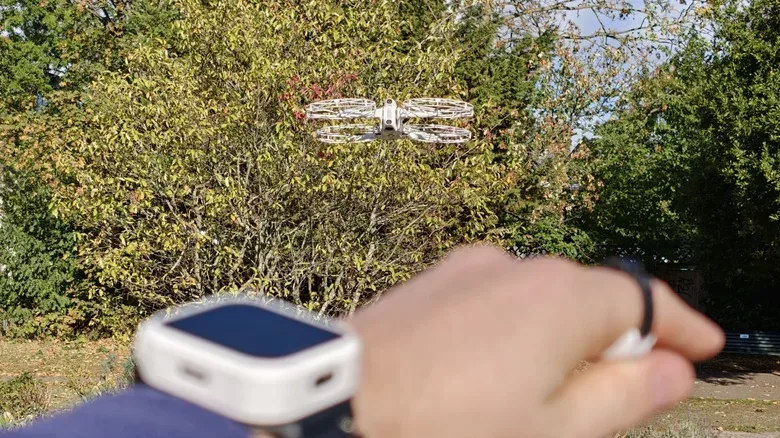
Antigravity is expanding its A1 drone with a Follow Me bundle built around a simple ambition: leave the goggles and one-handed controller behind when the shot calls for lighter, hands-free control. The package combines a Watch Remote, a Ring Remote and four propeller guards, adding improved subject tracking, gesture-driven flight adjustments and touchscreen access to automated camera moves.
The bundle is available now in two forms: a complete A1 package priced at $799, or a $340 accessory kit for current drone owners. Existing A1 owners can buy that accessory package at a discounted $272 price.
For the A1, which already pairs 360-degree cameras from Antigravity parent company Insta360 with FPV-style goggles and a point-and-fly controller, the appeal is less about replacing its existing setup outright than changing when it makes sense to use it. The original system is designed to capture immersive footage that can be reframed later, letting creators crop into the 360-degree recording to center the action after a flight. The Follow Me hardware instead prioritizes a more compact operating arrangement for outdoor tracking shots.
What is in the Follow Me bundle?
The three main additions serve different purposes:
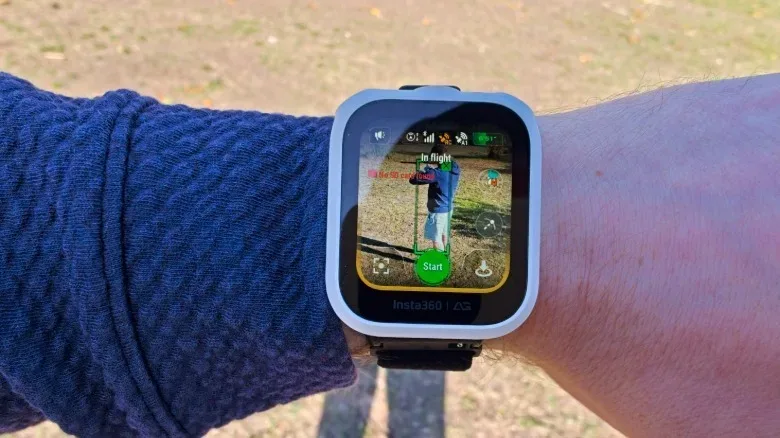
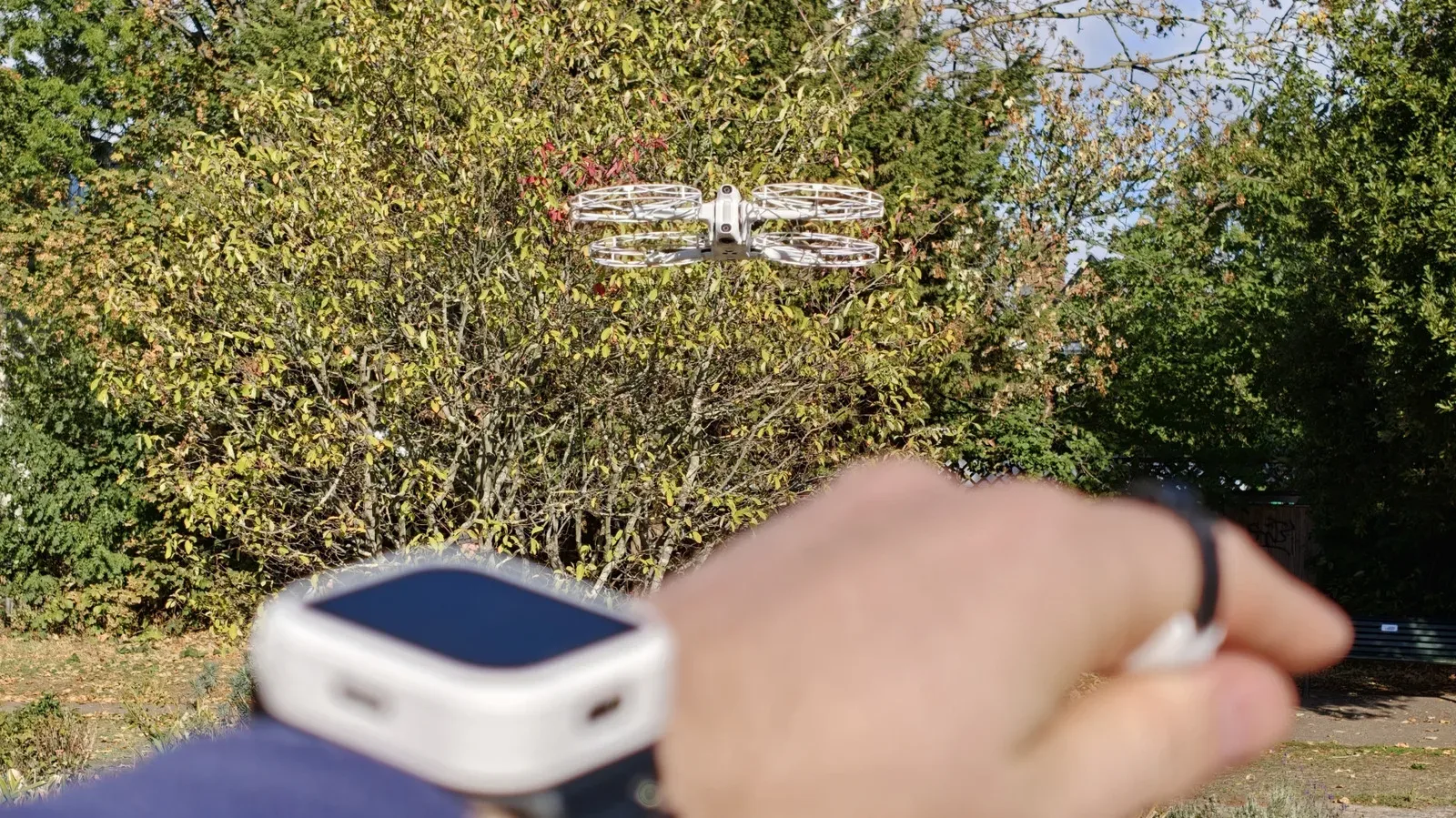
- Watch Remote: A touchscreen remote with built-in GNSS, a physical button and USB-C charging. It can select a tracking subject, launch the A1, change video modes, modify flight paths and trigger preset moves.
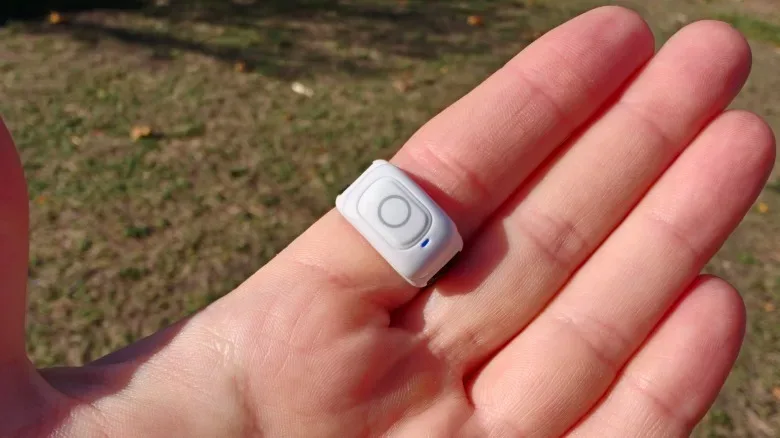
- Ring Remote: A button-equipped wearable that works with the watch to enable Drag-to-Fly gesture controls.
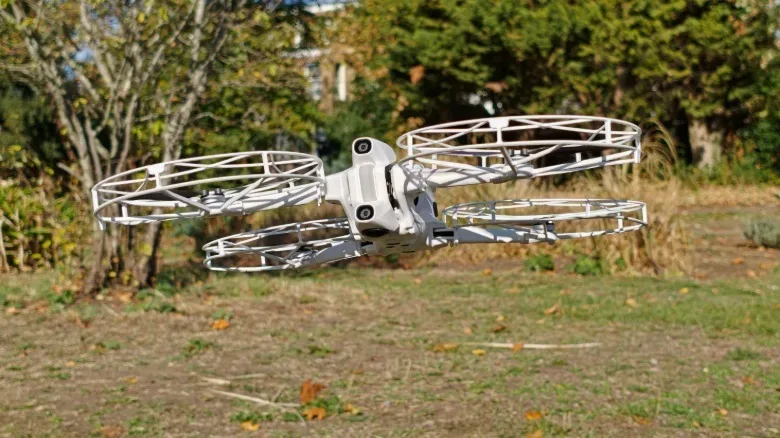
- Propeller guards: Four lightweight guards that clip over the A1’s propeller pairs.
The kit also includes a bike mount for the watch and a USB-C charging grip for the ring. Antigravity estimates roughly five hours of use from the watch when it is paired with the drone. That endurance may exceed the time spent cycling through three A1 batteries, but the wearable itself has practical caveats: its watch body is described as bulky, its fabric strap connections as somewhat flimsy, and the ring’s Velcro strap as especially delicate.
Why GNSS matters for tracking
The A1 already has Deep Tracking, a visual-tracking mode that identifies and follows a chosen subject through camera data. Visual tracking can be useful, but it is inherently dependent on what the drone can continuously see. Fast movement can be a weak spot, and users have reported difficulty maintaining tracking during activities such as biking and snowsports.
The Follow Me bundle augments that approach by combining visual tracking with the Watch Remote’s GNSS data. GNSS, short for Global Navigation Satellite System, is the wider term for satellite-based positioning systems. In this context, the watch gives the tracking system an additional positional reference for its wearer rather than relying solely on the drone’s visual recognition. The practical goal is more reliable lock-on as a subject moves.
That is the bundle’s most meaningful functional upgrade. The watch can be used by itself for tracking, while the ring expands the control options once the drone is in the air. It is a notable shift from the A1’s earlier requirement for goggles and the controller to fly.
How Drag-to-Fly works
Antigravity calls its new gesture system Drag-to-Fly. The setup begins on the watch: the user chooses the tracking subject on its display. Then, with the Ring Remote’s button held down and the hand aimed toward the A1, moving the hand left, right, up or down directs the drone’s position. The watch provides an audible confirmation and vibration when the control method begins.
There is also a distance control. Rotating the arm and wrist inward moves the A1 closer, while rotating in the opposite direction sends it farther away. It is a clever attempt to turn arm position into a compact camera-direction tool, particularly for a drone following its subject from behind.
But it is not a fully freeform flight system. Horizontal and vertical positioning are handled by pointing, while wrist rotation changes pitch. Those controls cannot be adjusted across every plane simultaneously. To alter both positioning and distance-related orientation, the operator has to let go of the ring button and press it again before making the next adjustment.
That limitation matters because it defines Drag-to-Fly as a framing aid, not a complete replacement for precise manual control. It should be useful for modest corrections while recording an active subject, but users expecting to continuously reshape every element of the drone’s position with a single gesture may find the button-release step restrictive. The motion needed to send the A1 higher is also not especially elegant, resembling a one-handed salute rather than an immediately intuitive gesture.
A lighter way to operate the A1, with trade-offs
The fundamental advantage is portability. Goggles and a dedicated controller can turn a quick recording session into a bag-full-of-accessories operation. A watch-and-ring pairing is a materially smaller setup, and it enables a user to keep direct sight of the aircraft rather than flying through goggles.
That distinction has legal and practical importance. The source material notes that solo outdoor operation of an FPV drone while wearing goggles is illegal in the US and Europe when it violates the Visual Line of Sight, or VLOS, rule. VLOS means the pilot must be able to see where the drone is going. A watch-and-ring control scheme does not erase the need to follow applicable flight rules, but it does avoid the specific goggles-based limitation described for solo outdoor use.
There is a broader interface lesson here as well. Reducing hardware does not necessarily mean reducing complexity: the operator still must select a subject, initiate the gesture mode and work around its control separation. Yet a smaller interface can make a device usable in circumstances where its most immersive interface is inconvenient. That same tension between convenience and oversight appears across consumer technology, including voice-led systems such as Amazon’s Alexa+ upgrade.
Watch controls go beyond following a subject
The Watch Remote is not limited to selecting a person or rider for the A1 to follow. Its touchscreen also controls launch, video modes and flight-path settings, including pre-programmed camera movements. Those presets include vertical spirals, flyovers and an “antigravity line” move that rises vertically before diving toward the subject.
Several orbital routes can also adjust around obstacles such as trees or buildings. These automated paths are aimed at producing more dramatic shots without requiring an operator to manually build every movement. The distinction is important: pre-programmed flight moves automate a chosen shot pattern, while tracking is the system’s effort to keep a selected subject in view. Combining the two could make stylized footage more accessible, but the available information does not suggest the gesture controls remove the need for sensible site selection or attention to surroundings.
The A1 has also gained palm take-off through a recent update. That offers an alternative to setting down a landing mat, which can be useful where the ground is wet or dirty. Antigravity nevertheless frames the Follow Me bundle as an outdoor-flying accessory and recommends at least two meters of vertical clearance for takeoff. If the location is too confined, both the drone and watch will beep until enough space is available.
An experimental mode can lower the clearance requirement to one meter, but that option is explicitly presented as use-at-your-own-risk. It is a useful reminder that a more relaxed control method should not be confused with a lower-risk aircraft environment.
Propeller guards address an A1 omission
The four included guards fill a gap in the original A1 package. They clip over pairs of propellers and add some protection against impacts; earlier flights with the drone resulted in scratched and slightly chipped propellers after collisions with walls. For newer pilots and close-proximity outdoor shooting, guards are a welcome practical addition.
They are not total protection. Fingers can still reach through the sides of the plastic cages, so the guards should not be treated as a reason to handle an active drone carelessly. They also affect how easily the A1 can be packed away: with guards installed, the drone’s propeller arms cannot fold.
That is a small but real compromise for a bundle otherwise designed around making the A1 easier to take into the field. Owners will have to decide whether the added collision buffer is worth the loss of folded-down portability for a particular outing.
Who the Follow Me bundle is for
The Follow Me package makes the most sense for A1 owners who want the drone to track them during outdoor activity while they retain some ability to adjust the shot without stopping to use goggles and a conventional controller. Cycling is an especially clear example: the bike mount supports a setup where the wearable remote is accessible, while GNSS-assisted tracking addresses a scenario in which simple visual tracking may struggle.
It is also a meaningful add-on for people who want to use the A1 solo outdoors while keeping the drone in sight. The lighter control kit does come with limitations: gesture inputs do not offer simultaneous full three-dimensional adjustment, the wearables themselves are not described as especially sturdy, and voice notifications may become grating, though they can be disabled.
At $340 before the owner discount, this is not an incidental accessory purchase. Still, the bundle does more than add a cosmetic remote. It improves how the A1 identifies a moving subject, adds a new hands-free control layer, provides automated shooting tools through the watch, and supplies the propeller protection missing from the base setup. For owners who value that mix of tracking and convenience, it turns the A1 into a more flexible camera drone—even if its new gesture language occasionally asks for more wrist choreography than a simple follow shot ought to require.