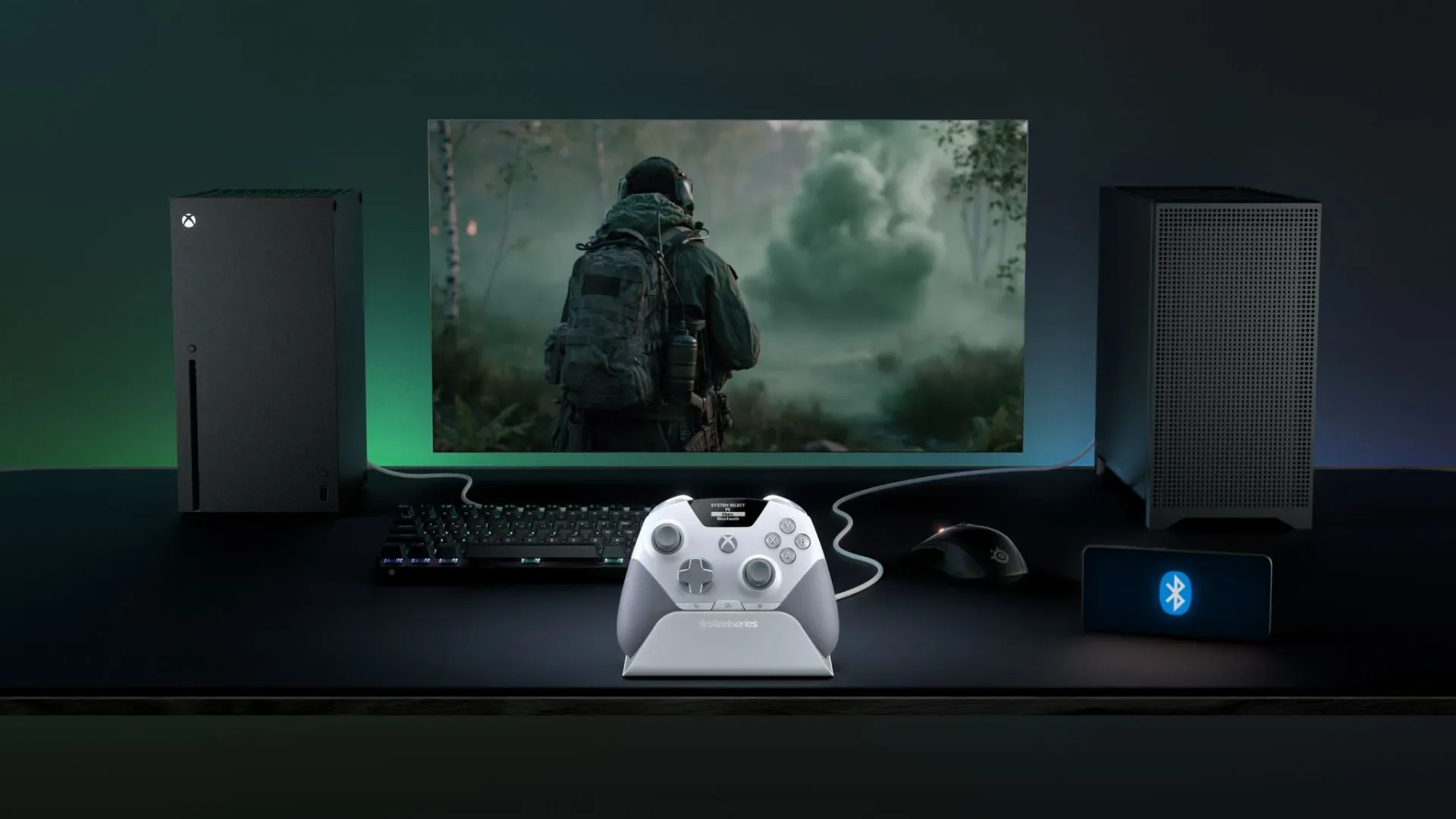
SteelSeries has taken a bold swing at the premium Xbox-and-PC controller market with the Aeon Pro, a $249.99/£229.99 wireless pad built around a simple proposition: the controller should not merely be something tossed on the sofa between matches. It should be the centerpiece of a small ecosystem, with a charging stand that stores accessories, serves as a connection hub, and keeps a spare battery ready for an instant swap.
That is an appealing vision for players who move between an Xbox and a PC at the same desk. The trouble is that the Aeon Pro arrives in a category where “appealing” is a long way from “worth $250.” The controller is reported to be comfortable, well built and full of thoughtful details. Yet its price is roughly $50 above the DualSense Edge, Nacon Revolution X Unlimited, and Razer Wolverine V3 and V4 Pro; around $70 above the Victrix Pro BFG; and about $170 above the GameSir G7 Pro. Against that backdrop, every missing competitive feature becomes much harder to ignore.
A premium controller designed around its dock
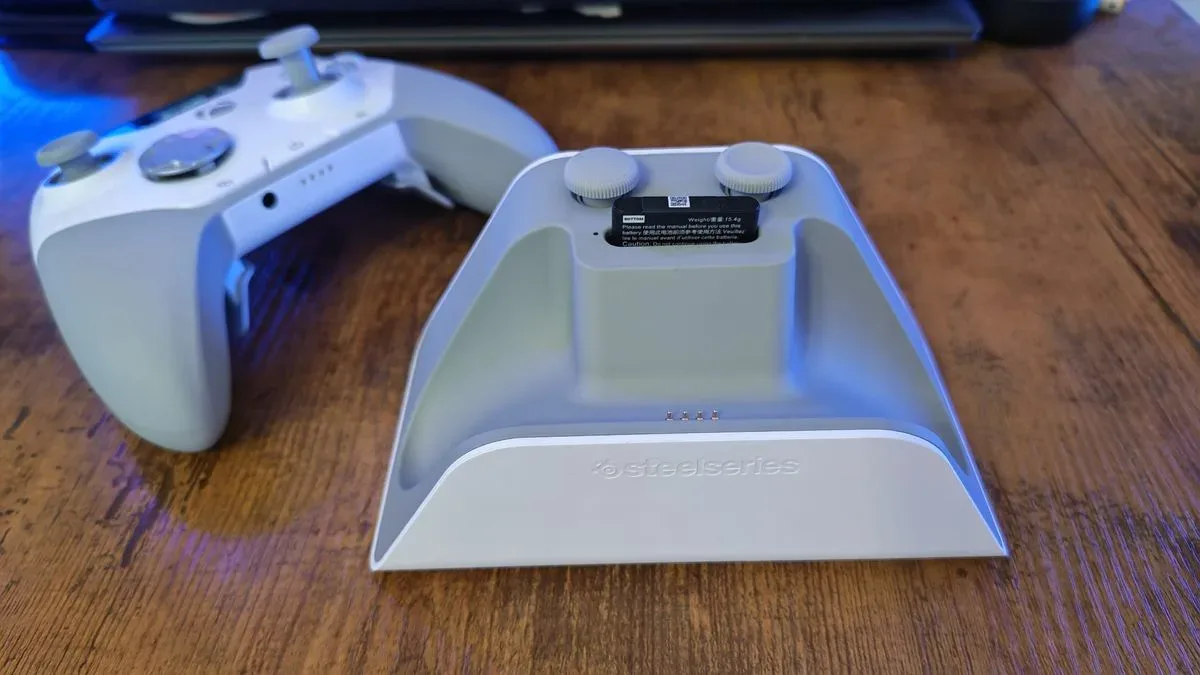
The Aeon Pro’s strongest and most distinctive idea is its charging stand. Rather than functioning as a simple cradle, the stand is described as an all-in-one home for the controller’s spare parts and its second battery. It also acts as the wireless USB receiver, with separate USB-C connections intended for Xbox and PC. Players can keep both platforms connected and choose between them using the controller’s onboard menu.
That arrangement has practical appeal. A controller charging stand ordinarily answers one question—where does this go when it is not in use? SteelSeries uses it to answer several more. Where do replacement thumbstick caps live? Where does the backup battery live? Where is the receiver? For someone maintaining a tidy desk setup, consolidating those bits could be genuinely convenient.
The spare-battery arrangement is the other half of the pitch. When the installed battery runs down, users can replace it with the charged battery stored in the dock, then charge the depleted one. This is often called hot-swapping: replacing a removable power source quickly rather than waiting for the device itself to recharge. It does not literally create endless charge, of course; the owner still has to return batteries to the stand and keep that stand powered. But it can prevent a long session from ending over a low-battery warning.
There is a funny tension in this luxury solution. It removes a common controller inconvenience extraordinarily well, but it may be solving it with more hardware than many people need. A charging cradle alone is useful. A backup battery alone is useful. Combining both is elegant, but the real buying question is whether that elegance is worth a premium over controllers that devote more of their budget to additional inputs or higher-end stick technology.
Magnetic caps, Hall effect sticks, and a small technical caveat
The Aeon Pro uses Hall effect thumbsticks and includes magnetic, swappable thumbstick tops. Of the two, the cap system sounds like the more immediately persuasive feature. Swapping conventional stick tops can require a firm pull and careful reseating, which may make a minor customization task feel needlessly precarious. Magnets allow the caps to snap on and off quickly, while the stand provides dedicated storage for the extras.
Hall effect refers to a sensing method that detects changes in a magnetic field rather than relying on direct physical contact in the same way as conventional potentiometer-based stick assemblies. The practical attraction is usually durability: contactless sensing is widely associated with reducing the wear that can contribute to stick drift. It is an important feature on an expensive controller, but it is no longer an exotic one in a market crowded with lower-cost gamepads offering Hall effect sticks.
Related coverage includes SteelSeries Aeon Pro Review: A Premium Xbox Controller That Struggles to Justify Its Price.
There is also a relevant caution around this design. Razer has suggested that magnets positioned near Hall effect sensors can potentially affect calibration. No calibration issue was reported during the Aeon Pro evaluation described here, but it remains a sensible thing for prospective owners to watch for after changing caps. A feature can be convenient and still warrant careful implementation.
At this price, the larger concern is not that Hall effect is bad—it is that some buyers may expect TMR sticks instead. TMR, short for tunnel magnetoresistance, is another magnetic sensing approach increasingly framed as an upper-tier alternative for precision and efficiency. The supplied material does not establish a measurable Aeon Pro defect from using Hall effect. It does establish a value argument: a $250 controller will naturally be judged against the newest premium specifications, not merely whether its sticks are good enough.
A confident physical design with one baffling layout choice
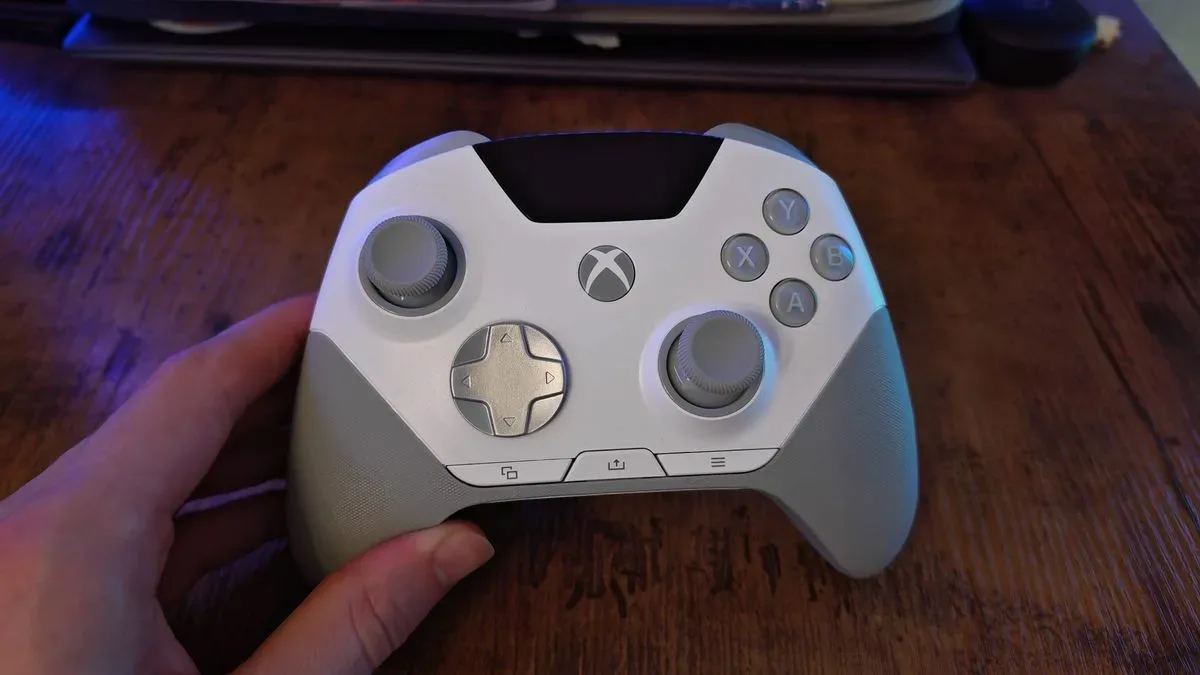
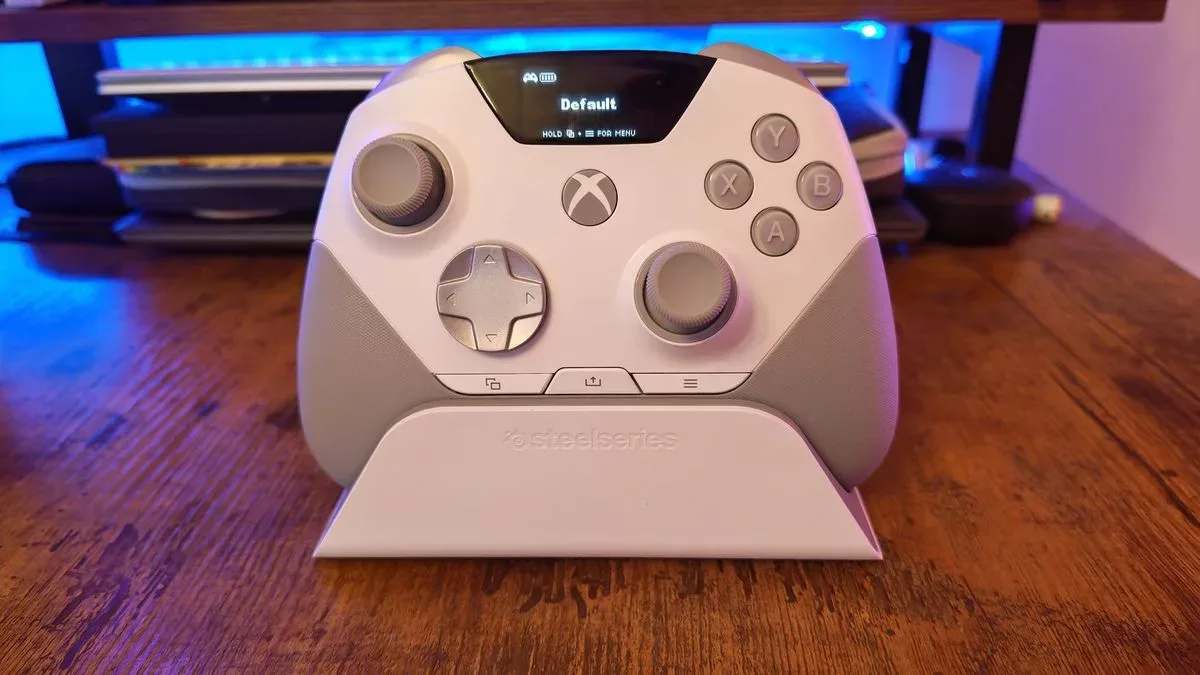
SteelSeries has given the Aeon Pro a striking visual identity. The white model pairs textured grey grips with an eggshell-colored shell, while the D-pad, triggers and bumpers use a brushed-metal look. The material is reportedly plastic rather than metal, though it creates a contrasting feel beside the rubberized and plastic sections. That can be an effective bit of industrial design—unless the price makes the imitation itself feel like a cost-cutting compromise.
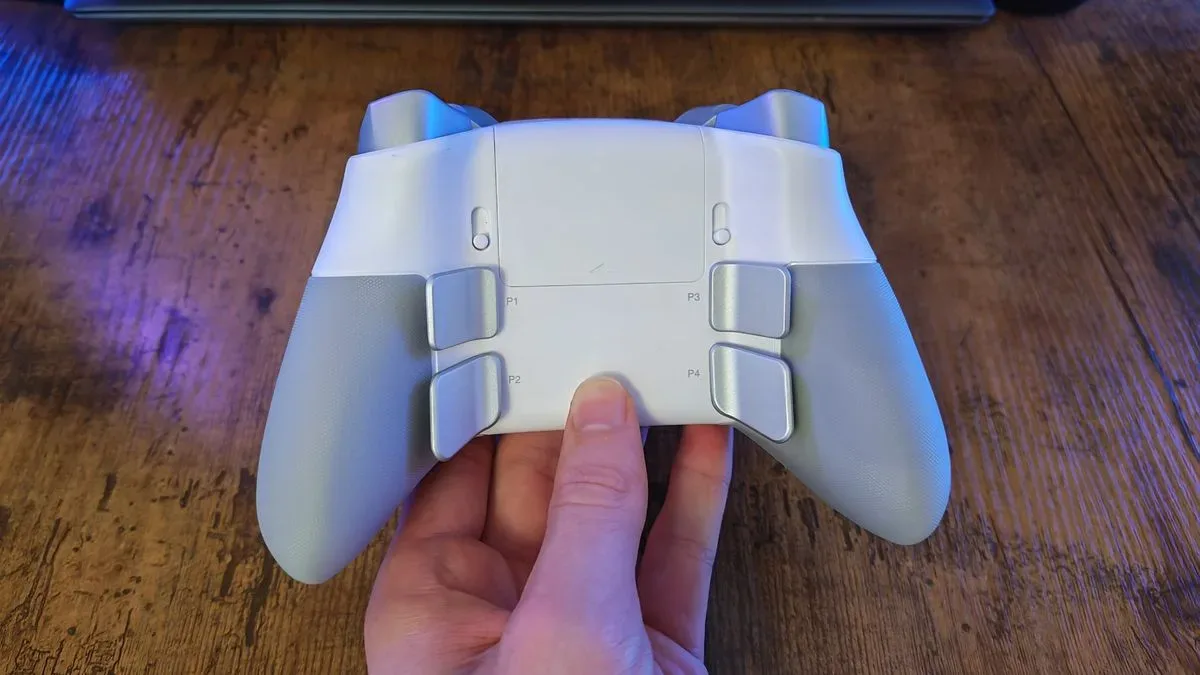
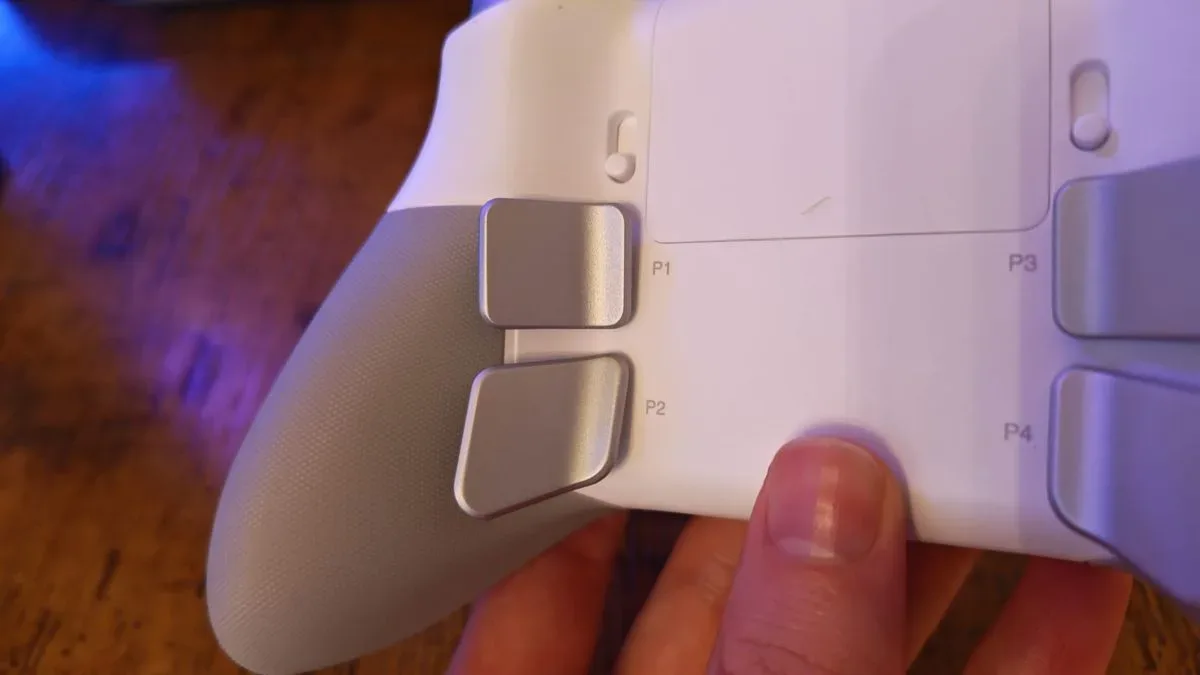
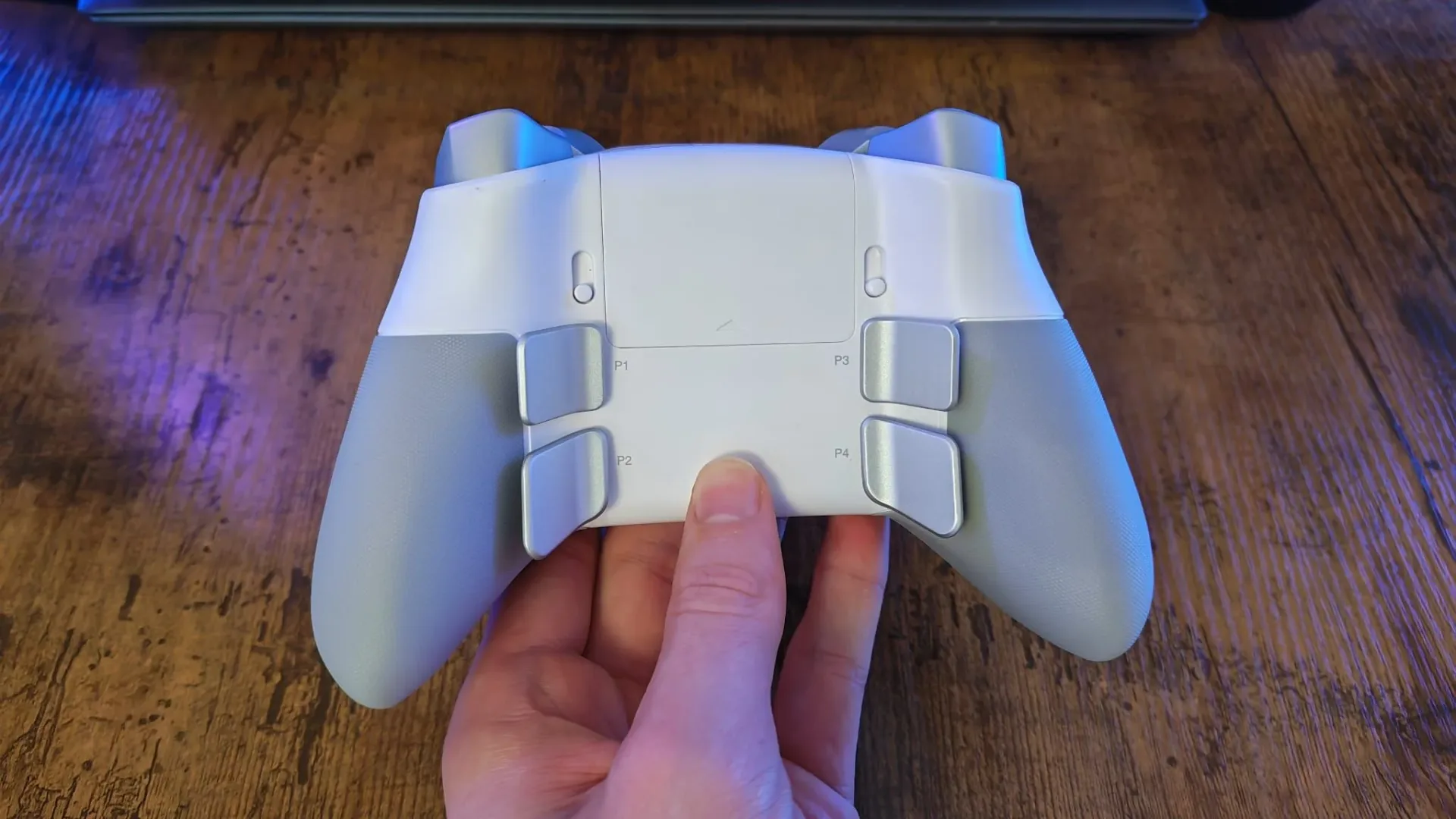
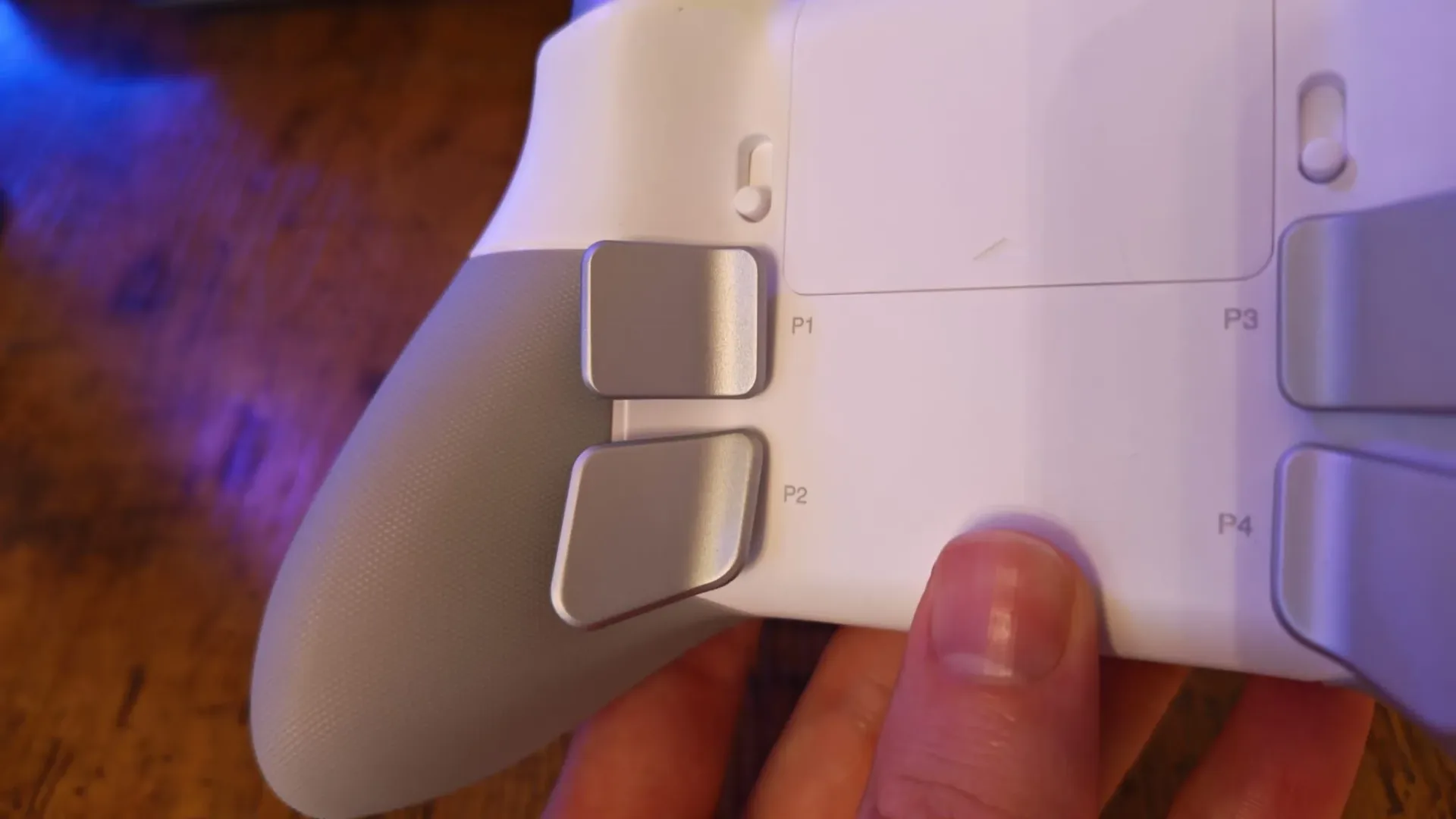
Its four rear inputs are particularly conspicuous. They are fixed, brushed-silver levers that sit somewhere between conventional back buttons and full paddles. The report describes them as large, easy to locate, and satisfyingly clicky, rather than subtle buttons concealed in the grips. For players who struggle to find tiny rear controls by touch, that visibility may be a benefit.
The face buttons use microswitches, the kind of mechanism often prized for a crisp click and rapid actuation. Their feel is said to be well cushioned and responsive, with a deep sound closer to a premium keyboard switch than a soft membrane button. Again, this is strong hardware. It is simply not hardware that obviously makes the Aeon Pro superior to less expensive premium competitors.
The controller’s most controversial physical decision is the placement of the menu and options buttons at the bottom of its face rather than near the top edge of the integrated display. This matters more than it may sound. Menu buttons are not glamorous, but they are frequent-use controls: pausing, opening maps, checking objectives, and navigating in-game interfaces all depend on them. A bottom position means changing grip and moving a thumb farther from the sticks. On a controller that appears to have unused space alongside its display, the layout feels especially difficult to justify.
That screen itself is one of the product’s better-executed extras. It uses large type and haptic feedback for navigation, reportedly making Bluetooth, Xbox and PC switching clearer than the cramped onboard menus found on many controllers. Haptics are tactile vibrations or pulses that communicate actions and confirmations without needing the player to stare at a screen. The Aeon Pro’s interface seems useful rather than ornamental, but it is not a capability that transforms how games are played.
Comfort is excellent; competitive input coverage is not
The Aeon Pro is described as a notably comfortable all-rounder, particularly for relaxed sessions across driving games, platformers, exploration titles, sports games and narrative-focused first-person games. Its textured grips maintain purchase, the general shape avoids becoming distracting, and the controller’s haptics add worthwhile feedback. That is praise worth taking seriously: a controller that disappears into the background can be a very good controller.
But a $250 “pro” controller is also expected to help players keep their thumbs on the sticks during demanding action. Rear buttons exist largely for this reason. Mapping jump, reload, dodge or other face-button commands to rear inputs can allow movement and camera control to continue uninterrupted.
Here, the lower rear buttons are reported to require more force than desired for rapid presses with the ring fingers. The problem is not that they fail to work; it is that they may not deliver the speed advantage implied by the controller’s price and pro-oriented styling. In fast shooters or challenging action games, small differences in force and reach become meaningful because an extra fraction of a second can be the difference between a clean dodge and an avoidable hit.
The comparison becomes sharper because lower-cost rivals including the FlyDigi Apex 5 and Nacon Revolution X Unlimited reportedly offer two additional bumper inputs alongside four rear buttons. Extra bumpers can be particularly useful for movement-heavy control schemes. One cited example maps a dodge command to a right-side additional bumper, leaving the right thumb on the stick rather than forcing it down to a face button. The Aeon Pro cannot offer that same mapping option because it lacks those additional bumpers.
This does not make the SteelSeries controller unusable in competitive games. It identifies a mismatch between its premium price and the kinds of control flexibility buyers can reasonably expect. The Aeon Pro seems to invest heavily in comfort, charging convenience and presentation, while some rivals put more of their value into rapid-access inputs.
Who the Aeon Pro actually makes sense for
There is a viable audience for this controller, but it is narrower than the price suggests. It makes the most sense for someone who plays on both Xbox and PC from one location, values a clean desk, dislikes managing loose dongles and accessories, and puts long-session comfort above extracting every possible competitive input. The dock, spare battery and magnetic cap storage form a coherent package for that person.
It makes less sense for players whose main objective is fast, highly customized play in shooters, time trials, or difficult action games. Those buyers should look closely at button count, the positioning and effort of rear controls, and stick technology before being won over by the dock. A premium controller is not automatically a performance controller in every sense.
It is also worth separating a nice feature from a necessary one. Wireless charging, USB charging, a 3.5mm headset jack, trigger-stop switches, Bluetooth and an onboard display round out a capable specification. Trigger stops reduce the travel distance of triggers, which can be helpful when a game benefits from fast presses rather than the full analog range useful for acceleration or braking. All of these are welcome. None alone answers why the Aeon Pro costs $249.99.
That leaves the SteelSeries Aeon Pro in an awkward but not disastrous position. It is an attractive, comfortable controller with arguably the most thoughtful dock-and-battery system in its class. Its standout ideas are real, not gimmicks. Yet the product asks buyers to pay more while offering fewer extra competitive inputs than cheaper alternatives, and it makes everyday menu navigation less convenient with an odd button placement.
For now, the best case for patience is strong. A substantial discount would change the calculation because the battery system, dock and easy magnetic stick swapping would become compelling bonuses rather than expensive justification. Until then, buyers should decide whether they are paying for a controller—or for an extremely polished place to put a controller when they are done playing. For another perspective on controller design priorities, see our take on the Xbox Nano Controller’s trade-off between compact appeal and adult-hand comfort.