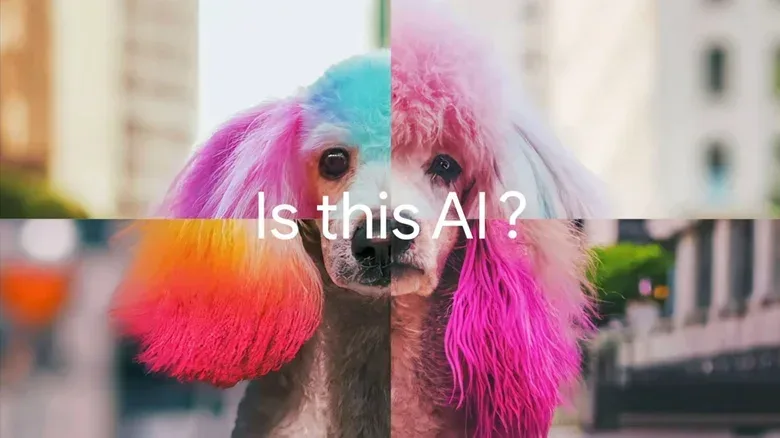
Generative AI has made the old internet reflex—“that looks fake”—both more necessary and much less useful. A convincing image, video clip or piece of audio may be synthetic, altered, authentic, or some messy combination of all three. Google’s public SynthID Detector is meant to bring a little more certainty to one narrow part of that problem: it checks uploaded media for a specific kind of invisible AI watermark.
The key word is specific. SynthID Detector is not a universal lie detector for the web, and it does not examine an image or recording and declare it generally “AI” or “human-made.” It looks for a SynthID signature. A positive result can be meaningful evidence that compatible AI systems were involved. A negative result means only that the service did not find that particular marker. Treating those two answers differently is the most important part of using the tool well.
What SynthID Detector actually checks
Google introduced SynthID in 2023 as a watermarking system for AI-generated media. A watermark in this context is not a visible logo stamped in a corner. It is an imperceptible label embedded into a file. Google says Gemini-generated material has carried a SynthID watermark since SynthID’s launch.
SynthID Detector scans an uploaded image, video or audio file for that embedded signature and returns a straightforward result: whether it found one. That design distinguishes it from broad AI-detection services that attempt to infer AI use from visual patterns, writing characteristics or other statistical signals.
That distinction matters because a detector looking for a known label and a detector trying to guess an origin are answering different questions. The former asks, “Is the expected watermark present?” The latter asks, “Does this resemble material an AI might produce?” The first approach is narrower, but it avoids turning every unusual human-created image or audio clip into a potential false alarm.
How to run a check
The process is simple, provided the file is available to upload and the user can sign in. Go to SynthID.com, log in, upload an image, video or audio file, then wait for the result. The check is designed to take only a few seconds.
- Open SynthID Detector in a web browser.
- Sign in with a Google, OpenAI or Apple account.
- Choose the image, video or audio file you want to examine.
- Upload it and allow the service to process the file.
- Read the result as a watermark finding—not as a complete authenticity verdict.
A practical limitation is that the detector works from an uploaded file. If a suspicious clip is only visible inside a social-media feed, a user first needs a legitimate copy of the media to submit. The detector’s result also does not identify the precise segment, frame, object, voice or sound that may have been generated. It reports whether a compatible SynthID label is found in the uploaded media.
Who and what it can recognize
The service can identify SynthID watermarks associated with Google’s Gemini, but its scope is broader than Google’s own output. It can also scan for compatible watermarks from SynthID partners including OpenAI, NVIDIA and Kakao. That partnership support is a useful expansion because it gives one detector a chance to recognize a set of participating systems rather than only one company’s files.
Related coverage includes How to Use Google SynthID Detector to Check AI Images, Video and Audio.
Apple participates in SynthID as well, although detector support for identifying Apple-created material is still in development. Participation in a watermarking initiative, in other words, does not necessarily mean every partner’s output is detectable through the public tool today.
This is the first boundary to remember: SynthID Detector only has coverage where a compatible SynthID watermark exists. Media from systems outside that ecosystem may be entirely synthetic and still produce no finding. Meta’s AI tools are one cited example of a major system that does not use SynthID.
How to interpret a positive result
If SynthID Detector finds a watermark, the sensible reading is that the uploaded file contains a SynthID signature. That is stronger and more concrete than a generic detector saying content merely appears AI-like. It indicates an embedded provenance marker associated with a compatible AI workflow.
It does not, however, answer every question someone might have about a file. The detector does not explain which portions are AI-generated. A video could contain an AI-generated component amid ordinary footage, for example, but the tool does not map the finding to individual scenes. Likewise, a result does not establish the intent of the person who shared the content, identify who made it, or explain the context in which it was edited and reposted.
For day-to-day verification, a positive finding is best used as one important piece of evidence. It can justify slowing down before sharing a purported screenshot, gameplay clip, celebrity audio recording or viral video as though it were unedited documentation. It should not be inflated into claims the detector did not make.
What a negative result does—and does not—mean
A negative result should be read with far more caution. It means the uploaded file did not yield a detectable SynthID watermark. It does not establish that the media is real, untouched, human-created or trustworthy.
There are several reasons. The content may have been generated by a model that does not use SynthID. It may be based on a different watermarking standard. Or it may be manipulated media with no relevant watermark to find at all. The detector is intentionally designed around identifying a known signature, not discovering every possible kind of synthetic or altered content.
This is why “no watermark found” is not equivalent to “verified authentic.” It is simply a narrower technical result. Users weighing whether to trust a high-stakes claim should still consider where the file came from, whether the account sharing it is credible, whether independent reporting or primary evidence supports it, and whether the original file is available. For a related reminder that apparent technical shortcuts rarely settle a question on their own, see this breakdown of the real limits behind a familiar security-camera trick.
Why watermark detection can be more dependable than general AI guessing
General-purpose AI detectors are often presented as if they can inspect any image, sound or text and reveal its origin. The evidence here points to a less comforting reality: openly available broad detectors can be unreliable and can wrongly flag human-created work as AI-generated. Researchers have built other AI-spotting methods, but those tools are not generally available to the public.
SynthID Detector avoids that particular guessing game. Rather than judging style or artifacts, it checks for an embedded marker. In principle, this should eliminate false positives caused by mistaking ordinary human work for AI output, because a result is based on whether the watermark is there rather than whether the file looks suspicious.
But this reliability is purchased with limited reach. A tool can be highly dependable at recognizing one standardized marker and still be unable to tell users anything useful about material from unsupported models. That tradeoff is not a defect unique to SynthID; it is the basic constraint of ecosystem-specific watermarking.
Edits, resilience and the daily checking limit
Google says SynthID signatures remain present even after AI-generated media is edited. That claim is important because content rarely stays in its original form once it begins traveling online. It may be cropped, compressed, re-encoded, reposted or incorporated into another video. A watermark that disappears at the first routine edit would have limited value.
Even so, watermark persistence is not a promise that the system can never be defeated. The supplied information notes that there is no guarantee a determined actor will not eventually find a way around it. Media-verification systems exist in an adversarial environment: a safeguard can discourage casual misuse while also motivating people to test its edges.
Access controls appear designed with that risk in mind. Users are reportedly limited to around 10 checks per day, reducing the opportunity to repeatedly test altered versions of a file in search of a method that removes a watermark while preserving the desired media. Requiring users to log in with a Google, OpenAI or Apple account also means the checker is not an entirely anonymous, unlimited public utility.
For ordinary use, the limit suggests a good habit anyway: do not burn checks on every vaguely artificial-looking post. Reserve them for files where a SynthID-compatible result would materially affect how you describe, share or rely on the media.
How SynthID fits beside other watermark tools
SynthID is one part of a fragmented detection landscape. OpenAI has its own detector, which can identify AI-confirming metadata as well as SynthID watermarks. Meta uses a separate watermark called Content Seal and provides a browser-based detector for it, although a 2026 report found instances where that detector did not reliably identify Meta-created material.
Anthropic and Microsoft have also started watermarking AI media, but they do not currently offer consumer-facing detection tools. The practical result is that a person trying to verify a suspicious file may face several incompatible systems, uneven public access and substantial blind spots.
There is no reliable public detector that catches generative-AI media across the board. That means the most responsible workflow is not to seek one magic answer. Use a watermark detector when it matches the question, understand exactly what it checks, and combine the result with ordinary verification habits.
A sensible way to use the result
- When a watermark is found: describe the file as carrying a SynthID watermark or as having evidence of creation through a compatible AI system. Do not claim the tool proved every part of the media is generated.
- When no watermark is found: do not call the material authentic on that basis. It may simply fall outside SynthID coverage.
- When the stakes are higher: look beyond the file itself. Seek original context, corroboration and credible independent evidence.
- When sharing uncertain media: state the uncertainty plainly rather than converting a limited technical check into a sweeping verdict.
SynthID Detector is useful precisely because it makes a modest, legible claim. It can help identify participating AI-generated media that carries its watermark. That is a meaningful capability in a flood of synthetic content. It is not a universal authenticity scanner, and it works best when users resist asking it to be one.