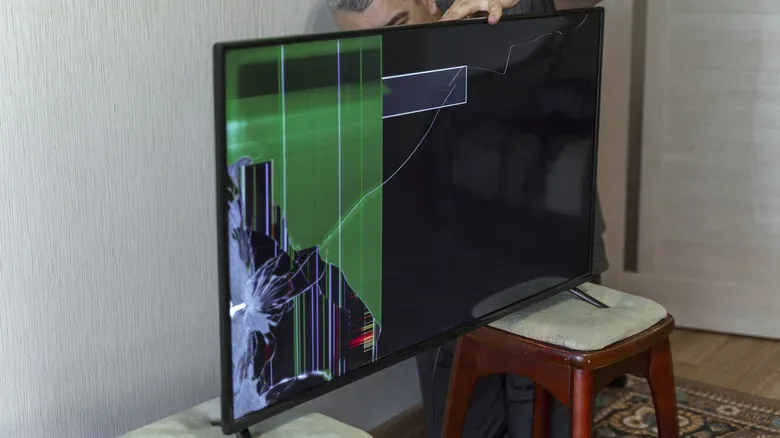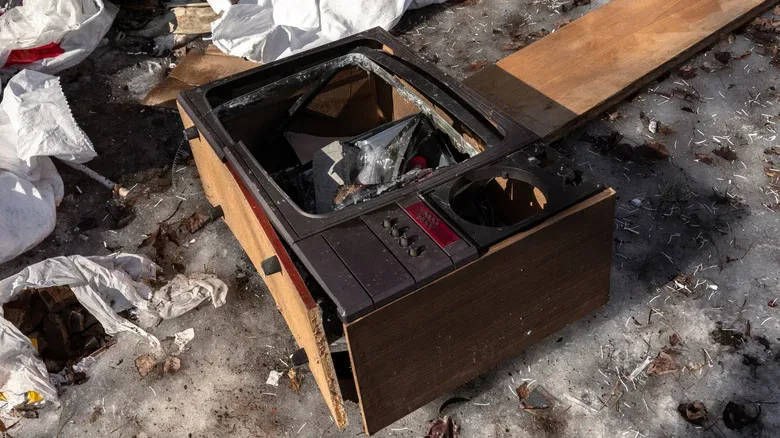
Replacing a television can feel like a clean upgrade: a brighter panel, newer inputs, faster apps, perhaps enough screen space to make a favorite game look suitably enormous. The old set, however, immediately becomes an awkward side quest. It is large, heavy, fragile, potentially data-bearing, and not something that belongs in the ordinary household bin.
The best destination for an old TV depends on two things: whether it still functions and what rules apply where you live. A working set could be sold, gifted, donated, or repurposed. A broken one should generally go through an approved electronics-recycling route. In either case, a little preparation protects both the person receiving it and the people moving it.
Start with a realistic condition check
Before deciding a television is finished, give it a basic but honest inspection. Turn it on, verify that it holds a stable picture, and check whether the sound is usable. Use the remote if it is available, but also test any physical buttons on the unit. If you have a compatible streaming stick, media box, console, or other HDMI device, connecting it is a practical way to check an input and see whether the display is functioning normally.
That test separates a TV that is merely outdated from one that is genuinely unsuitable for reuse. An older smart interface can be slow or unsupported while the screen itself remains perfectly capable. A Roku, Chromecast, Apple TV, or another streaming device can give a usable panel a newer interface and keep it relevant for someone who does not need the latest built-in software.
Be specific about defects rather than hoping a recipient will overlook them. The important details include:
- Dead, stuck, dim, or discolored pixels.
- Flickering, lines, image retention, or intermittent display issues.
- Damaged ports, missing feet or stand hardware, and cosmetic cracks or deep scratches.
- Weak speakers, a missing remote, or remote buttons that do not work.
- Whether the TV includes its power cable, stand, original packaging, or wall-mount hardware.
A clear description gives a working TV its best chance of finding an appropriate home. It also prevents an unwanted set from simply being passed from one person to the next with its problems undisclosed.
Remove accounts and accessories before it leaves
A smart TV can hold more than a viewing history. Depending on the model and services used, it may retain app logins, Wi-Fi credentials, device names, account information, and preference data. Treat it with the same care you would use for a phone, tablet, or game console that is changing hands.
First, sign out of individual streaming and media apps where possible. Next, use the television’s factory-reset option, usually found in its settings or system menu. The exact wording and location vary by manufacturer, so the manual or official support instructions for that model are the safest guide. A reset is especially important when the set has been connected to household accounts and networks for years.
There are a few easy-to-miss checks worth making before pickup or drop-off:
- Remove streaming sticks, USB drives, memory cards, antenna adapters, and HDMI cables.
- Check behind the TV and in nearby cabinets for a separate power supply, remote, stand screws, or mounting plate.
- Use the account-management tools for streaming services to sign out remotely if the TV cannot be accessed or turned on.
- Confirm that the set has been disconnected from your home network after the reset.
For households tightening up their connected-device habits, it is also sensible to review the network itself. This guide on restarting a router for better Wi-Fi and safer home networks is a useful reminder that old entertainment hardware and home-network housekeeping often overlap.
Reuse is usually the best outcome for a working panel
If the television works, the most sustainable option is often extending its useful life. Start nearby. A friend, relative, neighbor, student, community space, or colleague may have a use for a smaller secondary screen, even if it is no longer the right fit for your living room.
Local resale and giveaway listings can also work, particularly when the ad includes the exact screen size, model number, age if known, connection types, condition, and any faults. Selling may be possible for a clean, functional set in good condition, but offering it free can make a prompt, responsible handoff more likely. Do not oversell old smart features; describe the hardware as it is, and state whether a separate streaming device may be needed.
There can be useful roles for an older display inside the home, too. A TV with functional HDMI can become a bedroom screen, a workshop display, a dedicated screen for retro hardware, or a simple media panel paired with an external streamer. The point is not to keep every old device forever. It is to distinguish a panel that still serves a purpose from one that is only taking up space.
Charities, community organizations, and thrift stores may accept working televisions, though their policies can vary substantially. Screen size, age, condition, and storage capacity may affect whether they can take one. Contact the organization before loading up the car. A refusal does not mean the set has no path forward; it simply means a different reuse or recycling option is needed.
CRT televisions need extra caution
Bulky cathode-ray tube televisions are a special case. They can be appealing for certain older game systems and video formats, but they are also extremely heavy and contain components that require careful handling. A CRT should not be opened, dismantled casually, or deliberately damaged in an attempt to make disposal easier.
Not every charity or thrift store will accept one, and it is best not to assume that a donation location can process it. If it is a working unit, a knowledgeable local recipient may want it, but the condition should be represented accurately and the pickup should be planned with its weight in mind. If it is broken or unwanted, an electronics recycler or collection program that explicitly accepts CRTs is the safer route.
Moving a CRT is not a solo-lift challenge. Get assistance, clear the route between the room and the vehicle, and avoid rushing it through doorways or down stairs. The same basic rule applies to a large modern flat panel: a television is not just another box.
Use local e-waste rules, not the regular trash route
Televisions can contain materials that should not end up in landfill. Depending on the type and age of the device, those materials may include lead or mercury. Local regulations and collection policies differ, so the correct next step is to check the rules set by your municipal waste authority or other local government service.
Possible options may include a public drop-off site, scheduled e-waste events, a private recycler, or a pickup service. The U.S. Environmental Protection Agency has a certified electronics recycler program intended to help people identify recyclers that meet relevant standards. Before you go, verify what the facility accepts, whether it takes televisions specifically, whether CRTs have different requirements, and whether there is a fee.
Retailer and manufacturer programs can be useful alternatives, but their details are not universal. Some Best Buy locations accept TVs for recycling, subject to store-specific restrictions and size limits, and the company also has a paid haul-away option for situations where bringing the TV to a store is impractical. LG offers panel recycling drop-offs, Samsung provides recycling options that vary by state, and Sony works with ERI on a nationwide take-back program for older Sony televisions. Check the current terms directly before making the trip, since eligibility and logistics can change.
Plan the transport before touching the screen
Transport is where a manageable disposal plan can become expensive or unsafe. Large flat-screen TVs are typically best moved by two people. Keep the screen upright when possible; laying a panel flat can allow it to flex and can increase the chance of damage. If the original box and internal packing materials survived the years, use them. Otherwise, a clean blanket and protective cardboard can help shield the screen and corners.
Do not tape directly across the display, stack heavy objects on it, or let it slide loose in a vehicle. Secure it so it cannot tip. If a recycler, retailer, charity, or haul-away service is collecting it, follow that organization’s packing and placement directions rather than improvising.
A television’s last trip should be planned like moving fragile electronics, not handled like taking out a bag of garbage.
Whether an old TV becomes a useful second screen, goes to a new owner, or reaches a certified recycler, the responsible process is straightforward: assess it truthfully, clear your information, choose reuse when it makes sense, and use an approved e-waste path when it does not. That extra effort keeps personal accounts out of someone else’s hands and keeps difficult materials out of the wrong waste stream.