A Handheld Built Around a Different Kind of Constraint
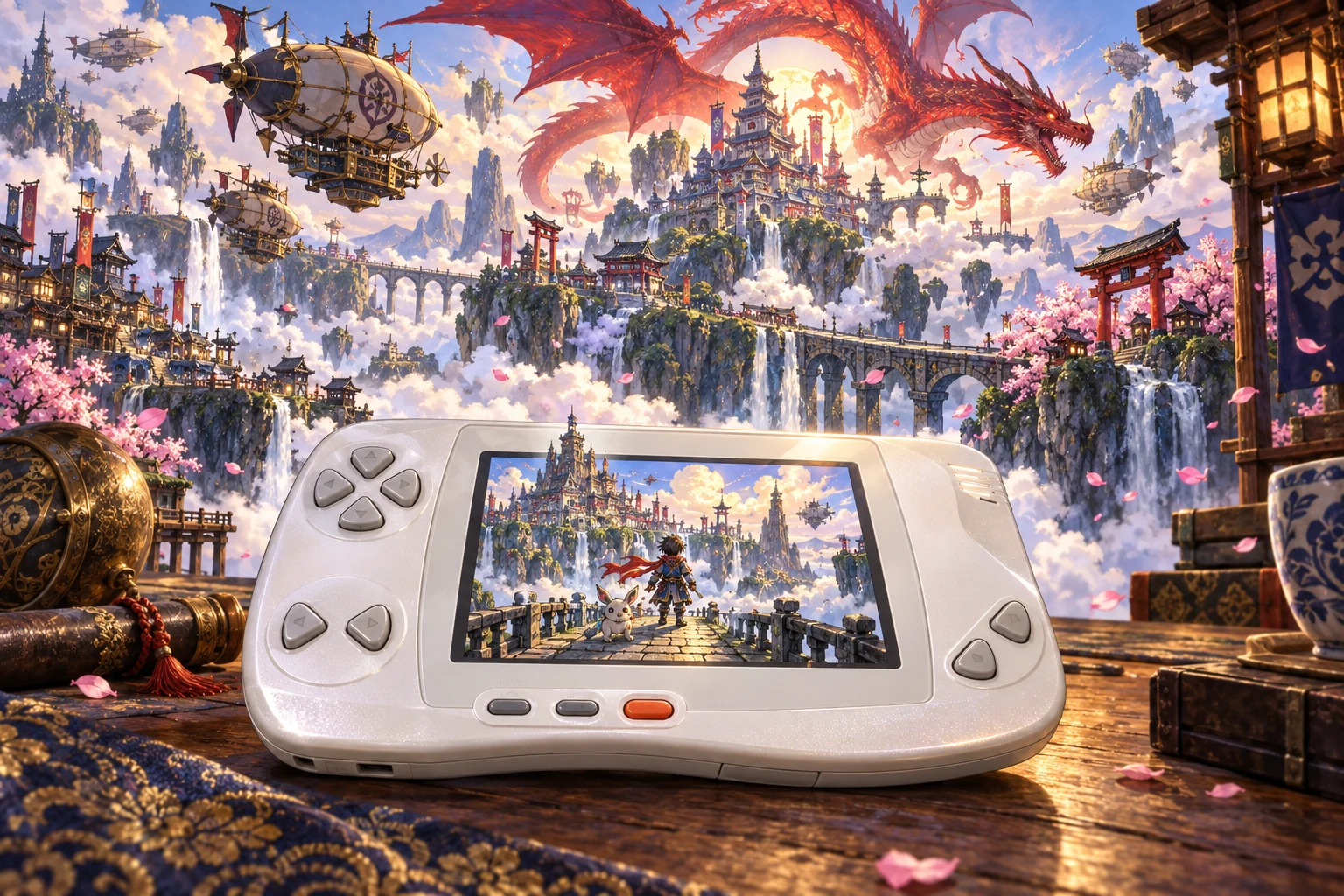
The WonderSwan entered the Japanese market in March 1999 with an unusual proposition: it could be played horizontally or vertically, ran from a single AA battery and used a 16-bit processor in a compact handheld. Bandai developed the platform with Koto, the company founded by Gunpei Yokoi. The partnership produced a machine that belonged to the familiar handheld-gaming world while making distinctly different choices about controls, power and software development.
The platform’s design was economical without being technologically simple. Developer documentation generally describes the WonderSwan’s integrated CPU as a V30MZ-compatible or V30MZ-derived 16-bit x86-family implementation. That lineage made some aspects of programming familiar to developers accustomed to the 80186 era, but it does not make the console an ordinary PC in miniature. The system-on-chip combined the CPU with functions for video, sound, input, cartridge access, and timing, so software interacted with a tightly integrated handheld rather than with a collection of standard desktop components.
This choice shaped the machine’s later technical history. A programmer could recognize the broad register-and-instruction world of a 16-bit x86 processor, but still had to understand the WonderSwan’s memory map, graphics hardware, interrupt behavior, and cartridge protocol. The attraction was not raw processing power. It was the possibility of building a low-cost handheld around a familiar programming model while reserving hardware resources for a display that could work in two orientations and a cartridge system capable of supporting more than a fixed bank of simple ROM.
Orientation Was Hardware, Not a Mod
The original WonderSwan’s 224-by-144 display was designed for software that could treat the machine as either a landscape or portrait device. The buttons and directional controls were arranged around that physical flexibility, making orientation a property of the platform rather than a novelty added by enthusiasts years later. Contemporary official software records show the practical limits of the idea. Namco’s Klonoa: Moonlight Museum was identified as supporting horizontal and vertical display, while Final Lap 2000 was designated horizontal-only. Bandai’s Kosodate Quiz Dokodemo My Angel even described a minigame that asked the player to rotate the console so the controls occupied the intended positions.
The cartridge header can identify configuration information such as intended orientation, color use, mapper, bus width, and save type. That metadata helps tools and software establish how a title is meant to operate, but it is not equivalent to the cartridge-authentication exchange. An orientation mismatch does not necessarily prevent a program from booting; the game’s own presentation and controls must implement the chosen orientation. This distinction matters because orientation was a software-design capability, not another security gate.
The monochrome display also placed limits on what could be hidden behind the console’s modest specifications. Developers worked with grayscale palettes and tile-and-sprite graphics rather than a television-style framebuffer. Images, screen maps, palettes, and animation data had to be arranged with the machine’s internal memory and video hardware in mind. These restrictions became especially important once programmers began trying to create their own software, because the first challenge was not bypassing a security wall. It was learning what the machine actually expected from a valid cartridge.
The Color Model Changed More Than the Screen
Bandai announced WonderSwan Color on August 30, 2000, and its contemporary announcement gave December 9, 2000, as the Japanese release date. The color machine retained the family’s dimensions, one-AA design, orientation flexibility, and compatibility with earlier software and peripherals. Bandai advertised a 4096-color palette and up to 241 simultaneously displayed colors. Those were published specifications, not a guarantee that every game used the same visual resources in the same way.
Backward compatibility was a central part of the pitch. Earlier monochrome WonderSwan software could run on WonderSwan Color and appear in eight grayscale levels, but compatibility did not automatically recolor old games. New visual capabilities required software designed to use them. Commercial cartridge records show how the color system could also carry more substantial software: Namco’s official Mr. Driller listing specified a cartridge with 16 megabits of ROM and 256 kilobits of battery-backed SRAM.
SwanCrystal, released in 2002, refined rather than replaced that architecture. Bandai described it as a higher-grade WonderSwan Color model with a reflective color TFT display, while retaining compatibility with WonderSwan and WonderSwan Color software and peripherals. The distinctions are important for any later hardware history: the original WonderSwan is monochrome, WonderSwan Color adds color capability within a compatible family, and SwanCrystal improves the display without constituting an entirely new cartridge platform.
A Cartridge Was a Protocol, Not Just a Plug-In ROM
The WonderSwan cartridge connector exposed a 20-bit physical bus and supported more than one possible memory arrangement. Later technical reconstruction identifies cartridge ROM regions, banked areas, writable memory, interrupts, and a dedicated MBC line associated with cartridge control. Some cartridges included save memory; others did not. Commercial examples used different capacities and, as later development documentation makes clear, different storage technologies.
The console performs a documented startup exchange with cartridge hardware through the MBC line. That protocol response is separate from the ROM header, startup code, mapper configuration and save metadata. A file that describes a game and a physical cartridge that responds correctly to the console are therefore different pieces of the system. Understanding both became important for replacement hardware.
The same separation applies to program startup. A native image needs valid header metadata and startup code, while the physical cartridge must separately provide the expected authentication response. An emulator can reproduce those responses in software; a development cartridge can supply programmable memory and the relevant hardware behavior; a native homebrew ROM can be assembled according to the platform’s documented conventions. These achievements overlap, but none should be treated as interchangeable evidence of a complete hardware-security defeat.
The startup exchange should not be confused with a modern encrypted boot chain. The practical history is one of documenting the protocol and reproducing the behavior a cartridge needs to provide. That work sits alongside ordinary programming questions about memory, graphics and saves, rather than replacing them with one dramatic unlocking event.
WonderWitch Opened an Authorized Door
The best-documented official route into independent WonderSwan programming was not a piracy device or an exploit: it was WonderWitch, an authorized development environment created by Qute Corporation. The package supplied a special cartridge, computer-side software, a transfer connection, and programming tools intended for hobbyists and independent developers. Contemporary reporting from the 2000 Tokyo Game Show described a C compiler, a PC connection cable, and software for moving compiled programs to the handheld. Qute’s later corporate material and anniversary retrospective preserve the product’s role as a programming environment and identify WonderWitch Player as a related way to run software made with it.
WonderWitch mattered because commercial cartridge production normally required access to manufacturing and publisher infrastructure. Qute’s kit provided a sanctioned alternative: write code on a computer, compile it for the WonderSwan, transfer it to the special cartridge, and run it on original hardware. That was an unusual degree of access for a Japanese handheld of the period. It also created a historical bridge between official platform development and what would later be called homebrew.
The cartridge itself differed from an ordinary fixed commercial game. Technical documentation identifies a WonderWitch configuration using a reprogrammable Fujitsu flash device, a mapper, and a real-time clock. The flash component’s sector-erasure and programming structure explain why the cartridge could receive new programs, while the clock supported functions unavailable on a simple read-only game board. This was a development medium with its own hardware assumptions, not a generic copy of Bandai’s commercial cartridges.
WonderWitch software also operated within its own environment. Programs conventionally used Qute’s FreyaOS and FreyaBIOS services rather than behaving like completely bare-metal commercial ROMs. The documented memory model imposed constraints, including a small program space and separate data and stack segments. Cartridge SRAM could serve the data segment while the console’s internal RAM handled the stack and runtime needs. For a hobby programmer, that meant learning not only the V30MZ-derived instruction set but also how the operating environment divided scarce memory.
Independent Games Gave the Kit a Purpose
The surviving homebrew record provides a useful bridge between those periods. The WonderWitch competitions and associated software, including Judgement Silversword and Dicing Knight, show that independent developers produced substantial original work within the authorized Qute ecosystem. Later communities preserved, ported, or redistributed knowledge about those programs through tools and archives, but their historical significance does not depend on treating them as evidence of a security exploit. They demonstrate that the WonderSwan had an active creative development culture before modern flash cartridges existed.
For an independent programmer, a development kit becomes valuable when it can carry a complete idea. A working shooter or action game needs controls, graphics, sound, progression and a way to survive repeated play without falling apart. The competition projects made those demands visible. They gave other hobbyists examples of an attainable finished result, rather than only a collection of low-level experiments.
Preserving a Programming Culture
FreyaOS matters today because it preserves a way of making software, not because it became a general-purpose operating system for the modern world. WonderWitch gave hobbyists a structured runtime, a file system, and conventions for loading programs on a machine that otherwise expected cartridge software. Those conveniences helped a small development culture form around the handheld, but they also created dependencies that preservationists must now reconstruct carefully.
A legacy `.fx` application may rely on FreyaBIOS services, FreyaOS file operations, process behavior, and the original division between cartridge SRAM and console RAM. Reproducing only the visible screen output is not enough for compatibility. A program that loads resources dynamically, expects a particular error response, or assumes a specific memory arrangement can fail even when a modern replacement provides similarly named functions. This is why clean-room compatibility projects tend to advance unevenly: basic startup may work long before the historical file-system behavior is complete.
Wonderful’s modern WonderWitch-oriented target addresses these legacy expectations through clean-room compatibility work, with some FreyaOS functions still incomplete. Native .ws and .wsc development is a separate target. That distinction is useful when choosing tools: preserving an existing .fx application and writing a new cartridge program are different jobs, even though both end with software running on the same handheld.
A legacy runtime can also preserve the habits of a development community. Example programs, resource formats and common library calls influence what beginners can make. Recreating those interfaces keeps more than a finished game accessible; it can keep the process of learning from old projects understandable. That is why preserving the kit’s programming environment deserves attention alongside the commercial cartridge library.
Native Toolchains Turned Hardware Knowledge Into Libraries
Native development became more approachable as scattered technical discoveries were converted into reusable tools. Instead of every programmer beginning with raw startup code and hand-built graphics routines, current toolchains provide target configurations, system libraries, examples, and asset utilities for producing cartridge images. This does not remove the WonderSwan’s constraints; it makes repeated solutions available to new developers.
The most persistent constraint is segmented, banked memory. The V30MZ-derived processor can address a broad physical space, but code and data in cartridge ROM may require far pointers or bank-selection routines, while frequently used working data must occupy scarce internal RAM. A project that compiles successfully can still fail when a table crosses a bank boundary, when a pointer has the wrong size, or when a routine assumes that data copied into RAM remains in cartridge memory.
Graphics conversion is therefore a design task as much as a file-conversion task. External utilities can arrange images as tiles, palettes, and bitplanes expected by the display hardware, but the developer must still decide which assets remain in ROM, which are copied into video memory, and how animation updates fit within the frame budget. Color models place additional pressure on storage and memory because their graphics modes carry more data per pixel than the original monochrome system.
Orientation is another build-time concern. A native title must identify whether it expects horizontal or vertical play, and its interface must account for the physical position of the controls. Modern configuration tools can expose that choice and generate associated metadata or startup presentation, but they cannot make a poorly designed interface comfortable in both positions. The unusual form factor remains a programming decision rather than a switch that automatically converts a game.
Sound libraries follow the same pattern. Shared music drivers and playback routines reduce duplicated low-level work, while the EXT port offers a way to capture digital headphone output during research. Yet drivers remain subject to interrupt timing, memory placement, CPU load, and simultaneous sound effects. The existence of a library makes experimentation easier; it does not make every driver interchangeable or guarantee identical results on every hardware revision.
Flash Hardware Made the Original Console a Test Bench
The arrival of practical flash cartridges changed the rhythm of development for owners who could obtain and use them. A USB-connected cartridge could place a native image on original hardware, allowing developers to check controls, display behavior, sound, saves, and timing in the environment for which the program was intended. It did not become a universal substitute for every commercial cartridge, nor did it make original WonderWitch hardware irrelevant.
Named aftermarket cartridges implement different subsets of the WonderSwan cartridge interface. FlashMasta documents sixteen ROM-file slots and shared SRAM; nileswan documents 128 megabits of ROM, 512 kilobytes of save RAM, USB loading, and developer serial functions; InsideGadgets documents an 8-megabyte code area and 32 kilobytes of SRAM. Those specifications should be attributed to each product rather than treated as a common architecture shared by all flash cartridges.
FlashMasta’s manufacturer also states that some software requires patches and that a small proportion of titles may remain incompatible. Its sixteen-file count commonly includes a menu. Wonderful’s testing documentation describes fifteen user-programmable game slots, which is the same practical arrangement when the menu is excluded from the user-oriented count. The apparent discrepancy is therefore a counting convention, not evidence that the hardware has two different slot capacities.
Save memory exposes a deeper distinction. WonderSwan software used both SRAM and EEPROM configurations, and those technologies do not present the same programming interface. FlashMasta’s SRAM is shared among its loaded titles, so selecting a different menu entry does not necessarily create a separate save store. Community patches converting selected EEPROM-based games to SRAM demonstrate that compatibility can be solved title by title; they do not establish a universal conversion method.
Preservation utilities must also distinguish backup, restoration, erasure, and testing. CartFriend documents an erase-and-test operation that can destroy existing saves, making it unsuitable as an innocent diagnostic step when data has not been backed up. Its documented WS FlashMasta scope is first-slot-only. Its WonderWitch route uses an RS-232 cable, XMODEM transfer and a legitimately obtained FreyaOS update file; AthenaBIOS compatibility is incomplete. These limits describe a development aid, not a complete cartridge-management stack.
Power sequencing created another compatibility boundary. A later FlashMasta memory-component change was associated with boot problems on some original monochrome WonderSwan units, while Color and SwanCrystal power circuitry differed. The issue was not simply whether the cartridge’s logical memory map matched the console: the voltage ramp and the replacement memory’s startup behavior could interact, with aging components potentially affecting results. A cartridge can therefore be correctly mapped and programmed yet fail during power-up.
The EXT Port Became a Research Interface
The external port gave the community a second route into real-hardware development. WonderWitch used serial communication to move software between a computer and the handheld. Later open hardware projects repurposed the same interface for modern computers, using microcontroller boards to translate the WonderSwan’s inverted-polarity UART signals into USB-compatible communication. The port also exposes digital audio signals associated with the headphone path, making it useful for preservation as well as transfer.
ExtFriend illustrates the modern approach. Its RP2040-based hardware documents serial communication at 9,600, 38,400, and 192,000 baud, together with USB digital stereo-audio capture. Serial and audio can operate simultaneously, allowing a developer to move or observe data while capturing the headphone signal directly. That is more informative than simply loading a finished image or recording the speaker with a microphone. Researchers can study sound drivers, preserve homebrew audio, and use serial tools during development while leaving the console’s central architecture intact.
The port was never a video-output connector or a universal modern expansion bus. Its value comes from the specific signals it exposes: serial transmit and receive, clocking and digital-audio lines, power, ground, and related accessory functions. An adapter can make those signals legible to contemporary tools, but it does not automatically provide a complete debugger, memory monitor, or universal development protocol.
ExtFriend’s project documentation establishes intended electrical and firmware behavior, not universal results across every motherboard revision, cable, or software environment. It should therefore be described as an open serial and audio interface rather than as a guaranteed WonderSwan debugger. The historical significance is still considerable: a connection once associated with a scarce official development kit became a reproducible route for testing, sound preservation, and hardware research.
Displays Now Define Several Different WonderSwans
The original WonderSwan, WonderSwan Color, and SwanCrystal do not share one screen assembly. The first is monochrome and reflective, the Color model uses a reflective color LCD, and the SwanCrystal shipped with a factory TFT. Replacement panels must therefore be treated as model-specific hardware, not as one universal WonderSwan upgrade. A Color kit does not establish compatibility with either of the other systems, and a monochrome replacement does not turn the original machine into a Color model.
For owners, an illuminated replacement can transform visibility and viewing angle. For developers, however, it changes the target environment. An IPS kit may add a controller, scaling logic, brightness controls, and different power demands. It can also alter color presentation, gamut, contrast, and the appearance of motion. Supplier documentation supports kit-specific claims about features such as on-screen controls, brightness levels, or no-cut fitting; it does not establish that every IPS kit changes software timing or that every timing-sensitive title behaves differently.
Replacement displays can change power requirements, color presentation and viewing characteristics, but those effects depend on the particular kit. Supplier feature lists are useful for identifying controls and fitting requirements; they do not establish one measured battery life or timing result for every installation. For a developer working with unusual display behavior, the relevant question is how the chosen console and panel behave together.
The growing number of kit generations makes compatibility reporting more precise. Supplier documentation distinguishes Color kits from products for the original monochrome machine or SwanCrystal, and Handheld Legend documented an update to a particular Color kit family in 2025. Hispeedido’s current listing advertises a Color-only kit with on-screen controls and brightness settings. These are supplier-specific claims, not independent measurements applying to every panel sold under every brand.
BootFriend is a community-made custom firmware and boot-presentation project for WonderSwan Color and SwanCrystal that uses internal EEPROM data. Its display previews distinguish factory TFT and aftermarket IPS behavior, while its orientation-aware splash support reflects the console’s physical design. A custom boot image is an aftermarket firmware and presentation modification, not a replacement operating system and not evidence that the console’s cartridge authentication has been defeated. The same careful language applies to recovery and EEPROM-related features: they modify or manage startup data, but they do not erase the distinction between original firmware and community-created software.
Documentation Outlasted the Original Product Line
Bandai’s documented response to the platform’s technical evolution was primarily product-based. WonderSwan Color preserved compatibility while adding color capability, and SwanCrystal addressed the reflective display’s limitations with a factory TFT. WonderWitch represented the clearest official opening toward independent development. There is no comparable primary record here of Bandai announcing a modern open SDK, endorsing later flash cartridges, or authorizing community reverse-engineering projects.
That absence shaped the middle era. Once official hardware and software support receded, practical knowledge moved into developer notes, source repositories, emulator code, hardware forums, and preservation archives. These records are valuable but heterogeneous. A manufacturer can establish what a cartridge advertises; a project repository can establish what its firmware is designed to do; a test report can establish that a particular setup worked; none automatically proves universal compatibility or historical priority.
Emulation Remains Essential—and Incomplete
Emulators and FPGA projects have expanded access to a platform that was never widely sold outside Japan. They make software inspection and early build testing practical without requiring every developer to own several original machines. Wonderful’s development guidance nevertheless recommends physical testing for questions involving timing, saves, displays and cartridge behavior.
Yet modern project documentation still recommends physical testing for serious homebrew. An emulator can run a program while mishandling a timing corner case, display quirk, save protocol, or cartridge response. Browser execution is especially easy to overstate: running a software implementation in a browser demonstrates that the implementation can reproduce enough behavior for that program. It does not demonstrate that the console’s security has been defeated, that a physical cartridge has been created, or that every hardware revision is compatible.
Useful evidence comes in different forms. Source code and a build recipe let another programmer inspect how an image was produced. An emulator run demonstrates behavior in that implementation. A flash-cartridge test adds information about a particular console and aftermarket board. Comparing these results can reveal an error that any one environment conceals. The point is not to declare one tool sufficient, but to understand what each test actually exercised.
A Living Afterlife, With Deliberate Boundaries
That plurality is not a failure to find one definitive successor. It is the WonderSwan’s actual afterlife: original hardware, native code, a historical runtime, emulator models, modified displays, and electrical or audiovisual research. The machine remains compelling because its constraints have not disappeared; they have become visible through the different tools used to preserve it.
WonderSwan’s history is unusual because an authorized programming kit was part of the story from the start. Later enthusiasts did not merely keep commercial games visible. They preserved a way to write for a strange little machine, developed new tools for its cartridge and serial interfaces, and found ways to make its reflective screens comfortable to use again. Its constraints remain, but they have become an invitation to experiment.
Explore more modding histories
Compare these experiments with our original PlayStation modding history, original Xbox modchip and homebrew history and Dreamcast boot discs and homebrew story. Find more long reads in Editorial Spotlight and explore our game walkthrough library.