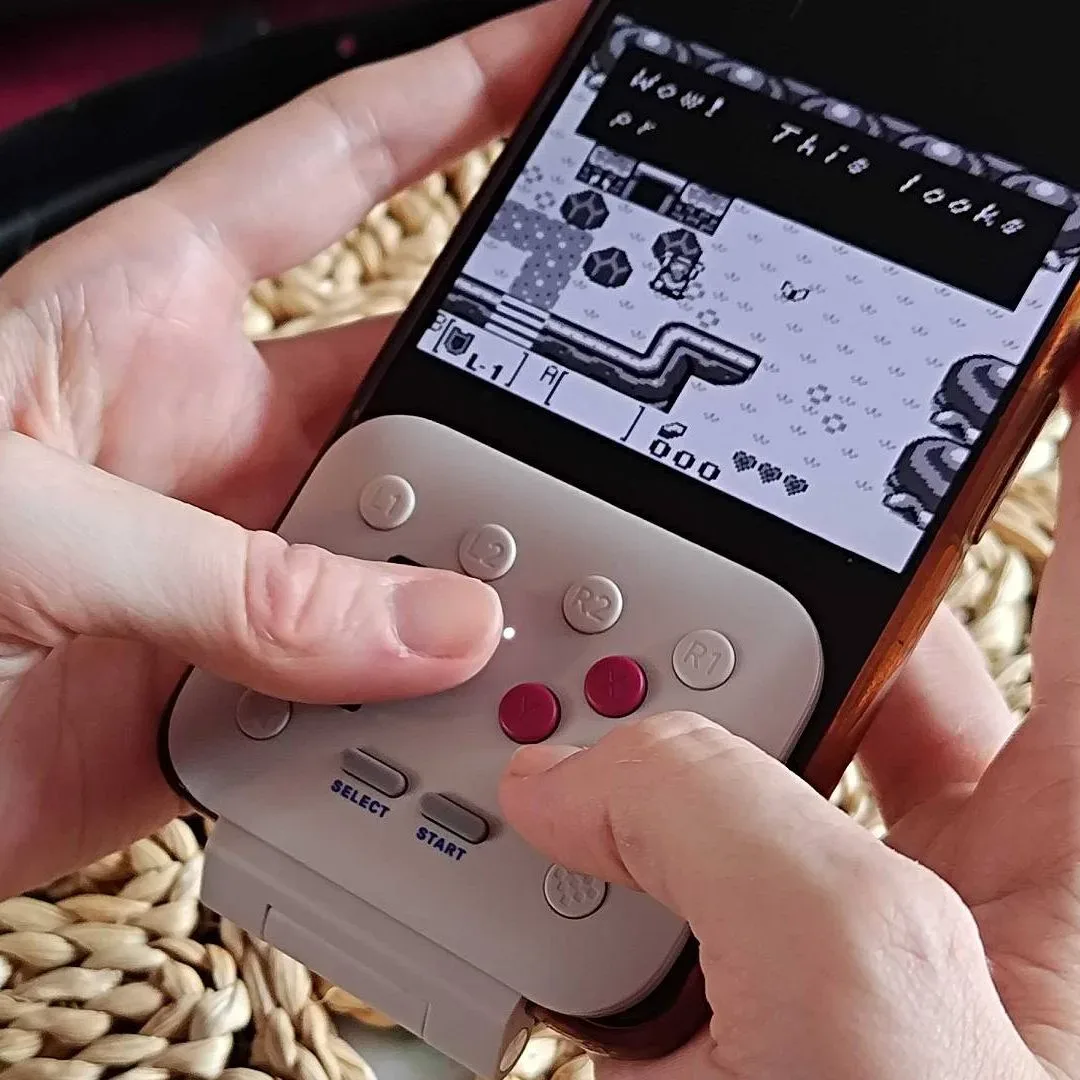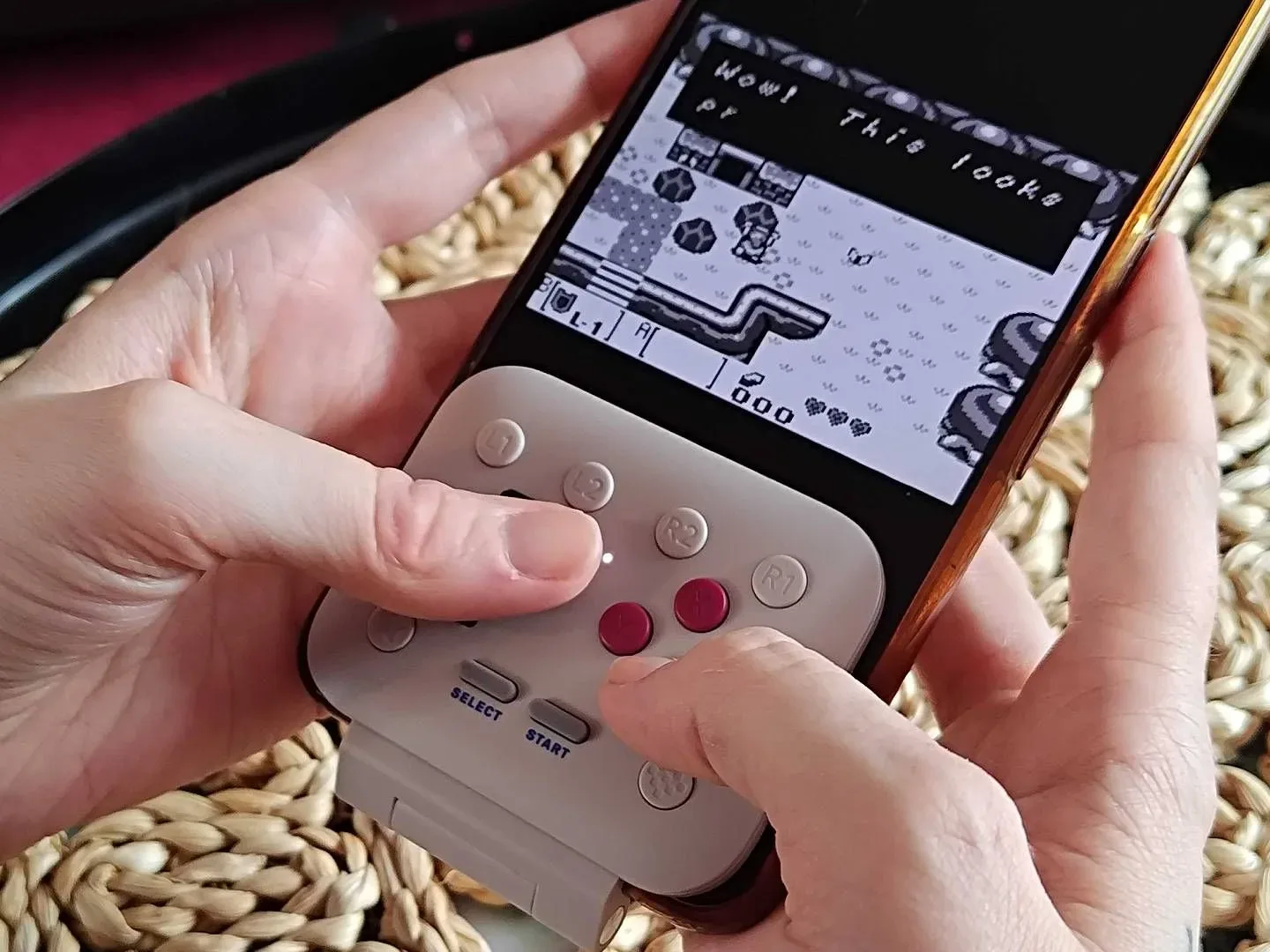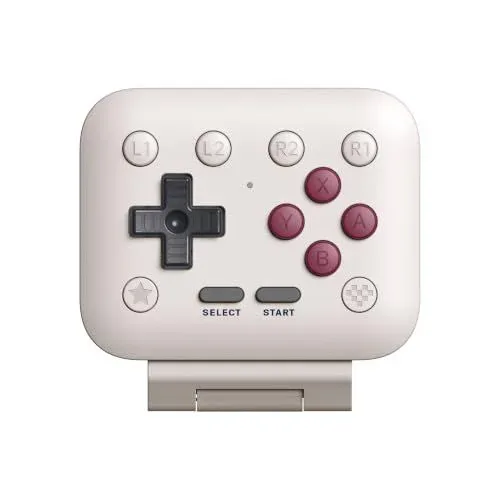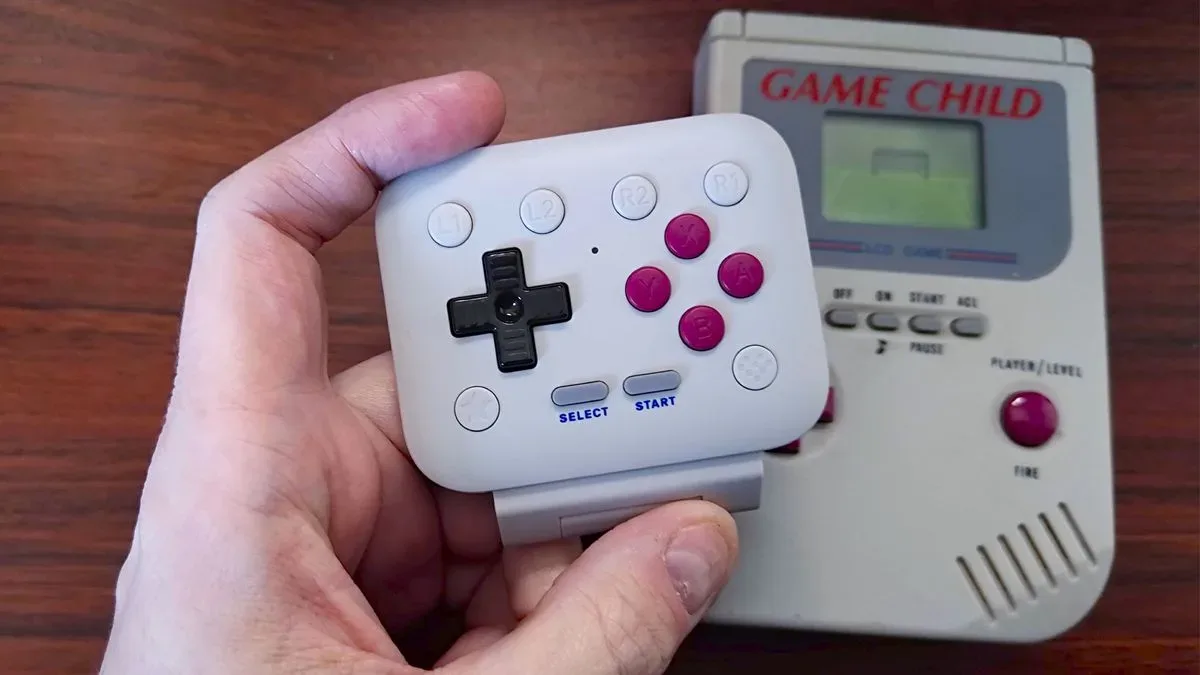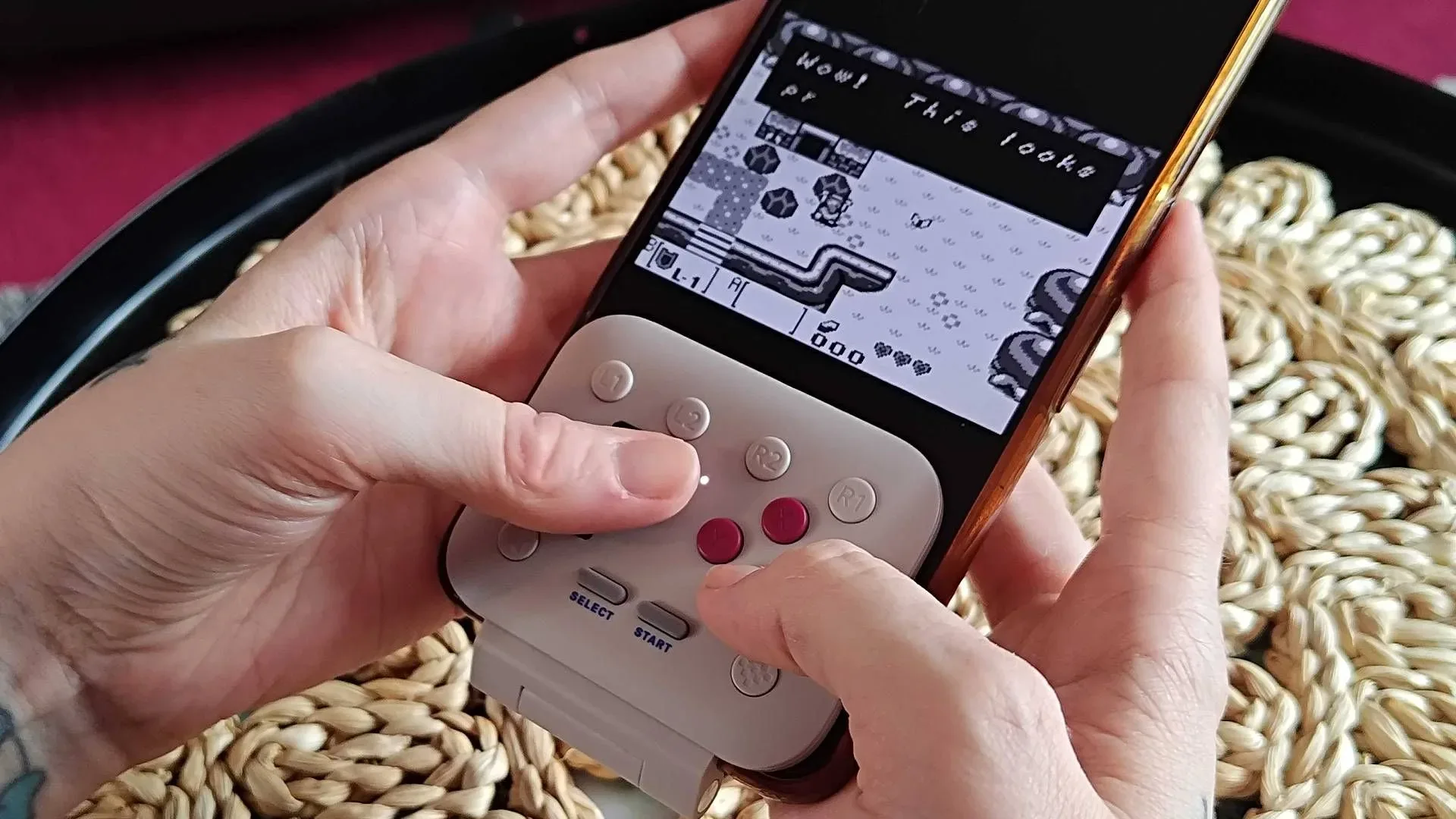
Retro gaming accessories often ask players to make a small but surprisingly consequential choice: do you want your phone to become a handheld for an evening, or do you want it to remain a phone that happens to have game controls attached? The 8Bitdo FlipPad leans firmly toward the second idea. Its hinged control panel is designed to be unobtrusive when it is not in use, while still giving compatible USB-C phones physical controls for Game Boy games and similarly simple retro play.
At its regular $29.99 price, the FlipPad already occupies an interesting place. It is $5 below the usual $34.99 price of the GameSir Pocket Taco, a more substantial competing controller. But the potentially decisive number is closer to $20. With Prime Day set for October 6 and 7, a discount in that range would shift the FlipPad from a niche convenience accessory into an especially approachable purchase for players who want a portable alternative to carrying a separate handheld.
That is still a conditional recommendation, not a blanket one. The FlipPad’s physical design, USB-C connection and button layout create clear strengths, but they also set boundaries around the phones and games it suits best. Its value is less about offering every imaginable feature than reducing the friction between opening a game on a phone and playing it with real buttons.
A controller designed to stay on the phone
The FlipPad’s defining feature is its hinge. Rather than turning a phone into a permanently clamped horizontal handheld, its controls can be folded out of the way. The result is intentionally reminiscent of a flip phone: a small control section appears when wanted, then moves aside when the user needs to get back to ordinary phone tasks.
That distinction matters in day-to-day use. A clip-on controller can provide a more traditional handheld shape, but it must generally be attached, removed and stored whenever the phone is needed for something else. The FlipPad instead prioritizes quick, casual sessions. Someone using a compatible device can leave the accessory attached and deploy its controls when a few minutes of retro gaming becomes appealing.
There is a practical trade-off in that approach. A product optimized for being slim and integrated will not necessarily deliver the grip, inputs or broad device versatility of a larger peripheral. The FlipPad is not trying to be a universal gamepad. It is a compact phone-control solution aimed particularly at Game Boy play, where a directional pad and face buttons cover the central needs of much of the library.
What direct USB-C connection changes
The FlipPad connects directly through USB-C. In simple terms, that means the controller plugs into the phone’s USB-C port rather than pairing wirelessly over Bluetooth. The immediate benefit is that there is no separate controller battery to monitor or recharge. For a travel-friendly accessory, removing one maintenance task is meaningful: if the phone is charged and the controller is attached, there is no second device likely to interrupt a session because it was left uncharged.
It also keeps setup conceptually straightforward. Bluetooth controllers offer useful flexibility, but wireless play means pairing and managing a connection. A direct connection is a more focused arrangement: it is built for the compatible phone in front of you.
Related coverage includes 8Bitdo FlipPad Could Become a Prime Day Bargain for Game Boy Fans.
Of course, the same simplicity produces a limitation. USB-C connectivity is not the same thing as universal compatibility. The FlipPad requires a compatible USB-C device, and its fit is geared toward phones with iPhone-like dimensions and cases up to 2mm thick. Anyone using a notably large handset, a thicker protective case, or a phone outside that general form factor should treat fit as a key question rather than an afterthought.
The $20 question is about fit as much as price
The FlipPad’s $29.99 list price is already lower than the Pocket Taco’s stated usual $34.99 price, but a sale would sharpen the distinction. At around $20, the FlipPad would land in an easier impulse-buy or gift range without requiring buyers to commit to a standalone handheld. That could be particularly attractive to people who are curious about mobile retro play but are unsure how often they will use it.
It is important to separate a plausible sale target from a confirmed deal. A price around $20 is an expectation based on the company’s typical sale behavior, not a guaranteed Prime Day listing. Buyers who only see value at that lower figure should wait for the October 6-7 event rather than assume the reduction will happen. If no suitable discount arrives, Black Friday promotions in November are another possible window to watch.
For those considering a purchase at full price, the better test is not whether $29.99 is objectively cheap. It is whether the FlipPad solves a specific problem. It makes the most sense for someone who already uses a USB-C phone for Game Boy games, wants physical buttons without carrying a larger controller, and prefers controls that can fold away rather than remain clamped across the handset.
- Wait for a deal if a price near $20 is what turns the accessory into a low-risk convenience buy for you.
- Consider the regular price if the hinged design and no-battery USB-C setup address a frequent annoyance in your current phone gaming setup.
- Look elsewhere if you require shoulder buttons, Bluetooth connectivity, a more traditional grip, or support across several devices.
FlipPad versus GameSir Pocket Taco: two answers to the same problem
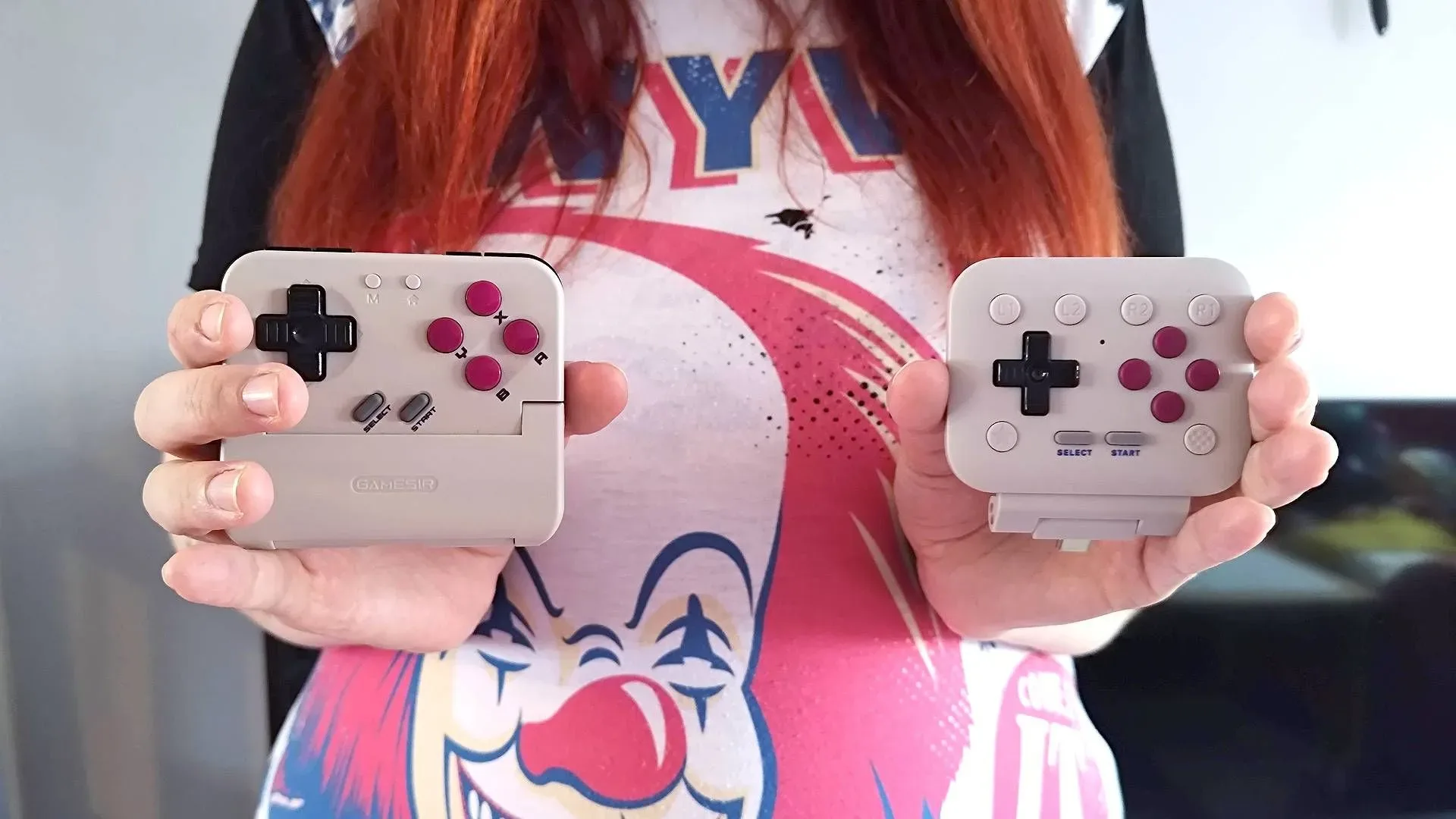
The GameSir Pocket Taco is the clearest comparison because it pursues the same broad purpose from the opposite direction. Instead of a sleek hinged panel, it clamps onto the bottom of a phone and gives it a bulkier, Game Boy-like shape. Its goal is to offer something closer to the feel of holding an original Game Boy-style device while travelling.
The Pocket Taco also brings Bluetooth and shoulder buttons. Bluetooth is significant because it expands the kinds of hardware it can work with, including a Switch and a docked Analogue Pocket. In that setup, it can function as a controller beyond the phone rather than as a phone-specific attachment. Shoulder buttons are equally consequential for software choice: they are needed for Game Boy Advance games that rely on them.
That makes the distinction fairly clean. The FlipPad is the more specialized option: compact, direct-connected and designed around an ordinary phone setup. The Pocket Taco is the more feature-rich and flexible option: bulkier, wireless-capable and better equipped for a broader range of Game Boy-era software and devices.
Neither approach automatically wins. Someone whose priority is a quick game on a phone between other tasks may find the FlipPad’s ability to tuck its controls away more valuable than extra inputs. Someone building a portable setup around Game Boy Advance games, a Switch or an Analogue Pocket will have a stronger reason to value the Pocket Taco’s Bluetooth and shoulder buttons.
Why shoulder buttons are not a minor specification
Controller spec sheets can make extra buttons sound like an incremental bonus. Here, they affect what games are comfortably supported. The supplied comparison specifically identifies Game Boy Advance titles that use shoulder buttons, so a controller without them is not simply less complete on paper; it may be a weaker fit for part of that library.
For players focused on original Game Boy games, that issue may matter far less. For players who expect one accessory to cover Game Boy, Game Boy Color and Game Boy Advance habits, it is a crucial purchasing filter. This is why the apparently simple decision between two small controllers should begin with the games a buyer actually plans to play.
Feel, materials and the appeal of a smaller compromise
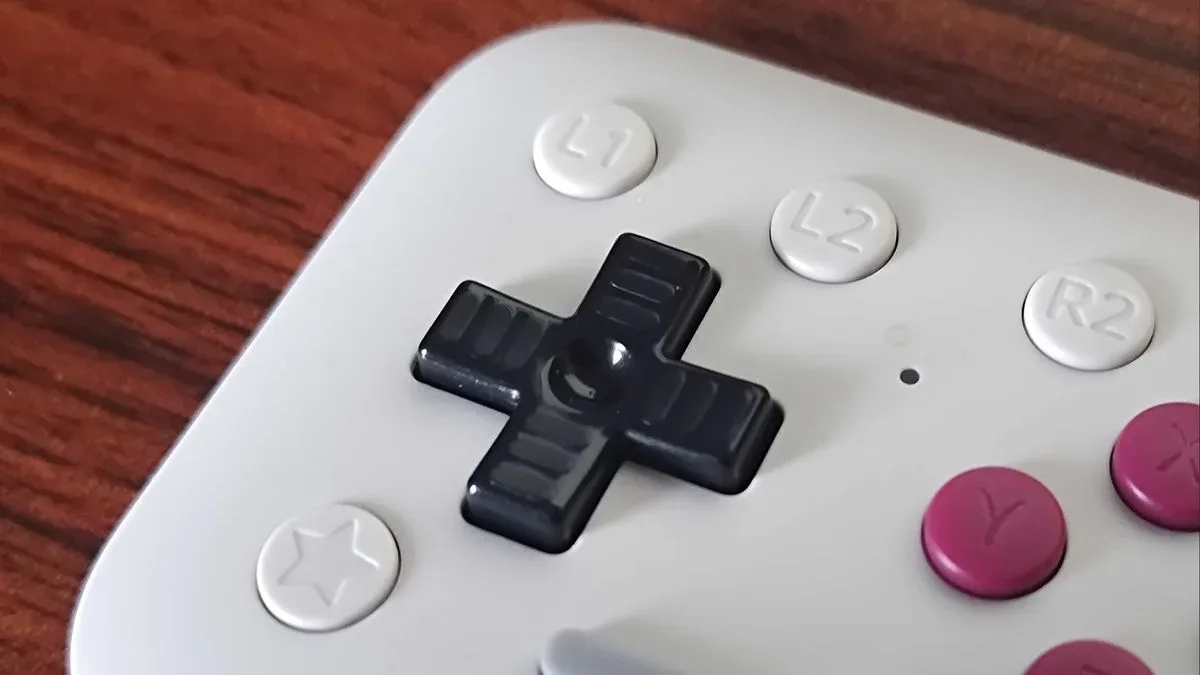
Input feel may be the FlipPad’s most persuasive advantage. Its dome buttons are described as clicky, and the overall construction feels solid. “Dome buttons” refers to buttons that use a flexible domed contact beneath the cap; the feel generally includes a distinct press and return. For quick retro sessions, a crisp, consistent button response can matter more than elaborate features because it is the sensation the player encounters every time they move or select something.
The Pocket Taco is characterized as feeling cheaper by comparison, though it more directly evokes the plastics of the original Game Boy and offers the broader feature set. That gives it a different sort of appeal. Its design leans into authenticity of shape and material character, whereas the FlipPad emphasizes a modern, slimmer add-on that does not ask the phone to pretend it has become a dedicated handheld full-time.
There is no need to force a winner between those design philosophies. Physical nostalgia is valuable to some players; minimal intrusion is valuable to others. The sensible takeaway is that a controller’s “retro” credentials are not solely about looking like older hardware. They can also be about making a familiar library easy to access in contemporary routines.
A practical buying checklist
Before treating a potential Prime Day discount as an automatic checkout signal, prospective buyers should narrow down four basics:
- Confirm the phone setup. The FlipPad needs a compatible USB-C device and is best suited to iPhone-like handset dimensions with a case no thicker than 2mm.
- Identify the intended library. It is positioned for Game Boy gaming, while games that depend on Game Boy Advance shoulder buttons point toward a controller that includes those inputs.
- Decide whether Bluetooth matters. The FlipPad’s direct USB-C design avoids a separate controller battery, but the Pocket Taco’s Bluetooth supports use with devices beyond a phone.
- Choose between unobtrusive design and a fuller grip. The FlipPad folds away; the Pocket Taco attaches at the bottom and embraces a chunkier handheld form.
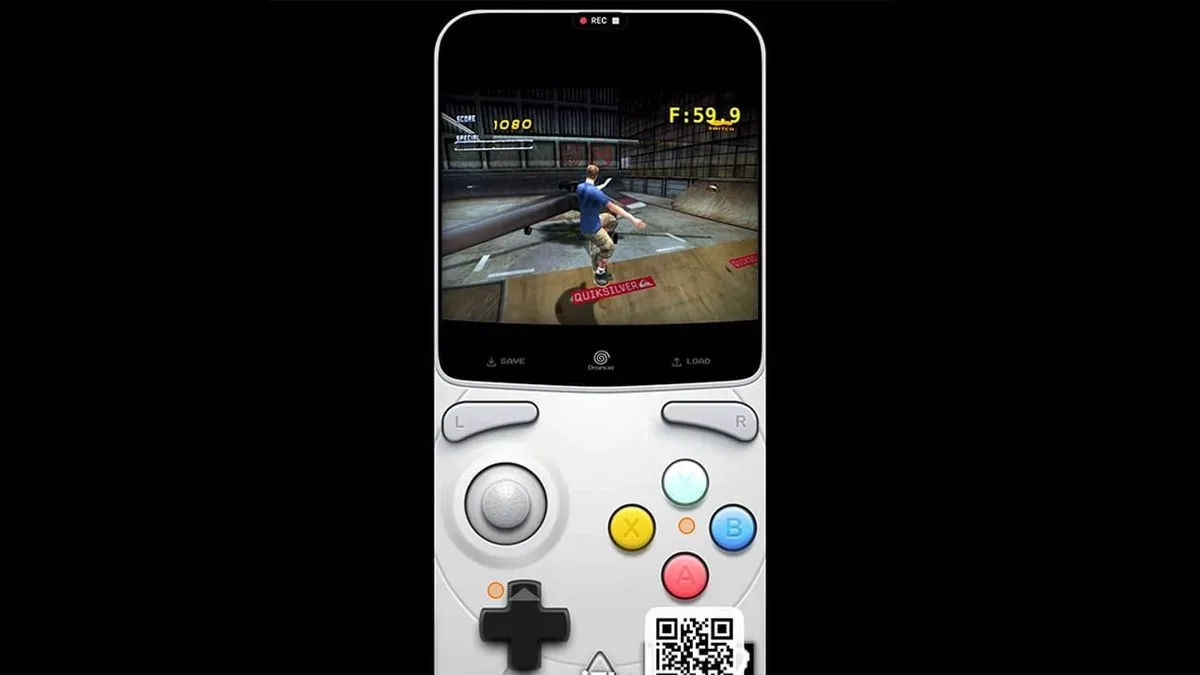
Mobile emulation and retro play can take many forms, and the phone itself is increasingly part of that conversation. For another look at how retro software is reaching Apple hardware, see our coverage of JIT-free Dreamcast emulation testing on iPhone and Apple TV.
The FlipPad’s potential sale appeal comes down to a focused promise: physical controls for compatible USB-C phones without a separate battery, a large clamp or a controller that has to dominate the device all day. If it reaches roughly $20 during Prime Day, that promise becomes substantially more compelling. If it stays at $29.99, it remains a thoughtful fit for a specific kind of player—one who values a neat hinge, clicky buttons and immediate Game Boy sessions more than all-purpose controller flexibility.
Shop the products
Check current price, model and availability at the retailer.