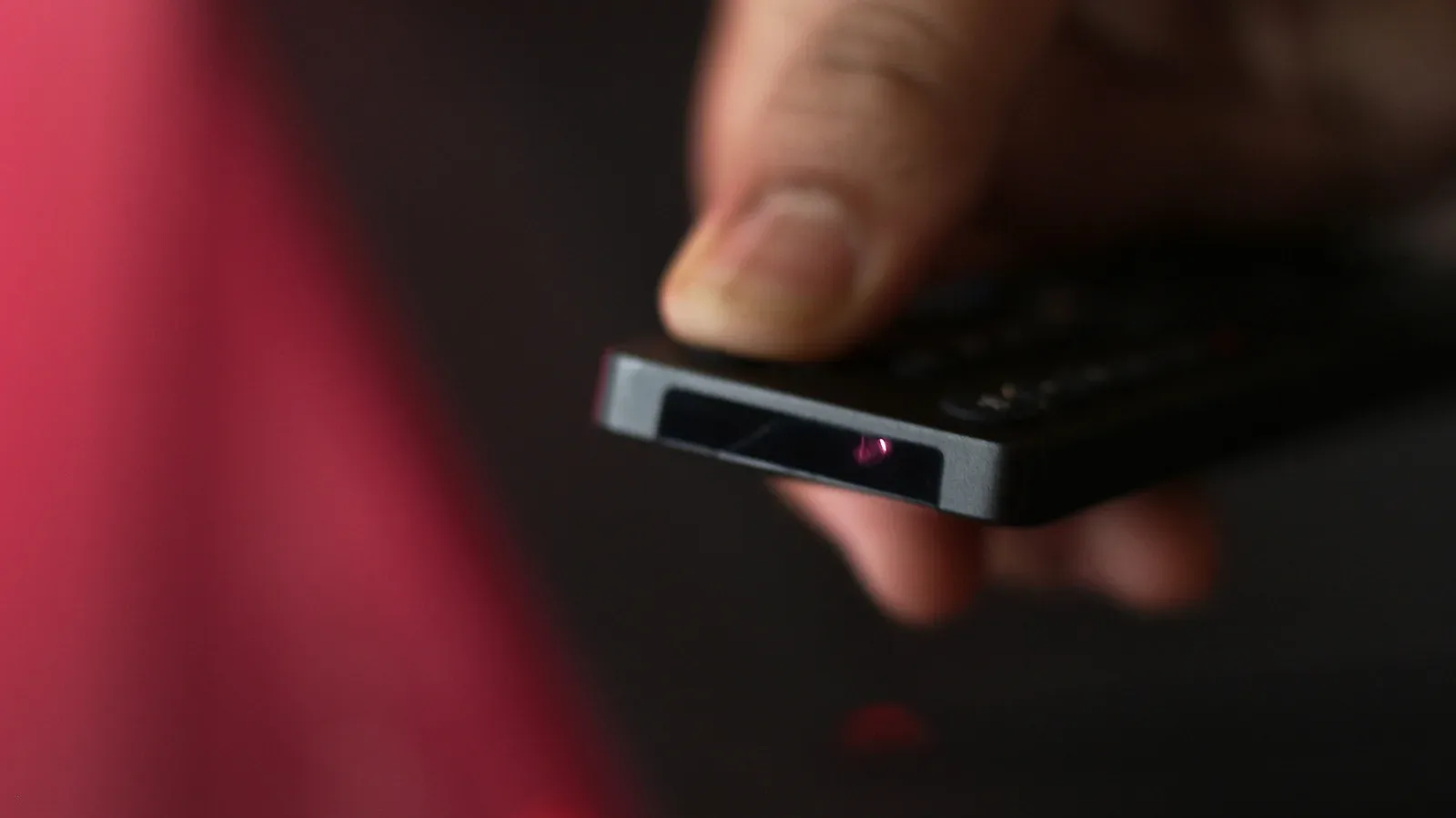
When a television remote appears to have quit in the middle of a menu, a phone can provide a surprisingly helpful first clue. Its camera may be able to show the infrared signal a conventional remote sends—light that is ordinarily invisible to the human eye.
The test is straightforward: open the Camera app, aim the phone at the front end of the remote, then hold down a button while watching the camera preview. A flashing point of light, often with a faint purple cast on screen, indicates that the remote’s infrared emitter is producing a signal. The power button is a sensible place to start because it is commonly handled by infrared even on remotes that use Bluetooth for other functions.
That is a handy bit of domestic troubleshooting, particularly when the choice otherwise seems to be between immediately replacing batteries and assuming the television is at fault. But it matters what the test does—and does not—establish. It can show that an infrared command is being emitted. It cannot, by itself, identify every possible cause of a remote-control failure.
Why the camera sees a light your eyes cannot
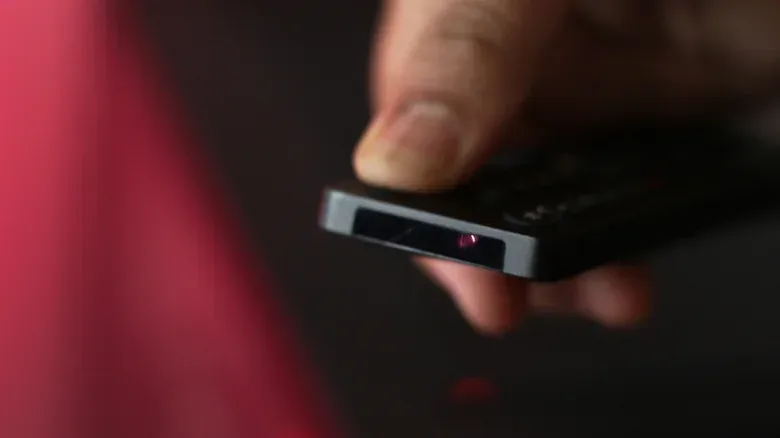
Infrared, often shortened to IR, is light outside the range people can see. Many TV remotes use an IR LED—an LED is a light-emitting diode—at the front of the handset to send button presses to the television. It may look like a small component at the remote’s tip, or it may sit behind a dark plastic window designed to conceal it.
A phone camera’s image sensor can register this infrared output and render it in the preview, despite the fact that the actual light is not visible to the viewer standing in front of the remote. The on-screen flash is therefore a useful translation of an otherwise hidden action: the remote is attempting to transmit.
The process has no special mode or dedicated accessory:
- Launch the phone’s regular Camera app.
- Point the camera at the remote’s front edge, where its emitter is located.
- Press and hold a button while looking at the phone display.
- Look for a pulsing or flashing light at the emitter position.
Holding the button makes the visual cue easier to catch than a very brief tap. If a flash appears, the remote is sending an IR signal. In practical terms, that suggests the batteries still have enough charge for that transmission.
What the result can tell you
The test is most valuable as a quick branching point rather than a definitive verdict. A visible flash narrows the immediate question: the remote is not simply inert at the moment that button is pressed. If the TV still ignores it, the issue may lie elsewhere than a complete absence of infrared output.
No flash is also useful information, but it needs careful interpretation. Weak or depleted batteries are one possible explanation. So is a button that is damaged or otherwise fails to register a press. In that latter case, the batteries could be functional while the affected control never triggers the emitter. A single no-flash result should not be treated as proof of battery failure.
A practical comparison can help keep the conclusion appropriately narrow. Try the power button, then another basic control. If one produces a visible pulse and another does not, that difference may say more about how those individual commands are delivered than it does about battery charge. If neither produces an apparent IR flash, the phone-camera check has identified a reason to investigate the batteries or the remote’s controls further, but it has not distinguished between those two possibilities.
IR and Bluetooth remotes can work differently
Not every button on every current remote necessarily uses the same connection. Bluetooth remotes can support features such as voice control, while basic operations—including turning a TV on or off—may still use the infrared emitter. That mixed arrangement explains why the power control is a worthwhile initial test.
The camera method can also offer a clue about which buttons use IR. Press a volume key, for example, while watching the emitter through the phone. If no flash appears for that command while another button does flash, the volume command may be using Bluetooth instead. The absence of light in this case does not automatically mean anything is broken; it can simply reflect a different wireless method.
Bluetooth is a short-range wireless connection that does not depend on the same line-of-sight light signal as IR. Infrared, by contrast, is emitted from the front of the remote toward the TV. This distinction is why an IR visual test is informative for some remote actions but not necessarily all of them.
It also puts the trick’s limits into perspective. The phone camera is observing the IR LED, not assessing the television’s response, the condition of every button, or the state of a Bluetooth connection. It is a small diagnostic tool, not a universal remote-control health check.
When a phone can replace the remote
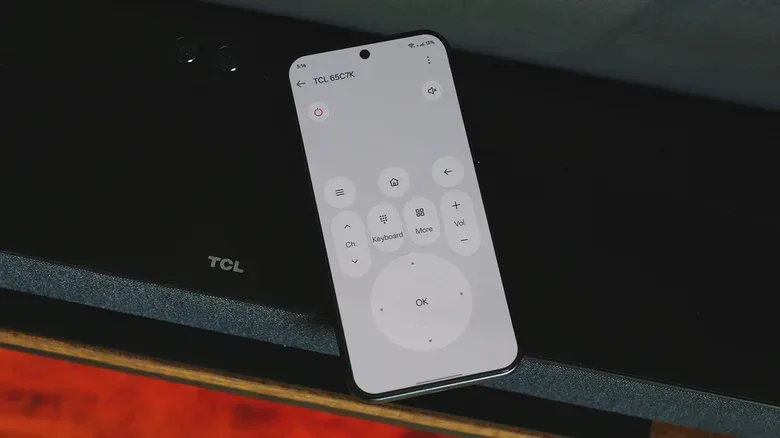
A phone may also be an alternative control device, depending on the handset and television. Some Android phones include an IR blaster, which is hardware capable of transmitting infrared. With an IR remote app, a phone with that component can be configured as a virtual TV remote.
Smart-TV platforms offer another route that does not require the phone to have an IR emitter. Android TV and Fire OS can allow a smartphone to act as a remote over the local network. In this setup, both devices need to be connected to the same Wi-Fi network, and the phone generally needs the relevant companion app and the same account used by the TV.
For Google TV and Android TV sets, Google Home can provide remote functions. Those include D-pad navigation, volume adjustment and text entry through the phone keyboard. Typing a film title on a touchscreen keyboard can be appreciably more convenient than stepping through an on-screen keyboard one character at a time with a physical remote.
There is one important practical wrinkle: a network-based virtual remote may not wake a TV that is fully unavailable to the network. If it cannot turn the set on, look for the television’s network standby setting. Some models label this option Wake-on-LAN. Enabling it can allow the set to be reached while in standby, making the phone more useful as a replacement when the physical remote has missing batteries or is misplaced.
A sensible troubleshooting order
For an unresponsive remote, the lowest-effort path is to check the IR emitter with a phone camera before drawing broad conclusions. Test the power button first, recognize that a visible light means the remote is transmitting infrared, and remember that a missing flash can point to either batteries, an unregistered button, or a button that communicates by Bluetooth.
From there, a phone-based remote is a practical backup if the television supports one. The two approaches solve different problems: the camera preview helps reveal an invisible IR signal, while a companion app can restore day-to-day navigation without relying on the physical handset. For related screen troubleshooting, see our guide on why a monitor flickers at startup and how to troubleshoot it before replacing the screen.
The enduring value of the camera trick is its restraint. It turns a vague “the remote doesn’t work” problem into a more specific observation without claiming to solve every fault. Sometimes the answer will indeed be fresh batteries. Other times, it will be a button, a Bluetooth function, a TV setting, or a network standby option. Seeing that small purple pulse is simply the first useful piece of evidence.