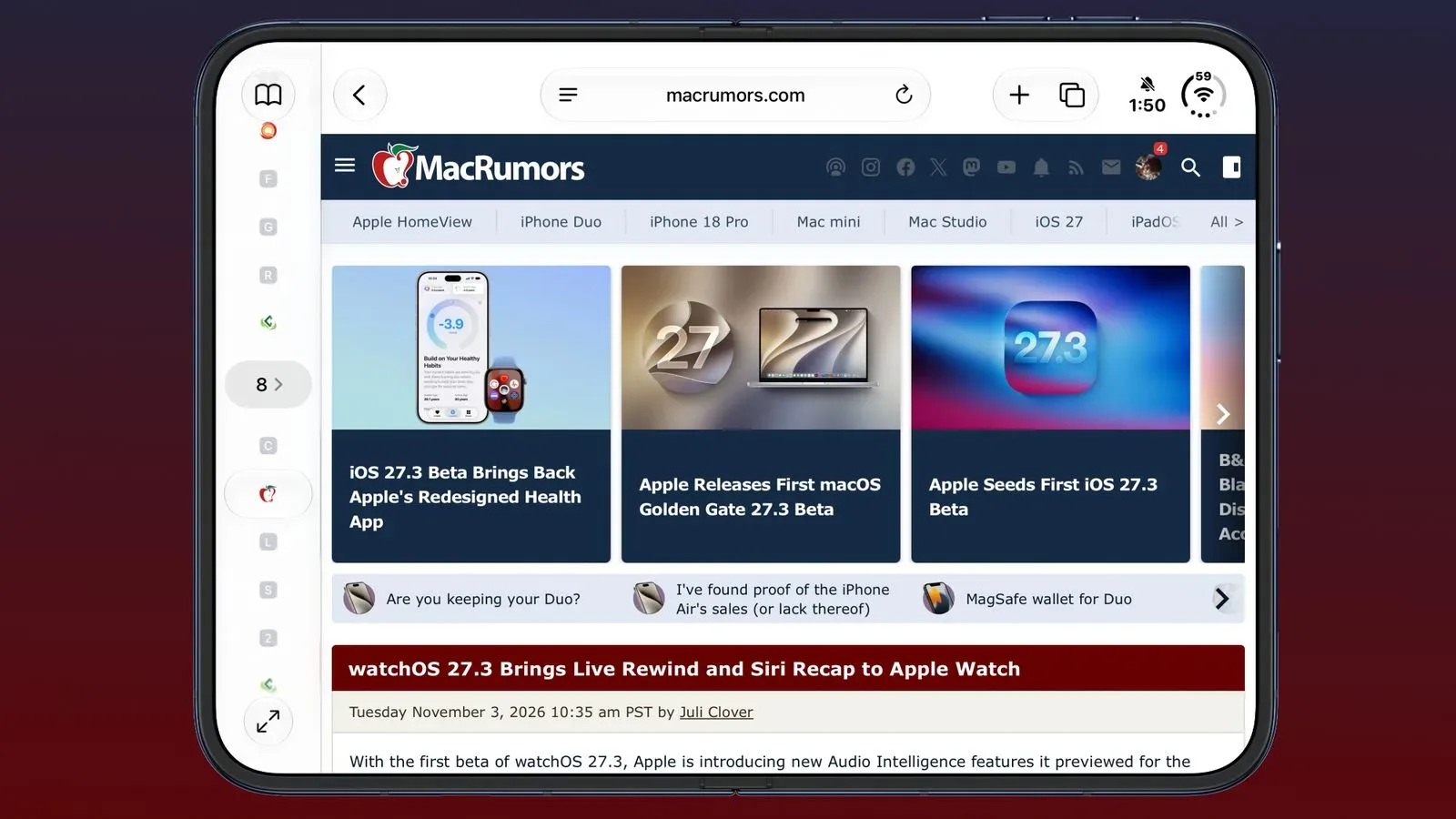
Safari is set for a more substantial organizational and visual refresh in iOS 27.3, iPadOS 27.3 and macOS Golden Gate 27.3. The update introduces an optional Vertical Tabs layout, an Adaptive Dark Mode intended for websites without their own dark presentation, and expanded Siri actions for managing browser clutter.
The changes are currently available to developers in the latest betas, with the three operating-system updates planned for December following further beta testing. Not every component is arriving at once: Apple says a broader Siri webpage-awareness capability is coming later and is not included in the first beta. The Siri functions also require an Apple Intelligence-capable device.
None of this changes the central job of a browser: opening an alarming number of tabs, promising to return to them, and eventually treating the tab bar as a small archaeological site. But the additions are notable because they address that behavior from several directions. Vertical Tabs make a large tab collection easier to scan, Adaptive Dark Mode addresses bright pages in an otherwise dark interface, and Siri is gaining tools to sort or clear the pile.
Vertical Tabs move browser navigation to the side
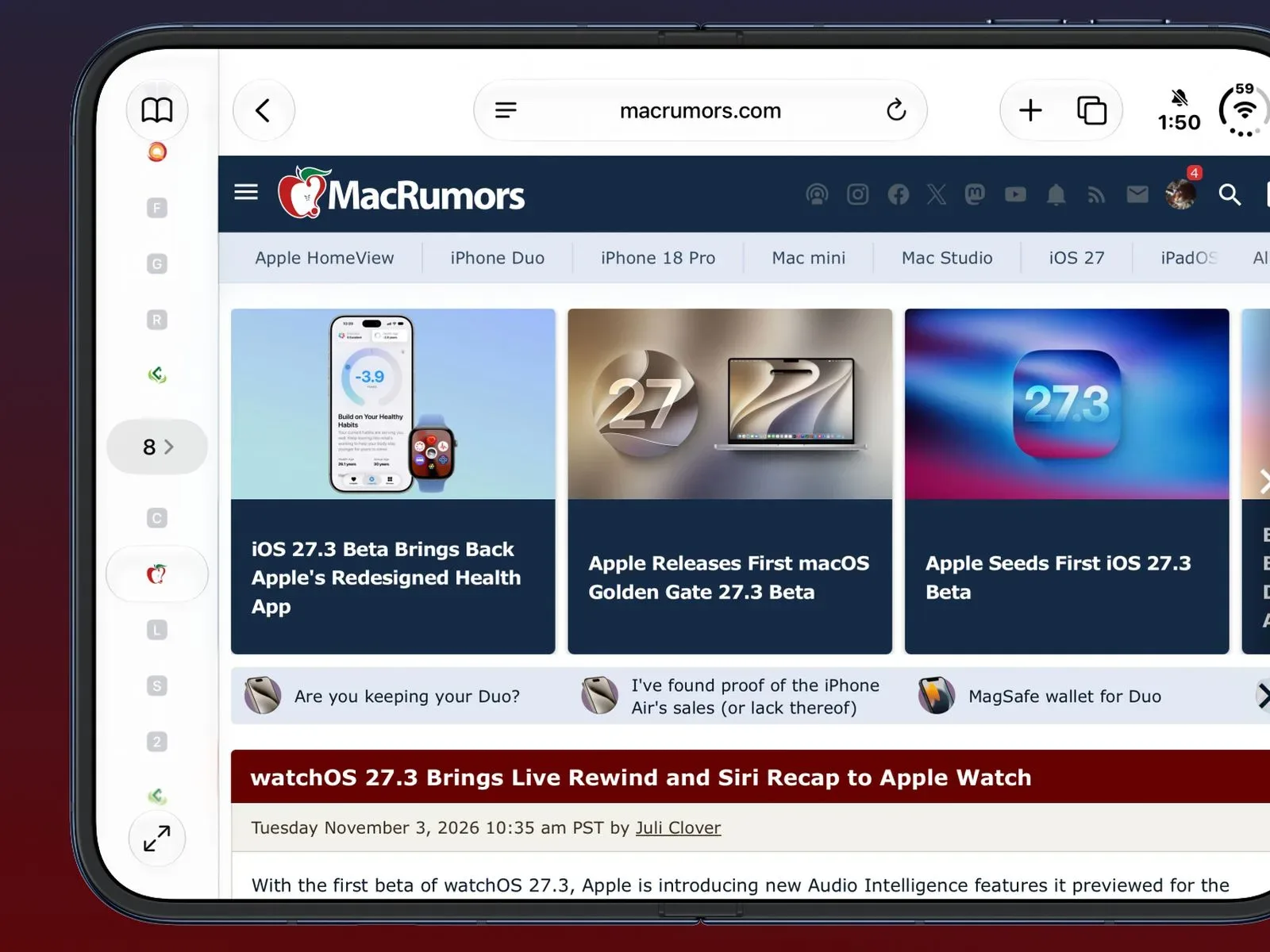
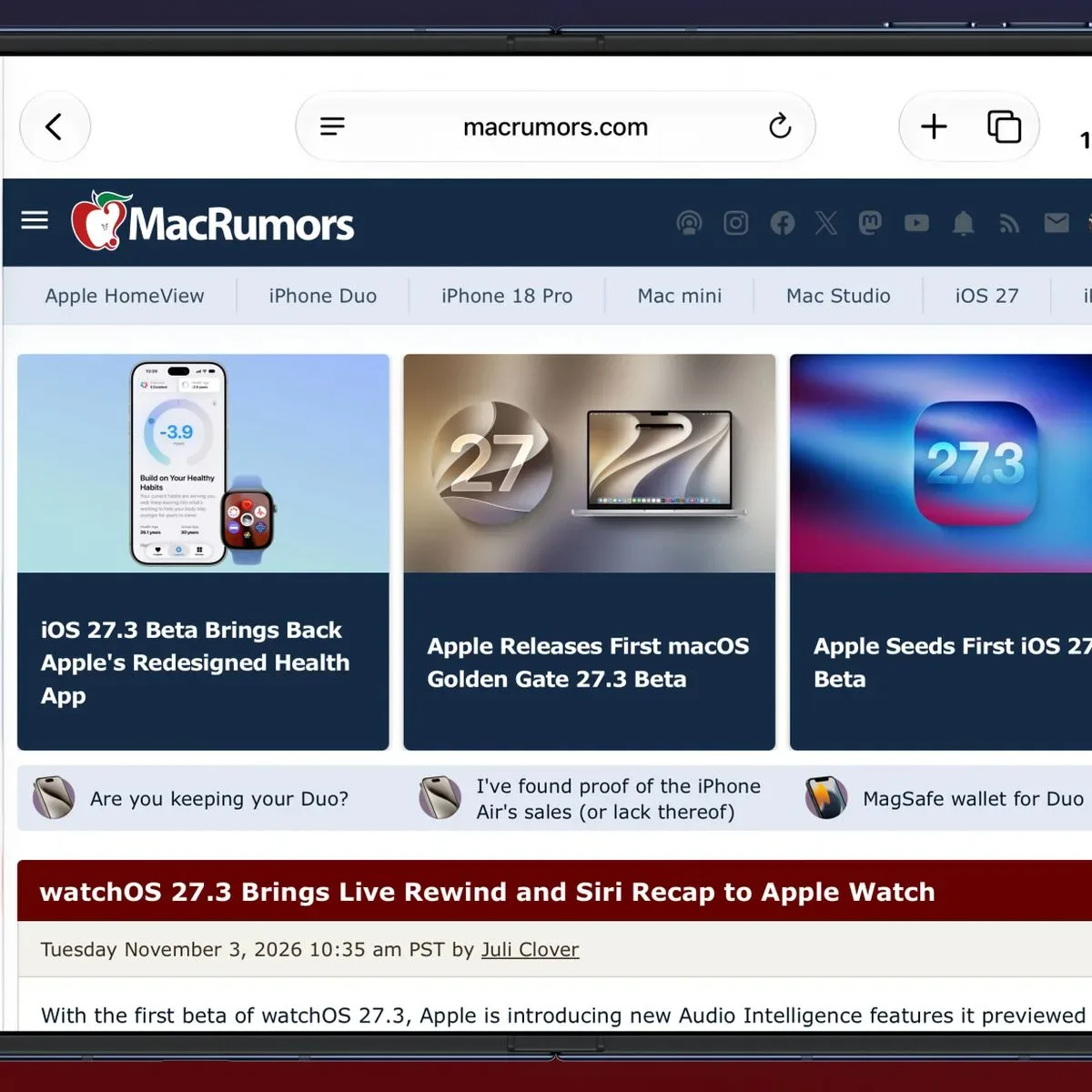
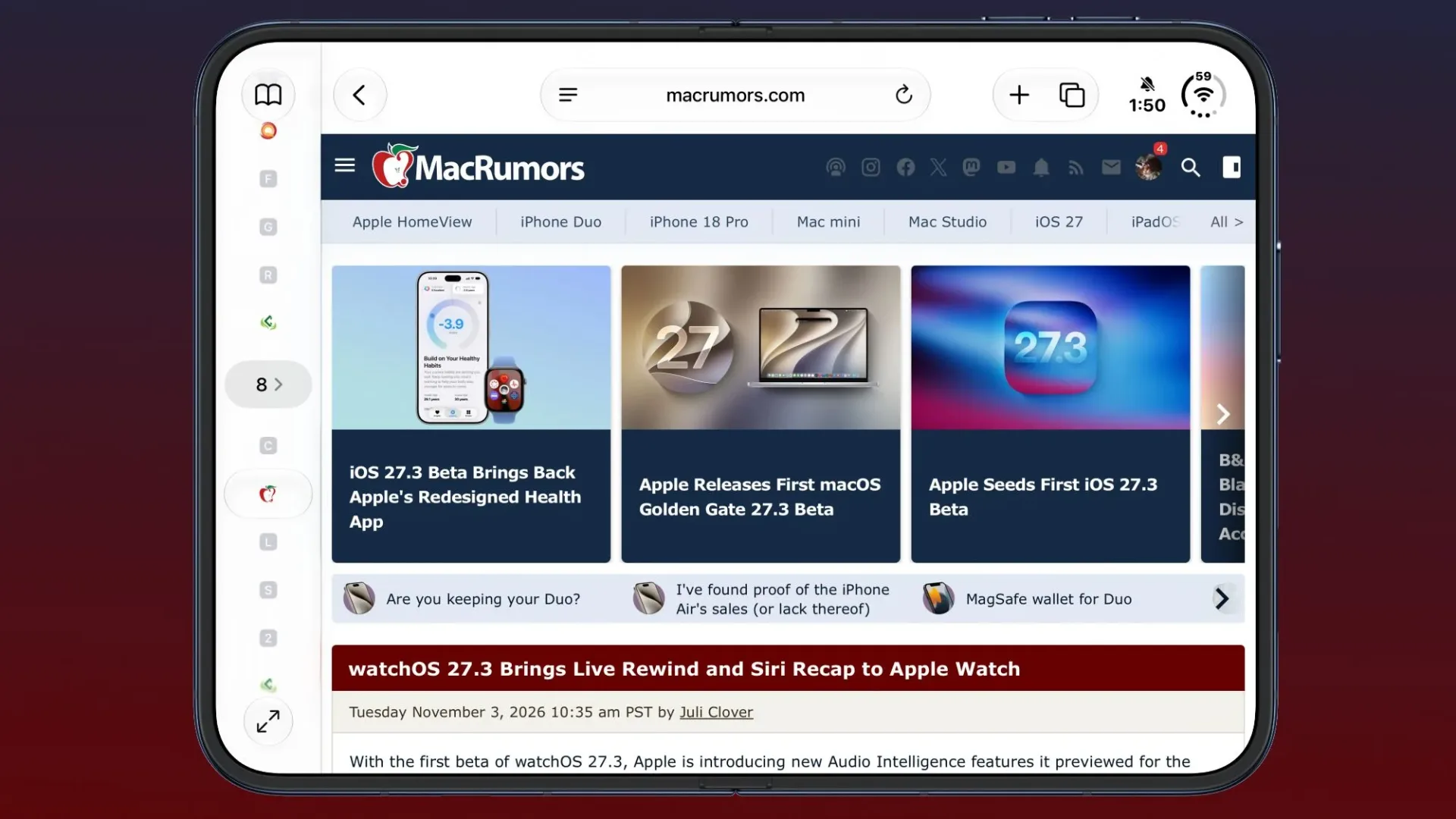
Safari’s new Vertical Tabs option places open tabs in a column on the left side of the display rather than across the top in the conventional horizontal strip. It will be available on iPhone, iPad and Mac, including on the larger display of the iPhone Duo.
By default, the vertical layout uses icons in an effort to conserve screen space. Users can widen the sidebar when they want to see website titles as well. That distinction matters in practice. Icons can keep the interface compact, particularly when someone is focused on a short list of familiar sites. Page titles are more useful when several pages from the same site are open, or when tab names carry the information that separates one search, product page or guide from another.
On Mac and iPad, the setting can be enabled through Safari’s View menu. It is also available through Safari settings. The horizontal arrangement remains an option; Vertical Tabs is a layout choice, not a mandatory redesign.
How it works with Topics and Tab Groups
The sidebar is designed to work alongside Safari’s existing ways of grouping pages. Tab Groups are user-managed collections of tabs, while Topics are created when automatic Apple Intelligence tab sorting is enabled in iOS 27. In other words, Tab Groups are a deliberate container users can name and move between, while Topics are part of an automated sorting system.
Vertical Tabs retains the related mechanics already available in Safari. Tabs can still be pinned by dragging them, users can move quickly between Tab Groups, and organization features remain in place. The practical appeal is less about changing what a tab is than making an expanded tab list more legible.
That could be particularly useful for people who keep separate browsing sessions alive for different tasks: research in one group, shopping comparisons in another, and a set of entertainment or reference pages in a third. A horizontal row is naturally constrained by the width of the screen. A side column has a different trade-off, using some of the page’s horizontal room in exchange for a longer, potentially clearer tab list.
For gaming audiences, it can also make a multi-tab research session less chaotic: a build reference, patch notes, a wiki entry, a storefront page and a community discussion can remain visible as distinct destinations rather than collapsing into a nearly identical run of small favicons. Organization is not the same as automatically validating what is on those pages, of course, but it can make it easier to keep track of where information came from.
Adaptive Dark Mode is Safari’s answer to bright websites
The other visible change is Adaptive Dark Mode. When a person is already using Dark Mode and visits a site with a bright background but no built-in dark design, Safari can present a Try option for an adapted version of that page.
Adaptive Dark Mode does more than simply turn a white background dark. Safari may darken the page background, alter text contrast, invert logos and graphics, recolor vector artwork, lift raised surfaces and rebalance layered shadows. A vector graphic is artwork made from mathematical shapes and paths rather than a fixed grid of pixels; recoloring it can help an interface remain coherent after the rest of a page shifts toward darker tones.
The word “adaptive” is important. Apple says Safari will tailor changes according to what a particular page needs for readability, meaning every listed adjustment will not necessarily be used on every site. That approach recognizes a familiar difficulty with automatic darkening: a blunt inversion can make logos look wrong, produce awkward contrast, or make visual hierarchy harder rather than easier to follow.
After trying the feature, users can choose to enable it for all compatible sites or set it on a site-by-site basis. This provides a meaningful control point. A browser-level treatment may be welcome for a text-heavy page at night but less desirable for a site whose colors, artwork or carefully designed interface are important to the experience.
When Safari will leave pages alone
Adaptive Dark Mode will not activate on sites that already offer a native dark mode or are already using a dark design. That is a sensible boundary: a publisher or developer’s own dark theme can account for its branding, assets and interactive components in ways a browser’s adaptation may not fully anticipate.
Website developers can also add a tag instructing Safari to ignore Adaptive Dark Mode and show the page as intended. In technical terms, a tag is markup that communicates information to the browser. Here, it gives developers an opt-out from Safari’s automatic appearance adjustment.
The result is a feature built around user choice, but with a developer safeguard. Whether that balance works smoothly will depend on how individual sites respond to the beta software and the refinements made before release. Apple has not presented Adaptive Dark Mode as a replacement for native dark-mode design; it is specifically meant for sites that lack that option.
Siri will manage tabs, windows and history
Safari’s workflow changes extend to Siri. New AI actions allow Siri to sort, move and close tabs and windows, as well as arrange tabs into Tab Groups. Siri can also control web history. Users will be able to request that browsing history be cleared for a particular website and a chosen period, with “the last 10 days” given as an example.
Those tasks sound ordinary, which is arguably the point. Browser maintenance is often a sequence of small, repetitive actions: identify the stale tabs, close the duplicates, move the useful pages into a named group and remove a site from history when it no longer needs to be retained. Voice-driven or assistant-driven controls could reduce the number of steps involved, provided users are comfortable delegating those changes and make requests precise enough to get the intended result.
There is a clear difference between rearranging tabs and deleting history. Sorting or grouping is reversible in a way that history clearing may not be. The availability of a site-specific and time-specific request gives users more granularity than an all-or-nothing history wipe, but it also makes it important to specify the site and timeframe carefully.
These additions arrive alongside broader iOS 27.3 Siri commands for apps. Readers looking at the wider set of assistant changes can find more in this overview of Siri’s new iOS 27.3 app commands.
A future Siri feature aims to understand entire webpages
Apple is also planning a more ambitious Safari capability for Siri, though it is not part of the first beta. Siri can already see content currently on screen. The forthcoming feature is intended to let it understand the full content of webpages, including material that is not in view and pages in inactive tabs.
The stated example is shopping: with multiple tabs open for an item, Siri could sort those pages by price or provide information about the product under consideration. If implemented as described, this changes the assistant’s role from acting on browser containers—tabs, groups and windows—to working with the information inside them.
That distinction is important. A tab is simply a browser workspace; the webpage content is the material the user is actually trying to compare, summarize or locate. Understanding information across inactive tabs could be useful for a crowded research session, but it is also a more consequential level of browser assistance than closing a window or creating a group. Apple has said the feature is coming, rather than saying it is active in the initial iOS 27.3 beta, so its eventual behavior and timing remain to be seen.
What Safari users should expect from 27.3
The immediate version of Safari in these betas is centered on options rather than a forced new browsing model. Users who prefer a traditional top tab bar can keep it. Those who want a darker treatment on bright sites can try Adaptive Dark Mode and decide whether to apply it broadly or selectively. And people with supported Apple Intelligence hardware can use Siri for more direct browser housekeeping.
The larger theme is control over the browser’s two most persistent annoyances: too many tabs and pages that clash with a system-wide dark interface. Vertical Tabs creates more room to navigate an open-tab backlog, while Adaptive Dark Mode attempts to make incompatible page designs less jarring without overriding sites that have already solved the issue themselves.
Because the software remains in beta, users should treat the December launch window and feature set as plans subject to the remaining testing process. The facts to watch are straightforward: whether the layout feels equally useful across iPhone, iPad and Mac; how accurately Adaptive Dark Mode preserves readability and site visuals; and when Siri’s full-page, cross-tab understanding arrives beyond the first beta.