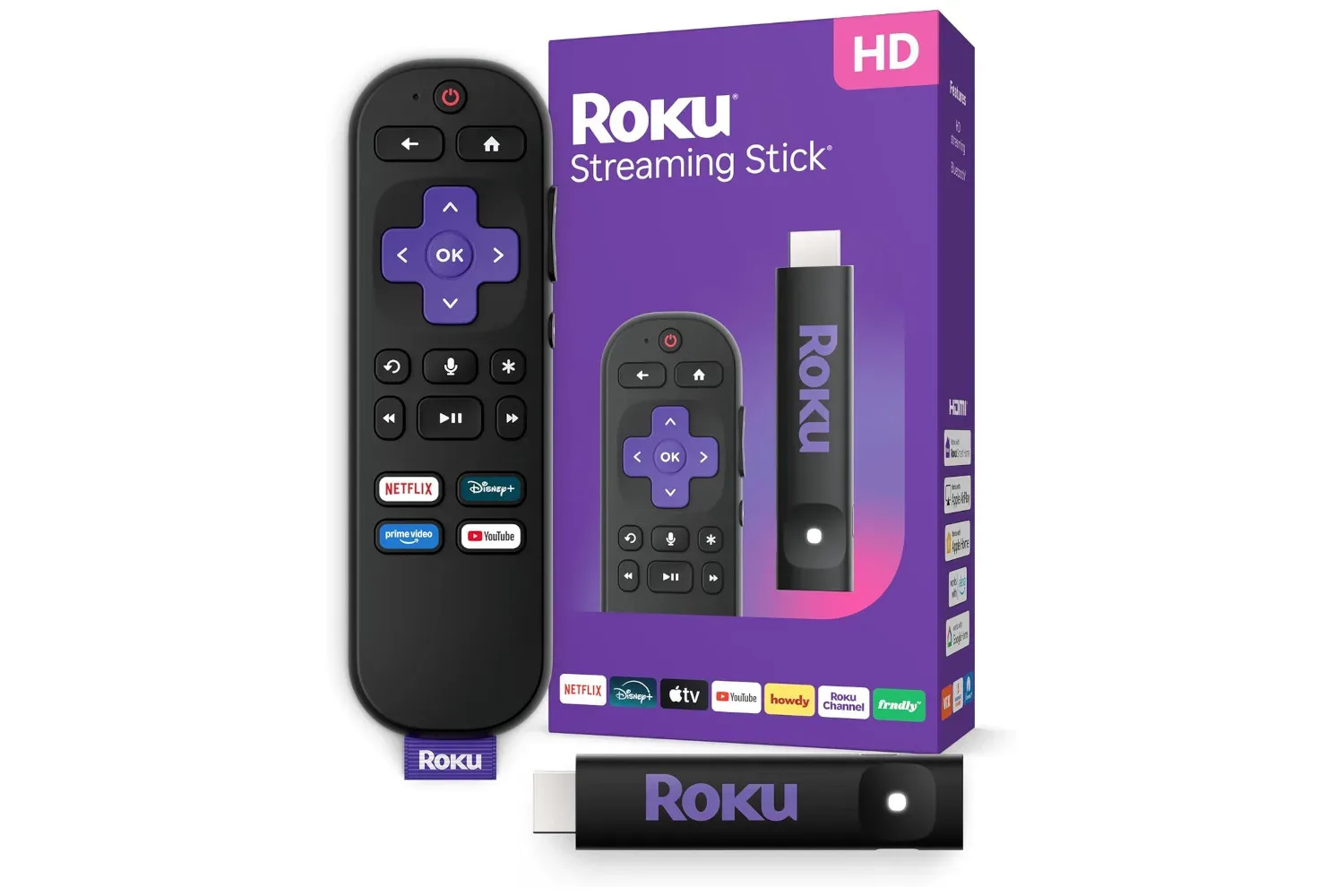
A Roku Streaming Stick HD is listed at $20, a reduction from its stated $40 price. That is a 50% discount on a device intended to plug into a television and provide a dedicated streaming interface, app access, free live channels, Wi-Fi connectivity and voice control through its remote.
The central appeal is not that every television needs another screen interface. Many newer sets already include streaming apps. Instead, a low-cost stick can make sense where an older TV’s built-in software has become slow or where its app selection no longer meets a household’s needs. At $20, it is potentially a less expensive way to update that experience than replacing an otherwise serviceable television.
What the $20 Roku Streaming Stick HD deal includes
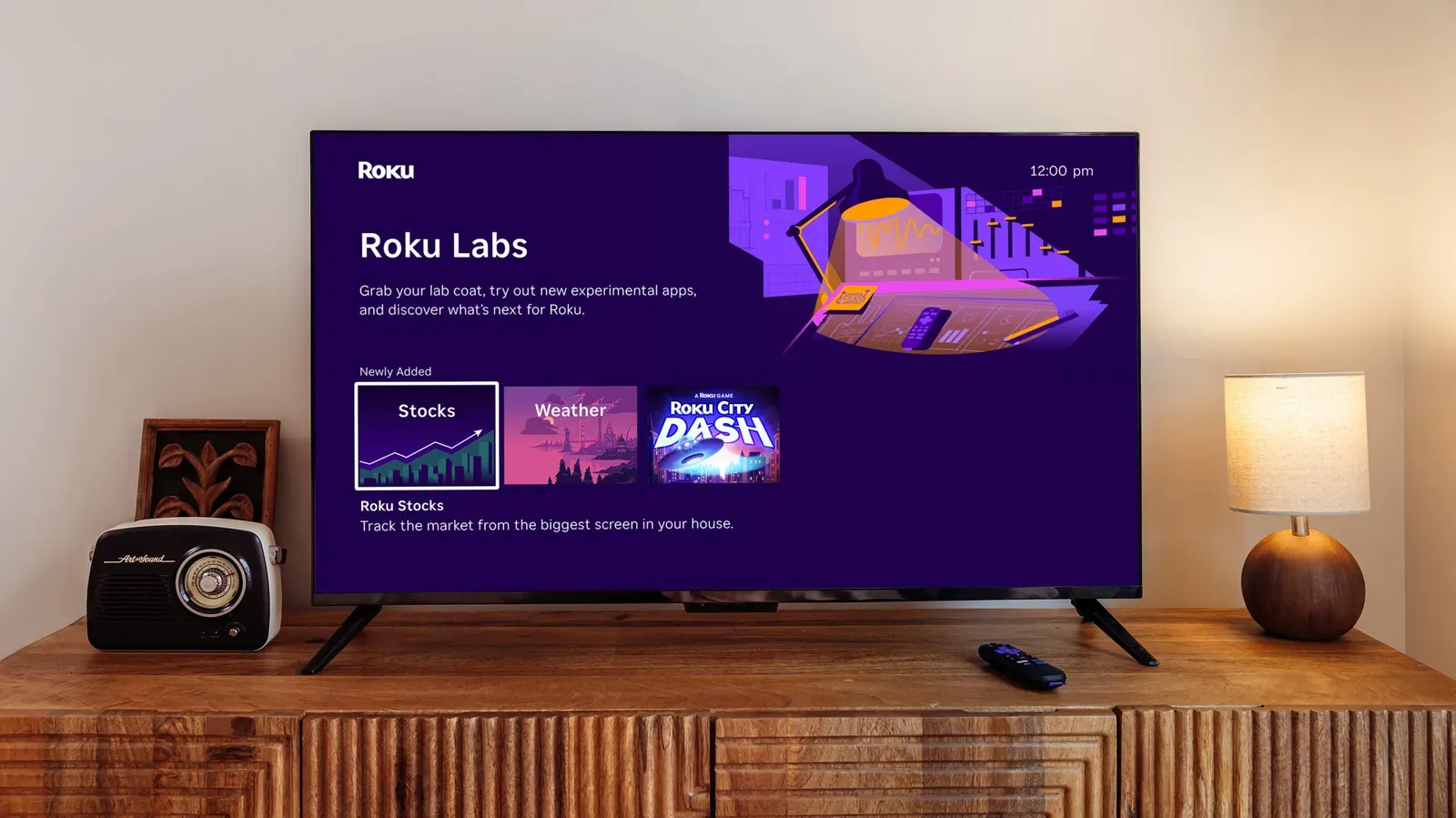
The Roku Streaming Stick HD is a compact device that connects to a TV and acts as the place from which viewers find and open streaming services. After it is connected, users can choose and download services from Roku’s app library. The device also includes access to free live channels, providing an option when a viewer does not want to select a particular film or series.
Its listed price has fallen from $40 to $20. That is the entire value proposition in unusually clear terms: this is already positioned as an affordable way to add streaming functions, and the current reduction cuts that entry cost in half.
It is worth treating a time-limited retail listing as exactly that. The $20 figure is the price currently described, not a permanent price guarantee. Anyone weighing the purchase should check the live listing, including the price and any terms, before completing an order.
Why an external streaming stick can still be useful
“Smart TV” is often used as a catch-all term for a television that can run apps and connect to online services. But those features are delivered through the TV’s own software, and the experience can feel less responsive as a set ages. A separate streaming stick shifts the job of finding and launching entertainment to its own interface.
That distinction matters for a TV that still has a good screen but has become frustrating to use. Rather than making the television itself the destination for every app, the Roku stick provides a new front end for the display. In practical terms, the TV becomes the screen while the Roku handles the streaming menu and supported app downloads.
That does not mean an external streamer automatically solves every television problem. It will not repair a failing panel, improve an internet connection by itself, or change what individual streaming subscriptions cost. It is better understood as an interface upgrade: a relatively inexpensive way to regain a straightforward path to available streaming services and free live programming.
Related coverage includes Roku Streaming Stick HD Drops to $20 in Prime Day Deal, Offering a Budget Upgrade for Older Gaming TVs.
A simple role in a crowded living-room setup
Households can also accumulate remotes quickly. A television may have one, while other connected gear introduces more. The Roku Streaming Stick HD’s remote is described as being able to control both the streaming stick and the television, reducing the number of controllers needed for ordinary viewing.
The remote also supports voice control. In this context, voice control means viewers can use spoken commands through the remote rather than relying only on button-by-button navigation. Its usefulness will depend on how someone prefers to search and move around a TV interface, but it gives the device an alternative to traditional menu navigation.
For shoppers thinking about their broader living-room setup, it may also be useful to follow the larger shift toward connected TV hardware; rumored living-room gear remains part of the wider consumer-tech conversation. The Roku deal, however, is much more immediate and modest in scope: it is about adding a streaming layer to an existing TV at a sharply reduced price.
Technical terms, without the jargon fog
Streaming stick: A small device that connects to a television and gives it a separate streaming platform. It is designed to make online video services and related apps accessible through the TV.
App library: The selection of services and applications available to download through the device’s platform. A broad library is useful because it lets a viewer put their preferred services in one dedicated TV interface, rather than depending solely on whatever is already installed on the television.
Free live channels: Programming available without requiring a viewer to choose a specific title from a watchlist. This can be useful for the familiar “put something on” use case, although the supplied details do not specify individual channels or programming.
Wi-Fi: The wireless network connection used by the streaming stick. The device is described as maintaining a solid connection using Wi-Fi, with the aim of making streaming smoother. As with any wireless device, the real-world experience can still be influenced by the quality and reach of the home network, so buyers should not read the feature as a promise that it can overcome every connectivity issue.
Who should consider it—and who can comfortably skip it
The strongest use case is an older television that remains good enough to watch but no longer feels pleasant to navigate. If built-in apps have become sluggish, the $20 Roku Streaming Stick HD presents a low-stakes alternative to replacing the entire set. It may also suit someone who wants access to more streaming apps or a clearer central menu without changing their TV.
It could be equally practical for a secondary room. A spare-room, bedroom or guest television may not justify a major hardware purchase, yet a modest streaming device can make it more useful. The remote’s ability to operate the TV as well as the stick is especially relevant in those spaces, where convenience often matters more than assembling a complex entertainment setup.
There are also viewers who may value the free live channels more than the app library. Not every viewing session starts with a specific series in mind. Free live programming offers an alternative for casual watching or moments when choosing from a long list feels like more effort than entertainment.
On the other hand, people content with the speed, apps and controls on a newer TV may find little reason to add another device. The source material does not establish any unique video specification, gaming feature or advanced home-theater capability that would make this stick a necessary upgrade for every setup. Its clearest advantage is affordability paired with the basic convenience of a separate streaming platform.
Analysis: the deal is about extending a TV’s useful life
The most compelling part of the $20 listing is the ratio between cost and the problem it can address. Televisions are substantial purchases; an inexpensive streaming stick is not. When the issue is aging smart-TV software rather than the screen itself, a separate device can be a targeted response instead of a wholesale replacement.
That makes this less of a story about buying a gadget for its own sake and more about avoiding unnecessary replacement. A television that has slowed down in its built-in interface might still be perfectly acceptable as a display. By putting the streaming navigation elsewhere, the Roku Streaming Stick HD can potentially help keep that TV in use.
There is a useful limit to that analysis. The device is presented as an improvement to streaming access and control, not as an all-purpose modernization kit. Buyers should focus on the functions actually described: downloadable streaming services, free live channels, Wi-Fi operation, TV-controlling remote functions and voice control. Those are meaningful conveniences at $20, but shoppers should avoid assuming unlisted capabilities.
Before buying, focus on the basics
- Confirm the price: The listing is described at $20, down from $40, but retail discounts can change.
- Identify the actual issue: This is most relevant if the TV’s existing smart interface feels slow or limited—not if the television has a broader hardware fault.
- Consider app needs: The stick allows users to select and download streaming services, so it is sensible to make sure a dedicated streaming interface is what the room is missing.
- Consider network conditions: The device uses Wi-Fi. A stable home wireless connection remains important to a smooth streaming experience.
- Think about remote clutter: The included remote can control the stick and the TV, a potentially useful simplification for viewers tired of swapping controllers.
At its listed sale price, the Roku Streaming Stick HD is best viewed as an inexpensive quality-of-life purchase for a television that is still worth using. The combination of a separate streaming interface, downloadable services, free live channels, Wi-Fi and a voice-capable TV remote covers the core needs of casual TV streaming without asking buyers to commit to a new set.
Shop the products
Check current price, model and availability at the retailer.