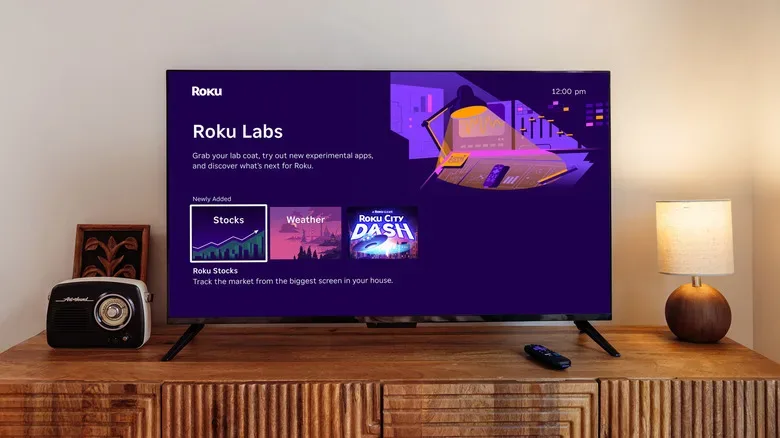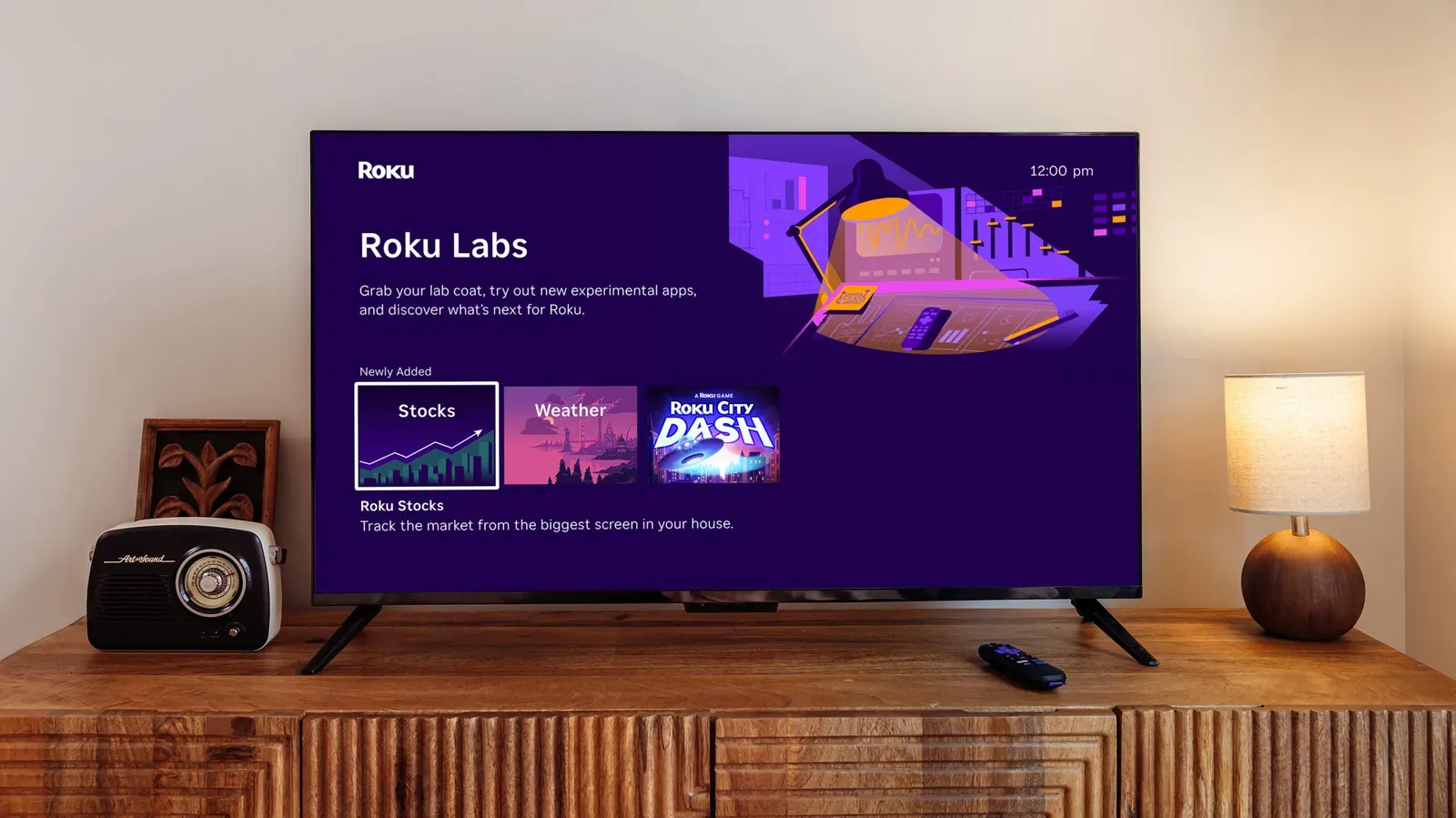
Roku is putting an experimental lane directly on its streaming platform with Roku Labs, a new program that gives Roku owners access to in-development apps from a tile on the home screen. The launch selection consists of four apps: Backdrops Studio, Roku Immerse, Roku Weather and Roku Stocks.
The basic idea is straightforward but notable for a living-room platform: rather than reserving preview software for a limited test group, Roku is making these experiments available through a visible, built-in destination that any Roku owner can reach. Participants can try the apps and submit feedback intended to influence how the products develop.
Roku is pairing that consumer-facing experiment with a more technical move. It is open-sourcing Roku LT OS, the operating system used in its remotes and smart-home products, and says a free development kit and video training series will be available for people who want to build their own projects.
What Roku Labs is launching with
The four starting apps largely concern information and the visual identity of a Roku device, rather than replacing the streaming experience itself.
- Backdrops Studio is designed to let users personalize a Roku background with art and images.
- Roku Immerse offers a new method for setting custom screensavers.
- Roku Weather is a dedicated weather application.
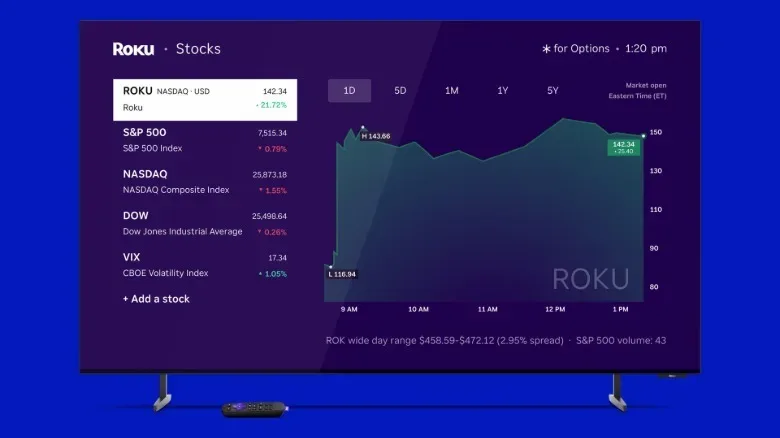
- Roku Stocks is a built-in tool for tracking stocks.
That lineup makes Roku Labs feel less like a catalog of wholly separate entertainment apps and more like a workshop for the surrounding screen experience: what a device looks like when it is idle, what useful glanceable information it can surface, and how much visual control a household should have over a television interface.
Backdrops Studio and Roku Immerse overlap in the broad goal of making the display feel more personal, but they appear to address different moments. A backdrop is the visual layer associated with the interface, while a screensaver is what appears after a period of inactivity. Roku has described the former as a way to use art and images for backgrounds and the latter as a route to custom screensavers. Neither description establishes a full list of formats, controls or sharing options, so prospective testers should treat those details as unsettled.
Weather and stock tracking are familiar categories, but their inclusion is meaningful in context. A television platform is ordinarily opened for a film, show or live event; a dedicated forecast or market tracker can turn it into a place for quick information checks as well. Whether that becomes genuinely convenient will depend on how quickly the apps open, what information they show, and how well their interfaces work from the couch. Those implementation details have not been specified.
Experimental means unfinished, not guaranteed
Roku calls the apps in development, and that wording matters. In software, an experimental app is a product being exposed to users before its design and behavior are final. The purpose is often to discover what people understand, what they ignore, where the software fails, and which features deserve more work.
For a user, that means Roku Labs should be approached as a chance to explore and comment, not as a promise that every app will remain available in its current form. Features can change, move, be refined or fail to become permanent. Roku has said feedback will directly inform future development, but it has not made specific commitments about what feedback will lead to what changes.
The unusually broad access is the key practical difference. Some beta programs use enrollment systems or restricted pools of participants. Roku Labs is intended to be found through a home-screen tile by any Roku owner, lowering the barrier between a curious viewer and a test build. It also gives Roku a potential feedback pool that reflects a wider set of homes and viewing habits than a narrowly selected preview group.
That can be valuable for features built around personal preference. A background tool needs to work for people who want family photos, people who prefer artwork, and people who would rather leave the interface untouched. A custom screensaver has to be understandable to users with very different comfort levels around menus and media selection. Weather and stock tools face another kind of expectation: people tend to want essential information immediately, without navigating a complicated TV-style dashboard.
What useful feedback could look like
Roku has not published a feedback rubric, but clear, specific reports are generally more useful than a simple thumbs-up or thumbs-down. Testers can identify what they were trying to do, what occurred instead, whether an issue happens repeatedly, and whether a choice was confusing even when it technically worked. For design experiments, describing what feels unnecessary can be as useful as requesting an additional option.
It is also worth separating an actual malfunction from a preference. “The screensaver did not save my selection” identifies a potential bug. “I would rather have fewer visual choices on the first screen” identifies a design preference. Both can matter, but they point product teams toward different fixes.
A home-screen update and clearer search are also planned
Roku says it will roll out an updated home-screen layout in Mexico and Brazil in the coming months. The company also plans to add the ability to ask for a weather forecast using voice and to update search so it explains why content appears in a particular order.
The search change deserves attention because ordering is often invisible. A results list can seem like a neutral answer to a request, even though an interface has made choices about placement. Roku’s planned explanations are intended to reveal why individual items appear where they do. The company has not detailed the wording of those explanations or every factor they may cover, but the underlying direction is toward more legible recommendations and results.
In interface terms, this is a form of transparency: providing a reason alongside an output instead of asking users to accept the ranking as a black box. It does not necessarily make every ordering decision universally agreeable. It can, however, give people context for interpreting what they see and deciding whether the result matches their intent.
Voice weather requests would similarly make the forthcoming weather functionality more immediate. A voice query removes the need to navigate into a dedicated weather app for a basic forecast. Roku has said the capability is coming, but has not provided a date, a list of supported languages or regions, or further detail on the interaction.
Roku LT OS is a separate opportunity for builders
Roku Labs is aimed at people using a Roku at home. Roku LT OS is for people interested in creating things with the operating system that powers Roku remotes and smart-home products. The company says it is open-sourcing that operating system, making its development kit free and offering a video training series.
Open source means the underlying software code is made available under terms that permit outside examination and development. In this case, the move provides a path for tinkerers to learn from and work with the software foundation Roku uses in these device categories. It should not be confused with a release of every piece of Roku’s broader entertainment platform: Roku specifically identifies LT OS as the operating system for remotes and smart-home products.
A development kit, often shortened to SDK, is a collection of resources used to build software or hardware projects. Roku has said its kit will be free. The planned training videos are important alongside it because code access alone does not make a platform approachable; newcomers also need an explanation of the workflow and the tools. Roku has not yet outlined the projects users will be able to make, supported hardware boundaries or the full licensing terms, so those are areas potential developers will need to examine when the materials arrive.
For gamers and gadget enthusiasts, the announcement is a reminder that the equipment around the TV can be as programmable as the screen itself. Controller-style input, remotes and connected accessories all shape how a living-room setup feels. Anyone following adjacent consumer hardware changes can also see how companies are continuing to iterate on the devices around daily entertainment, as with Bose’s updated open-ear earbuds lineup.
What to watch next
The immediate test for Roku Labs is whether the home-screen tile makes experimentation simple enough that ordinary users actually participate. Its four launch apps are practical, low-stakes places to start: personalization, screensavers, weather and stock tracking are easy to understand, while still leaving room for the company to learn which details people value.
The longer-term questions are more consequential. Roku will need to show how feedback is reflected in the apps’ evolution, whether the experimental destination expands beyond the initial four tools, and how its updated search explanations work in practice. The Mexico and Brazil home-screen rollout, voice weather feature and LT OS materials are all described as forthcoming, leaving their timing and exact scope open.
For now, Roku’s message is that owners can help shape experiments without joining a gated preview program, while more technically inclined users will receive a separate route into the software behind Roku remotes and smart-home devices. Those are different audiences and different kinds of participation, but both shift Roku slightly away from a one-way software rollout and toward a platform that invites users to look under the hood—or at least help decide what belongs on the screen.