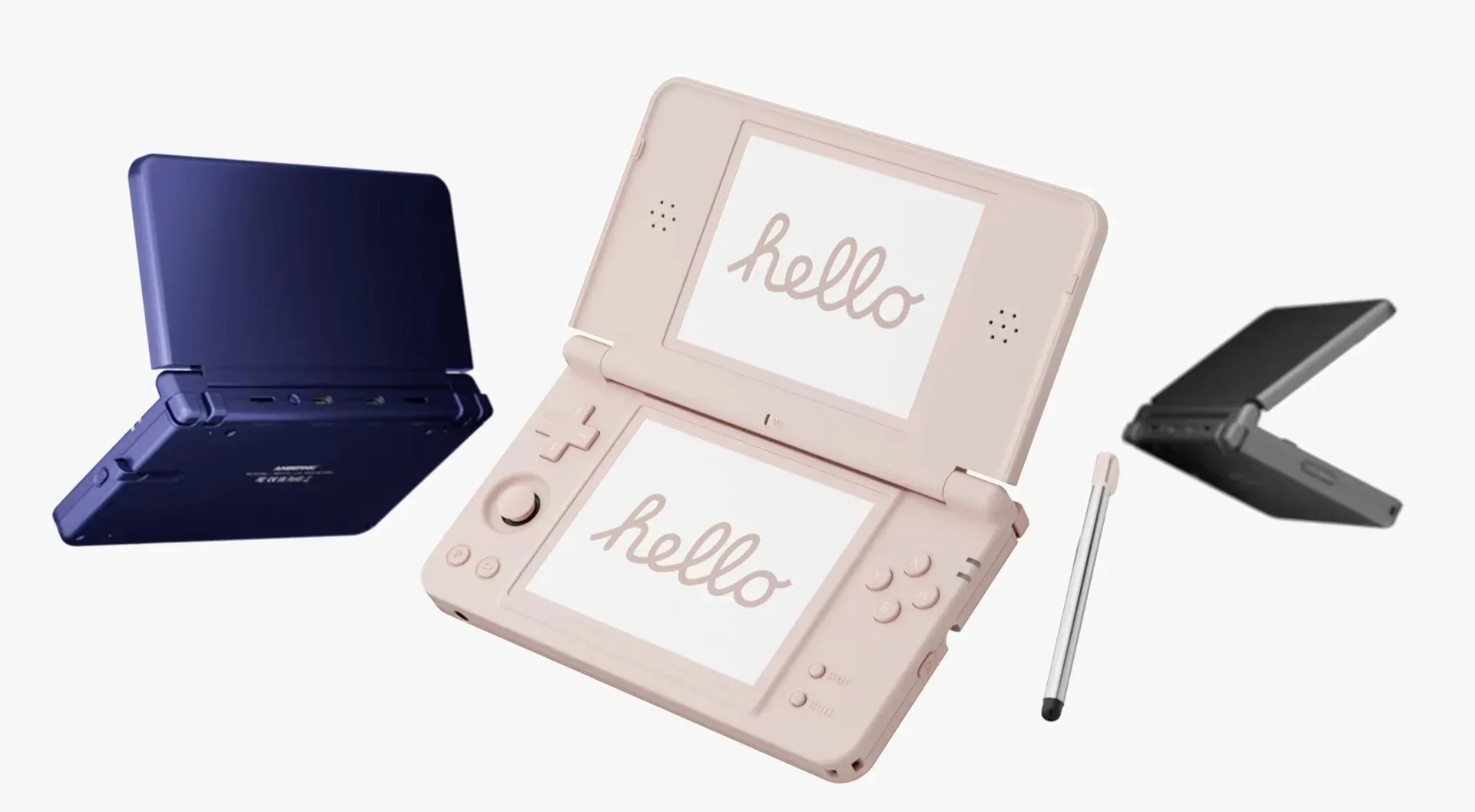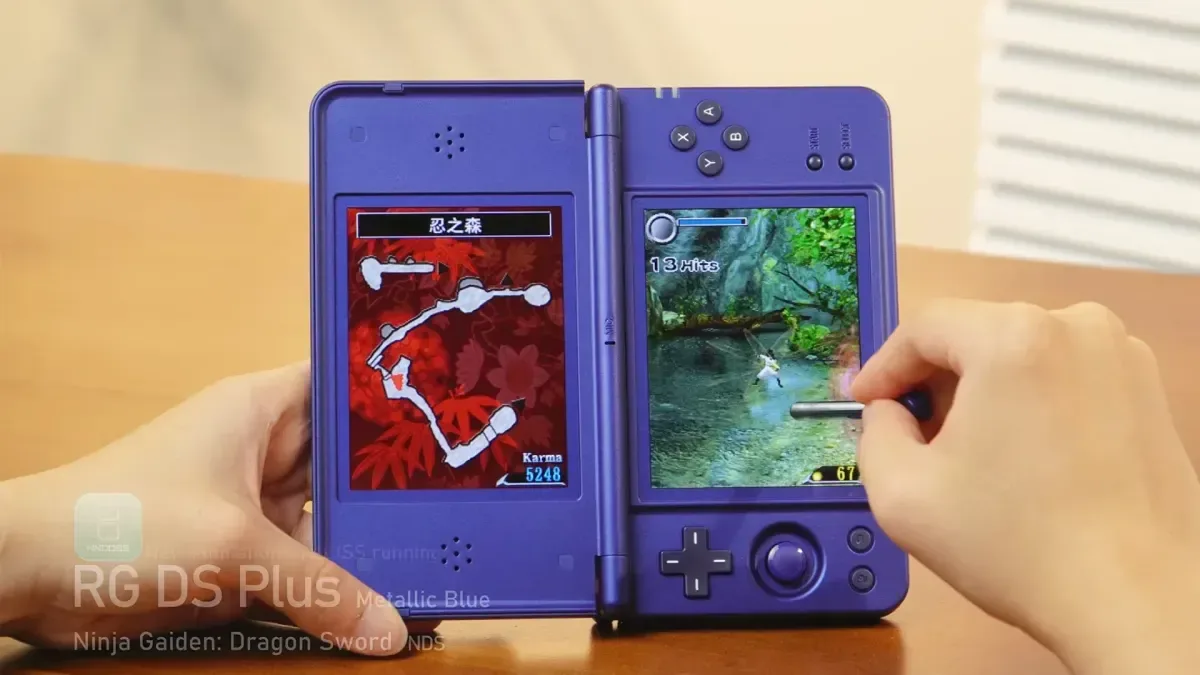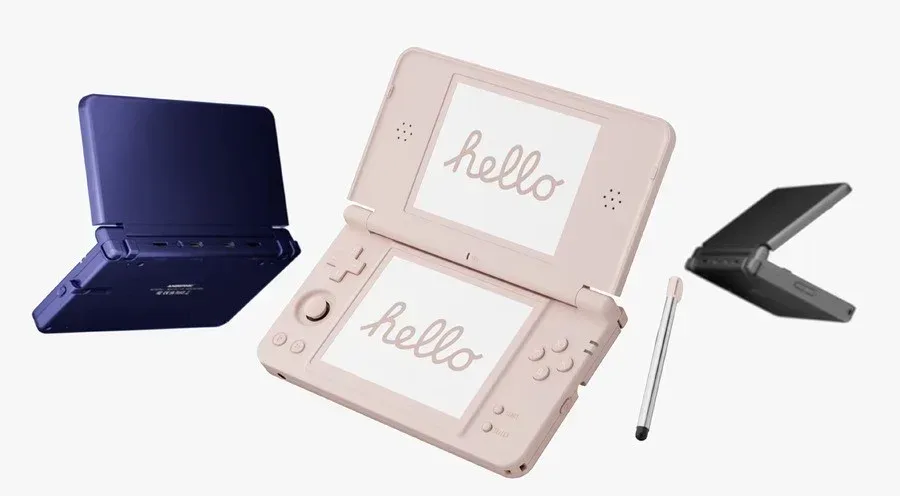
Anbernic has shown off the RG DS Plus, an updated dual-screen emulation handheld clearly shaped around the physical language of Nintendo DS-era hardware. The headline upgrades are unusually focused: two sharper screens, a redesigned hinge that is intended to hold more flexible viewing angles, and a built-in capacitive stylus. It is a package that appears aimed less at changing the basic idea of the earlier RG DS and more at addressing the details that matter when a handheld is expected to accommodate two displays, touch-driven games and a clamshell form factor.
There are still major blanks in the specification sheet. Anbernic has not identified the chipset inside the RG DS Plus, and there is no confirmed price or release date. That makes it impossible to make firm claims about performance, compatibility or value. What has been shared, however, gives retro handheld followers a fairly clear picture of the design priorities.
Two 4.3-inch panels built around a clean DS scaling target
The RG DS Plus uses a pair of 4.3-inch screens, each with a resolution of 1,024 by 768 pixels. That number is particularly meaningful for Nintendo DS material because the original system’s screens render at 256 by 192 pixels. Each dimension can therefore be multiplied by four exactly: 256 becomes 1,024, while 192 becomes 768.
In practical terms, that permits a straight 4x integer scale without having to stretch the image to an in-between value. Pixel-art games generally benefit from this kind of exact scaling because the original pixel grid maps evenly onto the display rather than being interpolated into softer or uneven-looking blocks. On a handheld devoted to a dual-screen library, it is a notably sensible match of panel resolution to the system being emulated.
That does not automatically settle every presentation question. DS games used two separate screens, and their layouts vary widely: some keep vital information on the lower panel, some use touch controls constantly, and some shift emphasis between displays. Still, matching the native resolution by an exact fourfold multiple gives the RG DS Plus a strong foundation for showing each screen at a large, crisp size.
Display specifications are only one part of enjoying older games, of course. Anyone comparing ways to view retro hardware on modern equipment may also find our guide to mapping the connection before buying a retro console HDMI adapter useful. The RG DS Plus is a self-contained handheld rather than an adapter solution, but the same basic lesson applies: resolution, scaling and the intended display setup deserve attention before the purchase rather than after it.
A hinge designed for more than a few fixed poses
The other conspicuous hardware change is the hinge. Anbernic describes the revised assembly as a dual-alloy mechanism and says it supports stepless positioning. Rather than clicking through a small number of preset opening angles, the lid is intended to sit at the angle chosen by the player.
That is potentially important on a two-screen machine. A conventional clamshell angle may feel comfortable for a game that treats the bottom screen as a map, but less ideal for a title where the stylus is in near-constant use. Being able to tilt the upper display independently of a few notches could make it easier to find a viewing position that works on a desk, on a lap or in the hands.
Related coverage includes Anbernic Reveals RG DS Plus With Dual 1024x768 Displays and Built-In Stylus.
It is also an area where the details will matter more than a feature label. A freely adjustable hinge needs sufficient resistance to stay where it is placed, but not so much that moving it feels awkward. Long-term durability is equally impossible to assess from an initial reveal. For now, the redesign is best treated as a promising ergonomic change, not a proven one.
The missing stylus is no longer missing
The RG DS Plus includes its own capacitive stylus, addressing an omission from the preceding RG DS. It is a small addition on paper, but it speaks directly to the nature of the DS catalogue. The original handheld’s touch screen was not merely an occasional novelty: many games depend on tapping, dragging, drawing, menu navigation or rapid stylus gestures.
Having a dedicated stylus stored with the system should be more convenient than asking owners to supply an accessory of their own. It also helps the device feel better aligned with the game library it is trying to represent. A finger can work for certain touch inputs, but it is a poor substitute when a game expects a narrow, precise pointer or makes extended stylus use part of its central interaction.
The available information identifies the stylus as capacitive, but does not go further into matters such as storage placement, length, tip feel or whether replacements will be offered. Those questions may sound minor, yet they can affect daily usability. A stylus that is always at hand is helpful; one that is easy to misplace or uncomfortable to hold can quickly become an afterthought.
Linux software, NNDDSS and the features that matter for DS emulation
On the software side, the RG DS Plus runs a Linux-based operating system and introduces an emulator called NNDDSS. Anbernic says the interface is fully customizable, while NNDDSS supports screen swapping, microphone functionality, shaders, save states and cheat codes.
Screen swapping is a logical tool for a platform whose games were designed around two panels but whose players may not always want to look at both in the same way. It can be useful when one display deserves priority, whether because of text, action, touch controls or a temporary interface element. The exact options and implementation have not been detailed, so it remains unclear how much flexibility owners will have over layouts and shortcuts.
Microphone support is another relevant inclusion. Some DS software incorporates microphone-based interactions, and support for that input avoids treating those games as automatically incomplete. Save states and cheat codes are familiar conveniences in emulation, while shaders give users visual presentation options beyond a plain native-style image. None of those tools should be mistaken for a guarantee that every game will behave perfectly, but they are meaningful capabilities for a device built around revisiting an older handheld ecosystem.
The promise of a customizable user interface may be just as significant for regular use. Dual-screen emulation can involve more decisions than loading a conventional one-screen game: how screens are arranged, which is emphasized, whether touch input is needed, and when controls should change. A well-organized interface can make those choices less intrusive. Until more of the software is shown, though, its ease of use remains an open question.
The biggest unanswered question is performance
Despite the attention paid to the screens, hinge and stylus, the RG DS Plus is not yet a fully specified product. The chipset has not been disclosed. Without it, there is no solid basis for judging emulation headroom, system responsiveness, battery expectations or the breadth of platforms the handheld may reasonably target beyond its DS-inspired focus.
Likewise, a price and release timing have not been announced. Those omissions matter because a stronger hinge, high-resolution panels and a bundled stylus can be attractive upgrades, but their value depends heavily on the final cost and on how the overall hardware performs. Prospective buyers should resist filling in those gaps with assumptions.
For the moment, the RG DS Plus is a carefully targeted revision with a clear pitch: sharper dual displays that land exactly on 4x DS scaling, more adjustable clamshell positioning, and a proper stylus included with the device. If the unannounced internals and software execution match those visible improvements, it could become a particularly tailored option for people who want a dedicated way to explore touch-centric dual-screen games. Until Anbernic provides the remaining technical and retail details, it is a promising reveal rather than a finished buying decision.