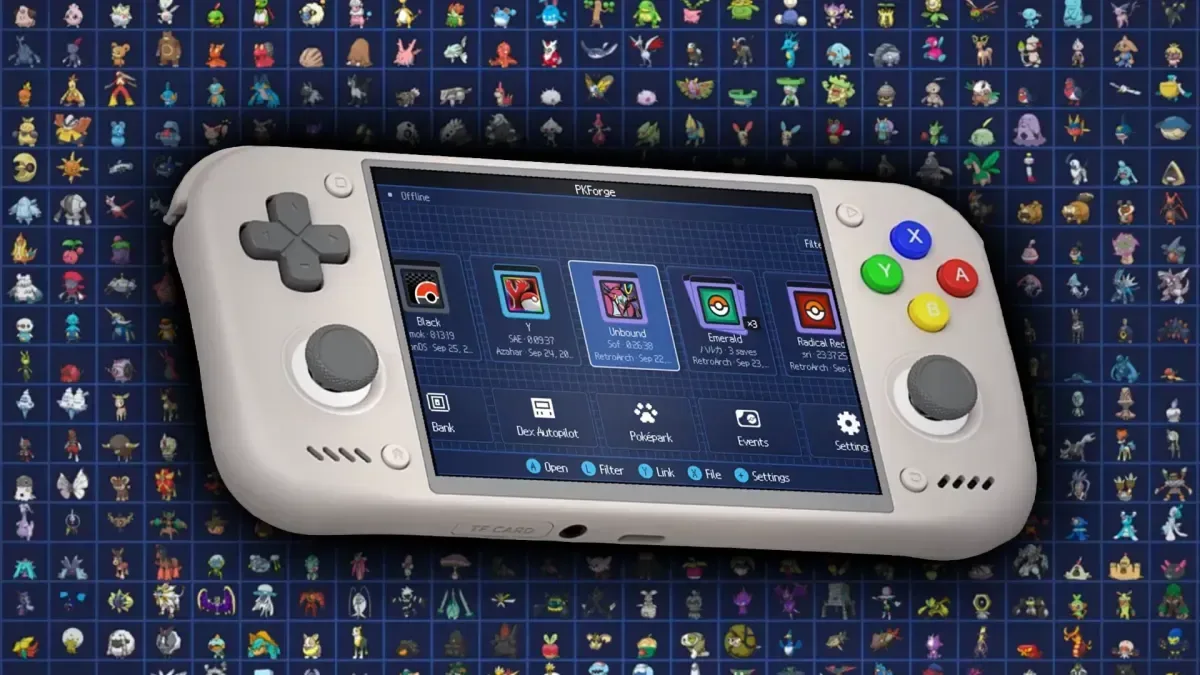
Keeping a Pokémon collection together has always been more complicated than filling a few PC boxes. Different generations use different save structures, fan-made ROM hacks can introduce their own complications, and an Android handheld can easily become home to many separate saves across several emulators. PKForge 3.0 aims to put a single on-device hub around that sprawl: a free, open-source Android application that reads compatible saves, organizes Pokémon into a cross-game Bank and offers extensive save-editing tools.
Its stated scope is unusually broad. PKForge supports mainline games from Pokémon Red, Blue, Green and Yellow through Pokémon Scarlet and Violet, plus five named ROM hacks: Pokémon Unbound, Radical Red, GS Chronicles, Luminescent Platinum and Pokémon Compass. It also lists support for 11 emulators spanning Game Boy, Game Boy Color, Game Boy Advance, DS, GameCube, 3DS and Switch software on Android.
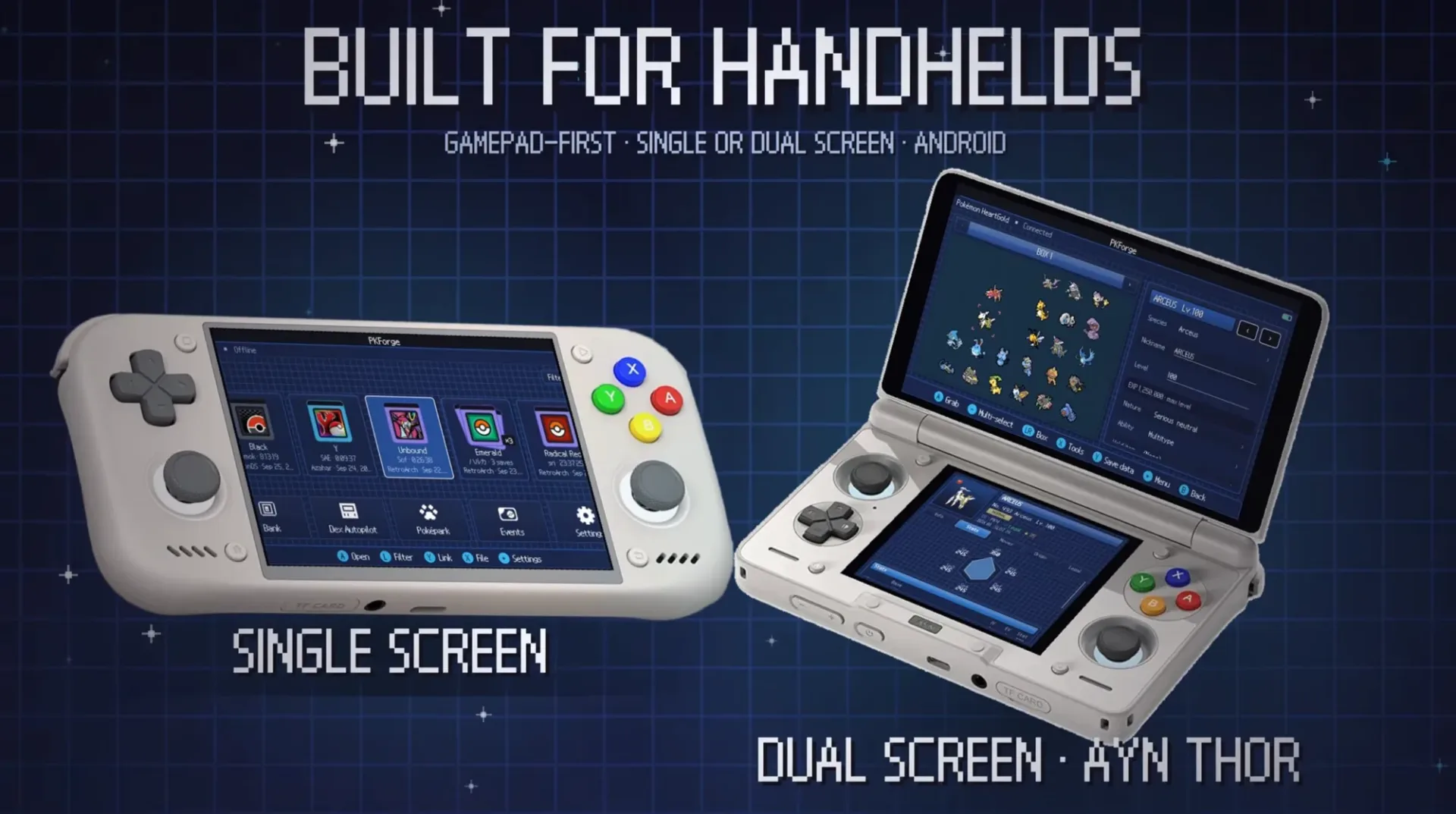
The practical pitch is simple: instead of opening a different tool for every save, players can link emulator saves or open individual save files, browse teams and boxes, and place creatures into a shared Bank. That Bank uses unlimited themed boxes and is designed around gamepad navigation, a meaningful detail for Android handhelds such as the AYN Thor, RG DS and Retroid Pocket Duo line, which are specifically named as dual-screen targets.
A Bank for saves rather than a single game
The headline feature is cross-game movement. PKForge says a Pokémon can be taken from one supported save and placed into another, including transfers spanning Generation III through Generation IX. In effect, the app is positioning its Bank as a personal, local collection layer rather than a box tied to one title.
That matters most to players building a living dex. The term generally means maintaining one example of every species in an organized collection instead of merely registering species as caught. PKForge’s tracker covers all 1,025 Pokémon and includes shiny variants, while its Bank is intended to let users store, sort and retrieve those entries across their compatible saves.
For ROM-hack players, the appeal is not just storage. A person moving among several modified games may otherwise have no straightforward way to see what is sitting in which save. PKForge says it can automatically read and organize multiple save files located on an Android device. Its organizer also supports multi-select actions including copy, move, duplicate, delete, release and sending groups to the Bank or Poképark.
That does not mean every transfer will be equally straightforward in every circumstance. A Pokémon’s species, form, moves, origin data and other fields can matter to whether a destination game recognizes it as expected. PKForge includes a live legality check and an offline Auto Legality Mod, but those are tools for assessing and editing save data, not a universal promise that every altered or transferred creature will behave identically across every game or service.
What the save editor can change
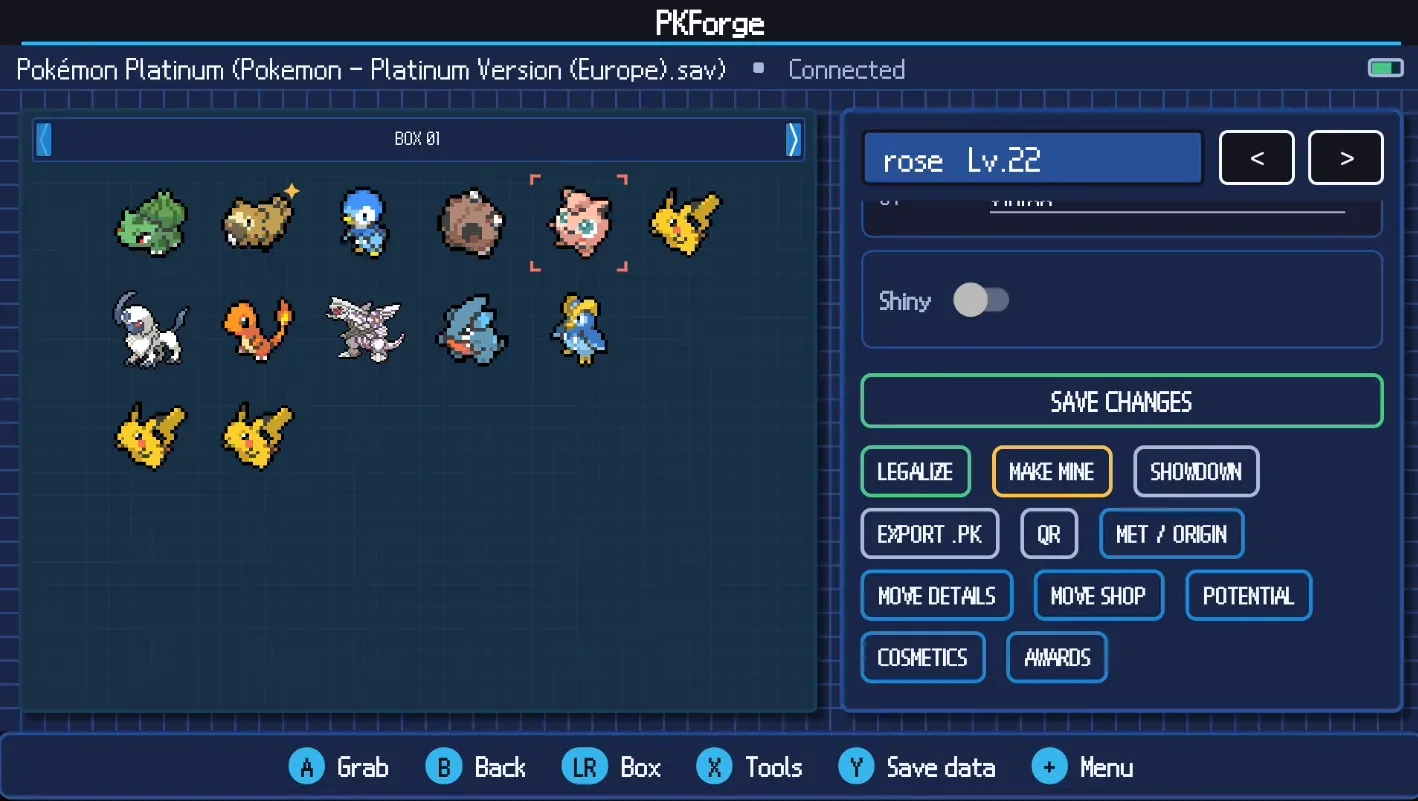
PKForge 3.0 goes far beyond box management. The editor lists control over a Pokémon’s statistics, IVs, EVs, moves, nature, ability, held item, met and origin information, Tera Type, Hyper Training status, shininess, friendship and Pokérus, among other values.
Related coverage includes PKForge 3.0 Turns Android Handhelds Into a Cross-Game Pokémon Bank.
Some of those terms are central to how modern Pokémon save data works. IVs, or individual values, are underlying values associated with a Pokémon’s stats. EVs, or effort values, are another stat-related system built through gameplay. A nature affects stat growth tendencies, while an ability is a species-linked battle trait. PID refers to a personality identifier, which is among the values PKForge’s RNG tools can inspect alongside IVs and nature.
The app also provides an option to reroll nature while retaining shininess. It can edit names, forms, levels and more, while its trainer editor covers trainer name, IDs, money and gender, as well as profiles and records. The bag editor is similarly broad: it supports pouches, items and quantities, with presets and one-tap refills.
These capabilities serve very different use cases. Some players will see them as practical recovery tools for correcting a bad save-state decision or rebuilding a misplaced team. Others may use them to experiment with team construction, test a move set, or smooth out the grind in a ROM hack. They are also plainly capable of changing progression and creating data that was not obtained normally. Anyone considering the app should be clear about the difference between preserving or organizing a personal save and substantially modifying one.
Offline event, breeding and Pokédex tools
PKForge includes an offline Mystery Gift database with more than 4,000 entries. Users can browse Wonder Cards from older distributions and inject them into a save. Wonder Cards are records connected to event distributions, so this feature is aimed at adding event content directly rather than waiting for a current online distribution.
Elsewhere, its Egg Factory and Day Care/Nursery features can generate eggs and hatch Pokémon, including one egg for every species. The Pokédex functions can mark entries as seen, generate a living dex and identify missing entries. These features fit the same central idea as the Bank: a player can use the application as a planning and collection-management workspace, not solely as a one-Pokémon-at-a-time editor.
There are a few more specialized tools, too. The Nuzlocke report tracks first encounters and duplicate encounters by route. The encounter browser lists ways to catch a species in each supported game. The Poképark is described as a habitat where stored Pokémon wander while the player is away. Players sharing battle teams can import and export Showdown sets and generate QR codes to move a set between devices.
Game-specific editing is another part of the package. PKForge lists tools for features such as the Grand Underground, Poké Beans and fashion, with the exact options depending on the game. That is important context for the enormous supported-game list: cross-game support does not necessarily mean that every game exposes the same editor panels or mechanics.
Supported games and Android emulators
The app’s listed compatibility covers the following official games:
- Generation I: Red, Blue, Japanese Green and Yellow.
- Generation II: Gold, Silver and Crystal.
- Generation III: Ruby, Sapphire, Emerald, FireRed, LeafGreen, Pokémon Box: Ruby & Sapphire, Colosseum and XD: Gale of Darkness.
- Generation IV: Diamond, Pearl, Platinum, HeartGold and SoulSilver.
- Generation V: Black, White, Black 2 and White 2.
- Generation VI: X, Y, Omega Ruby and Alpha Sapphire.
- Generation VII: Sun, Moon, Ultra Sun, Ultra Moon, Let’s Go Pikachu and Let’s Go Eevee.
- Generation VIII: Sword, Shield, Brilliant Diamond, Shining Pearl and Legends: Arceus.
- Generation IX: Scarlet and Violet.
For Android emulation, PKForge lists RetroArch, Linkboy and Pizza Boy C for Game Boy and Game Boy Color; RetroArch, Linkboy and Pizza Boy A for Game Boy Advance; melonDS, DraStic and RetroArch for DS; Dolphin for GameCube; Azahar, Lime3DS and Citra MMJ for 3DS; and Eden for Switch.
The dual-screen focus is especially notable because save management often demands frequent switching between boxes, lists and detail panels. Hardware with two displays may make that workflow more comfortable than a conventional phone screen. It also fits the broader appeal of dedicated Android gaming devices: they provide physical controls and portable access to software spread across many eras. Portable design is not automatically a solved problem, however; as our look at foldable hardware’s trade-offs notes, form factor and durability still shape how practical an all-in-one mobile setup can be.
Save protection should be the first feature to test
The most important claim in a save editor is often not what it can modify, but what happens if something goes wrong. PKForge says each write follows a sequence of validation, backup and atomic write, with restore points preserving every change. An atomic write is a method intended to avoid leaving a partially written file in place: the operation should complete as a whole or not replace the prior save at all.
That approach is reassuring in principle, particularly when an app is reading saves from many generations and emulators. Still, preserving a separate copy of any meaningful save before editing remains the sensible practice. A backup is useful even when an application offers its own restore system, because players may want an untouched file outside the app before attempting a cross-game transfer, bulk modification, event injection or other irreversible change.
- Keep an independent copy of the original save before linking or editing it.
- Start with a less important save to understand how the Bank, transfers and restore points work.
- Check the live legality information after changes, especially when moving a Pokémon between generations or adding an event.
- Confirm that the destination game recognizes the transferred Pokémon and its relevant data before making further edits.
- Download software only from the project’s official distribution location and review it carefully before granting file access.
PKForge is available free through GitHub. As with any utility that needs access to personal files and can overwrite save data, users should exercise due diligence before installing it and before pointing it at a library of saves.
Version 3.0’s significance is less about any single editor toggle than the attempt to bring bank storage, broad save compatibility, collection tracking and handheld-friendly controls into one Android application. For players whose Pokémon history is scattered across generations, emulators and selected ROM hacks, that could make a personal living dex much easier to survey—provided they approach editing and backups with appropriate care.