Old Pokémon games remain wonderfully direct: pick a starter, build a party, get lost in tall grass, then discover that the item you needed was in a menu you forgot existed. Their age also shows in the friction. Maps are compact, bags become busy, PC storage is separated from the immediate adventure, and much of the useful information lives in memory, notes, guides, or a second device.
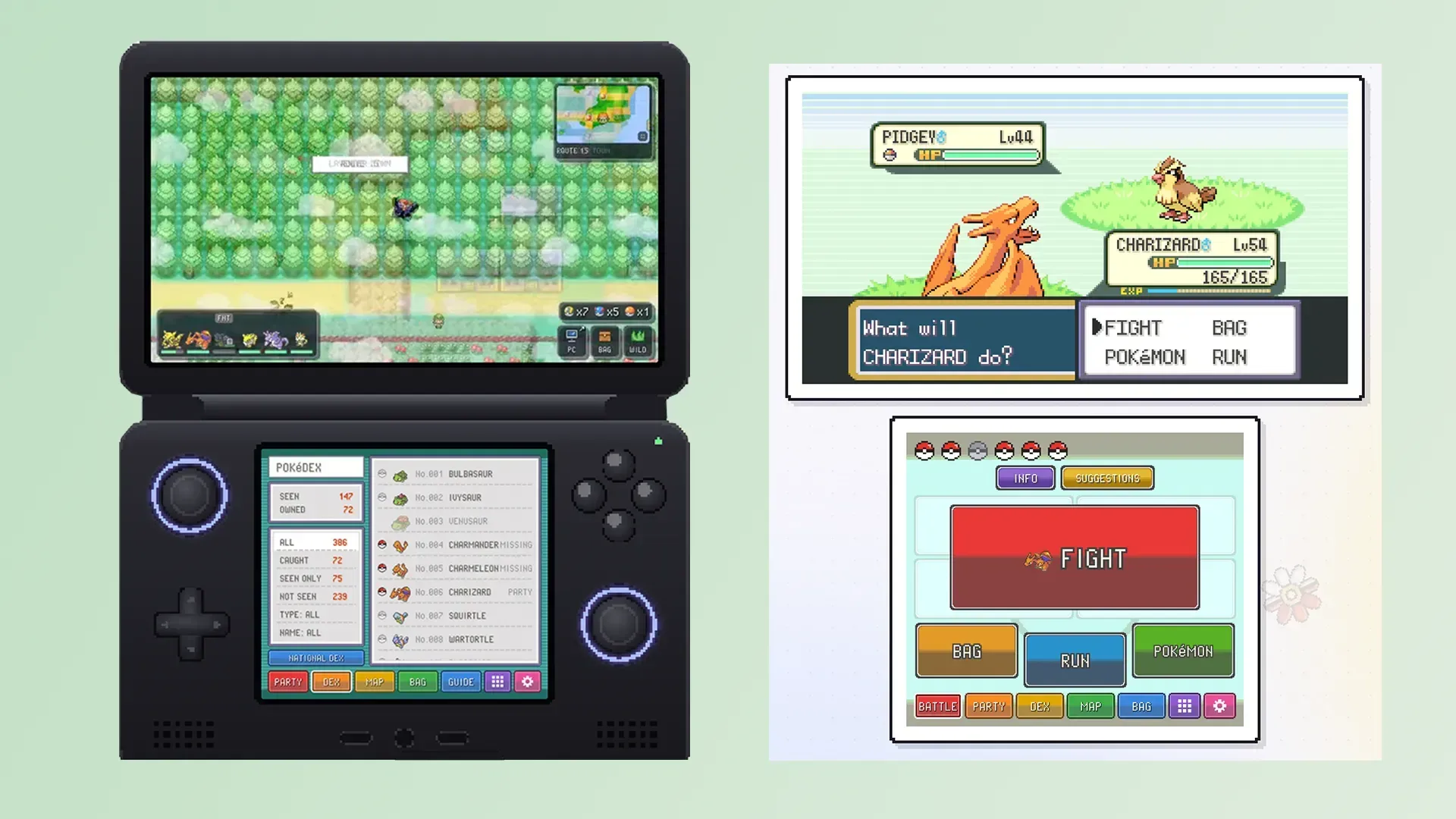
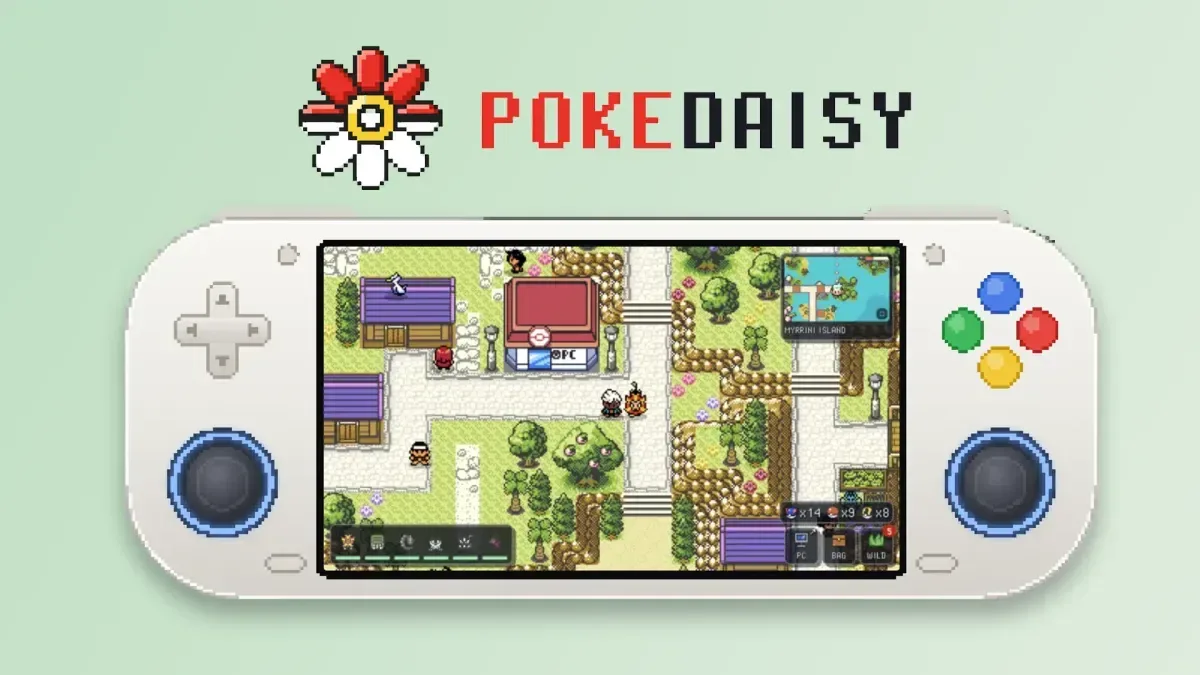
PokéDaisy is built to close some of that gap without presenting itself as a new ROM hack or a cheat package. It is a free, open-source companion application that runs supported Pokémon games from the Game Boy, Game Boy Color, Game Boy Advance, and Nintendo DS eras through emulation. While the game is running, PokéDaisy reads its state and presents useful information alongside it: party details, bag contents, maps, Pokédex information, PC boxes, hints, a Nuzlocke tracker, and battle matchup guidance.
The result is less like replacing an old game and more like attaching a very attentive navigator to it. For players returning to an original adventure, tackling a ROM hack, or trying to keep a challenge run organized, the appeal is that the needed context can be visible at the moment it matters rather than scattered across separate tools.
A second-screen companion when the hardware allows it
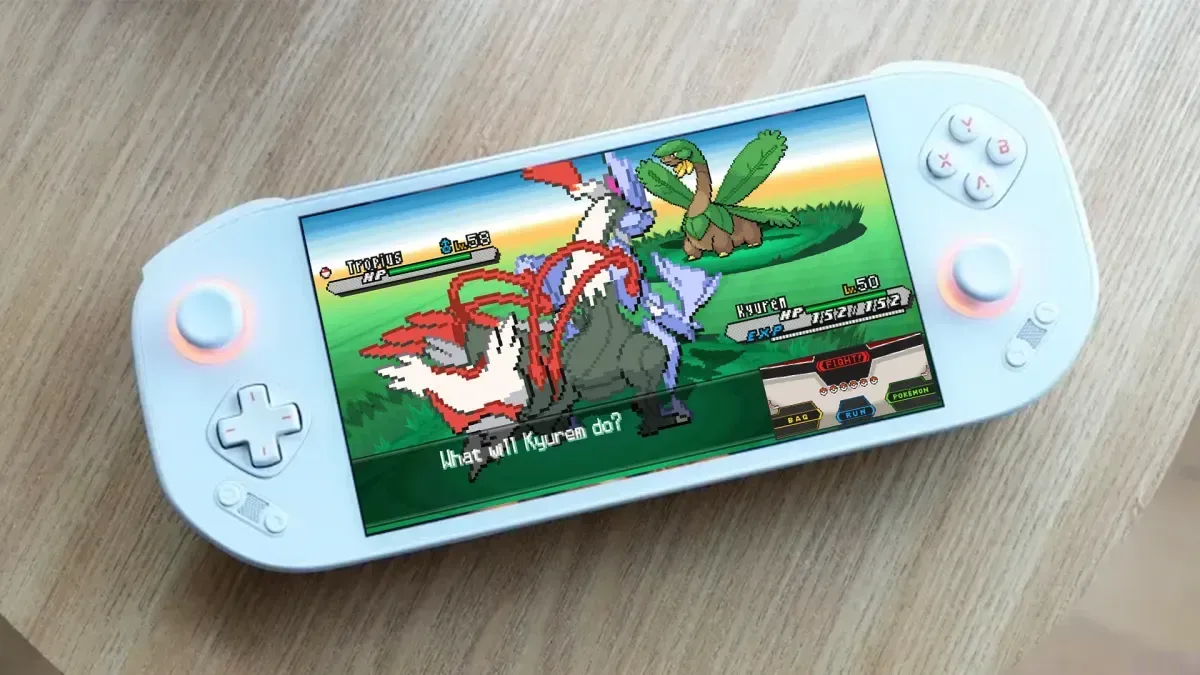
PokéDaisy is designed for Android handhelds and phones, and it can make particularly neat use of dual-screen hardware. On a device such as the AYN Thor, the game can occupy one display while the companion information stays on the other. That arrangement preserves the game screen while making maps, menus, and tracking data immediately accessible.
There is a practical reason this matters. A retro Pokémon game is generally designed around one small screen and a limited set of menus. Even when every piece of information is technically present in the game, reaching it may mean backing out of a route, opening multiple menus, checking storage, or relying on recollection. A dedicated companion screen turns that stop-and-start process into something closer to a dashboard.
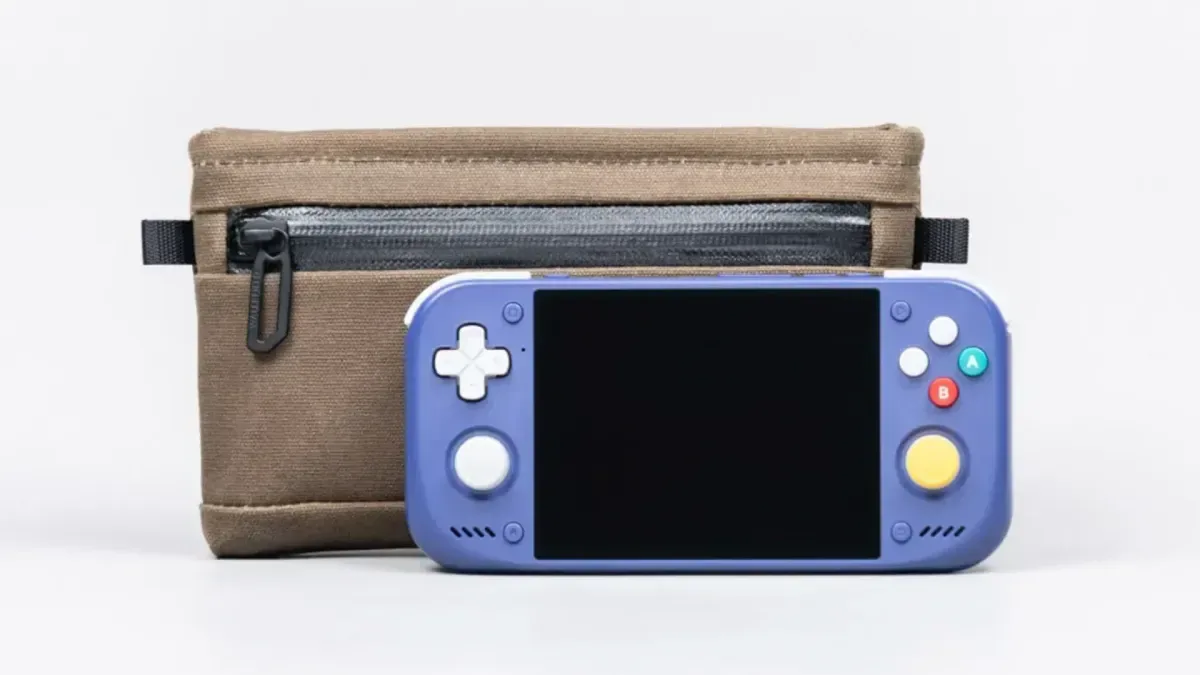
For readers weighing hardware around that use case, Joking Joystick has also covered carrying cases tailored to the AYN Thor and Retroid Pocket Nova. PokéDaisy does not require a dual-screen system, but the layout illustrates why devices with extra display space can be attractive for emulation setups.
Single-screen users are not excluded. On those devices, PokéDaisy can appear as a window or side panel over the running game. That is a more compact compromise, but it retains the central idea: the app can provide live game-related data without forcing the player to leave the session for a separate reference.
What the app can show while you play
PokéDaisy’s feature list centers on the information that tends to be repeatedly checked during a long Pokémon playthrough:
Related coverage includes PokéDaisy Brings Modern Companion Features to Retro Pokémon on Handhelds.
- Party information for the Pokémon currently traveling with the player.
- Bag details to make items easier to review.
- Maps for navigating the current world.
- Pokédex information as a reference for the creatures encountered on the journey.
- Hints supplied through the companion interface.
- PC box visibility for checking stored Pokémon.
- A Nuzlocke tracker for organizing a self-imposed challenge run.
- Battle matchups, including suggested moves and Pokémon.
The term Nuzlocke refers to a player-created Pokémon challenge format rather than a built-in game mode. Its exact rules can vary by player, but tracking is important because the format typically relies on restrictions and consequences that the original games were not designed to record automatically. A live tracker therefore has a clear practical purpose: it reduces the bookkeeping burden while leaving the player focused on the run itself.
Battle matchup suggestions are potentially one of the app’s most immediately useful functions. Pokémon battles are built around choices involving types, moves, and available party members. In an older game, a player may know the answer already, work it out manually, or consult an outside reference. PokéDaisy’s approach is to place a recommendation layer next to play. That does not change the underlying battle system; it makes the relevant decision-support information more convenient to reach.
Emulator cores, overlays and the distinction from a ROM hack
PokéDaisy uses the mGBA and melonDS emulator cores to run users’ own ROMs. An emulator core is the component responsible for reproducing a game system’s behavior in software. Here, mGBA is used for the Game Boy family supported by the app, while melonDS covers Nintendo DS support.
That technical foundation explains why PokéDaisy can function as more than a static guide. It is not simply showing a universal checklist beside a game. It can read game information during play and update the companion view around that session.
An overlay, meanwhile, is an interface placed on top of the active game display. On one-screen devices, the side panel or window format is an overlay-style solution. On dual-screen devices, the companion can move away from the main game screen altogether. The difference may sound cosmetic, but it affects how much of the original presentation remains unobstructed and how often a player needs to toggle views.
It is also worth separating PokéDaisy from a ROM hack. A ROM hack is a modified game file that can alter content, systems, difficulty, maps, or other aspects of an original game. PokéDaisy instead operates as a companion around supported games and hacks. It supports 64 Pokémon games and 42 popular ROM hacks at present, including Pokémon Lazarus.
Maps that extend beyond the original frame
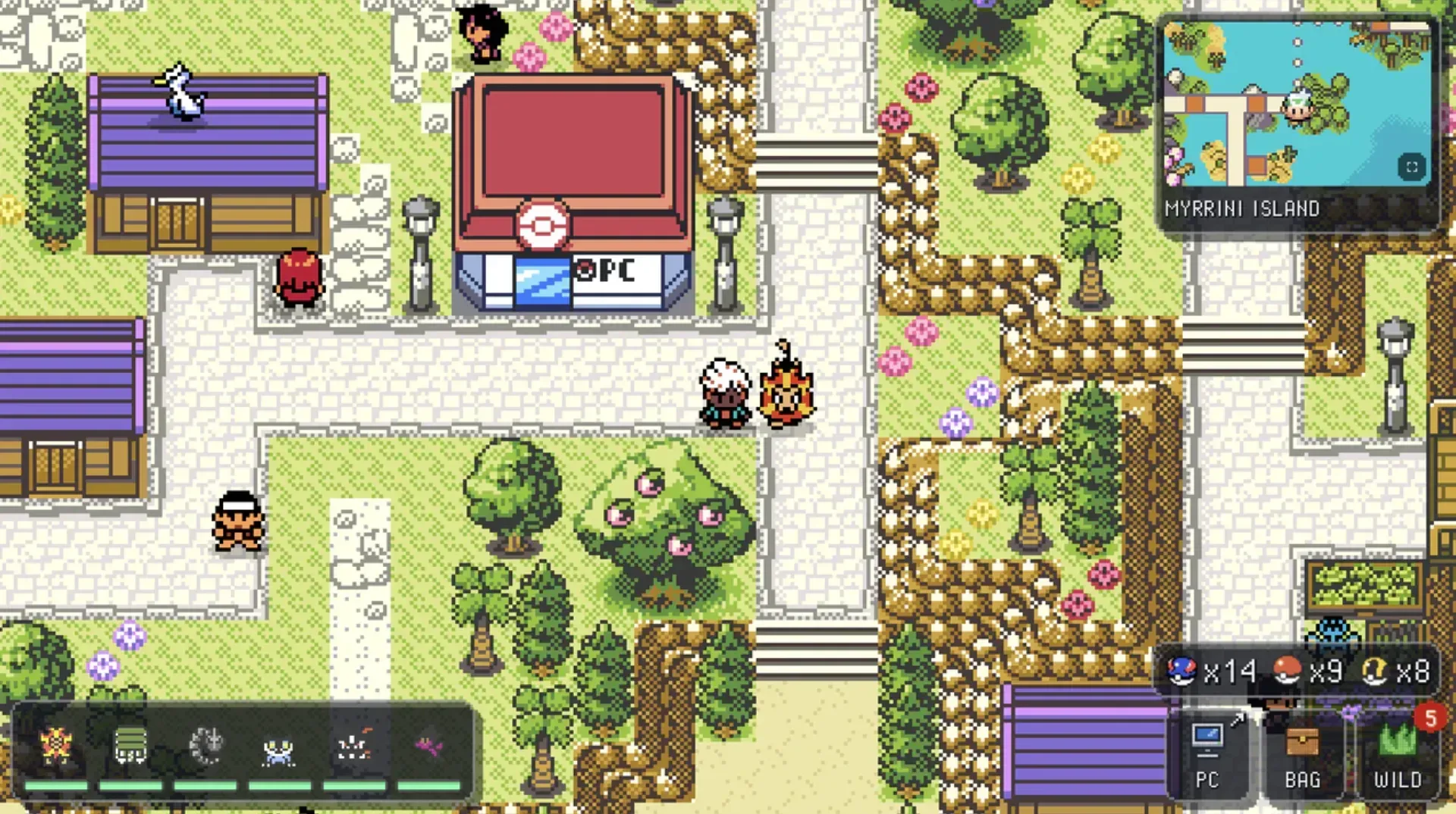
One of the more distinctive features is a widescreen overworld map. PokéDaisy takes the known map and extends its presentation past the original edges to normalize the view, rather than treating the classic game frame as an immovable boundary. The feature also works with ROM hacks such as Pokémon Lazarus.
That is a presentation enhancement, not a claim that the old games suddenly became widescreen releases. The important point is visual context. Wider map space can make routes and surrounding geography easier to read at a glance, especially when a player is navigating a larger or unfamiliar fan-made world.
For PC use, PokéDaisy also offers an on-screen HUD. The available controls can include Fly, Repel, shortcuts, save states, and fast-forward. Save states are emulator snapshots that let a player preserve and restore a moment outside a game’s ordinary save system. Fast-forward speeds up emulation, which can be useful when revisiting familiar stretches or moving through slower sections. These are emulator-adjacent conveniences gathered into a more accessible interface.
Free Flight and personalization options
PokéDaisy also includes a feature called Free Flight. It lets players fly across the whole region in a free-roaming aerial view, presented in the style of riding a fantasy mount over the world. Its purpose is easy to understand even from the name: it gives the player a broad regional perspective rather than limiting movement to ordinary on-foot navigation and conventional travel transitions.
The app additionally works with RetroAchievements and popular emulator shaders. RetroAchievements is presented as part of the app’s broader personalization and challenge-friendly setup. Shaders are visual effects that can alter how an emulated game is displayed, helping users tailor the image to their preferred look. Neither changes the original cartridge-era game design on its own, but both reflect how modern handheld and desktop emulation setups can be customized around it.
This combination is the larger pitch behind PokéDaisy. It does not ask players to give up retro Pokémon’s structure. It aims to make that structure less cumbersome by bringing reference material, tracking tools, display options, and emulator controls into one environment.
Platforms, price and the current support picture
PokéDaisy is available free of charge, with no ads, account requirement, or paid-locked features described. It is open source and was developed by lidor30, who has said the app has passed 100,000 downloads.
Current platform support includes Android, Linux, Steam Deck, and several other handheld operating systems. Nintendo 3DS, Windows, and iOS versions have been teased as coming “soon,” which should be read as a stated plan rather than a confirmed release date.
For retro Pokémon players, the strongest case for PokéDaisy is not any single headline feature. It is the ability to combine navigation, party and storage reference, challenge tracking, battle assistance, and familiar emulator tools in a live companion that follows the game. Whether it is used as a full-time second screen or as a small single-screen panel, it is an attempt to make older Pokémon journeys feel better supported without pretending they are no longer old games.